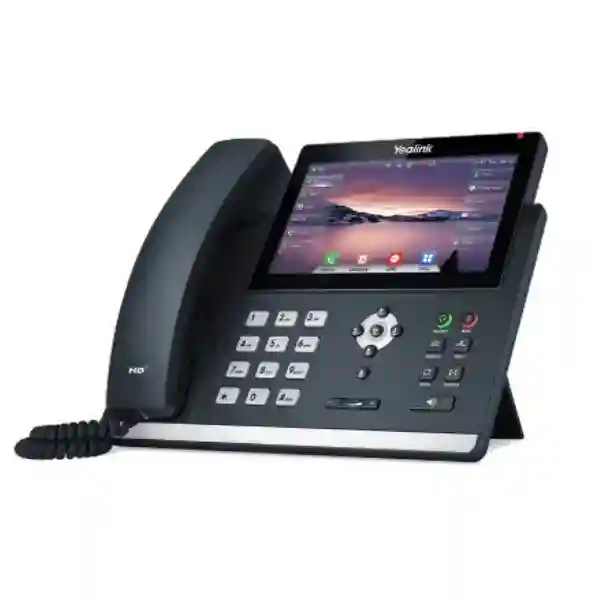
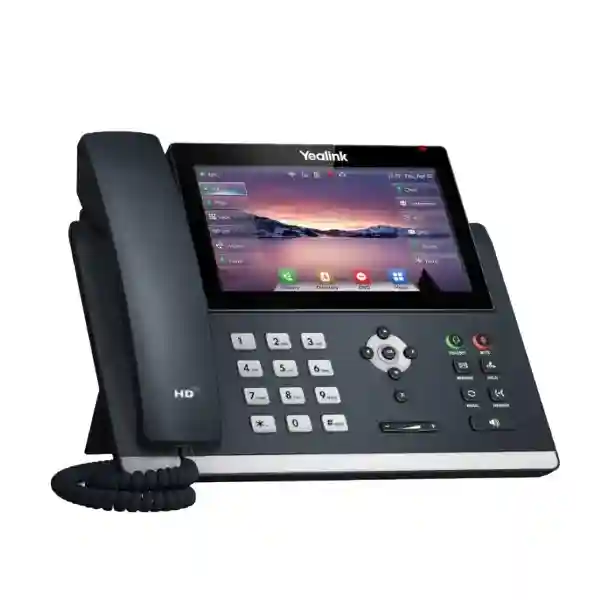
Yealink SIP-T48U Advanced SIP Business Phone for Enterprise Voice Communications
The Yealink SIP-T48U is a professional desktop SIP phone designed for business users who require a large touch interface, multiple registered voice accounts, reliable wired networking and flexible peripheral expansion. In practical terms, it places a sophisticated call-control endpoint on an executive, receptionist, supervisor or departmental desk while connecting to a compatible SIP-based communications platform. The 7-inch colour touch display is central to the operating experience: users can move between call functions, contacts and programmable controls without relying only on rows of physical line buttons. For organizations replacing older analogue handsets, refreshing an existing IP telephony estate or standardizing new branch offices, this model provides a mature combination of Gigabit Ethernet, Power over Ethernet, broad voice-codec support and centralized provisioning capabilities.
The phone supports up to 16 VoIP accounts and provides 29 touch-based DSS keys, making it particularly relevant where a user needs visibility of numerous extensions, speed dials, shared lines or feature functions. Dual USB ports add another layer of flexibility. Depending on the approved accessory and deployment design, these ports can accommodate compatible USB headsets, recording, Yealink Bluetooth or Wi-Fi adapters, and the EXP43 colour-screen expansion module. This allows procurement teams to start with a capable desk endpoint and add user-specific accessories without changing the core phone model.
For Ugandan organizations, the procurement decision should include more than the handset count. FourTeck can help align the order with PoE switching, SIP platform requirements, headset preferences, network VLAN design, expansion modules and provisioning expectations. This reduces avoidable surprises during rollout and gives IT teams a clearer bill of materials before purchase.
Instant Specifications & Procurement Fact Rail
Yealink SIP-T48U
7-inch 800 × 480 colour touch screen
Up to 16 SIP accounts
Dual-port Gigabit Ethernet
IEEE 802.3af PoE, Class 3; optional 5 V/2 A adapter
2 × USB 2.0; EXP43 support
This fact rail captures the elements most likely to affect a quotation. The handset is intended for professional SIP deployments rather than analogue telephone lines. PoE can simplify deskside installation because compatible switching can carry network connectivity and power over the Ethernet connection. Where PoE is unavailable, the optional external Yealink power adapter must be considered. The second Gigabit Ethernet interface can support a typical phone-and-PC desk topology, subject to the organization’s network policy. Wireless connectivity is not inherently the same as integrated Wi-Fi or Bluetooth: compatible Yealink USB adapters are used when those capabilities are required. Warranty terms, stock position, lead time and accessory inclusion should be confirmed on the commercial quotation because these may depend on supply channel and order composition.
Operational Product Architecture & Overview
A business IP phone sits at the intersection of user experience, the local Ethernet network and the organization’s voice platform. The SIP-T48U addresses all three layers. At the user layer, the large capacitive-style touch workflow reduces the need to memorize key combinations. The display offers a 24-bit colour interface with icons and soft keys, caller identification information, wallpaper and screen-saving functions. At the telephony layer, the phone supports SIP v1 and v2 and a broad set of call features including hold, mute, do-not-disturb, transfer, call waiting, forwarding, auto answer, speed dial, hotline and 10-way local conferencing. At the network layer, it provides dual Gigabit Ethernet, VLAN and QoS capabilities, IPv6 support, LLDP/CDP/DHCP VLAN mechanisms and multiple provisioning paths.
The architecture is useful for organizations dealing with a common deployment problem: users want richer call handling, while administrators want consistency. A handset with extensive local capabilities is only useful at scale if IT can configure it predictably. The SIP-T48U supports configuration through the phone, browser and automated provisioning, including FTP, TFTP, HTTP and HTTPS mechanisms, PnP and TR-069. That means an organization can build repeatable templates rather than manually configuring every desk. Exact provisioning behavior still depends on the chosen PBX, service provider and management architecture, so a pilot group is recommended before a large migration.
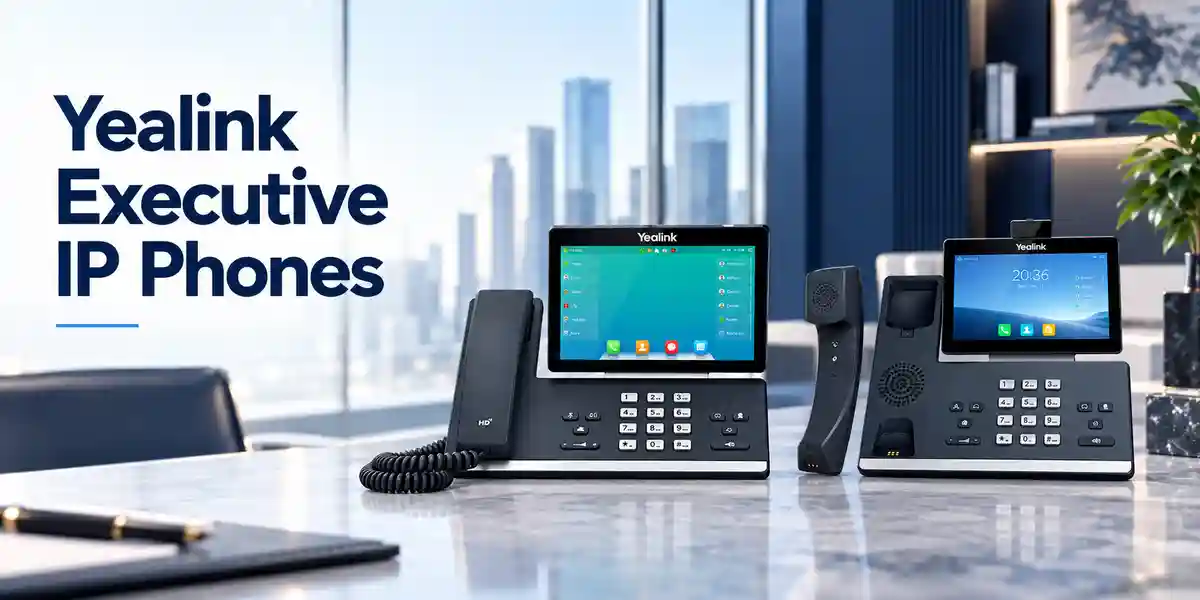
Audio performance is another architectural consideration. Yealink lists HD handset and HD speaker operation, Acoustic Shield and Smart Noise Filtering, together with wideband and narrowband codecs. In a real office, perceived call quality depends on the entire path: microphone and speaker performance, codec negotiation, LAN congestion, WAN quality, PBX configuration and the remote endpoint all contribute. The handset also supports QoS marking and VLAN segmentation, giving network teams mechanisms to prioritize and separate voice traffic where the surrounding switching infrastructure is configured accordingly.
Security should be treated as a system property rather than a checkbox on the endpoint. The T48U supports SRTP for media, TLS 1.3, HTTPS certificate management, AES256 configuration-file encryption, secure boot, IEEE 802.1X and multiple digest-authentication algorithms. Whether these protections are actually active depends on server support, certificates, provisioning policy and network configuration. Procurement teams should therefore validate not only that a feature appears on a specification sheet but also that the intended call platform can use it in the organization’s target configuration.
Enterprise Business Outcomes & Value Analysis
Key Hardware & Software Highlights
The SIP-T48U combines a large display with conventional telephony controls. Seven dedicated feature keys cover message, headset, hold, mute, transfer, redial and hands-free speaker operation, while navigation and volume controls remain available for tactile operation. Illuminated mute, headset and speakerphone keys provide visual state feedback. The handset is hearing-aid compatible, and the chassis supports two stand angles with optional wall mounting. This combination matters because enterprise telephony users do not all work in the same way: some prefer touchscreen workflows, while others rely on familiar physical keys during rapid call handling.
Two USB 2.0 ports are a significant differentiator for accessory-heavy desks. Yealink documents compatibility pathways for selected Bluetooth adapters, Wi-Fi adapters, USB headsets, USB recording and the EXP43 expansion module. Buyers should specify the exact accessory model in the quotation rather than assuming any generic USB device will work. The phone’s dual-port Gigabit Ethernet and PoE Class 3 support fit mainstream managed LAN environments. For non-PoE sites, an optional AC adapter accepts 100–240 V input and supplies 5 V/2 A output.
On the software side, the device supports extensive SIP calling features, directory integration methods, network diagnostics, centralized provisioning and security controls. Administrators can export packet traces and system logs for troubleshooting. VLAN tagging, DSCP, LLDP/CDP and DHCP VLAN support can assist voice-network integration. These functions are most valuable when documented in a deployment standard that defines firmware level, VLAN assignment, certificate handling, SIP credentials, time servers, provisioning URLs and recovery procedures.
Technical Specifications Ledger
| Category | Specification |
|---|---|
| Display | 7-inch, 800 × 480-pixel colour touch screen with backlight; 24-bit colour |
| SIP accounts | Up to 16 VoIP accounts |
| Programmable controls | 29 one-touch DSS keys |
| Conferencing | Up to 10-way local conferencing |
| Ethernet | 2 × Gigabit Ethernet ports |
| Power | IEEE 802.3af PoE Class 3; optional Yealink 5 V/2 A adapter |
| USB | 2 × USB 2.0 compliant ports |
| Audio | HD handset, HD speaker, Acoustic Shield, Smart Noise Filtering, full-duplex speakerphone with AEC |
| Codecs | G.722; G.711 μ/A; G.723.1; G.729 family; G.726; iLBC; optional AMR-WB/AMR-NB |
| Security | SRTP, TLS 1.3, HTTPS certificate manager, AES256 configuration encryption, secure boot, IEEE 802.1X, OpenVPN, L2TP VPN |
| Network | IPv4/IPv6, static/DHCP, VLAN, QoS, LLDP/CDP/DHCP VLAN, STUN, DNS-SRV |
| Dimensions | 266 × 226 × 85 × 54 mm as specified by Yealink |
| Power consumption | PSU: 1.8–3.8 W; PoE: 2.3–4.7 W |
| Operating temperature | -10°C to +45°C |
| Operating humidity | 5% to 90%, non-condensing |
| Storage temperature | -30°C to +70°C |
Specification planning should distinguish between capabilities built into the phone and capabilities that require accessories or infrastructure. Bluetooth and Wi-Fi, for example, are enabled through compatible Yealink USB adapters rather than being treated as universally integrated radios. PoE requires an appropriate Ethernet power source. SIP services require a compatible PBX or hosted service. Security functions such as TLS and SRTP require corresponding server-side configuration. This distinction is essential when comparing quotations because two proposals containing the same phone quantity may differ materially in adapters, expansion modules, power supplies, headsets and deployment services.
Configuration & Sizing Worksheet
1. Estimate user workload and call-control needs
Separate users into profiles: standard office staff, executives, assistants, receptionists, supervisors and call-intensive operators. Record how many SIP identities each profile needs, whether shared-line appearance is required, and how many programmable contacts or monitored extensions must remain visible. Users with a modest call pattern may not need expansion hardware; users monitoring many colleagues may benefit from an EXP43. This profiling avoids buying identical accessories for every desk.
2. Confirm network and desk environment
Check whether each intended desk has structured Ethernet, whether switches provide IEEE 802.3af-compatible PoE, whether voice VLANs are in use and whether the workstation will connect through the phone’s second Ethernet port. Confirm desk depth and cable routing for the 266 mm-wide handset and any expansion module. For wall-mounted locations, include the appropriate mounting accessory and verify user reach and viewing angle.
3. Plan power and cabling
A PoE design can centralize endpoint power onto managed switches and UPS infrastructure. Calculate switch PoE budgets for the full handset count rather than checking only per-port support. If PoE is not available, specify optional AC adapters and sufficient sockets. Confirm CAT5e or better structured cabling where Gigabit operation is expected.
4. Validate platform, firmware and subscriptions
Identify the PBX or hosted SIP platform, current software release, registration method, required codecs, directory integration, certificate policy and provisioning mechanism. Some platform features may depend on server licensing even when the endpoint itself supports the function. Confirm these dependencies with the voice-platform owner before purchase.
5. Prepare a quote-ready bill of materials
Provide handset quantity, delivery locations, PBX platform, PoE status, headset models, wireless requirements, expansion-module count, wall-mount requirements, power-adapter needs, provisioning scope and desired delivery schedule. This information lets the supplier quote a deployable package instead of an incomplete handset-only list.
Deployment Scenarios & Industry Use Cases

Large enterprise and multi-site networks
In a multi-site enterprise, the T48U can be assigned to executives, branch managers, reception teams and administrative users while related T4U models serve less demanding roles. Centralized provisioning is particularly important in this topology because it allows common account, security and network parameters to be maintained across branches. VLAN and QoS policies should be consistent, and WAN voice quality should be tested between sites before mass rollout.
Financial and banking institutions
Banks and financial offices typically place strong emphasis on controlled network access, predictable call handling and documented configuration. Features such as 802.1X, TLS, SRTP, secure boot and encrypted configuration files can contribute to an endpoint-hardening design. They do not replace organizational security controls, and compatibility with the institution’s certificate, identity and call-platform architecture should be validated in a pilot.
Educational and campus networks
Universities and large schools may use advanced phones at administration desks, registries, departmental offices, security control points and executive offices. Dual Gigabit ports can be useful where desk cabling is shared with a workstation, while automated provisioning can reduce repetitive configuration across buildings. Campus network teams should map phones to appropriate VLANs and confirm switch PoE capacity by building.
Government and public-sector procurement
Government deployments often require formal bills of materials, repeatable configurations and auditable acceptance procedures. Procurement documentation should state the exact model, accessories, power method, warranty basis, firmware expectations and compatibility assumptions. A staged acceptance process can verify registration, internal and external calling, transfer, conferencing, directory functions, time synchronization, security policy and failover behavior before wider deployment.
Technical Deep Dive: Processing, Audio & Interface Architecture
The practical performance of an IP phone is experienced through responsiveness, audio handling and network behavior rather than through server-style throughput figures. Yealink positions the T48U with a powerful chipset platform and a touch-driven interface. The endpoint must simultaneously maintain SIP registrations, render the display, process voice codecs, manage echo cancellation and audio enhancement, respond to user input and maintain Ethernet connectivity. For procurement teams, the important result is a phone intended for demanding professional roles rather than a basic single-line desk endpoint.
Audio processing includes full-duplex hands-free operation with acoustic echo cancellation plus voice-activity detection, comfort-noise generation, packet-loss concealment, adaptive jitter buffering and automatic gain control. These mechanisms help the endpoint deal with real-world packet networks and speakerphone acoustics, but they cannot compensate indefinitely for severe packet loss or an overloaded WAN. Network engineering remains part of voice quality.
Technical Deep Dive: Software Ecosystem, Firmware Security & Control
The phone supports browser, local and automated configuration methods. Large estates should normally minimize unmanaged local changes and use controlled provisioning templates. HTTPS-based provisioning, certificate management and encrypted configuration files can reduce exposure of credentials and configuration data when implemented correctly. Secure boot provides an additional platform-integrity control. Administrators should maintain a tested firmware baseline, document upgrade and rollback procedures, and stage firmware on a representative pilot set before broad deployment.
Interoperability should be evaluated at the feature level. Basic SIP registration may work across many platforms, while BLF behavior, remote directories, call recording, conferencing or vendor-specific services can depend on PBX implementation. A proof-of-concept should therefore test the functions users actually need, not merely successful registration.
Technical Deep Dive: High Availability, Redundancy & Recovery
Yealink documents call-server redundancy support, which gives architects a foundation for resilient endpoint registration. End-to-end availability nevertheless depends on multiple layers: redundant call servers, reachable DNS or provisioning services, resilient switching, PoE continuity, WAN diversity and correct failover configuration. An endpoint cannot maintain service if its access switch loses power unless the switch itself is protected.
Disaster-recovery planning should include configuration backups, documented provisioning sources, spare endpoints and tested replacement procedures. A useful operational target is to be able to take a factory-default replacement phone, connect it to the approved network, provision it securely and return a user to service with minimal manual entry. Standardized accessories and a small spare pool can shorten recovery times significantly.
Pre-Purchase Buyer Gap Checklist
Are there hidden platform costs? The handset itself is one component of a voice solution. SIP extensions, hosted voice seats, PBX feature licenses, call recording, contact-center functions or management services may carry separate costs depending on the chosen communications platform. Ask the platform owner to identify server-side entitlements before finalizing handset quantities.
Is wireless built in? Treat Wi-Fi and Bluetooth as accessory-enabled functions for this model. Specify the required compatible Yealink adapter and verify that using one USB port does not conflict with another planned peripheral. With two USB ports, the phone offers useful flexibility, but accessory combinations should still be validated.
Does PoE mean no power planning? No. It moves power planning to the network switch. Confirm per-port support, total switch PoE budget, UPS runtime and any intermediate patching. For non-PoE desks, include the optional adapter.
Will every SIP feature work with every PBX? Basic standards-based functions have broad applicability, but advanced behavior can vary. Validate BLF, transfer, conference, directory, recording, failover and provisioning against the target platform.
What about physical clearance? The phone is approximately 266 mm wide and 226 mm deep in Yealink’s published dimensions, before considering cable bend radius or an adjacent EXP43. Check compact reception desks and wall installations carefully.
What is the power draw? Yealink lists approximately 1.8–3.8 W with PSU and 2.3–4.7 W with PoE. For large deployments, use the applicable design figure plus engineering margin when assessing switch power budgets and UPS runtime.
What should be standardized? Define approved firmware, provisioning template, headset options, wireless adapters, expansion modules, VLAN behavior and replacement process. Standardization makes future support materially easier.
Uganda Procurement & Delivery Logistics
FourTeck Uganda can structure a Yealink SIP-T48U quotation around the actual deployment rather than only a unit count. For a useful commercial request, include the number of phones, intended city or site, required delivery window, PBX or hosted SIP service, PoE availability, and accessory requirements. Where multiple offices are involved, separating quantities by site helps plan dispatch and staging.
Order processing should also account for configuration responsibilities. Some customers prefer factory-default units for internal IT teams to provision. Others require assistance validating firmware, provisioning parameters or accessory compatibility before shipment. Stating this expectation early avoids ambiguity. Commercial lead times, stock availability, warranty basis and exact box contents should be taken from the issued quotation and order confirmation rather than assumed from generic product literature.
For larger projects, a pilot batch can reduce deployment risk. A small representative set can be tested against the production PBX, VLAN, DHCP, certificates, directories and headsets. Once accepted, the same baseline can be applied to the wider order. This approach is particularly useful for organizations migrating from a different handset family or changing PBX platforms at the same time.
Local Coverage Matrix
Procurement requirements may be coordinated for organizations operating in Kampala, Entebbe, Jinja, Mbarara and Gulu, subject to quotation and logistics confirmation. Kampala deployments often include headquarters, professional offices, hospitality and financial-service environments; Entebbe projects may involve corporate, hospitality and institutional sites; Jinja and Mbarara requirements frequently include branch offices, education and commercial operations; Gulu deployments may serve regional administration, NGOs, education and growing private-sector networks. For multi-city projects, provide a site-by-site quantity schedule so phones, power options, headsets and expansion modules can be allocated correctly. Delivery timing and support scope should be confirmed commercially for each destination, especially where rollout dates are tied to PBX migrations or office openings.
Cross-Border & Regional Supply Chains
Organizations operating across East Africa, the Gulf and wider African markets can coordinate requirements through FourTeck’s regional web presence. Visit FourTeck Uganda for Uganda requirements, FourTeck Kenya for Kenyan projects, FourTeck Africa for broader African opportunities, FourTeck UAE for United Arab Emirates supply coordination, and FourTeck Kuwait for Kuwait requirements. Cross-border projects should identify destination countries, quantities, desired Incoterm or delivery expectation where applicable, and whether all sites will use the same PBX and accessory standard. This allows procurement teams to distinguish a standardized global bill of materials from country-specific logistics, power and support requirements.
Related Products & Deployment Components
The SIP-T48U is often one part of a broader voice endpoint plan. Organizations may combine premium touch-screen phones with simpler desk models for general staff, while adding expansion modules or headsets only to roles that require them. Review the FourTeck Uganda technology portfolio for complementary network and communications requirements. Yealink’s related T4U family includes the SIP-T46U and SIP-T43U, while the EXP43 expansion module can extend programmable key capacity for compatible workflows. Compatible Yealink USB headsets, wireless headset solutions, WF40/WF50 Wi-Fi adapters and supported Bluetooth adapters may also be relevant depending on the desk profile. When preparing a bill of materials, link every accessory to a named user profile and verify compatibility with the intended firmware. This prevents over-ordering accessories and reduces the chance of deploying unsupported combinations.
FourTeck Technical Service Capabilities
Enterprise voice projects benefit from technical validation before cartons reach desks. FourTeck can support procurement discussions by reviewing the proposed bill of materials, clarifying whether PoE or local adapters are expected, identifying required Yealink accessories and aligning the order with the stated PBX environment. For larger deployments, staging requirements can be discussed so the customer’s IT team understands what configuration state to expect on receipt.
Firmware planning is another important part of controlled rollout. Rather than treating the newest available firmware as automatically suitable for every environment, enterprises should align firmware with PBX certification, internal testing and change-control policy. Pre-shipment or staging requirements should therefore specify the approved release and any validation steps. Post-sales technical support can focus on documented configuration, accessory compatibility, provisioning behavior and fault isolation within the agreed support scope. Where a suspected fault occurs, preserving logs, packet traces, configuration details and a clear reproduction sequence can significantly accelerate diagnosis.
Extended Technical FAQ
Does the Yealink SIP-T48U support 16 SIP accounts?
Yes. Yealink specifies support for up to 16 VoIP accounts. This makes the model suitable for users who need multiple identities, shared lines or separate registrations, subject to what the connected SIP platform supports. The practical configuration should be planned around the user’s workflow rather than filling all available registrations automatically. Each account may require credentials, server details, outbound proxy settings and policy from the PBX or hosted provider. In large deployments, these values should be delivered through a controlled provisioning process instead of entered manually at each desk.
Can the SIP-T48U be powered by PoE?
Yes. The phone supports IEEE 802.3af Power over Ethernet and is listed as Class 3. PoE can simplify desk installation by combining data and power on the Ethernet cable, but the upstream switch must have adequate PoE capacity. For a large rollout, calculate the total switch power budget and include margin rather than simply multiplying the handset’s typical draw. If PoE is unavailable at a location, Yealink specifies an optional external adapter with 100–240 V AC input and 5 V/2 A DC output. Confirm whether adapters are included in the quotation.
Does it have built-in Wi-Fi and Bluetooth?
The T48U supports Wi-Fi and Bluetooth through compatible Yealink USB adapters. Yealink lists WF40/WF50 for Wi-Fi and several Bluetooth adapter options depending on firmware and accessory generation. This is an important purchasing distinction: if a desk requires wireless LAN or a Bluetooth peripheral, include the appropriate adapter in the bill of materials. Because the phone has two USB ports, it can support flexible accessory combinations, but exact combinations should be validated before a large order, especially when expansion modules, recording media or USB headsets are also planned.
Can the phone work with an existing IP-PBX?
The phone uses SIP and supports a broad range of standards-based functions, but compatibility should be validated against the exact PBX platform and software version. Registration alone is not a complete compatibility test. A pilot should exercise transfer, hold, conferencing, voicemail indication, BLF, directory access, caller ID, codecs, DTMF, failover and any recording or provisioning workflows that matter to the organization. If the PBX vendor maintains an endpoint compatibility or certification list, use it as part of the validation process and document any feature limitations before rollout.
What network security features are available?
Yealink documents SRTP for voice media, TLS 1.3, HTTPS certificate management, AES256 configuration-file encryption, secure boot, IEEE 802.1X, OpenVPN and L2TP VPN support, among other controls. These features provide useful building blocks, but security depends on correct implementation across the phone, PBX, provisioning server and network. For example, TLS requires compatible server configuration and certificate handling, while 802.1X requires an appropriate access-control infrastructure. Security teams should define an approved configuration profile and verify it during pilot testing.
Can the SIP-T48U use an expansion module?
Yes. Yealink identifies the EXP43 colour-screen expansion module as a compatible option for the SIP-T48U. Expansion modules are particularly relevant to receptionists, assistants and users who monitor many extensions or require a large number of programmable functions. Before ordering, count the number of monitored contacts or features each role needs and determine whether the phone’s own 29 touch DSS keys are sufficient. Also consider physical desk space, accessory power behavior and USB usage. Include the expansion-module quantity explicitly on the quotation rather than assuming it is bundled with the handset.
How should a large deployment be provisioned?
For dozens or hundreds of phones, automated provisioning is generally preferable to manual desk-by-desk configuration. The T48U supports multiple provisioning mechanisms including FTP, TFTP, HTTP and HTTPS, along with PnP and TR-069 capabilities. The chosen method should align with the organization’s PBX and security architecture. Build a standard template covering firmware, SIP accounts, VLANs, QoS, time settings, directories, certificates and user restrictions. Test that template on a small pilot group, document the accepted result and only then expand to the full estate. Maintain version control over configuration changes.
What should be checked when a handset needs replacement?
First determine whether the fault follows the handset or remains with the desk, cable, switch port, headset or PBX account. Capture the symptoms, firmware version, network information, logs and packet traces where appropriate. If hardware replacement is required, the ideal operational process is to connect a spare or replacement unit and restore the approved configuration through provisioning. Warranty processing depends on the commercial terms of the supplied unit, so retain invoice, serial-number and order information. Do not assume a generic warranty duration; confirm the applicable terms on the quotation or sales documentation.
Is the T48U appropriate for reception and executive desks?
It is specifically positioned by Yealink as an advanced SIP phone for professionals and executives, and its feature set also aligns well with many reception workflows. The large touch display, 16-account capacity, programmable touch keys, dual USB ports and EXP43 support provide room for complex call handling. Suitability still depends on workflow. A receptionist monitoring a very large number of extensions may require one or more expansion modules and a compatible headset, while an executive may prioritize Bluetooth headset support and a clean touch interface. Define the user profile before choosing accessories.
What information should be sent when requesting a FourTeck quote?
Provide the number of Yealink SIP-T48U phones required, destination city or cities, desired delivery timing, PBX or hosted SIP platform, whether PoE is available, and the required accessories. Mention Wi-Fi or Bluetooth adapters, USB or wireless headsets, EXP43 modules, wall-mount kits and AC adapters where applicable. For enterprise projects, also state whether configuration validation, staging or firmware alignment is required. A detailed request makes it easier to return a bill of materials that reflects the real deployment and reduces the risk of missing accessories after the handsets arrive.
Prepare Your Yealink SIP-T48U Procurement Request
For a business quotation in Uganda, send FourTeck the handset quantity, deployment locations, SIP platform, PoE status and required accessories. If the project includes multiple branches or user profiles, provide a simple quantity breakdown for each site and role. FourTeck can use that information to help align phones, power options, headsets, wireless adapters and expansion modules with the intended deployment. For larger migrations, include the target rollout date and whether a pilot or configuration-validation stage is required. Commercial availability, warranty terms, delivery schedule and final scope will be confirmed in the quotation.


Reviews
There are no reviews yet.