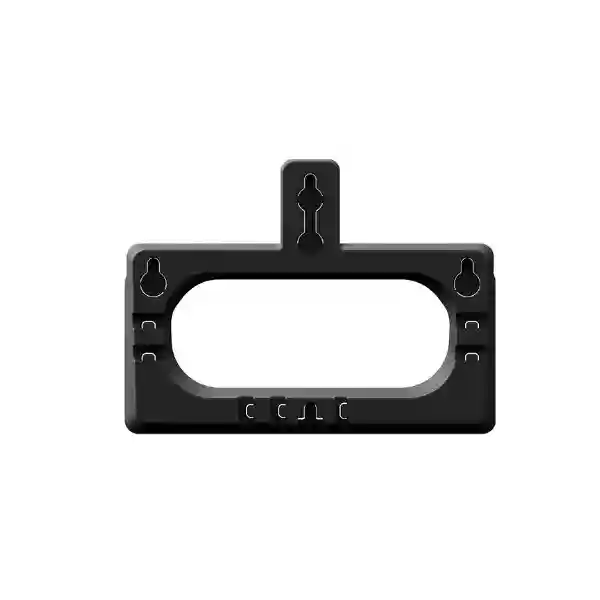
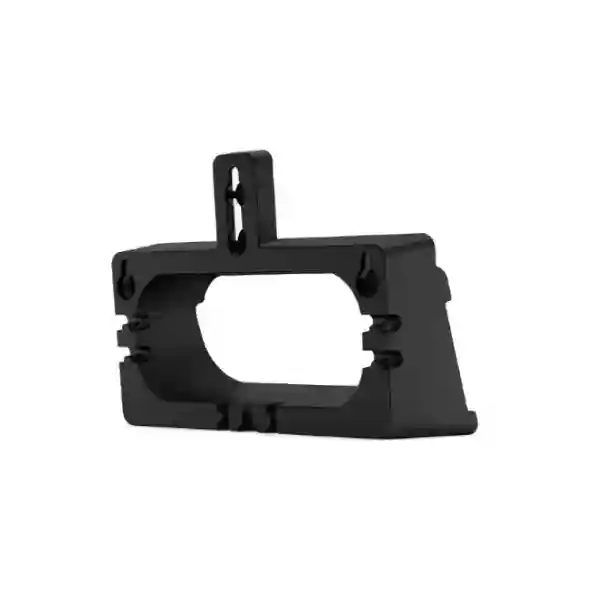
Yealink T7X Wall Mount – Secure Enterprise IP Phone Wall Installation
The Yealink T7X Wall Mount is an official mounting accessory designed to place compatible Yealink T7X Series SIP phones securely on a vertical surface. It solves a practical deployment problem: many business calling points need a reliable handset but do not have a suitable desk, counter footprint or protected horizontal surface. In reception corridors, clinical work areas, warehouse stations, security posts, hospitality service points and shared operational spaces, wall mounting can establish a consistent device position while freeing valuable worktop space.
Unlike a network endpoint, this bracket does not process voice traffic, require firmware or consume electrical power. Its value is mechanical and operational. Procurement teams should therefore evaluate it by compatibility, mounting environment, installation quality, handset accessibility and the way network and power cabling will reach the phone after installation. Yealink identifies the T7X Wall Mount as a bracket for its T7X SIP phone family, with a space-saving design, straightforward installation and a stable structure. Compatible T7X phones themselves may support wall mounting, but the exact phone model should always be confirmed before quantities are committed.
For Ugandan enterprise deployments, FourTeck can support compatibility checking, quantity planning and associated endpoint requirements. A wall-mount project may also require PoE switching, Ethernet patching, handset accessories, headsets or endpoint configuration services. Treating those dependencies as one bill of materials reduces the risk of receiving a mounting accessory without the infrastructure needed to put the phone into service.
Instant Specifications & Procurement Fact Rail
Wall-mount bracket for compatible Yealink T7X SIP phones
Enterprise, branch, reception, service and shared-space endpoints
No electrical power required by the bracket
Mechanical mounting accessory; no data interface
Request current project pricing and quantity availability
Confirm regional commercial warranty terms on quotation
The procurement fact rail deliberately separates bracket characteristics from phone characteristics. PoE, Gigabit Ethernet, SIP accounts, displays, USB ports, wireless connectivity and firmware functions belong to the attached T7X phone, not to the wall mount. This distinction matters when writing specifications and tender schedules. A bracket should not inherit electrical or communications claims from the endpoint it supports. Buyers should state the exact T7X handset model alongside the mounting requirement so that compatibility can be validated before shipment.
Operational Product Architecture & Overview
The architecture of a wall-mount accessory is intentionally simple: it provides a mechanical relationship between the building surface and the telephone chassis. That simplicity should not be confused with a trivial deployment decision. A business telephone is handled repeatedly, its handset is lifted and returned many times per day, and users may apply lateral or downward force while interacting with keys, touch displays or connected cords. A suitable mounting solution must therefore establish a predictable physical position and support normal daily interaction without requiring improvised shelves or third-party fixtures whose fit may be uncertain.
Yealink positions the T7X Wall Mount as a secure, stable and space-saving installation option for T7X SIP phones. The principal procurement question is compatibility. The T7X family contains multiple models, and published Yealink materials for current T7X endpoints identify wall-mount capability. For example, T73U, T73W and T77U documentation identifies those phones as wall mountable. A commercial listing for the official WMB-T7 bracket identifies compatibility with T73U, T73W, T74U, T74W and T77U. Because product generations and regional bundles can change, the phone model and hardware revision should be included in the request for quotation.

The second architectural consideration is cable routing. The wall bracket itself needs no power, yet the phone still needs network connectivity and, depending on deployment, PoE or a compatible external power arrangement. Before fixing the bracket, installers should determine where the Ethernet outlet terminates, whether the cable bend radius is acceptable, whether connectors remain serviceable, and whether cables can be routed without being pinched between the phone and wall. If the phone uses USB accessories, a headset adapter or an expansion module, clearance must also be considered. A wall position that fits the bare handset can become unsuitable after accessories are added.
The third consideration is user ergonomics. Installation height should reflect the people who will use the endpoint and whether they must view a screen, dial frequently, access programmable keys or simply answer incoming calls. A reception user who operates a phone continuously has different needs from a warehouse emergency calling point. Wall mounting can protect desk space and keep the device in a known location, but poor placement can make screen viewing, handset return or cable management unnecessarily difficult.
Finally, consider the substrate. Procurement of the bracket does not automatically include responsibility for wall anchors, screws or specialist fixings appropriate to every building material. Concrete, masonry, timber, partition board and specialized interior panels may require different fixing methods. The installer should inspect the mounting surface and choose fixings suitable for the substrate and local site rules. This is particularly important in public areas where accidental movement or repeated handling can stress the installation over time.
Enterprise Business Outcomes & Value Analysis
The strongest business case is not a claim that the bracket improves network performance; it does not. The value comes from deployment quality. Enterprise telephony projects frequently succeed or fail on small physical details: outlet placement, patch lead length, power availability, user reach and accessory fit. A purpose-designed wall mount gives the facilities and communications teams a defined mechanical component around which those details can be planned.
Key Hardware & Deployment Highlights
| Component / Characteristic | Operational Outcome |
|---|---|
| Purpose-built T7X mounting format | Supports planned wall installation of compatible T7X SIP phones. |
| Passive mechanical accessory | No firmware, network address, subscription or electrical feed is required by the bracket. |
| Space-saving orientation | Moves the endpoint away from horizontal work surfaces where appropriate. |
| Stable mounting concept | Provides a dedicated installation method rather than improvised phone placement. |
| Phone remains separately serviceable | Network, PoE, handset and communications functions remain properties of the compatible T7X endpoint. |
Buyers should be cautious about feature matrices copied from the phone itself. A mounting bracket has no ASIC, switching throughput, port speed or operating system. Its procurement specification should instead emphasize fit, installation environment and associated endpoint model. This produces a cleaner tender and avoids misleading technical comparisons with active communications equipment.
Technical Specifications Ledger
| Specification | Procurement Detail |
|---|---|
| Brand | Yealink |
| Product | T7X Wall Mount |
| Accessory class | IP phone wall-mount bracket |
| Primary function | Secure vertical installation of compatible Yealink T7X SIP phones |
| Power draw | None for the bracket |
| Network interfaces | None for the bracket; connectivity is provided by the installed phone |
| Software / firmware | Not applicable to passive bracket |
| Licensing | No bracket license; phone/PBX services may have separate requirements |
| Compatibility | Designed for compatible T7X Series SIP phones; confirm exact handset model at quotation |
| Published compatible examples | T73U, T73W, T74U, T74W and T77U are associated with the WMB-T7 in current commercial documentation; validate before purchase |
| Installation environment | Indoor business communications locations with a suitable mounting substrate |
| Wall fixings | Site-specific; confirm substrate and installation method |
| Regional supply | Available for quotation through FourTeck Uganda subject to commercial availability |
Dimensions, weight, material composition and environmental tolerance should not be invented when they are not confirmed in the available manufacturer material. If a tender requires those values, request the current Yealink installation guide or accessory datasheet against the exact bracket part number. The most important specification is not a generic dimension but confirmed mechanical compatibility with the handset being deployed. For large orders, provide a sample endpoint model or a precise model list so the quotation can be checked against the project schedule.
Configuration & Sizing Worksheet
1. Estimate endpoint quantity and workload
Count every location where a T7X phone needs wall installation. Separate permanent operational phones from spare units. For multi-site projects, record quantities by branch, floor or department. The bracket does not have a capacity rating in the networking sense; sizing means matching one appropriate mounting solution to each compatible phone position and allowing sensible spares where organizational policy requires them.
2. Survey wall environment and clearance
Record wall material, nearby obstructions, mounting height and available clearance around the phone. Consider handset removal, display viewing angle, keypad access and cable exits. Avoid positions where doors, carts or moving equipment can strike the endpoint. In public areas, consider whether the position exposes cords to accidental pulling.
3. Validate power and cabling
The bracket is passive, but the phone needs connectivity. Confirm Ethernet outlet location, PoE availability where applicable, patch cable length and cable routing. If external power is planned, ensure a suitable outlet and approved adapter arrangement are available. Never assume that purchasing the bracket solves endpoint power.
4. Review licensing and subscriptions
There is no software license for the mount. However, the installed phone may need a SIP account, hosted calling subscription, PBX entitlement, device management service or other platform-specific provisioning. Keep these commercial items in a separate line of the bill of materials so the passive accessory cost is not confused with recurring communications service.
5. Prepare the quote request
Include organization name, exact T7X phone models, bracket quantities, delivery city, target deployment date and any requirement for phones, PoE switches, headsets, expansion modules or configuration assistance. For a rollout across Kampala and regional branches, break quantities down by destination. This helps logistics teams plan consolidated or staged dispatches.
A useful final check is to compare the endpoint schedule with the mounting schedule line by line. If 60 phones are planned but only 45 are wall positions, the bracket quantity should reflect the 45 wall locations rather than automatically matching the full phone purchase. Conversely, retrofit projects may need brackets without new phones because existing compatible endpoints are being moved from desks to walls.
Deployment Scenarios & Industry Use Cases
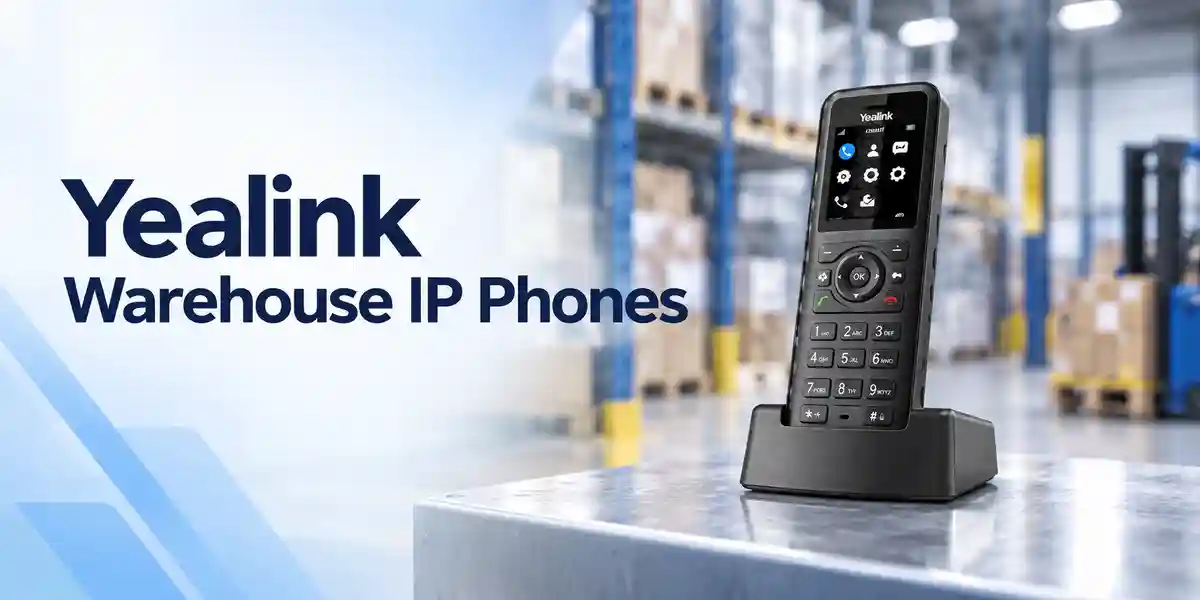
Large enterprise and multi-site networks
Large organizations often have telephone positions outside conventional offices: printing areas, service corridors, reception zones, equipment rooms and shared collaboration spaces. Wall mounting creates a defined location without adding furniture. For multi-site rollouts, standardizing the bracket and mounting height can make branch deployments more repeatable. The communications team should pair the mounting plan with VLAN, PoE and provisioning standards for the attached phones.
Financial and banking institutions
Branches can require fixed voice endpoints at controlled staff positions, back-office areas and service locations. The mount itself provides no security control, so access policy, call permissions and device authentication remain functions of the telephone and communications platform. The physical installation should avoid obstructing customer movement and should keep cables tidy and serviceable. Facilities approval may be required before drilling or fixing into finished surfaces.
Educational and campus networks
Universities, schools and training institutions may deploy shared phones in administrative corridors, laboratories, staff areas and reception points. A fixed wall position can make a common-use endpoint easy to locate. Campus teams should identify who can access the handset, whether emergency dialing policies apply and whether the network outlet is on the correct voice VLAN. Where a phone is exposed to high traffic, physical placement should reduce accidental impact.
Government and institutional procurement
Government projects often require structured bills of materials and explicit compatibility statements. Specify the Yealink phone model and wall-mount requirement as linked line items. Do not describe the bracket as having the phone’s electrical or security certifications unless documentation explicitly supports that claim. Where tender documents require accessory part numbers, request current confirmation on the quotation. Deployment teams should also document wall substrate, approved fixings and any site-specific installation restrictions.
Healthcare, hospitality and operational facilities
In clinics, hotels and operational facilities, wall placement can preserve work surfaces and make shared communications endpoints easier to find. Installation must respect cleaning routines, accessibility requirements and local facility rules. A bracket should be positioned so staff can lift and replace the handset naturally, read the display where required and reach controls without stretching across equipment or service counters.
Technical Deep Dive: Mechanical Architecture and Endpoint Integration
For active networking products, architecture discussions normally focus on processors, memory, switching fabrics and acceleration engines. The T7X Wall Mount is fundamentally different. It is a passive mechanical component, so the correct technical deep dive concerns load transfer, fit, access and integration. The bracket must interface physically with a compatible phone and with the installed wall surface. Those two interfaces define deployment success.
On the phone side, compatibility matters because mounting points and chassis geometry vary between product families. An accessory that looks similar is not automatically interchangeable. On the wall side, the installer must select fixings appropriate to the substrate. The bracket should not be treated as a universal anchor system for every wall material. Procurement teams can reduce risk by separating supply of the manufacturer bracket from site-specific consumables and installation labor.
Cable behavior is also part of the mechanical architecture. Ethernet, handset and optional accessory cables exert forces and require space. Tight bends can create strain, while excess cable can interfere with clean seating of the phone. Before final tightening, installers should test that connectors remain accessible and that the phone can be removed for service without dismantling unrelated infrastructure.
Technical Deep Dive: Software Ecosystem, Firmware Security & Operational Control
The wall mount contains no firmware and has no management interface. That is operationally beneficial because the accessory introduces no additional patching schedule, credentials or configuration database. All software behavior resides in the compatible T7X phone and its calling platform. Current Yealink T7X documentation for models such as T73U and T73W describes enterprise provisioning, network security and unified firmware capabilities on the phones themselves. Those capabilities should not be attributed to the bracket.
For procurement, this separation simplifies lifecycle management. A bracket can remain mechanically useful while phone firmware evolves, provided the physical endpoint remains compatible. Nevertheless, hardware generation changes can alter chassis designs, so a future phone replacement should trigger a new mount-compatibility check. Do not assume a bracket purchased for one family will fit the next generation.
Operational control should therefore be documented in two layers: facilities owns physical placement and mounting integrity; the voice or IT team owns endpoint firmware, provisioning, credentials, SIP service and network access. Clear ownership avoids a common support problem in which a physical installation issue is mistakenly escalated as a network fault, or a phone configuration issue is incorrectly blamed on mounting hardware.
Technical Deep Dive: Availability, Redundancy & Disaster Recovery
A passive bracket does not provide high availability in the electronic sense. It has no redundant power supply, failover processor or network path. Yet physical deployment contributes to service continuity by making endpoints consistently located and reducing reliance on improvised placement. In environments where a fixed phone forms part of an operational or emergency communications process, the mounting location should be included in continuity planning.
True voice-service resilience depends on the phone, LAN, PoE infrastructure, call server, WAN and upstream power architecture. If the wall-mounted phone is considered critical, evaluate switch UPS coverage, call-server redundancy and alternative communications procedures. The bracket is only one small component of that chain.
For disaster recovery, maintain a documented inventory of endpoint models and mounting accessories. If phones must be replaced rapidly after a failure, knowing which bracket is installed helps the service desk select a mechanically compatible replacement. Organizations with many sites may also keep a modest spare pool of brackets alongside phones, patch leads and handsets. Spare policy should reflect deployment scale and lead times rather than arbitrary percentages.
Pre-Purchase Buyer Gap Checklist
Is there a hidden license? No software license is inherent to a passive wall-mount bracket. Any recurring fee would relate to the phone, hosted voice platform or management service rather than the mount.
Will it fit every Yealink phone? No. It is intended for compatible T7X models, not every Yealink endpoint. Provide the exact phone model before ordering.
Does it include a phone? Treat the mount and phone as separate items unless the quotation explicitly states a bundle. The product name describes a mounting accessory.
Does wall mounting change PoE requirements? No. The phone’s power requirement remains unchanged. Wall placement may, however, affect cable routing and the distance to the network outlet.
Can it be installed on any wall? The bracket is designed for wall installation, but the correct anchors and installation method depend on the substrate. Site inspection is recommended for unusual finishes, partitions or high-traffic areas.
What clearance is needed? Allow room for the handset, display visibility, keys, cords and any USB or headset accessories. Exact project clearance should be checked against the phone model and installation guide.
What about lifecycle? The bracket has no firmware lifecycle, but phone chassis generations can change. If the organization later replaces T7X phones with another family, revalidate the mount rather than assuming reuse.
Will third-party PBX compatibility matter? PBX compatibility is a phone issue, not a bracket issue. The mount does not participate in SIP signaling or media.
What should be checked on delivery? Verify accessory identity, quantity and physical condition before installers travel to site. Cross-check the shipment against the phone-model schedule.
What creates the biggest deployment risk? Usually not the bracket itself, but ordering before confirming phone models, discovering unsuitable wall substrates late, or failing to plan Ethernet and power routing. A simple pre-installation survey addresses all three.
Uganda Regional Procurement & Delivery Logistics
FourTeck Uganda can prepare commercial quotations for the Yealink T7X Wall Mount as an individual accessory or as part of a broader IP telephony bill of materials. For the fastest validation, send the exact T7X phone model, quantity of wall positions, delivery destination and target project date. Where the organization is purchasing new phones at the same time, include the handset quantities so the accessory-to-phone relationship can be checked.
Order processing should account for current stock position, inbound supply where applicable and the destination within Uganda. Project timelines vary with quantity and sourcing status, so delivery dates should be confirmed on the formal quotation rather than assumed from generic website availability. Large multi-branch projects may benefit from staged delivery aligned to installation waves.
Technical pre-configuration applies mainly to active phones rather than the bracket. Where FourTeck is supplying the endpoints as well, requirements such as firmware alignment, provisioning preparation, labeling and accessory matching can be discussed as part of the project scope. This allows wall-mount installation to happen within a coordinated deployment rather than as a separate facilities task.
Local Coverage Matrix
In Kampala, wall-mounted Yealink phones can support corporate offices, service counters, healthcare facilities, hospitality sites and operational premises where desk space is constrained. Entebbe deployments may include offices, hospitality environments and logistics operations that need clearly located shared communications points. Jinja projects can cover industrial, education and branch-office requirements, while Mbarara deployments may span regional offices, healthcare, education and commercial facilities. Gulu organizations can similarly standardize compatible T7X phone placement across administrative and service locations.
For every city, the procurement method remains consistent: identify the exact phone, confirm wall position quantity, inspect the mounting surface and plan network/power routing. Delivery planning should be based on the project address and quantity stated in the quotation. For distributed organizations, consolidating requirements into one schedule can make compatibility validation and shipment planning more efficient.
Cross-Border & Regional Supply Chains
Organizations operating across East Africa, the Gulf and wider African markets often prefer a consistent endpoint standard across branches. FourTeck supports regional procurement through Uganda, Kenya, Africa, UAE and Kuwait web properties. Regional projects should still validate local stock, commercial terms, taxes, freight and warranty handling per destination.
A standardized T7X mounting specification can be useful when the same compatible phone family is deployed in multiple countries. However, building materials, installer practices and cabling standards can vary by site. The manufacturer bracket can be standardized while site-specific fixings and labor remain locally determined. For cross-border orders, request destination-specific quotations rather than assuming identical landed cost or lead time.
Related Yealink Products & Project Components
A wall mount is usually one line in a larger communications bill of materials. Explore Yealink T73U options, Yealink T73W options, Yealink T74U options, Yealink T74W options and Yealink T77U options when planning compatible endpoints. Projects may also need Yealink headsets, PoE switching and Yealink EXP55 expansion modules.
Before combining accessories, check physical clearance. An expansion module changes the space needed around a desk phone and may make a particular wall location unsuitable. Headset adapters and USB devices can also affect cable routing. The safest approach is to define the complete endpoint configuration first and then approve the wall position.
FourTeck Technical Service Capabilities
FourTeck can support engineering validation by reviewing the requested phone models against accessory requirements before commercial submission. For larger projects, bill-of-materials verification helps identify mismatches such as brackets requested for unsupported endpoint families, missing power arrangements or accessory combinations that need additional clearance.
Where active Yealink phones are included, staging requirements can be discussed separately. Typical project planning can include model verification, firmware alignment requirements, labeling conventions and pre-shipment checks. The wall mount itself does not require firmware updating or configuration, but it should be matched accurately to the staged phone estate.
Post-sales support can also distinguish between physical and logical faults. A loose or unsuitable fixing is an installation issue; registration, audio, VLAN or provisioning behavior belongs to the phone/network layer. Clear fault classification speeds resolution and ensures the correct team handles the incident. Organizations should retain purchase records and endpoint schedules to simplify warranty and replacement discussions.
Extended Technical FAQ
Is the Yealink T7X Wall Mount compatible with every T7X phone?
It is designed for the T7X family, but procurement should still confirm the exact handset model before ordering. Current manufacturer and commercial materials associate wall mounting with T7X models including T73U, T73W and T77U, while current WMB-T7 compatibility information also identifies T74U and T74W. Product families can evolve, so the most reliable method is to place the exact phone model on the request for quotation and have compatibility checked against current documentation.
Does the bracket include a Yealink IP phone?
No phone should be assumed to be included unless the quotation explicitly describes a bundle. The T7X Wall Mount is a mounting accessory. This distinction is important for purchase orders because a bracket has no display, handset, SIP account, Ethernet port or PoE electronics of its own. If you need phones and mounts together, state both requirements and the desired quantities so the quotation can list them clearly as separate or bundled line items.
Does wall mounting affect phone network performance?
The bracket itself does not process packets or change SIP behavior, so it does not add bandwidth or improve network performance. Installation can indirectly affect reliability if cables are routed poorly, sharply bent, trapped or placed under strain. A professional installation should preserve connector access and cable bend radius. Network performance remains dependent on the phone, switch, VLAN, QoS policy, WAN and calling platform rather than the mechanical mount.
Does the T7X Wall Mount need power or licensing?
The mount is passive and requires neither electrical power nor a software license. The attached T7X phone may need PoE or an appropriate power adapter, and it will normally require a SIP service or enterprise calling platform to make calls. Hosted calling, PBX licensing and device management charges are separate commercial considerations. Keeping those costs distinct helps buyers understand the true one-time accessory cost versus recurring communications services.
Can FourTeck help check compatibility before a bulk order?
Yes. Provide the exact Yealink phone model or model list, quantities and deployment locations. This is particularly useful when an organization has a mixed estate, because a bracket intended for one family should not be assumed to fit another. For a large rollout, a bill-of-materials review can also identify associated needs such as phones, PoE ports, patch leads, headsets or expansion modules. Physical clearance can then be considered before installation teams arrive on site.
What wall preparation is required?
The wall must be suitable for the intended fixing method and normal handling loads. Concrete, masonry, timber and partition systems require different anchors and installation practices. The bracket should not be treated as proof that any supplied screw or anchor is appropriate to every surface. A competent installer should inspect the substrate, choose suitable fixings, avoid concealed services and follow local building and site safety requirements. Public or high-traffic locations deserve particular attention to impact risk.
Can a wall-mounted T7X phone still use headsets or accessories?
That depends on the specific phone and accessory combination. Many T7X phones support headset and USB accessory options, but the wall location must leave enough clearance for connectors, cables and any expansion hardware. An endpoint that fits neatly on a wall in its basic configuration may need significantly more lateral or lower clearance after an expansion module or adapter is added. Define the complete endpoint configuration before approving mounting positions.
How should we plan spares for a multi-site rollout?
Spare quantities should reflect the number of installed brackets, site criticality, lead time and the organization’s maintenance policy. There is no universal spare percentage. A large distributed estate may keep a small central pool to support moves and replacements, while a single-site office may simply rely on normal procurement. Keep spare mounts labeled with the compatible phone family so technicians do not mistake them for visually similar accessories from another generation.
What warranty information should buyers request?
Request the applicable regional commercial warranty terms on the quotation or order documentation. Warranty handling can vary by supply channel, destination and product classification, so generic assumptions should be avoided. Retain invoices, serial or part information where applicable, delivery records and photographs of any suspected defect. Damage caused by unsuitable wall fixings, accidental impact or incorrect installation may be treated differently from a manufacturing defect, so installation quality and documentation remain important.
What information should be sent for the fastest Uganda quotation?
Send the product name, exact T7X phone model, required quantity, delivery city, organization name and target deployment date. Add any related requirement for phones, PoE switching, headsets, expansion modules or configuration support. If the project covers Kampala, Entebbe, Jinja, Mbarara, Gulu or multiple regional sites, provide a quantity split by destination. A precise request reduces back-and-forth and allows the commercial team to validate compatibility and logistics before issuing the offer.
Plan a Clean, Compatible Yealink T7X Wall-Mount Deployment
The Yealink T7X Wall Mount is a straightforward accessory, but correct procurement depends on precise phone-model matching and thoughtful site preparation. Confirm the endpoint model, count actual wall positions, inspect mounting surfaces, plan Ethernet and power routing, and account for accessory clearance before installation begins. For multi-site or enterprise projects, submit the complete endpoint schedule so brackets can be checked as part of the wider communications bill of materials.
FourTeck Uganda can assist with current commercial pricing, quantity planning, compatibility validation and coordinated supply of related Yealink endpoints and network components. Formal quotations can also capture destination-specific delivery expectations and project requirements.


Reviews
There are no reviews yet.