ENTERPRISE WIRELESS | UGANDA PROCUREMENT
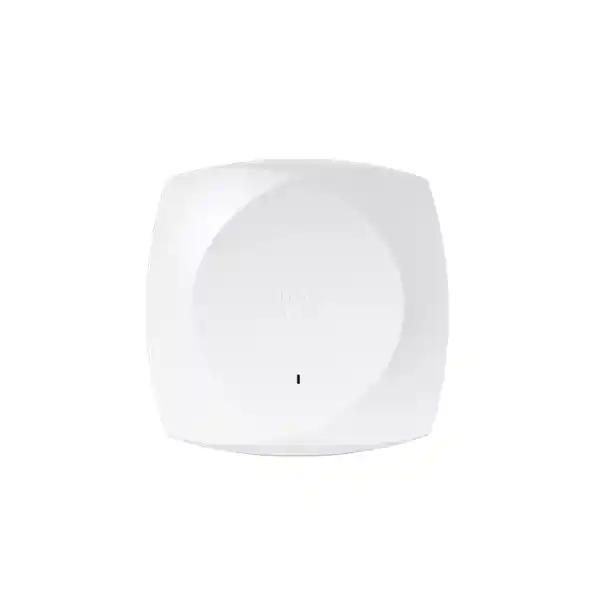
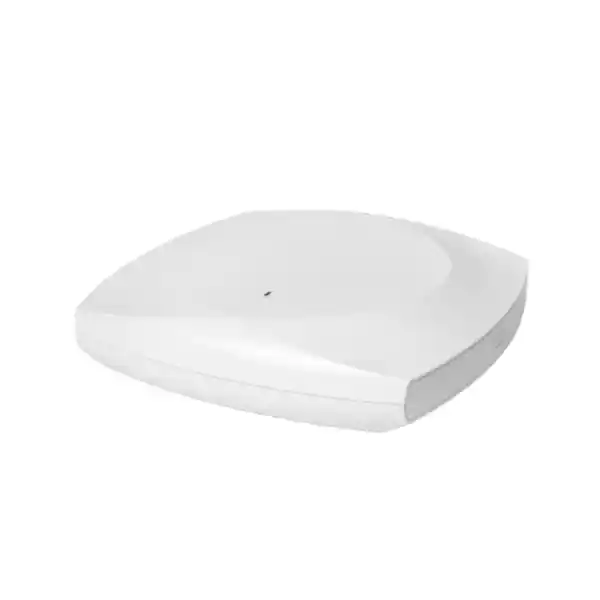
Cisco Meraki CW9178I Wi-Fi 7 Enterprise Access Point
The CW9178I brings high-density wireless capacity to modern indoor networks. It combines multiple 4×4 radio chains, 6 GHz capability, multigigabit wired connectivity and flexible management options in one ceiling- or wall-mountable access point. It is intended for organizations whose wireless service must support concurrent users, real-time collaboration, secure business applications and a growing mix of client devices. A successful purchase depends on more than the access point itself: power delivery, switch uplinks, spectrum policy, subscription selection and site design all affect the result.
For Uganda deployments, FourTeck can prepare a project-specific quotation covering the exact hardware and supporting components. No stock, shipping date or local certification is implied until confirmed in writing.
Procurement facts at a glance
Cisco Wireless 9178I / CW9178I, integrated antennas, indoor access point.
IEEE 802.11be Wi-Fi 7; 2.4, 5 and 6 GHz; configurable tri- or quad-radio client service.
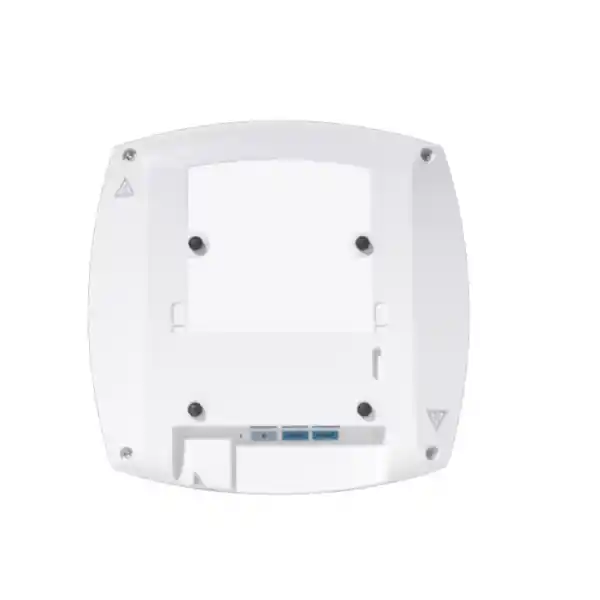
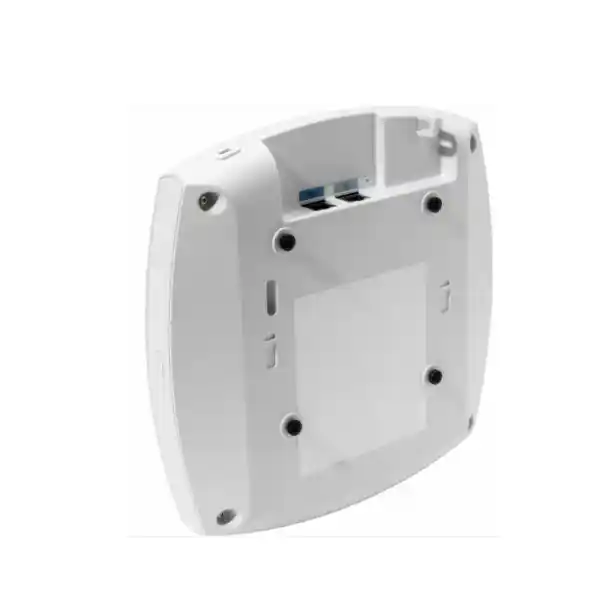
Two 100M/1G/2.5G/5G/10G RJ-45 Ethernet interfaces, plus console and USB.
802.3bt recommended for full functionality; 60 W reservation maximum; lower PoE classes impose restrictions.
Eligible Meraki cloud or Cisco Catalyst controller operation, with matching software and subscription.
Uganda pricing, delivery and applicable warranty handling confirmed with the formal quote.
Architecture built for demanding wireless environments
The CW9178I is designed for spaces where a single radio cannot adequately serve the variety of applications and devices in use. In quad-radio operation it can use a 2.4 GHz client radio, two 5 GHz client radios and a 6 GHz client radio. This architecture offers planners flexibility when balancing legacy devices, mainstream corporate clients and newer 6 GHz-capable endpoints. Actual channel availability depends on country rules, regulatory domain, firmware and client compatibility.
The 24 Gbps headline figure describes the combined theoretical radio frame rate, not a guaranteed end-user throughput measurement. Real application performance is lower and varies with channel width, interference, client capabilities, traffic overhead, contention, building materials and upstream network design. Buyers should therefore specify target user experience and device density instead of treating the maximum frame rate as a service-level promise.
Two 10 Gbps-capable copper uplinks help avoid an immediate wired bottleneck in demanding deployments and provide design options for link resilience. They do not eliminate the need to assess switch port capacity, PoE budgets, aggregation design and failover behavior. A dedicated security and spectrum monitoring radio helps administrators investigate interference and unauthorized wireless activity without relying exclusively on periodic manual surveys.
Integrated Bluetooth Low Energy functionality and supported location features broaden the deployment possibilities for enterprise facilities. These capabilities require appropriate platform configuration and should be evaluated against privacy policy and local regulations. Buyers considering asset tracking or location services should confirm software entitlements, device compatibility and expected accuracy before including those functions in a project scope.
Business value and operational outcomes
- Performance integrity: Multiple client radios give wireless designers additional tools for distributing compatible clients and managing high-demand environments. Capacity planning should use observed application behavior and realistic airtime assumptions.
- Service resilience: Dual wired interfaces support resilient design choices, but the switching topology, power sources and supported software behavior determine actual continuity during faults.
- Growth planning: Wi-Fi 7 and 6 GHz capability provide a migration path for newer endpoints while maintaining service for supported older clients on other bands.
- Security: WPA3, enterprise authentication options, VLAN segmentation and dedicated wireless monitoring support layered access policies. Security outcomes still depend on correct configuration and monitoring.
- Central operations: Compatible Cisco management environments can simplify policy distribution, monitoring, troubleshooting and fleet administration across sites.
- Cost discipline: A complete bill of materials makes hardware, licenses, switching, structured cabling and power costs visible before commitment.
- Operational visibility: RF analytics and client insights can reduce the time needed to isolate common wireless performance complaints.
Hardware and software highlights
| Component or capability | Practical deployment value |
|---|---|
| Four 4×4 client radios in quad mode | Supports flexible spectrum and capacity planning. |
| 320 MHz support on 6 GHz | Provides high-rate operation where permitted spectrum and compatible clients allow it. |
| Dual multigigabit Ethernet | Supports high-speed wired connectivity and resilient uplink designs. |
| Dedicated RF monitoring | Assists security detection and spectrum troubleshooting. |
| 802.3bt power support | Enables full radio and interface capabilities with suitable sourcing. |
| Cloud or controller management choice | Aligns wireless operations with the customer’s supported Cisco environment. |
Technical specifications
| Specification | CW9178I |
|---|---|
| Wireless standard | Wi-Fi 7 (802.11be), with supported earlier standards |
| Bands | 2.4 GHz, 5 GHz, 6 GHz subject to local rules |
| Radio architecture | Tri-radio default; quad-radio mode supported |
| MIMO | 4×4 with four spatial streams per full-power client radio |
| Aggregate frame rate | Up to 24 Gbps in quad-radio mode, theoretical |
| Ethernet | 2 × 100M/1G/2.5G/5G/10G BASE-T RJ-45 |
| Additional interfaces | RJ-45 management console; USB 2.0 host, 9 W budget under supported power mode |
| PoE | 802.3bt/at/af; full operation requires 802.3bt |
| Power | 60 W maximum reservation; 47 W maximum stated consumption in full-power mode |
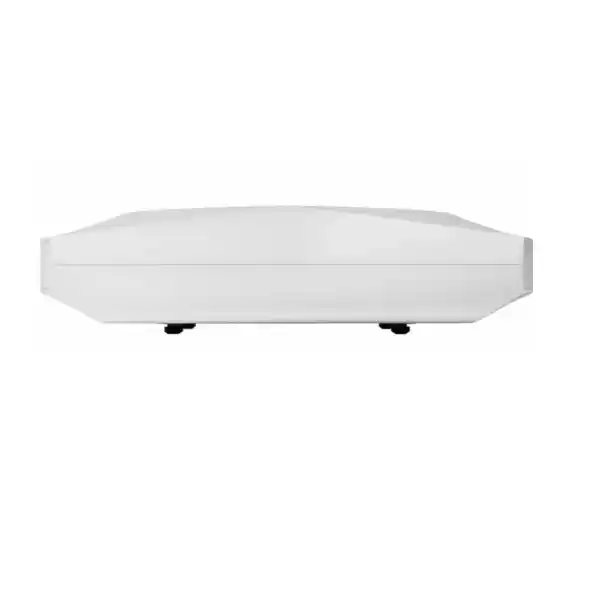
| Dimensions | 25 × 25 × 5.1 cm |
| Weight | 1.87 kg |
| Operating temperature | 0 to 50 °C |
| Operating humidity | 10–90%, noncondensing |
| Mounting | Ceiling, wall or desktop; standard mounting hardware included |
| Hardware warranty | Manufacturer states lifetime hardware warranty with advanced replacement, subject to applicable terms and regional eligibility |
Specifications and software capabilities should be reconfirmed against the applicable Cisco documentation and exact orderable SKU at the time of purchase.
Configuration and sizing worksheet
1. Define the user load. Record peak simultaneous clients, application types, meeting-room density, guest access demand and device generations. Do not size solely by floor area.
2. Survey the building. Review walls, ceiling heights, attenuation, neighboring networks and usable channel widths. Confirm whether 6 GHz operation is approved for the intended regulatory domain.
3. Audit switching. Identify 802.3bt-capable ports, aggregate power headroom, 10 Gbps uplink availability and copper cabling condition. Existing PoE+ equipment may run the access point in a restricted mode.
4. Select management. Determine whether the organization will operate through Meraki dashboard or supported Catalyst controllers. Verify firmware, entitlements and subscription duration before ordering.
5. Validate physical installation. Confirm ceiling support, cable routing, mounting accessories and secure access for service personnel. Indoor environmental limits must be respected.
6. Prepare the quote request. Include site addresses, quantity, license term, required power accessories, switch models, delivery destination, project schedule and any staging or installation requirements.
Deployment scenarios
Multi-floor corporate offices
Place access points based on predictive design and an on-site survey, then connect them to properly sized multigigabit PoE switching. Use enterprise authentication and segmented guest access. Validate roaming and conferencing performance in the busiest rooms.
Banking and financial institutions
Separate employee, visitor and operational device traffic according to internal security policy. Coordinate wireless authentication with the institution’s identity infrastructure and retain change records for audits. Availability planning should include switching, power and WAN dependencies.
Universities and education campuses
Model lecture-hall peaks, device diversity and overlapping coverage carefully. Apply role-based access and application priorities where supported. A phased pilot can reveal coverage and channel-plan issues before campus-wide procurement.
Government and public-sector facilities
Verify approved regulatory variants, information-security requirements, supplier documentation and procurement conditions. Confirm whether cloud management is permitted by the organization’s governance rules before selecting a licensing model.
Technical deep dives
Radio capacity and traffic behavior
The CW9178I uses 4×4 multiuser radio capabilities and Wi-Fi 7 features including multilink operation, subject to compatible clients and software support. Multiple resource units and advanced modulation can improve spectrum use under suitable conditions. Real performance is constrained by airtime, channel plans and endpoint limitations, so post-installation validation remains essential.
Software control and firmware governance
Management selection affects the operating workflow. Meraki dashboard environments emphasize centralized cloud administration, while supported Catalyst deployments use controller-based management. Organizations should verify migration requirements, feature differences, software baselines, maintenance windows and license entitlements rather than assuming both modes behave identically.
Resilience and fault recovery
Dual Ethernet ports offer design flexibility, but resilient operation requires appropriate network architecture. Evaluate upstream switch failure, PoE sourcing, controller or cloud reachability, and expected behavior during firmware changes. Document recovery procedures and conduct controlled failover tests before declaring a production service highly available.
Questions to settle before placing an order
Is the subscription included? Do not assume it is. Ask for a separate license line item and confirm the management platform and duration.
Can an existing PoE+ switch run the unit? Some reduced-power operation is supported, but full capabilities require suitable 802.3bt power. Verify the exact feature impact.
Does 24 Gbps equal application throughput? No. It is an aggregate theoretical radio frame rate.
Will every client use 6 GHz? No. Devices must support the band, and local rules must permit its operation.
Are the two Ethernet ports automatically redundant? Redundancy depends on supported configuration and upstream design; confirm the intended topology.
Can it replace an older access point without changes? Check physical mounting, cabling, power and management compatibility before scheduling replacement.
Uganda procurement and delivery coordination
FourTeck Uganda can assist with project quotations for the CW9178I and related infrastructure. A useful request includes the target site, estimated quantity, intended management mode, required license duration and existing switching platform. Procurement teams should ask for a documented bill of materials covering the access point, any separately ordered injector, power cord, subscription and implementation services.
Delivery arrangements and lead times vary by order quantity, sourcing route, customs requirements and destination. Availability and final commercial terms are confirmed through the written quotation. Where required, request documentation for warranty eligibility, regulatory suitability and acceptance testing before issuing a purchase order.
Local coverage
Projects in Kampala often focus on headquarters and commercial buildings; Entebbe buyers may require coordinated delivery for hospitality and administrative sites; Jinja organizations may prioritize campus and industrial-office connectivity; Mbarara teams may be extending regional branch networks; and Gulu deployments may require additional logistics planning. Service scope and delivery feasibility should be confirmed for each address.
Regional procurement coordination
For regional organizations, compare sourcing and deployment requirements through FourTeck Uganda, FourTeck Kenya, FourTeck Africa, FourTeck UAE and FourTeck Kuwait. Each destination may have different regulatory, tax, warranty and import conditions.
Related infrastructure and technical services
Consider compatible enterprise PoE switching, multigigabit network uplinks, structured copper cabling, wireless network planning and access point licensing guidance. These supporting decisions can materially affect the installed performance of the CW9178I.
FourTeck can discuss bill-of-materials checks, power-budget validation, equipment staging, firmware planning, installation coordination and post-sales assistance as part of a scoped service request. Availability of any particular engineering service should be confirmed before purchase.
Frequently asked questions
1. What is the Cisco Meraki CW9178I used for?
It is a high-performance indoor Wi-Fi 7 access point for enterprise networks with demanding user density and applications. Typical deployments include offices, campuses and other managed facilities. Its multiple radios and high-speed wired ports provide useful design flexibility, but achieving reliable service still requires an RF plan, appropriate switching and correct management configuration.
2. Does the CW9178I support Wi-Fi 7 and 6 GHz?
Yes. The hardware supports Wi-Fi 7 and 2.4, 5 and 6 GHz client service. Actual use of the 6 GHz band depends on the regulatory domain, available channels, firmware and compatible endpoints. Ask the supplier to verify the approved hardware variant and country-specific operation before ordering for Uganda.
3. Is a Meraki subscription required?
Licensing is required for supported managed operation. The correct entitlement depends on the selected Meraki or Catalyst management arrangement and the current Cisco licensing program. Request a quote that specifies the exact license product, tier, duration and renewal assumptions. Do not rely on a hardware-only quotation to represent the complete deployment cost.
4. Can I power the access point with ordinary PoE?
The CW9178I supports several PoE classes, but full operation requires 802.3bt. With lower-power sources, radio configuration, wired speed and USB availability can be reduced. Check the precise restrictions in the current Cisco power negotiation table. Include switch power budgets and any injector requirement in the project design.
5. How fast are the Ethernet connections?
There are two RJ-45 interfaces supporting negotiated speeds up to 10 Gbps each. Actual link rates depend on the connected switch, cabling, negotiated power mode and configuration. A 10 Gbps-capable port does not by itself guarantee 10 Gbps application throughput. Verify the complete wired path, including aggregation and upstream capacity.
6. Can it be managed by a Catalyst controller?
The platform supports eligible Cisco Catalyst management arrangements as well as Meraki cloud management. Compatibility depends on controller type, software release, operating mode and licensing. Confirm the existing controller inventory and planned software version before ordering. A migration between operating modes should be treated as a controlled change project.
7. What mounting options are available?
The access point supports ceiling, wall and desktop mounting, with standard mounting hardware included according to the manufacturer documentation. Site teams should confirm ceiling construction, cable access, secure fastening and any additional bracket requirement. The unit measures approximately 25 by 25 by 5.1 centimetres and weighs about 1.87 kilograms.
8. Does the access point provide security monitoring?
Yes. Dedicated wireless monitoring functions support spectrum visibility and intrusion detection or prevention capabilities in supported deployments. Security effectiveness depends on policy, regulatory limits, software features and administrator response. Combine wireless monitoring with enterprise authentication, network segmentation, logging and routine operational review.
9. What warranty should Uganda buyers expect?
Cisco documentation describes a lifetime hardware warranty with advanced replacement for this indoor access point, subject to applicable terms. Local fulfillment, entitlement checks, shipping procedures and replacement timelines must be confirmed for the actual transaction. Ask for written warranty terms and the required serial-number and purchase-documentation process.
10. What should be included in a quotation?
Specify the CW9178I hardware variant and quantity, license and term, compatible PoE source, any injector or power cord, installation accessories, delivery destination, expected schedule and requested services. If this is a multi-site project, include the network topology and existing switch models. A complete quotation should distinguish confirmed supply terms from optional engineering services.



Reviews
There are no reviews yet.