FortiGate 70F in Uganda
A compact Fortinet next-generation firewall for secure branch connectivity, protected internet access, VPN, and integrated Secure SD-WAN.
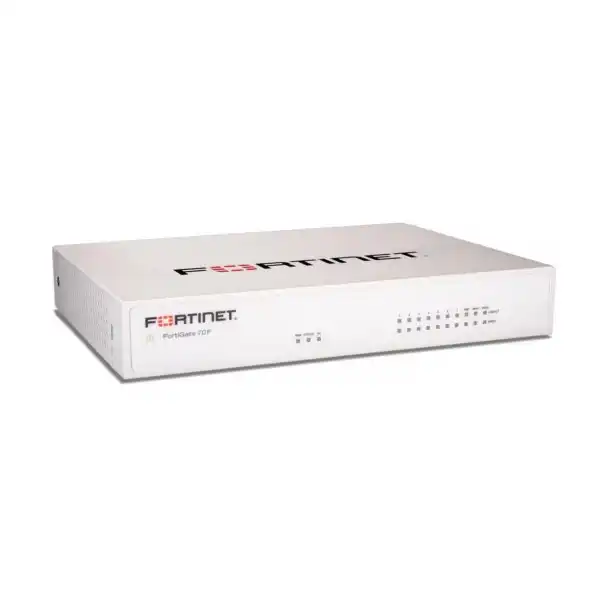
The FortiGate 70F is designed for organizations that need stronger security controls than a basic router can provide without moving to a large rack-mounted appliance. It combines FortiOS firewalling, application visibility, VPN, SD-WAN, policy control, and optional FortiGuard security services in a desktop platform suited to small and distributed business sites.
Fortinet
FortiGate 70F
NGFW / SD-WAN
Desktop, fanless
2 × GE RJ45
License dependent
A branch firewall that converges security and WAN control
The Fortinet FortiGate 70F is positioned as an entry-level next-generation firewall for organizations that want to secure users, devices, cloud access, and site-to-site connectivity from a single FortiOS platform. Rather than treating routing, firewalling, application control, VPN, and SD-WAN as separate appliances, the 70F brings these functions together. This is particularly useful for a branch office where space, power consumption, administration time, and deployment simplicity are important operational concerns.
For a typical business buyer, the appliance sits between internet or WAN connections and the internal network. Security policies can control which users or systems reach particular applications, while intrusion prevention, malware protection, DNS or web controls, and other FortiGuard services can be added through the appropriate subscription. Fortinet also integrates SD-WAN into FortiGate, allowing the same platform to steer traffic across available WAN links according to application and performance policies.
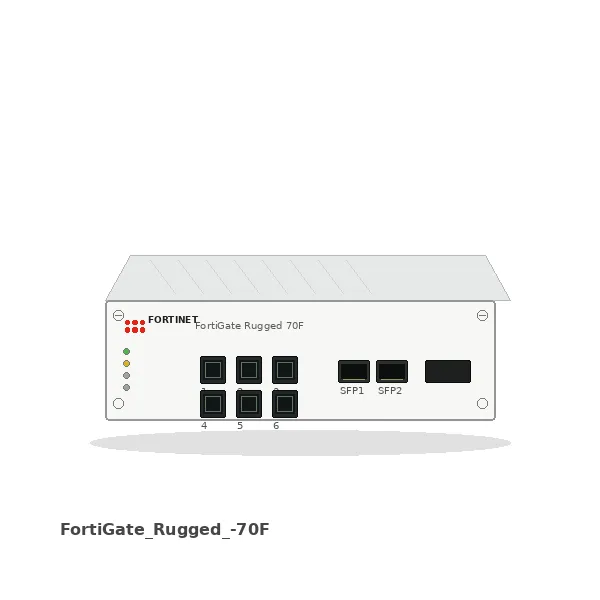
The hardware offers two Gigabit Ethernet WAN interfaces, one Gigabit Ethernet DMZ interface, two default FortiLink ports, and five additional internal Gigabit Ethernet ports. The FortiLink ports may be used to connect and manage compatible FortiSwitch infrastructure or reconfigured as regular ports when the design requires. This port arrangement gives smaller sites useful flexibility without automatically requiring a separate router.
Selection still requires planning. A buyer should not size a firewall only against the headline firewall throughput. Real deployments use security inspection, VPN, application control, logging, and other services simultaneously. Fortinet publishes up to 1.4 Gbps IPS throughput, 1 Gbps NGFW throughput, and 800 Mbps threat-protection throughput for the 70F class, so the practical design should consider the intended security profile and not just raw packet forwarding.
FourTeck can assist Uganda buyers by reviewing branch size, internet speed, number of users and devices, VPN requirements, existing switching and wireless equipment, expected growth, and the subscription term. That review helps distinguish a straightforward small-office deployment from a branch that needs deeper inspection, more remote-access users, high availability, centralized administration, or a larger FortiGate platform.
Business outcomes tied to the way the 70F is built
01
Consolidate branch security and routing
FortiOS combines firewalling, routing, VPN, SD-WAN, application visibility, and security-policy control. For a branch IT team, fewer separate network functions can mean a simpler operational model, less policy duplication, and a clearer path for troubleshooting.
02
Inspect traffic without choosing a large appliance by default
Fortinet publishes dedicated IPS, NGFW, and threat-protection performance figures rather than only raw firewall throughput. This lets procurement teams discuss the realistic security workload and size a compact appliance around enabled controls instead of assuming every office needs a larger platform.
03
Use dual WAN for resilient or policy-based connectivity
Two GE RJ45 WAN ports provide a practical foundation for dual-provider or primary/backup internet designs. With Secure SD-WAN, administrators can use measured link conditions and application policies to decide how business traffic should leave the branch.
04
Extend control into access switching
Two ports are designated for FortiLink by default. When paired with compatible FortiSwitch equipment, FortiGate can integrate network access into the same security environment, which is valuable for a small IT team managing a branch with limited onsite administration.
05
Support secure remote and site-to-site connectivity
The platform supports IPsec VPN and SSL-VPN capabilities. This allows a business to build encrypted connections between sites or provide controlled remote access, subject to the chosen deployment design, FortiOS version, licensing, authentication method, and performance requirements.
06
Deploy quietly in office environments
The desktop unit is fanless and designed for small environments, making it practical where the firewall is installed in an office, communications cabinet, or wall-mounted location rather than a dedicated data-center rack.
The useful distinction is not one headline speed; it is the combination of secure networking functions in a small branch appliance.
FortiGate 70F buyers gain the most value when they treat the appliance as a security and network-control platform rather than as a simple internet gateway. Its FortiOS environment can enforce security policy, steer WAN traffic, terminate VPN connections, integrate with Fortinet access products, and consume FortiGuard security intelligence through selected service bundles. That combination is particularly relevant to distributed businesses that want consistent policy at smaller sites.
Firewall performance: up to 10/10/6 Gbps for 1518/512/64-byte UDP packets. Actual results vary by traffic profile and enabled functions.
Threat protection: up to 800 Mbps under Fortinet’s defined enterprise traffic mix and enabled security services.
Interfaces: dual GE WAN, dedicated GE DMZ, two default FortiLink ports, five GE internal ports, USB and console.
VPN: hardware acceleration supports branch-to-branch encrypted connectivity, with published IPsec throughput in the multi-gigabit range under Fortinet test conditions.
Management: FortiOS local management with options for centralized management through FortiManager or cloud-based management capabilities, depending on chosen services.
Confirmed FortiGate 70F technical details
| Specification | FortiGate 70F | Buyer note |
|---|---|---|
| Firewall throughput | Up to 10/10/6 Gbps (1518/512/64-byte UDP) | Raw firewall forwarding; do not use alone for sizing. |
| IPS throughput | Up to 1.4 Gbps | Measured using Fortinet enterprise traffic mix. |
| NGFW throughput | Up to 1 Gbps | Firewall, IPS and application control enabled in vendor testing. |
| Threat protection | Up to 800 Mbps | Relevant when multiple security services are active. |
| SSL inspection | Up to 670 Mbps | HTTPS inspection can be a major sizing factor. |
| IPsec VPN throughput | Up to 6.5 Gbps | Vendor test conditions apply; tunnel design matters. |
| WAN ports | 2 × GE RJ45 | Suitable foundation for dual-WAN designs. |
| DMZ port | 1 × GE RJ45 | Useful for segmented services or dedicated zone design. |
| FortiLink ports | 2 × GE RJ45 by default | Can integrate compatible FortiSwitch access infrastructure. |
| Internal ports | 5 × GE RJ45 plus FortiLink-capable ports | Plan VLANs and switching topology before deployment. |
| USB / console | 1 × USB, 1 × RJ45 console | Useful for administration and service tasks. |
| Form factor | Desktop / wall-mount capable | Check mounting and cable-routing requirements. |
| Cooling | Fanless | Useful for office environments. |
| Power | External DC adapter, 100–240V AC input | Confirm UPS protection and local power design. |
| Security subscriptions | Configuration dependent | FortiGuard service bundle and FortiCare term should be chosen with the appliance. |
For purchase decisions, the inspection figures deserve more attention than raw firewall throughput. A branch with a 500 Mbps internet circuit may still require careful sizing if a large share of traffic is encrypted, IPS is enabled broadly, remote VPN usage is heavy, or multiple FortiGuard services run concurrently. Conversely, a smaller site with moderate web use and straightforward policies may operate comfortably within the appliance’s security-performance envelope. Interface layout is equally important: the 70F uses Gigabit Ethernet copper interfaces, so organizations planning multi-gigabit WAN access or higher-speed LAN uplinks should evaluate whether a newer or larger FortiGate platform is the better long-term choice.
Power, mounting, logging, and management should also be included in the design. A fanless desktop firewall still benefits from clean power, a suitable UPS, adequate ventilation, secure physical placement, and documented cabling. Where multiple branches need consistent policy, centralized management may be more important than adding hardware capacity at a single site. FourTeck can help translate these technical considerations into a quote request that includes the appropriate hardware, subscriptions, support term, and related network components.
Five questions to answer before selecting the bundle
01 — What traffic and security workload will the firewall handle?
Document the internet circuit speed, major cloud applications, expected web usage, inbound services, encrypted traffic, and security controls you plan to enable. A firewall serving only basic routing and access policies experiences a different workload from one performing full IPS, malware inspection, web filtering, application control, SSL inspection, and extensive logging. This answer determines whether the 70F has appropriate inspection headroom or whether a higher model should be considered.
02 — How many users, devices, VPNs, and branch connections are involved?
Count employees, guest devices, IP phones, cameras, servers, wireless access points, printers, IoT devices, and remote workers rather than using employee count alone. Include site-to-site VPN tunnels and peak concurrent remote sessions. Device and session scale influences policy complexity, logging volume, authentication design, and the margin required for future growth.
03 — What must the firewall integrate with?
Record existing switches, access points, WAN modems, ISP handoffs, authentication systems, VLANs, public IP addressing, and any Fortinet infrastructure already in use. The 70F includes FortiLink-capable interfaces that can integrate compatible FortiSwitch products, while FortiAP can be incorporated into a broader Fortinet branch design. Compatibility should be checked before the quote is finalized.
04 — What growth, licensing, and management path is expected?
Decide whether the branch is likely to add a second internet link, more employees, additional sites, centralized policy management, advanced threat services, or higher broadband speeds during the planned service life. Subscription term also matters: one-, three-, or longer-term FortiGuard and FortiCare options can change both budget planning and protection continuity. Buyers should avoid selecting only the lowest initial hardware cost if the operational plan requires additional services shortly afterwards.
05 — What installation, support, and delivery expectations apply?
Clarify whether the project needs only appliance supply or also design review, configuration assistance, migration planning, rack or wall placement, UPS protection, cabling, delivery coordination, and warranty guidance. These details influence the full project scope and help avoid missing accessories or service requirements.
Where the 70F can fit a real network design
Growing professional office
A legal, consulting, accounting, engineering, or services office may need secure internet access, staff VPN, guest separation, application controls, and resilience across two WAN providers. The 70F can combine those functions in one compact device. The configuration should be reviewed against broadband speed and the level of SSL inspection expected, because encrypted SaaS traffic can consume more security-processing capacity than simple routing.
Distributed branch location
A business with headquarters and several smaller sites can use FortiGate at each branch to build IPsec VPN connectivity and consistent security policy. Secure SD-WAN can help determine how branch applications use primary and backup links. If many sites are involved, centralized policy administration through FortiManager may become an important part of the design rather than managing each appliance independently.
Retail or service outlet with segmented devices
A location with staff PCs, payment-related systems, guest Wi-Fi, IP phones, cameras, and operational devices benefits from segmentation. The 70F can provide firewall zones, VLAN policy, internet filtering, and WAN control, while compatible FortiSwitch and FortiAP products can extend policy into access networking. The actual design should separate business-critical traffic from guest and unmanaged devices.
Education, NGO, or project office
Organizations operating a project office may need controlled web access, secure connectivity to central systems, bandwidth awareness, and simple administration without a data-center-sized platform. The fanless desktop format is useful in smaller premises. Procurement should still consider service term, content or web controls, VPN authentication, reporting, and the possibility that user count may expand during the project.
Secure SD-WAN turns dual internet links into a policy decision
Two WAN ports are useful on their own, but FortiGate’s integrated Secure SD-WAN makes them more valuable for a business that depends on cloud applications, voice services, VPN, or distributed systems. Instead of treating a secondary internet line only as a dormant backup, administrators can define rules that consider application, link quality, business priority, and measured conditions. That can help a branch use available connectivity more deliberately.
For procurement teams, this changes the WAN conversation. The question is not simply whether the office has one or two internet service providers. It is whether critical applications require failover, whether traffic should be distributed across links, whether direct internet access is allowed for cloud services, and whether VPN traffic should follow particular paths. These decisions affect configuration effort and ongoing management.
Security remains integrated with the routing decision. The same FortiOS policies can apply inspection and access controls while SD-WAN chooses a path. This is useful for businesses that do not want a separate SD-WAN appliance plus a firewall at a small branch. Where the organization already operates many FortiGate sites, common policy and centralized visibility can further simplify branch operations.
Before deployment, confirm ISP handoff type, public IP addressing, link speeds, any modem or router requirements, and whether inbound services must remain reachable after failover. A technically available second WAN link is not automatically a complete resilience design; DNS, VPN peer settings, public services, and application dependencies may also need planning.
Security performance should be sized on inspection, not just firewall speed
Fortinet’s published numbers illustrate an important sizing principle. Raw firewall throughput is up to 10 Gbps, while IPS is up to 1.4 Gbps, NGFW is up to 1 Gbps, threat protection is up to 800 Mbps, and SSL inspection is listed around 670 Mbps. The gap is expected because deeper security inspection requires more processing than forwarding packets. A buyer with a 1 Gbps internet service who expects broad SSL inspection and multiple security services should therefore evaluate real traffic patterns rather than assuming the 10 Gbps headline guarantees full-speed inspection under every condition.
Security profiles also depend on subscription. FortiGuard services can provide functions such as IPS updates, malware protection, web and DNS controls, and other threat intelligence depending on bundle selection. Procurement should align the bundle with policy requirements and the organization’s risk profile rather than treating subscriptions as an afterthought.
Useful reference for intrusion-prevention workloads.
Measured with firewall, IPS and application control enabled.
Relevant to multi-service security inspection.
FortiLink can simplify the branch access layer
Two Gigabit Ethernet interfaces are assigned as FortiLink ports by default. FortiLink is Fortinet’s management and control connection between FortiGate and compatible FortiSwitch equipment. In a suitable deployment, the firewall can treat the switch as an extension of the security environment, giving administrators a more unified way to manage access policy and connected devices. The ports can also be reconfigured as standard interfaces where FortiLink is not required.
This is relevant for a branch that is replacing both its firewall and switching stack. Instead of independently configuring VLANs, access policy, and management across unrelated systems, an integrated Fortinet design can centralize more of the branch configuration. That does not mean every buyer must replace existing switches. Many organizations can continue to use current network infrastructure, provided VLAN, routing, and connectivity requirements are compatible. The decision should be based on operational value and migration scope.
Wireless can be considered in the same way. FortiGate can participate in a broader Fortinet branch architecture with compatible FortiAP access points. Buyers planning new Wi-Fi, guest access, or network segmentation should include those requirements early so the firewall, switch, AP, PoE budget, and VLAN design are reviewed together.
Buyer decision checklist
- Will existing switches remain, or is FortiSwitch integration planned?
- How many wired devices, VLANs, and uplink ports are required?
- Do access points need Power over Ethernet from a switch?
- Will guest, voice, CCTV, servers, and staff networks be segmented?
- Should branch switching and wireless be managed centrally with the firewall?
What buyers should check before purchase
| Risk | What to confirm | Why it matters | Share with FourTeck |
|---|---|---|---|
| Wrong performance tier | WAN speed and enabled inspection | Threat inspection throughput is lower than raw firewall throughput. | Circuit speed, traffic mix, security profiles |
| Missing subscription | FortiGuard services and FortiCare term | Security updates and support coverage depend on selected services. | Required controls and preferred term |
| Interface mismatch | Copper GE handoffs and port count | The 70F does not provide multi-gigabit SFP+ uplinks. | ISP handoff, switch uplinks, VLAN plan |
| Growth constraint | Expected users, sites, bandwidth and VPN growth | A firewall should retain practical performance headroom during its planned service life. | Three-year or five-year network outlook |
Other practical checks include UPS sizing, mounting position, required patch cables, change-window planning, migration from an existing firewall, public IP dependencies, DNS, authentication, remote-access clients, logging retention, and whether the organization expects centralized management. For project quantities, confirm the number of sites and whether all locations use the same design. Standardizing a branch template can simplify deployment, but only when bandwidth, user count, and local requirements are sufficiently similar.
Quote and configuration assistance for Uganda deployments
FortiGate 70F availability, bundle combinations, and subscription terms can vary, so FourTeck does not need to treat the appliance as a one-size-fits-all item. Uganda buyers can request a current quote based on the hardware model, FortiGuard security bundle, FortiCare support term, quantity, and deployment requirements. Before quotation, FourTeck can help review the intended branch role, internet bandwidth, number of users and devices, VPN design, FortiSwitch or FortiAP integration, and whether the project needs a migration path from an existing firewall.
For Kampala deployments, buyers should include the exact delivery location and any project scheduling requirements when requesting the commercial offer. FourTeck can coordinate quotation and delivery planning based on the requested configuration and current supply conditions. Warranty guidance can also be discussed against the selected FortiCare coverage and product terms rather than assuming a universal support arrangement.
Uganda location coverage
FourTeck can support product enquiries and delivery coordination for business customers across Uganda. A Kampala head office may be planning a single firewall refresh, while teams in Entebbe, Jinja, Mbarara, or Gulu may be standardizing security across smaller branches or project sites. Share the destination, quantity, required subscription term, and deployment schedule so the quote can reflect the actual requirement rather than a generic hardware-only request.
Regional sourcing for distributed organizations
Organizations operating across East Africa often want consistent firewall standards between countries. FourTeck can discuss sourcing and product matching for Uganda and selected regional requirements, including projects that involve Kenya or broader Africa markets. The most useful approach is to define a common security and management standard first, then verify whether each branch should use the same FortiGate model or a model sized to local bandwidth and user density.
Regional enquiries can also be coordinated through FourTeck’s country and market sites where relevant: FourTeck Uganda, FourTeck Kenya, FourTeck Africa, FourTeck UAE, and FourTeck Kuwait. Availability, commercial terms, delivery arrangements, and support coverage should be verified for each destination rather than assumed to be identical across markets.
Related Fortinet paths to compare during sizing
FortiGate 60F: consider for smaller branches with lower inspection requirements. Review FortiGate 60F options.
FortiGate 80F: consider when interface flexibility or additional security-performance headroom is required. Explore FortiGate 80F options.
FortiGate 90G: a newer performance path for branches anticipating higher threat-protection demand. Compare FortiGate 90G availability.
FortiSwitch: useful when the branch design needs FortiLink-managed switching and unified access-layer policy. Find FortiSwitch products.
FortiAP: consider when secure wireless should integrate with the Fortinet branch environment. Browse FortiAP options.
Practical assistance around the product, not just the model number
01 — Product selection guidance. FourTeck can help compare the 70F with adjacent FortiGate models using bandwidth, security-inspection workload, port requirements, and growth plans as the decision criteria.
02 — Configuration review. Buyers can share WAN links, VLAN design, VPN needs, existing Fortinet equipment, and user/device counts before finalizing a bundle.
03 — Quote assistance. Hardware, FortiGuard security services, FortiCare term, and related network equipment can be aligned to the requested project scope.
04 — Uganda delivery coordination. Destination and project quantity can be included in the quotation process so delivery planning reflects the actual deployment.
05 — Warranty and support guidance. Rather than assuming a generic warranty statement, buyers can review the relevant FortiCare support arrangement and product terms with the quote.
06 — Alternative matching. When the requested model is not the best technical fit or current options have changed, FourTeck can discuss an appropriate FortiGate alternative based on the same workload and interface requirements.
FortiGate 70F buyer questions
01. What is the FortiGate 70F mainly used for?
It is a next-generation firewall for securing branch offices and smaller business networks. It can provide firewall policy, application control, VPN, Secure SD-WAN, segmentation, and optional FortiGuard threat-protection services. It is most useful where a business needs more than basic internet routing and wants security and WAN functions managed from the FortiOS platform.
02. Is the 70F suitable for a 1 Gbps internet connection?
It can be, but the decision depends on how much security inspection is enabled. Fortinet publishes up to 1 Gbps NGFW throughput and 800 Mbps threat-protection throughput, while SSL inspection is lower than raw firewall forwarding. A buyer should evaluate actual traffic mix, encrypted traffic, VPN usage, and required security services before assuming full 1 Gbps inspected performance.
03. Does the appliance include FortiGuard security services?
The hardware platform supports FortiGuard services, but the actual services and term depend on the bundle or subscription selected. Buyers should decide whether they need functions such as IPS updates, malware protection, web or DNS security, and other FortiGuard capabilities, then choose the appropriate subscription and FortiCare support term with the appliance.
04. Can it manage two internet links?
Yes. The hardware provides two Gigabit Ethernet WAN ports and FortiOS includes Secure SD-WAN capabilities. A branch can use these links for primary/backup resilience or more advanced application-aware steering. The final design should also account for ISP addressing, VPN behavior, inbound services, and how critical applications should operate when one connection is unavailable.
05. Can FortiGate 70F work with FortiSwitch and FortiAP?
Yes, it can participate in a Fortinet branch architecture with compatible FortiSwitch and FortiAP products. Two GE interfaces are configured as FortiLink ports by default for FortiSwitch integration. Compatibility, switch capacity, Power over Ethernet requirements, access-point count, and FortiOS support should be checked against the exact products being deployed.
06. Does the 70F support VPN for branches and remote users?
The platform supports IPsec VPN and SSL-VPN capabilities. Site-to-site IPsec is commonly used to connect branch locations securely, while remote-access design depends on FortiOS features, endpoint requirements, authentication, policy, and organizational security standards. For a quote, provide the number of sites and expected concurrent remote users so capacity and licensing considerations can be reviewed.
07. Is the FortiGate 70F rack mountable?
The appliance is designed primarily as a compact desktop or wall-mount device rather than a standard rack-mount chassis. If it must be installed in a rack, discuss the intended physical arrangement and suitable mounting accessories or shelf options. Also plan for secure cabling, adequate ventilation, clean power, and UPS protection in the communications environment.
08. What information should I provide for a Uganda quote?
Provide user and device count, internet bandwidth, number of WAN links, VPN requirements, current firewall model, required FortiGuard services, preferred support term, branch count, project quantity, and delivery location. If FortiSwitch or FortiAP integration is planned, include those models and port or wireless requirements as well. This helps FourTeck quote a complete configuration rather than hardware alone.
09. What should I compare if the 70F is not the right size?
Compare adjacent FortiGate models based on threat-protection throughput, SSL inspection, interface type, WAN speed, session scale, VPN requirements, and expected growth. A FortiGate 60F may suit lighter branches, while the 80F or newer 90G can provide alternative capacity or interface options. The correct choice should follow the workload rather than simply the model number.
Plan the firewall around your branch, bandwidth, and security policy
Share your internet speed, number of users and devices, WAN links, VPN requirements, desired FortiGuard services, support term, and deployment location. FourTeck can review the requested configuration and prepare a Uganda quotation that reflects the actual network requirement.
- WAN bandwidth and ISP handoff
- User, device, and branch count
- VPN and security-inspection requirements
- FortiGuard and FortiCare term
- FortiSwitch, FortiAP, or migration requirements



Reviews
There are no reviews yet.