OUTDOOR ENTERPRISE WIRELESS | UGANDA PROCUREMENT
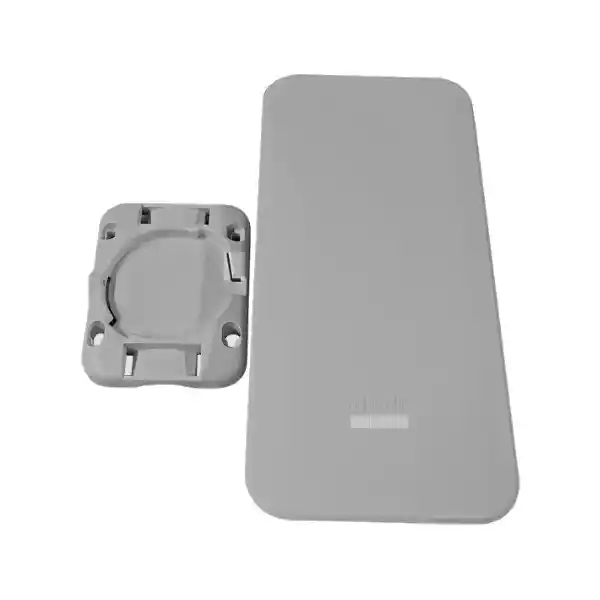
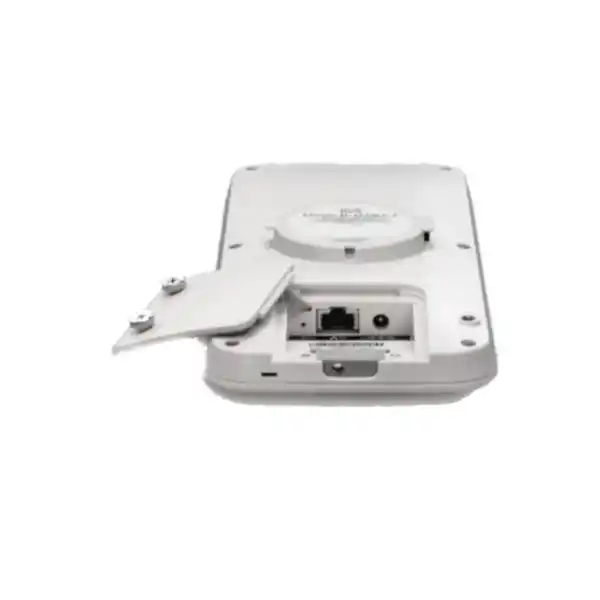
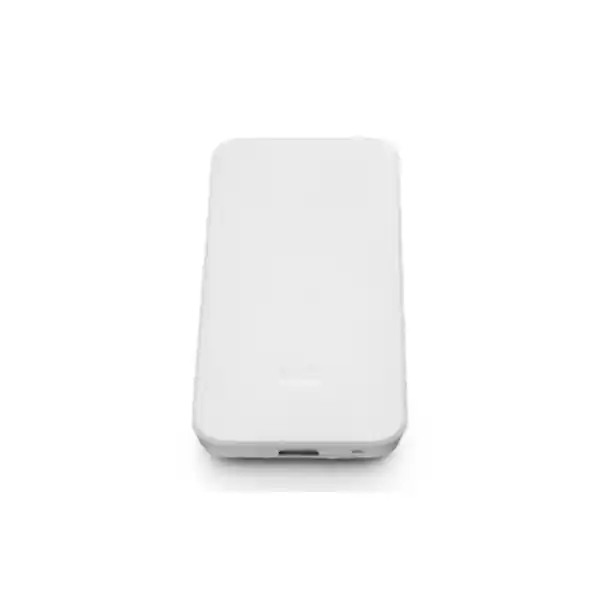
Cisco Meraki MR78 Cloud-Managed Outdoor Wi-Fi 6 Access Point
The Cisco Meraki MR78 brings managed wireless connectivity to outdoor business areas that need reliable access, practical weather resistance and a consistent operational interface. Its rugged IP67 enclosure, integrated omnidirectional antennas and dual-band Wi-Fi 6 architecture make it a focused option for medium-density outdoor coverage rather than a substitute for a specialized long-distance directional bridge or very-high-density stadium radio. Buyers can combine the device with existing routed networks, suitable Ethernet cabling, compatible PoE infrastructure and a valid Meraki license. A successful purchase begins with coverage goals, physical mounting constraints, client types and the ongoing cloud-management budget—not merely the hardware unit price.
For Uganda enterprises, the MR78 can support outdoor work areas, reception courtyards, campus walkways and visitor spaces where environmental and radio-frequency surveys support the design. FourTeck can help structure a bill of materials that distinguishes confirmed hardware capabilities from optional installation services and licensing. Request a quotation that identifies the exact hardware part number MR78-HW, required subscription duration, power source, installation accessories and expected delivery arrangements. The stated 1.5 Gbps aggregate wireless frame rate is a radio specification, not a promise of 1.5 Gbps usable application throughput or internet speed. Its single Gigabit Ethernet port, shared wireless airtime and local interference conditions affect real results.
At-a-Glance Procurement Facts
Class: entry-level outdoor Wi-Fi 6
Target: basic and medium-density outdoor networks
Wireless: 2×2:2, up to 1.5 Gbps aggregate frame rate
Uplink: 1 × Gigabit Ethernet
Maximum consumption: 15 W
Weather rating: IP67
License: required, quoted separately unless specified
Availability and delivery: confirm by quotation
Manufacturer documentation lists a one-year hardware warranty with advanced replacement for this outdoor access point. Actual claim handling, regional entitlement, shipping arrangements and any reseller service obligations should be confirmed in writing. Power injectors and DC adapters are sold separately. Do not assume an existing switch has adequate PoE capacity simply because it has an Ethernet port. For a site with many access points, review total switch power budget, cable routes and surge protection before ordering.
How the MR78 Fits into an Outdoor Network
The MR78 is a wireless access layer device. Client traffic crosses the 2.4 GHz or 5 GHz radio, passes through the access point and reaches the wired network through a 10/100/1000BASE-T interface. Routing, internet service, firewall policy and DHCP may be supplied by existing infrastructure; those services are not automatically replaced by installing an access point. A common topology is internet connection to edge firewall, firewall to managed switch, PoE switch to MR78, and wireless clients to configured SSIDs. VLANs can separate guest devices from internal equipment when upstream switching and security policy are configured accordingly.
Wi-Fi 6 capabilities include 2×2 multiple-input multiple-output operation, two spatial streams, OFDMA-related functionality and beamforming. Availability of particular advanced functions can depend on firmware and deployment conditions. Client capability matters: a legacy handset cannot obtain all the benefits of a Wi-Fi 6 radio, and a congested channel can reduce effective throughput even with modern devices. For outdoor deployments, radio planning must consider neighboring networks, reflective walls, vehicles, foliage, seasonal rain and the height of the installation. The integrated antenna arrangement is convenient for broad coverage but should not be treated as a directional long-range solution.
Cloud management is a central design choice. Authorized administrators can configure SSIDs, inspect client activity, apply access policies and review alerts from Meraki Dashboard. This can simplify distributed deployments in which every branch does not employ a resident network engineer. The design also creates an operational dependency on licensing and appropriate connectivity for cloud administration. Procurement teams should confirm subscription ownership, organization access, renewal procedures and escalation responsibilities before handing the network to operations.
Business Value and Operational Outcomes
- Wireless capacity: Wi-Fi 6 scheduling and dual-band operation can help organize traffic across compatible client populations. Evaluate real throughput under the intended device mix rather than equating PHY rate with delivered bandwidth.
- Outdoor resilience: An IP67-rated enclosure supports installations exposed to dust and water. Cable glands, termination practices, mounting hardware and surge precautions remain essential to an end-to-end weather-conscious design.
- Repeatable rollout: Dashboard-based configuration helps standardize SSIDs and policy across multiple sites. Use named templates and an acceptance checklist to avoid configuration drift.
- Access separation: Enterprise authentication options, VLAN tagging and guest controls can help separate visitors from business systems when correctly integrated with upstream services.
- Central oversight: Monitoring, alerts and remote diagnostics may reduce unnecessary visits to dispersed outdoor locations. Plan for local hands-on support when a physical fault occurs.
- Power planning: A 15 W maximum published draw and 802.3af compatibility can simplify switch sizing. Include cable and power-loss margins in the engineering calculation.
- Lifecycle budgeting: Cloud licensing, installation labor, power infrastructure and future replacement should be evaluated alongside the access point price.
- Consistent user experience: Band steering, application-aware controls and roaming features can support appropriate client behavior, but placement and RF conditions determine actual user experience.
Hardware and Software Feature Matrix
| Component | Published capability | Practical consequence |
|---|---|---|
| Wi-Fi radios | Concurrent 2.4 and 5 GHz, 2×2:2 | Supports common mixed outdoor client fleets |
| Antenna system | Integrated omnidirectional; 5.4 dBi at 2.4 GHz and 6 dBi at 5 GHz | No external antenna purchase for standard design |
| BLE | Bluetooth Low Energy 5 radio | Enables supported beacon and scanning use cases |
| Ethernet | Single 1 GbE RJ45 port | Plan a wired uplink and switching capacity |
| Security | Enterprise authentication, WPA family options, Layer 7 controls | Supports centrally governed access policies |
| Management | Meraki Dashboard | Central configuration and monitoring with license |
Verified Technical Specifications
| Ordering code | MR78-HW |
|---|---|
| Wireless standard | 802.11ax; backward-compatible modes for supported 802.11a/b/g/n/ac clients |
| Radio architecture | 2.4 GHz and 5 GHz client radios; BLE 5 radio |
| Spatial streams | 2×2:2 MU-MIMO |
| Combined wireless frame rate | Up to 1.5 Gbps |
| Network connection | 1 × 10/100/1000BASE-T RJ45 |
| PoE | IEEE 802.3af compatible, 37–57 V |
| Alternative power | 12 V DC input; adapter separate |
| Maximum power | 15 W |
| Environmental protection | IP67 |
| Operating temperature | -20 °C to +55 °C |
| Operating humidity | 5–95% non-condensing |
| Dimensions | 245 × 115 × 30 mm |
| Weight | 0.45 kg |
| Manufacturer warranty | One-year hardware warranty with advanced replacement, subject to applicable terms |
| Cloud subscription | Meraki access point license required |
Frequency availability and permitted transmit power depend on country-specific regulatory restrictions. Validate the intended Uganda regulatory domain and approved channels before configuration. Some capabilities depend on firmware, license entitlement and client support. Published maximums should not be substituted for site-specific acceptance tests.
Configuration and Sizing Worksheet
1. Estimate demand
Count expected concurrent clients during peak activity, not merely the total number of staff or visitors. Separate ordinary browsing, transaction terminals, voice calls, video and telemetry. Consider how far users move and whether client devices support 5 GHz. Map target application performance and tolerable roaming interruptions.
2. Inspect the environment
Record mounting height, obstruction lines, existing structures, rain exposure, physical security and available cable paths. Conduct a predictive survey and verify with field measurements where possible. A single centrally mounted omnidirectional radio may not cover a long narrow yard or several buildings evenly.
3. Plan wired and electrical services
Check Ethernet distance, cable grade, grounding, outdoor-rated protection, PoE switch budget and surge mitigation. Document switch port VLAN settings, DHCP reachability, DNS and upstream firewall requirements. If a separate injector is required, include it explicitly in the quote.
4. Select cloud licensing
Confirm the supported Meraki licensing model, entitlement tier, subscription term and organization ownership. Ask for hardware and licensing prices to appear on distinct quote lines. Record renewal dates and an accountable administrator.
5. Prepare procurement approval
Specify MR78-HW quantity, site list, mounting accessories, PoE source, installation and commissioning services, testing expectations, warranty processing and delivery destination. Request the applicable lead time and final commercial terms before issuing a purchase order.
Deployment Scenarios
Multi-site businesses
Retail compounds, logistics offices and branch campuses can standardize guest access while maintaining local segmentation. Place the AP on a suitable PoE access switch and apply consistent Dashboard configuration. Each location should retain a documented uplink, VLAN and escalation path. A remote dashboard view is valuable but does not replace local cabling maintenance.
Banking and financial facilities
Outdoor reception zones and controlled staff areas may need different authentication and network access. Align the design with internal risk assessments, audit requirements and security policies. Never expose payment systems to a general guest network merely because they share a physical access point. Confirm permitted wireless deployment zones and implement upstream filtering.
Education and campus environments
Outdoor learning courtyards and campus entrances benefit from planned coverage and straightforward remote monitoring. Separate student, faculty and visitor traffic as appropriate. Use occupancy and peak-hour measurements to determine whether additional APs or a higher-capacity design is needed.
Government and public facilities
Procurement should emphasize approved radio domains, documented configuration, access control, inventory traceability and contractual support terms. Security reviews may require specific authentication methods and restrictions on cloud services. Confirm institutional policy compatibility before selecting any cloud-managed network product.
Three Technical Considerations
Radio processing and capacity
The MR78 uses a dual-band Wi-Fi 6 client access design with two spatial streams. The published 1.5 Gbps figure combines radio frame rates and is not a measured single-client transfer speed. Wireless devices share airtime; actual performance depends on modulation, signal quality, channel width, retransmissions, interference, client capabilities and upstream connectivity. A Gigabit Ethernet uplink also imposes a practical wired ceiling. Design decisions should therefore be based on application performance at the intended edge of coverage, not an isolated headline figure.
Firmware, security and administration
Meraki Dashboard provides a unified management surface for supported configuration, monitoring and firmware workflows. Administrators should define role-based access, preserve account recovery procedures, maintain configuration records and approve maintenance windows for firmware changes. Wireless security should be chosen according to client support and institutional policy. Guest portals, identity services and application restrictions require deliberate testing, particularly when integrating with existing firewalls and directory systems.
Resilience and recovery
An MR78 is a single access point with one wired Ethernet interface, not a dual-uplink redundant controller. Network resilience comes from thoughtful placement of multiple APs where justified, resilient switching and upstream connectivity, documented configuration, spare units and a replacement process. Cloud monitoring can speed diagnosis but cannot prevent a local power outage. Establish restoration targets, retain installation records and confirm warranty replacement logistics for critical sites.
Questions to Resolve Before Purchase
Is the license included? Do not assume so. Obtain a separate line item or explicit written inclusion for the chosen term. Will an ordinary PoE switch work? The MR78 supports 802.3af, but the switch must have sufficient available budget and a suitable cable path. Does IP67 mean every installation is waterproof? No. Installation quality, seals and cable routing affect protection. Can it use external directional antennas? The MR78 uses integrated antennas; select a different model when the design requires external antenna connectors. Will one AP cover a large warehouse yard? Only a site survey can establish coverage and capacity. Is it a standalone unmanaged AP? No; Meraki cloud management and licensing are fundamental procurement considerations. Can it integrate with an existing non-Meraki switch? Standard Ethernet and VLAN design can permit integration, subject to power, configuration and interoperability checks. What happens at renewal? Verify the licensing agreement and organizational policies before deployment.
Uganda Procurement and Delivery Planning
FourTeck Uganda can be contacted for a tailored MR78 quotation. Share your organization, installation site, estimated quantity, required license duration and proposed PoE arrangement. For time-sensitive projects, request a written stock and delivery confirmation rather than assuming immediate availability. Commercial offers should identify taxes, transport, payment terms and any installation or commissioning charges. For sites outside the principal urban centers, delivery routing and technician availability should be assessed before scheduling work.
In Kampala, projects may include office compounds, commercial courtyards and education facilities. Entebbe installations can require additional consideration of exposed outdoor areas and site access. Jinja facilities may prioritize industrial and campus coverage. Mbarara and Gulu buyers should include local delivery instructions, receiving contacts and access restrictions in their purchase request. Coverage of these locations describes procurement planning possibilities, not a guaranteed same-day delivery or on-site service commitment.
Regional Supply and Related Infrastructure
For multi-country purchasing, compare local import requirements, licensing eligibility, approved regulatory domain, shipping arrangements and warranty handling. Regional points of contact include FourTeck Uganda, FourTeck Kenya, FourTeck Africa, FourTeck UAE and FourTeck Kuwait. Cross-border supply should be confirmed individually; regional sites do not establish common inventory or identical commercial terms.
Useful related procurement discussions include outdoor access point selection, Meraki licensing, PoE switching, outdoor Ethernet accessories and wireless site survey services. Ask whether a higher-tier outdoor AP with external antennas is appropriate for difficult geometries. These consultation links do not imply that a particular accessory or alternative model is currently in stock.
Technical Service and Validation
Before an order is finalized, request a bill-of-materials review covering access point quantities, licenses, PoE equipment and mounting needs. Where offered and agreed, pre-deployment work can include documenting VLAN and SSID requirements, validating cloud organization access, reviewing firmware maintenance policy and preparing commissioning checks. Post-installation acceptance should record uplink status, radio coverage, client authentication, guest isolation and operational handover. Any staging, configuration or ongoing support should be separately scoped in the quotation rather than assumed to be bundled with the hardware.
Frequently Asked Questions
1. What type of access point is the Cisco Meraki MR78?
It is an entry-level cloud-managed outdoor Wi-Fi 6 access point for basic and medium-density deployments. It has integrated antennas, dual-band client radios, a Bluetooth Low Energy radio and a Gigabit Ethernet uplink. It is designed to extend wireless service into suitable outdoor spaces while administrators manage supported functions through Meraki Dashboard. It is not a dedicated high-capacity stadium solution or an external-antenna directional bridge. Select it after evaluating client count, environment and desired coverage.
2. Does the MR78 require a license?
Yes. Cisco specifies that a Meraki access point license is required. Buyers should request the supported licensing option, contract duration and renewal terms as part of the same commercial proposal as the hardware. Confirm who will own and administer the Meraki organization. Licensing is an ongoing operational consideration and should appear in the total cost of ownership calculation rather than being treated as an optional future expense.
3. Can it be powered using PoE?
Yes. The MR78 supports IEEE 802.3af-compatible Power over Ethernet, with a published maximum power consumption of 15 W. It also has a 12 V DC alternative input. PoE injectors and DC adapters are sold separately. Check the switch’s remaining PoE budget, the suitability of outdoor cabling, surge protection and the route to the mounting point. A non-PoE Ethernet port cannot power the AP without an appropriate separate power arrangement.
4. Is the MR78 suitable for outdoor weather?
Its IP67-rated enclosure is designed for rugged outdoor environments and the manufacturer specifies an operating temperature range of -20 °C to +55 °C. That rating does not eliminate the need for correct cable termination, weather-conscious installation, grounding and site assessment. Positioning, structural mounting and local environmental hazards should be reviewed by a qualified installer. Confirm installation requirements against the manufacturer’s latest guidance before commissioning.
5. How fast is the MR78?
Cisco publishes a maximum aggregate wireless frame rate of 1.5 Gbps across the two client-serving radios. That is not the same as an application throughput guarantee. A single client experiences only its negotiated link conditions, while contention, interference, protocol overhead, channel width and the Gigabit Ethernet uplink constrain actual traffic. Define measurable user-experience targets and validate them with representative devices in the real environment.
6. Can the MR78 work with existing switches and firewalls?
It uses standard Gigabit Ethernet connectivity and supports VLAN-based network designs, so integration with appropriately configured third-party infrastructure is possible. The switch must supply the correct power or connect through a suitable injector. Administrators must configure the relevant VLANs, DHCP, DNS, firewall access and internet connectivity for the intended Meraki cloud functions. Compatibility should be checked as an end-to-end topology rather than assumed from connector type alone.
7. Does the MR78 provide guest and enterprise security features?
The platform supports enterprise authentication options, guest controls, VLAN tagging and application-aware policies. The actual security posture depends on chosen authentication methods, client support, identity integration and upstream enforcement. Public visitor access should be isolated from sensitive systems. Administrators should test login, roaming, access restrictions and logging against organizational policy before exposing the service to production users.
8. What is included with the hardware?
The manufacturer lists standard mounting hardware, while PoE injectors and DC adapters are separate items. The exact shipment contents, mounting suitability and any additional brackets or outdoor accessories should be confirmed against the specific order and installation guide. For a complete project, include the AP, license, compatible power equipment, cable and weather-protection materials, plus installation labor if required. Avoid approving a hardware-only quotation when the site needs a turnkey installation.
9. What warranty should buyers expect?
Cisco’s MR78 datasheet lists a one-year hardware warranty with advanced replacement. The actual regional service process, proof-of-purchase requirements, entitlement and shipment arrangements should be checked with the supplier and manufacturer terms. Keep device serial numbers, invoice records, licensing details and fault documentation accessible. For critical sites, consider an approved spare-device strategy rather than relying entirely on replacement shipping times.
10. How do we obtain a quotation in Uganda?
Send the requested MR78-HW quantity, project location, expected client density, license duration, preferred power method and installation requirements to FourTeck Uganda. Include the required delivery date and any purchasing documentation. Request confirmation of hardware availability, approved regulatory variant, commercial terms, warranty arrangements and scope of technical support. A complete quotation should make recurring licensing and separately priced accessories visible to procurement reviewers.
Plan Your Cisco Meraki MR78 Deployment
Purchase the right outdoor wireless configuration, not merely an access point SKU. Share your site plan, coverage priorities, number of users, existing switching infrastructure and desired cloud subscription term. FourTeck Uganda can use those details to prepare a quotation request covering the hardware and any agreed accessories or services. Confirm final availability, regulatory suitability, lead time and commercial conditions before placing the order.



Reviews
There are no reviews yet.