OUTDOOR ENTERPRISE WIRELESS | UGANDA PROCUREMENT
Cisco Meraki MR86 Outdoor Wi-Fi 6 Cloud-Managed Access Point
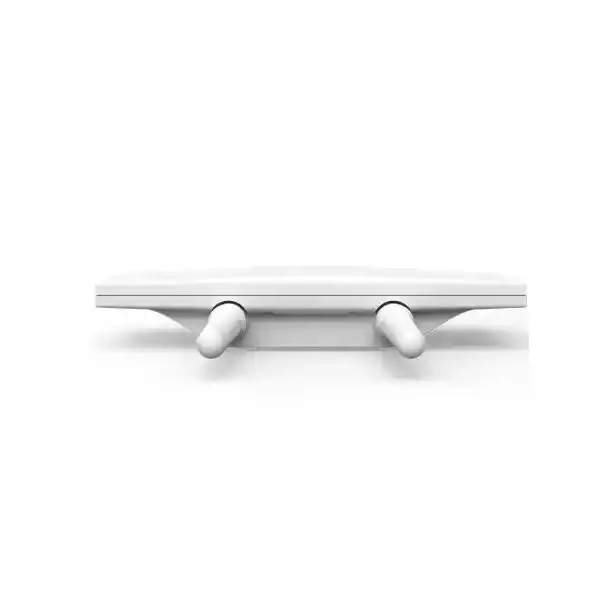
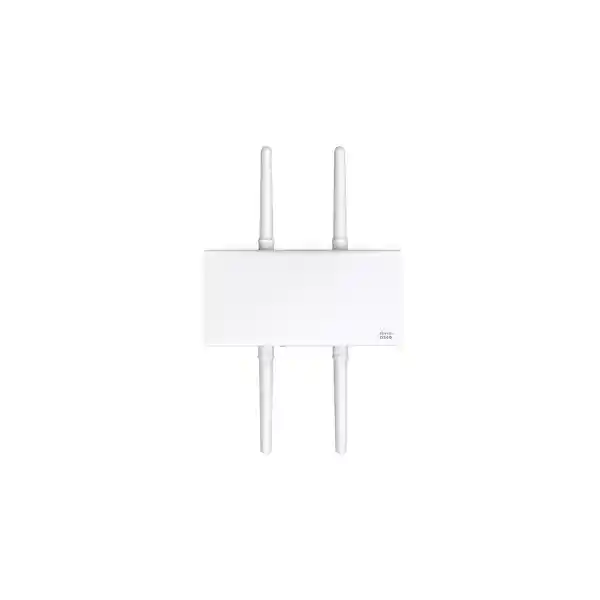
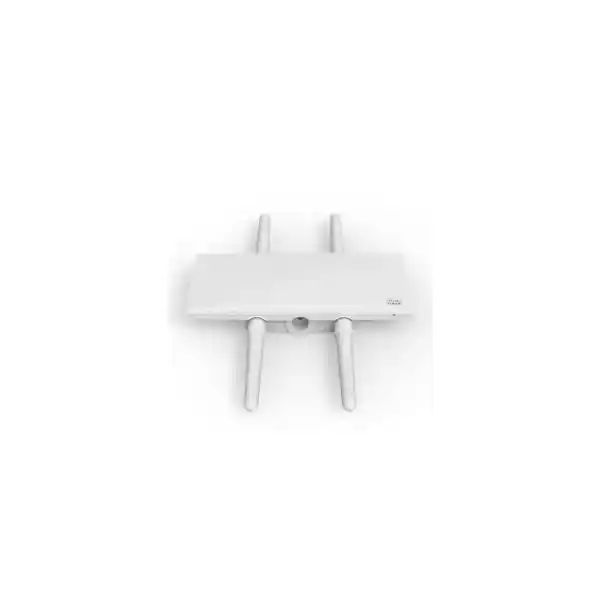
The Cisco Meraki MR86 is a rugged outdoor wireless access point for organizations that need secure, manageable Wi-Fi coverage beyond the office walls. It is suited to university courtyards, enterprise campuses, warehouses, hospitality compounds, parking areas and other demanding outdoor spaces. Its four-radio design combines dual-band Wi-Fi 6 client access, dedicated wireless intrusion monitoring and Bluetooth Low Energy functionality. A 2.5 Gbps Ethernet connection supports multigigabit wired backhaul where the upstream switching infrastructure is appropriately equipped.
For procurement, the important distinction is between purchasing an access point and ordering a deployable wireless solution. MR86-HW is the access point hardware. External antennas are not included, an appropriate PoE power source is required and Meraki cloud licensing must be budgeted. A successful quotation should specify all of these components, plus mounting, weather-resistant cable routing and installation requirements. FourTeck can help buyers develop a clear bill of materials before ordering, subject to project scope and service confirmation.
At-a-Glance Procurement Facts
The quoted hardware price should not be interpreted as a complete installed-system cost unless the quotation explicitly includes licenses, antennas, power injection or compatible switching, cabling, surge protection, mounting accessories, logistics and installation. Uganda import and delivery conditions should be confirmed for each order rather than assumed.
Architecture and Wireless Operating Model
The MR86 serves client devices using separate 2.4 GHz and 5 GHz radios. The 2.4 GHz band offers compatibility with a broad range of devices, while 5 GHz can support higher-capacity deployments where compatible clients and appropriate channel conditions exist. Wi-Fi 6 technologies such as OFDMA and MU-MIMO improve airtime scheduling and efficiency when many users share the same access point. Actual user throughput depends on client capabilities, channel widths, interference, antenna placement, distance, upstream connectivity and configuration. The published aggregate radio frame rate is not a guaranteed application throughput figure.
Unlike a basic standalone access point, the MR86 includes a dedicated radio for spectrum analysis, wireless intrusion detection and prevention, and RF observation. This helps operators examine the radio environment without relying solely on the client-serving radios. The Bluetooth Low Energy radio provides additional beacon and scanning functionality where the associated platform features are enabled. Management is provided through the Meraki cloud, which supports centralized configuration, monitoring, alerts and diagnostics across multiple locations.
Outdoor design starts with the environment. An IP67-rated enclosure helps protect the access point against dust and water ingress within the applicable rating, but does not remove the need for correct mounting, weatherproof connections, grounding, lightning protection or professional cable routing. Exposure to direct sunlight, electrical surges, water paths and mounting movement must be addressed during design. Buyers should check the installation guide and local site conditions before finalizing an installation method.
External antenna selection is particularly important. An omnidirectional antenna can suit broadly distributed users around an access point, while patch or sector antennas may be more suitable for focused coverage along a yard, seating area, access road or outdoor congregation point. A directional antenna does not automatically guarantee a specific range; wireless communication is bidirectional and the transmitting capability of phones, scanners and laptops is often the practical limiting factor. A predictive survey followed by onsite validation is recommended for business-critical installations.
Business Benefits and Operational Value
- Capacity and airtime efficiency: 4×4:4 Wi-Fi 6 radios help support simultaneous client activity. Design capacity against application demand rather than a headline maximum PHY rate.
- Outdoor resilience: The IP67 enclosure makes the MR86 suitable for appropriately engineered outdoor mounting. Cable entries and accessories must also be protected.
- Scalable management: The Meraki dashboard can provide a common operational view for geographically distributed access points, reducing dependence on individual device-by-device configuration.
- Security visibility: The dedicated monitoring radio supports wireless intrusion detection and prevention capabilities. Effective protection still requires correct SSID policies, identity controls and security operations.
- Application awareness: Traffic identification and shaping can help administrators prioritize business-critical workloads, subject to configuration and licensing.
- Flexible coverage planning: External antenna options make it possible to shape RF coverage to the site rather than relying on a fixed internal antenna pattern.
- Wired uplink headroom: A 2.5 GbE interface can complement multigigabit access switching, while remaining compatible with appropriate lower-speed Ethernet infrastructure.
- Lifecycle visibility: Cloud-managed firmware and monitoring can simplify routine maintenance, but buyers must account for subscription renewals and published hardware support milestones.
Technical Specifications
| Parameter | Cisco Meraki MR86 |
|---|---|
| Hardware SKU | MR86-HW |
| Wi-Fi standard | 802.11ax; backward compatibility subject to radio and client support |
| Client radios | 2.4 GHz 4×4:4 and 5 GHz 4×4:4 |
| Additional radios | Dedicated dual-band WIDS/WIPS and spectrum monitoring; BLE scanning/beaconing |
| Aggregate frame rate | Up to approximately 3.0 Gbps under the manufacturer’s stated operational assumptions; not guaranteed client throughput |
| Ethernet | 1 x 100/1000/2.5GBASE-T RJ45 |
| Antenna connections | Four external N-type female connectors |
| Compatible antenna families | MA-ANT-20, MA-ANT-25, MA-ANT-27 and selected Cisco AIR-ANT models, subject to current compatibility documentation |
| PoE input | 802.3at compatible, 42.5–57 V |
| Maximum power consumption | 30 W |
| Outdoor protection | IP67-rated enclosure |
| Licensing | Meraki access point license required; confirm eligible licensing model and term |
| Warranty baseline | One-year hardware warranty with advanced replacement per published MR86 datasheet; regional handling subject to confirmation |
For dimensional drawings, operating temperature, mounting hardware, regulatory approvals and any country-specific frequency limitations, refer to the current Cisco Meraki MR86 datasheet and installation guide. Do not approve a mounting or radio plan using assumed values.
Configuration and Sizing Worksheet
1. Define the service area. Record the dimensions of the outdoor space, building obstacles, elevations, user gathering points and locations with line-of-sight restrictions. Separate basic coverage requirements from high-throughput or low-latency application needs.
2. Inventory clients and applications. Estimate simultaneous phones, laptops, handheld scanners, cameras or other devices, together with their expected traffic profiles. Do not size the deployment from total registered device counts alone.
3. Plan antenna geometry. Select supported antenna models based on coverage direction, mounting height and regulatory constraints. Validate the expected coverage using survey tools and, where practical, field measurements.
4. Check Ethernet and power. Confirm an 802.3at-compatible source, the available PoE budget, appropriate cabling and any required 2.5 GbE switch ports. Include outdoor surge protection and grounding in the design.
5. Review licensing. Establish the organization and network structure in the Meraki dashboard and identify the correct license model, entitlement and renewal period before purchase.
6. Prepare the quote. State MR86-HW quantities, antenna models and quantities, PoE accessories, mounting materials, desired license terms, installation location, delivery address and support expectations. Request that optional services appear as separate line items for transparent comparison.
Deployment Scenarios
Enterprise campuses and distributed premises
Outdoor paths, loading areas and staff gathering spaces may need wireless access under the same policy framework as indoor offices. The MR86 can be incorporated into a campus network with suitable VLANs, switching, identity services and centralized Meraki administration. RF planning should avoid excessive cell overlap and account for users moving between buildings.
Banking and financial facilities
Branches, service compounds and controlled external areas may require carefully segmented wireless connectivity. Procurement teams should review authentication, guest isolation, logging and security monitoring. The MR86 provides infrastructure capabilities, but regulatory compliance depends on the complete system architecture and operating procedures.
Schools and universities
Courtyards, outdoor classrooms, sports-adjacent spaces and pedestrian routes often create uneven client densities. Appropriate antenna choices and channel planning can help deliver usable coverage without indiscriminately increasing transmit power. Consider exam periods, events and seasonal peak loads.
Government and public facilities
Large public premises may need secure staff access and separate visitor networks. Project approval should cover local wireless regulations, approved device sourcing, procurement documentation, warranty handling and the security policies required by the organization. Do not assume the access point alone meets a particular agency certification.
Warehousing and logistics
Outdoor yards, loading docks and vehicle staging areas present metal structures, moving obstructions and challenging RF reflections. A site survey should assess the behavior of scanners and vehicle-mounted devices as well as standard laptops. Directional antenna patterns may help target aisles and work zones.
Technical Deep Dive: Capacity, Security and Continuity
Radio efficiency and uplink design
The 4×4:4 client radio architecture is intended to support high-capacity Wi-Fi 6 operation. OFDMA allows more efficient use of channel resources under suitable client conditions, while MU-MIMO can improve simultaneous transmission opportunities. These are scheduling and spectral-efficiency features rather than guarantees of a particular internet speed. Real deployment design must consider client mix, channel widths, available spectrum, attenuation and airtime contention. The multigigabit Ethernet port helps preserve uplink headroom when connected to appropriate switching, but internet access speed, firewall throughput and upstream congestion remain separate constraints.
Cloud operations and security controls
Meraki dashboard administration enables a centralized operational model for configuration and monitoring. Organizations can define SSIDs, segmentation policies and traffic controls and use diagnostic information to investigate client issues. The dedicated WIDS/WIPS radio provides additional visibility into wireless threats and environmental conditions. Administrators should still enforce strong identity policies, restrict management access, maintain appropriate logs and verify that security capabilities included in a chosen license meet their operational needs. Firmware management and planned change windows should be incorporated into normal network governance.
Resilience and incident response
Outdoor network resilience is a system property, not merely an access point feature. A robust design considers upstream switch redundancy, power continuity, physical security, grounding, weather exposure and overlapping RF coverage where required. The MR86 has a single wired Ethernet interface, so it should not be represented as having dual independent wired uplinks. For critical service areas, designers may use multiple access points with carefully engineered cell overlap and upstream resilience. Document spare units, license entitlement, replacement processes and the operational steps needed after hardware failure.
Important Questions Before Purchase
Does the box include antennas? No. Select compatible external antennas as separate order lines. Is the PoE injector included? Do not assume so; verify whether the chosen switch provides sufficient 802.3at power or specify an appropriate injector. Can it work without a Meraki license? The published ordering guidance requires a Meraki access point license. Confirm the applicable licensing arrangement before procurement. Is this a 6 GHz Wi-Fi 6E access point? No: the MR86 described here is a dual-band 2.4 GHz and 5 GHz Wi-Fi 6 model. Does 3.0 Gbps mean a user gets 3.0 Gbps? No: aggregate PHY/frame-rate figures differ from measured application throughput. Will it cover a stated distance? Reliable range cannot be guaranteed without antenna, terrain, interference and client information. Can an ordinary gigabit switch be used? Ethernet speed negotiation may permit connection, but verify PoE power and accept that a 1 GbE uplink can limit aggregate wired backhaul. Can it be installed anywhere outdoors? The IP rating is not a substitute for site-specific electrical and mechanical design. What about end-of-support status? Ask for the current manufacturer lifecycle position and relevant support milestones before placing a long-term order.
Uganda Procurement and Delivery Planning
FourTeck supports quotation requests for buyers in Kampala, Entebbe, Jinja, Mbarara, Gulu and other Uganda destinations. Buyers should provide the precise delivery location, project schedule, required quantities and whether equipment is intended for a new installation or expansion of an existing Meraki network. Availability, import arrangements, taxes, shipping charges, delivery times and local warranty handling must be confirmed in the issued offer. Do not treat any lead time as guaranteed until it is accepted in writing.
For regional projects, organizations can also review FourTeck’s market sites for Uganda, Kenya, Africa, United Arab Emirates and Kuwait. Cross-border supply requires attention to product approvals, licensing eligibility, destination documentation and the responsible warranty channel. A consolidated bill of materials can make multi-country deployments easier to compare, but regional regulatory and commercial conditions should be reviewed separately.
Related Hardware and Accessories
When developing an MR86 bill of materials, consider Meraki MR76 outdoor access points for alternative capacity requirements, Meraki MR78 for another outdoor deployment profile, MA-ANT-20 omnidirectional antennas for broad coverage, MA-ANT-25 patch antennas for focused areas, MA-ANT-27 sector antennas for planned directional coverage and MA-INJ-4 PoE injectors where appropriate. These links are site search routes, not promises of stock or compatibility for every configuration. Validate the complete order against the current manufacturer compatibility documentation.
Technical Assistance and Quote Validation
For projects requiring additional planning, ask FourTeck whether bill-of-materials review, antenna compatibility checks, configuration guidance, pre-shipment staging, firmware review or post-sales support can be included in the proposal. Such activities are subject to agreed service scope and should not be assumed to be included in a hardware-only purchase. Provide drawings, coverage targets, client counts and existing network details to make technical review more meaningful. A complete written quotation should clearly separate hardware, subscriptions, accessories, delivery and any professional services.
Frequently Asked Questions
1. What is the Cisco Meraki MR86 used for?
It is an enterprise outdoor Wi-Fi 6 access point intended for demanding wireless environments. Organizations deploy it to extend managed connectivity into campuses, outdoor working areas, public spaces and other locations where rugged hardware and centrally managed operations are desirable. It is not a cellular modem, a standalone internet service or a substitute for the upstream switching and routing infrastructure. Deployment quality depends on the full network design, including antenna selection, cabling, power and security policy.
2. What is included when purchasing MR86-HW?
MR86-HW identifies the access point hardware. The published manufacturer ordering information states that external antennas are not included. Buyers should request an itemized quotation for the access point, compatible antennas, appropriate PoE source, mounting requirements and the mandatory access point license. Packaging contents and supplied mounting accessories should be checked against the current manufacturer documentation and the supplier’s written offer. This avoids receiving hardware that cannot be installed as planned.
3. Does the MR86 need a Meraki cloud license?
Yes. Cisco Meraki identifies a Meraki access point license as required. The exact subscription or licensing arrangement, duration and included support entitlements depend on the applicable purchasing model and current program terms. Procurement teams should ask the supplier to show the license as a distinct line item and confirm how it will be assigned to the correct organization. Renewal responsibilities should be recorded before the system is put into production.
4. Which antennas are suitable for the MR86?
Cisco documentation lists compatible antenna options including MA-ANT-20, MA-ANT-25 and MA-ANT-27, along with a specified Cisco antenna option. The right choice depends on desired coverage geometry, mounting location, local RF rules and expected client behavior. Omnidirectional coverage is not always best for an elongated yard or focused outdoor gathering space. Confirm current compatibility and the number of antenna units required for the selected arrangement before ordering.
5. What power source does the MR86 require?
The MR86 supports 802.3at-compatible Power over Ethernet and has a published maximum power consumption of 30 W. A suitable PoE switch or compatible injector can supply power when the cabling and source meet the relevant requirements. Buyers should check the switch’s total PoE budget, port capabilities, cable length and outdoor protection measures. A PoE injector should be quoted separately when it is not already available at the site.
6. Can the MR86 connect to an existing network?
Its Ethernet interface supports 100 Mbps, 1 Gbps and 2.5 Gbps operation, subject to the capabilities of the connected network equipment. Integration should consider VLANs, DHCP, DNS, internet access for cloud management, firewall rules and authentication services. For a multivendor switching environment, validate PoE delivery and network policy interoperability before installation. Existing Meraki organizations should also check licensing consistency and the planned network configuration.
7. How far does an MR86 cover outdoors?
There is no universal reliable range figure. Coverage depends on antenna type, placement, height, obstacles, interference, transmit-power limits and the capabilities of client devices. A distant phone may hear an access point while lacking sufficient uplink strength to communicate reliably in return. For applications such as barcode scanning, video calling or guest access, define a minimum acceptable signal and performance target and verify it through a survey rather than relying on a distance estimate.
8. Is the MR86 weatherproof?
The enclosure is IP67-rated and designed for outdoor applications, but proper installation remains essential. The mounting arrangement must withstand site-specific mechanical conditions, while connectors, cable routing, grounding and surge protection must follow the installation guide and applicable electrical standards. Where equipment is mounted on exposed poles or rooftops, assess lightning risk and maintenance access. An enclosure rating alone does not guarantee uninterrupted service under every environmental condition.
9. What warranty and replacement coverage applies in Uganda?
The published MR86 datasheet lists a one-year hardware warranty with advanced replacement included. Actual eligibility, regional processing, delivery arrangements and any additional support services should be confirmed in the supplier’s quotation and current manufacturer terms. Record the serial numbers, purchase documents, license details and the agreed replacement contact. For critical deployments, consider operational spares and a documented restoration procedure rather than depending exclusively on replacement transit time.
10. How do we request a complete MR86 quotation?
Send the quantity of MR86-HW units, intended installation sites, preferred antenna coverage patterns, available PoE infrastructure, desired license term and delivery address. Include an estimated client count, any existing Meraki network information and a project deadline. Request separate pricing for hardware, compatible antennas, power equipment, licenses, shipping and optional configuration or installation support. This creates a clear commercial comparison and reduces the risk of overlooked components delaying commissioning.

Reviews
There are no reviews yet.