ENTERPRISE ACCESS SWITCHING | UGANDA
Cisco Meraki MS130-48 Cloud-Managed 48-Port Layer 2 Switch
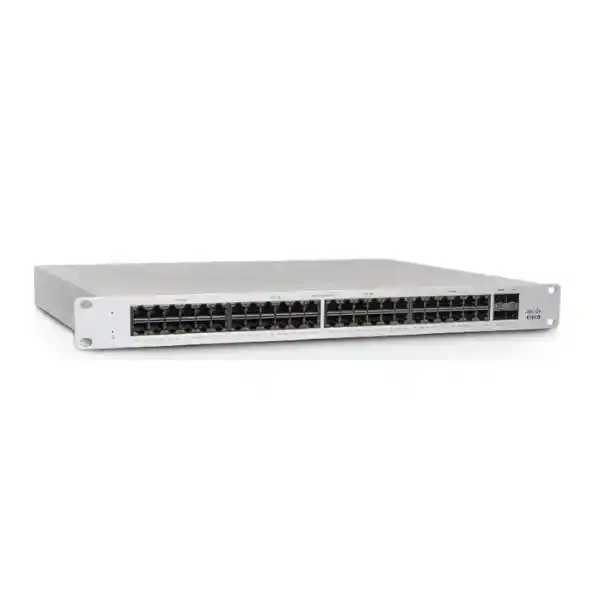
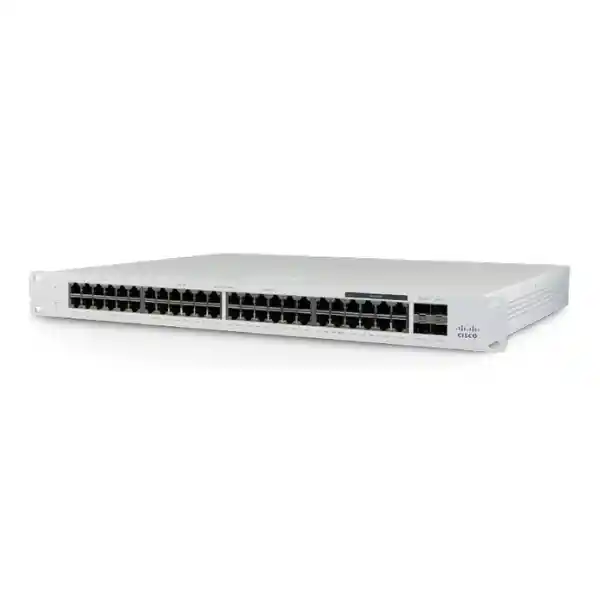
The Cisco Meraki MS130-48 provides forty-eight 10/100/1000 Ethernet interfaces and four 1 Gigabit SFP uplinks for businesses standardizing wired access connectivity. Designed for branch and campus installations, the switch brings port visibility, configuration control, troubleshooting and firmware management into the Meraki Dashboard. This specific model does not supply Power over Ethernet and does not include 10 Gigabit SFP+ uplinks. That distinction matters: the MS130-48P and MS130-48X are different hardware variants, and buyers should select the appropriate model based on endpoint power requirements and uplink throughput. For Uganda procurement, FourTeck can prepare a bill of materials covering the switch, compatible optics, cabling and required licenses. The right access switch should be selected around the building’s actual device counts, uplink design and ongoing operational support model rather than port count alone.
Procurement Facts at a Glance
Access ports: 48 × 1 GbE RJ45
Uplinks: 4 × 1 GbE SFP
Chassis: 1U, fanless
PoE: Not supported
Licensing: Required, quoted separately
Uganda stock, lead time and warranty: Confirm by quotation
When comparing supplier offers, confirm that each quotation explicitly names MS130-48-HW. A description stating merely ‘MS130 48-port’ is insufficient because the family includes PoE and multigigabit variants. Ensure the supplier identifies the license model and term, supported optics and local fulfillment arrangements. This avoids late-stage changes to the purchase order and helps the technical team verify that the delivered configuration matches the approved network design.
Architecture and Operational Overview
The MS130-48 is a Layer 2 access switch intended to connect wired clients to a larger routed network. Its 48 copper ports provide Gigabit access, while four SFP interfaces allow compatible 1 Gigabit fiber or copper transceiver uplinks. Its 104 Gbps switching capacity corresponds to the aggregate full-duplex bandwidth of the installed access and uplink interfaces. This is a switching fabric figure, not a promise of 104 Gbps through any one uplink. Uplink oversubscription should be assessed using real traffic patterns and concurrency, particularly in high-density offices where dozens of users may share centralized application or internet connections. Inter-VLAN routing should be provided by a suitable upstream router, firewall or Layer 3 switch. The Meraki Dashboard supports centralized provisioning and ongoing visibility; administrators can apply VLAN settings, port configurations, authentication controls and network troubleshooting workflows without managing each switch as an isolated appliance. Remote packet capture, syslog and SNMP integration can help support teams investigate faults. Automatic firmware management reduces the manual coordination associated with individual-device maintenance, although maintenance windows and change approval remain important for critical networks.
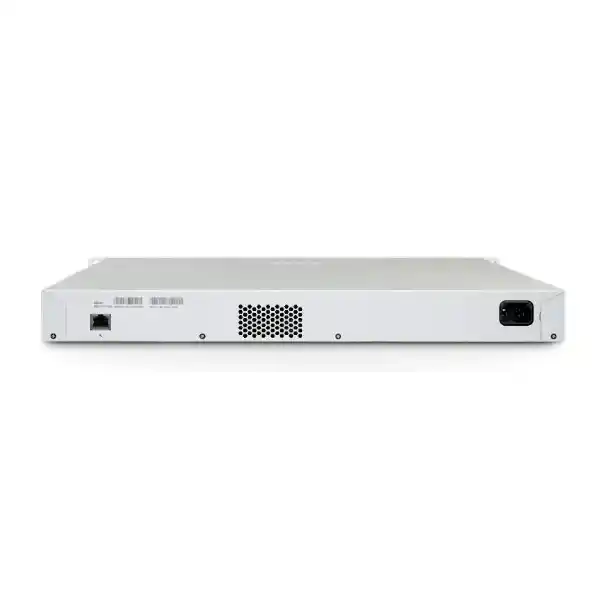
The switch has a fixed internal power supply, a fanless cooling design and integrated 1U rack mounting. Fanless construction can be beneficial in quiet office-adjacent communications rooms, but does not eliminate the need for ventilation. The documented operating range is 0–45°C with 5–95% humidity. Rack planners should evaluate cable-bend clearance, airflow and the heat contribution from nearby firewalls, UPS units and patch panels. Because the standard model is non-PoE, it is especially appropriate when attached devices have their own power supplies. If the deployment includes PoE phones, cameras or access points, an external power injector approach may be operationally less attractive than selecting a PoE switch from the outset.
Business Outcomes and Engineering Value
- Throughput integrity: Forty-eight Gigabit interfaces provide predictable wired edge capacity. Design uplinks using measured application demand and avoid assuming that multiple 1G uplinks behave like a single 10G interface.
- Operational reliability: Fanless hardware removes a moving cooling component. Plan redundant upstream connectivity where supported by the wider topology, but recognize that a single fixed internal power supply remains a local failure point.
- Scalability: Deploy standardized access configurations across additional floors and branches. Size each switch with spare ports for office moves, temporary workstations and future wired endpoints.
- Security: Use VLAN segmentation, 802.1X authentication, DHCP snooping and applicable access controls to reduce unauthorized network access. These features require appropriate policy design and verification.
- Management: Dashboard-based administration simplifies inventory, port diagnostics, configuration review and coordination between centralized engineers and on-site technicians.
- Cost control: Avoid paying for PoE capability when it is not required. Include subscription renewals, optics, rack accessories, installation, UPS capacity and support in the total-cost calculation.
- Change management: Standardize naming, VLAN assignments and maintenance procedures so a switch replacement can be handled using a documented site profile.
Technical Specifications Ledger
| Parameter | MS130-48 specification |
|---|---|
| Hardware SKU | MS130-48-HW |
| Access interfaces | 48 × 10/100/1000 Mbps RJ45 |
| Uplinks | 4 × 1 GbE SFP |
| Dedicated management interface | 1 |
| PoE budget | None; non-PoE model |
| Switching capacity | 104 Gbps |
| Power draw | 28 W idle / 28 W maximum per published datasheet |
| AC input | 100–240 V, 1.5–0.85 A, 50–60 Hz |
| Power supply | Fixed internal |
| Cooling | Fanless |
| Mounting | Integrated 1U rack mount |
| Dimensions | 4.4 × 44 × 25 cm |
| Weight | 3.69 kg |
| Operating temperature | 0–45°C |
| Humidity | 5–95% |
| Licensing | Meraki Enterprise / Advanced or applicable subscription model; verify organization compatibility |
Specifications reflect the manufacturer’s MS130 series datasheet. Verify regulatory documentation, current firmware support, transceiver compatibility and commercial conditions against the actual quoted SKU before issuing a purchase order.
Configuration and Sizing Worksheet
1. Count devices and allow headroom
List every desk outlet, printer, wired terminal, controller, local server interface and spare connection. Do not count an unused wall outlet as an active requirement without considering the patching strategy. Compare current demand against the 48-port limit and reserve expansion space where the organization anticipates staff growth.
2. Determine uplink traffic
Document upstream switch interfaces, optical fiber type, link distance and transceiver requirements. The four uplink ports on this model are 1G SFP, not 10G SFP+. If the network needs 10G uplinks, assess the MS130-48X or another suitable switch.
3. Review rack, power and cabling
Allocate 1U of rack space, confirm usable cabinet depth and leave room for fiber management. Check earthing, UPS runtime, local AC supply, patch-panel labeling and spare power sockets. The fixed power supply cannot be treated as a dual hot-swappable design.
4. Select the correct license
For supported license models, MS130-48 Enterprise identifiers use LIC-MS130-48-xY and Advanced identifiers use LIC-MS130-48A-xY, with the term represented by xY. Subscription licensing has a different structure. Confirm the organization’s licensing model and feature tier with the administrator before buying.
5. Prepare a complete quotation request
Provide the site name, required quantities, hardware model, license tier and term, preferred transceivers, delivery destination, rack accessory requirements, support expectations and installation timeline. Ask the supplier to distinguish stocked items from items requiring import or special ordering.
Deployment Scenarios
Enterprise and multisite branches
Deploy one or more MS130-48 units in access cabinets to aggregate staff computers and wired office systems. Connect each access switch to an appropriate distribution layer and maintain consistent VLAN templates between branches. A central administrator can review the switch estate through the Meraki Dashboard while local technicians handle cabling and physical replacements. Ensure the uplink topology and available bandwidth match traffic patterns between offices and central services.
Banking and financial services
Segment teller stations, administrative devices, guest networks and authorized operational systems according to the institution’s security policies. Apply authentication and access restrictions as part of a broader controlled network architecture. The switch is not a substitute for a firewall, security monitoring platform or compliant network design. For branches with strict uptime requirements, evaluate upstream redundancy, spare hardware, UPS arrangements and documented recovery procedures.
Schools and campus networks
Use the 48 access interfaces for computer laboratories, administrative workstations and teaching spaces where connected endpoints have independent power. Coordinate fiber uplinks between buildings, VLAN boundaries for students and staff, and centralized change control during term-time operations. If access points or IP cameras need PoE, select an appropriate PoE-capable variant rather than assuming the base MS130-48 can supply power.
Public sector and government
Standardize approved configurations, inventory tracking and procurement records across regional offices. Review applicable security requirements, cloud-management policy, data governance obligations and connectivity constraints before rollout. Sensitive installations may require additional review of administrative access, management reachability and support arrangements.
Three Technical Design Considerations
Switching fabric and port architecture
The 104 Gbps switching capacity describes the hardware’s aggregate switching capability across 48 copper Gigabit ports and four Gigabit uplinks. It should not be confused with routed throughput or internet speed. Layer 2 forwarding connects devices within VLANs; an upstream device provides routing between networks. Engineers should review oversubscription, traffic bursts and the location of bandwidth-heavy services. Where a single access closet feeds substantial video, storage or aggregation traffic, four 1G uplinks may not satisfy the design objective. Verify link aggregation and spanning-tree configuration against the intended topology and supported firmware rather than relying on generic assumptions about Ethernet switches.
Dashboard management and firmware lifecycle
Cloud management provides consistent administrative visibility across geographically separated devices. Initial provisioning typically involves claiming the switch into a Meraki organization, assigning it to a network, connecting an uplink and allowing the device to check in. Administrators can then configure ports and VLANs and use troubleshooting tools. Successful onboarding depends on the correct account, licensing, upstream connectivity and permitted management traffic. Maintain change records, least-privilege access, and a planned firmware update schedule. A cloud-managed deployment still requires careful local addressing, switch-to-switch design and physical security.
Availability, replacement and recovery
Because the MS130-48 has a fixed internal supply and no physical stacking capability, resilience must be designed around the larger network rather than assumed from the chassis. Use appropriate redundant upstream paths where supported and tested, protect the cabinet with UPS capacity, and keep verified configuration documentation. Consider a compatible spare switch for sites where replacement lead time would be unacceptable. Record the license assignment and dashboard organization so replacement workflows are not delayed by account ownership uncertainty. Validate the recovery plan through a controlled maintenance exercise.
Buyer Checklist: Avoid Common Ordering Mistakes
Is this the PoE model? No. The MS130-48 is non-PoE. Specify MS130-48P for the PoE variant or assess MS130-48X when multigigabit interfaces and 10G uplinks are needed.
Does it include 10G uplinks? No. The four SFP interfaces operate at 1 Gigabit. Confirm both ends of each proposed optical link.
Does the purchase include licensing? Not automatically. Ask for separate hardware and license lines and confirm whether the buyer’s organization uses co-termination, per-device or subscription licensing.
Will it fit the cabinet? The unit is 1U and approximately 25 cm deep, but practical installation also requires power and cable clearance.
Can it replace a Layer 3 distribution switch? It is primarily a Layer 2 access switch. Confirm the location of inter-VLAN routing and required network services before replacing existing equipment.
What about optics and cross-vendor links? Review supported transceiver models, fiber type, connector type and speed negotiation. Third-party interoperability should be validated rather than assumed.
What if internet connectivity is intermittent? Review Meraki management and licensing requirements and design local network resilience appropriately. Confirm operational behavior for the exact firmware and management configuration.
Uganda Procurement and Delivery Planning
FourTeck Uganda supports enterprise quotation preparation for customers comparing access-switch refresh options. Procurement teams can request a documented hardware specification, license term, expected lead time, delivery destination and installation scope. Availability, price, warranty and delivery schedules are subject to written confirmation; they should not be inferred from a product listing. Buyers in Kampala, Entebbe, Jinja, Mbarara and Gulu can share the installation address and project timeline so logistics and any required staging work can be evaluated. For multisite deployments, organize switches by site, rack and intended network role. This reduces confusion during receiving and allows the engineering team to cross-check the shipment against the approved bill of materials.
For projects spanning multiple countries, coordinate requirements across Uganda, Kenya, African markets, UAE and Kuwait. Cross-border lead times, import charges, warranty arrangements and regulatory documentation should be reviewed for each destination independently. A single technical standard can simplify the rollout, but commercial terms may differ by country.
Related Switching and Infrastructure Options
Compare the MS130-48P PoE model if the project includes powered endpoints, or explore the MS130-48X multigigabit model for faster access interfaces and 10G uplinks. Smaller cabinets may benefit from 24-port MS130 switches. Consider compatible SFP optics, UPS equipment and rack accessories as part of the complete deployment budget. These links are catalog searches; confirm exact product availability and compatibility before ordering.
Technical Services and Pre-Delivery Validation
Ask FourTeck to review the proposed bill of materials for model accuracy, license compatibility, optic speed, uplink cabling and site power assumptions. Depending on the agreed scope, project services may include configuration planning, device inventory preparation, firmware review, pre-shipment staging and deployment coordination. Such services are not implied to be included with every hardware purchase. Agree on deliverables, acceptance criteria and responsibility for Meraki organization access before work begins. After installation, retain a site record containing switch serial numbers, management ownership, uplink diagrams, license details and support contacts.
Frequently Asked Questions
1. What is the Cisco Meraki MS130-48 used for?
It is a cloud-managed Layer 2 access switch for connecting up to 48 Gigabit wired endpoints in a branch, office or campus cabinet. It provides four additional 1G SFP uplinks to connect toward distribution infrastructure. Typical deployments include desktop computers, printers, wired terminals and other devices with independent power supplies. Administrators manage the switch through the Meraki Dashboard. It is not intended to replace a high-capacity Layer 3 core switch without further design assessment.
2. Does the MS130-48 power IP phones or wireless access points?
No. The base MS130-48 has no PoE capability. An IP phone or wireless access point may still communicate over Ethernet if it receives power from a separate compatible source, but the switch itself will not deliver power on the Ethernet cable. If the design depends on PoE, evaluate the MS130-48P or MS130-48X and calculate the complete power budget. Selecting the correct model during procurement avoids unexpected injector costs and installation complexity.
3. Which uplink modules are supported?
The MS130-48 has four 1G SFP uplink slots. Select transceivers based on the approved compatibility list, fiber medium, link distance and connector type. Do not order 10G SFP+ optics on the assumption that this model offers 10G uplink operation. If an upstream switch supports faster ports, both sides must still be configured for a mutually supported link speed. Confirm the exact optic part numbers with the supplier before purchasing.
4. Is a Meraki license required?
Meraki switching uses a licensing model that must be considered alongside hardware procurement. MS130 Enterprise and Advanced license options exist, and Cisco also documents subscription licensing. The correct choice depends on the organization’s existing licensing model and the features required. In co-termination organizations, license-tier consistency rules may apply. Request a quotation that identifies the license SKU, duration, support entitlements and renewal implications so the budget reflects ongoing operating costs.
5. Can the MS130-48 perform inter-VLAN routing?
The MS130 family is positioned for Layer 2 access switching. VLAN tagging enables segmentation, but traffic between VLANs generally requires an upstream router, firewall or capable Layer 3 switch. The design should document default gateways, DHCP behavior, access policies and uplink tagging. Where a replacement project involves an existing multilayer switch, compare the routing requirements carefully before approving the MS130-48 as a substitute.
6. How much power and rack space does the switch need?
Cisco lists 28 W idle and maximum power load for this non-PoE model, along with a 100–240 V AC input. The chassis occupies 1U and measures approximately 4.4 × 44 × 25 cm. Its fanless design is useful where low noise is important. Allow extra depth for cables and appropriate ventilation. UPS planning should consider the full cabinet load, not only the switch. Confirm plug type and any regional power accessories in the quotation.
7. How is the switch initially configured?
Normally, an administrator claims the hardware into the appropriate Meraki Dashboard organization, assigns it to a network and connects it to an upstream path that allows management check-in. Once the device appears in the dashboard, the administrator can configure ports, VLANs and operational settings. A local status page can assist with certain initial connectivity settings. Ensure the account and licensing arrangements are ready before installation day to avoid delays during site commissioning.
8. What warranty and replacement support are available in Uganda?
Warranty coverage and replacement procedures should be confirmed in writing for the exact hardware, purchase channel and support arrangement. Ask whether the quoted service covers advance replacement, return procedures, local handling or shipment from another market. For business-critical locations, consider keeping a validated spare and documenting the dashboard replacement process. Do not assume that a listed product price automatically includes installation, extended service or a guaranteed local replacement stock position.
9. Can this switch be used with equipment from other vendors?
Standard Ethernet connectivity allows integration with compatible endpoints and upstream switches from other manufacturers. However, transceiver interoperability, VLAN tagging, link aggregation, spanning-tree behavior and management conventions should be checked for the proposed topology. A successful physical link does not guarantee that every intended network service is configured correctly. Test representative uplinks and client traffic during staging, especially when replacing a switch from another vendor.
10. What should be included in a formal quotation?
Request the exact MS130-48-HW part number, quantity, license SKU and term, supported transceivers, any power accessories, warranty terms, shipping destination and estimated delivery date. Specify whether configuration, staging, installation and post-deployment support are required. For multi-branch orders, include a site-by-site quantity schedule and contact information for receiving. This creates a clearer comparison between offers and reduces the risk of missing licenses or accessories when the hardware arrives.
Request a Cisco Meraki MS130-48 Quote for Uganda
Send FourTeck your planned port count, site locations, licensing preference, uplink fiber requirements and deployment date. The team can review the requested model and prepare a commercial proposal covering the specified hardware and agreed accessories. Ask for written confirmation of stock status, warranty coverage and shipping terms before finalizing your purchase. For organizations comparing PoE and non-PoE designs, include the endpoint inventory so the quotation reflects the actual network requirements.




Reviews
There are no reviews yet.