FOURTECK UGANDA | BRANCH NETWORK SECURITY
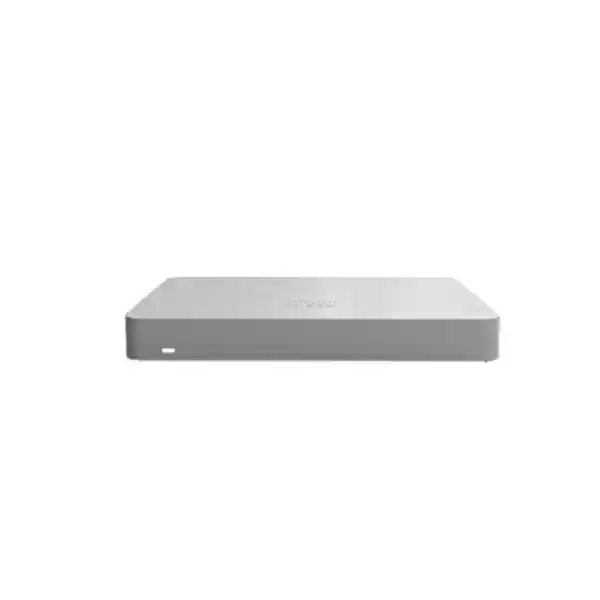
Cisco Meraki MX67 Cloud-Managed Security and SD-WAN Appliance
The Cisco Meraki MX67 is a compact network security gateway intended for small branch offices that require managed firewall policies, dependable site connectivity and consistent operational visibility. It gives network administrators a common management plane for geographically dispersed locations while retaining practical Ethernet connections for the local network and upstream internet service. Rather than deploying an assortment of independently managed edge products, organizations can standardize branch configuration and monitor events through the Meraki Dashboard.
For procurement teams, the important decision is not simply whether the device fits on a desk. It is whether the appliance, active subscription, connection design and deployment process fit the site’s traffic profile, security requirements and service continuity expectations. FourTeck can assist with a model-specific quotation and bill-of-materials review. The standard MX67 is distinct from the wireless MX67W and cellular MX67C variants; these should not be treated as interchangeable without confirming the requested capabilities.
Procurement Snapshot
MX67-HW, standard non-wireless appliance. Confirm part number on quotation.
Small branch, approximately 50 client devices, subject to workload sizing.
700 Mbps stateful firewall; up to 400 Mbps VPN according to Meraki technical documentation. Actual application performance varies.
Quotation, stock position, license term and regional warranty conditions require confirmation before order acceptance.
Branch Network Architecture and Everyday Operations
The MX67 occupies the network perimeter between the service-provider handoff and the branch LAN. Administrators can apply routing, firewall and security policies centrally rather than maintaining separate rule sets through local command-line sessions. This is particularly helpful when multiple sites have similar business applications but different internet providers. A common deployment places the MX67 behind the provider’s optical network terminal or modem, with its LAN interfaces connected to a managed switch and separate access points. This arrangement preserves clear responsibility for internet access, security inspection, local segmentation and wireless service.
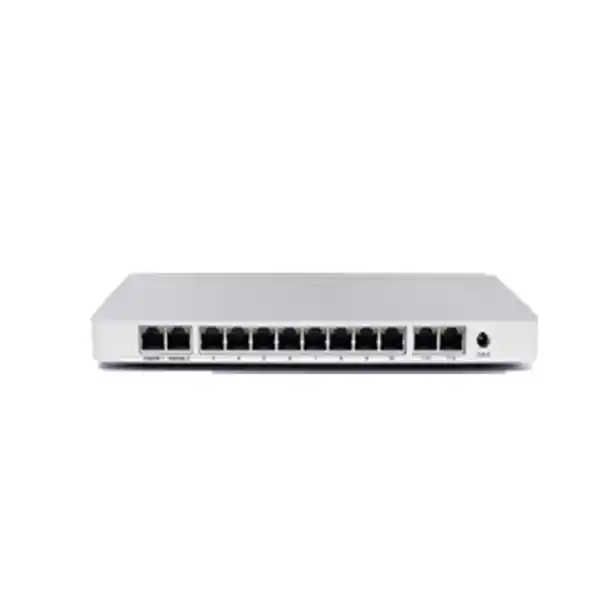
One Gigabit Ethernet connection serves as a dedicated WAN interface, and a convertible Gigabit Ethernet interface can provide a second wired WAN path. Four fixed Gigabit Ethernet LAN ports connect downstream infrastructure. Converting the flexible interface changes the available port allocation, so buyers should plan switching capacity before assuming that every physical connector will remain available for endpoints. The appliance is designed for straightforward branch placement and may be installed on a desk or wall with suitable clearance.
Cloud management simplifies repeatable rollout but does not remove the need for careful local design. Internet addressing, DNS resolution, upstream equipment settings, VLAN boundaries, firewall rules, VPN peers and administrative access all require review. The dashboard provides a central point for operational administration, but the business must maintain appropriate account access, licensing and connectivity. Where an organization requires local-only administration independent of the cloud platform, the MX67 management model may not match that requirement.
Enterprise Outcomes and Procurement Value
- Predictable branch capacity: published firewall performance gives engineers a starting point for sizing, but encrypted VPN, inspection policies, concurrent users and application mixes should be evaluated separately.
- Improved service continuity: a second wired WAN connection can reduce exposure to a single carrier failure when configured with suitable policies and independent upstream service.
- Repeatable multi-site rollout: template-based policy management helps standardize branch configurations while allowing justified site-specific exceptions.
- Policy-driven security: firewall controls and eligible subscription features support a layered defense approach alongside endpoint protection and identity management.
- Central operations: the dashboard gives administrators a shared view of connected sites and reduces dependence on local personnel for routine configuration.
- Lifecycle cost visibility: budgeting hardware, subscriptions, replacement arrangements, installation and future renewals together reduces procurement surprises.
- Compact infrastructure: low electrical consumption and small physical dimensions can be advantageous in outlets without a full equipment rack.
Hardware and Software Highlights
The MX67 combines Gigabit Ethernet connectivity with cloud-managed firewalling, SD-WAN functionality and Meraki Auto VPN capabilities. Administrators can use security policies to control permitted traffic between networks and toward the internet. Dashboard visibility supports monitoring and troubleshooting, while deployment templates can help distributed organizations maintain consistent site standards. Available advanced security functions depend on the selected subscription and current Cisco licensing terms. This is a dedicated security appliance rather than a wireless access point, PoE switch or cellular router.
Technical Specifications Ledger
| Parameter | Cisco Meraki MX67 |
|---|---|
| Hardware identifier | MX67-HW |
| Recommended branch scale | Up to approximately 50 devices |
| Stateful firewall throughput | 700 Mbps |
| Maximum VPN throughput | 400 Mbps in current Meraki technical documentation; verify firmware and measurement conditions |
| Next-generation firewall detection throughput | 400 Mbps |
| WAN interfaces | 1 dedicated GbE RJ45 plus 1 convertible GbE RJ45 |
| Fixed LAN interfaces | 4 GbE RJ45 |
| Integrated Wi-Fi / LTE | Not included on standard MX67 |
| PoE output | No |
| Dimensions | 239 × 130 × 27 mm (W × D × H) |
| Weight | Approximately 0.79 kg |
| Power load | Approximately 5 W idle / 14 W maximum |
| Operating temperature | 0°C to 45°C |
| Operating humidity | 5% to 95% |
| Mounting | Desktop or wall |
| Management | Cisco Meraki cloud dashboard with applicable subscription |
Published capacity figures describe specific test conditions rather than guaranteed results for every application. Power adapter specifications, included accessories and warranty entitlement should be checked against the current manufacturer documentation and supplied part number.
Configuration and Sizing Worksheet
1. Estimate active traffic
Count concurrent devices, identify peak internet demand and separate local switching traffic from flows traversing the firewall. Record voice, video, point-of-sale, file synchronization and backup workloads. A branch with fewer than 50 endpoints can still demand substantial bandwidth when several cloud services operate simultaneously.
2. Check physical and environmental constraints
Measure shelf depth, airflow clearance, power socket location and cable routing. Keep the appliance within the published operating temperature range. For enclosed cabinets, confirm ventilation and avoid placing it directly against heat-producing equipment.
3. Map upstream and downstream connections
Document provider handoffs, IP addressing, VLANs, managed switches and access points. If dual WAN is required, confirm the second provider connection is genuinely independent and determine the expected failover behavior. Provide an external UPS where power continuity is necessary; the appliance does not provide redundant internal power supplies.
4. Select the subscription
Identify whether the organization needs Enterprise, Advanced Security or Secure SD-WAN Plus capabilities under its applicable licensing model. Confirm licensing compatibility with existing Meraki organizations and the term of coverage. Request a quotation showing hardware and licensing as separate line items.
5. Prepare the purchase request
Include MX67-HW quantity, destination city, expected deployment date, preferred license term, business internet speeds, WAN count, installation requirements, invoicing details and requested support arrangements. Ask for a confirmed warranty statement and written stock status before payment.
Deployment Scenarios
Multi-branch enterprise
A distributed business can use MX67 appliances at smaller locations and manage them from a shared dashboard. Central teams should create a standard addressing plan, security policy and VPN design before replicating configurations. Larger headquarters may require a different appliance sized for aggregate tunnel and inspection load.
Financial service branch
Branch offices handling sensitive customer workflows benefit from defined network segmentation and restricted management privileges. Security appliance deployment must be combined with compliant application controls, endpoint protection, logging, secure authentication and independently tested recovery procedures. Do not assume the device alone satisfies banking regulatory obligations.
Education and training sites
Schools and training centers can separate staff, guest and instructional networks using appropriately configured VLANs and access policies. The MX67 can serve as the security edge while dedicated switches and wireless access points supply the campus distribution and Wi-Fi capacity.
Government and regulated environments
Public-sector procurement should verify approved hardware sourcing, data handling requirements, administrative access controls, support arrangements and current product lifecycle status. Organizations with strict restrictions on cloud-managed infrastructure must review platform architecture and approval policies before selecting the MX67.
Three Technical Considerations
Packet processing and throughput
The most useful capacity metric depends on the enabled features. A stateful firewall figure cannot automatically be applied to encrypted site-to-site tunnels or advanced threat inspection. Engineers should build a realistic traffic model, retain headroom for growth and validate performance after deployment. Where bandwidth demand is near the published ceiling, select a higher-capacity appliance rather than relying on theoretical peak values.
Firmware and operational control
Meraki firmware and policy management are coordinated through the dashboard. Operational teams should use role-based access, change windows, configuration review and alerting procedures. Firmware maintenance should be treated as a planned business activity: confirm release suitability, assess known limitations and prepare a rollback or recovery process in line with supported platform capabilities.
Resilience and disaster recovery
Dual WAN connectivity can address some provider outages but does not replace device redundancy, power backup or tested restoration procedures. Critical branches should evaluate a supported high-availability architecture, compatible licensing, spare hardware strategy and the ability to restore network service if a site becomes unavailable. The precise HA design must be checked against current Meraki requirements.
Questions to Resolve Before Ordering
Ask whether the quoted price includes a subscription, how long the license remains valid, what happens at renewal, whether a power adapter is included, which plug type is supplied and who is responsible for device claim and dashboard enrollment. Confirm whether the serial number is unclaimed and transferable where relevant. Verify the model is the standard MX67 rather than MX67W or MX67C. Check that a proposed internet speed and inspection profile are realistic for the chosen appliance. Determine whether a managed switch, access points, UPS, rack shelf, wall mount, spare cables or a second carrier circuit must be purchased separately. Request written clarification of hardware warranty terms, replacement logistics and whether engineering configuration services are included. Review manufacturer lifecycle notices before approving a long-term deployment.
Uganda Procurement and Delivery
FourTeck Uganda supports organizations planning MX67 procurement for offices, retail outlets and remote branches. A useful request for quotation identifies the exact hardware model, licensing requirement, number of locations and expected delivery destination. Commercial terms, stock availability, dispatch timing and any import-related costs must be confirmed in the written offer rather than assumed from the product listing. Buyers planning coordinated rollouts should provide site schedules and contact details for receiving teams.
Local coverage
Customers in Kampala may require central office delivery and staging coordination. Entebbe buyers often prioritize time-sensitive branch replacement and connectivity continuity. Jinja deployments may involve industrial, distribution or education networks. Mbarara offices can benefit from standardized configuration across dispersed regional sites, while Gulu projects may require additional attention to shipping lead times and field-support coordination. Actual service availability and delivery terms vary by project and should be confirmed in advance.
Cross-border supply coordination
For organizations managing equipment across multiple countries, regional procurement can be coordinated with FourTeck Uganda, FourTeck Kenya, FourTeck Africa, FourTeck UAE and FourTeck Kuwait. Country-specific availability, licensing eligibility, import requirements and warranty handling should be reviewed individually; a regional web presence does not itself guarantee local inventory or delivery times.
Related Infrastructure Planning
Browse FourTeck Uganda for compatible network infrastructure and request recommendations for managed switches, wireless access points, UPS systems, structured cabling and firewall subscriptions. Customers comparing branch configurations should ask about the MX67W wireless variant, MX67C cellular variant and higher-capacity Meraki MX models where applicable. Confirm each alternative’s interfaces, country-specific compatibility and licensing before substitution. For accessory and license matching, submit the exact bill of materials through the procurement contact page.
Technical Services and Deployment Assistance
FourTeck can discuss bill-of-materials review, compatibility validation, staging requirements, licensing selection and deployment support as part of the quotation process. Scope should be agreed in writing, including whether firmware checks, network policy preparation, WAN commissioning, VPN testing, documentation and post-installation assistance are included. The organization remains responsible for approving security rules, assigning authorized administrators and maintaining subscription renewals.
Frequently Asked Questions
1. Is the MX67 suitable for a 50-device office?
Cisco positions the MX67 for small branches with approximately 50 connected devices. That number is a planning guideline rather than a guarantee for every mix of applications. An office with modest web browsing requirements may have a different traffic profile from one running continuous video meetings, backups and encrypted connections. Review actual concurrent demand and leave headroom for future growth before finalizing the model.
2. Does the MX67 include wireless networking?
The standard MX67 does not include integrated Wi-Fi. Organizations can attach dedicated wireless access points through a suitable Ethernet switch. The MX67W is a separate wireless-equipped variant and should be requested by its own part number. Do not assume wireless coverage, antenna accessories or radio capabilities are included with an MX67-HW quotation.
3. Can it connect to two internet service providers?
Yes. The MX67 provides a dedicated WAN connection and a convertible Ethernet interface that can be assigned to a second wired WAN connection. This design can help branches maintain connectivity during some provider outages, provided both services and failover policies are properly configured. A second carrier subscription and any necessary modem or optical terminal remain separate procurement items.
4. Is a Meraki subscription required?
Meraki appliances use subscription-based cloud management and support entitlements. The correct license must be selected for the hardware and desired feature set. Subscription offerings and organization-level compatibility depend on the applicable Cisco licensing framework. Request a written breakdown of the hardware cost, license tier, term, renewal expectations and included support before ordering.
5. What firewall performance should buyers expect?
Published documentation lists up to 700 Mbps stateful firewall throughput, while encrypted VPN and inspected traffic have their own performance limits. Actual results depend on packet characteristics, configuration, feature usage and firmware. Buyers should not treat a single published maximum as an end-to-end guarantee. Engineering teams should test representative application flows after installation.
6. Does the MX67 provide PoE power to phones or access points?
No. The standard MX67 does not supply PoE output. Access points, cameras and compatible IP telephones requiring power over Ethernet need a suitable PoE switch or injector. Include these components in the branch bill of materials and check the total power budget for all connected equipment.
7. Can it connect branches to headquarters over VPN?
The MX67 supports site-to-site VPN deployment, including Meraki Auto VPN within supported architectures. The hub-and-spoke design, upstream addressing, routing, peer compatibility and expected encrypted traffic volume must be considered. Mixed-vendor VPN arrangements may need additional configuration and testing. Document tunnel ownership and recovery procedures before production cutover.
8. How should we plan warranty and replacement?
Request confirmation of the manufacturer’s applicable warranty and the reseller’s local processing procedure. Determine what documentation is required for a claim, whether replacement units are available, how shipment costs are handled and who restores the configuration. Critical branches should consider spare capacity or a supported redundancy design rather than assuming immediate replacement inventory.
9. Is this appliance suitable for a rack installation?
The MX67 is a compact desktop or wall-mount appliance rather than a full-width rackmount chassis. It can be accommodated in an equipment cabinet with a properly selected shelf or mounting solution. Check cable bend radius, airflow, accessibility and nearby power equipment. Avoid placing it where heat or accidental cable movement could interrupt service.
10. What information should accompany a quotation request?
Provide the model and quantity, location, internet speed, number of users or devices, desired security features, preferred license duration, target delivery date and whether installation assistance is needed. If replacing an existing firewall, include relevant interface and VPN requirements without sharing passwords or confidential configurations. A complete request helps reduce revisions and ensures hardware, subscriptions and accessories are considered together.
Request a Cisco Meraki MX67 Quote for Uganda
Equip your branch with a cloud-managed firewall selected for its real traffic demands and operational requirements. Contact FourTeck to confirm the exact MX67 part number, suitable licensing, current availability, delivery options and any required deployment services. Share your number of locations, internet connection speeds and target implementation schedule to receive a more useful commercial response.


Reviews
There are no reviews yet.