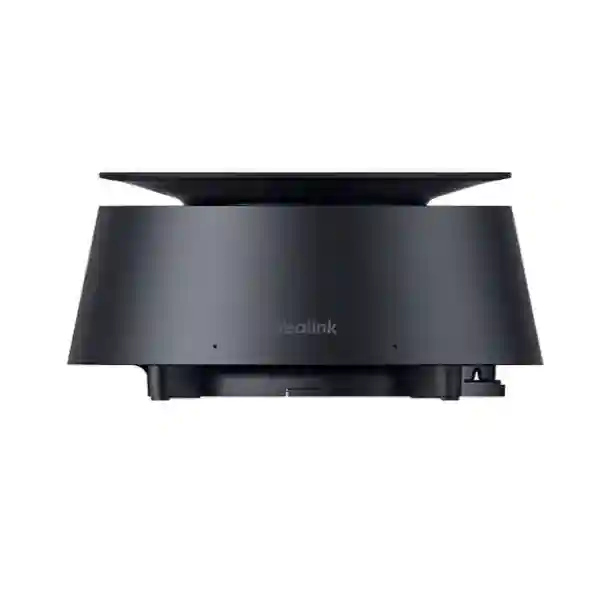
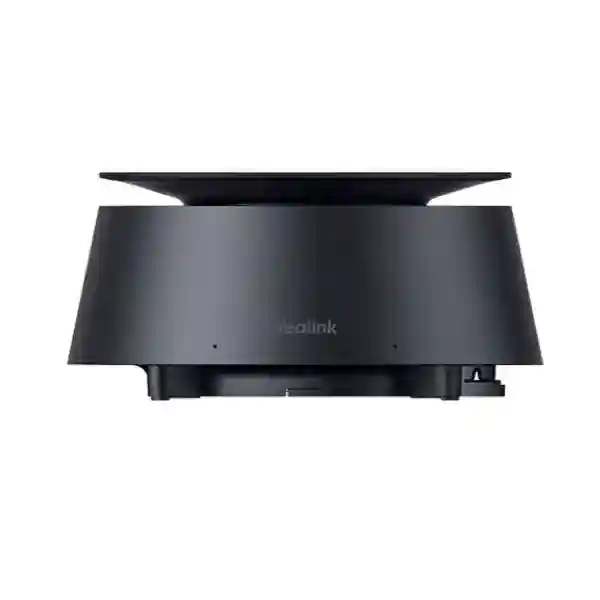
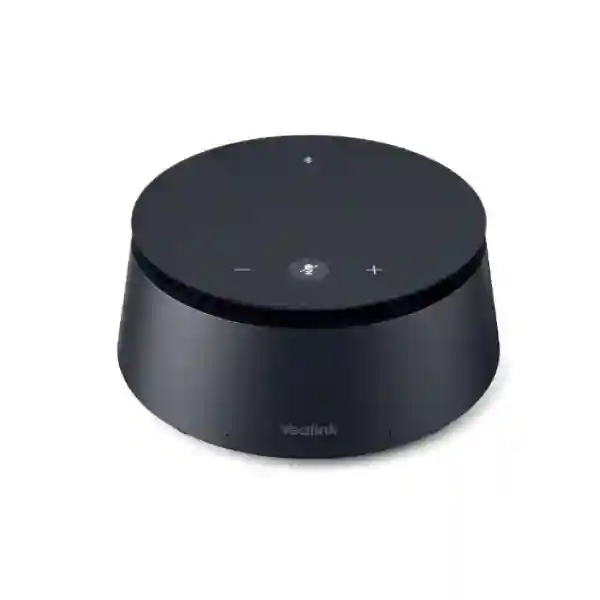
Yealink CP50 Conference Microphone for Professional Meeting Room Audio
The Yealink CP50 is a professional tabletop conference speakerphone designed to capture voices around a meeting table, reproduce remote participants clearly and connect meeting-room audio to computers and compatible Yealink conferencing equipment. For organizations in Uganda planning new boardrooms, upgrading hybrid meeting spaces or standardizing collaboration rooms across several offices, the CP50 provides a practical combination of wide-area voice pickup, integrated loudspeaker output, simple physical controls and expandable coverage. Its eight-element omnidirectional microphone array is specified for 360-degree pickup at up to 6 metres, helping reduce the need for participants to lean toward a single microphone or pass a device around the table.
The product is particularly relevant where meeting quality is being undermined by air-conditioning noise, keyboard sounds, room echo, uneven voice levels or participants speaking over one another. Yealink combines full-duplex operation with automatic gain control, noise cancellation, echo cancellation and reverberation control. The result is a conference-room endpoint intended to make ordinary conversation easier to follow for both local and remote participants. A built-in 4W full-range speaker provides local playback, while USB-C, Bluetooth 5.0, a codec interface and a dedicated expansion-audio interface give deployment teams several ways to integrate the unit into a room.
Procurement teams should treat the CP50 as a room-audio component rather than as a stand-alone telephone. The correct design depends on room dimensions, table shape, participant positions, conferencing platform, camera or codec choice, cable routes and expansion requirements. FourTeck can review those variables before quotation so that the proposed CP50, CPE40 expansion units, power option and related room equipment form a coherent bill of materials.
Instant Specifications & Procurement Fact Rail
Yealink CP50
Conference-room speakerphone
360°, up to 6 m
8 built-in microphones
USB-C, Bluetooth 5.0, codec and expansion audio
DC 48V adapter; average 7.2W
The CP50 sits in the professional meeting-room tier, where consistent pickup and room integration matter more than portability. It measures approximately 151.8 × 151.8 × 75.3 mm, making it compact enough for table placement while still incorporating the microphone array, speaker and physical meeting controls. The standard power arrangement uses a 48V/0.7A DC adapter. A higher-capacity 48V/2A adapter is relevant when a larger number of CPE40 expansion units are planned. Availability, lead time and warranty handling should be confirmed on the project quotation because regional stock and manufacturer channel conditions can change. For Uganda projects, the quotation can also identify required cables, expansion microphones and compatible Yealink room components rather than leaving accessory decisions until installation day.
Operational Product Architecture & Overview
At the center of the CP50 design is an eight-element omnidirectional microphone array. Instead of relying on a single directional capsule, the array listens around the device and is intended to cover voices distributed around a meeting table. Yealink specifies 360-degree pickup and a 6-metre range. That figure is best understood as a design reference rather than a guarantee that every room with a six-metre radius will perform identically. Ceiling height, reflective glass, hard floors, HVAC noise, table geometry and participant orientation all influence perceived intelligibility. A professional room plan therefore starts with the seating layout and acoustic environment, then uses the published pickup capability to determine whether one CP50 is sufficient or expansion microphones are appropriate.
The audio path combines capture and playback in one tabletop unit. Microphone frequency response is specified at 100 Hz to 12 kHz, with 48 kHz sampling and 16-bit depth. The built-in speaker is rated at 4W, with a 100 Hz to 20 kHz frequency response and 6W maximum power. For conferencing, the significance is not music reproduction but clear speech at normal meeting-room distances. Full-duplex operation is particularly important: it allows audio to flow in both directions simultaneously so a remote participant can interject while someone in the room is speaking. This is a material improvement over low-grade conferencing devices that suppress one side of the conversation and make natural discussion difficult.
The CP50 also processes common room disturbances. Its audio functions include automatic gain control, intelligent noise cancellation, echo cancellation and reverberation cancellation. These mechanisms address different problems. Gain control helps normalize speakers with different voice levels or distances from the device. Noise reduction targets persistent or transient room sounds. Echo cancellation reduces the chance that far-end audio reproduced by the local speaker is captured again and returned. Reverberation control helps in rooms where speech reflects from hard surfaces. Together, these functions are intended to improve intelligibility without requiring users to operate a mixing console.

Connectivity is deliberately flexible. USB-C allows direct connection to a compatible Windows computer, making the CP50 useful in bring-your-own-device meeting workflows. Bluetooth 5.0 provides wireless connectivity to compatible mobile devices, with Yealink specifying up to 10 metres in an unobstructed environment. The codec port supports connection to compatible Yealink video conferencing equipment such as selected UVC cameras or room hosts, while the audio port supports CPE40 expansion units. This mix lets an organization use the CP50 as a computer peripheral in one room and as part of a more integrated Yealink room solution in another.
Expansion is one of the main architectural reasons to select the CP50. With the standard 48V/0.7A supply, Yealink documents support for up to three CPE40 expansion units connected to the CP50. With the optional 48V/2A supply, the CP50 can support up to seven CPE40 units. This creates a maximum topology of the CP50 plus seven expansion units. The cabling architecture simplifies distributed tabletop pickup, but buyers should not confuse the expansion cabling with power input to the CP50 itself: the CP50 specification states that PoE input is not supported and lists DC 48V power as its input. Correct power and cable planning is therefore essential during design.
For procurement managers, the operational question is not simply whether the microphone sounds good in isolation. The larger issue is whether the room can be deployed consistently, supported by local IT staff and expanded without replacing the core audio device. The CP50 addresses that requirement through standardized controls, predictable interfaces and modular expansion. FourTeck can use the room plan to identify whether the deployment should remain a single-unit design or include CPE40 extensions and other Yealink room components.
Enterprise Business Outcomes & Value Analysis
The 360-degree array and full-duplex path are designed around the actual rhythm of meetings. Participants can sit around a table rather than face a microphone, while simultaneous two-way audio reduces the awkward pauses created by half-duplex equipment. For leadership meetings, project reviews and client calls, that can make remote participants feel less detached from the room.
A dedicated DC power source, wired room interfaces and a purpose-built tabletop form factor provide a stable foundation for permanent rooms. Bluetooth remains available for flexible device pairing, but organizations are not forced to depend on wireless connectivity for the primary room design.
CPE40 expansion support allows the audio footprint to grow with longer tables or larger seating plans. The standard adapter supports up to three expansion units, while the optional 48V/2A adapter supports up to seven. This makes room sizing a bill-of-materials exercise rather than an immediate reason to replace the base device.
Physical mute, volume and Bluetooth controls give users immediate control without hunting through software menus. Visible status indicators help users understand whether the microphone is muted, in a call, pairing, restarting or updating. This reduces uncertainty in shared rooms.
USB-C connectivity supports straightforward computer-based conferencing, while compatibility with selected Yealink room equipment gives organizations a path toward standardized room systems. Fewer adapters and clearer cable roles make handover easier for facilities and IT teams.
Average power consumption is specified at 7.2W, so the audio endpoint is modest in energy terms. More importantly, expansion can be purchased according to room need. A smaller room does not need to carry the cost of a maximum-scale microphone layout from day one.
Standardizing on the same room audio family across offices can reduce user retraining. The same mute, volume and connectivity logic can be repeated in executive rooms, departmental meeting spaces and training environments, while the number of expansion units changes according to scale.
Key Hardware & Software Highlights
| Component | Technical Detail | Operational Outcome |
|---|---|---|
| Microphone array | 8 microphones, 360° pickup, 6 m stated range | Captures participants around the table without a single speaking direction. |
| Speaker | 1 × 4W full-range speaker, 6W maximum | Provides integrated far-end speech playback without a separate desktop speaker. |
| Audio processing | Full duplex, automatic gain, noise, echo and reverberation cancellation | Improves intelligibility and supports more natural interruption and discussion. |
| USB-C | Computer connection | Supports practical laptop-based meeting workflows. |
| Bluetooth 5.0 | Up to 10 m unobstructed stated range | Provides flexible pairing for compatible mobile devices. |
| Expansion port | Supports CPE40 units | Extends tabletop coverage for larger layouts. |
The key value of this architecture is that hardware features map directly to room problems. The microphone array addresses seating distribution; the full-duplex engine addresses conversational overlap; the audio processing addresses environmental interference; and the expansion interface addresses scale. Procurement can therefore evaluate the CP50 against room requirements rather than against an abstract feature count. For organizations managing multiple sites, this makes it easier to define a standard room profile such as one CP50 for compact spaces and one CP50 plus CPE40 units for longer tables.
Technical Specifications Ledger
| Category | Specification |
|---|---|
| Microphones | Built-in 8-microphone array; 360° omnidirectional pickup; 6 m pickup distance. |
| Microphone response | 100 Hz–12 kHz; 48 kHz sampling; 16-bit depth; sensitivity -38 dB ±1 dB at 1 kHz. |
| Microphone acoustic figures | 71.8 dB SPL signal-to-noise ratio at 1 kHz, A-weighted; maximum 122 dB SPL at 1 kHz with THD <1%. |
| Speaker | 1 × 4W built-in speaker; 6W maximum; 4-ohm rated impedance; 100 Hz–20 kHz response; 48 kHz sampling. |
| Speaker sensitivity | 100 dB SPL ±3 dB at 0.1 m, 1W; THD at 1W/1 kHz <1%; 120° sound emission angle at 2 kHz at -6 dB. |
| Audio functions | Full duplex, automatic gain control, noise cancellation, echo cancellation and reverberation cancellation. |
| Wired interfaces | 1 × DC48V, 1 × codec port, 1 × audio expansion port, 1 × USB Type-C computer port. |
| Wireless | Bluetooth 5.0; stated stable range up to 10 m in an unobstructed environment. |
| Power input | DC48V/0.7A standard or DC48V/2A optional; PoE input not supported. |
| Consumption | Average 7.2W. |
| Expansion | Up to 3 CPE40 units with standard 48V/0.7A adapter; up to 7 CPE40 units with optional 48V/2A adapter. |
| Dimensions | 151.8 × 151.8 × 75.3 mm. |
| Operating environment | 0–40°C; 10–95% relative humidity, non-condensing. |
| Storage temperature | -30–70°C. |
| Standard package | CP50, 48V/0.7A adapter, 7.5 m Ethernet cable, 1.2 m dual USB-C cable, two cable ties, cable cover, two screws and quick-start guide. |
Specification review should be tied to the intended room. The 6-metre pickup figure does not replace acoustic assessment, and Bluetooth range assumes an unobstructed environment. Likewise, the expansion count is directly linked to the selected power adapter. These distinctions matter when preparing a purchase order because a base-unit quote may not include the higher-capacity adapter required for a large expansion topology. FourTeck can identify the exact power and accessory combination in the commercial quotation.
Interactive Configuration & Sizing Worksheet
Step 1 — Map the workload and seating plan. Record the room length and width, table dimensions, maximum seated participants and typical meeting style. A six-person rectangular table presents a different pickup pattern from a long boardroom table with twenty seats. Mark the farthest participant position from the proposed CP50 location. If seats extend well beyond the practical pickup area or are separated into clusters, plan CPE40 expansion rather than assuming a single central unit will cover every voice equally.
Step 2 — Review the acoustic environment. Note glass walls, tiled floors, exposed ceilings, hard tables, air-conditioning vents, projectors and other persistent noise sources. The CP50 includes noise, echo and reverberation control, but room treatment and sensible microphone placement remain important. Avoid placing the unit immediately beside loud HVAC outlets or directly against reflective walls when a central table position is available.
Step 3 — Confirm cable and power routes. The CP50 uses DC48V power and does not accept PoE input. Confirm that an AC outlet is available for the adapter and that cables can reach the table without becoming a trip hazard. If expansion microphones are required, map the daisy-chain path and decide whether the standard 48V/0.7A adapter is sufficient. Up to three CPE40 units can be supported with the standard adapter; larger designs up to seven CPE40 units require the optional 48V/2A supply.
Step 4 — Select the host connection. For laptop-driven rooms, confirm USB-C compatibility and the operating environment. Yealink documentation notes Windows support for the current direct computer workflow. For integrated rooms, identify the exact Yealink camera or conferencing host and verify it against the current compatibility list before purchase. For mobile-device use, Bluetooth 5.0 can provide a flexible secondary path.
Step 5 — Define platform and licensing responsibilities. The CP50 is an audio peripheral and does not by itself provide a meeting-service subscription. Microsoft Teams, Zoom or another collaboration platform may require licenses on the host computer or room system. Procurement should separate hardware cost from conferencing-service licensing so recurring software charges are not mistakenly attributed to the microphone.
Step 6 — Prepare the quote request. Include room dimensions, seat count, table shape, existing display, camera or codec model, computer operating system, conferencing platform, required number of rooms, delivery city, installation expectations and desired warranty/support scope. For multi-site projects, provide a room schedule that groups spaces into small, medium and large profiles. This lets FourTeck propose repeatable configurations instead of quoting every room as a unique design.
Step 7 — Validate before rollout. For a large deployment, consider validating one representative room first. Test voices from the nearest and farthest seats, simultaneous speech, mute synchronization, playback level, cable management and user workflow. A successful pilot can become the reference configuration for the remaining rooms, reducing deployment risk and support variance.
Deployment Scenarios & Industry Use Cases
Large enterprise and multi-site networks. Corporate organizations often need meeting rooms that behave consistently across headquarters, branches and project offices. The CP50 can form a standardized tabletop audio layer: compact rooms can use the base unit, while longer boardrooms can add CPE40 expansion units. Standardization simplifies user training, spares planning and support documentation. It also gives central IT teams a repeatable room profile that can be incorporated into office build standards.
Financial and banking institutions. Banks and financial organizations depend on clear communication between head offices, branches, operations teams and external stakeholders. Meeting-room audio must support rapid discussion without constant repetition. Full-duplex operation helps preserve natural conversational flow, while physical mute controls provide an immediate and visible way to stop local audio transmission when sensitive side discussions occur. Compatibility review remains important when the room is part of a wider managed conferencing environment.
Educational and campus networks. Universities, training centers and administrative campuses may deploy conferencing equipment across council rooms, faculty meeting spaces and hybrid teaching areas. The CP50 is best suited to speech-focused collaboration where participants are seated around a table or arranged in a defined meeting area. Expansion microphones can help distribute pickup across longer layouts. For teaching rooms with audience participation spread across a large hall, a dedicated installed audio design may still be more appropriate, so room assessment should precede purchase.
Government and public-sector procurement. Public institutions often require documented specifications, repeatable configurations and clear accessory lists. The CP50 has a defined power profile, interface set, environmental range and expansion topology that can be incorporated into a technical schedule. Procurement teams can request model-specific quotations, accessory identification and delivery planning for Kampala or regional offices. Where tender documents specify equivalent functionality, the published microphone, speaker, interface and environmental specifications provide measurable evaluation points.

Professional services and consulting. Law firms, engineering consultancies, audit teams and advisory businesses frequently run mixed in-room and remote meetings where subtle speech detail matters. A centrally positioned CP50 can reduce the need for every participant to use an individual headset, creating a more natural in-room experience while preserving access to remote colleagues and clients.
Healthcare administration. Administrative and multidisciplinary coordination meetings may include several participants around a table and remote specialists. The CP50 can support general conferencing audio in suitable non-clinical meeting spaces. Buyers should distinguish this use from regulated clinical devices or specialist telemedicine equipment; the CP50 is a professional conferencing speakerphone, not a medical device.
Technical Deep Dive: Capture, Processing & Audio Engine
The CP50’s audio architecture begins with spatial capture. Eight microphone elements provide multiple acoustic inputs around the tabletop device. The published 360-degree pattern is valuable because meeting participants rarely remain in a single direction relative to the microphone. In a typical boardroom, speakers may be seated on both sides of a long table and at either end. An omnidirectional array reduces the dependence on carefully aiming a microphone toward a chairperson. The 6-metre stated pickup distance provides a useful planning reference, but placement remains important: a centrally located device generally produces more balanced distances than one placed at the edge of the table.
Once speech is captured, the processing chain has to separate useful conversation from room artifacts. Automatic gain control helps maintain usable voice levels as speakers change. Noise cancellation addresses sounds that do not belong to the conversation, while echo cancellation reduces feedback of the remote party’s voice into the outgoing path. Reverberation cancellation is particularly relevant in modern offices with glass partitions and hard surfaces, where reflected speech can reduce clarity. Full-duplex processing then allows local and remote speech to overlap naturally.
The published microphone frequency response of 100 Hz to 12 kHz is focused on the voice band with sufficient upper-frequency information for intelligibility. Sampling at 48 kHz provides a common professional audio rate. The speaker extends to a stated 20 kHz response and is rated at 4W, with 6W maximum output. In practice, buyers should judge the system by speech clarity at the intended seating positions rather than by wattage alone. Room size, ambient noise and distance strongly influence perceived loudness.
Technical Deep Dive: Software Ecosystem, Firmware Security & Operational Control
The CP50 is designed to work as part of a conferencing environment rather than as an isolated appliance. USB-C provides a direct path to a compatible computer, while the codec interface links the audio endpoint to supported Yealink video systems. Physical buttons for mute, volume up, volume down and Bluetooth reduce dependence on on-screen controls. Status lighting communicates key states such as muted, active call, pairing, restart or upgrade, which is useful in shared rooms where users may not know how the previous meeting left the device configured.
Firmware management should be treated as part of the room lifecycle. Before a large rollout, IT teams should document the approved firmware version for the CP50 and connected Yealink components, test interoperability with the room host and conferencing client, and schedule updates through an established change process. New firmware can address compatibility or reliability issues, but enterprise deployments benefit from validation before broad release. FourTeck can assist with pre-shipment version checks and staging where agreed in the project scope.
Security responsibilities are shared across the environment. The CP50 handles audio connectivity, but the host computer, room system, meeting platform, network and user identity controls determine much of the overall security posture. Organizations should maintain supported host operating systems, current meeting clients, controlled Bluetooth policies where required and appropriate physical access to meeting rooms. Procurement should avoid assuming that purchasing the microphone alone resolves conferencing security; it is one component in a larger collaboration architecture.
Technical Deep Dive: High Availability, Redundancy & Recovery Planning
A tabletop conference speakerphone does not provide server-style dual power supplies or clustered failover, so resilience should be designed operationally. The first layer is correct power planning: use the specified adapter, select the 48V/2A option when the expansion count requires it and protect critical meeting-room circuits according to the facility’s power policy. The second layer is standardization. If several rooms use the same CP50 design, an organization can maintain a small spare pool and restore a failed room quickly by swapping the tabletop unit or adapter.
The third layer is alternate meeting workflow. A room using an integrated Yealink host may also permit a laptop-based USB-C workflow, depending on the deployed design and compatibility. Documenting that fallback can keep a meeting operational while a room host is being serviced. Bluetooth may provide another temporary audio path for compatible devices, though enterprise policies may restrict wireless use. Recovery planning should therefore define the approved fallback rather than leaving users to improvise.
Finally, maintain configuration records. For every room, document the CP50 serial details, power adapter type, number and position of CPE40 units, connected camera or codec, cable path and tested host configuration. This simple record can shorten fault isolation because support staff can compare a problem room against the approved reference design. For multi-site Uganda deployments, FourTeck can help structure a bill of materials that makes these room profiles easier to repeat.
Pre-Purchase Buyer Gap Checklist
Are there hidden recurring licenses? The CP50 is a hardware audio endpoint. The conferencing service used on the connected computer or room system may have its own subscription requirements, but those should be evaluated separately. Ask for the quote to distinguish one-time hardware, optional accessories, installation services and any third-party recurring services.
Does it receive power over Ethernet? No. Yealink’s CP50 specification lists DC48V power input and explicitly states that PoE input is not supported. Some product descriptions refer to linked cabling in the expansion architecture, which can cause confusion. Design the table location with access to the specified DC adapter.
How many expansion microphones can be used? With the standard 48V/0.7A adapter, the CP50 can support up to three CPE40 units. With the optional 48V/2A adapter, it can support up to seven CPE40 units. The power option therefore belongs in the sizing decision.
Will a single CP50 cover every medium room? Not automatically. The stated pickup distance is 6 metres, but real rooms differ in acoustics, table geometry and noise. Use participant distance and room conditions to decide whether expansion is required.
Is it a complete video conferencing system? No. The CP50 provides conference audio. Video requires a compatible camera or room system, and meeting services run on the relevant host platform. This distinction prevents under-scoping a new meeting-room project.
What should be checked for cross-vendor use? USB-C can make the CP50 practical as a computer audio peripheral, but integrated room-system compatibility should be confirmed against current Yealink documentation. Do not assume that a proprietary room interface on another vendor’s appliance will accept the CP50 directly.
What is the physical clearance requirement? The unit itself measures 151.8 × 151.8 × 75.3 mm. Allow additional room for cable exit, cable management and comfortable access to the controls. For fixed tables, plan cable penetrations before furniture installation.
What happens when the room grows? If the table or seating plan expands, CPE40 units can extend coverage without replacing the CP50. However, confirm the adapter capacity and cable routing before adding multiple units.
How should lifecycle planning be handled? Confirm current firmware, accessory availability and manufacturer support status at quotation time. For standardized deployments, keep a documented approved configuration and consider spare units for critical executive or operations rooms.
Uganda Regional Procurement & Delivery Logistics
FourTeck Uganda can prepare a project quotation around the required CP50 configuration rather than treating the microphone as an isolated line item. A useful request includes quantity, room size, seating capacity, existing Yealink equipment, conferencing platform and destination. Where expansion is required, the quote can identify CPE40 units and the correct power adapter. Where a complete room is being built, related camera, room host, display and cabling requirements can be reviewed as part of the bill of materials.
Order processing depends on confirmed stock, project quantity and sourcing route. Enterprise buyers should request a written lead-time indication on the quotation, particularly for multi-room rollouts or tender deadlines. Delivery planning can then account for receiving procedures, site access and whether equipment is going to one central warehouse or directly to several branches. For projects that require staging, firmware verification or pre-shipment inspection, include those requirements before purchase so they can be scheduled rather than added after goods arrive.
For installation projects, room readiness is as important as product availability. Confirm table power, cable routes, display position, host computer or room system, network access where relevant and mounting requirements for associated video equipment. A short pre-deployment checklist can prevent the common situation in which conferencing equipment reaches site before furniture, power or cable containment is ready.
Local Coverage Matrix
Head-office, boardroom and multi-floor collaboration projects can be quoted with room-by-room configuration schedules.
Suitable for corporate, hospitality administration and institutional meeting-room deployments requiring planned delivery.
Branch offices and industrial organizations can standardize CP50 room profiles with expansion where required.
Regional business, education and public-sector sites can request model-specific quotations and accessory planning.
Distributed organizations can incorporate CP50 systems into broader regional conferencing and communications rollouts.
For locations outside these hubs, procurement should provide the exact delivery destination and project schedule. Logistics can then be assessed according to quantity, transport route and site receiving conditions. Multi-site orders benefit from a location schedule showing which room configuration belongs at each branch, reducing the risk of expansion units or adapters being delivered to the wrong site.
Cross-Border & Regional Supply Chains
Organizations operating across East Africa and the Gulf often prefer a consistent meeting-room standard across countries. FourTeck’s regional web presence can support coordinated sourcing conversations for Uganda, Kenya, broader African markets, the UAE and Kuwait. Cross-border projects should define whether each country will purchase locally, whether a central procurement team will approve a common bill of materials and whether site-specific power or logistics requirements affect the final configuration.
The technical advantage of a common CP50 design is consistency: room profiles can be documented once and adapted mainly by quantity and expansion count. The commercial side still needs country-specific confirmation of stock, warranty route, taxes, freight and delivery terms. Those variables should be settled in the quotation rather than inferred from another market’s online listing.
Related Products & Internal Planning Paths
A CP50 purchase often sits inside a wider room project. Buyers may also need Yealink video cameras, conferencing hosts, expansion microphones, meeting-room displays, structured cabling and network infrastructure. Start from the FourTeck Uganda technology catalog and use the project contact page to request a matched bill of materials. For larger regional projects, the FourTeck Africa portal can support broader sourcing discussions.
Within the Yealink ecosystem, the most directly related accessory is the CPE40 expansion microphone, which extends the CP50’s pickup footprint. Compatible UVC-series cameras or MeetingEye room systems may also form part of a complete conferencing solution, subject to current compatibility validation. For a new room, procurement should consider audio, camera field of view, display size, room computer or codec, network connectivity, table power and cable management as one design rather than ordering each component independently.
FourTeck Technical Service Capabilities
FourTeck can support the procurement process by validating the proposed bill of materials against the room requirement. This includes checking the CP50 quantity, CPE40 expansion count, power adapter selection, cable assumptions and compatibility with named Yealink cameras or room hosts. For multi-room projects, a room schedule can be converted into standardized configuration tiers so procurement receives a cleaner and more auditable equipment list.
Where agreed in scope, staging can include physical inspection, accessory verification and firmware checks before dispatch. This is useful when equipment will be sent to remote branches where technical resources are limited. Pre-shipment preparation cannot replace final site commissioning, but it can catch missing accessories or inconsistent versions before the equipment leaves the supply point.
Post-sales support can assist with product-level troubleshooting, compatibility questions and warranty coordination according to the applicable supply terms. For installation issues, support is faster when the customer maintains room documentation showing the connected host, firmware version, power adapter, expansion topology and conferencing platform. FourTeck can also help distinguish whether a fault belongs to the CP50, host computer, room system, network or meeting application, reducing unnecessary hardware replacement.
Extended Technical FAQ
1. What type of meeting room is the Yealink CP50 best suited to?
The CP50 is designed for professional conference-room audio and is particularly suitable for table-centered small and medium meeting spaces, with expansion options for larger layouts. Its eight-microphone array provides 360-degree pickup with a stated 6-metre range. Room size alone should not determine suitability: table length, participant positions, ambient noise and acoustic reflections matter. A compact room may work well with one CP50, while a long boardroom may benefit from CPE40 expansion microphones. For very large halls or rooms with distributed audience seating, an installed ceiling or professional audio system may be more appropriate.
2. Does the CP50 require a separate conferencing subscription?
The CP50 itself is conference audio hardware and does not inherently require a recurring subscription merely to function as an audio peripheral. However, the collaboration service used by the connected computer or room system may require its own licenses. Microsoft Teams, Zoom and other platforms have separate commercial terms that depend on the customer’s account and room architecture. Procurement should therefore separate the CP50 hardware purchase from meeting-service licensing. If the CP50 is being integrated with a dedicated Yealink room solution, confirm the licensing requirements of that room platform and the organization’s selected conferencing service before finalizing the bill of materials.
3. Can the Yealink CP50 be powered using PoE?
No. Yealink’s published CP50 specification lists DC power input at 48V/0.7A or 48V/2A and states that PoE power input is not supported. This point is important because expansion descriptions sometimes mention network-style cabling and can create the impression that the CP50 itself is PoE powered. Plan an appropriate AC outlet for the supplied DC adapter at the table or nearby cable-management location. The standard 48V/0.7A adapter supports the base CP50 and up to three CPE40 expansion units, while larger expansion configurations require the optional 48V/2A adapter.
4. How many CPE40 expansion microphones can be connected?
The supported count depends on the power adapter. With the standard 48V/0.7A power supply, Yealink documents support for up to three CPE40 expansion units connected to the CP50. With the optional 48V/2A power supply, the design can support up to seven CPE40 units. That means the largest documented topology consists of the CP50 plus seven expansions. Buyers should decide the expansion count during room design because it affects power selection and cable routing. Adding expansion units later is possible, but a larger design may also require changing the adapter and revisiting cable management.
5. Can the CP50 connect directly to a laptop?
Yes. The CP50 includes a USB Type-C interface intended for computer connection, and Yealink supplies a dual-head USB-C cable in the standard package. This makes the unit suitable for computer-driven conferencing workflows where the meeting application runs on the user’s or room’s PC. Yealink’s current product information notes Windows support for the direct computer workflow, so buyers should verify the intended operating system and current compatibility documentation before standardizing a fleet. Once connected, the CP50 can serve as the room microphone and speaker while the computer handles the meeting application, camera and content sharing as configured.
6. What does full-duplex audio change in a real meeting?
Full-duplex audio allows both sides of a conference to speak and be heard at the same time. In natural conversation, people frequently give short acknowledgements, ask quick questions or begin responding before another speaker has completely finished. Basic half-duplex systems can suppress one direction when the other side is active, creating clipped words and unnatural pauses. The CP50’s full-duplex design is intended to preserve a more natural conversational rhythm. Echo cancellation is important in this process because the device must reproduce far-end speech through its speaker while preventing that same audio from being sent back through the microphones as an echo.
7. How should warranty and replacement planning be handled?
Warranty terms should be confirmed on the FourTeck quotation for the specific Uganda supply because channel terms, project agreements and regional handling procedures can vary. For business-critical rooms, organizations should also plan operational resilience beyond the formal warranty. Standardizing several rooms on the same CP50 configuration makes it practical to keep a spare base unit or adapter available for rapid swap-out. Maintain purchase records, serial numbers and the approved room configuration. If a fault occurs, support teams can first isolate power, cable, host-computer and firmware issues before initiating hardware replacement, which helps avoid unnecessary downtime and returns.
8. Can FourTeck help configure the CP50 before delivery?
Pre-shipment assistance can be included according to project scope. Useful activities include bill-of-materials verification, accessory checks, firmware version review and confirmation that the proposed CP50, CPE40 count and power adapter are consistent. For a larger room solution, FourTeck can also review the named Yealink camera or conferencing host against current compatibility information. Final commissioning still depends on the actual room, computer, network and conferencing platform, so pre-configuration should be viewed as risk reduction rather than a substitute for site testing. Provide the intended topology when requesting a quote so staging requirements can be included commercially.
9. Is Bluetooth suitable as the primary connection for every enterprise room?
Bluetooth 5.0 gives the CP50 useful flexibility, with Yealink specifying a stable transmission distance of up to 10 metres in an unobstructed environment. Whether it should be the primary connection depends on organizational policy and room workflow. Permanently installed rooms often benefit from a wired host connection because it is predictable and does not require users to pair devices. Bluetooth can be valuable for mobile-device calls, temporary use or approved fallback scenarios. Security-conscious organizations may also have policies governing wireless pairing. The best design is therefore to choose the connection method that matches the room’s ownership model rather than assuming wireless is always preferable.
10. What information should I send to get an accurate Uganda quotation?
Provide the number of rooms, dimensions of each room, seating capacity, table shape, expected participant positions, conferencing platform and any existing Yealink camera or room host. State whether the rooms will use dedicated computers or user laptops, and identify the operating system where known. Include the delivery city, project deadline and whether installation, staging or post-sales support is required. For larger boardrooms, note the approximate distance from the proposed CP50 position to the farthest seats so expansion can be assessed. This information allows FourTeck to quote a coherent solution rather than only the base microphone.
Plan Your Yealink CP50 Deployment in Uganda
A successful conference-room purchase begins with the room, not the box. Share your seating plan, room dimensions, conferencing platform and existing Yealink equipment so the CP50 configuration can be sized correctly. FourTeck can review whether one unit is sufficient, whether CPE40 expansion is appropriate, which power adapter matches the expansion count and how the audio endpoint fits into the wider camera, display and room-host design. For multi-site projects, request a standardized room schedule so each branch receives the correct equipment profile.
Current international retail references place the CP50 around the mid-US$400 to low-US$500 range, while UAE listings have recently appeared around AED 1,699–1,759. These figures are market references only, not a Uganda selling price. Local pricing depends on sourcing, freight, taxes, warranty route, project quantity and included services. Request a formal FourTeck Uganda quotation for current commercial terms and availability.


Reviews
There are no reviews yet.