
Yealink EHS35 Headset Adapter – Wireless Call Control for Business IP Phones
The Yealink EHS35 is a purpose-built interface that allows compatible Yealink wireless headsets to work with selected desk phones that use an RJ9 headset connection. In its core Yealink T3-series deployment, the adapter bridges WH62 or WH63 wireless headset hardware to supported T30, T30P, T31, T31P, T31G, T33P and T33G phones, giving users headset audio together with remote call-control functions. It is particularly useful where an organisation already relies on cost-effective T3-series phones but wants the freedom, mobility and call-handling convenience of a professional wireless headset without replacing the desk-phone estate.
For procurement teams, the EHS35 solves a very specific compatibility problem. A wireless headset purchase can appear simple until the installed phone interface, headset generation and firmware level are checked. The EHS35 provides the required conversion path for supported combinations and helps standardise deployments across reception desks, customer-service positions, call-centre stations, clinics, administrative offices, schools, government departments and distributed branch environments. The right purchasing approach is therefore not to treat the adapter as a generic cable, but as a compatibility component in a complete phone-headset solution.
FourTeck Uganda supports organisations that need to validate quantities, phone models, headset models and deployment requirements before ordering. This is valuable for projects involving dozens or hundreds of seats, where a small compatibility mistake can multiply into significant rework. Buyers can request a project quotation, bill-of-materials review and rollout guidance before dispatch.
Instant Specifications & Procurement Fact Rail
Yealink EHS35 Wireless Headset Adapter
Yealink WH62 / WH63
RJ9 (4P4C) headset jack
Micro USB
Business desk-phone wireless headset integration
Quote-based Uganda supply
The EHS35 is not a universal headset adapter for every phone and every wireless headset. Its strongest use case is the supported Yealink T3-series and WH62/WH63 combination, where remote call control is available. Yealink also documents audio-only use with various other supported desktop-phone families; those combinations should be validated model by model because remote call-control capability can differ. For enterprise orders, FourTeck recommends confirming the exact desk-phone SKU and headset SKU before a purchase order is issued.
Operational Product Architecture & Overview
The EHS35 sits between two parts of the voice endpoint environment: the desk phone and the wireless headset system. The desk phone presents an RJ9 headset interface, while the compatible Yealink wireless headset expects a connection that can carry the necessary signalling and audio relationship for the supported deployment. Rather than asking an organisation to replace an otherwise serviceable T3-series phone simply because it lacks the direct USB connectivity found on other endpoint classes, the EHS35 provides a focused bridge.
This architecture matters in real deployments. A reception user may need to leave the immediate desk to collect documents while remaining reachable. A call-centre supervisor may need to move between nearby positions without missing an incoming call. A finance or administration employee may need hands-free mobility during long conversations. In each case, the value comes not from adding another network device, but from extending the usability of the existing voice endpoint.
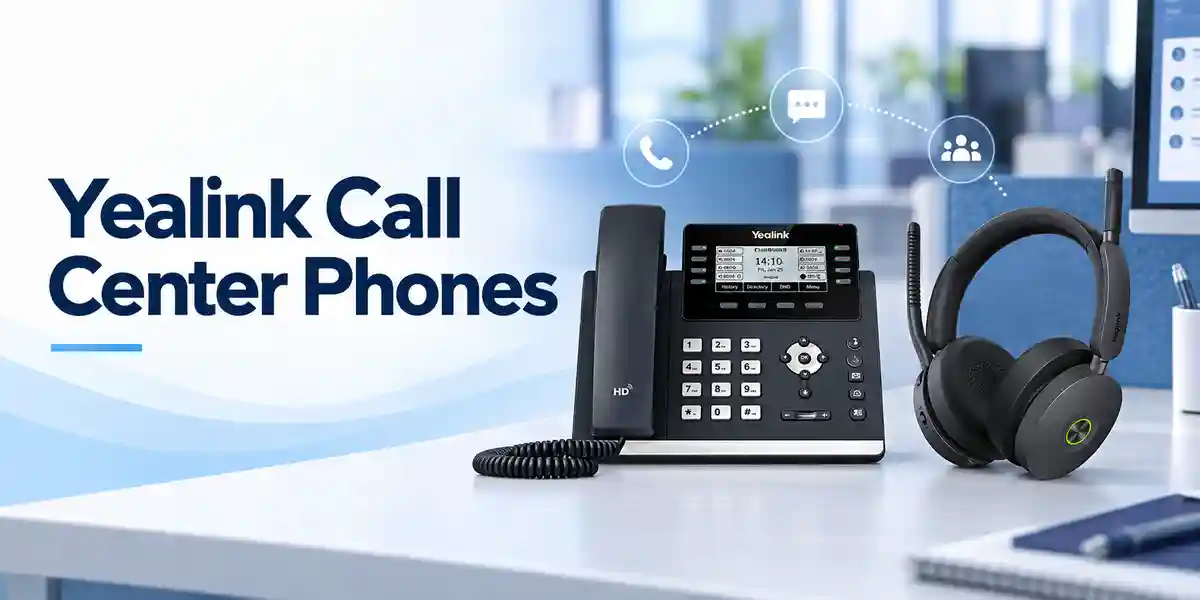
For supported T3 deployments, remote headset controls can include answering and rejecting calls, hanging up, switching between multiple calls, placing a call on hold, muting and adjusting volume. This reduces the need to return to the handset for routine call actions. The operational benefit becomes increasingly visible in high-call-volume roles because every repeated movement between headset and desk phone adds friction across the working day.
Firmware is part of the architecture. Yealink support guidance distinguishes hardware and firmware conditions for EHS35 deployments, so organisations maintaining older T3 phones should verify the firmware baseline before mass installation. Newer supported firmware can simplify headset enablement, while older combinations may require a configuration parameter through provisioning. This is why staging a sample seat before a fleet rollout is a sound procurement practice.
The adapter itself is intentionally compact and simple. It does not introduce a separate licensing platform, network address or management server. Operational control remains centred on the phone and headset environment. That simplicity makes it suitable for branch deployments where local technical resources may be limited, provided compatibility and firmware have been validated centrally.
Enterprise Business Outcomes & Value Analysis
Key Hardware & Software Highlights
At the hardware level, the EHS35 uses an RJ9 4P4C headset connection toward the compatible phone environment and a Micro USB connection for the supported Yealink wireless headset arrangement. This interface pairing is the defining physical characteristic of the product. It is designed for straightforward installation rather than complex field assembly.
At the functional level, the adapter enables call audio and, in the intended supported Yealink T3 configuration, remote controls including answer, reject, hang up, hold, mute, volume adjustment and switching between calls. Buyers should distinguish this full-control use case from documented third-party or other Yealink desktop-phone scenarios where audio may be available without remote control. The difference is important when specifying accessories for agents who depend on headset buttons throughout the day.
At the software level, phone firmware can determine whether the headset function is automatically available or needs configuration. A professional rollout therefore includes firmware inventory, pilot testing and configuration validation. FourTeck can use the phone-model list supplied by the customer to help structure this verification before shipment or installation.
Technical Specifications Ledger
| Item | Specification / Procurement Note |
|---|---|
| Product | Yealink EHS35 Wireless Headset Adapter |
| Supported Yealink wireless headsets | WH62 and WH63 in the documented EHS35 deployment |
| Supported T3 phones | T30, T30P, T31, T31P, T31G, T33P and T33G |
| Phone-side interface | 1 × RJ9 (4P4C) headset jack |
| Headset connection | 1 × Micro USB port for compatible Yealink wireless headset |
| Installation | Plug and play after compatibility and required phone configuration are validated |
| Remote functions on supported T3 deployment | Answer, reject, hang up, switch calls, hold, mute and adjust volume |
| Incoming call indication | Incoming calls can be signalled in the headset earpiece |
| Gift box | 174 × 180 × 63 mm per Yealink datasheet |
| Carton quantity | 100 pieces per carton in manufacturer packaging data |
| Licensing | No separate EHS35 subscription is identified; verify the broader phone/headset environment where applicable |
| Warranty | Confirm regional warranty terms on the FourTeck quotation for the supplied batch |
The specification ledger deliberately separates confirmed interface and compatibility facts from project-dependent items. For example, warranty handling, delivery lead time and available stock are commercial variables that should be confirmed on the current quotation rather than assumed from a generic product page. Likewise, third-party desk-phone support should be checked against the precise model and required feature set because audio operation does not necessarily mean remote call control is available.
Configuration & Sizing Worksheet
Step 1 – Count the actual wireless-headset seats
Start with users, not total phones. A company may own 200 desk phones but require wireless headsets at only 35 reception, service and supervisory positions. Define the target seats and a reasonable spare pool. This avoids buying an adapter for endpoints that will remain handset-only.
Step 2 – Record every desk-phone model
Create a simple inventory of the exact model printed on each target phone. For the standard remote-control use case, confirm that the phones fall within the supported T3 models. Mixed estates should be separated into groups because a different phone family may use a different headset connection strategy.
Step 3 – Confirm headset generation
EHS35 is documented for Yealink WH62 and WH63 wireless headsets. Do not assume that a newer portable or hybrid headset uses the same adapter path. Headset families can change their connectivity architecture, so exact model validation is essential.
Step 4 – Validate firmware
Before mass deployment, check the T3 firmware. Yealink support guidance documents firmware conditions and, for some older combinations, a provisioning parameter used to enable headset functionality. Pilot one representative phone from each firmware group and confirm call controls before scaling.
Step 5 – Prepare the quote request
Provide the phone models, headset models, number of active seats, spare quantity, delivery city, desired project date and whether staging support is required. If the estate is mixed, attach a spreadsheet showing model counts. This lets the supplier identify exceptions before order placement.
Deployment Scenarios & Industry Use Cases

Large enterprise and multi-site offices
A multi-branch organisation may standardise on selected T3 phones for general desks and WH62/WH63 wireless headsets for roles that need mobility. The EHS35 becomes a small but important line item in the approved endpoint bill of materials. Central IT can validate one reference configuration, document the firmware baseline and issue a deployment guide to branches. Spare adapters can be held centrally or regionally alongside spare headsets.
Financial and banking environments
Back-office teams, service desks and selected customer-facing positions can benefit from hands-free call handling while working with transaction systems and documentation. Procurement teams should pay particular attention to controlled standardisation: use approved phone/headset combinations, keep firmware records and avoid untested substitutions during replenishment.
Educational and campus networks
Admissions offices, administrative departments, help desks and campus service centres often handle recurring calls while staff access student systems or move between nearby work areas. EHS35-based wireless headset integration can extend the usefulness of supported T3 phones without requiring wholesale endpoint replacement.
Government and institutional procurement
Public-sector deployments often require clear bills of materials, repeatable model references and documented compatibility. The EHS35 can be specified as an accessory line tied to named phone and headset models. This helps evaluation teams understand that the adapter is not a standalone communications endpoint but a required interface component for a defined user-seat configuration.
Technical Deep Dive 1: Interface and Call-Control Architecture
The EHS35 does not process enterprise network traffic and should not be evaluated like a switch, router or voice gateway. Its architecture is endpoint-centric. It creates the physical and control relationship needed between a compatible desk phone and wireless headset. This distinction is important because performance is not expressed as network throughput; success is measured by correct audio operation, stable signalling and dependable execution of supported call controls.
The RJ9 interface is familiar in business telephony, but pin usage and control behaviour should never be assumed to be universal across manufacturers. Yealink’s documented EHS35 deployment removes that uncertainty for named supported combinations. On the headset side, the Micro USB connection integrates with the supported WH62/WH63 arrangement. The result is a purpose-defined path rather than a generic physical converter.
For a procurement manager, the technical lesson is straightforward: model compatibility has more value than connector appearance. Two products may physically accept similar plugs yet expose different control capabilities. Therefore, specify the complete chain—phone model, adapter model and headset model—in the bill of materials.
Technical Deep Dive 2: Firmware, Provisioning & Operational Control
Phone firmware is a key dependency in some EHS35 installations. Yealink’s current support material explains that newer EHS35 hardware used with supported T3 phones can rely on newer firmware where headset functionality is enabled by default, while older firmware or hardware combinations can require manual provisioning. This means an organisation should avoid rolling out hundreds of adapters without first identifying the endpoint firmware population.
A practical approach is to export or manually record representative phone firmware versions, upgrade according to the organisation’s change policy, then test the complete user workflow: incoming call indication, answer, mute, hold, volume change, call switching and hang-up. Where central auto-provisioning is used, configuration changes should be documented and tested in a small device group before general release.
This disciplined approach reduces support tickets after deployment. It also gives service-desk teams a known baseline: if a headset works for audio but remote controls do not behave as expected, technicians can check model pairing and firmware before replacing hardware unnecessarily.
Technical Deep Dive 3: Availability, Resilience & Service Continuity
The EHS35 is a single-seat accessory, so resilience is planned differently from a redundant server or network core. The practical continuity strategy is inventory based. Organisations with critical reception desks, contact centres or service counters should hold a modest number of spare adapters and, where justified, spare headsets. A failed accessory can then be swapped rapidly without waiting for a replacement shipment.
Standardisation improves recovery. When every supported seat uses the same approved combination, technicians can isolate a fault by swapping the adapter, headset or phone with a known-good component. Mixed and undocumented accessories make troubleshooting slower because the technician must first determine whether the symptom is a compatibility issue.
For distributed branches, label adapters or keep them associated with the target phone/headset kit. Maintain the approved firmware baseline in the endpoint documentation. These small operational practices provide more real-world continuity than overcomplicating the adapter itself.
Pre-Purchase Buyer Gap Checklist
Will it work with every Yealink phone? No. The EHS35 has specific documented combinations. For the full remote-control use case, verify the supported T3 models and WH62/WH63 headset pairing. Other phone families can have different direct USB or adapter requirements.
Does an RJ9 socket guarantee compatibility? No. Physical connector similarity alone is not sufficient. Signalling and supported control functions vary. Always check the exact phone model.
Will it provide remote call control on third-party phones? Yealink documents scenarios where EHS35 can provide audio with other supported desktop-phone families but without remote-control functionality. Validate the precise model and desired function before purchasing.
Are there hidden subscription charges? The EHS35 is a hardware accessory and no separate adapter subscription is identified. However, any licensing attached to the broader phone system, calling platform or other services remains outside the adapter and should be assessed separately.
Should firmware be checked before ordering? Yes. Firmware can affect headset enablement on supported T3 phones. Include firmware review in a pilot deployment, especially for older endpoint estates.
How many spares should be ordered? This depends on the number of critical seats, geographic distribution and acceptable replacement lead time. For large deployments, a small controlled spare pool can reduce operational interruption.
Can the adapter be reused if a desk is reassigned? Where the new seat uses a compatible phone and headset combination, the adapter can form part of the reassigned kit. Keep inventory records so accessories do not become separated from their intended endpoint type.
Uganda Procurement & Delivery Logistics
FourTeck Uganda supplies Yealink business communications equipment for organisations that require formal quotation, compatibility review and coordinated delivery. For an EHS35 requirement, the most useful quote request identifies the quantity, delivery destination, phone models already installed and the wireless headset models being deployed. This allows the order to be reviewed as a complete endpoint accessory requirement rather than an isolated part number.
After technical validation, a commercial quotation can reflect the requested quantity and current supply position. Project buyers should request the expected lead time on the quotation because accessory availability can change between orders. Where the deployment date is fixed, communicate that date at enquiry stage so sourcing and delivery planning can be aligned.
For larger rollouts, staged deliveries may be useful. Headquarters and pilot locations can be supplied first, followed by regional branches after the reference configuration is accepted. FourTeck can also assist with bill-of-materials checks so that phone, headset and adapter quantities remain aligned.
Local Coverage Matrix
Kampala organisations can request EHS35 supply for corporate offices, call centres, financial institutions, service desks and public-sector environments. Entebbe deployments may include hospitality administration, logistics offices, airport-related operations and general business communications. Jinja customers can standardise supported wireless-headset seats in manufacturing, education and commercial offices. Mbarara organisations can use the same validated bill of materials for regional branches, healthcare administration and institutional communications. Gulu projects can be planned with central compatibility validation and regional delivery coordination. For every location, lead time and delivery arrangements should be confirmed on the current quotation rather than assumed.
Cross-Border & Regional Supply Chains
Organisations operating across East Africa, the Gulf and wider African markets can coordinate Yealink accessory standards across multiple country operations. Visit FourTeck Uganda for Uganda requirements, FourTeck Kenya for Kenya projects, FourTeck Africa for broader African supply, FourTeck UAE for United Arab Emirates procurement and FourTeck Kuwait for Kuwait requirements. Multi-country buyers should standardise the exact phone, headset and adapter combination while allowing each destination to confirm local commercial terms, delivery conditions and warranty handling.
Related Yealink Products & Deployment Paths
A complete headset project normally includes more than the adapter. Buyers may also need compatible Yealink T3-series IP phones, WH62 or WH63 wireless headsets, replacement endpoint hardware and broader office communications equipment. Explore FourTeck Uganda for the current communications portfolio and use the project contact page to request related models. When replacing an older phone fleet, ask whether direct headset connectivity on a newer endpoint could eliminate the need for an adapter at some seats. When retaining a supported T3 fleet, specify EHS35 alongside WH62/WH63 where required. For call-centre expansion, request a seat-by-seat bill of materials so phones, headsets and adapters are counted together. For branch replenishment, quote the approved reference configuration to prevent accidental substitutions.
FourTeck Technical Service Capabilities
FourTeck can support procurement teams with engineering validation before an order is finalised. For EHS35 projects, this includes checking the proposed phone and headset pairing, reviewing the bill of materials and identifying whether the requested adapter matches the intended endpoint. This is particularly valuable when an organisation has inherited a mixed phone estate or is expanding an older installation.
For staged deployments, a representative kit can be validated before the remaining quantity is rolled out. Where phone firmware requires attention, the technical team can help the customer identify the appropriate preparation steps within the project scope. Pre-shipment checks can also confirm part-number consistency and ordered quantities.
Post-sales support can assist with structured fault isolation: confirming the phone model, headset model, firmware, physical connection and expected call-control behaviour. Clear technical records accelerate this process and help distinguish configuration issues from actual hardware faults.
Extended Technical FAQ
1. What is the Yealink EHS35 used for?
The EHS35 is a wireless headset adapter used to connect compatible Yealink wireless headsets to selected desk phones. Its principal documented use is linking WH62 or WH63 headsets with supported Yealink T3-series phones that do not provide the direct headset connectivity required by those wireless models. In that supported configuration, users can receive headset audio and operate common call controls from the wireless headset. It is therefore useful for organisations that want wireless working freedom while continuing to use compatible existing desk phones.
2. Which Yealink T3 phones support the EHS35?
Yealink documentation lists T30, T30P, T31, T31P, T31G, T33P and T33G among the supported T3 phones for EHS35 use with WH62/WH63. Procurement teams should still verify the exact endpoint model and firmware before a large order. Do not assume that every phone carrying a similar family name uses the same accessory path. A short pilot with the organisation’s actual phone firmware and headset hardware is the safest way to confirm the user experience before broad deployment.
3. Which wireless headsets work with the EHS35?
The core Yealink EHS35 documentation identifies WH62 and WH63 wireless headsets. Buyers should order by exact headset model rather than by appearance or general family description. Portable, hybrid or newer headset variants can use different connectivity methods and should not automatically be assumed compatible with an EHS cable. If your organisation has multiple headset types, provide the full model list when requesting a quote so each combination can be checked independently.
4. Does EHS35 support remote call control?
Yes, in the supported Yealink T3 and WH62/WH63 deployment, the adapter enables remote functions such as answering, rejecting and ending calls, switching between calls, holding, muting and adjusting volume. This capability is a major reason to use the correct adapter rather than an unverified cable. However, Yealink also documents certain other desktop-phone combinations where EHS35 may provide audio without remote-control functionality. If remote control is mandatory, state that requirement explicitly during compatibility validation.
5. Does the phone firmware matter?
Yes. Yealink support guidance documents firmware requirements and configuration differences for EHS35 use with T3 phones. Depending on EHS35 hardware generation and phone firmware, headset functionality may be enabled by default or may require a provisioning parameter. For an enterprise rollout, inventory the current phone firmware, test a representative seat, document the accepted baseline and then deploy consistently. This reduces the risk of receiving hardware that is physically correct but appears not to function because the endpoint configuration is incomplete.
6. Can EHS35 be used with non-Yealink desk phones?
Yealink describes EHS35 audio operation with certain supported desktop phones from other vendors, but remote call control may not be available in those scenarios. Compatibility must therefore be treated as model-specific rather than vendor-wide. A statement that one phone from a manufacturer works does not prove that every model from that manufacturer behaves identically. Provide the exact make and model to FourTeck so the required function—audio only or full remote call control—can be checked before ordering.
7. Does the EHS35 require a separate licence or subscription?
The EHS35 is a physical headset adapter and is not positioned as a subscription product. Its operation depends on compatible phone and headset hardware rather than a separate adapter licence. The broader communications environment may still include licences or service subscriptions for PBX, hosted calling, contact-centre software or other platforms. Those costs are separate from the EHS35 itself. Procurement teams should therefore distinguish endpoint accessory cost from the recurring costs of the overall communications service.
8. How should a large organisation size an EHS35 order?
Count only the desks that will use a compatible wireless headset, then add an appropriate spare quantity based on business criticality and replacement lead time. Verify the phone model at each target seat, because mixed endpoint estates can require different adapters or no adapter at all. Match every EHS35 quantity with the intended WH62/WH63 quantity, allowing for shared spares if your operating model supports them. For a multi-site project, separate quantities by branch so packing, delivery and deployment can be organised more accurately.
9. How is warranty or hardware replacement handled?
Warranty terms should be confirmed on the FourTeck quotation for the specific supplied batch and destination. If a unit is suspected to be faulty, first verify the approved phone/headset pairing, firmware and connections so a configuration issue is not mistaken for hardware failure. For business-critical seats, keeping a small spare pool provides faster continuity than waiting for the warranty process to complete. Retain purchase records and product details to support any replacement request.
10. Can FourTeck help with configuration and rollout planning?
Yes. FourTeck can assist with pre-order compatibility review, bill-of-materials verification and rollout planning for supported Yealink environments. Customers should provide phone models, headset models, quantities, current firmware information where available, deployment locations and the required user functions. For larger installations, begin with a pilot group and validate incoming-call signalling, answer, mute, hold, volume and hang-up behaviour. Once the reference configuration is accepted, the same standard can be applied across the remaining supported seats.
Request a Yealink EHS35 Procurement Quote in Uganda
For a reliable quotation, send FourTeck Uganda the number of EHS35 adapters required, the exact Yealink desk-phone models, the intended WH62 or WH63 headset models, delivery city and target deployment date. For mixed or multi-site estates, include a model-by-model quantity list. The team can review the accessory pairing, help identify obvious compatibility gaps and structure the order around the actual user seats. This is especially useful for call centres, reception environments, financial institutions, healthcare administration, education, government and multi-branch enterprises where a consistent reference configuration reduces support complexity.
Do not rely only on connector shape when planning a headset rollout. Confirm the complete phone-adapter-headset chain and firmware baseline first. A short validation step can prevent incorrect bulk purchases and makes deployment significantly easier for IT support teams.

Reviews
There are no reviews yet.