
Yealink MP52 E2 Teams Phone – Common Area Microsoft Teams Desk Phone
The Yealink MP52 E2 is a business-focused Microsoft Teams phone designed for organizations that need dependable voice access in shared spaces without adding unnecessary touchscreen complexity. It combines a compact 2.4-inch colour screen, tactile controls, HD audio, Gigabit Ethernet, Power over Ethernet and centralized device administration in a platform suited to reception counters, corridors, classrooms, clinics, warehouses, shared desks and other common-area positions. For Uganda deployments, this design is particularly useful where an IT team wants standardized Teams calling endpoints that remain familiar to users accustomed to conventional desk phones.
The E2 generation has moved beyond the earlier MP52 platform. Yealink’s current support datasheet identifies Android 15.0, Microsoft Device Ecosystem Platform architecture, dual-port Gigabit Ethernet, PoE and contemporary security capabilities including TLS 1.3. Microsoft also lists the MP52 E2 among certified Teams phone hardware, providing procurement teams with a clear reference point when validating a standardized Teams voice estate.
Procurement Fact Rail
MP52 E2 Teams
Common areas / front desks
Dual-port Gigabit Ethernet
IEEE 802.3af PoE Class 3
2.4-inch 320 × 240 non-touch colour
Contact FourTeck for current Uganda supply
A successful quotation should distinguish the MP52 E2 from the older MP52 because network speed, platform generation and lifecycle details differ. Buyers should also specify whether the deployment uses PoE or requires the optional 5 V / 2 A AC adapter. Warranty terms can vary by supply channel and project, so the applicable regional warranty should be stated on the commercial quotation rather than assumed.
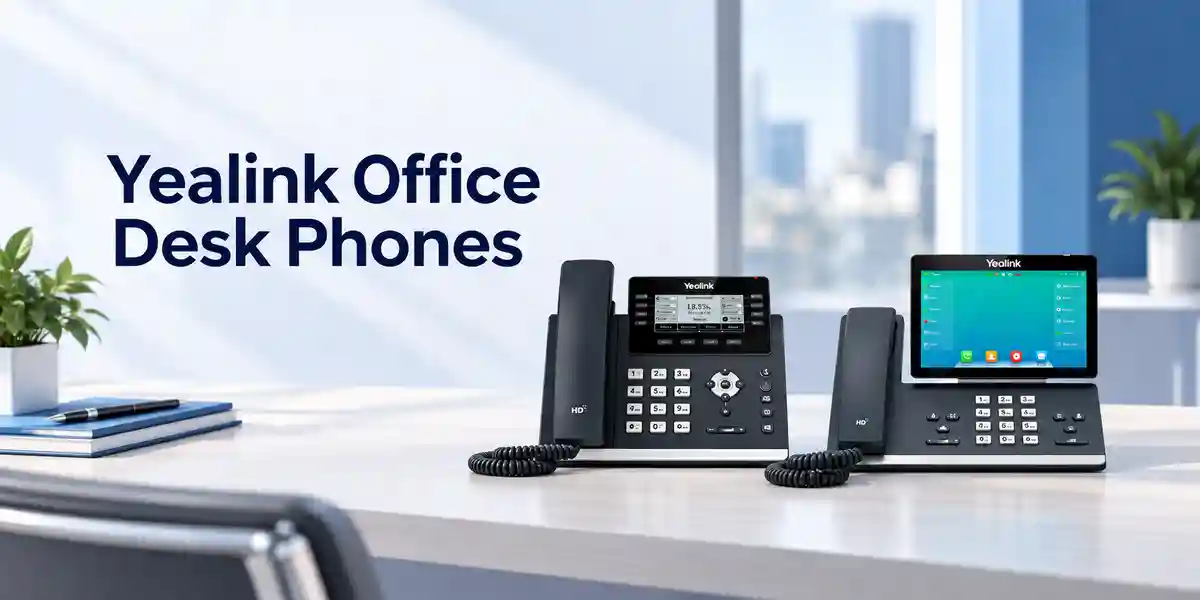
Operational Architecture and Product Overview
At its core, the MP52 E2 is a dedicated voice endpoint rather than a general-purpose workstation. That distinction matters in fleet planning. The physical dial pad and navigation keys reduce dependence on touch interaction, while the small colour display gives users essential visual feedback for calls, status and device operation. A magnetic handset helps the receiver sit predictably in its cradle, and hearing-aid compatibility broadens accessibility. For speakerphone conversations, full-duplex operation and acoustic echo cancellation are designed to maintain natural two-way speech.
The network architecture is straightforward: two Gigabit Ethernet ports allow the phone to sit inline between the access network and a nearby workstation where the site design permits. IEEE 802.3af Class 3 PoE means a compatible access switch can carry network connectivity and electrical power over the same Ethernet run. This can reduce desk-level power adapters and simplify UPS-backed voice resilience when the PoE switching infrastructure itself is protected. Where PoE is unavailable, Yealink lists an optional external adapter accepting 100–240 V AC and providing 5 V / 2 A DC.
The USB Type-A interface is useful for compatible USB headsets and supported peripherals. A dedicated RJ9 handset port and RJ9 headset port retain conventional telephony connectivity. The security-lock port can help organizations physically secure phones in exposed common areas. Yealink also supports Wi-Fi on MP52 E2 when the compatible WF50 USB dongle is attached, but wired Gigabit Ethernet remains the cleanest baseline for controlled enterprise rollouts.
The management architecture is equally important. The phone supports browser, local-phone and automated provisioning methods, Yealink RPS, monitoring reports, logs and device-management platforms from Microsoft and Yealink. This allows administrators to treat phones as a managed fleet rather than isolated appliances. In a multi-branch Uganda deployment, centralized configuration and monitoring can reduce site visits, particularly when firmware, policy and account settings must remain consistent across Kampala and remote offices.
The current support documentation lists Android 15.0 and MDEP. Because older marketing material may still describe Android 13, procurement teams should validate the shipping firmware and approved upgrade baseline during staging. The same discipline applies to Teams application versions: organizations should align device software with their Microsoft tenant policies and maintenance window before mass deployment.
Enterprise Business Outcomes and Value Analysis

Key Hardware and Software Highlights
| Component | Capability | Operational Value |
|---|---|---|
| Display | 2.4-inch, 320 × 240 colour, non-touch | Simple visual interface for shared calling positions. |
| Ethernet | Two Gigabit ports | Supports modern switched LANs and inline workstation connectivity. |
| Power | 802.3af PoE Class 3 | One-cable desk deployment when connected to a suitable PoE switch. |
| Audio | HD handset/speaker, full duplex, AEC, noise cancellation | Designed for intelligible calls in active workplaces. |
| USB | 1 × USB Type-A | Compatible USB headset and supported peripheral connection. |
| Platform | Android 15.0, MDEP, Teams-tailored application | Purpose-built Teams calling environment with managed device lifecycle. |
Technical Specifications Ledger
| Area | Specification |
|---|---|
| Operating platform | Android 15.0; Microsoft Device Ecosystem Platform; Microsoft Teams-tailored application. |
| Display | 2.4-inch 320 × 240 colour screen with backlight; non-touch. |
| Audio | HD handset and HD speaker; HAC magnetic handset; noise cancellation; full-duplex speakerphone with AEC; VAD, CNG, PLC, AJB and AGC. |
| Codecs | SILK, G.722, G.722.1, G.722.1C, G.711 A/μ, G.723, G.726, G.729AB, iLBC and ARES as listed by Yealink. |
| Ethernet | Dual-port Gigabit Ethernet; PoE supported. |
| PoE | IEEE 802.3af, Class 3. |
| Interfaces | 1 × USB Type-A; 1 × security lock port; 1 × RJ9 handset; 1 × RJ9 headset. |
| Network | IPv4/IPv6; static or DHCP addressing; proxy mode; HTTP/HTTPS web server; SNTP. |
| Security | TLS 1.3; HTTPS certificate manager; IEEE 802.1X; WPA2/WPA3 where wireless capability is used; AES encryption for configuration file. |
| Power adapter | Optional Yealink adapter: 100–240 V AC input, 5 V / 2 A DC output. |
| Power consumption | PSU: 1.5–4.5 W; PoE: 2.3–6.0 W. |
| Dimensions | 212 × 186 × 146 × 42 mm (W × D × H × T). |
| Environment | Operating temperature -10 to 50°C; operating humidity 10–95%. |
| Mounting | Desktop stand included; wall mountable. |
| Package | Phone, handset and cord, 2 m Ethernet cable, stand and quick-start guide; power adapter optional. |
Specifications should be matched against the exact shipping hardware and firmware during project staging. Manufacturers can revise software features over a product lifecycle, and Microsoft tenant capabilities can depend on licensing and administrative policy.
Configuration and Sizing Worksheet
1. Estimate users and shared locations
Count every physical position that needs a phone, then classify it as a named-user desk, common-area point, reception position, security post, classroom, clinical station or other shared location. The MP52 E2 is particularly suited to roles where reliable Teams calling is more important than a large touchscreen. Confirm whether each phone will use a named account or a common-area configuration and align licensing with Microsoft requirements.
2. Validate LAN and cabling
Confirm that the access switch has enough Ethernet ports, PoE budget and VLAN capacity. For 100 phones, for example, the switching design must accommodate the aggregate PoE requirement plus engineering headroom rather than simply multiplying nominal idle consumption. Verify structured cabling quality, patch-panel capacity, switch uplinks, DHCP scopes, DNS, NTP and any voice or device VLAN policy.
3. Check power strategy
PoE is normally preferable for managed office deployments because it centralizes power. If a site lacks PoE, add the optional adapters to the bill of materials and verify socket availability. Where continuity is important, place PoE switches and upstream network devices on correctly sized UPS systems. The phone itself cannot provide service when its LAN, WAN or Teams connectivity is unavailable.
4. Confirm peripherals and mounting
Record which users need USB or RJ9 headsets and validate exact headset compatibility before bulk purchase. If Wi-Fi is required, validate the supported Yealink dongle and radio policy. For wall deployment, confirm wall-mount hardware, cable exit path, physical clearance and security-lock requirements.
5. Prepare the quotation
Provide quantities, delivery city, intended Teams role, PoE availability, headset count, optional adapter count, mounting requirements, target deployment date, required staging services and any documentation needed for procurement. This creates a cleaner commercial comparison and reduces change orders after purchase.
Deployment Scenarios and Industry Use Cases
Large enterprises and multi-site networks: Standardizing common-area voice endpoints can reduce support variance. A headquarters may deploy MP52 E2 units at reception desks, meeting-floor lobbies, shared service points and operations rooms, while branches use the same endpoint profile. Central management helps administrators maintain firmware and settings without treating each location as a separate technology island.
Financial institutions: Banks and financial service providers can use managed Teams phones at internal service counters, back-office shared areas and operational desks where a tactile phone is preferred. Network access controls, certificates and 802.1X should be integrated with the institution’s approved security architecture. The endpoint should never be treated as a substitute for broader network segmentation, identity governance or compliance controls.
Education and campuses: Schools, universities and training centers often need phones in administrative offices, corridors, labs, libraries, security desks and departmental reception points. A non-touch device with physical controls is useful where many different users may approach the same phone. PoE can make moves, additions and changes easier when campus switching is already centrally managed.
Healthcare: Shared communication points in non-clinical or administrative spaces can benefit from simple physical controls and centralized management. Deployment teams should assess cleaning procedures, infection-control policies and location-specific requirements independently; a standard office phone should not be assumed to meet specialized medical-device or sterile-environment requirements.
Government and controlled environments: Public-sector buyers can include the MP52 E2 in standardized Teams voice designs where its documented network controls align with organizational policy. Security review should cover firmware governance, certificate handling, 802.1X, VLAN design, logging, account permissions and physical placement. Any defense or classified deployment requires the purchasing authority’s own accreditation process rather than relying solely on commercial product features.
Technical Deep Dive: Platform, Audio and Network Processing
The value of a dedicated Teams phone is not raw compute throughput; it is predictable handling of interactive voice and user controls. The MP52 E2 platform is engineered around the Teams calling workflow and a constrained desk-phone interface. Audio processing combines codec support with acoustic echo cancellation, gain control, jitter buffering and packet-loss concealment functions. In practice, however, endpoint processing cannot compensate for a poorly designed WAN. Administrators should still engineer latency, jitter, packet loss, DNS reliability and Internet breakout according to Microsoft guidance.
Gigabit Ethernet is a meaningful generational improvement when compared with older 10/100 desk-phone designs. If a workstation is connected through the phone’s downstream port, the endpoint does not impose a Fast Ethernet ceiling on that physical path. Actual workstation throughput remains dependent on cabling, switching, uplinks and security controls. PoE Class 3 provides a standardized powering method and simplifies centralized electrical planning.
Technical Deep Dive: Software Ecosystem and Operational Control
The current Yealink datasheet identifies Android 15.0 and MDEP, while Microsoft lists MP52 E2 certified hardware with Android 15 and a certification end date of October 15, 2030 on its certified-hardware page. This is useful lifecycle information, but certification dates and support policies should be rechecked at the time of a future procurement because platform policies can change. Central management through Microsoft and Yealink tooling enables administrators to standardize device configuration, inspect status and coordinate updates.
Security features include TLS 1.3, certificate management, 802.1X and encrypted configuration files. Their practical value depends on configuration. An enterprise should define who administers certificates, how devices authenticate to access switches, whether local web administration is allowed, how administrative credentials are controlled and how firmware changes are approved. A secure-capable endpoint still needs secure operations.
Technical Deep Dive: Availability, Resilience and Recovery
The MP52 E2 is a single endpoint and does not itself provide a redundant call-control cluster or dual power supplies. Availability must therefore be engineered around it. PoE switching can be protected with UPS capacity; access switches can use resilient uplinks; WAN connectivity can be diversified; and Microsoft Teams service continuity should be considered in the organization’s wider communications plan. For critical desks, keep documented replacement procedures and a small spare pool sized to the fleet and site remoteness.
Recovery planning should include a known-good configuration baseline, firmware records, account assignment process, asset labeling and swap procedure. When a unit fails, the objective should be to replace it quickly, provision the approved configuration and restore the user’s calling role without ad-hoc troubleshooting at the desk. For geographically distributed Uganda estates, this operational discipline can be more valuable than keeping excessive spare inventory at every branch.
Pre-Purchase Buyer Gap Checklist
Is the Teams service included with the phone? No assumption should be made that purchasing hardware includes Microsoft tenant subscriptions, Teams Phone licensing, calling plans, operator services or PSTN connectivity. These are separate service and licensing decisions. Confirm the account model for each endpoint before ordering.
Is the power adapter included? Yealink identifies the AC adapter as optional. If the network provides suitable PoE, adapters may not be needed. Non-PoE locations should have adapters explicitly added to the bill of materials.
Does it have built-in Wi-Fi? The baseline procurement assumption should be wired Ethernet. Yealink support documentation states that MP52 E2 Wi-Fi operation requires the WF50 USB dongle. Validate the current compatible accessory before purchase.
Will every headset work? No. The phone offers USB Type-A and RJ9 connectivity, but electrical and call-control compatibility varies by headset. Validate exact manufacturer models and required adapters or cables.
Is the MP52 E2 the same as MP52? No. The E2 is a newer platform. Quotes and technical comparisons should state the complete model name to avoid accidental substitution with legacy inventory.
How much power does it use? Yealink lists 1.5–4.5 W when powered through its PSU and 2.3–6.0 W via PoE. Switch PoE budgets should include headroom and all other powered devices on the same switch.
What physical clearance is needed? The listed phone dimensions are 212 × 186 × 146 × 42 mm, but buyers should allow additional space for handset use, cable bend radius, stand angle and user access. Wall installations require a separate physical review.
What should be tested in a pilot? Sign-in method, Teams calling features, emergency-call policy, transfer/forward behavior, voicemail, headset operation, VLAN and 802.1X access, certificate handling, firmware update process, management visibility and actual audio performance on the production network.
Uganda Procurement, Delivery and Deployment Planning
For Uganda projects, the most efficient procurement process starts with a complete quantity and site schedule. FourTeck can prepare a quotation around the requested phone quantity, optional power adapters, compatible accessories, staging requirements and delivery destination. Availability and lead time should be confirmed on the live quotation because enterprise hardware supply can change by batch and project volume.
Before dispatch, larger deployments benefit from bill-of-materials verification. This catches common omissions such as non-PoE sites that need adapters, wall positions that need mounting provisions, users who need headsets, or branch switches that lack sufficient PoE budget. Where agreed as part of the project scope, staging can include firmware baseline checks, asset identification and configuration preparation before devices reach the final site.
Delivery planning should account for receiving hours, secure storage, phased rollout and remote-site distribution. A deployment of 200 phones does not necessarily need to arrive at every branch simultaneously. Many organizations reduce risk by piloting a small representative group, validating tenant and network behavior, then releasing subsequent batches after acceptance.
Local Coverage Matrix
Kampala: suitable for headquarters, financial, hospitality, education and multi-floor corporate projects. Entebbe: relevant to airport-area organizations, hospitality and distributed corporate sites. Jinja: supports industrial, education and branch-office requirements. Mbarara: suitable for western-region branch and institutional deployments. Gulu: supports northern-region offices, NGOs, education and public-sector estates. Project-specific delivery timing depends on stock position, quantity and destination and should be stated on the quotation.
Cross-Border and Regional Supply
Organizations operating across several countries often benefit from using a consistent device specification and bill of materials. FourTeck supports regional sourcing workflows through Uganda, Kenya, Africa, UAE and Kuwait web properties. Regional projects should still account for country-specific commercial terms, taxes, import requirements, warranty handling and delivery lead times.
A standardized MP52 E2 specification can simplify multinational Teams deployments, but software policy, network access and Microsoft licensing should be validated per tenant and operating entity. For mixed-country orders, provide the destination, quantity and required delivery window for each location so the supply plan can be structured accurately.
Related Yealink Options and Accessories
Organizations comparing desk-phone roles may also review the Yealink MP54 E2 for a touchscreen entry-level Teams desk, the Yealink MP56 E2 for users needing a larger touchscreen, and Yealink MP58 options for more premium desk roles. For user audio, browse Yealink headsets. Sites without PoE should request the correct Yealink power adapter, while wireless requirements should be validated against the Yealink WF50 accessory and current firmware compatibility.
The best endpoint mix is often role-based rather than one-model-for-everyone. Common areas may use MP52 E2, general office users may benefit from a touchscreen model, and executives or reception teams may require richer interfaces or headset workflows. FourTeck can help map those roles into a consistent bill of materials.
FourTeck Technical Service Capabilities
Enterprise device purchasing involves more than selecting a model number. FourTeck can support engineering validation of the proposed bill of materials, including phone quantities, powering method, headset requirements, accessories and branch distribution. This review is intended to identify obvious mismatches before equipment is dispatched.
For projects requiring staging, scope can be agreed around firmware baseline verification, asset identification, packaging by site and pre-shipment configuration preparation. Firmware work should always follow an approved customer change policy and a version supported by the relevant Teams environment. For large fleets, a small pilot group is recommended before broad rollout.
Post-sales support can assist with hardware and configuration triage within the agreed support scope. Efficient fault handling depends on accurate device serial details, firmware version, network symptoms, logs and a clear description of the failing workflow. Where manufacturer or warranty escalation is necessary, maintaining this evidence can reduce unnecessary diagnostic cycles.
Extended Technical FAQ
Is Yealink MP52 E2 designed specifically for Microsoft Teams?
Yes. The MP52 E2 Teams model uses a Teams-tailored application and is positioned by Yealink as a basic business Microsoft phone for common areas and front desks. Microsoft lists the MP52 E2 on its certified Teams phone hardware page. Hardware certification does not itself supply a Teams account, Teams Phone entitlement, PSTN service or calling plan. Your Microsoft administrator or licensing partner should confirm the correct service entitlement for each intended device role, especially where common-area accounts differ from named-user licensing.
Does the MP52 E2 support Power over Ethernet?
Yes. Yealink specifies dual-port Gigabit Ethernet and IEEE 802.3af Class 3 PoE. This allows a suitable PoE network switch to provide both network access and electrical power over the Ethernet connection. PoE is convenient for centralized deployments because switch power can be protected by a UPS. Before ordering a large quantity, verify available PoE ports and total switch power budget. If a location does not provide PoE, the optional Yealink 5 V / 2 A adapter should be included in the bill of materials.
What is the difference between MP52 and MP52 E2?
The MP52 E2 is the newer generation and should not be treated as an interchangeable label for the original MP52. Older MP52 documentation describes a 10/100 Ethernet design and an earlier Android platform, whereas the current MP52 E2 datasheet specifies dual-port Gigabit Ethernet and Android 15.0. Yealink has also identified MP52 E2 as the replacement direction for the older MP52 Teams Edition. Procurement documents should therefore state “MP52 E2 Teams” explicitly and suppliers should quote that exact generation.
Can the phone connect to Wi-Fi?
Yealink support documentation states that MP52 E2 can use Wi-Fi when the compatible WF50 USB dongle is connected. This means Wi-Fi should not be assumed to be built into the base phone. Because the dongle occupies the USB interface, peripheral planning matters if a user also needs a USB headset. Wired Gigabit Ethernet with PoE is usually the simpler enterprise baseline because it combines stable network access and power. If wireless operation is required, validate accessory and firmware compatibility before bulk deployment.
What headsets can be connected?
The phone provides a USB Type-A port and an RJ9 headset port, creating several possible headset paths. However, physical connection does not guarantee full call-control compatibility with every headset. Exact compatibility should be checked for the proposed headset model, cable and firmware combination. For contact-center or reception use, test answer/end, mute, volume and any electronic hook-switch behavior during a pilot. If the USB port is reserved for a Wi-Fi dongle, plan headset connectivity accordingly rather than assuming both peripherals can occupy the same port.
How is the MP52 E2 managed across many offices?
Yealink lists browser, phone and automated provisioning methods plus Microsoft and Yealink device-management platforms. The device also supports diagnostic functions such as logs, tracing and monitoring reports. A fleet-management design should define firmware rings, maintenance windows, account assignment, configuration ownership and escalation procedures. For multiple Uganda branches, centralized management can reduce travel and make configuration more consistent, but it still depends on reliable network connectivity and correctly delegated administrative access.
What security controls are available?
The current datasheet lists TLS 1.3, HTTPS certificate management, IEEE 802.1X, AES encryption for configuration files, IPv4/IPv6 and WPA2/WPA3 for supported wireless use. These are useful building blocks rather than a complete security program. The organization should decide how phones authenticate to the network, who manages certificates, which management interfaces are allowed, how administrative access is controlled, how firmware is approved and how devices are segmented. A pilot should verify these controls against the actual switches, authentication services and tenant configuration.
Is the phone suitable for hot desks and common areas?
The product is specifically positioned for common-area use, and the physical dial pad and non-touch screen are well suited to shared calling positions. The current Yealink datasheet lists Common Area Phone support and multiple sign-in methods. Whether a specific hot-desk workflow meets your operational requirement depends on the Teams account model, policy and desired user experience. Test the intended sign-in, sign-out, call history, voicemail and privacy behavior before rollout, especially where many temporary users share the same physical device.
What happens if a unit fails under warranty?
Warranty handling depends on the commercial supply terms and applicable regional channel policy. Keep purchase documentation, serial numbers and deployment records so a fault can be tied to the correct order. Initial troubleshooting normally distinguishes configuration, network, tenant and hardware faults before replacement is requested. For larger fleets, holding a small approved spare pool can restore service faster than waiting for an individual warranty case to complete. The exact warranty duration and replacement procedure should be stated or confirmed with the quotation for the Uganda project.
What information should I provide for an accurate Uganda quotation?
Provide the number of MP52 E2 phones, delivery location or branch list, required date, PoE availability, optional adapter quantity, headset models or headset requirement, Wi-Fi requirement, wall-mount requirement and any staging or asset-labeling scope. Also identify whether the project is a new Teams Phone rollout, replacement of older IP phones or expansion of an existing tenant. This information helps distinguish hardware supply from licensing and service dependencies and makes the bill of materials more useful for procurement approval.
Request a Yealink MP52 E2 Quote for Uganda
For a project-ready quotation, send FourTeck your required quantity, destination, PoE environment, accessory requirements and target deployment date. The team can help validate the device bill of materials and identify optional power, headset and staging requirements before commercial approval. For multi-site rollouts, include the branch distribution so delivery and deployment batches can be planned around your schedule.


Reviews
There are no reviews yet.