Enterprise Meeting Room Audio • Uganda
Yealink MSpeaker Pro Soundbar for Enterprise Video Conferencing
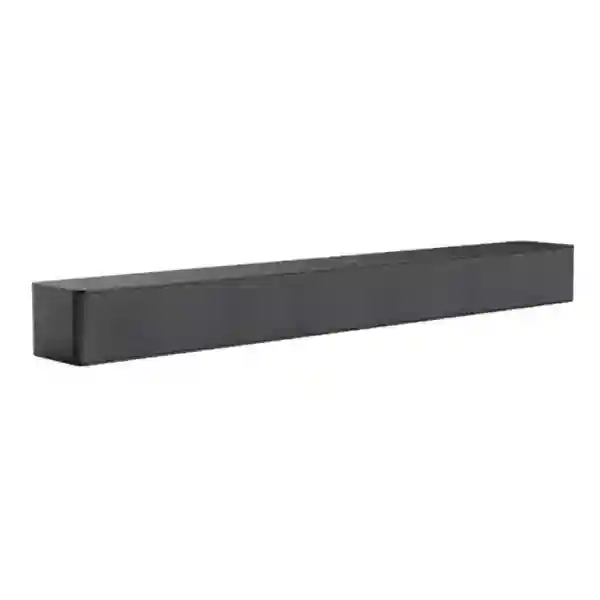
Yealink MSpeaker Pro is a dedicated conferencing soundbar designed to make spoken audio clear, strong and consistent across medium-sized meeting rooms. Instead of treating room audio as an afterthought, it gives project teams a purpose-built output device with four speaker units, PoE or PoE+ operation, a VCH connection and an architecture that can be expanded through star-topology cascading. For organisations in Uganda standardising Microsoft Teams Rooms and Yealink meeting spaces, the practical value is straightforward: fewer installation variables, cleaner cabling, predictable audio output and a component designed to fit the wider Yealink room ecosystem.
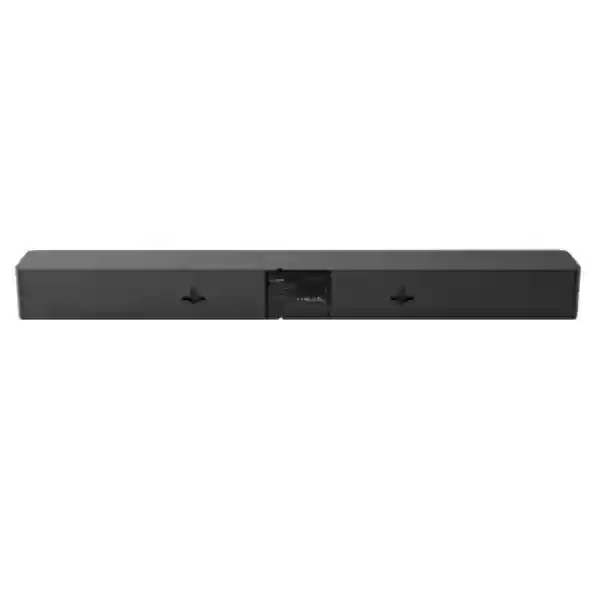
The unit reaches a documented maximum sound pressure level of 93 dB at one metre when powered by PoE and 95 dB at one metre when powered by PoE+. Rated power is 12 W with PoE and 24 W with PoE+. Its slim 650 × 82 × 65.2 mm enclosure can be positioned around the display area without consuming table space, while the included mounting bracket kit supports a neat fixed-room installation. A 3 m CAT5e cable is supplied, helping installers plan a simple host-to-speaker route.

Instant Specifications & Procurement Fact Rail
MSpeaker Pro
Medium meeting rooms; scalable designs
4 speaker units
PoE 12 W / PoE+ 24 W
93 dB PoE / 95 dB PoE+
1 × VCH
Procurement teams should treat the MSpeaker Pro as a room-system component rather than a generic consumer soundbar. The key purchasing question is not simply whether the speaker can produce sufficient volume; it is whether the planned Yealink host, room topology, power method, mounting location and cable route form a validated design. FourTeck therefore recommends quoting the speaker together with the associated room platform and any required microphones, camera, touch console, switching, presentation and mounting components. Stock position, project quantity and delivery timing should be confirmed at quotation stage. Warranty handling should likewise be confirmed on the supplied quotation because project terms can vary by source, bundle and commercial agreement.
Operational Product Architecture & Overview
A conferencing speaker has one job that users notice immediately: remote voices must remain intelligible across the room without forcing participants to strain, crowd toward a display or repeatedly adjust volume. MSpeaker Pro approaches that requirement with four integrated speaker units in a slim enclosure designed specifically for meeting-room deployment. The arrangement is intended to provide strong, distributed output rather than relying on the small speakers integrated into a commercial display. This distinction becomes important in rooms where the screen is large, wall mounted, recessed, or installed at a distance from the main seating positions.
The power architecture is equally important. MSpeaker Pro supports standard PoE and PoE+, with the VCH connection carrying power and data through a single network cable. A PoE deployment provides a rated 12 W output and maximum 93 dB sound pressure level at one metre, while PoE+ raises rated power to 24 W and the documented maximum to 95 dB at one metre. The difference gives designers a useful decision point: where infrastructure and the compatible host path support PoE+, the additional output headroom can be valuable in rooms with more seats, greater listener distance, absorptive finishes, background HVAC noise or presentation content that requires stronger playback.
The single-cable concept also reduces a frequent deployment problem: meeting rooms often accumulate separate AC adapters, USB extenders, audio leads and unmanaged power strips behind the display. Each additional connection creates another failure point and another item that installers must label, secure and support. By using a VCH network-style connection and PoE/PoE+ power, MSpeaker Pro supports a cleaner physical design. That does not eliminate the need for proper cable planning. Installers still need to verify path length, cable category, termination quality, bend radius, separation from electrical interference and the location of the compatible Yealink host or switching component.
Expansion is addressed through star-topology cascading. This matters when one soundbar is not the correct acoustic answer for the room. A long boardroom, U-shaped layout, training space or room with unusual seating may benefit from multiple output positions. Rather than assuming that simply turning one speaker louder will solve coverage, a designer can consider multiple MSpeaker Pro units within a supported Yealink topology. Yealink itself documents deployments in which two MSpeaker Pro units are used with large-room MVC configurations. Final quantities should be determined from room geometry, listening distance, system compatibility and the required experience.
The enclosure measures 650 mm wide, 82 mm high and 65.2 mm deep. That relatively shallow form helps preserve a clean display wall. The package includes the soundbar, a mounting bracket kit, a 3 m CAT5e cable and a quick-start guide. Those inclusions reduce basic installation friction, but commercial projects should still check whether the supplied cable reaches the actual host location and whether the wall substrate, display mount or joinery needs additional hardware.
For Uganda projects, the strongest use case is a repeatable room standard. A business with meeting rooms in Kampala, Entebbe, Jinja, Mbarara and Gulu can define a validated room bill of materials and reproduce it across sites. Standardisation simplifies spares, documentation, support escalation and user training. The speaker then becomes part of a controlled collaboration architecture rather than an isolated accessory purchased room by room.

Enterprise Business Outcomes & Value Analysis
Four speaker units and documented output up to 95 dB at one metre on PoE+ give the room designer measurable output capability. The benefit is not volume for its own sake. Adequate headroom helps spoken content remain understandable when listeners are distributed across a meeting room. Correct placement, room acoustics and compatible system design remain essential, but a purpose-built conferencing speaker is a stronger starting point than depending on display audio.
Single-cable power and data reduce the number of separate connections behind the display. Fewer adapters and audio patch leads can mean fewer accidental disconnections and less troubleshooting complexity. In managed meeting rooms, physical simplicity is valuable because support teams often need to diagnose issues remotely before dispatching an engineer.
Star-topology cascading provides a route for designs that need more than one speaker. This supports a modular approach: room standards can be sized around geometry and seating instead of forcing every space into one fixed audio layout. Procurement teams should validate supported quantities and associated Yealink components for each design.
A fixed, cabled speaker avoids dependence on ad-hoc Bluetooth pairing or personal devices. In enterprise rooms this supports a more controlled operating model, with audio integrated into the room system and less opportunity for users to alter the intended signal path.
When MSpeaker Pro is deployed as part of a standard Yealink room architecture, support teams can document the same cable routes, mounting positions and component relationships across multiple rooms. Repeatability shortens fault isolation and makes replacement planning more predictable.
PoE-based delivery can reduce the need for a dedicated local power adapter at the soundbar. Rated power is 12 W on PoE and 24 W on PoE+, giving project teams a clear figure for power-budget planning. TCO should include installation labour, switching capacity, cabling, mounting, spares and support—not only unit price.
The graphite-grey, racetrack-inspired enclosure is deliberately slim and modern. In executive rooms and customer-facing spaces, visual integration matters. A speaker that can be mounted cleanly near the display helps maintain a professional front wall without occupying the meeting table.
A known model with defined dimensions, power modes, interface and package contents is easier to place into a bill of materials. Repeatable specifications help purchasing teams compare quotations on equivalent scope and reduce surprises during installation.
Key Hardware & Software Highlights
| Element | Design Detail | Operational Outcome |
|---|---|---|
| Speaker array | Four integrated speaker units | Purpose-built room voice reproduction with distributed output. |
| PoE mode | 12 W rated power; up to 93 dB at 1 m | Useful where standard PoE is the validated power path. |
| PoE+ mode | 24 W rated power; up to 95 dB at 1 m | Additional output headroom for demanding room designs. |
| VCH interface | One network-style connection | Power and data over one cable in supported architectures. |
| Cascading | Star-topology support | Enables multi-speaker designs where compatible. |
| Mechanical design | 650 × 82 × 65.2 mm | Slim front-wall installation around meeting displays. |
MSpeaker Pro does not need to be evaluated like a network switch with packet-processing silicon or a server with compute acceleration. Its architecture is acoustic and deployment focused: speaker-unit arrangement, available output, power delivery, physical placement and integration into the room-system signal path are the factors that matter. Buyers should therefore resist feature comparisons based on consumer soundbar functions that are irrelevant to a managed meeting room. The more useful comparison is whether the device forms part of a supported conferencing topology, whether it provides enough output for the intended seating plan, and whether it can be installed consistently across the estate.
Technical Specifications Ledger
| Specification | Confirmed Detail | Procurement Note |
|---|---|---|
| Product type | Video conferencing soundbar | Specify as part of a compatible Yealink room design. |
| Target room | Medium-sized meeting rooms | Larger layouts may use expanded designs after validation. |
| Speaker units | 4 | Integrated into one slim enclosure. |
| Maximum SPL on PoE | 93 dB @ 1 m | Confirm room noise and listener distance. |
| Maximum SPL on PoE+ | 95 dB @ 1 m | Requires compatible PoE+ delivery path. |
| Rated power on PoE | 12 W | Include in power-budget calculations. |
| Rated power on PoE+ | 24 W | Provides higher documented output capability. |
| Interface | 1 × VCH | Validate host and topology before ordering. |
| Power delivery | Standard PoE / PoE+ | Single network cable can carry power and data. |
| Expansion | Star-topology cascading | Useful for expanded room coverage. |
| Dimensions | 650 × 82 × 65.2 mm | Check display-wall and bracket clearance. |
| Included cable | 3 m CAT5e | Longer routes require project-specific validation. |
| Included mounting | Mount bracket kit | Confirm substrate and installation method. |
| Package | Soundbar, bracket kit, 3 m CAT5e cable, quick-start guide | Verify quotation for regional bundle details. |
Specifications above are intentionally limited to confirmed manufacturer information rather than filling the table with assumptions. Items such as operating temperature, exact weight, frequency response and regulatory marks should be checked against the current regional datasheet or quotation if they are mandatory for a tender. For formal procurement, FourTeck can align the bill of materials with the current manufacturer documentation and record the required compliance evidence before shipment.
Configuration & Sizing Worksheet
Step 1 — Define workload and room scale
Record room length, width and ceiling height; seating count; table shape; primary listener positions; display wall; typical meeting occupancy; and whether the room is used mainly for speech, presentations or mixed media. Medium-room positioning is the baseline, but room geometry matters more than a label. A narrow twelve-seat boardroom and a wide twelve-seat classroom do not distribute sound in the same way.
Step 2 — Check the physical environment
Measure the available mounting zone around the display and preserve clearance for cameras, brackets, cable exits and service access. The soundbar is 650 mm wide, 82 mm high and 65.2 mm deep. Confirm that decorative panels, display recesses or motorised mounts will not obstruct the speaker. Note hard glass walls, bare concrete, open ceilings and other reflective surfaces that may affect perceived audio.
Step 3 — Validate power and cabling
Determine whether the compatible system path will provide PoE or PoE+. Standard PoE corresponds to 12 W rated power and a documented 93 dB maximum at one metre; PoE+ corresponds to 24 W and 95 dB. Confirm the host, switch or room component that supplies this connection. Map the actual cable path rather than straight-line distance. The supplied CAT5e cable is 3 m, so concealed routes may require a different approved cabling plan.
Step 4 — Confirm platform and licensing scope
The MSpeaker Pro itself is an audio peripheral; collaboration service licensing belongs to the room platform rather than the soundbar. If the project is a Microsoft Teams Rooms deployment, separately confirm the room-system hardware, Microsoft licensing, tenant readiness and administrative policies. Do not assume that purchasing a soundbar provides conferencing service entitlement.
Step 5 — Decide whether one or multiple speakers are required
Start with room geometry and listening positions. Where one speaker position cannot provide the desired distribution, investigate the supported star-topology design. Large-room Yealink deployment examples can use two MSpeaker Pro units. Quantity should be engineered, not guessed, because unnecessary speakers add cost while insufficient coverage undermines the room experience.
Step 6 — Prepare the quotation checklist
Send FourTeck the room count, room dimensions, seating capacities, existing Yealink model numbers, planned camera and microphone models, available displays, PoE/PoE+ infrastructure, preferred installation dates, delivery city and whether staging or pre-shipment validation is required. For multi-site projects, identify which rooms share the same standard and which are exceptions. This lets the quotation separate repeatable quantities from site-specific accessories.
Deployment Scenarios & Industry Use Cases
Large Enterprise & Multi-Site Networks
A multi-site company can use MSpeaker Pro within a standard room template that defines the room computer or appliance, camera, microphone system, speaker, display, touch control, network port and mounting. The main advantage is operational consistency. Kampala headquarters and regional branches can share a common support document, spare strategy and commissioning checklist. Where a boardroom requires greater coverage than a normal medium room, a supported multi-speaker topology can be evaluated rather than creating an entirely different vendor stack.
Financial & Banking Institutions
Banks depend on reliable meeting rooms for management reviews, branch operations, vendor meetings and regional coordination. Fixed cabled room audio is preferable to informal consumer pairing because users enter a ready-to-use environment. The PoE architecture also helps keep the display wall tidy. Procurement teams should include room access controls, network segmentation, platform policies and service continuity in the wider project design; the soundbar handles output, while governance belongs to the complete conferencing architecture.
Educational & Campus Networks
Universities and training organisations may deploy conferencing spaces for administration, hybrid seminars and faculty collaboration. MSpeaker Pro can suit medium meeting spaces where speech intelligibility is more important than entertainment-oriented bass. For teaching rooms, designers should assess room depth, audience distribution and whether the audio system must also serve local programme playback. Larger lecture spaces may require a professional distributed-audio design rather than simply adding conferencing soundbars.
Government & Public-Sector Procurement
Public-sector buyers often need clear bills of materials, repeatable model references and documented installation scope. MSpeaker Pro offers defined physical dimensions, power modes, interface and package contents that can be recorded in tender documentation. Where compliance certificates, manufacturer authorisation, warranty terms or origin documents are required, these should be requested during quotation so the commercial submission matches the tender rather than relying on generic web specifications.
Across all four scenarios, room audio should be commissioned as part of the complete collaboration system. A successful deployment verifies not only that sound is present, but that remote speech is comfortable at every intended seat, volume control behaves predictably, cable paths are secured, the room platform recognises the intended audio route and users do not need manual workarounds to begin a meeting.
Technical Deep Dive 1: Acoustic Engine, Output Headroom & Power Architecture
The central engineering choice in MSpeaker Pro is the relationship between its four speaker units and the available PoE power budget. With standard PoE, the rated power is 12 W and maximum sound pressure level is 93 dB at one metre. With PoE+, rated power doubles to 24 W and maximum sound pressure level increases to 95 dB at one metre. A 2 dB difference should not be interpreted as a simple percentage improvement; perceived loudness, room reflections and listening distance all affect the result. The practical point is that PoE+ provides additional electrical and acoustic headroom in the manufacturer’s design.
Headroom matters because conferencing speech is dynamic. A room should not be designed so the speaker operates at its limit during every call. Adequate margin supports comfortable reproduction when a remote participant speaks quietly, presentation media is shared, or background noise rises. At the same time, maximum SPL is not a substitute for correct placement. If the soundbar is hidden behind a display, mounted inside deep cabinetry or positioned far from listeners, increasing volume can create harshness at the front while still giving poor balance at the rear.
The four-unit arrangement is therefore best understood as part of an integrated acoustic design. The slim enclosure allows the speaker to remain close to the visual focal point of the meeting, which helps remote voices feel connected to the screen rather than coming from an unrelated corner of the room. In multi-speaker layouts, the supported star topology can extend the distribution strategy. The objective should be consistent intelligibility, not simply the highest possible level.
Technical Deep Dive 2: Room Ecosystem, Firmware Governance & Operational Control
MSpeaker Pro is most valuable when treated as a component of the Yealink room ecosystem. Yealink lists the device among its Microsoft Teams Rooms individual products and documents compatibility with larger MVC solutions. That context matters because meeting-room reliability depends on validated combinations. Cameras, microphones, speakers, touch consoles, room computers and switching components can each have firmware and topology requirements. A procurement team should record exact model numbers and current supported combinations before purchasing accessories independently.
Operational control also extends beyond the speaker. The room platform determines meeting application behaviour, account sign-in, device administration and service licensing. Firmware governance should follow the organisation’s change process: document the current baseline, review vendor release notes, test significant updates in a representative room where practical, and avoid making uncoordinated changes immediately before critical events. For a fleet deployment, consistency is more valuable than having different rooms on arbitrary versions.
Physical documentation is part of governance too. Label the VCH cable at both ends, record the speaker serial and room asset identifier, photograph the final cable route, and store the bill of materials with the support record. If a room later loses audio, the help desk can confirm what should be connected before escalating to an on-site technician. This disciplined approach turns a simple peripheral into a manageable enterprise asset.
Technical Deep Dive 3: Availability, Redundancy & Recovery Planning
MSpeaker Pro is not a dual-power-supply infrastructure appliance, so high availability must be designed at the room and estate level. The first layer is installation quality: secure mounting, tested cabling, validated PoE delivery and documented connections. The second is standardisation. If multiple rooms use the same soundbar, an organisation can keep a known spare or establish a replacement process rather than troubleshooting with unrelated consumer devices.
For critical executive or operations rooms, recovery planning should define what happens if the speaker, cable, host or PoE path fails. A spare CAT5e cable is inexpensive and useful for diagnosis. A spare speaker may be justified where downtime has a high business impact or where delivery to a remote site takes time. Where multiple speakers are used, do not assume that one remaining unit automatically provides acceptable room coverage; test the degraded scenario if continuity is important.
Disaster recovery also includes configuration records. Keep diagrams showing which VCH port feeds each device and how any RCH-series or other supported room component is connected. Store mounting and cable information with the asset record. The goal is to make restoration procedural rather than dependent on the memory of the original installer. FourTeck can assist with staging and bill-of-materials verification so replacement units are matched to the intended room architecture before dispatch.
Pre-Purchase Buyer Gap Checklist
Does the soundbar require a separate collaboration licence? The speaker is an audio peripheral. Licensing for Microsoft Teams Rooms or another collaboration service belongs to the room platform and tenant arrangement. Budget those items separately.
Is PoE enough, or should the project use PoE+? Both are supported, but the published output differs. PoE provides 12 W rated power and up to 93 dB at one metre; PoE+ provides 24 W and up to 95 dB. Select the power mode as part of the validated room design rather than assuming they are operationally identical.
Can it connect to any Ethernet switch? Do not treat the VCH interface as a generic LAN endpoint merely because it uses network-style cabling. The connection belongs to the Yealink room architecture. Validate the host, switching component and topology.
Can one unit cover a large boardroom? The product is positioned for medium-sized rooms, and Yealink supports star-topology cascading. Larger-room examples may use two units. Room geometry, listener distance and system design should decide quantity.
What hidden installation costs should be considered? Include labour, cable containment, longer approved cabling if required, wall fixing, display-wall access, PoE capacity, room-system components, commissioning, documentation and travel to the installation site. A low accessory price does not represent total installed cost.
Will the supplied 3 m cable always be enough? No. Concealed cable routes frequently exceed direct physical distance. Measure the actual path from the compatible host or room component to the speaker, including vertical drops, service loops and cabinet routing.
Does the package include a wall bracket? The manufacturer lists a mount bracket kit in the package. The installer still needs to confirm whether the wall material or display structure requires additional anchors or custom mounting work.
What about hardware lifecycle? For multi-room projects, ask for the current model status and planned project quantity at quotation stage. Standardising early helps avoid mixing room generations unnecessarily, while documenting an approved successor strategy protects future expansion.
Is it cross-vendor compatible? The safest procurement approach is to treat MSpeaker Pro as a Yealink ecosystem component and verify any mixed-vendor requirement explicitly. Physical connectors alone do not establish functional interoperability.
What should be tested before acceptance? Verify output at all intended seats, normal meeting volume, shared-content playback if required, cable security, host recognition, mounting stability and recovery after a room-system restart. Record the final configuration for support.
Uganda Procurement & Delivery Logistics
For Uganda orders, a useful quotation starts with the complete room context. FourTeck can quote the Yealink MSpeaker Pro as an individual component or as part of a wider meeting-room bill of materials. Provide the required quantity, delivery destination, room-system model, project schedule and any mandatory tender documentation. For new room builds, include room drawings or dimensions where possible so speaker quantity, cabling and associated components can be reviewed together.
After scope confirmation, the commercial process should establish product quantity, source availability, expected lead time, warranty basis, delivery terms and any installation or staging services. Delivery timing can vary with stock position and project volume, so organisations planning multiple rooms should avoid treating an indicative website status as a guaranteed project allocation. A formal quotation is the correct point to lock the commercial scope.
Pre-configuration for a soundbar is primarily about system validation and staging rather than end-user settings. FourTeck can verify the bill of materials, check that the speaker belongs to the intended Yealink topology, review cable requirements, align associated room components and prepare deployment documentation. Where the project includes MCore, SmartVision, MVC, microphones, touch controllers or room switching, those items can be reviewed as one system rather than as disconnected purchases.
For sites outside Kampala, logistics planning should include destination access, receiving contacts and whether installation engineers require coordinated travel. Large multi-site rollouts benefit from phased delivery: validate a reference room first, document the accepted standard, then reproduce the design across remaining locations. This reduces the risk of repeating an installation issue across an entire estate.
Local Coverage Matrix
Head offices, boardrooms, financial institutions, NGOs, government offices and multi-room collaboration deployments.
Corporate, aviation, hospitality and institutional meeting-room requirements with coordinated delivery planning.
Industrial, education and regional office projects requiring standardised Yealink conferencing components.
Branch offices, healthcare administration, education and enterprise collaboration room deployments.
Regional operations, public-sector and institutional projects where planned logistics and spares are important.
Coverage should be planned around project scope rather than city name alone. A single accessory shipment, a complete room build and a multi-site rollout have different requirements for packaging, installation, acceptance and support. FourTeck can structure the quotation accordingly, including staged deliveries or site-specific bills of materials where required.
Cross-Border & Regional Supply Chains
Organisations operating across East Africa and the Gulf often need the same collaboration-room standard in several countries. FourTeck’s regional web presence supports project conversations across Uganda, Kenya, the wider African market, the United Arab Emirates and Kuwait. For cross-border projects, the bill of materials should be frozen by room type while local commercial terms, taxes, import processes, delivery addresses and warranty handling are confirmed per country.
A regional standard does not mean every shipment must be identical. Power infrastructure, building standards, installation partners and room dimensions can differ. The soundbar’s PoE/PoE+ approach is useful because it reduces dependence on a local AC adapter at the speaker, but the supporting room architecture still needs country- and site-specific validation. Central procurement teams should maintain one technical baseline and allow controlled local exceptions rather than permitting each office to choose unrelated audio devices.
Related Yealink Room Components & Planning Links
A complete room normally requires more than a speaker. When preparing the MSpeaker Pro quotation, review the wider Yealink portfolio in Uganda and ask FourTeck to validate the exact combination. Common project companions include Yealink MVC room systems, MCore room computers, SmartVision cameras, VCM-series microphones, touch controllers, presentation accessories and supported PoE room switching.
For a new Microsoft Teams Rooms project, start with the room size and desired meeting experience rather than choosing accessories independently. A medium room may need a different camera and microphone plan from a large boardroom even if both use MSpeaker Pro. For large-room architectures, Yealink documents MVC configurations that pair MSpeaker Pro with SmartVision camera systems and wired microphone options. Where more than one speaker is required, supported room switching and star-topology design become part of the bill of materials.
Buyers can also use the FourTeck Uganda contact page to request a room-by-room compatibility review. Include current equipment model numbers if the soundbar is being added to an existing deployment. This avoids ordering a physically attractive accessory that does not match the installed system generation or topology.
FourTeck Technical Service Capabilities
Enterprise meeting rooms are systems, not collections of boxes. FourTeck’s technical role can begin before procurement with engineering validation: checking the proposed Yealink room architecture, confirming speaker quantity, reviewing PoE/PoE+ requirements and identifying missing accessories. This is especially useful when a customer provides an incomplete bill of materials or wants to expand an existing room.
Bill-of-materials verification helps prevent mismatched generations, omitted cables and unsupported assumptions. For larger deployments, staging can be used to inspect components, organise room kits and prepare labels or deployment records before equipment reaches the site. Where applicable to the associated active room devices, firmware baselines can be reviewed and updates planned before shipment, reducing commissioning time on site. The soundbar itself should remain within the supported ecosystem baseline for the target room solution.
Post-sales support can include fault isolation, replacement coordination, topology review and assistance distinguishing a speaker issue from a host, cabling, power or platform problem. Good support starts with documentation, so customers are encouraged to retain serial records, room assignments, cable diagrams and acceptance results. For multi-site estates, a standardised room template makes this process substantially faster.
Extended Technical FAQ
1. What type of meeting room is Yealink MSpeaker Pro designed for?
Yealink describes MSpeaker Pro as a video conferencing speaker for medium-sized meeting rooms. That positioning is a useful starting point, but procurement should still consider actual room dimensions, seating arrangement, background noise, acoustic finishes and listener distance. A medium room with a long narrow table can behave differently from a wide training room with the same number of seats. The product also supports star-topology cascading, so compatible designs can extend audio coverage with multiple devices. Yealink large-room deployment examples show two MSpeaker Pro units in some MVC designs. FourTeck can review room drawings and the proposed Yealink platform before confirming quantity.
2. What is the difference between using PoE and PoE+?
The difference is measurable in the published power and output figures. With standard PoE, MSpeaker Pro has 12 W rated power and a maximum sound pressure level of 93 dB at one metre. With PoE+, rated power is 24 W and maximum sound pressure level is 95 dB at one metre. PoE+ therefore provides additional output headroom. Whether that difference is necessary depends on room size, listener distance and the validated system topology. Buyers should also confirm where PoE or PoE+ is being supplied from; the VCH connection belongs to the supported Yealink room design and should not be treated as an arbitrary network connection.
3. Does MSpeaker Pro need a separate power adapter?
The product is designed to use standard PoE or PoE+ over its VCH connection, allowing power and data to travel over a single network cable in the supported architecture. This simplifies the display wall because the speaker does not require a separate local power lead in the normal design. The benefit is fewer visible cables and fewer adapters to secure behind a display. However, the upstream room component must provide the correct supported power path. During planning, confirm the exact host or switching component, cable length and available PoE budget rather than assuming any RJ45-looking port will work.
4. Can multiple MSpeaker Pro soundbars be used in one room?
Yes, Yealink states that MSpeaker Pro supports star-topology cascading, allowing audio coverage to be expanded with multiple devices. Yealink also documents large-room MVC examples that use two MSpeaker Pro units. The important procurement point is that additional speakers should be part of a supported topology and acoustic plan. More units are not automatically better: placement, delay, room geometry and compatible switching all matter. For a long boardroom or U-shaped room, provide the floor plan and intended seating positions so the design can be checked before ordering multiple units.
5. What comes in the MSpeaker Pro package?
The manufacturer datasheet lists one Yealink MSpeaker Pro, one mounting bracket kit, one 3 m CAT5e cable and one quick-start guide. These inclusions cover the core physical installation items, but they do not necessarily represent every component needed for a functioning meeting room. The compatible Yealink host or room system, microphones, camera, display, touch controller, network infrastructure and collaboration licensing are separate considerations. The 3 m cable should also be checked against the real concealed route. A wall-mounted display with an equipment cabinet several metres away may require a longer validated cable plan.
6. Is MSpeaker Pro a standalone Microsoft Teams Rooms system?
No. MSpeaker Pro is a conferencing soundbar and should be understood as an audio-output component within a room solution. A complete Microsoft Teams Rooms deployment requires the appropriate room platform, account and service licensing, camera, microphones or other audio input, display and control components according to the selected architecture. Yealink lists MSpeaker Pro among its individual Teams Rooms products and documents it with MVC systems, but the soundbar alone does not create a Teams Room. This distinction is important for budgeting because collaboration licences and room compute should be quoted separately.
7. What compatibility checks are needed before adding it to an existing Yealink room?
Record the exact model numbers and firmware generations of the existing room system, camera, microphones, switching and control components. Then validate MSpeaker Pro against the current Yealink compatibility guidance for that architecture. Do not rely only on connector shape. VCH uses network-style cabling, but functional compatibility depends on the supported room topology. If the existing room is several generations old, a compatibility review is particularly important because accessories and switching methods evolve. FourTeck can review the current bill of materials and identify whether the soundbar is a direct fit or whether other components should be updated.
8. How should warranty and replacement be handled in Uganda?
Warranty terms should be confirmed on the formal FourTeck quotation because commercial coverage can depend on source, bundle and project terms. For enterprise deployments, retain the invoice, serial number, room assignment and installation record. If a fault occurs, first isolate the issue by checking the VCH cable, power delivery, host status and room topology. A documented standard makes this faster. Where business continuity is critical or a site is remote, consider holding a compatible spare as part of the project. Replacement planning should include both the soundbar and inexpensive diagnostic items such as a known-good cable.
9. Can FourTeck help with configuration and installation planning?
Yes. The most valuable work happens before equipment is mounted. FourTeck can review room dimensions, seating, display position, existing Yealink components, cable routes and PoE/PoE+ availability, then help shape a bill of materials. For multi-room projects, a reference room can be validated first and then reproduced across the estate. Installation planning can also cover bracket placement, cable containment, equipment location and acceptance testing. Where associated room devices require firmware alignment or staging, those tasks can be incorporated into the deployment plan before shipment.
10. What information should be sent when requesting a quotation?
Provide the number of MSpeaker Pro units or, preferably, the number and type of rooms being equipped. Include delivery city, room dimensions, seating capacity, existing Yealink system model, camera and microphone models, display details, available PoE/PoE+ infrastructure and desired project timeline. If this is a tender, include required warranty wording, compliance documents and delivery terms. For an expansion project, photographs of the current display wall and equipment cabinet can also help. The more complete the room context, the easier it is to quote the correct speaker quantity, cables, switching and associated components without later scope changes.
Build a Clean, Validated Yealink Meeting Room in Uganda
Request a project quotation for Yealink MSpeaker Pro with the room-system components, cabling, mounting and deployment support your site actually needs. Share the room size, seating capacity, existing Yealink equipment and delivery location. FourTeck can review the proposed topology, identify whether PoE or PoE+ is appropriate, confirm whether one or multiple speakers should be considered and align the bill of materials before procurement. For multi-site rollouts, ask for a repeatable room standard that can be documented and reproduced across Uganda locations.
A well-designed conferencing room should be easy for users to enter, start and hear. The MSpeaker Pro contributes to that objective with four integrated speaker units, single-cable power and data, a slim mounting profile and expandable star-topology support. Pair those characteristics with disciplined room design and procurement, and the result is a collaboration environment that is easier to install, support and scale.


Reviews
There are no reviews yet.