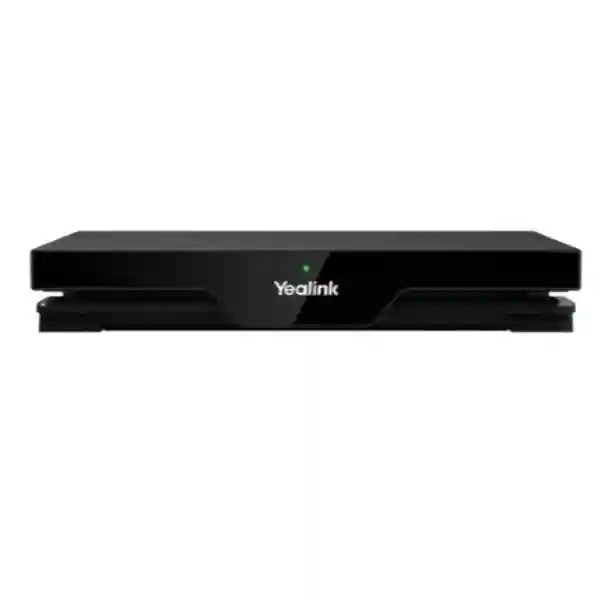
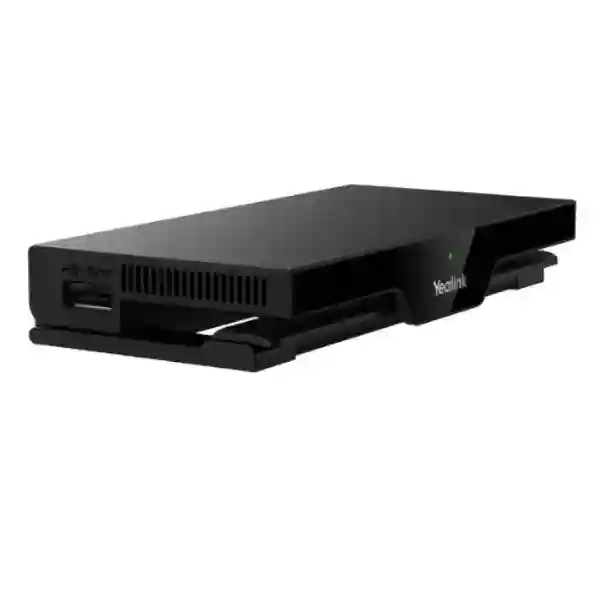
Yealink RoomCast E2 Multi-User Wireless Content Sharing System
Yealink RoomCast E2 is a purpose-built wireless presentation platform for organizations that want meeting participants to move from laptop or mobile content to the room display with less cable handling, fewer adapter problems and a more consistent collaboration workflow. It sits between user devices, the enterprise network, supported room peripherals and the display, creating a controlled presentation layer for meeting rooms, boardrooms, training rooms, classrooms and shared project spaces. The system is designed for multiple presenters: as many as four content channels can be shown at the same time, allowing teams to compare documents, dashboards, drawings or other material without continually disconnecting one presenter before another can begin.
For procurement teams, the value of RoomCast E2 is not simply that it removes a cable. It standardizes how users enter a room and share information. A mixed-device workforce can use supported wireless methods such as Miracast and AirPlay, Yealink Presentation Pod workflows, or YeaCast where appropriate. The appliance runs Android 14 and adds modern security controls including AES 256-bit protection. It also supports centralized administration through Yealink Management Cloud Service, giving IT teams a practical route for fleet visibility, configuration and diagnostics instead of treating every meeting room as an isolated installation.
RoomCast E2 is also relevant where organizations want a lightweight bring-your-own-device meeting experience. When paired with the appropriate Yealink Presentation Pod and compatible standard UAC/UVC room peripherals, the appliance can make a room camera, microphone and speaker available to a participant computer for third-party meetings. That architecture can help organizations make better use of existing room hardware while preserving a familiar laptop-led meeting workflow.
Deployment is designed to remain tidy. The unit can use Power over Ethernet or DC power and can be mounted behind a display or positioned on a desk, reducing the amount of visible cabling around the room. Before purchase, buyers should confirm the intended display input, network topology, power method, casting protocols, peripheral requirements and management approach. FourTeck can help validate these elements for Uganda projects before the bill of materials is finalized.
Instant Specifications & Procurement Fact Rail
Yealink RoomCast E2
Multi-user wireless presentation and BYOD collaboration
4K Ultra HD output capability
Up to four content channels
Android 14
PoE or DC
Yealink Management Cloud Service
Project quotation and availability confirmation
A procurement fact rail is useful because meeting-room devices are frequently specified by feature name while the actual deployment depends on several surrounding components. RoomCast E2 should be treated as the presentation and collaboration endpoint in a room design, not as a complete display, camera or audio system by itself. Buyers should therefore identify whether each room needs only wireless presentation, or whether the project also requires wireless IP BYOD with compatible camera, microphone and speaker devices. Power planning should confirm whether the access switch can provide the required PoE service or whether local DC power is preferred. Network design should also establish whether casting will occur through the corporate LAN, the RoomCast E2 wireless access point, or a combination permitted by policy. Warranty terms, delivery lead time and exact package contents should be stated on the commercial quotation because regional supply arrangements can vary.
Operational Product Architecture & Overview
RoomCast E2 is best understood as a dedicated collaboration appliance that separates presentation handling from the participant’s computer and from the display itself. In a conventional meeting room, presenters often depend on an HDMI lead, a USB-C adapter or a chain of converters. That approach looks simple until a room must support different laptop generations, mobile devices, visiting presenters and multiple operating systems. The practical result can be missing adapters, damaged connectors, incorrect display inputs and wasted meeting time. RoomCast E2 addresses this problem by establishing a persistent room endpoint to which supported user devices can cast content.
The system supports several presentation paths so organizations can choose the one that best fits policy and user behavior. Miracast can serve compatible Windows and Android workflows. AirPlay provides a familiar route for Apple users. YeaCast offers Yealink software-based sharing functions, including copy screen, extended screen and application-window sharing where supported. Yealink Presentation Pod provides a physical one-button workflow that can be attractive in executive rooms, guest-heavy environments or locations where users should not have to navigate operating-system casting menus. This diversity reduces dependence on a single endpoint type while allowing IT teams to disable or control sharing methods when policy requires it.
Four-way split display is a major architectural advantage for collaborative review. Rather than treating presentation as a single-owner activity, the room can become a comparison surface. A finance team can place different reports side by side; engineers can compare drawings and schedules; lecturers can review multiple student contributions; and project teams can examine source material from several participants without repeatedly changing the active presenter. The four-channel limit should be understood during room design: it is sufficient for many comparison workflows, while a fifth simultaneous source must wait until a channel becomes available.
The Android 14 foundation gives RoomCast E2 a current operating platform for its dedicated appliance role. From an operations perspective, the more important point is that the device can be centrally administered rather than managed only at the room. Yealink Management Cloud Service can support task distribution, diagnostics and device management. This matters in organizations with multiple floors, branches or campuses because an administrator can approach the room fleet as managed infrastructure. Standardized naming, network settings, casting controls, screen presentation and digital-signage configuration can be incorporated into a repeatable deployment process.
Security architecture deserves equal attention. Wireless presentation crosses a boundary between a participant endpoint and a shared display, so organizations should avoid treating it as an unmanaged convenience feature. RoomCast E2 supports AES 256-bit protection and configurable PIN validation for supported casting workflows. Administrators can control whether presentation from the office LAN is allowed, and can determine which sharing methods are enabled. A sound deployment should combine these device controls with network segmentation, authenticated administrative access, controlled firmware maintenance and clear meeting-room usage policy.
RoomCast E2 also extends beyond presentation through wireless IP BYOD. With a paired Yealink Presentation Pod, compatible UAC/UVC room devices can be exposed to the presenter’s computer as meeting peripherals. The user can then run the preferred conferencing application on the laptop while taking advantage of the room camera, microphone and speaker. This is useful where an organization needs flexibility across conferencing services, guest meetings or laptop-led sessions without installing a dedicated room computer for every possible platform.
Physical architecture is intentionally simple. PoE can combine network and power delivery, helping installers hide the appliance behind a display with less cable clutter. DC power remains available where PoE is not suitable. A good installation still requires planning: installers should preserve ventilation, service access, cable bend radius and secure mounting, and should avoid placing the device where metalwork or other equipment unnecessarily degrades wireless performance. The display must provide the appropriate input and be configured for the desired resolution and behavior.
Enterprise Business Outcomes & Value Analysis
4K Ultra HD presentation capability gives organizations a strong visual foundation for spreadsheets, diagrams, dashboards, presentations and other detailed content. The operational benefit is not merely resolution. A dedicated room endpoint creates a repeatable presentation path and reduces the uncertainty associated with adapters, dock compatibility and changing laptop ports. For rooms where text legibility and graphical detail matter, buyers should pair RoomCast E2 with a display whose size and native resolution match viewing distance. Network and wireless conditions should also be assessed because a high-quality display cannot compensate for a congested or poorly designed radio environment.
A permanently installed presentation endpoint reduces handling of the display connector and limits dependence on loose adapters that can disappear or fail. PoE can simplify the power path where managed switching is available, while DC provides an alternative. Central administration allows IT teams to monitor and diagnose the appliance as part of the meeting-room estate. Reliability should still be designed end to end: stable switching, appropriate wireless coverage, tested firmware, quality HDMI cabling, secure mounting and documented room configuration all contribute to predictable user experience.
RoomCast E2 can be standardized across small meeting rooms, collaboration areas, training rooms and selected larger spaces where the display architecture is suitable. Standardization can reduce support complexity because users encounter a familiar sharing workflow in different locations. IT teams can develop a common naming convention, VLAN design, casting policy and commissioning checklist. For multi-site deployments, procurement should establish a reference room design and then document any site-specific exceptions such as display models, switch power budgets or guest-network rules.
AES 256-bit protection, configurable PIN validation and administrator control over supported sharing paths help organizations reduce casual unauthorized presentation. Security is strongest when device features are combined with enterprise network controls. Buyers should decide whether users may cast from the corporate LAN, whether the device access point will be used, how guest users are handled, and who can administer the appliance. Sensitive environments should include RoomCast E2 in patching, credential management and asset inventory procedures rather than treating it as consumer AV equipment.
Yealink Management Cloud Service can provide centralized management, task delivery and diagnostics. This is particularly useful when meeting spaces are distributed across offices or campuses. Administrators can establish consistent room settings and reduce the need for physical visits for routine checks. Procurement teams should confirm the intended management model and any service entitlements required for their deployment, because the hardware purchase and the desired management workflow should be planned together rather than discovered after installation.
The cost case includes more than hardware price. Wireless presentation can reduce expenditure on assorted display adapters and the support time spent troubleshooting them. PoE can reduce local power-cabling complexity. Standardized deployment can simplify documentation, training and spares planning. Buyers should nevertheless budget for the complete room: display, mounting, network port, PoE capacity or power adapter, Presentation Pods where required, compatible conferencing peripherals, installation labor and management services. Comparing complete room cost produces a more useful decision than comparing appliance price alone.
Wireless IP BYOD allows a compatible participant computer to use supported room camera, microphone and speaker devices through the RoomCast E2 environment when the appropriate Yealink Presentation Pod is paired. This can help organizations support meetings hosted on different conferencing services without rebuilding the room around each application. Compatibility should be validated against the intended Yealink peripherals and computer environment before a large rollout.
Key Hardware & Software Highlights
| Capability | Technical Role | Operational Outcome |
|---|---|---|
| 4K Ultra HD | High-resolution room display output | Clearer presentation of detailed business content on suitable displays. |
| Four-way split display | Up to four simultaneous content channels | Side-by-side review without constant presenter switching. |
| Android 14 | Current appliance operating foundation | Modern platform for RoomCast E2 functions and security maintenance. |
| AES 256-bit protection | Protects supported content-sharing workflows | Improves confidentiality compared with unmanaged consumer casting. |
| Dual Wi-Fi architecture | Supports stable wireless casting design | Helps maintain responsive multi-user sharing in properly planned radio environments. |
| PoE or DC power | Flexible installation power choices | Cleaner display-side installation and fewer visible cables where PoE is used. |
| YMCS management | Central administration, task delivery and diagnostics | More scalable support across a fleet of rooms. |
| Wireless IP BYOD | Uses compatible room peripherals from a participant computer | Supports flexible laptop-led meetings with suitable Yealink hardware. |
The important procurement distinction is between built-in RoomCast E2 capabilities and functions that depend on surrounding equipment. A four-way presentation session requires suitable source devices and a correctly configured display path. Wireless IP BYOD requires a paired Yealink Presentation Pod and compatible UAC/UVC room peripherals. Central management depends on the chosen Yealink management service and administrative setup. PoE depends on a compatible network power source and available switch budget. Treating these dependencies explicitly prevents under-specified quotations and avoids installation-day surprises.
Technical Specifications Ledger
The following ledger summarizes confirmed platform capabilities and procurement-relevant characteristics. Where a physical measurement, maximum draw or environmental tolerance is not stated in the current source set used for this page, it is deliberately marked for confirmation rather than inferred from the previous-generation RoomCast. This distinction is important because RoomCast E2 is a newer model and legacy dimensions or interface details should not be copied into a bill of materials without verification.
| Specification | RoomCast E2 Detail | Procurement Note |
|---|---|---|
| Product type | Multi-user wireless content sharing system | Designed for business meeting and collaboration spaces. |
| Operating platform | Android 14 | Use current approved firmware at commissioning. |
| Display quality | 4K Ultra HD | Final image quality also depends on source, network and display. |
| Concurrent sharing | Up to four channels | A fifth source must wait for an available channel. |
| Casting methods | Yealink Presentation Pod, Miracast, AirPlay, YeaCast | Enable only methods approved by organizational policy. |
| Protection | AES 256-bit; configurable PIN validation for supported workflows | Combine with network segmentation and administrative controls. |
| Power | PoE or DC | Confirm switch compatibility and available PoE budget before rollout. |
| Management | Yealink Management Cloud Service | Supports centralized tasks, diagnostics and room-device management. |
| Digital signage | Built-in digital signage through YMCS | Can distribute supported image and video content. |
| BYOD | Wireless IP BYOD with paired Yealink Presentation Pod | Room peripherals should support standard UAC/UVC where required. |
| Installation | Behind-display or desktop placement | Maintain service access, ventilation and sensible radio placement. |
| Dimensions / weight | Confirm against current E2 datasheet at order stage | Do not substitute legacy RoomCast measurements. |
| Maximum power draw | Confirm on current E2 datasheet / quotation | Required for detailed UPS and PoE budget calculations. |
| Environmental tolerances | Confirm current manufacturer limits | Important for enclosed cabinets and non-conditioned sites. |
| Regional warranty | As stated on FourTeck commercial quotation | Record serials and purchase documents for service handling. |
For formal tenders, the specification ledger should be converted into a compliance schedule with columns for mandatory requirement, offered compliance, evidence and exception. That method is particularly useful when a project includes multiple room types because it separates universal requirements from room-specific items. For example, every room may require four-way wireless sharing, but only executive rooms may need Presentation Pods and wireless IP BYOD. Likewise, some rooms may use PoE while others use DC because of switch limitations. Capturing these differences in the bill of materials is more reliable than relying on a single generic room description.
Configuration & Sizing Worksheet
Step 1 — Define the room workload
Count the rooms, seats and expected presenters. Identify whether each room is used mainly for one-person presentation, multi-person comparison, training or hybrid meetings. If four-way split display is important, verify that the display is physically large enough for four sources to remain readable at the farthest seat. A 4K signal does not guarantee usable text if the screen is undersized for the viewing distance. Record whether users will bring Windows, macOS, iOS or Android devices and which supported sharing methods are preferred.
Step 2 — Define the physical installation
Decide whether RoomCast E2 will be mounted behind the display or placed on furniture. Confirm available power, network outlet location, HDMI routing and service clearance. Behind-display placement is clean, but technicians still need access for maintenance. Avoid tightly enclosing the appliance with heat-producing equipment or mounting it in a way that unnecessarily obstructs wireless performance. Confirm the display input and whether any matrix switcher, extender or AV-over-IP equipment sits between RoomCast E2 and the screen.
Step 3 — Plan power and network
Where PoE is preferred, check the switch model, port capability, total PoE budget and UPS protection. Do not assume that an available Ethernet port necessarily has sufficient power enabled. If DC power is preferred, provide a secure local outlet and route the adapter so it cannot be easily disconnected. Define VLAN placement, addressing method, DNS and firewall policy. Determine whether casting from the corporate LAN is permitted and whether the RoomCast E2 wireless access point will be used for guests or local sharing.
Step 4 — Choose presentation and BYOD accessories
Not every room needs a Presentation Pod. Native Miracast or AirPlay may be sufficient for some users, while a one-button pod can be valuable in executive, customer-facing or training rooms. Wireless IP BYOD specifically requires the appropriate paired Yealink Presentation Pod. If BYOD is required, list the camera, microphone and speaker devices and validate their compatibility. Standard UAC/UVC support is an important baseline for peripheral use, but the complete intended combination should be tested before mass deployment.
Step 5 — Define management and signage
Decide who owns meeting-room administration. Establish device naming, administrator credentials, firmware policy, monitoring responsibilities and change control. If digital signage is planned, define who creates and approves media, which rooms receive which content and how frequently campaigns change. Centralized management becomes more valuable as the number of rooms grows, but it should be designed into operations from the beginning.
Step 6 — Prepare the quote request
A useful request should include organization name, delivery city, number of rooms, quantity of RoomCast E2 units, display models or required screen sizes, desired casting methods, Presentation Pod quantity, BYOD requirements, existing Yealink peripherals, network switch details, preferred PoE or DC power, installation requirement, commissioning requirement and target delivery date. For multi-site projects, provide a room schedule by location. This allows FourTeck to validate the bill of materials instead of quoting an isolated device that may not cover the full deployment.
Deployment Scenarios & Industry Use Cases
Large Enterprise & Multi-Site Networks
In a large enterprise, RoomCast E2 can become a standard presentation endpoint across meeting rooms while the surrounding room equipment varies by size. Small rooms may use a single display and native wireless sharing. Executive rooms may add Presentation Pods for one-button use. Hybrid rooms may pair the appliance with compatible Yealink cameras and audio devices for wireless IP BYOD. The key advantage is operational consistency: employees moving between offices encounter a recognizable sharing workflow. IT can standardize naming, VLANs, PIN policy, firmware maintenance and management enrollment. Multi-site projects should first build and test a reference room, document the approved configuration, and then replicate it with controlled exceptions.
Financial & Banking Institutions
Banks and financial organizations often need convenient collaboration without sacrificing control. RoomCast E2 can support secure presentation rooms when deployed with appropriate network segmentation, AES 256-bit protection, PIN validation and restricted administrative access. Branch and headquarters designs may differ: headquarters rooms can use centralized management and multi-presenter comparison for reporting, while selected branch spaces can use simpler presentation profiles. Sensitive organizations should disable unneeded sharing paths, define guest behavior, use approved firmware and include meeting-room endpoints in asset and vulnerability-management processes. Procurement documents should clearly separate presentation convenience from broader security obligations; the appliance contributes controls but does not replace enterprise network governance.
Educational & Campus Networks
Universities, colleges and training centers can use four-way content sharing for comparative teaching, student presentations and group critique. A lecturer can invite multiple sources onto the same display rather than physically passing an HDMI cable around a room. Campus IT should pay close attention to wireless density, VLAN design and user instructions because classrooms often contain many active devices. Standardized room names, PIN behavior and clear on-screen guidance can reduce support calls. Digital signage can also be useful outside active teaching sessions where the organization wants to display notices or approved media through centrally managed room screens.
Government & Public-Sector Procurement
Government projects often require formal compliance schedules, documented warranty routes and controlled configuration. RoomCast E2 can be evaluated as a wireless presentation and BYOD endpoint within that framework. Procurement teams should request current manufacturer documentation, exact package contents, country of supply, warranty terms, firmware support information and delivery lead time. Technical teams should document enabled casting methods, administrative access, network placement and update procedure. Where security policy restricts wireless functions, the project should confirm whether the required presentation methods can be configured in accordance with that policy before purchase.
Across these scenarios, the appliance is most effective when the room is designed as a system. Display size, user distance, network quality, power resilience, peripheral compatibility, mounting and management all influence the final experience. FourTeck can assist with the bill of materials so the quotation reflects the complete operational requirement rather than a single model number.
Technical Deep Dive 1: Processing, Wireless Presentation & Display Architecture
The core technical job of RoomCast E2 is to receive supported presentation streams, process them and place them on a shared display with low perceived delay. This workload differs from ordinary media playback because the source can change dynamically and because several presenters may be active at once. Four-way split display requires the appliance to maintain multiple content channels and compose them into a usable screen layout. In practical terms, that means the room can shift from a single full-screen presentation to a comparative multi-source workspace without rewiring the display path.
Wireless performance depends on more than the appliance. Channel utilization, neighboring access points, building materials, source-device radios and network routing can all affect user experience. The dual Wi-Fi architecture is designed to provide fast, stable and interference-resistant casting, but enterprise deployments should still perform sensible radio planning. A meeting room beside a dense open office or auditorium may face very different conditions from an isolated boardroom. Where possible, test the reference installation under realistic occupancy and with the actual endpoint types users will bring.
4K Ultra HD output is especially valuable for detailed content, but procurement teams should distinguish output capability from end-to-end content quality. Source resolution, compression, wireless conditions, display scaling and the display panel itself all contribute. If the room is used for CAD drawings, dense financial sheets or technical schematics, validate representative material during commissioning. Four-way display also reduces the physical area available to each source, so large screens become more important when users must read fine text from the back of the room.
Technical Deep Dive 2: Software Ecosystem, Firmware Security & Operational Control
Android 14 provides the current software foundation for RoomCast E2. For enterprise buyers, the operating-system label is less important than the maintenance discipline built around the appliance. Meeting-room endpoints should have a defined firmware lifecycle: new releases are reviewed, tested in a pilot room, approved, scheduled and documented. Centralized management can reduce the cost of this process by giving administrators a fleet-level view rather than requiring manual interaction with every room.
Administrators can configure presentation methods and on-screen behavior. Miracast, AirPlay, Yealink Presentation Pod and YeaCast workflows should be enabled according to actual requirements. PIN validation can be used to reduce unintended casting. Administrators can also control whether users are allowed to cast through the office LAN. These controls matter because an open collaboration room and a restricted executive room may require different profiles even when they use the same hardware.
Digital signage adds another operational layer. Through Yealink Management Cloud Service, organizations can distribute supported media to room displays when they are not being used for active collaboration. This can turn existing screens into managed communication surfaces for internal notices, visitor messaging or approved campaigns. Governance is important: ownership of media, publishing rights, expiry dates and emergency override procedures should be defined so signage does not become an unmanaged content channel.
Technical Deep Dive 3: Availability, Redundancy & Recovery Planning
RoomCast E2 is a room appliance rather than a clustered data-center platform, so high availability should be designed at the service level. The first layer is power. PoE from a UPS-backed access switch can keep the appliance powered during short utility interruptions, provided the display and any other room equipment are also protected. DC power can be used where appropriate, but the outlet and adapter should be secured against accidental disconnection. The second layer is network resilience. Meeting rooms should connect to managed switching with documented VLAN and addressing configuration, and the organization should retain enough information to restore a replacement device quickly.
A practical recovery plan includes configuration documentation, spare cabling and, for large fleets, consideration of a spare RoomCast E2 unit. If a device fails, technicians should be able to identify the room profile, install the replacement, update firmware, restore required settings, enroll it in management and test the approved casting methods. Standardization shortens this process. If every room has an undocumented custom setup, hardware replacement becomes much slower.
Operational continuity also includes fallback presentation. Critical boardrooms and training spaces may retain a tested wired presentation path even when RoomCast E2 is the normal method. This does not reduce the value of wireless presentation; it simply recognizes that important meetings benefit from an alternate path. Procurement teams should classify rooms by business criticality and decide where spare hardware, UPS support or wired fallback is justified.
Pre-Purchase Buyer Gap Checklist
Are there hidden platform or management costs? The hardware can perform core presentation functions, but buyers should separately confirm any management service, accessory or support entitlement required for their desired operating model. A quotation should state hardware, Presentation Pods, installation, management services and support as distinct line items where applicable.
Is RoomCast E2 the same as the original RoomCast? No. RoomCast E2 is the newer generation and is identified by Yealink as the replacement direction for the original RoomCast. Do not copy dimensions, encryption level or other specifications from the older model into a tender unless Yealink explicitly confirms they are identical.
Will every laptop connect in exactly the same way? No. The available path depends on operating system, hardware support and the sharing method selected. Miracast, AirPlay, YeaCast and Presentation Pod workflows have different prerequisites. Test the organization’s standard laptop builds and guest scenarios before large-scale deployment.
Does four-screen sharing mean four people can always join? The system supports up to four simultaneous content-sharing channels. The room network, source devices and display still need to be suitable. When four channels are occupied, another participant must wait until a channel becomes available.
Does wireless IP BYOD work without accessories? The documented RoomCast E2 workflow requires a paired Yealink Presentation Pod. The connected room camera, microphone and speaker should support the required standard interfaces and should be validated as a complete solution.
Can it be hidden behind the display? Yealink positions RoomCast E2 for behind-display or desktop installation. Installers should still preserve service access, sensible ventilation and appropriate wireless conditions. The device should not be buried in a location that makes maintenance difficult or unnecessarily shields radio signals.
How should PoE be sized? Confirm the current RoomCast E2 power specification and the access switch’s per-port and total power budget. Include other powered devices on the same switch in the calculation. For important rooms, consider whether the switch and display are protected by UPS.
Will it work with existing AV distribution? Many rooms include switchers, extenders, matrices or control systems. The complete signal path should be tested for supported resolution, HDCP behavior where relevant, switching logic and display wake/sleep behavior. Do not assume that a direct-to-display test proves compatibility with a more complex AV chain.
What should be checked for lifecycle planning? Record the model, serial number, purchase date, firmware baseline, warranty terms and management enrollment. Establish an internal review point for firmware and vendor lifecycle notices. For larger fleets, maintain a small spares strategy and documented replacement procedure.
Uganda Procurement, Delivery & Project Logistics
Uganda projects can be quoted as single-unit requirements or as multi-room deployments. For the fastest commercial validation, provide the required quantity, delivery location, organization name, room count, target date and whether installation or commissioning is needed. If Presentation Pods, Yealink cameras, microphones, speakers or displays are part of the project, include them in the same request so the bill of materials can be checked as a system.
Order processing should distinguish stock confirmation from project lead time. Enterprise collaboration equipment can move through regional distribution channels, and larger quantities may require allocation. FourTeck can state expected availability and commercial validity on the quotation. Buyers working against a fixed opening date, training schedule or office relocation should communicate that date at the beginning so logistics can be planned around the actual project milestone.
Pre-configuration can reduce installation time where a project includes repeatable room settings. Typical preparation can include firmware review, device naming, management planning and configuration documentation, subject to the agreed project scope. On-site commissioning can then focus on physical installation, network connectivity, display behavior, casting tests and user handover. For multi-site projects, a pilot room is recommended before broad rollout because it exposes local network, display and endpoint issues early.
Local Coverage Matrix
Head-office, boardroom, training and multi-floor collaboration projects.
Corporate, hospitality, aviation-adjacent and institutional meeting spaces.
Industrial, education and branch-office collaboration requirements.
Regional enterprise, education, healthcare and public-sector projects.
Institutional, NGO, education and regional office deployments.
Coverage planning should consider more than transport. Remote or regional installations benefit from stronger pre-staging, clear cabling lists and documented network prerequisites so technicians arrive with the correct equipment. Where local IT staff will complete installation, FourTeck can structure the bill of materials and configuration notes to make deployment more repeatable.
Cross-Border & Regional Supply Chains
Organizations operating across several countries often benefit from a common room standard and a regional sourcing plan. FourTeck supports procurement conversations across Uganda, Kenya, the wider African market, UAE and Kuwait. A common RoomCast E2 standard can simplify user training and support, while each country order still needs to account for local logistics, commercial terms and project timing.
For cross-border rollouts, create a master room bill of materials and a country deployment schedule. Identify which components must remain identical and which may vary, such as displays, power accessories, mounting hardware or local installation services. Maintain a single firmware and configuration baseline where policy allows. This approach reduces configuration drift and makes troubleshooting easier when staff move between offices.
Related Yealink Collaboration Products
A complete room may require more than RoomCast E2. Explore Yealink solutions in Uganda for compatible collaboration endpoints and accessories. Depending on room size and meeting workflow, projects may combine wireless presentation with Yealink video bars, USB cameras, microphones, speakers, presentation pods or room-control products. Buyers planning Microsoft Teams Rooms or other dedicated room systems should distinguish those architectures from laptop-led BYOD rooms and standalone wireless-presentation rooms. FourTeck can help map the correct components to each room type rather than applying one design to every space.
When selecting related products, start with the user journey. A simple huddle space may need a display and RoomCast E2. A hybrid room may add a compatible Yealink USB video bar and Presentation Pod. A large room may require more specialized camera and audio coverage. A training room may prioritize four-way content sharing and a large display. The accessory decision should therefore follow room purpose, not merely product family.
FourTeck Technical Service Capabilities
FourTeck can support RoomCast E2 projects from pre-sales validation through commissioning and post-sales technical coordination. Engineering validation begins with the room requirement: display size, source devices, network, power, conferencing peripherals and management expectations. The objective is to identify dependencies before purchase, particularly where wireless IP BYOD or integration with existing AV infrastructure is required.
Bill-of-materials verification checks whether the quoted hardware covers the intended workflow. A RoomCast E2 line item alone may be sufficient for a simple presentation room, while a BYOD design can require Presentation Pods and compatible camera/audio equipment. Multi-room projects can be structured by room type so quantities remain traceable. Staging can include agreed firmware review, device identification and configuration preparation. Pre-shipment checks reduce the risk of discovering avoidable compatibility issues after equipment reaches the site.
Post-sales support can include installation guidance, configuration assistance, fault isolation and warranty coordination according to the supplied commercial terms. For organizations with internal IT teams, documentation and handover are especially important. Administrators should receive the device inventory, network settings, management details, firmware baseline and recovery procedure. A well-documented room is faster to support throughout its lifecycle.
Extended Technical FAQ
1. What is the Yealink RoomCast E2 primarily used for?
RoomCast E2 is primarily a multi-user wireless content sharing system for business collaboration spaces. It connects the meeting-room display environment with supported participant devices so users can present without relying on a traditional video cable for every session. It supports 4K Ultra HD presentation and up to four simultaneous content-sharing channels. This makes it suitable for ordinary presentations as well as comparative review where several participants need to place information on screen together. It can also support digital signage through Yealink Management Cloud Service and, with the required Presentation Pod and compatible peripherals, wireless IP BYOD for laptop-led conferencing.
2. Which wireless presentation methods are supported?
RoomCast E2 supports multiple presentation workflows including Yealink Presentation Pod, Miracast, AirPlay and YeaCast. The correct method depends on the source device, operating system, network design and organizational policy. Miracast can be used with compatible Windows and Android devices, while AirPlay supports Apple workflows. YeaCast provides software-based sharing functions, and a Yealink Presentation Pod offers a convenient physical-button experience. Administrators should decide which methods are permitted and test the organization’s standard computers and mobile devices before broad deployment. Guest workflows deserve separate testing because unmanaged devices can have different security or wireless settings.
3. Can four users share at the same time?
Yes. RoomCast E2 supports four simultaneous content-sharing channels and can present them in a four-way split display. This is useful for comparing documents, dashboards, designs or participant contributions without constantly handing presentation control from one person to another. When all four channels are occupied, an additional participant must wait until a channel becomes available. For practical room design, also consider display size. Four sources on one screen reduce the viewing area available to each source, so a display that is adequate for single-screen presentation may be too small for detailed four-way comparison at the back of a large room.
4. Does RoomCast E2 support BYOD video meetings?
Yes, through its documented wireless IP BYOD workflow. RoomCast E2 must be paired with the appropriate Yealink Presentation Pod. A participant can then use compatible room camera, microphone and speaker devices from a computer running a third-party conferencing application. Yealink documentation specifies standard UAC/UVC compatibility as an important requirement for connected USB devices. Buyers should validate the exact room peripheral combination before deployment, particularly where an existing camera or audio system is being reused. BYOD capability should be treated as a system design involving the RoomCast E2, pod, network and peripherals rather than as an isolated checkbox.
5. How is RoomCast E2 secured against unwanted presentation?
The platform includes AES 256-bit protection and configurable PIN validation for supported casting workflows. Administrators can also control available presentation methods and whether casting from the office LAN is allowed. These features help reduce unintended or unauthorized screen sharing, but enterprise security should be layered. The device should be placed on an appropriate network segment, administrative credentials should be controlled, firmware should be maintained, and only required services should be enabled. Sensitive organizations should include meeting-room appliances in normal asset management and security review processes rather than assuming wireless presentation security is independent of the corporate network.
6. Can RoomCast E2 be powered over the network?
RoomCast E2 supports PoE as well as DC power, giving installers flexibility. PoE can be attractive because a single network cable can simplify the installation and reduce visible power wiring around the display. Before choosing PoE, verify the current E2 power specification, the switch’s supported PoE standard, the per-port power capability and the switch’s total power budget. If the meeting room is business critical, also consider whether the switch is UPS-backed. DC power remains useful where PoE is unavailable or where local power architecture makes it more appropriate. The selected method should be documented in the room bill of materials.
7. Can IT manage multiple RoomCast E2 units centrally?
Yes. Yealink positions RoomCast E2 for centralized administration through Yealink Management Cloud Service, including management tasks and diagnostics. This is useful for organizations operating many meeting rooms because IT can create a more consistent support model. Central management should be paired with a deployment standard covering room names, network settings, approved sharing methods, PIN policy, firmware process and digital-signage ownership. Procurement teams should confirm the commercial and service requirements associated with the intended management approach so that the hardware and operating model are budgeted together.
8. Is the RoomCast E2 a replacement for the original RoomCast?
Yealink identifies RoomCast E2 as the newer replacement direction following the end of sale of the original RoomCast. Buyers should therefore treat E2 as a distinct generation and use current E2 documentation for technical decisions. It is particularly important not to copy older RoomCast specifications such as dimensions, encryption details or interface characteristics into a new tender unless they have been independently confirmed for E2. The E2 platform brings Android 14, AES 256-bit protection, dual Wi-Fi architecture and current management and BYOD capabilities. For migrations, document the existing room connections and validate the new model against the complete AV path.
9. What information is needed for a Uganda quotation?
For a useful quotation, provide the required quantity, delivery city, number and type of rooms, target project date and whether installation or commissioning is required. Include the display model or planned screen size, desired casting methods, number of Presentation Pods, BYOD requirements and any Yealink cameras, microphones or speakers that will be connected. If PoE is planned, include the network switch model where possible. Multi-site buyers should provide a room schedule by location. This information allows FourTeck to check the bill of materials and identify accessories or compatibility questions before the commercial offer is finalized.
10. How are warranty and hardware replacement handled?
Warranty terms should be taken from the FourTeck commercial quotation and the applicable manufacturer or distribution terms for the supplied unit. Organizations should retain purchase documentation, serial numbers and installation records because these simplify service processing. If a fault occurs, support normally begins with basic isolation: verify power, network, display path, cabling, firmware state and reproducibility. Where replacement is required, a standardized room configuration makes recovery faster because the new device can be named, updated, configured, enrolled in management and tested against a documented checklist. Large fleets may also consider maintaining an operational spare for critical rooms.
Request a Yealink RoomCast E2 Uganda Project Quote
For a single meeting room or a multi-site collaboration rollout, FourTeck can help translate the room requirement into a practical bill of materials. Send the quantity, delivery location, room count, display details, preferred wireless sharing methods, Presentation Pod requirement, BYOD needs, existing Yealink peripherals and target deployment date. The quotation can then address the complete project rather than only the appliance. For larger deployments, ask for a reference-room approach so network, display, wireless and user-workflow assumptions can be validated before broad rollout.
RoomCast E2 is particularly suitable where organizations want a consistent wireless presentation experience, four-way content comparison, centralized room administration, digital signage and flexible laptop-led collaboration. Correct planning around power, network, display sizing and peripherals will determine how well those capabilities translate into everyday meeting-room performance.




Reviews
There are no reviews yet.