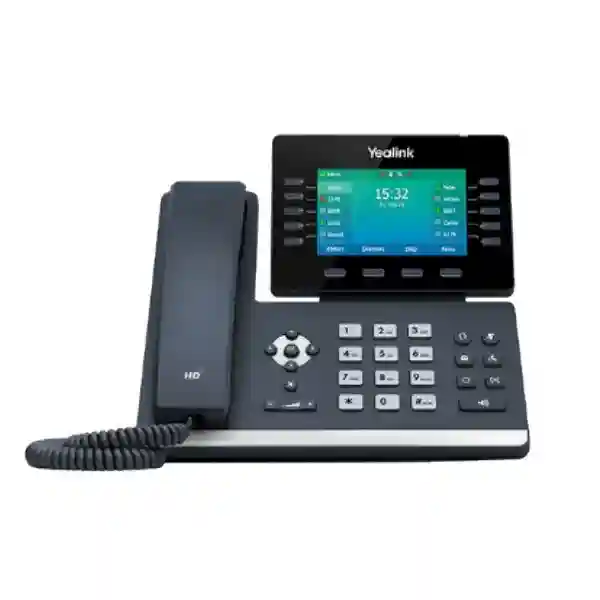
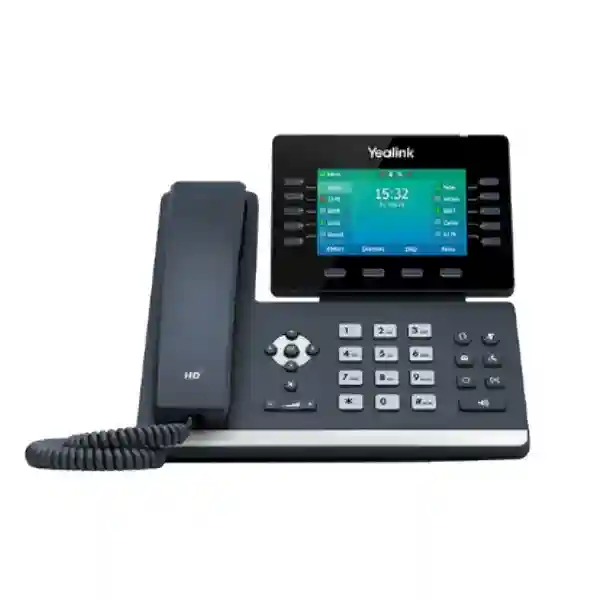
Yealink SIP-T54W Prime Business IP Phone for Enterprise Voice Communications
The Yealink SIP-T54W is a professional SIP desk phone built for business users who need a capable daily communications endpoint without moving to a large touchscreen terminal. It combines an adjustable 4.3-inch 480 × 272 color display, support for up to 16 VoIP accounts, dual-port Gigabit Ethernet, IEEE 802.3af Power over Ethernet, built-in Bluetooth 4.2, dual-band Wi-Fi and a USB 2.0 interface. For Ugandan enterprises, these capabilities make the T54W especially practical where a single standardized phone must serve executives, department managers, reception support positions, finance teams, administrators and other high-call-volume users.
The procurement value of the T54W is not simply its feature count. Its design allows organizations to standardize on a familiar physical handset while retaining several connection choices. A desk can use the wired LAN and PoE infrastructure, connect through supported Wi-Fi where cabling is impractical, pair a compatible Bluetooth headset, or add USB accessories and Yealink EXP50 expansion modules when additional programmable keys are required. This flexibility can reduce the need to maintain many endpoint types across a mixed office estate.
Yealink positions the model as a prime business phone for desktop productivity. Optimal HD Voice, Acoustic Shield, Smart Noise Filtering, a hearing-aid-compatible handset and full-duplex speakerphone support clear business conversations. The phone also provides familiar enterprise calling functions including hold, transfer, call waiting, forwarding, DND, voicemail access, BLF, call pickup, call park, hot desking and conferencing, subject to the capabilities and configuration of the connected SIP platform.
FourTeck supports organizations that need to move from a model number to a deployment-ready bill of materials. Before ordering, buyers should confirm extension counts, SIP platform, PoE availability, VLAN design, headset choice, expansion-module requirements, local power requirements, provisioning method and destination sites. These checks help prevent accessory omissions and reduce staging delays.
Instant Specifications & Procurement Fact Rail
Yealink SIP-T54W
Professional business desk endpoint
Dual Gigabit Ethernet, Wi-Fi 2.4/5 GHz
IEEE 802.3af PoE Class 3; optional 5V/2A adapter
Up to 16 VoIP accounts
Request current stock, lead time and project quote
For procurement planning, the important distinction is between the phone’s included hardware and project-specific accessories. The standard package includes the phone, handset and cord, Ethernet cable, stand and quick-start guide; the external AC adapter is optional. A PoE-enabled access switch can therefore simplify deployment by supplying network and power through the Ethernet connection. Buyers planning USB headsets, recording media, EXP50 modules or specialized wall mounting should list these separately on the request for quotation. Warranty coverage, replacement procedures and lead times should also be confirmed against the specific supplied batch and commercial quotation rather than assumed from a generic regional policy.
Operational Product Architecture & Overview
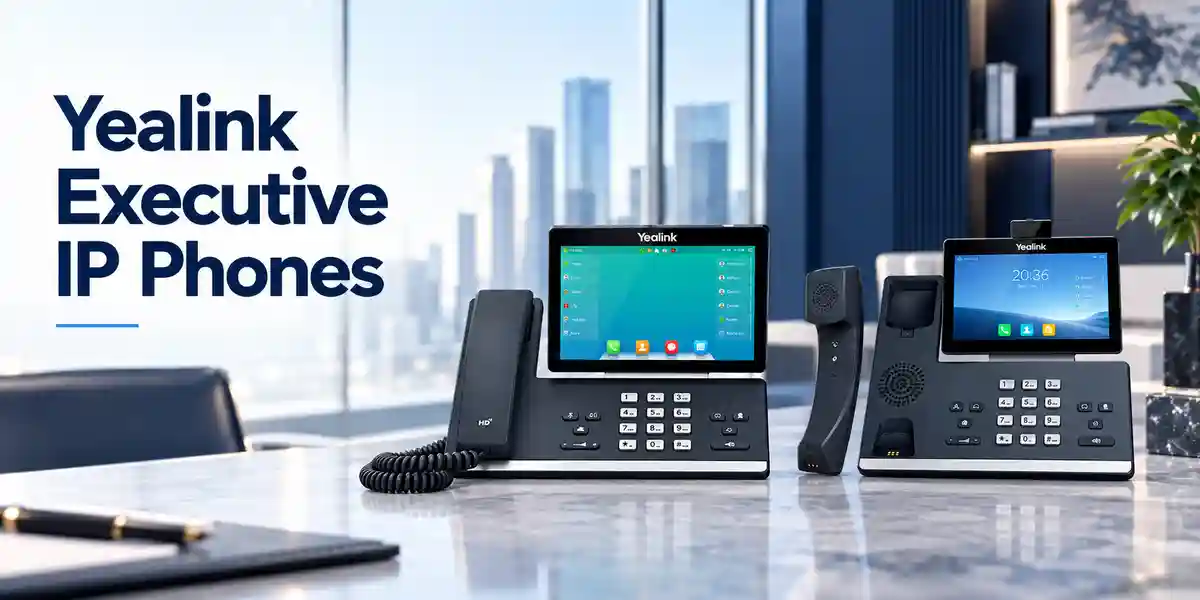
A business desk phone sits at the edge of several infrastructure layers: switching, power, IP addressing, voice VLANs, SIP registration, directory services, security policy and user peripherals. The SIP-T54W is designed to participate in this environment as a standards-oriented endpoint. Its two Gigabit Ethernet ports allow the phone to sit between an access switch and a workstation where the network design permits pass-through connectivity. IEEE 802.3af PoE Class 3 allows compatible switching infrastructure to deliver power over the network cable, which reduces desktop power adapters and can make centralized UPS-backed voice continuity easier to engineer.
The display and physical controls are intentionally optimized for frequent calling rather than application-heavy touchscreen workflows. Ten line keys with LEDs can expose up to 27 programmable functions across three pages, while dedicated keys cover message, headset, hold, mute, transfer, redial and speakerphone actions. Four context-sensitive soft keys and navigation controls give users a predictable workflow. For teams that require substantially more monitored extensions or one-touch destinations, the USB port can connect up to three compatible EXP50 color-screen expansion modules, creating a larger DSS/BLF control surface.
Audio architecture is equally important in procurement because a feature-rich phone still fails operationally if users struggle to hear callers. The T54W supports Yealink HD handset and speaker audio, Acoustic Shield and Smart Noise Filtering, plus a full-duplex hands-free speakerphone with acoustic echo cancellation. Supported codecs include wideband and established narrowband formats, allowing the endpoint to operate across diverse SIP environments. Actual end-to-end voice quality depends on the negotiated codec, PBX or hosted platform, WAN conditions, LAN quality-of-service design, headset selection and the far-end endpoint.
Wireless capabilities solve two different operational problems. Bluetooth 4.2 supports compatible wireless headsets and mobile contact synchronization, reducing cable clutter for users who move around their desk. Integrated dual-band Wi-Fi supports 2.4 GHz and 5 GHz connectivity where a wired network drop is unavailable or inconvenient. A wired PoE connection remains attractive for fixed enterprise desks because it combines predictable network transport and centralized power, but Wi-Fi gives deployment teams an alternative for temporary offices, rearranged workspaces and locations where adding structured cabling would be disruptive.
The USB 2.0 interface extends the platform beyond basic telephony. It can support compatible wired or wireless USB headsets, USB call recording to suitable storage and EXP50 expansion modules. Yealink also documents compatibility paths for selected speakerphones and headset accessories. Because USB power budget and accessory firmware can matter, organizations should validate the exact accessory model before bulk purchase rather than treating every generic USB peripheral as interchangeable.
Mass deployment is another major reason procurement teams consider a business-class SIP endpoint. The T54W supports configuration through the phone or browser and automated provisioning through common network methods. Yealink documents PnP, RPS/boot mechanisms, TR-069 and protocol-based provisioning options. In a controlled rollout, administrators can predefine network, account, directory, feature-key and security settings so users receive a substantially prepared endpoint. The operational objective is consistency: the same settings template, firmware baseline and support process across tens or hundreds of phones.
Enterprise Business Outcomes & Value Analysis
Key Hardware & Software Highlights
Adjustable 4.3-inch Color Display
The 480 × 272 backlit display can be adjusted for a comfortable viewing angle. It provides caller information, soft-key context, line state and menu navigation without requiring a large touchscreen footprint.
16 SIP Accounts
Up to sixteen VoIP accounts give organizations room for multi-line roles, shared identities and specialized routing designs, subject to PBX support and licensing.
Dual Gigabit Ethernet
Two Gigabit ports support LAN and PC connectivity. This helps preserve high-speed desktop networking when a workstation shares the wall outlet through the phone.
Integrated Wireless
Bluetooth 4.2 enables supported headsets and mobile functions, while dual-band Wi-Fi provides 2.4/5 GHz network connectivity for locations where Ethernet is not preferred.
USB Expansion
The USB 2.0 port supports compatible USB headsets, recording media and up to three EXP50 modules. This allows the endpoint to scale toward attendant-style workflows.
Enterprise Security Controls
Documented controls include SRTP, TLS, HTTPS, certificate management, 802.1X, encrypted configuration files, secure boot and WPA security for supported wireless deployments.
These components should be considered as an integrated endpoint rather than isolated specifications. For example, a high-volume executive user may combine PoE Ethernet, a Bluetooth headset and multiple SIP registrations. A reception support user may add EXP50 modules and rely on BLF keys. A temporary project office might use Wi-Fi plus the optional local power supply. The correct bill of materials therefore follows the user role and infrastructure rather than a one-size-fits-all accessory bundle.
Technical Specifications Ledger
| Category | Confirmed Detail | Procurement Relevance |
|---|---|---|
| Display | 4.3-inch, 480 × 272 color backlit display; adjustable | Suitable for line-state visibility and menu navigation at professional desks. |
| VoIP accounts | Up to 16 | Validate PBX account licensing and role requirements. |
| Ethernet | Dual-port Gigabit Ethernet | Supports phone plus downstream PC designs. |
| PoE | IEEE 802.3af, Class 3 | Confirm switch PoE budget per access closet. |
| Wi-Fi | Integrated dual-band 2.4/5 GHz; up to 433 Mbps dynamic | Useful for flexible placement; survey coverage before large voice deployments. |
| Bluetooth | Bluetooth 4.2 | Supports compatible wireless headset and mobile integration functions. |
| USB | 1 × USB 2.0; 5 V / 500 mA output | Accessory compatibility and aggregate requirements should be validated. |
| Expansion | Up to 3 × Yealink EXP50 modules | Suitable for assistant, reception and monitored-extension workflows. |
| Audio | HD handset/speaker, Acoustic Shield, Smart Noise Filtering, full duplex with AEC | Supports clearer calls in active office environments. |
| Directory | Local phonebook up to 1,000 entries; XML/LDAP remote phonebook | Check directory integration design before rollout. |
| Security | SRTP, TLS 1.3 in current documentation, HTTPS, AES256 config encryption, 802.1X, WPA2/WPA3, secure boot | Align firmware and PBX/network policies to supported secure modes. |
| Power consumption | PSU: 1.7–4.3 W; PoE: 2.2–5.5 W | Useful for PoE and UPS capacity planning. |
| Dimensions | 233 × 222.6 × 186.1 × 41.7 mm (manufacturer dimensional notation) | Confirm desk or wall-mount clearance. |
| Environment | Operating temperature -10 to 50°C; humidity 10–95% | Install in suitable indoor environments and protect from moisture/heat extremes. |
| Compliance | Manufacturer documentation lists CE, FCC, HAC, RoHS, REACH and ISO 9001-related marks/references | Request required compliance documentation for formal tenders. |
Specifications should be validated against the firmware and hardware revision supplied with the project. Vendor documentation evolves, particularly around security protocols and supported accessories. For tender submissions, regulated deployments or strict interoperability requirements, request the current manufacturer datasheet and confirm any mandatory certification, platform approval or firmware dependency before purchase.
Configuration & Sizing Worksheet
Step 1 — Estimate Users, Lines and Calling Roles
Start with the number of physical desks, then classify users. Standard professionals may require one primary extension, voicemail and a headset. Executives may need multiple appearances, assistant functions or mobile integration. Reception and administrative teams may require many BLF keys and EXP50 modules. Shared desks may use hot-desking features if supported by the call platform. Record each role separately because accessory and programming requirements differ even when the base phone is identical.
Step 2 — Validate Network and Workspace Conditions
For each desk, record whether Gigabit Ethernet is available, whether the access switch supplies 802.3af PoE, whether voice VLANs and 802.1X are used, and whether the downstream PC will connect through the phone. For Wi-Fi deployments, document SSID security, signal quality and roaming expectations. Measure desk clearance if expansion modules are planned. Wall-mount projects should identify the optional mounting requirement in advance.
Step 3 — Calculate Power and Cabling
PoE is usually the cleanest fixed-desk design because power and network share one Ethernet run. Multiply endpoint counts by an appropriate planning allowance and compare the result with each switch’s available PoE budget rather than its headline maximum alone. Include other powered devices such as access points and cameras. Where PoE is unavailable, specify the compatible Yealink AC adapter for every affected desk and confirm local outlet availability.
Step 4 — Confirm Platform, Firmware and Service Requirements
The handset is a SIP endpoint; the organization still needs a compatible PBX or hosted calling service, user accounts and any service-side licenses required for desired functions. Features such as BLF, call recording, executive/assistant workflows, centralized directories and redundancy depend on platform support. Confirm the PBX vendor, version, provisioning method and required firmware baseline before staging. Do not assume that a function listed on the handset automatically creates the corresponding server-side service.
Step 5 — Prepare the Quote Package
A useful request for quotation should state quantity, delivery city, target deployment date, PBX or hosted platform, PoE status, Wi-Fi requirements, headset preference, number of EXP50 modules, wall-mount needs, power adapters, desired preconfiguration and warranty expectations. Multi-site buyers should provide quantities per site. This allows the commercial team to separate core phones, accessories, staging services and logistics rather than returning a quote that requires repeated clarification.
Deployment Scenarios & Industry Use Cases

Large Enterprise & Multi-Site Networks
A distributed enterprise can use the T54W as a standardized professional endpoint across headquarters, branches and regional offices. Central templates can define account settings, time zones, corporate directories, programmable keys and security controls. At headquarters, executives may use Bluetooth headsets and assistants may use EXP50 modules. Branch users can retain the same interface, reducing training differences. Network teams should align voice VLAN, DHCP, DNS, QoS, provisioning reachability and call-server redundancy across sites. WAN resiliency must be designed separately because an endpoint cannot compensate for a failed upstream path.
Financial & Banking Institutions
Banks and financial organizations often prioritize controlled access, predictable configuration and auditable change processes. The T54W provides security mechanisms such as encrypted signaling/media options, certificate management and 802.1X support that can participate in a broader security architecture. Procurement should validate exact platform interoperability, firmware governance, network admission requirements, call-recording obligations and any internal security baseline. Branch deployments also benefit from PoE and centralized templates, but continuity planning should include switch UPS capacity, WAN resilience and PBX failover behavior.
Educational & Campus Networks
Universities, schools and training institutions may deploy business phones across administration, finance, admissions, security desks and faculty offices. Gigabit pass-through can reduce the need for additional network outlets where a PC shares a desk connection. Directory integration can make campus calling easier, while programmable keys can expose security, reception or departmental destinations. Campus teams should test VLAN assignment, authentication, DHCP behavior and emergency-calling policies in a representative building before mass rollout.
Government & Defense Procurement
Public-sector procurement typically requires clearer documentation, approved bills of materials, delivery records and formal acceptance criteria. The T54W can be evaluated against the organization’s SIP, encryption, authentication, network segmentation and endpoint-management requirements. Where specific certifications, cryptographic standards, data-residency rules or approved-product lists apply, those requirements should be independently checked against the current supplied revision. FourTeck can support commercial and technical documentation, but the procuring authority should define mandatory compliance criteria before award.
Technical Deep Dive 1: Processing, Audio & Endpoint Architecture
The most useful way to understand the T54W architecture is as a purpose-built real-time communications endpoint. Voice packets arrive through the Ethernet or wireless interface, the phone negotiates SIP sessions with the configured platform, and media is encoded or decoded using the selected codec. The endpoint supports established voice-processing functions including acoustic echo cancellation, packet-loss concealment, adaptive jitter buffering, voice activity detection and automatic gain control. These mechanisms address common real-time audio problems, but they cannot repair a fundamentally unstable WAN or badly congested LAN. Good deployments therefore combine endpoint capability with QoS, appropriate switching, low packet loss and correctly engineered call paths.
The dual Gigabit interfaces matter because the phone often becomes part of the workstation’s physical network path. A legacy 10/100 phone can constrain a connected PC even if the access switch and cabling support Gigabit speeds. The T54W avoids that particular limitation. Its PoE interface also reduces local power dependencies and makes centralized UPS strategies practical. For fleet sizing, use Yealink’s documented PoE consumption range as a starting point but preserve switch headroom for boot events, other powered devices and future additions.
On the human side, the physical line keys and adjustable display create a low-latency interaction model: users can see state and press dedicated controls without navigating deep application menus. For roles where monitored extensions grow beyond the built-in keys, EXP50 expansion modules shift the interface toward a console-style layout. This modularity allows procurement teams to keep one core endpoint while changing the control surface by role.
Technical Deep Dive 2: Firmware Security & Operational Control
Endpoint security depends on layered controls. Current Yealink information for the T54W includes TLS 1.3, SRTP, WPA3, HTTPS certificate management, encrypted configuration files and secure boot. In practice, a secure rollout requires both ends of each relationship to support and enforce compatible settings. A phone configured for secure SIP still depends on trusted certificates, protected provisioning credentials, appropriately hardened call servers and controlled network access. Organizations should document who can administer phones, where configuration files are stored, how credentials are rotated and how firmware updates are approved.
Provisioning is the operational center of a large phone estate. Rather than configuring every endpoint manually, administrators can use supported automated mechanisms to deliver repeatable settings. A controlled template should distinguish universal settings from per-user credentials and site-specific network values. Change testing is important: a firmware or template update should first be applied to a small representative group covering common user roles, headsets and expansion modules. Only after call registration, transfers, voicemail, directories, BLF, conferencing and security behavior are verified should the change expand across the fleet.
Logging and troubleshooting procedures should also be established before a large deployment. Administrators need a known process for capturing endpoint logs, identifying registration failures, checking DHCP/VLAN assignment, validating DNS resolution and distinguishing handset faults from PBX or network problems. This reduces unnecessary hardware replacement and helps support teams isolate the correct layer quickly.
Technical Deep Dive 3: Availability, Redundancy & Recovery
A desk phone participates in availability but does not create high availability by itself. Yealink documents call-server redundancy support, which can be used when the connected SIP architecture is designed for alternate servers. The broader service chain includes access switching, PoE, DHCP, DNS, routing, firewalls, WAN connectivity and the call platform. A resilient design identifies failure modes at each layer and determines whether users need automatic failover, local survivability or simply a documented recovery procedure.
PoE can strengthen continuity because access switches can be connected to centralized UPS systems. Instead of maintaining individual adapters and small desktop backup units, an organization can protect an entire voice access layer at the communications room. UPS runtime calculations should include switches, uplinks and any other PoE devices, not just phones. Sites with generators should also account for transfer time and UPS autonomy.
Recovery planning should preserve configuration sources, firmware packages and inventory records. Keeping a small quantity of staged spare handsets can reduce downtime for physical failures. A replacement workflow should specify how the user identity is assigned, whether MAC-based provisioning is used, how old credentials are revoked and how defective units are returned. Dual firmware images provide another layer of operational resilience during software maintenance, but controlled upgrade testing remains essential.
Pre-Purchase Buyer Gap Checklist
What costs sit outside the handset? The phone requires a SIP service or PBX account. Depending on the deployment, additional costs can include hosted calling licenses, PBX licensing, headsets, EXP50 modules, wall mounts, local power adapters, PoE switching, structured cabling, staging and support. Ask for a bill of materials that separates endpoint hardware from service-side requirements.
Will every advertised calling function work on our PBX? Not necessarily. SIP provides broad interoperability, but advanced functions such as BLF behavior, executive/assistant features, recording, directory integration and hot desking can depend on the call platform. Validate the exact PBX or hosted service and firmware combination before a large order.
Does built-in Wi-Fi mean Ethernet is unnecessary? Wi-Fi is useful for flexible placement, but fixed business voice endpoints often benefit from wired Ethernet and PoE because network transport and power are predictable. Use Wi-Fi where it solves a real cabling constraint and verify coverage, security and capacity.
Is the AC adapter included? Manufacturer package information identifies the power adapter as optional. If the site lacks PoE, include compatible adapters in the quotation. This is a common bill-of-materials detail that can delay installation if overlooked.
How much desk space is needed? The base phone is approximately 233 mm wide and 222.6 mm deep according to manufacturer dimensional notation. Expansion modules increase horizontal footprint, and cable bend radius needs additional rear clearance. Measure reception counters and compact workstations before specifying multiple EXP50 modules.
What about full-load power? Yealink publishes up to approximately 5.5 W under PoE and 4.3 W with the PSU for the phone. Project calculations should include switch overhead and connected infrastructure, and accessory effects should be considered where relevant. Maintain reserve capacity rather than engineering a PoE switch to its absolute limit.
Can we mix vendors? SIP standards support cross-vendor environments, but advanced feature behavior is not automatically identical. Test registration, codec negotiation, DTMF, transfers, voicemail indication, BLF, TLS/SRTP and provisioning with the intended platform. A small pilot is preferable to discovering a feature mismatch after hundreds of endpoints arrive.
What lifecycle questions should be asked? Confirm current supply status, manufacturer support information, available firmware, accessory availability and the organization’s expected deployment lifetime. For long programs, consider holding spares and standardizing accessory models so replacements remain operationally simple.
Uganda Procurement & Delivery Logistics
For Uganda projects, the cleanest procurement process begins with a quantified request. Provide the number of SIP-T54W phones, delivery destination, required date, PBX or hosted voice platform, accessory quantities and whether preconfiguration is required. FourTeck can then structure the quotation around the actual deployment rather than a bare handset price. Commercial documents can identify the phone, accessories, service items and logistics separately, helping procurement teams compare like-for-like offers.
Order processing should include a final bill-of-materials check before dispatch. This is especially important when some sites use PoE and others require AC adapters, or when only selected users need headsets and expansion modules. For multi-branch projects, quantities can be grouped by destination so staging labels and shipment packing align with the rollout plan. Current stock and lead times should always be confirmed at quotation because availability can change with project volume and supply conditions.
Technical preconfiguration can reduce installation effort when the customer provides the necessary platform and provisioning information. Depending on project scope, preparation can include firmware baseline checks, configuration-template validation, asset labeling and functional verification. Sensitive credentials should be handled through an agreed secure process. For larger deployments, a pilot batch is recommended before full staging so network, PBX and user-experience assumptions are tested in the customer environment.
Local Coverage Matrix
Kampala: headquarters, corporate offices, financial institutions, government facilities and multi-floor deployments can be planned around structured cabling and PoE access layers. Entebbe: hospitality, logistics, aviation-related offices and branch environments can use standardized SIP endpoints with centralized administration. Jinja: industrial, education and regional business sites can deploy the same endpoint templates while adapting network and power requirements per building. Mbarara: branch offices, healthcare administration and education environments can be supplied with project-specific quantities and accessories. Gulu: regional offices and institutional deployments can be planned with particular attention to shipment grouping, spares and local infrastructure readiness. Delivery timing and service scope depend on the quotation and project conditions.
Cross-Border & Regional Supply Chains
Organizations operating across several countries often benefit from aligning endpoint standards, naming conventions and accessory choices even when procurement occurs through regional channels. FourTeck maintains regional web presences for Uganda, Kenya, broader African markets, the UAE and Kuwait. Cross-border projects should identify the final destination for each batch, required commercial documentation, power accessories, delivery terms and any local import or regulatory requirements.
For a multi-country rollout, maintain a master bill of materials and then create country-specific schedules. The core T54W model can remain standardized while local requirements such as power adapters, shipment documentation, tax treatment, delivery routing and support arrangements are handled per destination. Lead times should be confirmed at order stage rather than inferred from another country’s stock position. A consistent firmware and provisioning policy also helps reduce support differences across the regional estate.
Related Products & Deployment Components
A complete voice project normally includes more than the desk phone. Buyers comparing user profiles may consider other Yealink business phone classes, compatible headsets, expansion modules, PoE switching and the SIP platform itself. Explore Yealink solutions in Uganda for adjacent models and accessories. Teams that need a larger visual interface can compare higher-tier Yealink endpoints, while users with simpler calling patterns may be served by lower-tier models. Reception and executive-assistant roles should evaluate the Yealink EXP50 expansion module where additional programmable keys are required.
Infrastructure planners should also review PoE switching options to ensure sufficient port count and power budget, IP PBX solutions for call control, and business headset options for users who spend significant time on calls. Structured-cabling projects can also review network cabling solutions. Internal links are starting points; exact compatibility should be confirmed in the final bill of materials.
FourTeck Technical Service Capabilities
FourTeck can support the procurement process with engineering validation before shipment. The objective is to catch mismatches while they are still inexpensive to correct. A bill-of-materials review can compare phone quantity with PoE availability, AC adapter requirements, headset choices, expansion modules and site allocation. Platform information can be reviewed to identify items that require customer-side confirmation, such as SIP account licensing, advanced feature support or security settings.
For larger projects, staging can be organized around an approved configuration baseline. This may include checking the supplied firmware level, applying agreed updates, validating provisioning behavior, performing basic registration or functional tests where suitable access is provided, and labeling assets by site or user group. Pre-shipment firmware work should follow a customer-approved change process because newer firmware can alter security defaults or feature behavior.
Post-sales technical support can assist with fault isolation and deployment questions within the agreed service scope. Effective troubleshooting starts by identifying whether the issue is physical hardware, LAN addressing, VLAN/authentication, provisioning, SIP registration, PBX behavior, WAN connectivity or an accessory. Keeping configuration records and a small spare pool can shorten recovery times. Warranty handling should follow the terms stated in the commercial documentation supplied with the order.
Extended Technical FAQ
1. Is the Yealink SIP-T54W suitable for executive and management desks?
Yes, its feature set is oriented toward professional business users. The adjustable color display, up to sixteen VoIP accounts, programmable line keys, Bluetooth headset support, Wi-Fi, Gigabit Ethernet and USB expansion make it appropriate for executives and managers who handle frequent calls. The right fit still depends on workflow. Users who require a large touchscreen or video-centric applications may need a different endpoint class, while users with basic single-line needs may not require all T54W capabilities. A role-based endpoint matrix is useful when standardizing a large organization.
2. Does the SIP-T54W require a separate power adapter?
Not when it is connected to a compatible IEEE 802.3af PoE source. The T54W supports PoE Class 3, so a suitable PoE switch can supply power through the Ethernet cable. Yealink lists the external 5 V/2 A AC adapter as optional. Sites without PoE should therefore include compatible adapters in the bill of materials. For large PoE deployments, calculate the total switch power budget and UPS requirements rather than checking only that each individual port supports PoE.
3. Can the phone connect over Wi-Fi instead of Ethernet?
Yes. The T54W includes dual-band 2.4 GHz and 5 GHz Wi-Fi. This is useful in flexible offices, temporary sites and desks where adding an Ethernet run is difficult. Wi-Fi does not remove the need for power, so a non-PoE wireless deployment normally needs the optional local power adapter. For business voice, survey signal strength, interference, capacity and authentication before committing to a large wireless rollout. Wired PoE remains attractive for fixed desks because it combines stable transport and centralized power.
4. What headset options can be used?
The phone provides several accessory paths, including Bluetooth 4.2, a dedicated RJ9 headset port and USB 2.0 for supported wired or wireless USB headsets. Yealink also documents compatibility with selected Yealink accessories and an EHS40 wireless headset adapter. Exact call-control functionality can vary by headset model and connection method, so organizations should test answer/end, mute, volume and multi-call controls with the chosen headset before bulk procurement. User role, wearing style and office noise should also guide headset selection.
5. Can the SIP-T54W support reception or assistant workflows?
It can support many such workflows through programmable line keys, BLF and optional EXP50 expansion modules. Up to three EXP50 modules can be connected, providing a much larger programmable key surface for monitored extensions and one-touch actions. Whether BLF, executive/assistant functions, call pickup and related behavior operate exactly as required depends on the connected PBX or hosted platform. Reception deployments should be piloted with the real call platform and final key layout before purchasing a large number of expansion modules.
6. What security features are available?
Current Yealink information lists a broad set of endpoint controls including SRTP for media, TLS 1.3, HTTPS certificate management, AES256 configuration-file encryption, IEEE 802.1X, WPA2/WPA3 for wireless networks and secure boot. These capabilities are building blocks rather than an automatic security guarantee. Administrators should configure secure signaling and media on both phone and server, use trusted certificates, protect provisioning systems, restrict management access, maintain firmware and follow credential-management policies appropriate to the organization.
7. Does the phone work with every SIP PBX?
The T54W supports SIP standards and is designed for business IP telephony, but advanced interoperability should be validated with the exact PBX or hosted service. Basic registration and calling are only part of the requirement. Test transfers, hold, DTMF, voicemail indication, directories, BLF, call park, conferencing, TLS/SRTP and provisioning. Platform vendors may publish certified device lists or configuration guides. Where a feature is business-critical, a pilot on the production platform is the safest procurement approach.
8. What warranty and replacement process applies in Uganda?
Warranty terms should be taken from the FourTeck quotation, invoice or project agreement for the specific supply rather than assumed from generic product information. Buyers should confirm the warranty period, what constitutes a covered hardware fault, the return procedure, turnaround expectations and whether advance replacement is part of the contracted service. For business-critical sites, maintaining a small pool of configured spares can provide faster operational recovery than waiting for a warranty assessment, regardless of the underlying warranty entitlement.
9. Can FourTeck preconfigure phones before delivery?
Preconfiguration can be scoped for projects where the customer provides the necessary technical information and approves the staging process. Typical preparation may include firmware baseline checks, provisioning-template validation, asset labeling and agreed functional tests. The exact work depends on the PBX, security policy and quantity. A pilot batch is recommended for larger deployments so settings can be verified on the customer network before all units are staged. Credentials and configuration files should be exchanged and handled through an agreed secure process.
10. What information should be provided for an accurate quotation?
Provide the required quantity, delivery city or cities, target date, PBX or hosted calling platform, whether each site has PoE, and the number of users requiring Bluetooth/USB headsets or EXP50 expansion modules. Also state whether AC adapters, wall mounts, staging, labeling, firmware work or configuration assistance are needed. For multi-site deployments, split quantities by destination. If the project has formal compliance, warranty or documentation requirements, include them at the quotation stage so the commercial response reflects the complete procurement scope.
Prepare a Deployment-Ready Yealink SIP-T54W Quote
A reliable business phone project starts with the correct endpoint, accessories, power design and call-platform assumptions. Send FourTeck your SIP-T54W quantity, Uganda delivery locations, PBX or hosted voice platform, PoE status, headset requirements, EXP50 quantities and desired staging scope. The team can structure a project-specific quotation and help validate the bill of materials before ordering. For branch rollouts, include site-by-site quantities so packing and logistics can follow the deployment schedule. For tenders, identify required warranty, compliance and documentation conditions at the outset.
The SIP-T54W is particularly well suited to organizations seeking a professional physical-key business phone with Gigabit networking, integrated wireless connectivity, PoE, strong accessory expansion and centralized deployment options. Confirming the surrounding infrastructure before purchase turns those capabilities into a more predictable rollout.

Reviews
There are no reviews yet.