Prime Business Communications • Uganda
Yealink SIP-T57W Prime Business IP Phone
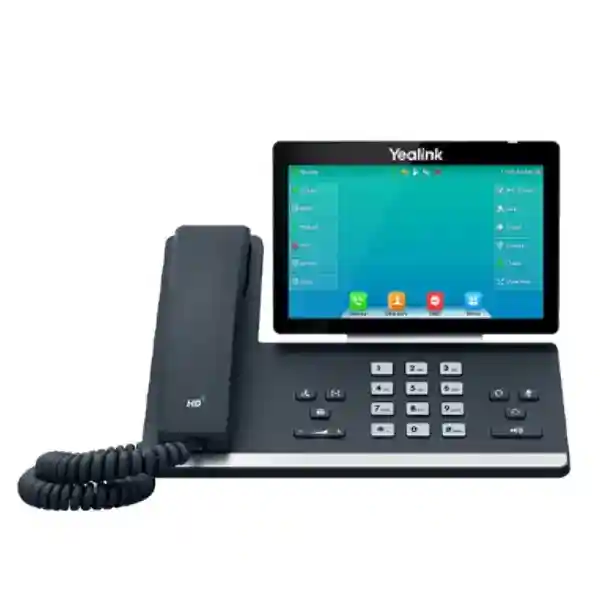
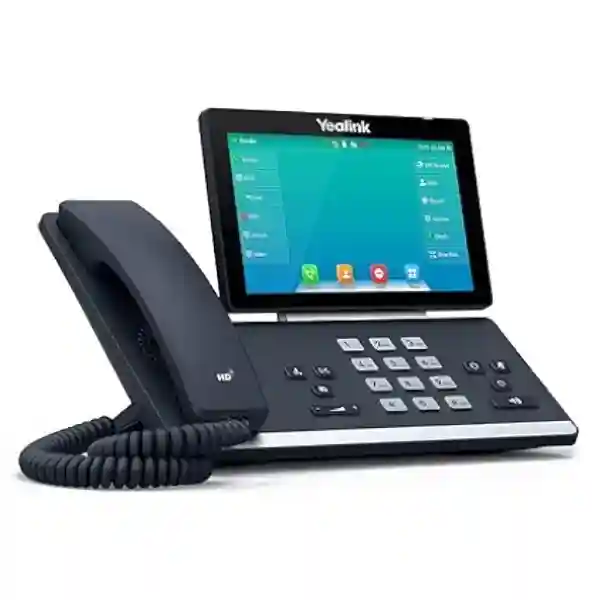
The Yealink SIP-T57W is a premium SIP desktop telephone built for executives, managers, reception teams and other users who need a large touch interface, dependable HD voice and flexible wired or wireless connectivity. It combines a 7-inch adjustable capacitive touchscreen with up to 16 VoIP accounts, dual-port Gigabit Ethernet, IEEE 802.3af Power over Ethernet, built-in dual-band Wi-Fi, Bluetooth 4.2 and USB expansion.
For a procurement team, the practical value is consolidation. One endpoint can support multiple identities, programmable touch keys, wired or wireless headsets, call recording to compatible USB storage, optional EXP50 expansion modules and a broad set of SIP call-control functions. That makes it suitable for desks where call handling is a core part of the job rather than an occasional task.
Instant Specifications & Procurement Fact Rail
SIP-T57W
Executive / high-call-volume desk
Dual Gigabit Ethernet
IEEE 802.3af PoE or optional 5V/2A adapter
2.4/5GHz Wi-Fi + Bluetooth 4.2
Contact FourTeck for current supply
Procurement should confirm quantity, intended call platform, PoE availability, headset requirements, wall-mounting requirements, expansion-module needs and delivery destination before order release. Warranty terms can vary by supply channel, project, batch and commercial agreement, so the applicable regional warranty baseline should be confirmed on the issued quotation rather than assumed from a generic product listing.
Operational Product Architecture & Overview
The SIP-T57W is designed around the daily workflow of a professional voice endpoint rather than around consumer telephony. Its 7-inch 800 × 480 capacitive display provides a touch-driven surface for line status, contacts, call handling and programmable functions. The screen is physically adjustable, which matters in real deployments where desk height, ambient lighting and user posture vary. For reception, executive assistant and management positions, this reduces dependence on small physical labels and provides a more legible interface for frequent call actions.
The endpoint supports up to 16 VoIP accounts. That capacity can be used where one person represents multiple departments, where an executive and assistant workflow requires several monitored identities, or where a shared desk must present multiple lines. Twenty-nine touch DSS keys provide programmable access to frequently used functions. Busy Lamp Field, call park, call pickup, bridged line appearance, hot desking, voicemail, transfer, forwarding, hold, DND and other standard enterprise call controls allow the device to participate in sophisticated PBX workflows when the connected platform supports them.
On the network side, dual-port Gigabit Ethernet allows the phone to sit between the access switch and a workstation where that topology is appropriate. IEEE 802.3af PoE can carry power over the network cable, reducing the need for a local AC outlet and making centralized UPS-backed switching more useful during brief power events. An optional 5V/2A adapter can be used where PoE is unavailable. Built-in dual-band Wi-Fi gives deployment teams another connectivity path, particularly for offices where structured cabling is constrained, although wired Ethernet remains preferable where deterministic network design and centralized PoE are priorities.
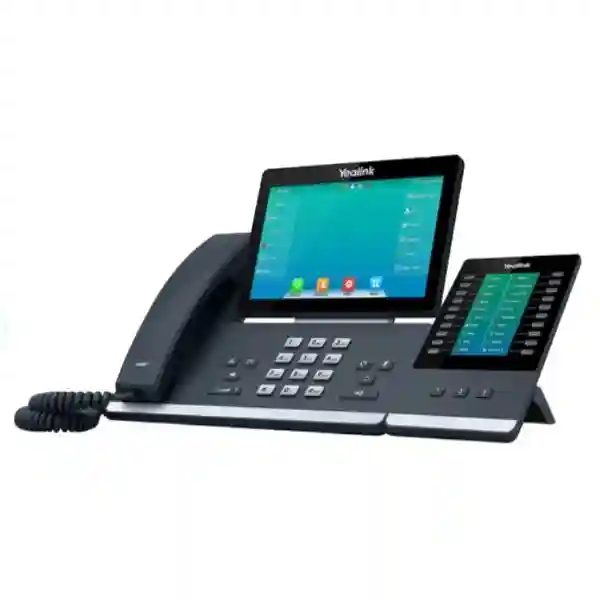
Bluetooth 4.2 supports compatible wireless headsets and mobile-contact synchronization functions. The USB 2.0 port adds another expansion path for wired or wireless USB headsets, compatible USB recording, Yealink EXP50 color-screen expansion modules and supported accessories. Up to three EXP50 modules can be attached for roles that require a much larger monitored key field. This is especially relevant to operators, reception desks and assistants who need quick visibility into colleague status or frequently transferred destinations.
Voice quality is built around Yealink HD handset and speaker operation, wideband codecs such as Opus and G.722, full-duplex speakerphone operation with acoustic echo cancellation, and Yealink Acoustic Shield and smart noise filtering capabilities. The value is not simply louder audio: a business endpoint must help both parties understand speech during long calls, conference sessions and periods of background office noise. Codec selection and actual quality still depend on the PBX, carrier, WAN conditions and configuration at both ends.
Management architecture is equally important at scale. The SIP-T57W supports configuration from the phone or browser and automated provisioning through commonly used methods including HTTP/HTTPS, FTP/TFTP and plug-and-play mechanisms. Central provisioning reduces manual desk-by-desk setup, while configuration encryption, HTTPS, SRTP, TLS, 802.1X, VLAN and QoS capabilities provide building blocks for a controlled enterprise deployment. The exact security posture depends on firmware, PBX support, certificate management and administrator policy, so buyers should treat the endpoint as one layer of the voice architecture rather than a standalone security boundary.
Enterprise Business Outcomes & Value Analysis
Gigabit network interfaces avoid forcing an attached workstation onto a Fast Ethernet bottleneck, while broad codec support allows the endpoint to participate in modern voice deployments. The large touch interface and programmable DSS functions can reduce the number of steps required for repetitive call actions. Actual end-to-end performance remains dependent on switching, WAN latency, packet loss, QoS policy, PBX capacity and carrier service.
PoE allows phones to be powered from centrally protected network switches, which can simplify UPS planning. Call-server redundancy support gives architects a mechanism for resilient voice designs when paired with a compatible platform. Dual firmware images provide an additional operational safeguard during software lifecycle management. Resilience should still be tested as a complete system, including switches, gateways, DNS, DHCP, PBX services and WAN paths.
Automated provisioning is valuable when tens or hundreds of endpoints must receive standardized accounts, certificates, dial plans and user settings. Up to 16 accounts per phone and optional EXP50 expansion support let the same model serve demanding desks without introducing a different endpoint family for every high-volume role.
SRTP, TLS, HTTPS, configuration-file encryption, 802.1X, VLAN support and certificate management provide useful controls for enterprise voice. These capabilities should be mapped to the organization’s existing identity, PKI, NAC and network-segmentation standards. Security features that are supported but not configured do not provide the intended protection.
Browser configuration and auto-provisioning reduce repetitive local administration. Standard templates can enforce time settings, SIP servers, codecs, VLAN parameters, directory sources and key layouts. A pilot template should be validated before mass rollout so a configuration mistake does not propagate across an entire fleet.
The published power range is modest for a desktop endpoint, while PoE can eliminate separate power adapters at many desks. Built-in Wi-Fi and Bluetooth may also reduce accessory requirements in selected deployments. Buyers should calculate total cost using phones, licensing, headsets, PoE switch capacity, support, spares, staging, installation and PBX subscriptions rather than comparing handset prices alone.
Key Hardware & Software Highlights
| Component | Capability | Operational Outcome |
|---|---|---|
| Touch display | 7-inch, 800 × 480, capacitive, adjustable | Large interface for contacts, lines, call control and DSS functions. |
| SIP capacity | Up to 16 VoIP accounts | Supports multi-line and multi-role desks. |
| Ethernet | Dual-port Gigabit | Supports phone-plus-PC desk topology without a 100Mbps phone-port ceiling. |
| Power | 802.3af PoE; optional 5V/2A adapter | Flexible centralized or local powering. |
| Wireless | Dual-band Wi-Fi and Bluetooth 4.2 | Flexible network placement and compatible wireless headset use. |
| USB | 1 × USB 2.0 | Headsets, USB recording and EXP50 expansion. |
The combination is particularly useful where a standard entry-level desk phone would create workflow compromises. The SIP-T57W provides a larger interface, more account capacity and more expansion choices while remaining a purpose-built SIP phone. It is not an Android collaboration tablet; buyers who require application installation or video-centric collaboration should evaluate a different endpoint class. That distinction helps avoid paying for the wrong architecture.
Technical Specifications Ledger
| Category | SIP-T57W Specification |
|---|---|
| Display | 7-inch 800 × 480 capacitive adjustable touchscreen |
| Accounts | Up to 16 VoIP accounts |
| Conferencing | Up to 10-way audio conferencing |
| Audio | HD handset/speaker; Opus, G.722, PCMA, PCMU, G.729A/B, G.726, G.723.1, iLBC; full-duplex speakerphone with AEC |
| Noise handling | Acoustic Shield and smart noise filtering |
| Ethernet | 2 × Gigabit Ethernet ports |
| PoE | IEEE 802.3af |
| Wi-Fi | Built-in 2.4GHz/5GHz; published support includes IEEE 802.11a/b/g/n/ac and rates up to 433Mbps depending on firmware/specification revision |
| Bluetooth | Built-in Bluetooth 4.2 |
| USB | 1 × USB 2.0, 5V/500mA output |
| Handset/headset | RJ9 handset and RJ9 headset ports; HAC handset |
| Expansion | Supports up to three Yealink EXP50 expansion modules |
| Directories | Local phonebook up to 1,000 entries plus supported XML/LDAP remote directories |
| Security | SRTP, TLS, HTTPS, AES configuration-file encryption, certificate management, 802.1X, OpenVPN and authentication controls; feature availability can depend on firmware |
| Network | IPv4/IPv6, DHCP/static addressing, VLAN, LLDP/CDP, DSCP and 802.1p/Q QoS support |
| Provisioning | Phone/web configuration and automated provisioning using supported FTP/TFTP/HTTP/HTTPS/PnP methods |
| Power consumption | Published range: 3.2–6.3W with PSU; 4.0–7.8W with PoE |
| Dimensions | Approx. 259.4 × 220 × 211 × 44.5mm (manufacturer format W × D × H × T) |
| Environment | Operating temperature -10°C to 50°C; operating humidity 10–95% |
| Mounting | Desktop stand included; wall mounting supported with appropriate accessory/installation |
Specification planning should account for firmware evolution. Security protocol support and some wireless details can be extended or changed in later firmware revisions. For a controlled enterprise deployment, confirm the intended firmware branch and PBX interoperability before freezing the bill of materials. Where a feature is mission-critical, validate it in a pilot rather than relying solely on a generic compatibility statement.
Configuration & Sizing Worksheet
1. Estimate workload and user role
Start with call behavior rather than job title. Count the number of SIP identities, monitored extensions, daily transfers, conference requirements and headset hours. A manager with two accounts may value the touchscreen and wireless headset support, while a receptionist may require one or more EXP50 modules for a much larger DSS field. Document whether users need local USB recording, centralized recording, Bluetooth mobile integration or DECT cordless extension through supported accessories.
2. Check desk, wall and environmental conditions
Allow sufficient desk depth for the phone, handset movement and cable bend radius. For wall installations, confirm the appropriate mounting accessory and user viewing angle. The published operating range is -10°C to 50°C and 10–95% humidity, but normal office conditions are preferable. Avoid locations exposed to direct water, excessive dust, unstable power or intense heat sources.
3. Validate power and cabling
If PoE is planned, verify that access switches provide IEEE 802.3af power and have enough remaining PoE budget for the total endpoint count. The phone’s published PoE consumption reaches approximately 7.8W, so design with appropriate headroom rather than multiplying only the minimum consumption. If local adapters are required, identify outlet availability and backup-power expectations. Confirm Cat5e or better structured cabling where Gigabit workstation pass-through is expected.
4. Map platform, firmware and licensing
The SIP-T57W is a SIP endpoint, but a working business calling service also requires a compatible PBX, hosted service or call platform. Account licensing, extension licensing, call recording, contact-center features, SBC services or advanced management may be charged separately by the platform provider. Obtain a platform-specific compatibility statement and define the approved firmware version before a large rollout.
5. Prepare the quotation request
Include quantity, delivery city, PBX or hosted platform, PoE switch model, required headsets, number of EXP50 modules, wall-mount requirements, power-adapter requirements, provisioning expectations, preferred firmware, spare-unit percentage and target deployment date. This turns a handset request into a complete deployment bill of materials and reduces change orders later.
Deployment Scenarios & Industry Use Cases
Large enterprise and multi-site networks
In a multi-site business, the SIP-T57W can be standardized for high-demand desks while lower-tier phones serve ordinary users. Central provisioning can apply common SIP servers, VLAN IDs, codecs, directories, certificates and key templates. Executives can use Bluetooth or USB headsets, while assistants can add EXP50 modules. A consistent model across major offices simplifies spares and user training. WAN QoS, survivability and PBX redundancy should be engineered separately from the endpoint selection.
Financial and banking institutions
Banks and financial offices often need controlled endpoint configuration, segmented voice networks and predictable call handling. Support for VLAN tagging, 802.1X, encrypted signaling/media options and certificate management can fit into a broader security architecture. The phone should be deployed under formal configuration control, with USB recording governed by policy where sensitive conversations are involved. Centralized recording is often preferable where compliance and retention requirements apply.
Educational and campus networks
Universities and large schools may use premium phones in administration, registrar, finance, security and executive offices. Gigabit pass-through helps preserve workstation connectivity at desks with a single network outlet. PoE reduces local adapters, while directory integration can make large staff lists easier to access. Campus teams should plan voice VLANs, DHCP options, emergency-calling rules and UPS coverage before endpoint rollout.
Government and regulated procurement
Public-sector buyers typically require documented model numbers, compliance records, serial tracking, acceptance criteria and support terms. The SIP-T57W supports enterprise security and provisioning features, but procurement documents should specify the exact firmware baseline, configuration template, approved call platform and warranty route. For sensitive environments, confirm organizational security requirements independently and disable functions such as local recording or wireless connectivity where policy requires it.
Technical Deep Dive 1: Processing, Media & Endpoint Architecture
The SIP-T57W is purpose-built around real-time voice. Unlike a general-purpose desktop device, its job is to register SIP identities, maintain signaling sessions, encode and decode media, drive the handset and speakerphone, maintain the user interface and respond quickly to call-control events. Wideband codec support such as Opus and G.722 can improve intelligibility when the complete call path supports wideband media. Legacy codecs remain available for interoperability with older trunks and platforms.
Full-duplex speakerphone operation uses acoustic echo cancellation so both parties can converse more naturally. Packet-loss concealment, adaptive jitter buffering, gain control and voice-activity functions help the endpoint handle normal IP voice variability, but they cannot compensate for a badly designed network. Voice VLANs, QoS classification, sufficient WAN capacity and low packet loss remain essential. The dual Gigabit interfaces are particularly useful at desks where the phone shares one structured-cabling outlet with a computer.
The touchscreen changes the human side of the architecture. Instead of relying on a dense bank of fixed physical keys, the phone can present contextual controls and 29 touch DSS keys. That reduces label maintenance and supports flexible layouts. For even larger monitored extension fields, EXP50 modules extend the physical workspace without requiring a different phone model.
Technical Deep Dive 2: Software Ecosystem, Firmware Security & Control
Large voice estates succeed or fail on lifecycle management. The SIP-T57W supports automated provisioning so administrators can define a known configuration centrally and apply it consistently. A mature deployment normally separates base configuration, site-specific settings and user-specific account data. This structure makes changes easier to test and roll back. Dual firmware images provide a useful mechanism for software maintenance, while system logs and packet-trace export help engineers diagnose registration, signaling and network problems.
Security capabilities include encrypted signaling and media options, HTTPS administration, configuration-file encryption, certificate management and network access controls. Newer firmware branches may add or strengthen protocol support. Administrators should therefore treat firmware as part of the security baseline: record approved versions, review release notes, test upgrades with the chosen PBX and maintain a staged rollout process. Password policies, provisioning-server security and certificate handling are as important as the phone’s feature list.
Interoperability also requires discipline. SIP is standardized, but vendors implement supplementary features differently. Basic registration and calling may work while BLF, shared lines, directory integration, recording or failover require platform-specific settings. Pilot the exact workflows that users depend on before purchasing at scale.
Technical Deep Dive 3: High Availability, Redundancy & Recovery
The phone supports call-server redundancy, but true availability is an end-to-end design property. A resilient endpoint can still become unusable if the access switch loses power, DHCP is unavailable, DNS fails or the WAN path to a hosted PBX is interrupted. Design voice services as a chain: endpoint, access switch, PoE source, gateway, routing, DNS/DHCP, SBC, PBX and carrier. Identify which links are redundant and which remain single points of failure.
PoE is particularly useful when access switches are connected to UPS systems because desk phones can remain powered without individual UPS units. Multi-site organizations can combine local survivability or alternate call-server registration with redundant WAN paths where the platform supports it. Configuration backups and centralized templates accelerate replacement after hardware failure: a spare phone can be introduced, provisioned and assigned the user’s account with less manual reconstruction.
Disaster recovery procedures should include spare ratios, replacement authority, configuration ownership, firmware availability and escalation contacts. Test failover under controlled conditions. A documented recovery procedure is more valuable than an untested assumption that redundant settings will work during an outage.
Pre-Purchase Buyer Gap Checklist
Are there hidden licenses? The handset itself is an endpoint, but PBX extensions, hosted calling subscriptions, SBC services, call recording, contact-center features or management services can carry separate charges. Ask for the complete recurring and one-time cost model.
Is a power adapter included? The manufacturer lists the external 5V/2A adapter as optional in standard package information. If the site does not provide PoE, explicitly include adapters in the quotation.
Will it work with the existing PBX? SIP support does not guarantee every supplementary feature on every platform. Confirm registration, transfer, BLF, voicemail indication, directory access, shared lines, failover and recording against the exact PBX version.
Does Wi-Fi eliminate the need for power? No. Wi-Fi replaces the network cable for data, not the phone’s electrical requirement. A Wi-Fi deployment still needs a suitable local power adapter unless a wired PoE connection is used.
What happens to a PC connected through the phone? The dual Gigabit ports allow a common phone-plus-PC topology. Network teams should define voice/data VLAN behavior, authentication and switch policies before rollout.
Can the phone support heavy reception work? The touch DSS field can cover many functions, and up to three EXP50 modules can expand monitored keys. Confirm the required number of BLF targets and physical desk space before ordering modules.
What is the full-load power requirement? Yealink publishes up to approximately 7.8W under PoE and 6.3W with the external PSU in the referenced specification. Use appropriate engineering headroom when sizing PoE switch budgets.
How should lifecycle risk be managed? Record the approved firmware, keep tested configuration templates, maintain a small spare pool and confirm current manufacturer/distributor lifecycle status at procurement time. For multi-year projects, avoid assuming that today’s commercial availability will remain unchanged throughout the rollout.
Uganda Procurement & Delivery Logistics
FourTeck can prepare a project quotation around the required handset quantity and deployment scope. A useful request identifies the delivery destination, calling platform, power method, headset type, expansion modules, wall mounts and any pre-configuration requirement. This information allows the quotation to distinguish mandatory components from optional accessories and reduces the risk of phones arriving without required power or user accessories.
For staged rollouts, organizations can group delivery by site, floor or department. Serial-number capture and asset tagging requirements should be stated before dispatch. If the project requires a standard firmware version or provisioning template, request staging before shipment and provide approved configuration data through an appropriate secure process. Lead time depends on quantity, current stock position, import requirements and project-specific accessories, so delivery timing should be confirmed on the commercial quotation.
Ugandan deployments can also benefit from a defined acceptance checklist. Verify physical condition, model and quantity; confirm boot and PoE behavior; test registration to the target PBX; place inbound and outbound calls; validate transfer, hold, conference and voicemail; test the selected headset; and verify directory or BLF behavior. For large projects, approve a small pilot batch before releasing the remaining estate.
Local Coverage Matrix
Corporate offices, financial institutions, hotels, government offices and multi-floor voice deployments.
Hospitality, aviation-linked businesses, administration and professional office communications.
Industrial, education, commercial and branch-office IP telephony requirements.
Regional enterprise, healthcare, education and distributed branch deployments.
Institutional, NGO, education and business communications projects.
For other Ugandan locations, provide the delivery town and required quantity when requesting a quotation. Site accessibility, project scale and staging requirements can affect the recommended dispatch method and lead time.
Cross-Border & Regional Supply Chains
Organizations operating across East Africa or the Gulf often benefit from standardizing endpoint models, firmware and configuration templates. FourTeck regional sites provide procurement touchpoints for Uganda, Kenya, broader African markets, the UAE and Kuwait. Multi-country buyers should define whether they need a single technical standard with local commercial fulfillment or separate country-specific bills of materials.
Regional projects should also account for import lead time, local power practices, PBX hosting region, warranty routing and spare-unit placement. Keeping the same SIP-T57W configuration baseline across countries can simplify support, but local carrier, emergency calling and network requirements may still differ. Validate each country’s service assumptions before deployment.
Related Products & Expansion Paths
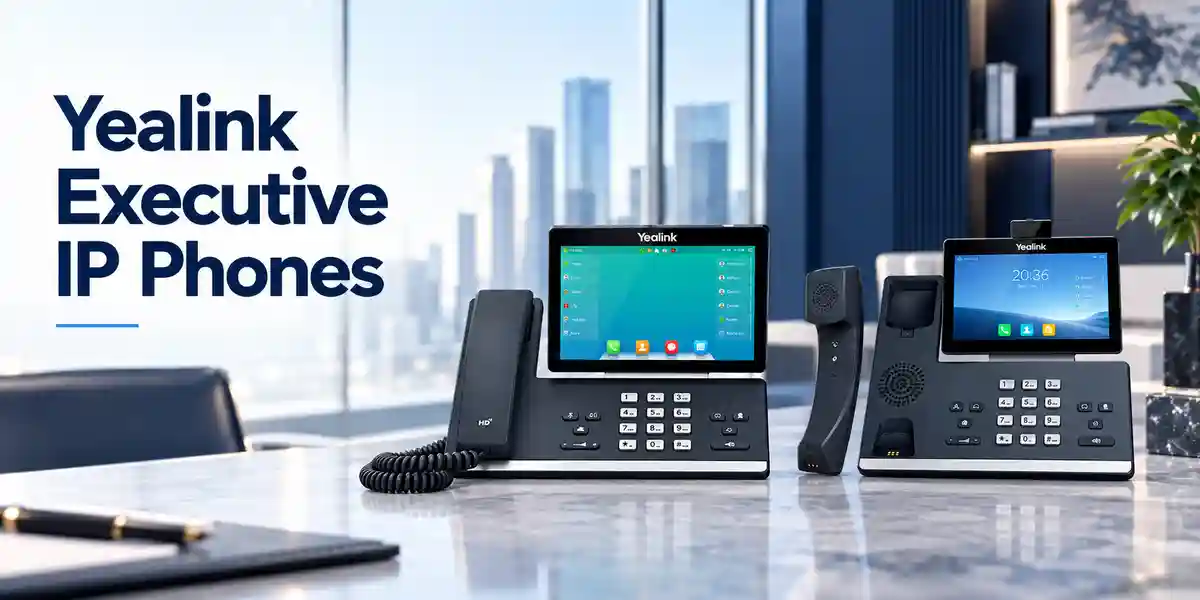
A complete deployment may include more than the SIP-T57W itself. Buyers with lighter call-handling requirements can compare the Yealink T5 family and choose lower-tier models for ordinary desks while reserving the T57W for high-demand users. Receptionists and executive assistants can consider the Yealink EXP50 expansion module where the touchscreen DSS field is not enough. Compatible USB, Bluetooth or RJ9 headset choices should be selected around user mobility, wearing time and office noise.
Explore FourTeck Uganda enterprise communications for related voice infrastructure, and use the project contact page to request compatible accessories. A bill of materials may also include PoE access switches, structured cabling, UPS capacity, PBX licensing, SBC services, headsets, expansion modules and spare phones. Selecting these components together reduces interoperability and commissioning risk compared with purchasing each item independently.
FourTeck Technical Service Capabilities
Enterprise phone procurement is most reliable when the endpoint is validated as part of the wider communications design. FourTeck can use the supplied project requirements to check model selection, accessory requirements and bill-of-material completeness. This can include confirming PoE assumptions, headset type, expansion modules, wall-mount needs and the intended PBX or hosted voice platform.
Where agreed for a project, staging can include firmware alignment, baseline configuration preparation and pre-shipment functional checks. A standard template may cover account placeholders, network parameters, VLAN behavior, time settings, directory sources and programmable keys. Customer-specific credentials and security material should be handled through controlled processes rather than embedded casually in shared documents.
Post-sales support should begin with a clear acceptance baseline. Keep the quotation, serial records, firmware version, configuration template and fault symptoms together when requesting assistance. For replacement cases, this documentation makes it easier to distinguish endpoint hardware failure from cabling, PoE, network, PBX or carrier issues.
Extended Technical FAQ
Does the Yealink SIP-T57W support Power over Ethernet?
Yes. The SIP-T57W supports IEEE 802.3af PoE, allowing a compatible Ethernet switch or injector to provide network connectivity and power over the same cable. This is useful for centrally powered enterprise voice deployments and can simplify desk cabling. Before a large rollout, calculate the switch’s total PoE budget against the complete phone count and maintain design headroom. Yealink publishes PoE consumption up to approximately 7.8W for the phone. If PoE is unavailable, an optional external 5V/2A power adapter can be used; confirm adapter inclusion on the quotation because it is not necessarily part of every standard package.
Can the SIP-T57W connect over Wi-Fi?
Yes. The phone includes built-in dual-band 2.4GHz and 5GHz Wi-Fi. This can be valuable where structured cabling is difficult or where a desk location changes frequently. Wi-Fi does not supply electrical power, so a wireless deployment normally needs the optional local power adapter. For high-density or mission-critical environments, perform a wireless survey and confirm coverage, channel planning, authentication and voice roaming expectations. A wired Gigabit connection with PoE is often operationally simpler where suitable cabling already exists, especially when centralized power backup and deterministic network policy are priorities.
How many SIP accounts can the phone handle?
The SIP-T57W supports up to 16 VoIP accounts. That makes it appropriate for users who monitor several lines, represent multiple departments or require separate identities on one desktop endpoint. Account capacity should not be confused with PBX licensing: the phone may technically support 16 accounts while the connected call platform charges per user, extension or device. Confirm the platform’s licensing and registration limits before assigning many accounts. Also validate the required shared-line, BLF and executive-assistant workflows because supplementary SIP features can be implemented differently by different call platforms.
Can receptionists use EXP50 expansion modules with the T57W?
Yes. Yealink documents support for up to three EXP50 color-screen expansion modules through the phone’s USB expansion path. This is useful for reception, switchboard and executive-assistant roles that need many programmable or monitored keys. Before ordering, count the required BLF targets, speed dials and shared functions so the correct number of modules can be specified. Also allow enough physical desk space and confirm accessory power/cabling requirements for the intended arrangement. The PBX must support the BLF or line-monitoring behavior you expect; the expansion hardware alone does not create those server-side functions.
Does the SIP-T57W support wireless headsets?
The phone includes Bluetooth 4.2 and supports compatible Bluetooth headsets. Its USB 2.0 port can also work with supported wired or wireless USB headsets, and the RJ9 headset port provides another connection method. Headset selection should consider wearing style, microphone noise rejection, call-control compatibility, range and daily talk time. For contact-center or reception use, validate answer/end, mute, hold and volume synchronization with the exact headset model before a fleet purchase. Where users need to walk farther from the desk, a dedicated DECT headset may be more appropriate than standard Bluetooth, depending on the environment.
What security features are available?
The SIP-T57W supports enterprise security mechanisms including encrypted media through SRTP, encrypted signaling using TLS, HTTPS management, certificate handling, configuration-file encryption and IEEE 802.1X network access control. Yealink has also introduced stronger security capabilities in later firmware branches. The exact usable feature set depends on firmware and the connected platform. A secure deployment should define approved firmware, strong administrator credentials, protected provisioning servers, certificate lifecycle, voice VLAN policy and access-control rules. Disable unused services and wireless functions where organizational policy requires it, and test security changes before applying them across all endpoints.
Will the T57W work with any SIP PBX?
The phone follows SIP standards and is designed for broad business-platform interoperability, but no enterprise buyer should interpret that as a guarantee that every advanced feature works identically on every PBX. Basic registration and calling may be straightforward while BLF, shared lines, call recording, directories, failover, voicemail integration or special provisioning can require platform-specific settings. For an existing PBX, provide the vendor, product and software version during quotation. For a large deployment, pilot the exact workflows used by receptionists, executives and ordinary staff before approving the full quantity.
Does the phone require additional licenses?
The physical handset does not by itself provide a complete calling service. It must register to a compatible PBX, hosted voice service or SIP platform, and that platform may require user, extension, device or feature licenses. Call recording, contact-center functions, SBC connectivity, advanced management or carrier calling can introduce additional recurring or one-time costs. Ask for a complete solution bill rather than only a handset price. This makes it easier to compare total cost across on-premises and hosted architectures and prevents a procurement team from discovering mandatory platform charges after the phones have already been ordered.
How are warranty and hardware replacement handled?
Warranty coverage should be taken from the commercial quotation and applicable supply terms because duration and replacement procedures can vary by region, channel and project. Keep the invoice or purchase record, model, serial number, firmware version and a clear fault description. Before declaring a handset defective, test the Ethernet cable, PoE port or power adapter, network registration and configuration where practical. A known-good spare can help isolate faults quickly. For enterprise projects, maintaining a small local spare pool is often more operationally efficient than waiting for a warranty decision before restoring a critical user’s service.
Can FourTeck assist with configuration before deployment?
Project-specific staging can be discussed as part of the quotation. Useful preparation may include confirming the approved firmware, applying a baseline configuration, defining VLAN and provisioning parameters, preparing key layouts and checking required accessories. The customer or voice-platform administrator should provide authoritative SIP and network requirements. For larger fleets, approve a pilot configuration before mass staging. This reduces the chance that an incorrect server address, VLAN ID, certificate setting or key template is repeated across many phones and creates avoidable rework during installation.
Prepare Your Yealink SIP-T57W Uganda Quotation
Send FourTeck the required quantity, delivery location, PBX or hosted calling platform, PoE availability, headset preference, expansion-module requirements and target deployment date. For multi-site projects, include the number of phones per branch and any standard firmware or pre-configuration requirement. A well-defined request makes it possible to build a more complete bill of materials and identify optional items such as power adapters, headsets, wall mounts and expansion modules before purchase.
The SIP-T57W is best suited to desks where a large touch interface, multiple SIP accounts, HD audio, wireless connectivity and expansion capability deliver measurable operational value. Validate the full voice architecture and user workflow before large-scale rollout, then standardize the approved configuration for easier support.

Reviews
There are no reviews yet.