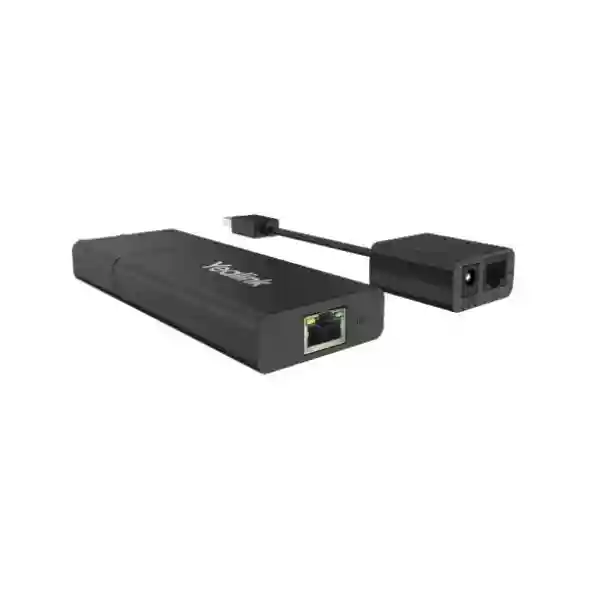
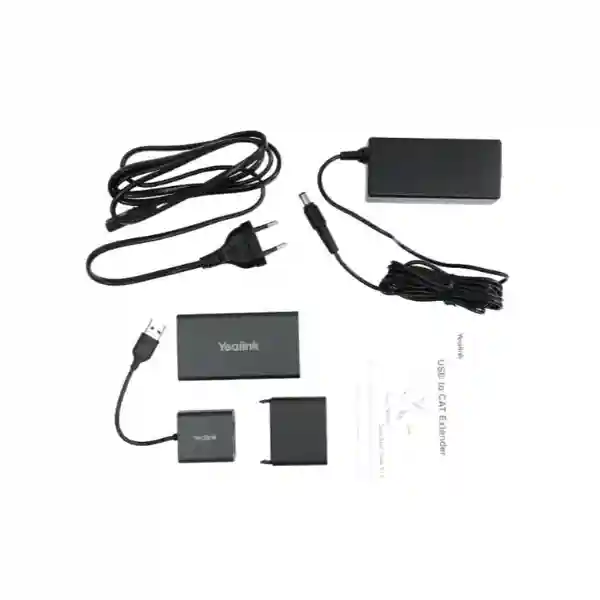
Yealink USB2-EXT-5M Cable – 5m USB 2.0 Extension for Business Collaboration
The Yealink USB2-EXT-5M is a five-metre USB 2.0 extension cable designed for professional installations where a USB peripheral must sit farther from its host than the device’s standard lead comfortably allows. In conference rooms, training rooms, executive offices and shared collaboration spaces, cable distance is often a physical design constraint rather than a networking problem. A camera may need to be centred beneath a display while the room computer sits inside a credenza; a webcam may need to be mounted at the front of a room while the host is placed at a side desk; or a peripheral may need to be routed through furniture so that users do not have exposed leads crossing work areas. The USB2-EXT-5M addresses that practical gap by adding five metres of USB reach through a USB 2.0 Type-A male-to-female extension format.
For procurement teams, the value is not simply cable length. The important question is whether the cable fits the intended endpoint, room geometry, host interface and peripheral topology. FourTeck therefore positions this accessory as part of a validated room bill of materials rather than as an isolated commodity lead. Buyers can provide the Yealink device model, host platform, quantity, deployment city and room layout so the proposed accessory can be reviewed before ordering. Published product information describes plug-and-play operation and an active extension design, making it suitable for installations that need a clean, straightforward extension path without unnecessary user intervention.
The cable is particularly relevant when an installation is already based on USB 2.0 Type-A connectivity and the required additional run is approximately five metres. It should not be treated as a universal answer for every long-distance USB requirement: very long room runs, USB-C-only hosts, complex hubs, high-power peripherals or unusual signal chains may call for a different extender architecture. That distinction matters in enterprise procurement because a small accessory can determine whether a larger video-collaboration deployment is completed on schedule.
Instant Specifications & Procurement Fact Rail
USB2-EXT-5M
5 metres / 16.4 ft
USB 2.0 Type-A
Male to female extension
Meeting rooms & USB peripherals
Quote and availability confirmation
This fact rail gives purchasing teams the essential identifiers needed to place the accessory into an equipment schedule. The manufacturer part number should be stated exactly on the request for quotation because Yealink offers multiple USB extension approaches and different lengths. A five-metre requirement should not automatically be substituted with a longer cable merely because another model is available; room cabling should be selected around actual routing distance, service loops, furniture pathways and connector access. Likewise, the USB Type-A format should be checked against both the host and the peripheral chain. Where an installation terminates in USB-C, the project team should identify the exact adapter or alternate cable strategy rather than assuming connector conversion will preserve every function. FourTeck can include accessory verification during quotation and can advise on a suitable alternative when the required distance or topology falls outside this cable’s intended role.
Operational Product Architecture & Overview
USB cabling in a meeting room is deceptively important. The visible endpoint may be a camera, collaboration bar, webcam or other peripheral, but the physical connection between that device and the host has to survive furniture routing, installation bends, maintenance access and day-to-day room use. The Yealink USB2-EXT-5M provides an additional five metres of USB 2.0 reach so the host and peripheral can be positioned according to room function rather than the length of a short factory lead. The male connector attaches toward the host side of the chain and the female connector accepts the compatible USB plug from the peripheral side, creating an extension path without requiring users to interact with the connection during normal operation.
The active-extension concept is significant because USB signalling becomes more sensitive as distance increases. Rather than presenting the product as ordinary passive copper, buyers should view it as a purpose-built accessory for extending a USB 2.0 connection within the supported topology. Published listings describe plug-and-play installation, which reduces configuration overhead: there is no separate application that a meeting-room user should need to launch simply to make the cable function. That simplicity is valuable in shared rooms where the preferred outcome is for the installed infrastructure to disappear into the background.

The most common procurement pain point is discovering late in an installation that the included USB cable cannot reach the selected host position. This can happen after displays have been mounted, tables installed and cable pathways closed. An extension cable therefore belongs in the room-design conversation early. Installers should measure the actual routed path, not the straight-line distance between devices. A three-metre separation can easily require a five-metre cable once the path travels down a wall, through containment, beneath a table and back up through a grommet. A modest service loop should also be retained so equipment can be removed for maintenance without pulling connectors under tension.
A second pain point is interface mismatch. USB Type-A remains common on business PCs and room systems, but newer laptops may expose primarily USB-C. The USB2-EXT-5M does not magically change the electrical and functional characteristics of the devices at either end. Procurement teams should therefore document the host port, peripheral plug, required USB generation and any intermediate hub, dock or adapter. For standardized fleets, this information can be captured once in a room template and reused across branches.
A third concern is whether a five-metre extension is appropriate for the device class. USB 2.0 has a theoretical high-speed signalling rate of 480 Mbps, but the actual usable performance of a complete chain depends on the host, peripheral, protocol overhead and every intermediate component. Buyers should avoid treating the cable as a bandwidth upgrade. Its job is reach. If the connected device requires a different USB generation or unusually high sustained bandwidth, validate the endpoint specification before purchase. The same applies to power: some USB peripherals draw power from the bus, while others have their own supplies. The cable should be evaluated as part of the complete power and signal path.
Enterprise Business Outcomes & Value Analysis
These outcomes depend on correct specification. An extension cable cannot compensate for an incompatible peripheral, unsupported adapter, damaged host port or unsuitable USB generation. For this reason, FourTeck recommends that organisations purchasing for a rollout provide the complete endpoint list and intended connection diagram. That small validation step can identify whether every room genuinely needs five metres, whether some rooms need a different extension technology, and whether spare units should be included in the procurement quantity.
Key Hardware & Deployment Highlights
| Component / Attribute | Design Role | Operational Outcome |
|---|---|---|
| 5 m cable run | Adds physical reach | Greater freedom in host and peripheral placement |
| USB 2.0 interface | Extends compatible USB 2.0 connectivity | Suitable for supported business peripherals |
| Type-A male connector | Host-side connection | Fits conventional USB Type-A topology |
| Type-A female connector | Peripheral cable acceptance | Extends an existing male USB lead |
| Plug-and-play design | Avoids dedicated user configuration | Faster room installation and simpler operation |
The hardware story is intentionally simple. There is no reason to burden room users with another managed device when the requirement is merely to extend a compatible USB connection. The practical engineering work occurs before installation: confirm connector orientation, measure the routed distance, identify the endpoint’s USB requirement, plan cable containment and determine whether the device’s power arrangement remains appropriate. If the route passes through furniture, ensure openings and grommets accommodate the connector body without forcing sharp bends. If the cable is installed above ceilings or through structured pathways, the project team should also confirm any building-specific cable and fire-rating requirements applicable to the installation environment.
Technical Specifications Ledger
| Specification | Detail | Procurement Note |
|---|---|---|
| Brand | Yealink | Specify brand and exact model on PO |
| Model / MPN | USB2-EXT-5M | Use exact identifier to avoid length substitution |
| Product Type | USB extension cable | Accessory, not a standalone conferencing endpoint |
| Length | 5 m / approximately 16.4 ft | Measure routed path before ordering |
| USB Standard | USB 2.0 | Validate endpoint generation requirement |
| Connector 1 | USB Type-A male | Typically toward host side |
| Connector 2 | USB Type-A female | Accepts compatible male peripheral lead |
| Colour | Black | Suitable for discreet AV routing |
| Installation | Plug and play | No routine user configuration expected |
| Published weight | Approx. 57 g | Useful for logistics planning |
| Published package dimensions | Approx. 176 × 180 × 95 mm | May vary by channel packaging |
| Published package weight | Approx. 253 g | Confirm for bulk freight calculations |
Specifications should be read in the context of the complete room system. USB 2.0 defines the interface family, but it does not guarantee that every USB peripheral, adapter, hub or application will behave identically through every extension chain. A purchasing team should therefore distinguish between confirmed cable attributes and system-level assumptions. The table above focuses on commonly published attributes for the USB2-EXT-5M. Environmental ratings, building compliance requirements, exact power behaviour and compatibility with a particular endpoint should be confirmed for the intended deployment where those factors are material to acceptance.
For large tenders, include the cable model in the technical schedule and state the associated room type. This allows the supplier and implementation team to identify where the cable is required and prevents accessories from being separated from the endpoints they support. Serial-number tracking is generally more important for active endpoints than for cables, but quantity control and labelled storage are still worthwhile when dozens of rooms are being commissioned simultaneously.
Configuration & Sizing Worksheet
Step 1 — Map the workload and endpoint chain
Write the connection as a simple sequence: host computer or room system → USB2-EXT-5M → peripheral cable → camera, webcam or supported USB device. Record every adapter, dock and hub. The fewer undocumented elements in the chain, the easier the system is to commission and support. If the peripheral needs USB 3.x capability, do not assume a USB 2.0 extension is appropriate merely because the connectors physically fit.
Step 2 — Measure the real cable route
Measure along the actual pathway through walls, furniture, cable trays and service loops. Avoid designing a route where five metres is exactly the measured distance with no maintenance allowance. Conversely, do not add excessive unused cable merely for convenience; unnecessary coils can make cabinets untidy and complicate fault isolation. Where five metres is insufficient, evaluate the correct longer-distance technology rather than chaining multiple extensions without validation.
Step 3 — Check environmental and physical clearance
Confirm that connector bodies can pass through furniture openings and that bends are gradual. Keep data cabling away from pinch points, chair mechanisms, sharp metal edges and locations where cleaning staff or room users may pull it. If routing crosses a movable table section, provide appropriate strain relief. In permanent building pathways, follow the site’s electrical, fire and facilities rules.
Step 4 — Validate power and cabling compatibility
Published channel information for this model references an external power source/accessory in some packages and descriptions. Because packaging can vary by market and lifecycle, ask for the quoted package contents rather than assuming every supply channel is identical. More importantly, document whether the peripheral is bus-powered or independently powered and whether the full topology has been validated by the endpoint manufacturer or deployment engineer.
Step 5 — Review licensing and subscriptions
The cable itself does not create a collaboration-service subscription. Licensing normally belongs to the conferencing platform, room application, calling service or management environment used by the connected endpoints. Keep those commercial items separate in the bill of materials so buyers can distinguish one-time physical accessories from recurring software or service charges.
Step 6 — Prepare the quote
For an accurate quotation, provide the model USB2-EXT-5M, quantity, delivery city, host or Yealink endpoint model, connected peripheral, required deployment date and whether installation or staging assistance is needed. For multi-site projects, group quantities by location. This helps logistics teams plan shipment splits and gives technical teams enough context to flag obvious topology issues before dispatch.
Deployment Scenarios & Industry Use Cases

Large Enterprise and Multi-Site Networks
Large organisations often standardize several meeting-room archetypes: huddle room, medium conference room, boardroom and training room. The USB2-EXT-5M can be specified in the room template where a five-metre extension solves the physical separation between host and peripheral. Standardization allows facilities, IT and AV contractors to work from the same drawing. It also makes spares easier to hold centrally. The important discipline is not to force the same cable into every room; a room with a longer route or a different USB generation should receive the correct alternative.
Financial and Banking Institutions
Banks and financial organisations typically value repeatable, documented installations. Meeting-room hosts may be secured in managed furniture while cameras and peripherals remain positioned for effective collaboration. A planned extension path can support that physical separation. Procurement teams should combine the cable specification with endpoint hardening, USB port policy, room access control and change-management procedures. The cable does not provide cybersecurity functions, but predictable infrastructure helps support teams maintain an auditable room standard.
Educational and Campus Networks
Universities, training centres and schools may use USB cameras and collaboration peripherals in lecture rooms, hybrid classrooms and administrative meeting spaces. Furniture dimensions and podium placement often make the included device cable too short. A five-metre extension can provide useful routing flexibility while keeping the instructor workstation in a practical location. Campus teams should verify compatibility with the specific capture device and should secure cables against frequent furniture movement and student traffic.
Government and Institutional Procurement
Government projects frequently require exact part identification, formal quotations and consistent bills of materials. The USB2-EXT-5M can be listed as a distinct accessory with its manufacturer model, quantity and associated room system. Where a tender specifies warranty terms, country of origin, compliance documentation or manufacturer authorization, request those documents as part of the commercial process rather than assuming generic cable terms apply. FourTeck can structure quotations so the accessory is clearly associated with the larger Yealink deployment.
Technical Deep Dive: Signal Path and Active Extension Architecture
USB 2.0 high-speed operation is designed around a host-controlled bus. A cable extension sits inside that physical signal path, so installation quality matters even though the accessory appears simple. The USB2-EXT-5M is marketed as an active extension solution, which is relevant when adding five metres beyond a peripheral’s standard cable. Its purpose is to provide additional reach while preserving usable USB connectivity for supported equipment. Buyers should resist interpreting “active” as a guarantee that any arbitrary chain will work. Host controllers, peripheral electronics, adapters and hubs all contribute to the final result.
For room design, the safest method is to minimize unnecessary transitions. Every coupler or adapter creates another mechanical connection that can loosen and another variable for troubleshooting. Use the extension only where needed, secure it so users cannot disturb the joint, and label both ends in larger installations. If a camera periodically disconnects after commissioning, technicians should test the system in stages: peripheral directly to host, then with the extension, then with any additional adapters. This isolates whether the fault is distance-related, connector-related or caused by another element.
Bandwidth planning is equally important. USB 2.0 high-speed has a signalling ceiling of 480 Mbps, but protocol overhead and device behaviour reduce usable payload. A cable cannot increase the endpoint’s native throughput. For peripherals designed for USB 2.0, the extension can be an appropriate physical layer component; for devices explicitly requiring USB 3.x features, a different solution may be necessary. That is why the exact endpoint model should accompany a quote request.
Technical Deep Dive: Software Ecosystem and Operational Control
Unlike a managed room appliance, the USB2-EXT-5M is not a software platform that requires its own administrator account, firmware policy or subscription. That simplicity is an operational advantage. Once the physical topology is compatible, users should not need to understand the extension cable at all. The host operating system and connected peripheral remain the primary software participants.
IT teams should nevertheless maintain driver and firmware discipline for the devices on either end. A USB camera problem can be mistakenly blamed on cabling when the actual cause is host firmware, operating-system power management, an unsupported dock or a conferencing application setting. Good support documentation records the host model, operating-system build, peripheral model, room application and cable topology. When all rooms share a known configuration, comparing a failing room with a working room becomes much faster.
Security control also remains with the host and enterprise policy. If an organisation restricts removable USB devices or disables certain port classes, the extension does not override those controls. Administrators should validate that the intended peripheral class is permitted. Physical cable routing should also prevent casual disconnection where rooms are publicly accessible.
Technical Deep Dive: Reliability, Redundancy and Recovery
A cable does not provide high availability in the way a clustered server or dual-power network switch does. Reliability is instead achieved through correct installation, controlled spares and a simple recovery procedure. For important boardrooms or operations spaces, holding a spare extension cable can be more practical than engineering a parallel cable path. A failed or damaged accessory can then be swapped during a maintenance window.
Mechanical reliability deserves attention. Avoid tension at the Type-A connectors, support cable weight where runs are vertical, and prevent repeated flexing at furniture joints. Keep the female coupling in an accessible but protected location so technicians can service it without dismantling the entire room. Cable labels should identify the room and destination, especially when multiple USB and HDMI leads share the same cabinet.
For disaster recovery or temporary room replacement, documented accessory standards help IT recreate a known setup quickly. A spare-room kit can include the endpoint, required power components and the USB2-EXT-5M where the standard topology needs five metres of additional reach. This is a modest form of resilience, but it is often the practical approach for collaboration spaces.
Pre-Purchase Buyer Gap Checklist
Is five metres the correct length? Measure the installed route rather than the room’s straight-line dimensions. Include vertical drops, furniture paths and a sensible service loop. If the route is significantly longer, select a purpose-built longer-distance method instead of creating an undocumented chain of extensions.
Will it fit a USB-C laptop? The published connector format is USB Type-A male to Type-A female. A USB-C-only host requires a compatible conversion strategy or a different accessory. Physical adapters can introduce their own compatibility constraints, so validate the complete chain.
Does the cable require a software licence? The cable itself is a physical accessory. Collaboration platform subscriptions, room licences and device-management subscriptions are separate items associated with the endpoints and services in the solution.
What is included in the box? Published channel descriptions can differ, particularly around external power accessories. Ask FourTeck to state the quoted package contents on the commercial offer if that detail is important to the deployment.
Is the model current and immediately available? Availability and lifecycle can vary by distribution channel and date. Some international listings describe the model as limited, out of stock or discontinued while others still list stock. For Uganda procurement, request current availability rather than relying on a historic listing.
Will it work with any webcam? USB connector compatibility alone is not sufficient evidence. Confirm the webcam or peripheral’s USB standard, power requirements and supported extension topology. For a large deployment, test the intended combination before committing to fleet quantities.
Can several extension cables be chained? Avoid assuming that multiple extenders can be cascaded successfully. Each additional element changes the electrical and timing characteristics of the path. If more distance is required, use an extender technology intended for that distance.
What about warranty? Warranty terms can depend on sales channel, market and project agreement. Request the applicable warranty statement on the quote. Keep purchase documents and product identifiers for any claim.
Is it suitable for permanent building installation? That depends on local building rules, pathway requirements and any cable fire-rating obligations. The product’s function as a USB extension cable does not automatically establish suitability for every concealed-building pathway. Facilities and project engineers should approve the route.
Uganda Procurement & Delivery Logistics
FourTeck supports Uganda organisations that need Yealink accessories as individual replacements or as components of wider collaboration deployments. The quotation process is most effective when the request includes the exact model, quantity and deployment context. For the USB2-EXT-5M, state whether the cable is for a new Yealink room, a replacement, a webcam deployment or another USB peripheral. Include the endpoint model where known. This allows technical review to happen alongside commercial preparation.
After a quotation is accepted, order processing depends on confirmed stock position, distribution route, quantity and any project-specific staging. Buyers should request the expected lead time on the formal quote because international channel availability can change. For urgent replacements, mention the operational impact so the sales team can check the most appropriate supply route. For rollouts, ordering accessories together with the primary endpoints can reduce split shipments and lower the risk that room installation is delayed by a missing cable.
Pre-configuration for a cable is naturally limited, but FourTeck can help with bill-of-materials validation, accessory matching and room topology review. Where the cable forms part of a larger Yealink solution, endpoint staging and firmware checks can be coordinated separately. Delivery planning can be organized by project site, and multi-location customers can provide a schedule showing quantities per branch.
Uganda Coverage Matrix
Corporate offices, hotels, institutions, data-centre-adjacent offices and meeting-room projects can request Yealink accessory quotations and coordinated project delivery.
Suitable for airport-area businesses, hospitality operations, NGOs and distributed offices requiring standardized collaboration-room accessories.
Commercial, education and industrial organisations can include the cable in wider Yealink endpoint and room-system procurement.
Regional offices and institutions can request consolidated quotations with accessories mapped to each meeting-room bill of materials.
Branch and institutional deployments can be planned with shipment quantities grouped by site and deployment phase.
Coverage planning should account for project timing, local receiving arrangements and the availability of technical staff for installation. For multi-city deployments, a master bill of materials with a site-by-site quantity schedule is preferable to unrelated purchase requests. It gives procurement a consolidated commercial view while preserving the information implementation teams need at each destination.
Cross-Border & Regional Supply Chains
Regional organisations may need the same Yealink room standard across several countries. FourTeck supports procurement pathways for Uganda, Kenya, the wider African market, the United Arab Emirates and Kuwait. A regional bill of materials can retain the same manufacturer model while commercial terms, taxes, freight and local delivery arrangements are handled for each destination.
For cross-border rollouts, avoid moving small accessories informally between country projects without documentation. Instead, align the accessory quantity with each country’s endpoint order and maintain a controlled spare allocation. This simplifies receiving, warranty records and project reconciliation. Lead times should be confirmed per destination because the same model can have different distribution availability in different markets.
Related Yealink Solutions & Internal Navigation
The USB2-EXT-5M is normally purchased because another collaboration component needs additional physical reach. Buyers planning a complete room should review FourTeck’s Yealink solutions alongside the cable. Depending on the room design, related requirements may include Yealink video conferencing systems, USB cameras, meeting-room endpoints, speakerphones, headsets, desk phones and longer-distance USB extension technology. If a specific internal category URL has changed, the Yealink catalogue and sales contact team provide the safest route to the current model family.
For a five-metre requirement, specify USB2-EXT-5M. For a substantially longer path, ask about Yealink’s longer extension options rather than assuming this model should be cascaded. For a new conference room, send the room dimensions, display location, table position and intended camera or peripheral. FourTeck can then help assemble a coherent accessory list rather than quoting disconnected components.
FourTeck Technical Service Capabilities
Enterprise accessory procurement benefits from engineering validation even when the individual component is simple. FourTeck can review the proposed bill of materials to check that the requested USB2-EXT-5M is associated with the correct room system and that the specified quantity aligns with the deployment schedule. For larger projects, this review can identify duplicated accessories, missing room components and situations where a different cable length or extender architecture should be considered.
Where the cable ships with Yealink endpoints, staging can include checks on the active devices, appropriate firmware planning and packaging by site or room. Pre-shipment organization reduces the amount of sorting installers must do on location. Documentation can identify which accessories belong to which room type. Post-sales support can then use the same topology information when diagnosing connectivity issues.
FourTeck can also assist with replacement planning. Organisations operating many meeting spaces may choose to hold a small spare pool of commonly used accessories. The right spare quantity depends on room count, operational criticality, geographic spread and procurement lead time. A controlled spare pool is preferable to storing miscellaneous unverified cables because support teams know exactly which part is intended for the standardized room design.
Extended Technical FAQ
1. What exactly does the Yealink USB2-EXT-5M do?
It extends a compatible USB 2.0 connection by five metres. The published format is USB Type-A male on one end and Type-A female on the other, allowing a compatible peripheral’s male USB lead to connect farther from the host. Its practical purpose is room-layout flexibility: a camera, webcam or other supported peripheral can be positioned where it works best while the host remains in a desk, cabinet or other managed location. It is not a network cable, not a USB-C conversion device and not a collaboration endpoint by itself. Compatibility should be checked against the exact peripheral and host.
2. Is USB2-EXT-5M suitable for Yealink meeting rooms and webcams?
The model is marketed as a Yealink USB extension accessory and is commonly listed for BYOD/webcam and conferencing use. Suitability for a particular room still depends on the connected product’s interface and requirements. Before ordering fleet quantities, provide the camera or room-system model and the host topology. This is especially important if the connection includes a dock, USB hub, adapter or additional extension. A pilot installation is sensible for standardized deployments because it validates the complete chain under the same operating conditions that users will experience.
3. Does the cable support USB 3.0 or USB-C?
The USB2-EXT-5M is specified as a USB 2.0 Type-A extension cable. Type-A describes the connector shape, while USB 2.0 describes the interface generation. It should not be purchased as a USB 3.x extension or as a native USB-C cable. If your host only has USB-C, an adapter or different cable solution may be required, but that adapter must be validated with the peripheral. If your camera explicitly requires USB 3.x bandwidth or features, select an extension technology that supports that requirement instead of relying on physical connector compatibility alone.
4. Is a licence or subscription required to use this cable?
No separate software subscription is normally associated with the physical extension cable. Any recurring licences in a conferencing deployment generally relate to the meeting platform, calling service, room application, device management or other endpoint software. Procurement teams should keep these categories separate in the commercial schedule. The USB2-EXT-5M should appear as a hardware accessory line item. If it is being ordered as part of a Microsoft Teams, Zoom, SIP or other collaboration project, the platform licensing should be listed independently so finance teams can distinguish recurring service costs from one-time accessory purchases.
5. Can I connect two USB2-EXT-5M cables together for ten metres?
Do not assume cascading two extension cables will provide a supported or reliable ten-metre path. USB performance depends on the complete electrical topology, and every additional extension or coupling adds another variable. If the installation requires a longer distance, specify that requirement at the start and evaluate a purpose-built longer-distance Yealink or USB extender solution. This approach is easier to support and document than an improvised chain. Provide the total routed distance, peripheral model and host model when requesting a quote so the appropriate extension method can be proposed.
6. What package contents should we expect?
The core item is the five-metre USB extension cable. Some published reseller and product-card information also references an external power source or power accessory, while other historical lists show only the cable. Packaging can change by distribution channel, revision and lifecycle stage. If an external power component is important to your intended topology, ask for the exact package contents to be confirmed on the quotation. Procurement should rely on the current offered SKU and written commercial description rather than assuming that every historic listing or regional package contains identical accessories.
7. What warranty applies in Uganda?
Warranty should be confirmed on the FourTeck quotation because terms can vary by sales channel, project agreement and product lifecycle. Keep the invoice, purchase order and model information as part of the asset record. If a fault occurs, support will typically need the purchase details and a description of the tested topology. Before declaring the cable faulty, technicians may isolate the problem by connecting the peripheral directly to the host and then reintroducing the extension. This helps distinguish a cable issue from a host-port, driver, peripheral or adapter problem.
8. How should the cable be installed in a conference room?
Route it through protected furniture or cable-management pathways, avoid sharp bends and pinch points, and leave enough service loop for equipment maintenance. Secure the coupling so users cannot accidentally disconnect it when moving chairs or plugging in laptops. Label the cable at both ends in larger installations. Measure the route before ordering and ensure five metres provides adequate reach without creating excessive coils. Where a route passes through walls, ceilings or regulated building pathways, facilities teams should confirm that the installation method meets applicable site and fire-safety requirements.
9. How do we troubleshoot intermittent camera or USB disconnects?
Start by simplifying the chain. Test the peripheral directly on the host with its standard cable. If stable, add the USB2-EXT-5M and retest. Then reintroduce any dock, hub or adapter one component at a time. Check host USB power-management settings, peripheral firmware, operating-system updates and physical connector seating. Try a known-good host port where possible. This staged process identifies which element introduces the fault. In a standardized fleet, compare the failing room against an identical working room and swap only one component at a time so the diagnosis remains controlled.
10. What information should we send FourTeck for a bulk quotation?
Send the manufacturer model USB2-EXT-5M, total quantity, delivery location or site split, required date, host or Yealink endpoint model, connected peripheral model and whether the order forms part of a larger conferencing deployment. If there are several room types, provide a simple quantity schedule for each. Mention any tender requirements for warranty statements, manufacturer documentation, delivery milestones or installation assistance. This context helps FourTeck prepare a cleaner bill of materials and flag rooms where five metres or USB 2.0 may not be the correct technical choice before the purchase order is issued.
Request a Yealink USB2-EXT-5M Procurement Quote
For a replacement cable, a single meeting room or a multi-site Yealink rollout, send FourTeck the required quantity, delivery location and the endpoint or peripheral you plan to connect. The team can review the accessory requirement, confirm current commercial availability and prepare a formal Uganda quotation. For project deployments, include room counts and site locations so accessories can be mapped to the wider bill of materials. If your required USB distance exceeds five metres or the host uses a different connector generation, mention that in the request so an appropriate alternative can be considered before ordering.



Reviews
There are no reviews yet.