Yealink VCM35 Microphone Array – Professional Meeting Room Audio for Uganda
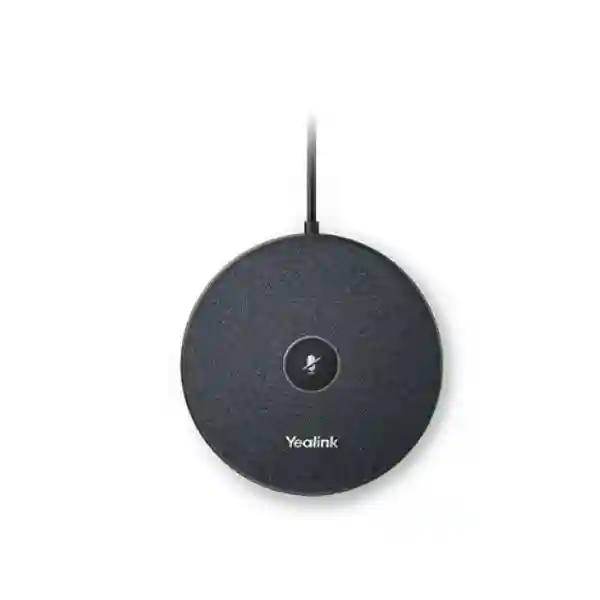
The Yealink VCM35 is a wired video-conferencing microphone array built for organizations that need consistent tabletop voice capture in modern meeting rooms. It combines a three-microphone array, 360-degree pickup, a rated 5 m voice pickup range, Optima HD Audio, Yealink Full Duplex Technology, Acoustic Echo Canceling, Noise Proof Technology and Voice Activity Detection in a compact circular unit. For procurement teams, this means the VCM35 is not simply another desktop microphone: it is a room-system accessory intended to improve how reliably participants around a conference table are captured by a compatible Yealink conferencing platform.
The strongest use case is a room where the built-in microphone coverage of the main video device does not match the seating layout, table length or participant distribution. Instead of asking users to move closer to a camera bar or speak toward a single pickup point, the VCM35 can be positioned where conversation actually happens. Its star-cascaded deployment capability also makes it useful when a supported host platform allows multiple units. Compatibility varies by Yealink host device and firmware, so a correct bill of materials should always be validated before purchase.
Ugandan businesses can deploy the VCM35 in executive boardrooms, project rooms, training facilities, education environments, government meeting spaces and multi-site collaboration rooms. FourTeck supports quotation, compatibility checking, quantity planning and deployment preparation so that buyers can order the microphone as part of a complete room solution rather than as an isolated accessory.
Instant Specifications & Procurement Fact Rail
Yealink VCM35 wired microphone array
360° omnidirectional, rated 5 m range
100 Hz–8 kHz frequency response
Star-cascaded with supported Yealink systems
Touchpad mute with LED status
Quote-based Uganda project procurement
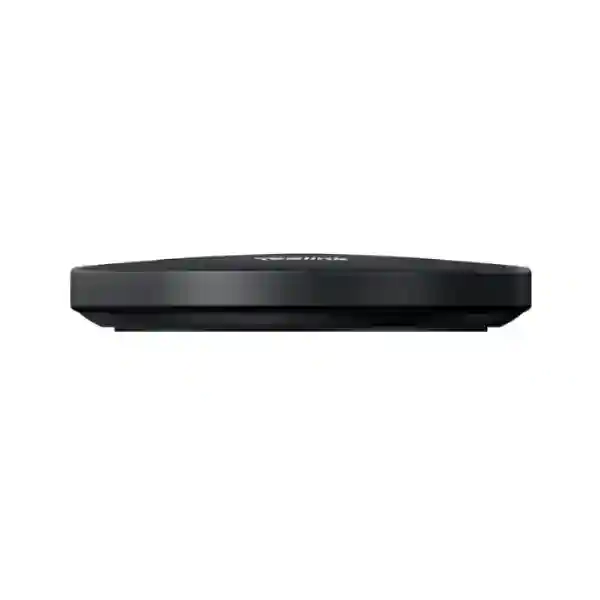
The VCM35 should be treated as a conferencing-system component rather than a generic standalone USB microphone. The interface and supported quantity depend on the Yealink room platform used. Current Yealink compatibility information shows that supported quantities differ among products; therefore room designers should identify the camera, MeetingBar, MVC component or AVHub before finalizing microphone count. The package includes the VCM35, an RJ45 connector for Ethernet cable, double-sided tape and a quick-start guide. The microphone itself measures approximately 100 mm in diameter by 17 mm thick and weighs about 199 g, allowing discreet tabletop placement without consuming meaningful working space.
Operational Product Architecture & Overview
Meeting-room audio failures are often caused less by headline microphone quality than by geometry. Long tables, wide seating arrangements, reflective surfaces, air-conditioning noise and participants who speak at different volumes can expose the limitations of a microphone positioned only at the display end of a room. The VCM35 addresses this problem by moving the pickup point closer to participants and providing 360-degree capture. Its three-microphone array listens around the unit rather than requiring users to orient themselves toward a narrow pickup axis.
Yealink specifies Optima HD Audio, full-duplex technology, acoustic echo cancellation, Noise Proof technology and Voice Activity Detection. These functions matter operationally because enterprise meetings are conversational. Participants interrupt, overlap and respond quickly. Full-duplex behavior is intended to preserve two-way conversation rather than forcing one side to wait while the other speaks. Echo cancellation reduces the disruptive loop that can occur when loudspeaker output returns through the microphone path. Noise processing is designed to suppress unwanted environmental sound, while voice activity detection helps the conferencing chain distinguish active speech.
The VCM35 has a frequency response of 100 Hz to 8 kHz, a practical voice-oriented range appropriate for conferencing. It is not intended to replace a studio recording microphone or live-sound reinforcement system. Its value lies in intelligibility, controlled room integration and compatibility with designated Yealink conferencing products. Procurement teams should therefore judge it by meeting-room outcomes: can remote attendees understand people seated at the far end of the table, can users mute locally, can the room be expanded without rebuilding the audio design, and can the accessory be managed as part of a standardized Yealink room estate?
Star-cascaded deployment is particularly important for larger rooms. Rather than relying on a single central pickup point, compatible Yealink systems can support additional VCM35 units according to their specific accessory limits. Yealink’s current published compatibility examples include support for up to two VCM35 units with SmartVision 40 and up to eight with certain AVHub, UVC86 and UVC84 configurations, subject to the stated firmware requirements. Other systems may support one unit or may not support VCM35 at all. This is why host-device validation is a mandatory procurement step.

In a standardized deployment, the room-system design should begin with seating capacity and table dimensions, continue with the host video platform and cable routes, and only then determine microphone count. The VCM35’s compact form helps preserve table usability. Its mute touchpad gives participants a visible and direct control point. LED states communicate operational status, including green when audio can be picked up during a meeting and red for mute, helping users understand the microphone state without navigating a room controller.
For Ugandan enterprises operating multiple branches, standardizing on a validated room architecture can simplify support. A repeatable design can define which room size receives one VCM35, which room requires multiple supported units, where cable paths are installed, and which firmware baseline is approved. That reduces ad-hoc purchasing and helps facilities, IT and procurement teams speak the same language when expanding meeting infrastructure.
Enterprise Business Outcomes & Value Analysis
A meeting system succeeds when remote participants can follow the discussion without repeatedly asking colleagues to repeat themselves. By positioning a 360-degree microphone closer to seated participants, the VCM35 can improve practical voice capture in rooms where a display-end microphone is too distant. Full-duplex operation supports natural interruption and discussion, while acoustic echo cancellation is intended to keep loudspeaker output from degrading the return audio path.
A wired microphone avoids battery charging schedules and wireless battery-life uncertainty. This is useful in rooms that must be ready for unscheduled meetings throughout the working day. The physical mute control and LED state also reduce user ambiguity. Reliability still depends on correct host compatibility, cabling and firmware, so the accessory should be deployed under a documented room standard.
Star-cascaded architecture allows supported Yealink systems to use multiple VCM35 units. This gives designers a way to adapt audio pickup to longer tables and larger rooms while retaining a consistent accessory family. Maximum microphone count is host-dependent, making compatibility validation more important than simply ordering identical quantities for every room.
A local mute touchpad gives room occupants immediate control over when the microphone is active. The LED indicator provides an at-a-glance state. For sensitive board, finance, legal or government meetings, this visible control is operationally useful, although organizations should still follow their conferencing platform’s security, account, network and meeting-policy controls.
The VCM35 fits best in a standardized Yealink room ecosystem. When the video endpoint, controller, microphone model and firmware baseline are documented together, support teams can troubleshoot against a known configuration. This can reduce the variation created by mixing unrelated microphones, adapters and room devices.
A wired accessory has no rechargeable battery to age, schedule or replace. The compact unit also avoids the cost and complexity of a separate digital signal processor in supported room designs where Yealink provides the required processing path. Buyers should nevertheless budget for host hardware, cabling, installation, room commissioning and any platform licensing associated with the complete conferencing system.
Key Hardware & Software Highlights
| Feature | Technical Role | Operational Outcome |
|---|---|---|
| 3-microphone array | Multi-element voice capture | Supports room-table conversation pickup |
| 360° pickup | Omnidirectional coverage | Participants can sit around the microphone |
| Full duplex | Simultaneous two-way audio behavior | More natural discussion and interruption |
| Echo cancellation | Controls acoustic return paths | Cleaner remote listening experience |
| Noise Proof | Environmental noise reduction | Improved speech intelligibility in typical offices |
| Touch mute | Local user control | Fast privacy control without menu navigation |
These features should be evaluated as an integrated audio chain. A microphone cannot correct every room acoustic problem: highly reflective glass rooms, loud HVAC systems, poor loudspeaker placement and excessive distance can still affect conferencing quality. The practical advantage of VCM35 is that it gives designers a Yealink-native expansion option with known audio functions and published compatibility guidance. This makes the device easier to include in a repeatable bill of materials than an improvised third-party microphone path.
Technical Specifications Ledger
| Specification | Confirmed Detail | Procurement Note |
|---|---|---|
| Product type | Wired video conferencing microphone array | Designed for compatible Yealink room systems |
| Microphone array | 3 microphones | Tabletop voice capture |
| Pickup | 360° omnidirectional, 5 m rated range | Actual room results depend on acoustics and placement |
| Frequency response | 100 Hz to 8 kHz | Voice-conferencing range |
| Audio functions | Optima HD Audio, Full Duplex, Acoustic Echo Canceling, Noise Proof, VAD | Functions operate within supported Yealink solution architecture |
| Mute | Touchpad mute/unmute | LED indicates operating state |
| Dimensions | Ø100 × 17 mm | Compact tabletop footprint |
| Weight | 199 g | Lightweight room accessory |
| Operating temperature | 0°C to 40°C | Indoor controlled environments |
| Operating humidity | 10% to 90% | Avoid condensation and unsuitable room conditions |
| Package | VCM35, RJ45 connector, double-sided tape, quick-start guide | Verify cabling and host accessories separately |
Published Yealink materials from different generations have shown differing pickup-range figures, while the current product technical-specification page and current datasheet state a 5 m, 360-degree pickup range. For procurement consistency, this page uses the current 5 m specification. Buyers replacing older VCM35 deployments should confirm the exact hardware and documentation associated with their installed units rather than assuming every historical datasheet is identical.
Configuration & Sizing Worksheet
1. Estimate room workload and scale
Record room length, width, table dimensions, maximum seats and normal meeting occupancy. Note where participants sit relative to the display and main conferencing device. A nominal pickup radius should not be treated as a guarantee through furniture, partitions or difficult acoustics. Place microphone coverage around real seating positions and consider whether a single unit leaves edge seats too far from the pickup point.
2. Validate the host Yealink system
Write down the exact MeetingBar, MVC, camera, AVHub or other room-system model and its firmware. Yealink publishes device-specific accessory compatibility. Some hosts support multiple VCM35 units, others support fewer, and some do not support the microphone. Never assume an RJ45-style physical connection alone proves electrical or functional compatibility.
3. Check room environment and cable routes
The VCM35 is rated for indoor operation from 0°C to 40°C and 10% to 90% operating humidity. Plan a protected cable route that does not create trip hazards or place connectors under chair wheels. Where conference tables include cable wells or under-table trays, verify access before installation. The microphone should remain accessible to users who need the mute touchpad.
4. Plan redundancy at system level
The microphone itself is a wired endpoint accessory, so resilience depends on the complete room architecture. Consider spare units for critical sites, replacement lead times, surge protection for room electronics and a documented fallback meeting method. For high-importance boardrooms, maintaining a tested spare can be more practical than expecting component-level redundancy from a tabletop microphone.
5. Review licensing and platform subscriptions
The VCM35 does not by itself provide a meeting service subscription. Microsoft Teams Rooms, Zoom Rooms or other collaboration services may have licensing requirements attached to the host room system or organizational account. Separate the physical microphone cost from platform licensing, compute hardware, display, camera, controller, network and installation costs when comparing complete room budgets.
6. Prepare the quote request
Include the quantity of rooms, exact host models, room sizes, desired microphone count, installation locations, required delivery city, expected project date and whether staging or configuration assistance is required. This information allows FourTeck to validate the bill of materials before the purchase order is raised and reduces the risk of receiving an accessory that cannot be used with the installed room system.
Deployment Scenarios & Industry Use Cases
Large Enterprise & Multi-Site Networks
A multi-site enterprise may have small huddle rooms at branches, medium collaboration rooms at regional offices and a large boardroom at headquarters. The VCM35 can be incorporated into the room standards where compatible host equipment requires additional tabletop pickup. The advantage of standardization is operational: IT teams can maintain a known room bill of materials, common support procedures and consistent user controls. Larger supported rooms can use multiple microphones within the host device’s published limits, while smaller spaces can use a simpler configuration.
Financial & Banking Institutions
Banks and financial organizations conduct executive, audit, compliance, treasury and branch meetings where speech clarity matters. A centrally positioned microphone can help remote participants understand discussions around a conference table. Local mute control is useful when a room needs to hold a private side discussion. The VCM35 does not replace conferencing-platform security controls, so financial institutions should combine room audio design with identity, meeting access, endpoint hardening and network policies.
Educational & Campus Networks
Universities and training organizations can use compatible Yealink room systems for faculty meetings, hybrid administration sessions, project collaboration and training. A microphone positioned nearer the participants can improve capture where a camera-mounted microphone is far from the center of the room. For teaching spaces, planners should distinguish conversational conference rooms from lecture capture: VCM35 is optimized as a conferencing accessory, not as a general-purpose public-address or auditorium microphone.

Government & Public-Sector Procurement
Government meeting rooms frequently require documented specifications, predictable support and clear bills of materials. The VCM35 provides published physical and audio specifications that can be included in technical schedules. Procurement documents should identify the host Yealink system and required compatibility rather than listing the microphone alone. For rooms handling sensitive information, agencies should apply their own security controls to the conferencing platform, network and endpoint configuration, while using the microphone’s physical mute function as a user-facing operational control.
Technical Deep Dive: Audio Processing & Microphone Architecture
The VCM35’s core architecture is a three-element microphone array built to capture speech around a conference table. Multiple microphone elements give the conferencing system more useful spatial input than a single narrowly oriented capsule. Yealink combines this hardware with voice-processing functions including echo cancellation, noise reduction and voice activity detection. The practical objective is not to create a high-fidelity music recording; it is to make business speech intelligible under the conditions common to meeting rooms.
Acoustic echo cancellation is essential because conferencing rooms contain both microphones and loudspeakers. Without effective control, audio arriving from the remote side can be reproduced by the room speaker, re-enter the microphone and return to remote participants as an echo. Full-duplex technology complements this by supporting simultaneous speech paths, so a participant does not need to wait for the other side to become completely silent. This is particularly important in negotiations, workshops and executive discussions where conversational overlap is normal.
The 100 Hz to 8 kHz frequency response is oriented toward voice communication. Low-frequency rumble below the speech range and very high-frequency content are not the priority. The current 5 m pickup rating provides a planning reference, but room designers should still account for acoustics. Hard walls, glass, high ceilings, HVAC noise and distance can affect perceived clarity. Multiple supported microphones are therefore a coverage tool, not simply a way to increase nominal specification numbers.
Technical Deep Dive: Firmware, Compatibility & Operational Control
The most important configuration issue is host compatibility. VCM35 belongs inside a Yealink conferencing ecosystem and is not described as a universal microphone for arbitrary computers or room systems. Yealink’s compatibility guidance lists different supported microphone counts across products and can specify minimum firmware versions. This means a procurement team should record both hardware model and firmware baseline before ordering expansion units.
Operational control is deliberately simple at the microphone surface. Users can mute and unmute through the touchpad, with LED feedback showing state. Yealink documentation identifies green during active pickup and red for mute, while other LED behavior can indicate startup or updating. Simple local feedback is valuable because room users often have little time to diagnose conferencing equipment before a scheduled call.
For managed estates, firmware governance should be treated as part of the room-system lifecycle. Organizations should test updates against a representative room, document approved versions and confirm accessory behavior before broad deployment. This is especially important where a published compatibility condition specifies a particular minimum version for the host device.
Technical Deep Dive: Availability, Resilience & Recovery
A tabletop microphone does not implement server-style high availability, but the room solution can still be designed for operational resilience. Wired connectivity removes dependence on a rechargeable microphone battery. A spare VCM35 can be held for critical facilities, and installation documentation can show the cable route and host port so a failed unit can be exchanged efficiently. Where many rooms use the same validated design, spare inventory can support multiple sites.
Disaster recovery for conferencing is broader than the microphone. Organizations should define alternative joining methods, spare room capacity, network failover where justified and a support escalation path. The VCM35 contributes by being a compact, standardized component that can be replaced without redesigning the whole room, provided the replacement is compatible with the host platform and configuration.
Pre-Purchase Buyer Gap Checklist
Is the VCM35 universal? No assumption should be made that it works with every conferencing product. Confirm the exact Yealink host system against current compatibility documentation. Physical connector appearance is not sufficient evidence of support.
How many microphones can one room use? The answer depends on the host. Current Yealink guidance gives different limits for different devices. Some supported configurations can use several VCM35 units, while other products support fewer or none. Ask for validation against the exact room bill of materials.
Are there hidden microphone licenses? The microphone is hardware, but the complete room platform may require collaboration-service licensing. Confirm Microsoft Teams Rooms, Zoom Rooms or other service licensing separately from the VCM35 hardware quote.
Will the rated range solve a difficult room? A 5 m rating is a planning reference, not a substitute for acoustic design. Reflective surfaces, room noise and participant placement matter. For larger rooms, use supported multi-microphone designs or seek room-system engineering guidance.
Can different microphone types be mixed? Yealink notes restrictions in some MVC configurations and advises checking accessory compatibility. Do not plan a mixed microphone topology unless the specific host documentation supports it.
Does it require charging? VCM35 is wired, so it does not require the battery-management routine associated with wireless microphones. That can simplify rooms that must remain ready throughout the day.
What is included? Yealink lists the VCM35 unit, RJ45 connector, double-sided tape and quick-start guide. Confirm any additional room-system cables, hubs or installation materials required by your chosen topology.
What about lifecycle and replacements? Buyers with standardized estates should record model numbers and approved host firmware, maintain configuration documentation and consider a spare ratio based on room criticality and replacement lead time.
Uganda Procurement & Delivery Logistics
FourTeck supplies enterprise communication equipment for project-based requirements in Uganda. A useful VCM35 quote request should identify the required quantity, delivery location, intended Yealink room system and whether the microphones are for new rooms or expansion of an existing deployment. Existing-room projects benefit from providing the exact host model and current firmware so compatibility can be checked before commercial confirmation.
Order processing normally begins with bill-of-materials validation and quotation. Availability and delivery timing can vary by quantity and supply cycle, so project teams should request a current lead-time statement rather than assuming immediate stock. For multi-room deployments, procurement can be staged by site or delivered as a consolidated project depending on the agreed commercial arrangement. Technical pre-configuration requirements should be stated before dispatch so the engineering scope can be planned alongside supply.
Organizations rolling out collaboration rooms across Uganda should also consider receiving, asset control and installation sequencing. Labeling room kits by site, documenting serial numbers where required and matching microphones to validated host systems can reduce installation-day confusion. FourTeck can support pre-sales specification review and help customers prepare a consistent bill of materials for repeatable meeting-room designs.
Local Coverage Matrix
Kampala: suitable for corporate headquarters, banks, NGOs, government offices, hotels and technology organizations building standardized conferencing rooms. Entebbe: supports aviation, hospitality, government, logistics and international organizations requiring professional remote collaboration. Jinja: manufacturing, education and regional business offices can use validated Yealink room designs for management and supplier meetings. Mbarara: healthcare, education, financial and commercial organizations can procure meeting-room accessories as part of branch modernization. Gulu: public-sector, development, education and regional enterprise facilities can plan compatible room systems with centralized procurement support. Delivery scope and timing should be confirmed on quotation for each destination.
Cross-Border & Regional Supply Chains
Organizations operating across East Africa and the Gulf often need consistent meeting-room hardware across several countries. FourTeck’s regional web presence can support procurement planning through Uganda, Kenya, broader African markets, UAE and Kuwait. Multi-country buyers should standardize the technical bill of materials while allowing commercial terms, delivery routes, taxes, warranty handling and lead times to be confirmed per destination.
For cross-border deployments, document the room standard centrally: host model, VCM35 quantity, firmware baseline, cabling, controller and display requirements. This makes regional quotation comparison more meaningful and reduces the risk that local teams independently select incompatible accessories.
Related Yealink Solutions & Internal Navigation
The VCM35 is most effective when specified as part of a complete collaboration environment. Explore the FourTeck Uganda enterprise technology portfolio for complementary room systems, unified communications hardware and deployment support. Buyers planning broader voice environments can also review Yealink desk-phone, executive-phone, reception-phone and unified-communications options available through the Uganda catalog. For projects involving new meeting spaces, request a room-level bill of materials covering the video endpoint, controller, microphone expansion, display interfaces, network connectivity, mounting and cabling rather than sourcing each component independently.
Related Yealink product families may include MeetingBar appliances, MVC room systems, UVC cameras, room controllers, wireless presentation devices and alternative microphone formats such as wireless or ceiling arrays. Selection should be based on room geometry and the compatibility matrix of the chosen host. A wireless microphone can reduce table cabling, while a ceiling microphone can suit rooms where a clean tabletop is a priority; VCM35 remains a strong option when a compact wired tabletop array is preferred.
FourTeck Technical Service Capabilities
Enterprise procurement benefits from validation before shipment. FourTeck can review the requested bill of materials against the intended conferencing architecture, identify missing room components and help buyers distinguish microphone requirements from host-system, display, network and platform-license requirements. For repeat deployments, a documented standard can be used to keep branch rooms consistent.
Staging requirements can include component verification, accessory checks, labeling and firmware planning where applicable to the host system. Pre-shipment review is particularly valuable when a project uses multiple VCM35 units because supported quantities and firmware requirements can differ among Yealink room products. Post-sales technical support can focus on installation checks, compatibility verification, mute-state behavior, host recognition and escalation of product issues through the appropriate support path.
For warranty cases, retain purchase documentation, model information and serial details where applicable. Troubleshooting should first confirm the host device, firmware, cabling and whether unsupported microphone combinations are connected. This structured approach avoids replacing hardware when the root cause is configuration or compatibility.
Extended Technical FAQ
What is the Yealink VCM35 designed to do?
VCM35 is a wired video-conferencing microphone array for compatible Yealink conferencing systems. Its three-microphone array provides 360-degree omnidirectional pickup with a current rated range of 5 m. It is designed to place a voice-capture point nearer to meeting participants and extend practical room coverage. Yealink includes Optima HD Audio, full-duplex technology, acoustic echo cancellation, Noise Proof technology and voice activity detection. It should be purchased as a room-system accessory rather than assumed to be a universal computer microphone.
How large a room can one VCM35 cover?
Yealink’s current technical specifications state 360-degree pickup with a 5 m voice pickup range. That number is useful for initial planning, but room size alone does not determine audio quality. Table shape, seating position, ceiling height, glass surfaces, HVAC noise and speaker placement all affect real-world results. In a long or acoustically difficult room, supported multiple-microphone deployment may be preferable. Provide room dimensions and seating plans when requesting a quote so the microphone count can be considered alongside the chosen host system.
Can several VCM35 microphones be connected in one room?
Yes, on supported Yealink systems, but the permitted quantity varies by host. Yealink’s current compatibility information provides examples ranging from one or two units on some products to as many as eight on certain AVHub, UVC86 or UVC84 configurations, with specified firmware conditions. Other devices may not support VCM35. The correct approach is to identify the exact host model and firmware first, then design the microphone topology around the published compatibility limit.
Does VCM35 require a separate software subscription?
The VCM35 is a hardware microphone accessory and does not itself provide a conferencing service. The room system in which it operates may use Microsoft Teams Rooms, Zoom Rooms or another collaboration platform, and those services can have their own licensing or account requirements. Procurement teams should therefore separate the microphone hardware cost from the complete room solution budget, which may include compute or appliance hardware, controller, camera, display, networking, installation and collaboration-service licensing.
Does the microphone support echo cancellation and noise reduction?
Yes. Yealink specifies Acoustic Echo Canceling and Noise Proof Technology for VCM35, together with Voice Activity Detection and full-duplex operation. These technologies are designed to improve conferencing speech by controlling echo and unwanted environmental noise while supporting natural two-way conversation. They do not eliminate the need for sensible room acoustics. Very noisy air conditioning, hard reflective surfaces or poor loudspeaker placement can still affect call quality, so critical rooms should be designed as a complete audio environment.
Can VCM35 be used with any device that has an RJ45 socket?
No. Connector shape should never be used as the basis for compatibility. VCM35 is intended for designated Yealink conferencing products, and Yealink maintains accessory compatibility information showing which hosts support it and how many microphones can be used. Before purchase, provide the exact model of the MeetingBar, MVC system, camera or AVHub. This avoids a common procurement error in which a physically similar connector is mistaken for a universal network or microphone interface.
What comes in the VCM35 package?
Yealink lists the VCM35 microphone, an RJ45 connector for Ethernet cable, double-sided tape and a quick-start guide. The package specification should not be interpreted as a complete room installation kit. Depending on the conferencing system and room layout, the project may also require the host video device, controller, display connections, network infrastructure, mounting hardware, cable management or other accessories. Ask for a bill-of-materials review when the microphone is being supplied as part of a new room.
What are the environmental and physical specifications?
The VCM35 measures approximately 100 mm in diameter and 17 mm thick, with a listed weight of 199 g. Yealink specifies an operating temperature range from 0°C to 40°C and operating humidity from 10% to 90%. Its compact footprint makes it suitable for conference tables where space is limited. It is intended for controlled indoor environments; installation should protect cabling from physical damage and avoid locations where moisture, excessive heat or unsuitable environmental conditions could affect operation.
How does the mute control work?
The microphone includes a touchpad for mute and unmute. Yealink documentation describes a red LED for muted state and green when audio can be picked up normally during a meeting, with additional LED behavior used for startup or updating. This local control is useful because participants can confirm microphone state without opening a software menu. Organizations handling confidential meetings should still use the room platform’s broader privacy and security controls; physical mute is one layer of operational control, not a replacement for meeting security policy.
How should Uganda buyers prepare for warranty or replacement support?
Keep the purchase invoice, product identification and deployment records, including the host Yealink model and firmware version. If a microphone stops working, troubleshooting should confirm cabling, host recognition, supported microphone combinations and firmware before concluding that the hardware has failed. For critical boardrooms, organizations may choose to hold a validated spare unit so service can be restored quickly while a warranty case is assessed. Warranty terms and replacement process should be confirmed on the commercial quotation for the specific supply.
Request a Yealink VCM35 Procurement Quote
For an accurate Uganda quotation, send FourTeck the number of meeting rooms, exact Yealink host system, room dimensions, required microphone quantity and delivery location. If you are expanding an existing room, include the host firmware version and current microphone configuration. This allows the technical team to check compatibility before the commercial order is finalized. Multi-site projects can also be structured around a repeatable room standard so branches receive the same validated audio architecture.
The Yealink VCM35 is best purchased as part of a planned conferencing environment: correct host, correct microphone quantity, sensible table placement and documented cabling. With these details established, organizations can achieve cleaner remote conversations and easier operational support across their meeting estate.


Reviews
There are no reviews yet.