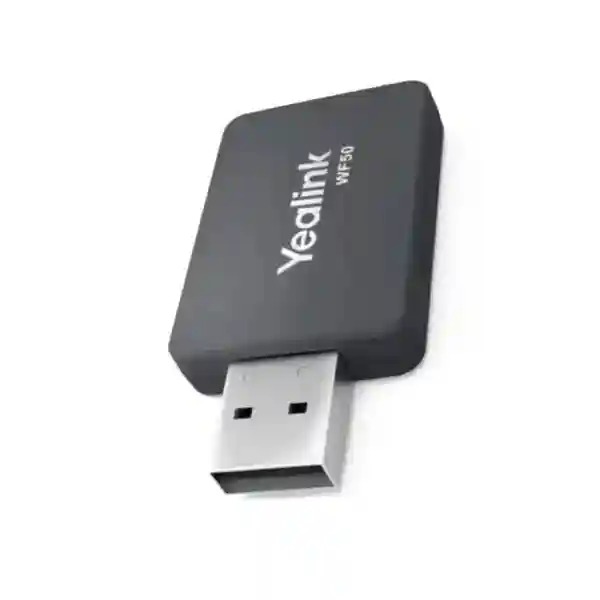
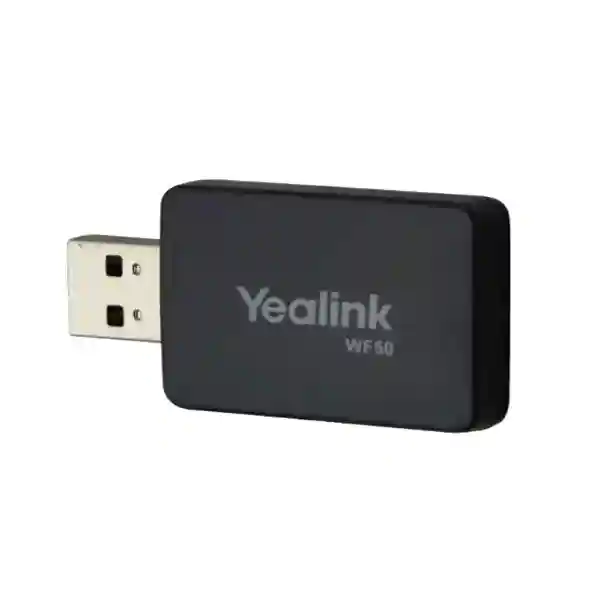
Yealink WF50 Wi-Fi USB Dongle for Business IP Phone Connectivity
The Yealink WF50 is a dual-band USB wireless adapter built to give supported Yealink desk phones access to 2.4 GHz and 5 GHz Wi-Fi networks. It is a practical accessory for offices, reception desks, temporary work areas, branch locations and refurbished spaces where extending structured Ethernet cabling to every handset is difficult or unnecessarily disruptive. Rather than replacing a compatible phone solely because its installation point lacks a convenient network drop, organizations can use the WF50 to connect supported models to an existing wireless LAN. Yealink specifies IEEE 802.11a/b/g/n/ac support, dynamic rates up to 433 Mbps on 5 GHz 802.11ac, USB 2.0 connectivity, integrated antenna design and enterprise-capable wireless security options including WPA2-Enterprise.
For procurement teams, the important consideration is compatibility. WF50 support varies by Yealink phone model, product revision and firmware level. FourTeck therefore recommends validating the exact handset model and firmware before ordering quantities for a fleet. This simple pre-purchase check reduces deployment delays and helps ensure that wireless settings, authentication method and phone firmware are aligned before rollout.
Procurement Fact Rail
Yealink WF50
Dual-band Wi-Fi USB adapter
USB 2.0
2.4 GHz / 5 GHz
Request current availability
Uganda supply and compatibility guidance
Operational Architecture and Deployment Overview
The WF50 acts as the wireless network interface for supported Yealink endpoints. Once inserted into the supported phone’s USB port and recognized by compatible firmware, the phone can discover available wireless networks and connect according to the handset’s configuration workflow. This architecture is useful where the voice endpoint needs network access but the physical installation does not justify a new copper run. Typical examples include executive offices after furniture changes, reception counters, temporary project rooms, training spaces, relocatable desks and branch sites where wireless coverage is already managed centrally.
Dual-band operation gives administrators a choice between the broad compatibility of 2.4 GHz and the generally cleaner spectrum available on 5 GHz. Yealink rates 802.11ac operation on 5 GHz at up to 433 Mbps dynamically, while 802.11n supports up to 150 Mbps. These are radio link rates rather than guaranteed application throughput; actual performance depends on access-point design, channel utilization, distance, obstacles, interference and wireless policy. For voice deployments, stable latency and consistent signal quality matter more than headline bandwidth. Administrators should therefore perform wireless coverage checks at intended phone positions instead of assuming that a strong laptop connection elsewhere in the room guarantees equivalent endpoint performance.
Security support includes WEP, WPA/WPA2, WPA-PSK/WPA2-PSK and WPA2-Enterprise. For business environments, modern WPA2-based configurations are preferable to legacy WEP. Where centralized authentication is used, the phone firmware and wireless policy should be validated against the organization’s authentication design before mass deployment. The WF50 itself is compact, with an integrated antenna and no external antenna assembly to position or maintain.
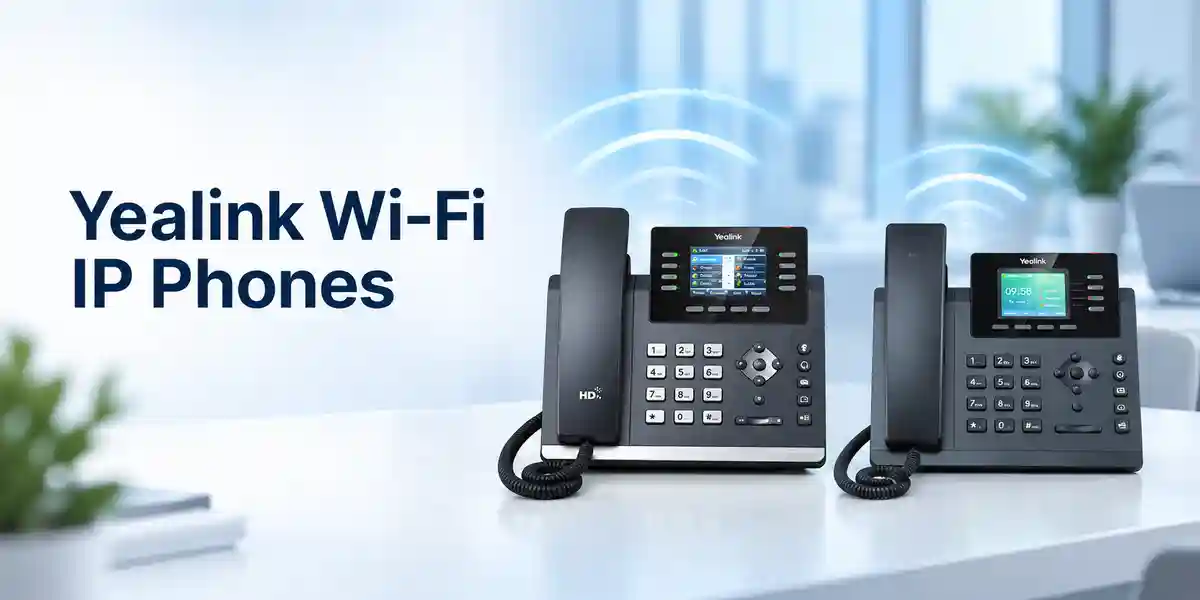

Enterprise Business Outcomes
Place supported Yealink phones where managed Wi-Fi is available without making every handset position dependent on a nearby Ethernet data outlet.
Use 2.4 GHz where coverage characteristics are useful or 5 GHz where channel planning and reduced congestion make it the better operational choice.
Extend the deployment usefulness of supported Yealink phones when office layouts change, subject to model and firmware compatibility.
Support common WPA/WPA2 modes, including WPA2-Enterprise, for integration with managed wireless environments.
The USB 2.0 plug-in form factor avoids external antenna hardware and keeps the endpoint installation compact.
Where wireless design permits, the adapter can reduce the need for new horizontal cabling solely to relocate a compatible phone.
Key Hardware and Software Highlights
The WF50 combines a USB 2.0 host connection, integrated antenna and dual-band radio in a 52 × 27 × 8 mm enclosure weighing approximately 28 g. It supports Linux and Android platforms as specified by Yealink for the accessory. Network standards include IEEE 802.11a/n/ac on 5 GHz and IEEE 802.11b/g/n on 2.4 GHz. The operating voltage is 5.0 V DC ±5%, supplied through the USB interface. Because this accessory depends on host-device support, buyers should not treat it as a universal USB Wi-Fi adapter for arbitrary computers or third-party phones. Its procurement value is specifically tied to supported Yealink endpoints and firmware.
| Specification | Confirmed Detail |
|---|---|
| Network standards | IEEE 802.11a/b/g/n/ac |
| 5 GHz rates | 802.11ac up to 433 Mbps; 802.11n up to 150 Mbps; 802.11a up to 54 Mbps, dynamic |
| 2.4 GHz rates | 802.11n up to 150 Mbps; 802.11g up to 54 Mbps; 802.11b up to 11 Mbps, dynamic |
| Security | WEP, WPA/WPA2, WPA-PSK/WPA2-PSK, WPA2-Enterprise |
| Interface | USB 2.0 |
| Antenna | Integrated |
| Operating voltage | 5.0 V DC ±5% |
| Dimensions | 52 × 27 × 8 mm |
| Weight | 28 g |
| Operating temperature | 0°C to +40°C |
| Storage temperature | -30°C to +70°C |
| Operating humidity | 10% to 90%, non-condensing |
Configuration and Sizing Worksheet
- Inventory the phones. Record every Yealink model that needs wireless connectivity and separate mixed generations rather than assuming a common accessory policy.
- Record firmware. Compatibility can depend on firmware. Capture the current version and planned upgrade baseline before purchase.
- Map wireless coverage. Verify signal quality, channel utilization and authentication at each desk location. Voice stability depends on more than theoretical radio speed.
- Choose the band policy. Determine whether phones should use 2.4 GHz, 5 GHz or an SSID strategy that allows managed selection.
- Confirm authentication. Validate PSK or enterprise authentication requirements and ensure the phone configuration workflow supports the intended security policy.
- Prepare the quote. Provide model, quantity, delivery city, firmware details and any staging requirement to FourTeck.
No separate rack space or external power feed is required for the dongle itself. However, wireless does not eliminate the phone’s own power requirement. Depending on the phone model and installation, the handset still needs its supported power arrangement. Procurement teams should therefore review the complete endpoint design rather than viewing Wi-Fi as a substitute for every cable associated with the phone.
Deployment Scenarios
Large Enterprise and Multi-Site Offices
Enterprises can use the WF50 selectively for supported phones in locations where structured cabling is impractical, while retaining wired Ethernet at high-density or fixed work areas. A selective approach prevents unnecessary dependence on wireless capacity and lets network teams reserve Wi-Fi deployment for desks where it creates a clear operational advantage.
Financial and Banking Environments
Banks and financial institutions should prioritize controlled authentication, segmented wireless design and formal compatibility validation. WPA2-Enterprise support can be relevant where centralized credentials are used, but the complete phone, firmware and authentication workflow should be tested before branch-wide rollout.
Education and Campus Networks
Campus buildings frequently combine old and new cabling. The WF50 can help place supported Yealink phones in offices, administrative areas and temporary rooms where managed wireless coverage is stronger than the available wired infrastructure.
Government and Institutional Procurement
Public-sector deployments benefit from documented model matching, firmware baselines, quantity planning and acceptance testing. Buyers can request compatibility validation and staged supply so that accessory revisions and handset requirements are checked before distribution across departments.
Technical Deep Dive: Radio, Firmware and Resilience
Dual-Band Radio Architecture
The adapter supports both 2.4 GHz and 5 GHz bands. The 5 GHz 802.11ac mode offers a stated dynamic link rate up to 433 Mbps, while 2.4 GHz 802.11n supports up to 150 Mbps. In a voice endpoint, the principal advantage is not bulk data transfer but the ability to choose an appropriate band for the local radio environment. A well-designed 5 GHz deployment can reduce exposure to congestion commonly found in 2.4 GHz environments, while 2.4 GHz may provide useful coverage characteristics in some buildings. Access-point placement, transmit power, channel width, roaming design and competing clients all influence actual behavior.
Firmware and Operational Control
WF50 compatibility is controlled by the host phone platform and firmware. Yealink documentation lists supported SIP and Teams/Skype-oriented phone families, with certain revisions requiring specified firmware baselines. This makes firmware governance a procurement issue, not merely a post-installation task. Before buying a large batch, administrators should test a representative handset from each model group, verify wireless activation, scan and authentication behavior, place test calls, confirm reboot persistence and document the resulting configuration standard.
Availability and Recovery Planning
A Wi-Fi dongle does not create high availability by itself. Service continuity depends on wireless access-point redundancy, LAN and WAN resilience, call-platform availability and endpoint power. For critical desks, organizations should assess whether a wired connection remains preferable. Where WF50 is used, maintain spare adapters, document SSID credentials or enterprise authentication procedures securely, and include wireless endpoint checks in incident-response playbooks.
Pre-Purchase Buyer Checklist
Before purchase, confirm five practical items. First, verify that the exact phone model supports WF50; similar-looking Yealink handsets can have different accessory capabilities. Second, verify firmware because some supported models require a minimum release. Third, confirm the wireless security mode and credentials policy. Fourth, check that the phone’s USB port is available and not required for another accessory. Fifth, test the intended desk location for stable Wi-Fi. These checks are more valuable than comparing theoretical wireless rates alone.
The WF50 does not require a recurring license simply to function as a USB Wi-Fi adapter, but the host phone, calling platform or management environment may have its own licensing or service requirements. Those platform costs should be assessed separately. The accessory is not a generic promise of compatibility with third-party endpoints. Procurement should be tied to Yealink’s supported-device list and the firmware baseline in use.
Physical clearance is another small but important detail. At 52 mm long, the dongle extends from the host USB port. Check desk placement, cable paths and wall clearance so the accessory is not exposed to repeated impact. For bulk deployments, retain a small spare pool because a removable USB accessory can be lost or damaged more easily than an internal radio.
Uganda Procurement and Delivery
FourTeck supports business procurement for Yealink accessories in Uganda with quotation, model verification, quantity planning and delivery coordination. For the fastest quote preparation, provide the required quantity, exact Yealink phone model, firmware version where known, destination and desired delivery schedule. Where a deployment includes multiple handset families, submit the fleet list so compatibility can be reviewed before the order is finalized.
Coverage can be coordinated for Kampala, Entebbe, Jinja, Mbarara and Gulu, with delivery planning based on order size, stock position and destination. Organizations operating branch networks can consolidate requirements into a single bill of materials and request staged dispatch where appropriate. Availability, lead time and warranty terms should be confirmed on the formal quotation because these can vary by supply batch and project conditions.
Regional Supply Coverage
Organizations with cross-border operations can coordinate Yealink requirements across Uganda, Kenya, broader African markets, the UAE and Kuwait. Regional sourcing can help multinational IT teams standardize endpoint accessories, documentation and model references while allowing delivery arrangements to reflect each destination.
Related Yealink Solutions
Explore Yealink IP phone solutions in Uganda, office communication systems, SIP desk phones, Wi-Fi-capable phone deployments and unified communications accessories. For exact model matching, use the contact page and include the handset model rather than selecting an accessory solely from appearance.
FourTeck Technical Service Capabilities
FourTeck can assist with bill-of-materials review, model and firmware compatibility checks, deployment planning, staging requirements and post-sales troubleshooting coordination. For larger projects, a representative sample can be validated against the customer’s wireless environment before full rollout. This is especially useful when the fleet contains different Yealink generations or when enterprise wireless authentication is involved. Pre-shipment requirements such as firmware alignment should be stated during quotation so scope, timing and responsibility are clear before dispatch.
Technical FAQ
What does the Yealink WF50 do?
It adds dual-band Wi-Fi connectivity to supported Yealink phones through USB 2.0. The host phone must explicitly support the adapter and appropriate firmware. It is intended to let compatible endpoints join 2.4 GHz or 5 GHz wireless networks where a wired network connection is inconvenient.
What is the maximum wireless rate?
Yealink specifies up to 433 Mbps dynamically for 5 GHz 802.11ac and up to 150 Mbps dynamically for 802.11n. These are radio link rates. Real application performance varies with access-point capability, interference, signal strength, channel configuration and competing wireless traffic.
Does WF50 support enterprise wireless security?
The published specification includes WEP, WPA/WPA2, WPA-PSK/WPA2-PSK and WPA2-Enterprise. Organizations should use an appropriate modern security configuration and validate the exact authentication workflow on the target phone and firmware before a fleet deployment.
Is WF50 compatible with every Yealink phone?
No. Compatibility is model- and firmware-dependent. Yealink lists a range of supported SIP and collaboration phones, but buyers should verify the exact handset model, revision and firmware. FourTeck can review these details before quotation.
Does the adapter need a separate power supply?
No separate power adapter is specified for the WF50; it operates at 5.0 V DC ±5% through USB. The host phone still requires its normal supported power arrangement, so wireless network connectivity should not be confused with eliminating the phone’s power requirement.
Can it replace Ethernet everywhere?
Not necessarily. Wi-Fi is useful for flexible placement, but critical or high-density voice environments may still favor wired Ethernet. The right choice depends on wireless coverage, interference, capacity, security policy, endpoint power and operational resilience requirements.
What should be tested before bulk deployment?
Test recognition of the adapter, wireless scanning, authentication, call stability, reboot persistence and configuration management on each handset family. Also verify signal quality at the actual desk locations and document the approved firmware baseline.
What are the physical specifications?
The WF50 measures approximately 52 × 27 × 8 mm and weighs 28 g. It uses an integrated antenna and USB 2.0 interface. Operating temperature is specified from 0°C to +40°C, with 10% to 90% non-condensing operating humidity.
How should warranty replacement be handled?
Keep purchase documentation, serial or batch information where applicable, and a clear fault description. Warranty terms should be confirmed on the FourTeck quotation because regional and project terms may vary. Troubleshooting should first distinguish adapter failure from host-phone firmware, USB-port, authentication or wireless-coverage issues.
What information should I send for a quote?
Send the quantity, exact Yealink handset model, firmware version if known, delivery location in Uganda and any required deployment schedule. For mixed fleets, provide a model-by-model quantity list. This enables compatibility review before commercial processing and reduces the risk of ordering an accessory for an unsupported handset.
Request Yealink WF50 Pricing for Uganda
Send FourTeck your Yealink phone model, required WF50 quantity, firmware details and delivery city. We can prepare a project quotation and help confirm compatibility before supply, giving your team a clearer path from accessory selection to wireless phone deployment.



Reviews
There are no reviews yet.