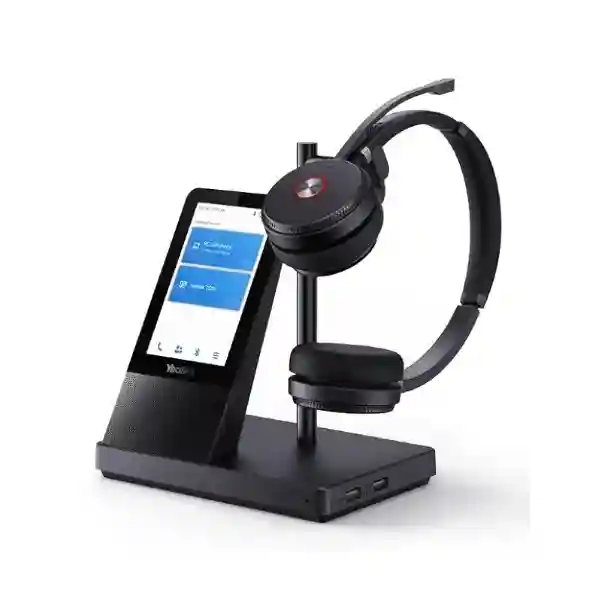
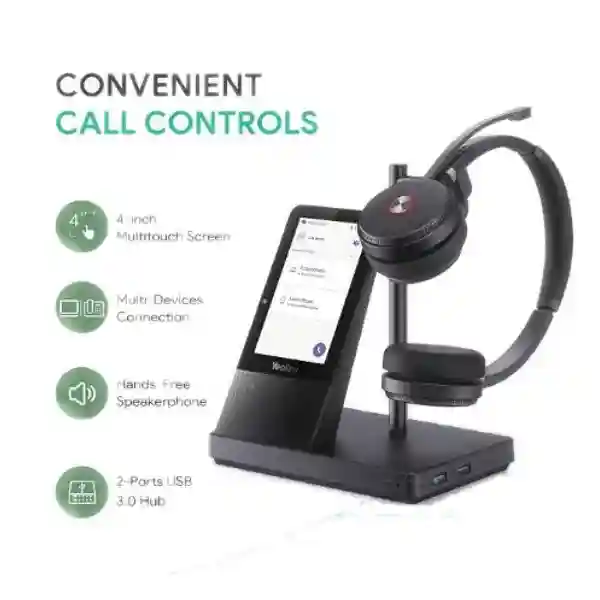
Yealink WH62 WH66 Portable Accessory Kit – Portable DECT Headset Mobility for Hybrid Work
The Yealink Portable Accessory Kit for WH62/WH66 is a purpose-built mobility accessory for organizations that already use compatible Yealink WH6X DECT headsets and want a simpler way to extend those headsets beyond a permanently installed desktop base. Yealink describes the accessory as a plug-and-play, lightweight solution that helps transform a compatible DECT headset into a more portable working setup. Instead of dismantling and transporting the complete base every time an employee moves between office and home, the portable accessory approach is intended to make the existing headset easier to reuse across flexible work locations.
For Uganda businesses, this is primarily a workplace-standardization and user-mobility purchase. It can support organizations that have invested in WH62 or WH66 headsets for office calling but now need selected employees to work from multiple locations. The value is not in adding another headset to inventory; it is in obtaining more practical use from a compatible headset already assigned to a user. Procurement teams can therefore consider the kit when planning hybrid-work bundles, executive travel packs, hot-desk programs, business-continuity equipment or distributed support teams.
Compatibility validation is important. WH62 and WH66 are members of Yealink’s WH6X family, but they have different workstation capabilities and connection options. The accessory should be matched to the precise headset and intended host device before ordering. FourTeck can review the model information, quantity, user workflow and target computers or communication endpoints so the requested bill of materials is aligned with the deployment.
Procurement Fact Rail
Portable accessory for compatible Yealink WH62/WH66 DECT headset deployments.
Reduce dependence on transporting the complete desktop headset base between work locations.
Individual hybrid workers, departmental rollouts and enterprise headset fleets.
Portable DECT workflow; exact host compatibility should be validated before purchase.
Supplied against confirmed model, quantity and deployment requirements.
Confirm applicable regional warranty and replacement process on the commercial quotation.
A procurement request should identify whether users have WH62 or WH66 equipment, the specific headset variant where known, the computers or endpoints to be used, quantity, deployment city and any collaboration-platform requirements. This avoids ordering accessories on the assumption that every WH6X configuration behaves identically. For fleet projects, provide a sample of existing part numbers or photographs of labels so the engineering and commercial teams can validate the requested combination before shipment.
Operational Architecture and Product Overview
A conventional office DECT headset deployment often centers on a base that remains connected to the user’s workstation or desk phone. That arrangement is convenient when the user works from one desk, but it becomes less convenient when the same employee regularly alternates between corporate office, home office and temporary workspaces. Yealink created the Portable Accessory Kit for WH62/66 around this friction point. The manufacturer’s product description specifically emphasizes the inconvenience of carrying a headset base and repeatedly taking it down and setting it up. The portable kit is positioned as a lightweight, plug-and-play alternative for hybrid work.
The architectural benefit is separation of mobility from the larger workstation footprint. Rather than procuring a second full headset system for every secondary location, an organization can assess whether a portable accessory arrangement can allow a compatible headset to follow its assigned user. This can simplify asset assignment: the headset remains personal equipment, while offices can focus on standardized computers, docks and collaboration endpoints. It can also reduce desk clutter in temporary workspaces.
The WH62 itself is a DECT wireless headset family offered in mono and dual forms. Yealink publishes USB connectivity to PC and IP phone for the standard WH62 system and describes secure DECT with DSAA2 authentication and DSC2 128-bit encryption. WH66 is positioned higher in the WH6X family as an all-in-one UC workstation and includes additional connection flexibility. Because the underlying systems differ, buyers should not infer that a portable accessory changes every capability of the original base or creates functions that the headset did not previously have. The kit’s purpose is mobility and reuse, not replacement of the entire workstation feature set.
Operationally, the most common purchasing question is whether a user can retain familiar DECT headset behavior while becoming less tied to a permanent base. Yealink’s own WH62 and WH66 pages explicitly reference the Portable Accessory Kit as a way to make WH6X wireless office headsets more flexible. This is useful for companies standardizing communications equipment across permanent desks and flexible locations. The key deployment discipline is to validate the exact headset, endpoint and call-control expectations before bulk purchase.

The accessory also belongs in a broader endpoint-management discussion. Headsets are frequently treated as small peripherals, yet they directly affect user adoption, call quality workflows and help-desk load. A poorly matched accessory can create unnecessary troubleshooting; a validated portable kit can make the transition between locations more predictable. FourTeck therefore recommends recording headset model, endpoint model, collaboration platform and accessory assignment in the same asset register used for laptops and docking equipment.
Enterprise Business Outcomes and Value Analysis
Key Hardware and Software Highlights
The Portable Accessory Kit should be evaluated as an accessory architecture rather than a standalone headset. The central hardware objective is to provide the portable connection components needed to use a supported WH62/WH66 headset without transporting the normal desktop base. Yealink calls the kit lightweight and plug-and-play. For WH62 Portable implementations, Yealink documents its WDD60 DECT dongle architecture, USB 2.0 host connectivity and a portable carrying workflow. The WH62 Portable datasheet lists the dongle at only 4.5 g, illustrating why the portable DECT concept is materially easier to carry than a full base.
From the user perspective, the retained headset remains the key audio component. WH62 specifications include dual microphones, a 28 mm speaker, talk-mode bandwidth of 100 Hz to 8 kHz and music-mode bandwidth up to 20 kHz. Standard WH62 battery specifications list up to 13 hours talk time for mono and up to 14 hours for dual, with actual operating time affected by usage and configuration. These headset characteristics are useful context, but buyers should distinguish them from the accessory itself: the portable kit does not manufacture extra battery capacity or change the acoustic hardware in the headset.
Management and collaboration behavior also depends on the underlying headset and host. Yealink supports its headset ecosystem with Yealink USB Connect and management services on applicable products. For enterprise rollouts, test firmware, host operating system, collaboration client, call-control behavior and USB policy on the corporate image before ordering at scale. This is especially important in locked-down environments where USB device classes or software installation are controlled centrally.
Technical Specifications Ledger
| Item | Procurement Detail | Deployment Interpretation |
|---|---|---|
| Official product name | Portable Accessory Kit for WH62/66 | Accessory intended for supported WH62/WH66 use cases. |
| Primary purpose | Make a compatible DECT headset more practical for hybrid work. | Reduces need to carry the full base between locations. |
| Installation concept | Plug-and-play, lightweight portable accessory workflow. | Suitable for managed mobile-user kits after compatibility validation. |
| Compatible family | WH62 / WH66 as stated by Yealink. | Confirm precise headset variant and host before order. |
| WH62 reference interface | USB connectivity to PC and IP phone on standard WH62; portable architecture uses USB/DECT dongle workflow. | Endpoint support must be checked against the desired portable configuration. |
| WH62 reference DECT security | DSAA2 authentication and DSC2 128-bit encryption. | Useful for enterprise headset security planning; host security remains separate. |
| WH62 portable reference range | Yealink documents up to 120 m / 393 ft for WH62 Portable in its technical specification. | Actual range varies with walls, interference and site conditions. |
| WH62 reference battery | Up to 13 h mono / 14 h dual talk time; up to 90 h / 125 h standby. | These are headset specifications, not a separate battery claim for the accessory. |
| WH62 portable charging reference | 5 V / 1.2 A; approximately 2.5 hours in current Yealink support specification. | Plan a charging point at the user’s primary or secondary workspace. |
| Environmental values | Not stated on the accessory page used for this configuration. | Request project-specific confirmation if deployment has unusual temperature, humidity or industrial conditions. |
| Regional compliance | Confirm the exact supplied part number and applicable approvals at quotation. | Do not substitute another regional radio part without validation. |
The ledger intentionally separates confirmed accessory purpose from reference specifications of the compatible headset ecosystem. This distinction prevents procurement documents from incorrectly assigning headset specifications to a small accessory. For formal tenders, request the manufacturer part number, country-of-supply documentation and any required compliance certificates before final purchase approval.
Configuration and Sizing Worksheet
Step 1 – Establish the user population
Count only users who genuinely need to move a compatible WH62 or WH66 headset between locations. Separate permanent desk users from hybrid workers. For each mobile user, record the existing headset model and whether the user works from a company laptop, personal workspace, hot desk or shared office. A pilot of representative users is advisable before a large deployment.
Step 2 – Validate endpoint and workload
List the host computer or desk endpoint, operating system, collaboration applications and expected call-control functions. A user who only needs PC meetings has a different requirement from a contact-center employee who expects call answering from a desk phone. Test the real workflow, including mute, volume, answer/end behavior and reconnection after moving locations.
Step 3 – Check workspace, power and USB availability
Portable does not mean infrastructure-free. Confirm that the user has an available compatible USB interface and a practical charging arrangement. Where corporate laptops have limited ports, identify whether a dock or approved hub is part of the standard build. Avoid untested chains of adapters because they can complicate support.
Step 4 – Review software and management
Determine whether the organization uses Yealink USB Connect or centralized device-management functions for the headset estate. Check software installation rights and firmware policies. No separate subscription should be assumed merely because an accessory is portable; however, collaboration services, endpoint management and corporate support tools may have their own licensing.
Step 5 – Prepare the quote request
Provide product name, existing WH62/WH66 variant, quantity, delivery city, host endpoint, collaboration platform, desired deployment date and any tender documentation requirements. For mixed fleets, provide quantities by model. Ask for explicit confirmation of included components so receiving teams can reconcile delivered items against the purchase order.
Deployment Scenarios and Industry Use Cases
Large enterprise and multi-site networks: Corporate groups with offices in Kampala and regional branches can assign compatible headsets to employees while using portable accessory kits for staff who rotate between headquarters, branch offices and home. The benefit is a consistent personal audio device without requiring every secondary location to hold a duplicate full base. IT can document the portable configuration as a standard endpoint bundle and train the service desk on one approved setup.
Financial and banking institutions: Banks often maintain strict endpoint-control processes and segmented user roles. A portable headset accessory can be considered for approved hybrid roles, project managers, auditors or back-office personnel, provided USB policies and collaboration applications permit it. Procurement should validate the radio variant and endpoint behavior, while security teams continue to enforce laptop controls and physical asset procedures.
Education and campus networks: University administrators, faculty leadership and support personnel may move between offices, meeting rooms and remote teaching locations. Reusing a familiar DECT headset can reduce the learning curve when switching spaces. Departments can hold a small validated pool of kits for staff whose work pattern requires portability rather than issuing duplicate full headset stations.
Government and regulated procurement: Public-sector projects typically require clear model identification, commercial documentation and controlled receiving. The accessory should be listed with its exact manufacturer description and validated against the installed WH62/WH66 estate. For tender submissions, buyers can request warranty terms, origin information and compliance documents applicable to the offered part.

Contact centers and customer-service teams: Not every contact-center seat needs mobility, but supervisors, quality teams and distributed agents may benefit from a portable configuration. Test softphone integration and call controls on the exact corporate image. A controlled pilot can expose any policy or driver issues before hundreds of accessories are issued.
Technical Deep Dive 1: DECT Mobility and Hardware Engine Architecture
The defining technical concept behind the portable kit is that the user should not have to transport the full desktop base simply to continue using a compatible DECT headset in another location. DECT is attractive in professional headset deployments because it is engineered for cordless voice communication and, in Yealink’s WH6X implementation, provides a dedicated headset connection architecture rather than relying solely on a general-purpose Bluetooth workflow. The portable accessory approach reduces the physical connection footprint at the host side.
For context, Yealink’s WH62 Portable architecture documents a compact WDD60 DECT dongle and USB connection to a PC. The dongle is specified at 4.5 g. That physical difference matters to a hybrid worker: a tiny interface can remain in a laptop bag far more conveniently than a complete charging base. Yealink documents up to 120 metres of wireless range for WH62 Portable, although real-world distance is affected by walls, radio conditions and building construction. Buyers should therefore view maximum range as a laboratory-style capability ceiling rather than a guaranteed floor plan measurement.
Audio processing remains principally a headset capability. WH62 uses dual microphones and Yealink’s acoustic technologies to improve voice pickup in office environments. The portable accessory does not replace the microphone array, speakers or headset battery. This separation is useful for lifecycle planning: if an organization already has serviceable compatible headsets, the portable kit addresses connection mobility without necessarily replacing the acoustic device.
Technical Deep Dive 2: Software Ecosystem, Firmware Security and Operational Control
Enterprise headset deployments intersect with operating systems, collaboration clients, USB security controls and device firmware. A portable accessory can simplify the physical setup, but it does not eliminate those software dependencies. IT should validate the configuration on the same laptop build used in production. This includes testing after corporate security agents, USB restrictions, collaboration plugins and operating-system updates are applied.
Yealink provides USB Connect for applicable headset configuration and management tasks, and its broader management ecosystem can support device administration in compatible deployments. Organizations should establish who owns firmware change control. A common operational mistake is allowing users to update devices independently while the service desk supports a different tested version. For a large accessory rollout, define a known-good firmware baseline, record the headset model and test the portable workflow against that baseline.
Security should be evaluated end to end. Yealink documents secure DECT mechanisms on WH62, including DSAA2 authentication and DSC2 128-bit encryption. Those radio protections are one layer; the laptop, softphone credentials, network, identity platform and physical device remain separate security domains. Procurement should therefore avoid describing a headset accessory as a complete security control. Its role is to support a validated endpoint connection within the organization’s existing security framework.
Technical Deep Dive 3: Availability, Redundancy and Business Continuity
A headset accessory is not a high-availability network appliance, yet it can still contribute to user-level continuity. When an employee can carry a compact connection kit with an assigned headset, the organization has fewer dependencies on a particular desk or headset base. This can be useful during office moves, building maintenance, temporary remote-work periods and business-continuity events.
Redundancy should be planned pragmatically. Critical support teams may hold spare portable kits, charging cables and tested headsets at a central IT store rather than issuing duplicate equipment to every user. This creates a replacement pool for damaged or misplaced accessories. Record spare quantities as part of the bill of materials and define a handover process so emergency stock is not consumed as untracked everyday equipment.
Power continuity is mainly about headset charging and host availability. The portable kit cannot keep a laptop or network operational during an outage. If a role is business-critical, pair the headset plan with laptop battery standards, UPS coverage where appropriate, redundant internet access and collaboration-service continuity. The headset layer should be one small component in a wider resilience design.
Pre-Purchase Buyer Gap Checklist
Is the headset included? Treat the Portable Accessory Kit as an accessory purchase unless the commercial quotation explicitly states otherwise. Confirm every included component before approving the order. If you need complete headsets for new users, request those separately.
Will it work with every WH62 or WH66? The official accessory is named for WH62/66, but regional variants, host devices, firmware and desired call-control workflows can affect deployment. Provide the exact model information for validation.
Are there hidden licenses? The accessory itself should not be confused with a collaboration-service subscription. Microsoft Teams, softphone, contact-center, device-management or other enterprise services may have separate licensing. Ask the project owner to distinguish hardware cost from service licensing.
Does portability preserve every base feature? Do not assume that replacing the normal base workflow with a portable connection reproduces every function of a WH66 workstation base. WH66 includes workstation-oriented capabilities beyond basic headset connectivity. List the functions users actually need and validate them in the portable configuration.
What about USB-C-only laptops? Identify the connector and approved adapter policy of the exact supplied accessory and the corporate laptop fleet. If adapters or docks are required, include approved models in the bill of materials and test them.
What is the real wireless range? Manufacturer range figures are maximum specifications. Reinforced concrete, walls, radio conditions and office layout can reduce practical range. Pilot the product in representative buildings when roaming distance is operationally important.
What happens when the headset battery ages? The accessory does not remove normal battery lifecycle considerations. Maintain a headset replacement policy based on user experience, charging behavior and service life.
Will it work across vendors? Compatibility should be validated at the endpoint and application level. Avoid assuming that because a headset works with one computer or phone, every third-party endpoint will expose identical call controls.
How should spares be sized? Base spare stock on fleet size, user criticality, geographic distribution and replenishment lead time. A central Kampala deployment can often operate with a smaller spare percentage than a widely distributed field team where replacement logistics take longer.
Uganda Procurement and Delivery Logistics
FourTeck can structure a Uganda quotation around the exact Yealink headset estate and delivery requirement. Start by supplying the product name, WH62 or WH66 variant, required quantity, delivery location and intended endpoint. For larger orders, include an asset list or sample manufacturer part numbers. The commercial team can then prepare the offer around the validated accessory requirement rather than quoting an ambiguous generic adapter.
Order processing should include bill-of-materials confirmation, commercial approval, payment or credit terms where applicable, sourcing allocation and receiving documentation. Delivery timing depends on requested quantity, current supply position and project-specific logistics, so lead time should be stated on the quotation rather than assumed from a product page. For scheduled rollouts, place orders with enough time for validation, staging and distribution to branch locations.
Technical pre-configuration can include verification of the intended headset/accessory combination, firmware review where applicable, sample pairing checks and preparation of a user handover guide. For enterprise projects, agree acceptance criteria before shipment: correct part number, physical condition, included components, quantity and any requested documentation. This creates a cleaner receiving process and reduces disputes after deployment.
Local Coverage Matrix
Head-office, enterprise, contact-center and public-sector procurement coordination.
Support for hospitality, aviation-linked offices and distributed corporate teams.
Accessory supply planning for industrial, education and branch-office environments.
Regional business, healthcare, education and institutional communication deployments.
Regional office and project-team supply with centralized procurement coordination.
For deliveries outside these hubs, provide the destination district and preferred receiving method during quotation. Regional project orders benefit from consolidated packing lists and clear allocation by branch so accessories can be distributed without opening and re-sorting every shipment at headquarters.
Cross-Border and Regional Supply Chains
Organizations operating across East Africa and the Gulf often need the same headset standard in multiple countries. FourTeck’s regional web presence can support procurement conversations across Uganda, Kenya, the wider African market, UAE and Kuwait. Cross-border projects should still validate the exact radio part, warranty route, commercial terms and destination-country requirements.
For multinational fleets, standardize the functional requirement first, then map the approved local part numbers. Avoid moving radio accessories between countries solely because the model family name appears identical. A regional bill of materials can identify country, quantity, headset variant, accessory part and receiving entity. This provides better governance than one undifferentiated global order and makes warranty processing easier later.
Related Yealink Products and Deployment Options
Buyers evaluating this accessory commonly need to review the broader headset and communications environment. Explore Yealink WH62 options when adding complete headsets for new employees, or Yealink WH66 options for workstation-oriented users. For wider standardization projects, review Yealink business headsets and Yealink IP phones. Organizations building meeting spaces can also examine Yealink conferencing solutions.
Related accessory planning may include approved USB adapters or docks, charging arrangements, spare headsets and external busylight devices where supported. The correct combination depends on the endpoint and employee role. Ask for a consolidated quote rather than purchasing each component independently when the project covers many users; this makes compatibility review and receiving substantially easier.
FourTeck Technical Service Capabilities
FourTeck can support the accessory purchase with engineering validation rather than treating it as an isolated catalogue item. The first step is bill-of-materials verification: confirm the headset family, user quantity, endpoint type and desired work pattern. For mixed estates, the bill can separate WH62 and WH66 users and identify where a portable kit is appropriate versus where a complete new headset or normal base remains the better choice.
Staging services can include visual inspection, part-number verification, sample connection testing and firmware review on applicable headset equipment. Where project timing allows, a pilot group can test the configuration before the bulk order is released. This is particularly valuable for contact centers and tightly controlled corporate laptops, where call-control behavior and USB policies matter more than basic audio playback.
Post-sales support can assist with installation questions, pairing workflow, compatibility troubleshooting and warranty coordination according to the terms of the supplied product. For multi-site deployments, maintain an asset schedule linking each accessory to its assigned headset or user group. Good documentation shortens future troubleshooting and helps procurement understand whether replacement requests concern the portable accessory, headset, host computer or collaboration application.
Extended Technical FAQ
1. What exactly is the Yealink Portable Accessory Kit for WH62/66?
It is an accessory designed to make compatible Yealink WH62 and WH66 DECT headset deployments easier to use in hybrid-work scenarios. Yealink describes the kit as lightweight and plug-and-play and positions it as a solution to the inconvenience of carrying and repeatedly setting up the full headset base. It should not automatically be interpreted as a complete headset package. When requesting a quotation, ask for the included-component list and identify the headset you already own or plan to purchase. This allows the supplier to confirm that the accessory, headset and host endpoint form the intended working combination.
2. Is the accessory suitable for employees working between office and home?
Yes, that is the principal scenario Yealink highlights. The portable design is intended to help a compatible DECT headset follow the user between locations without requiring the full base to be transported each time. For a managed enterprise rollout, test the accessory with the employee’s corporate laptop, collaboration application and USB policy. Also provide a practical charging plan. A successful hybrid-work kit is more than the accessory alone: it includes the laptop connection, headset, charging cable, protective carrying method and clear setup instructions so users can reproduce the configuration at both locations.
3. Does it give a WH62 or WH66 all the same functions as its normal base?
Do not assume feature-for-feature equivalence. The purpose of the portable kit is mobility. The WH66 in particular is an all-in-one UC workstation with capabilities associated with its normal base and workstation design. A portable connection can be ideal for calls and collaboration while still not reproducing every workstation feature. Before ordering, list the functions the employee actually uses: PC audio, call answer/end, mute, volume, desk-phone connection, mobile connection, speakerphone or other workstation functions. FourTeck can then help identify whether the portable configuration is suitable or whether the standard base should remain part of the user’s setup.
4. What wireless range should we expect?
Range depends on the exact headset configuration and the building. Yealink’s WH62 Portable technical information publishes a maximum DECT range of up to 120 m / 393 ft, while other WH6X configurations may carry different maximum figures. Never design an office around the maximum number alone. Concrete walls, metal partitions, floor slabs and local radio conditions can reduce usable distance. If roaming range is important—for example, a supervisor moving across a service floor—perform a pilot in the actual building and test audio stability in the zones users are expected to reach.
5. Are extra subscriptions required to use the portable accessory?
The hardware accessory should be separated from the software services used for calling. A portable headset connection does not itself replace or provide a Microsoft Teams, contact-center, PBX, softphone or other collaboration entitlement. Those services may have their own user subscriptions. Device-management platforms can also have separate commercial terms depending on the environment. During budgeting, create distinct lines for hardware, collaboration licensing, endpoint-management licensing, deployment services and support. This prevents the accessory price from being mistaken for the complete cost of enabling a new hybrid worker.
6. How should an enterprise verify compatibility before a bulk purchase?
Start with exact manufacturer model information for the installed headset, then document the host device, operating system, collaboration application and functions required by the user. Obtain one or more sample units and test them on the production corporate image rather than an unrestricted personal computer. Validate audio, microphone, mute, volume, answer/end behavior, reconnection and charging. If desk phones are part of the workflow, test the actual phone model as well. Record the successful configuration and firmware versions. Once the pilot is accepted, use that record as the deployment baseline for procurement and support.
7. What warranty information should be requested?
Ask the quotation to state the applicable warranty period, warranty provider, return procedure and any conditions for advance replacement or repair. Also keep the invoice, serial or part information and delivery record. Warranty handling can vary by product, region and supply channel, so a generic global statement should not replace the terms attached to the actual Uganda supply. For a large fleet, define who is authorized to raise warranty cases and maintain a small spare pool so an employee is not left without a working communication device while a claim is being processed.
8. Can FourTeck help with configuration and user rollout?
Yes, project support can be scoped around compatibility validation, bill-of-materials review, sample testing, firmware checks on applicable devices and deployment guidance. For larger rollouts, the most useful deliverable is often a simple standard operating procedure showing how to connect the accessory, charge the headset, select it in the collaboration application and perform basic troubleshooting. IT teams can combine this with their own security and asset-management procedures. If multiple headset variants exist in the company, label the approved combinations clearly so users do not swap accessories between untested configurations.
9. Is this accessory appropriate for contact-center agents?
It can be appropriate for selected agents or supervisors who need mobility, but contact-center deployments should be tested more rigorously than ordinary meeting use. Confirm the softphone or browser contact-center platform, call-control behavior, audio device selection after login, USB restrictions and any recording or quality-management requirements. Also consider whether agents require a fixed, always-ready desk setup; in that case, the normal base may be more operationally convenient. Portable kits are strongest where movement between approved work locations is a genuine requirement rather than simply an attempt to reduce equipment on the desk.
10. What information should be sent for a fast and accurate quote?
Provide the full requested product name, existing headset model or part number, quantity, delivery city, intended host device and target collaboration platform. If the fleet is mixed, provide a quantity for each headset variant. Mention whether the project requires a pilot, staging, tender documentation, warranty statement or delivery split by branch. For an existing WH6X estate, photographs of model labels can help resolve uncertainty. Clear input at the quotation stage reduces substitutions, prevents mismatched accessories and makes it easier to provide a commercial offer that the technical team can approve without a second procurement cycle.
Prepare Your Yealink WH62/WH66 Portable Deployment
A portable accessory is a small purchase that can influence the daily usability of an entire hybrid-work program. Before ordering, confirm the installed headset variant, user role, host device and required call controls. FourTeck can help validate the proposed combination, structure the bill of materials and prepare a Uganda quotation for single-site or multi-branch deployments. For enterprise quantities, include your planned rollout date and locations so sourcing, staging and delivery can be aligned with the project schedule. If you are uncertain whether users should retain the standard WH62/WH66 base or move to the portable workflow, request a pilot configuration first and test it with representative employees.


Reviews
There are no reviews yet.