ENTERPRISE WIRELESS | UGANDA PROCUREMENT
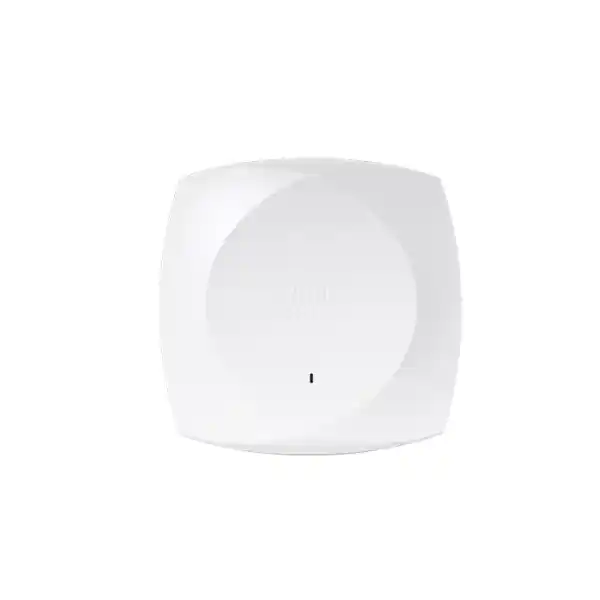
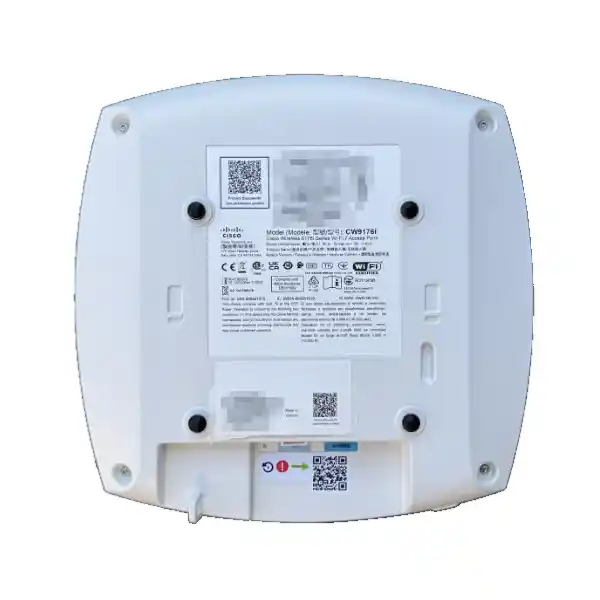
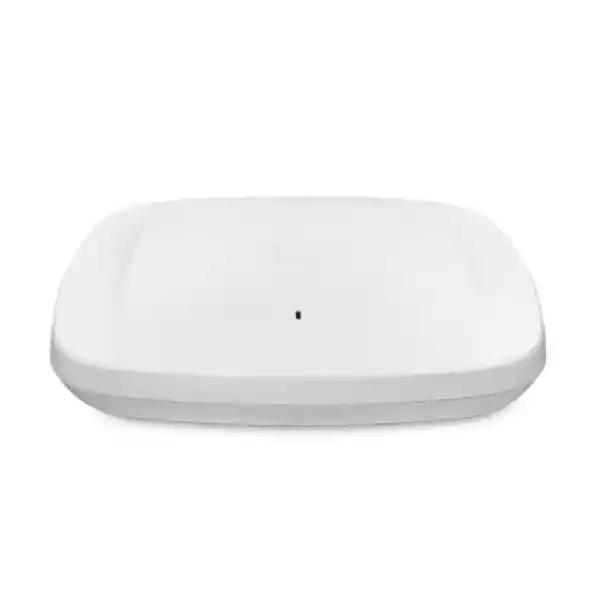
Cisco Meraki CW9176I Wi-Fi 7 Enterprise Access Point
The Cisco Wireless CW9176I is an indoor, omnidirectional, tri-band enterprise access point built for demanding client density and modern wireless applications. Its 2.4 GHz, 5 GHz and 6 GHz radios enable phased migration from existing devices to newer Wi-Fi 7 clients. It is particularly relevant where conventional wireless equipment struggles with concurrency, latency-sensitive applications, or an expanding mix of managed and guest devices.
The unit combines three 4×4 radio chains, dedicated wireless scanning, Bluetooth Low Energy functions, and a multigigabit Ethernet interface capable of 10 Gbps. These specifications make it a strong candidate for carefully engineered business networks, but successful deployment depends on more than buying the access point. Radio planning, switch power budgets, regulatory permissions, uplink infrastructure, subscription entitlements and management choices must all be validated before installation.
For buyers in Kampala and across Uganda, FourTeck can coordinate a quotation that addresses the complete deployment rather than treating the access point as an isolated purchase. Tell us the floor area, expected users, building materials, existing switching equipment, preferred management environment and required commissioning date. We can then identify questions that need resolution before purchase, including power injectors, suitable cable paths, license duration and replacement procedures.
Procurement facts at a glance
CW9176I, indoor omnidirectional access point.
Wi-Fi 7, 2.4/5/6 GHz, three 4×4 radios and 12 spatial streams.
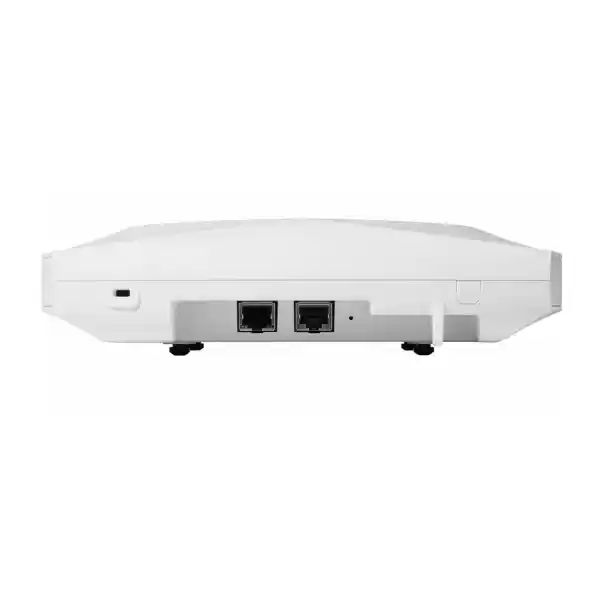
One RJ45 multigigabit Ethernet uplink supporting up to 10 Gbps.
802.3bt recommended for full functionality; verify available power class and injector compatibility.
Eligible Meraki cloud or Cisco controller-based deployment, subject to correct software and licensing.
Price, stock, import lead time and regional warranty terms supplied by written quotation.
How the CW9176I fits enterprise architecture
The CW9176I is an access-layer wireless device, not a replacement for the campus switching, routing, firewall or identity infrastructure behind it. Client traffic traverses the radio environment, access point processing path and wired uplink before reaching applications. A deployment should therefore be designed as a complete chain. An impressive wireless PHY rate cannot compensate for congested uplinks, poor RF placement, insufficient switch power or restrictive upstream policies.
The published tri-radio aggregate frame rate is up to 18 Gbps. This is an aggregate wireless frame-rate specification, not a promise of 18 Gbps of usable application throughput to an individual client. Real throughput depends on device capabilities, channel width, interference, regulatory channel availability, protocol overhead, airtime competition and network design. For planning, engineers should measure expected concurrent traffic rather than multiplying the theoretical peak rate by the number of devices.
The dedicated scanning radio supports continuous spectrum visibility and wireless intrusion detection and prevention functions. This can reduce the operational blind spots that arise when troubleshooting relies only on user complaints. Bluetooth Low Energy and a dedicated IoT radio broaden deployment possibilities, although the actual application workflow must be validated against supported software and subscriptions.
The integrated antenna pattern is intended for general indoor coverage. It differs from the CW9176D1 directional-antenna variant, which may suit certain high-ceiling or specialized layouts. Select antennas based on the physical environment and predictive or measured coverage, not merely on the number of users in a building.
Business outcomes that matter
- Throughput integrity: Wi-Fi 7 capabilities and a 10GbE-capable uplink create headroom for high-demand client groups. Verify actual switch port negotiation and realistic application throughput during acceptance testing.
- Operational continuity: Centralized monitoring, disciplined firmware maintenance and a documented replacement plan can shorten troubleshooting cycles. A single access point does not itself provide redundant coverage.
- Scalable deployment: Consistent access point profiles and repeatable mounting practices simplify expansion from one floor to multiple sites. RF surveys and capacity models should be revisited as user density changes.
- Security controls: WPA3 capabilities, guest access design and integration with enterprise identity policy support segmentation. Security depends on configuration, supported features and upstream enforcement.
- Management efficiency: Eligible cloud or controller-based management allows teams to align monitoring with existing operations. Confirm management mode and license model before the purchase order is raised.
- Cost predictability: Compare access point hardware, subscription term, PoE switching, cabling, support, installation and possible replacement stock over the intended lifecycle.
- Future readiness: Support for the 6 GHz band and modern Wi-Fi 7 features can reduce pressure to replace access points as compatible endpoints become more common, subject to local spectrum rules.
Hardware and software highlights
Three 4×4:4 radios provide access to 2.4, 5 and 6 GHz operation. Supported Wi-Fi 7 features include multi-link operation, OFDMA and 4096-QAM under compatible conditions. The 6 GHz band supports channel widths up to 320 MHz where permitted. The 5 GHz band supports widths up to 160 MHz, while the 2.4 GHz band uses 20 MHz channels in the published configuration.
A single 100M/1G/2.5G/5G/10G BASE-T port links the access point to the wired network. USB 2.0 is available with a 9 W power budget in the full-power operating mode. Mounting options include ceiling, wall and desktop placement using supported hardware. Physical protection includes a Kensington lock slot. Confirm exact accessory and mounting contents for the ordered regional SKU.
Power negotiation changes device capabilities. Under 802.3bt, the published feature table describes full 4×4 operation on each main radio, 10 Gbps link capability and USB availability, with maximum access point consumption listed as 39 W. Under 802.3at, reduced 2.4 GHz radio capability and a 2.5 Gbps uplink limit apply. Cisco documentation also describes 802.3af low-power behavior; do not treat basic link negotiation as proof that all radios are operational. Use an approved power source and validate the precise Cisco guidance for the deployment.
Technical specifications ledger
| Item | Published specification or purchasing note |
|---|---|
| Product family | Cisco Wireless 9176 Series |
| Model | CW9176I internal omnidirectional antenna |
| Wireless standard | 802.11be Wi-Fi 7 with backward-compatible operation subject to configuration |
| Bands | 2.4 GHz, 5 GHz and 6 GHz, subject to country regulation |
| Spatial streams | 12 across three 4×4 radios |
| Aggregate wireless frame rate | Up to 18 Gbps in specified tri-radio mode |
| Ethernet | One multigigabit RJ45 port, up to 10 Gbps |
| USB | USB 2.0 host, 9 W budget when enabled by power mode |
| Wireless monitoring | Dedicated scanning radio with WIDS/WIPS and spectrum analytics features |
| Additional radios | Bluetooth Low Energy and IoT capabilities |
| Power | PoE; plan suitable 802.3bt for full operation; up to 39 W specified consumption |
| Management | Meraki cloud or supported Cisco controller deployment, depending on licensing and software |
| Installation | Indoor ceiling, wall or desktop options |
| Warranty and availability | Confirm official regional entitlement and stock with written quote |
Do not infer unlisted dimensions, shipping weights, local radio approvals or operating temperature ratings from other access point models. Request the current country-specific manufacturer datasheet and applicable compliance documentation for final sign-off.
Configuration and sizing worksheet
1. Estimate workload and concurrency
Record users per floor, devices per user, guest peaks, voice and video sessions, and the share of endpoints capable of 6 GHz. Distinguish associated devices from simultaneously active devices. Calculate expected busy-hour traffic and allow practical margin for retransmissions and unexpected usage spikes.
2. Inspect the building
Capture floor plans, ceiling types, partition materials, shelving, atriums, corridors and existing cable routes. Conduct a predictive design followed by an on-site survey where possible. Avoid positioning access points solely according to desk counts or equal-distance grids.
3. Validate switching and cabling
Check the switch port’s multigigabit support, 802.3bt power capability, remaining chassis PoE budget and cable quality. For larger sites, add the expected wattage of all planned access points and reserve capacity for switch power-supply failure scenarios where applicable.
4. Select management and licenses
Determine whether the customer will use Meraki cloud management or a supported controller architecture. Confirm the applicable Cisco Networking Subscription, Essentials or Advantage tier, entitlement dates and any restrictions affecting the chosen management mode. Legacy term-license arrangements may not permit the same management flexibility as eligible unified subscriptions.
5. Prepare the quotation
Specify quantity, CW9176I model, intended license term, country, delivery location, approved PoE injectors if needed, compatible switches, mounting requirements, staging services and requested warranty coverage. Include acceptance-test criteria and any site access limitations.
Deployment scenarios
Large enterprise and multi-site offices
Use the CW9176I in high-use office floors, collaboration spaces and conference areas with adequate wired switching. Standardize SSID design, authentication, VLAN mapping and configuration templates across sites while tuning channels and power to each location. A pilot floor can reveal whether endpoint mix or cabling constrains expected results.
Financial services
Branch offices and operations centers require predictable access controls, transaction application reliability and auditable changes. Segment employee, contractor and guest networks, integrate approved identity services and document configuration rollback. Verify the organization’s regulatory requirements and change-control procedures before enabling new bands.
Education and campuses
Lecture rooms and learning spaces can experience concentrated client bursts. Design for active device counts, not only nominal seating. Coordinate with the campus backbone, roaming strategy and endpoint fleet. Large halls or unusual ceilings may warrant comparison with directional-antenna variants rather than assuming a single model fits every room.
Government and regulated facilities
Procurement teams should validate local radio authorizations, approved firmware, secure management topology, supply-chain documentation and support entitlements. Consider whether policy requires local controller-based management and verify subscription compatibility before committing to hardware.
Technical deep dive: wireless processing and acceleration
Wi-Fi 7 adds mechanisms designed to use spectrum more flexibly, including multi-link operation and multi-resource-unit scheduling. Their practical effect depends on endpoint implementation, configured bands, channel availability and firmware support. The access point’s multiple radio chains can serve a diverse endpoint population, but airtime remains shared. A capacity plan should therefore consider packet sizes, retries, uplink contention and application response times rather than quoting a single peak speed.
Multigigabit backhaul helps avoid a wired bottleneck when aggregate wireless traffic is high. Nevertheless, a 10 Gbps physical port does not guarantee sustained application delivery at that rate. Validate switch forwarding capacity, uplink oversubscription, firewall inspection throughput and upstream WAN capacity.
Technical deep dive: management and firmware control
The CW9176I belongs to a hardware generation supporting different management approaches under the correct entitlement and software conditions. Meraki cloud operation can provide centralized inventory, monitoring and configuration workflows, while supported Cisco controller-based operation can align with established campus architecture. Management-mode selection should be recorded during design because conversion, licensing and operational responsibilities can differ.
For controlled deployments, define firmware maintenance windows, backup procedures, administrative roles, authentication requirements and a process for reviewing release notes. Confirm controller software compatibility for on-premises use. Never assume that every feature is available identically in every management mode or license tier.
Technical deep dive: resilience and recovery
Wireless resilience comes from overlapping engineered coverage, redundant upstream switching where feasible, resilient authentication and DHCP services, and spare equipment. The CW9176I has one Ethernet uplink, so an individual unit should not be described as dual-homed. Design neighboring cell coverage to maintain essential service if one access point fails, recognizing that spare capacity may be reduced during an outage.
Document replacement inventory, device onboarding steps, license assignment and site-specific configuration. During commissioning, test an access point disconnection, switch reboot, controller or cloud reachability interruption and client roaming behavior. Use results to refine incident response rather than assuming redundancy from hardware specifications alone.
Pre-purchase questions that prevent surprises
Is a license included? Do not assume so. Ask for hardware and subscription line items separately, with term dates and management rights. Will existing PoE switches work? They may negotiate a reduced mode; full functionality requires adequate 802.3bt supply and the right port capabilities. Can every client use 6 GHz? No. Client radio support, security configuration and national rules all matter. Does 18 Gbps describe internet speed? No. It is a theoretical aggregate wireless frame-rate figure. Will existing cable runs support 10GbE? Validate cable category, installation quality and distance before relying on that rate. Is cloud management mandatory? The platform supports eligible alternatives, but the exact license and software combination must be confirmed.
Can the access point be used outdoors? This is an indoor model; do not substitute it for a weather-rated outdoor product. Is mounting included? Standard mounting hardware is described in manufacturer documentation, but verify the actual shipment and ceiling hardware requirements. Can it replace older APs one-for-one? Not always. Antenna patterns, power requirements and coverage plans can change. Is a warranty automatically valid in Uganda? Obtain written confirmation of the supplied region, entitlement, service level and claims process.
Uganda purchasing and delivery
FourTeck supports quotation-led procurement for businesses seeking Cisco CW9176I units in Uganda. Provide the deployment location, company details, quantity and preferred delivery window. The quotation should clarify currency, taxes, freight, lead time, subscription inclusions, warranty route and any commissioning services. No public stock or guaranteed delivery promise is made on this page.
For Kampala installations, confirm access restrictions, site readiness and receiving procedures before shipment. For Entebbe, Jinja, Mbarara and Gulu projects, coordinate transport, consignee contacts and handover documentation. Multi-site projects may benefit from phased delivery tied to installation milestones and pre-shipment labeling.
Cross-border projects can involve the regional FourTeck network: Uganda, Kenya, Africa, UAE and Kuwait. Import requirements, radio permissions and service coverage must be confirmed separately for each destination.
Related infrastructure to include in the bill of materials
Consider complementary enterprise wireless access points, multigigabit PoE switches, network security solutions and campus networking accessories. These links lead to the regional catalog home rather than asserting that a particular category page exists. Related hardware candidates include the CW9176D1 directional model and other Cisco wireless models, but selection should follow a site survey and a verified compatibility matrix.
Ask FourTeck about engineering review of the bill of materials, power-budget validation, staging, approved firmware preparation, asset tagging and post-delivery technical coordination. Any service scope and response commitment should be specified in the quotation.
Frequently asked questions
What makes the CW9176I different from a basic office access point?
It is built for high-demand enterprise deployments with tri-band Wi-Fi 7, three 4×4 radios, dedicated scanning capabilities and a 10GbE-capable wired interface. Those features can support a more demanding endpoint mix than a basic dual-band access point. They do not eliminate the need for RF design or adequate upstream infrastructure. The practical business case should compare active users, application sensitivity, device refresh plans, license costs and existing network capacity.
Does the CW9176I require a Cisco subscription?
Yes, plan for the appropriate Cisco Networking Subscription and verify the correct wireless tier and term. Cisco describes Essentials and Advantage options. Eligibility for cloud, mixed or on-premises management depends on the licensing model and software arrangement. Ask the supplier to show the hardware SKU and license items separately, including renewal implications and account ownership.
Can I use my existing PoE+ switch?
The access point has documented reduced-power behavior on 802.3at, including restrictions to radio capability and wired link speed. For full performance, design around a compatible 802.3bt power source and confirm the manufacturer’s current power-class requirements. If your switch cannot supply enough power, an approved injector or switch upgrade may be necessary. Check total chassis power budget rather than only the label on an individual port.
Does the 18 Gbps specification guarantee 18 Gbps throughput?
No. It describes a theoretical aggregate wireless frame rate across radios under specified configurations. Usable traffic rates are lower because of overhead, client limitations, airtime sharing, signal quality and upstream constraints. Measure real application performance during a pilot with representative endpoints and busy-hour loads. Avoid designing a network solely around published peak PHY rates.
Will the CW9176I work with older Wi-Fi devices?
It supports modern Wi-Fi 7 features alongside compatibility with earlier Wi-Fi generations, subject to configured security and radio settings. Older clients will not gain Wi-Fi 7 capabilities simply by associating with the access point. Inventory the client fleet and test critical legacy devices, especially equipment with restricted authentication methods or unusual roaming behavior, before a full rollout.
Can it be managed without the Meraki cloud?
The Cisco Wireless 9176 platform supports eligible controller-based management as well as Meraki cloud management. The precise path depends on supported controllers, software releases, hardware mode and subscription rights. Confirm your existing controller platform and version before ordering. Do not assume that an old controller or a legacy term license provides all of the flexibility associated with current unified subscriptions.
Is the CW9176I suitable for a warehouse or auditorium?
It can be evaluated for indoor areas, but the omnidirectional antenna pattern may not be ideal for high ceilings or unusual geometries. The CW9176D1 directional variant is specifically positioned for certain large open spaces. A predictive design and site survey should compare mounting heights, coverage boundaries, client density and interference. Select the model that provides measurable coverage and capacity, not the one with the most attractive headline rate.
What should an Uganda quotation include?
Ask for exact access point model and quantity, subscription tier and duration, compatible PoE solution, mounting items, shipping terms, taxes, expected lead time, warranty entitlement and optional installation services. If the project spans several towns, list each receiving location and required delivery phase. A clear bill of materials helps procurement teams compare offers fairly and reduces the risk of unplanned installation purchases.
How should warranty and replacement support be handled?
Confirm the official warranty and support entitlement associated with the supplied regional SKU and subscription, then obtain the documented claim procedure. Record serial numbers, purchase references and deployment sites at receipt. For critical environments, consider spare access points and a tested replacement workflow because supplier lead times and manufacturer replacement commitments can vary by contract and location.
How do I prepare for deployment acceptance?
Define test areas, minimum coverage expectations, representative client devices, authentication methods, roaming paths, uplink negotiation and monitored application workloads. Confirm that the unit receives adequate power and that expected radios are active. Test guest segmentation, firmware management and a simulated access point failure. Keep an acceptance record so any issues can be separated into RF, wired network, licensing or client-related causes.
Build a dependable CW9176I procurement plan
Send FourTeck your Uganda site locations, target deployment date, estimated client density, existing switch models and desired management approach. Request a written proposal covering hardware, licensing, power, delivery and support. Final availability, pricing and service terms will be confirmed before ordering.



Reviews
There are no reviews yet.