ENTERPRISE CELLULAR CONNECTIVITY | UGANDA
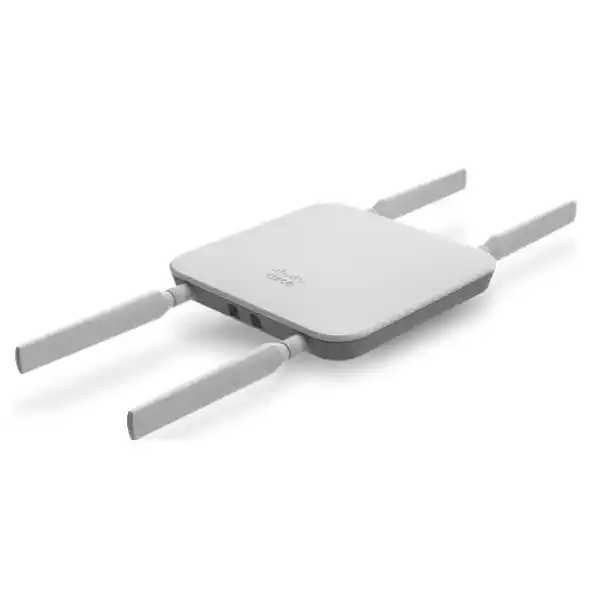
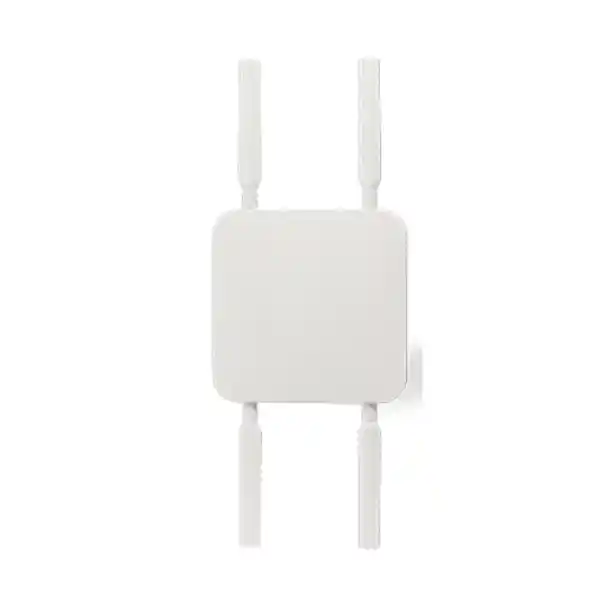
Cisco Meraki MG41 4G LTE Cellular Gateway for Business WAN
The Cisco Meraki MG41 converts mobile broadband into an Ethernet internet uplink for enterprise networking equipment. It is intended for teams that need flexible internet access where a wired circuit is absent, unreliable or insufficiently resilient. Rather than replacing the existing branch router, the gateway complements that router by providing a cellular connection that can be managed through the Meraki cloud dashboard. Its Category 18 LTE architecture, dual SIM slots and Ethernet connectivity suit distributed branches, temporary project offices, retail outlets and institutional sites. Effective service still depends on compatible cellular bands, an activated operator SIM, signal conditions, available data allowances and a valid Meraki license. Buyers should consider those dependencies together, rather than treating a published modem speed as a guaranteed application throughput. FourTeck Uganda can coordinate a hardware-and-license quotation and help clarify which items are supplied separately.
Procurement Facts at a Glance
MG41-HW, integrated cellular antennas. The external-antenna MG41E is a different model.
4G LTE Category 18, theoretical modem maximum 1.2 Gbps down and 150 Mbps up.
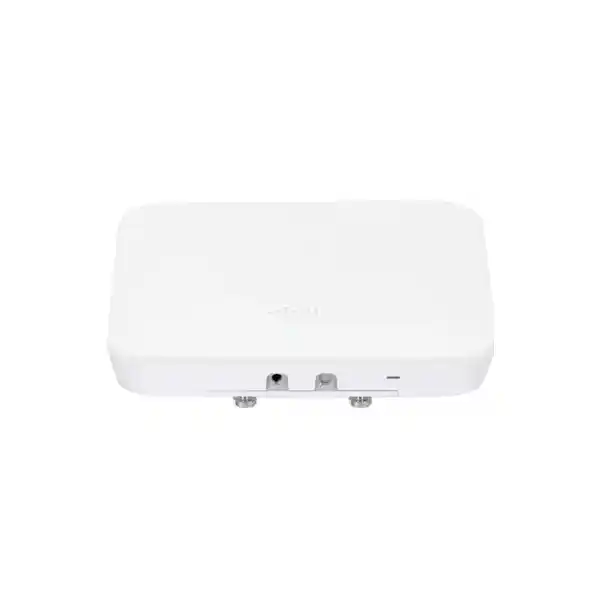
Two Gigabit Ethernet ports and two external SIM slots; power options depend on the approved supply arrangement.
Price, stock, license term, lead time and Uganda delivery confirmed by quotation.
How the MG41 Fits into an Enterprise Network
A common branch architecture uses a fiber or fixed-wireless connection as the primary WAN and the MG41 as a cellular backup. The MG41 establishes mobile network connectivity and provides an Ethernet handoff to the WAN interface of the customer router or firewall. The router is responsible for applying the site’s failover policy, security rules, routing priorities and traffic segmentation. This separation is useful because the cellular gateway can be located where reception is strongest while the router remains in the network cabinet. A suitable Ethernet cable and approved power arrangement are necessary. Installers should test the physical route, avoid unprotected exterior cabling and document which network equipment initiates failover.
The MG41 also fits a cellular-primary branch where no wired service is available. In that topology, the enterprise must calculate monthly data consumption, consider operator fair-use policies and check how frequently the mobile network changes performance during busy hours. Cellular is shared radio infrastructure: a fast modem cannot eliminate congestion, weak indoor reception or carrier outages. Organizations with strict uptime commitments may need an additional independent circuit, a second carrier or a different access technology. The dual SIM design supports carrier planning, but buyers should validate supported SIM behavior and the intended operational procedure before relying on it as a substitute for a fully independent WAN.
Business Outcomes and Operational Value
- Continuity: a cellular WAN option can reduce dependence on a single wired access path when configured with a compatible router.
- Deployment flexibility: offices and temporary sites can connect without waiting for a fixed-line installation, subject to mobile coverage.
- Central visibility: the Meraki dashboard provides connectivity monitoring, change visibility and remote diagnostic tools.
- Operator choice: dual SIM slots help administrators plan approved carrier options and replacement procedures.
- Integration: an Ethernet handoff supports a broad range of Meraki and third-party routing platforms.
- Cost control: a complete bill of materials can identify license, SIM, data plan, power and mounting costs before procurement.
- Maintainability: cloud-managed configuration and diagnostics can reduce unnecessary visits to remote sites when internet access is available.
These are design benefits, not unconditional service guarantees. Validate the end-to-end topology and local carrier performance against your own application requirements.
Hardware and Software Highlights
The integrated Cat 18 LTE modem is the main differentiator of the MG41. It delivers a cellular-to-Ethernet handoff rather than Wi-Fi access-point functionality. Two Gigabit Ethernet connections facilitate network integration. Two SIM slots provide physical flexibility for operator provisioning. Meraki cloud management supports organization-level administration, diagnostic visibility, firmware maintenance and remote monitoring. Mounting hardware is included for supported installations. The MG41 and MG41E must not be confused: the MG41 uses an integrated antenna design, while the MG41E is intended for deployments requiring its supported external antenna arrangement. When radio reception is challenging, assess the site before selecting either version.
Technical Specifications
| Parameter | MG41 |
|---|---|
| Hardware ordering model | MG41-HW |
| Cellular technology | Integrated LTE Category 18; not 5G |
| Theoretical modem rate | Up to 1.2 Gbps download / 150 Mbps upload |
| LAN / Ethernet | 2 × Gigabit Ethernet |
| SIM support | 2 × external SIM slots |
| Power ratings | 12 V / 1 A or 48–57 V DC / 0.35 A, according to supported powering method |
| Operating temperature | −30°C to 50°C |
| Relative humidity | 5–95%, non-condensing |
| Mounting | Desktop, wall or ceiling, using supported mounting hardware |
| Management | Meraki cloud dashboard; valid licensing required |
| Warranty | Cisco-published limited lifetime hardware warranty terms; eligibility and replacement conditions must be verified |
Technical values above describe manufacturer-published hardware capabilities. Actual speeds, bands available, power accessories, warranty entitlements and local regulatory eligibility should be confirmed for the ordered unit and intended deployment country.
Configuration and Sizing Worksheet
Step 1 — Determine traffic needs. List business applications, number of simultaneous users, video-conference demand, VPN traffic, payment terminals and remote support sessions. Distinguish peak bandwidth from typical monthly data usage. A cellular data package should be selected on measured or reasonably estimated consumption, not solely on the modem’s maximum theoretical speed.
Step 2 — Survey reception. Check the intended mobile operator at the actual installation point. Consider construction materials, indoor signal attenuation, distance to windows, building height and sources of interference. Test more than one time of day if continuity is important.
Step 3 — Verify the topology. Identify the router or firewall WAN port receiving the MG41 handoff. Document addressing, NAT considerations, failover detection, VPN compatibility and any carrier-grade NAT restrictions. Where inbound connectivity is necessary, confirm the carrier can provide the appropriate service.
Step 4 — Plan power and placement. Determine whether the site will use a compatible power injector, supported Ethernet power or a regional power adapter. Specify cable length and routing, surge protection where appropriate, and backup electricity for the gateway and connected router.
Step 5 — Validate licensing. Confirm whether the Meraki organization uses co-termination, per-device or subscription licensing. Ask for the matching MG entitlement and term; do not assume licenses from different models can be mixed in one organization.
Step 6 — Prepare the request. Supply quantity, deployment city, intended mobile operator, existing router model, preferred license duration, delivery address, required accessories and target commissioning date. FourTeck can use these details to assemble a clearer quotation.
Deployment Scenarios
Enterprise Branch Networks
Distributed retail chains, service centers and branch offices can standardize a cellular backup architecture while keeping site-level routing policies on their existing routers. An operations team can monitor the gateways centrally and identify branches with weak or intermittent service. Standardized cabling, SIM registration records and tested failover behavior make rollout more predictable across many locations.
Financial Services
Financial institutions may consider the MG41 for a supplementary uplink supporting branch applications and transaction connectivity. The institution’s own firewall, VPN and compliance controls remain essential. Before deployment, confirm whether carrier NAT, public addressing, data retention and service-level commitments satisfy internal policies. Cellular redundancy should be assessed independently from the primary wired provider.
Education and Campus Facilities
Universities and training centers can use cellular connectivity for administrative annexes, temporary classrooms or emergency connectivity. Bandwidth management is important where video learning or software updates can consume large data volumes. A pilot at each building type is preferable to assuming identical indoor coverage across campus.
Public Sector and Field Offices
Government and project field offices may benefit from an Ethernet-based cellular handoff when terrestrial connectivity is delayed. Procurement teams should verify applicable approvals, operator support, licensing terms, information-security architecture and warranty service before award. Sensitive networks require their own approved security controls; the MG41 is not itself a substitute for a dedicated firewall.
Technical Deep Dive: LTE Access and Ethernet Handoff
LTE Category 18 is a modem capability classification, not a guaranteed end-user speed. Real-world performance depends on carrier spectrum, supported band combinations, tower load, signal-to-noise conditions and the transport network beyond the radio link. The MG41 translates its cellular service into a conventional Ethernet uplink, allowing the downstream routing platform to decide which applications should use that connection. This architecture can simplify adoption in mixed-vendor networks because it does not require replacing the existing router merely to obtain cellular access. Network designers should still examine the effect of carrier NAT, dynamic addressing, MTU, latency variation and mobile-network congestion on business applications.
Technical Deep Dive: Cloud Administration
The Meraki dashboard provides a centralized operating model for distributed gateways. Administrators can review connectivity status, use supported diagnostic functions, manage configuration and coordinate firmware updates within their licensed environment. Organizations should establish role-based access, multifactor authentication, change approval procedures and a documented ownership model for licenses. Cloud management does not remove the need for local troubleshooting when power, cabling, SIM activation or radio reception is faulty. It does, however, give authorized operators a common place to assess many sites and can help distinguish a site-wide internet incident from a single mobile uplink problem.
Technical Deep Dive: Resilience and Recovery
A well-designed failover solution depends on the downstream router recognizing loss or degradation of the primary service and redirecting eligible traffic to the MG41 uplink. The gateway alone does not guarantee automatic continuity for every existing network. Test failover and failback under controlled conditions, including the behavior of persistent VPN tunnels, voice sessions and cloud applications. Consider whether the mobile provider shares physical backhaul or power infrastructure with the primary access provider. Maintain records of SIM details, license status, configuration ownership and replacement processes so that staff can restore service efficiently after a hardware incident.
Questions to Resolve Before Purchase
Is a license included? Do not assume it is. Request separate hardware and entitlement lines. Does the gateway support 5G? No: the MG41 is an LTE Category 18 model. Will it work with a non-Meraki router? Its Ethernet handoff is designed for broad router compatibility, but verify your specific WAN configuration. Will it reach 1.2 Gbps at our office? That figure is a theoretical modem maximum; field speeds can be much lower. Can it be installed in a metal cabinet? Radio performance may suffer; test reception and consider placement outside heavily shielded enclosures. Can it replace a firewall? It should not be specified as the site’s sole security control. What else is needed? Typically a valid license, activated compatible SIM and data plan, appropriate power solution, cabling and downstream networking equipment. What about lifecycle? Verify the manufacturer’s current support and end-of-sale notices at order time rather than assuming a future support period.
Uganda Procurement and Delivery
FourTeck Uganda supports quotation-led purchasing for business networking projects. For Kampala deployments, request the required quantity, delivery district and licensing term. For Entebbe, Jinja, Mbarara and Gulu, include the installation location and target date so the team can evaluate logistics and available dispatch options. Pricing, stock, tax treatment, freight charges, import arrangements and expected lead times are confirmed individually; no unverified immediate-stock promise is made on this page. Enterprise buyers may request a formal bill of materials covering the gateway, compatible accessories and the relevant Meraki entitlement. Where engineering assistance is required, describe the existing router and carrier environment so scope and service charges can be agreed before purchase.
Regional Supply Coordination
Projects spanning multiple countries may require different cellular operator checks, import documentation and commercial arrangements. Review the relevant regional FourTeck sites for Uganda, Kenya, Africa, United Arab Emirates and Kuwait. Hardware model suitability, regulatory approval, warranty eligibility and SIM service should be evaluated separately for each destination. A regional purchasing agreement does not automatically guarantee identical operator performance or delivery timing.
Related Infrastructure Planning
For a complete branch connectivity project, consider the FourTeck Uganda networking catalogue alongside the enterprise networking quotation desk. Ask about Meraki MX security appliances, compatible switches, PoE injectors, approved power adapters, Ethernet cabling and deployment support. The external-antenna MG41E may be worth assessing when radio placement requires a different antenna arrangement. The newer MG51 family may be relevant if a project explicitly requires 5G rather than LTE; model and licensing differences must be reviewed. These related options are planning suggestions, not claims of confirmed local stock.
FourTeck Technical Coordination
FourTeck can discuss engineering validation, proposed bill-of-materials review, power accessory selection, rollout planning, pre-shipment requirements and post-sales service scope. Ask for confirmation of any staging, firmware preparation, configuration assistance or warranty-handling commitment in the written quotation. For multi-site orders, a site schedule identifying SIM operator, contact person, WAN interface, delivery address and acceptance test can reduce deployment errors. The purchasing team should retain the final approved hardware list, licensing evidence and supplier documentation.
Frequently Asked Questions
1. What is the Cisco Meraki MG41 used for?
The MG41 provides LTE internet connectivity through an Ethernet interface for a compatible downstream router or firewall. Typical uses include a secondary WAN connection, cellular-primary branch connectivity and temporary sites where fixed access is unavailable. It does not provide the complete functionality of an enterprise security firewall, and network failover behavior depends on the configuration of the routing platform. Before purchasing, map the applications that must remain connected, estimate data usage and confirm mobile coverage at the actual installation location.
2. Does the MG41 support 5G mobile networks?
No. The MG41 is a 4G LTE Category 18 gateway. Its stated maximum download capability of 1.2 Gbps is associated with LTE modem technology and should not be confused with a 5G radio. A project that specifically requires 5G should evaluate an appropriate 5G-capable product, such as a suitable model from the MG51 family, after reviewing carrier bands and licensing. Even with a faster cellular standard, the delivered application experience depends on local radio conditions, available carrier spectrum, congestion and the downstream network.
3. Can it connect to a third-party firewall?
Yes. The Ethernet handoff can be used with compatible Meraki and non-Meraki networking equipment. The firewall or router should be configured to accept the cellular uplink and implement the organization’s security, NAT, routing and failover policies. Some applications require special attention to carrier-grade NAT, changing public IP addresses or tunnel persistence. Conduct a pilot with the exact firewall software version and mobile operator, particularly where the link supports payment processing, remote administration or business-critical VPN traffic.
4. What licensing must be ordered?
Meraki cloud-managed devices require appropriate licensing. The correct entitlement depends on the organization’s licensing model and the currently offered MG product class. Legacy co-termination orders may use MG41 Enterprise license terms, while subscription organizations use their applicable MG subscription entitlement. Do not mix licensing models in the same organization without a supported migration plan. Ask FourTeck to quote the license separately, specify the intended term and confirm the account’s existing licensing arrangement before placing an order.
5. Does the gateway include mobile data?
No mobile operator subscription should be assumed to be included in a standard hardware quotation. Buyers should arrange activated SIM cards and suitable data plans, checking operator coverage, supported LTE bands, roaming restrictions and business data allowances. Data consumption can increase significantly when a cellular backup carries full office traffic during a fixed-line outage. Establish usage alerts, review application priorities and ask the carrier about addressing and service terms. Test the chosen SIM at the proposed installation location before treating the deployment as operationally ready.
6. What is the difference between MG41 and MG41E?
The MG41 uses an integrated antenna arrangement, whereas the MG41E is the external-antenna variant. The choice matters when the cellular signal is poor in the intended mounting location or the gateway must be positioned within a difficult building environment. Do not assume arbitrary third-party antennas are supported; consult manufacturer-approved antenna options and installation requirements. A site survey is the best starting point. The correct model depends on measured signal quality, practical mounting access and the final cable and power plan.
7. Can the MG41 provide automatic failover?
It can provide the cellular uplink used by an automatic failover design, but the downstream router or firewall generally determines when and how traffic changes between WAN connections. Configure health checks and routing preferences, then test the system by disconnecting the primary circuit under controlled conditions. Verify whether VPNs reconnect, which applications recover automatically and how failback occurs when the primary link returns. A redundant cellular link is most valuable when both the equipment and the operational procedure have been tested.
8. How is the device powered and installed?
The manufacturer’s specifications describe supported DC and Ethernet power arrangements, and mounting options include desktop, wall and ceiling installations. The exact adapter or injector supplied with an order should be confirmed, since regional power accessories may be separate. The cellular radio should be placed where reception is suitable, not simply wherever cabinet space is available. Ensure the Ethernet route is protected, power is stable and any backup supply covers the gateway as well as the connected router. Confirm site-specific installation requirements before dispatch.
9. What warranty and replacement coverage applies in Uganda?
Cisco publishes a limited lifetime hardware warranty for the MG41 series, subject to its eligibility rules and applicable replacement terms. That statement should not be interpreted as an unconditional promise of next-day physical delivery to every Ugandan location. Ask the supplier to confirm the sales channel, warranty eligibility, claim process, service address, replacement handling and any costs associated with cross-border movement. Keep purchase records and device identifiers securely available for support. For critical sites, consider a spare-device strategy rather than relying exclusively on replacement transit time.
10. How can we obtain a project quotation?
Provide the number of gateways, target deployment districts, intended operator, existing firewall or router model, preferred licensing term, required power accessories and desired delivery schedule. If the rollout spans multiple branches, a spreadsheet of site addresses and contact details can help the procurement team identify differences before purchase. Request written confirmation of stock, lead time, taxes, warranty conditions, licensing and any engineering services. Use the FourTeck contact form to initiate the request and discuss any special documentation or acceptance-test requirements.
Plan Your Cisco Meraki MG41 Deployment
Request a tailored Uganda quotation that separates gateway hardware, Meraki licensing, approved power accessories and optional project support. Share your network topology and installation city to help the team recommend a practical bill of materials. Availability, pricing and delivery dates are confirmed during the quotation process.



Reviews
There are no reviews yet.