Enterprise wireless infrastructure | Uganda
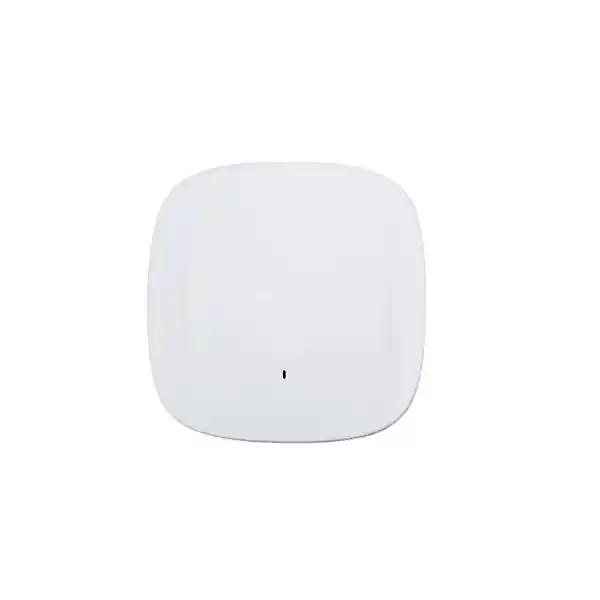
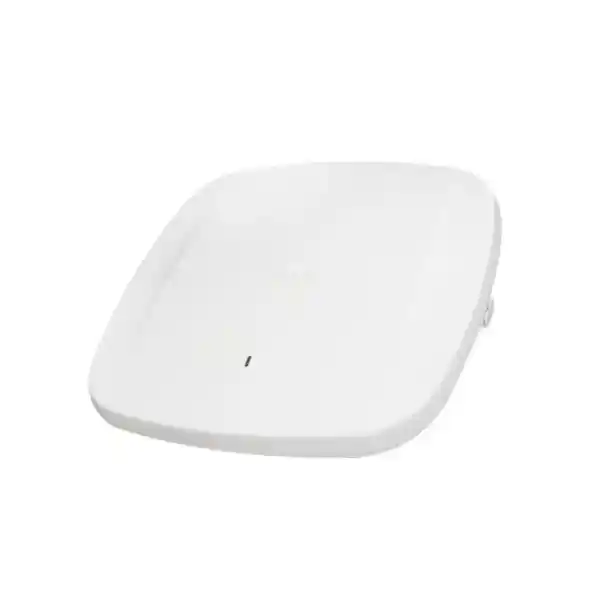
Cisco Meraki MR57 Wi-Fi 6E Cloud-Managed Enterprise Access Point
The Cisco Meraki MR57 brings high-capacity indoor wireless connectivity, central cloud administration and dedicated radio monitoring into one access point. Designed for organizations with many simultaneous users, modern mobile devices and critical business applications, the MR57 combines 4×4:4 wireless radios, dual multigigabit wired interfaces and flexible power arrangements. It is an appropriate candidate for carefully engineered deployments where conventional gigabit-connected access points may limit future capacity. Its advertised 7.78 Gbps figure is a combined radio frame-rate specification, not a promise of application throughput for any individual user. Actual results depend on client devices, channel widths, interference, network design and upstream connectivity.
For Uganda procurement, selecting this model should start with the number of users and client types, available switch power, building construction, intended coverage and regulatory permissions for 6 GHz. The MR57 can serve 2.4 GHz and 5 GHz clients while offering an additional 6 GHz option where permitted. Its software-configurable radio design also supports a dual-5-GHz arrangement. This flexibility is valuable in mixed fleets with older handsets and newer Wi-Fi 6E laptops. Cloud management makes it possible to apply policies and monitor distributed sites from a central dashboard, subject to the correct licensing and connectivity. The product is not a standalone substitute for a complete wireless design, structured cabling plan or resilient switching infrastructure.
FourTeck helps buyers specify a complete solution rather than treating the access point as an isolated line item. Request confirmation of the hardware variant, required subscriptions, PoE budget, mounting arrangements, support terms and delivery destination before placing an order.
Procurement fact rail
Cisco Meraki MR57, indoor cloud-managed Wi-Fi 6E access point.
4×4:4 radios, 2.4/5/6 GHz configuration subject to local regulatory approval; up to 7.78 Gbps aggregate frame rate.
Two 100M/1G/2.5G/5G BASE-T RJ45 ports, with documented aggregation and redundancy options.
802.3at or 802.3bt PoE arrangements; budget for up to 40 W and confirm operating mode and USB availability.
Applicable Meraki license purchased and maintained separately as required by the deployment.
Stock, local delivery, coverage and warranty processing confirmed in the supplier quotation.
Wireless architecture and operational overview
The MR57 is built for locations where airtime efficiency, interference control and predictable management are more important than a single headline speed. Its 802.11ax design supports OFDMA, multi-user MIMO and high-order modulation where compatible clients and radio conditions allow. The combination improves the way multiple devices share airtime, but does not remove the need for careful channel planning. An access point in a dense lecture hall faces different contention patterns from one in a corridor or private office. In both cases, actual capacity depends on client behavior, applications and neighboring cells. The dedicated scanning radio helps the management platform observe RF conditions without relying exclusively on client-serving radios. A separate Bluetooth Low Energy radio enables supported beaconing and scanning use cases. Administrators can use Meraki Dashboard to monitor health, policy and events across sites, reducing the need to visit every location for routine changes.
The flexible radio arrangement deserves attention during design. A three-band plan can offer additional spectrum for compatible 6 GHz clients, while a dual-5-GHz approach can be more relevant where the client fleet is older or 6 GHz use is restricted. Local radio authorization must be verified before enabling 6 GHz service. The MR57 also has two multigigabit Ethernet ports. Those ports are infrastructure uplinks, not an assurance that the access point can act as a general-purpose downstream wired switch. Appropriate switches, VLANs, authentication services, DHCP, DNS and internet connectivity remain part of the overall system. For resilient installations, evaluate supported dual-uplink and dual-power configurations against the firmware and switch topology. A resilient access point cannot compensate for a single failed upstream firewall or internet connection unless those dependencies are also designed for continuity.
Enterprise outcomes that matter
- Capacity integrity: 4×4:4 Wi-Fi 6E radios support demanding client populations, but capacity should be assessed using real application profiles, contention and measured RF conditions.
- Continuity: Dual Ethernet and supported power redundancy modes can reduce certain single-link and power-source risks when correctly configured.
- Scalability: Centralized policy templates and dashboard administration can simplify consistent deployments across buildings and branch sites.
- Access protection: Enterprise authentication, segmentation, guest controls and dedicated security monitoring help support layered wireless security.
- Operational visibility: Client experience and network health information make fault isolation more systematic for service teams.
- Lifecycle cost control: Evaluate hardware, subscriptions, switch upgrades, cabling, mounting, support and energy requirements together.
- Workplace experience: Appropriate RF design can support voice, video meetings and mobility without overpromising uninterrupted performance.
- Future readiness: 6 GHz capability provides an upgrade path for compatible clients where the frequency band is legally available.
Hardware and software highlights
Three client-serving 4×4:4 radios provide adaptable wireless capacity; a dedicated scanning radio supports RF visibility and intrusion monitoring; the Bluetooth radio supports compatible location and IoT workflows; two 5-Gbps-capable copper ports provide multigigabit uplink options; PoE powering reduces the need for a local electrical outlet; ceiling and wall mounting options support planned indoor installations. Meraki cloud administration supports common policy configuration, reporting and firmware management. Application-aware traffic shaping can help allocate capacity according to business priorities. Security controls should be integrated with the organization’s identity, endpoint and firewall architecture rather than treated as an access-point-only solution.
Technical specification ledger
| Parameter | Published specification / procurement interpretation |
|---|---|
| Model | Cisco Meraki MR57 indoor wireless access point |
| Standard | 802.11ax Wi-Fi 6E; backwards compatibility depends on radio band and client capabilities |
| Client radios | 4×4:4 radios for 2.4, 5 and 6 GHz configurations; flexible 5/6 GHz radio operation |
| Aggregate frame rate | Up to 7.78 Gbps combined advertised radio frame rate; not measured user throughput |
| Ethernet | 2 × 100/1000/2.5G/5G BASE-T RJ45 |
| Power | PoE+ / 802.3bt supported; documented 30–40 W consumption depending on operating conditions |
| USB | USB functionality depends on sufficient power; disabled in certain single 802.3at modes |
| Monitoring radios | Dedicated RF/security scanning and integrated Bluetooth Low Energy |
| Mounting | Ceiling, wall and desktop options; verify mounting kit for specific site |
| Operating temperature | 0–40 °C per published datasheet |
| Management | Meraki Dashboard cloud management with applicable licensing |
| Regulatory | Country-specific approvals and permitted 6 GHz operation must be confirmed before deployment |
Specifications should be cross-checked against the ordered regional SKU and current manufacturer documentation: MR57 datasheet and installation guide.
Configuration and sizing worksheet
1. Measure the workload
Record the expected peak concurrent clients per room, not only the number of employees. Separate voice, video, point-of-sale, guest browsing, examination systems and high-volume transfers. Document client generations and whether they support 6 GHz. Determine required service levels for each application. A site survey and capacity assessment should set the final access point count; floor area alone is insufficient.
2. Assess building conditions
Review floor plans, ceiling materials, wall attenuation, glass partitions, neighboring wireless networks and installation heights. Check safe access for maintenance and avoid heat, moisture or unsuitable outdoor locations. Map cable routes to each proposed location and confirm that structured cabling meets the target multigigabit link requirement.
3. Verify power and uplinks
Inventory switch port speeds, per-port PoE capabilities, total PoE budget, LLDP support and upstream capacity. For full operation, plan suitable 802.3bt power or another manufacturer-supported configuration. Where redundancy is required, confirm firmware, switching and cabling arrangements before committing to a high-availability claim.
4. Define subscriptions and controls
Specify Meraki licensing duration, management organization, administrative access, SSIDs, VLANs, identity services, guest policies and monitoring responsibilities. Review renewal ownership and the operational consequences of an expired license under the applicable licensing model.
5. Prepare a complete quotation request
Supply site location, quantity, floor plans, desired installation window, power accessories, mounting requirements, support expectations and preferred license term. Ask for hardware, licenses, services, freight, applicable taxes and warranty conditions as separate line items.
Deployment scenarios across Uganda
Enterprise offices and distributed branches
A Kampala headquarters may need dense meeting-room coverage, segmented guest access and reliable roaming across multiple floors. Smaller branches can inherit consistent configurations through central administration. Use a design that separates management, employee and guest networks while checking WAN resilience and remote support procedures. Avoid assuming that a branch with one internet connection has full service continuity merely because the access point supports redundant Ethernet.
Banking and financial institutions
Branch wireless environments should separate authorized employee devices from visitor access and sensitive operational services. Authentication, logging, network segmentation and documented change controls are essential. The MR57 can participate in such a design, but organizational security policy and regulatory requirements govern the final implementation. Validate payment-related network restrictions independently.
Universities, schools and training centers
Lecture halls, libraries and student collaboration spaces have variable occupancy and heavy contention. Capacity modeling should account for multiple devices per student, classroom video and examination platforms. Evaluate radio cell sizes, channel reuse and uplink load before deciding how many units are required. Classroom density, rather than advertised maximum radio rate, determines whether the experience will be acceptable.
Hospitals, hospitality and public institutions
Hospitals may require separated clinical and visitor services with careful validation of mobile device compatibility. Hotels must account for corridors, guest rooms and building attenuation. Government buyers may require procurement documentation, country-of-origin information and additional security review. Confirm site-specific approvals and operating policies before purchase.
Technical deep dive: airtime and packet delivery
Wireless capacity is shared. An advertised PHY rate is the maximum radio signaling rate under defined conditions, not a guaranteed application rate. Management frames, retransmissions, contention, encryption overhead and slower clients consume airtime. The MR57 uses 802.11ax capabilities including OFDMA and MU-MIMO to make multi-client access more efficient when the client mix and radio conditions support those features. Its 6 GHz capability offers access to additional spectrum in jurisdictions where authorized, but 6 GHz propagation and client compatibility differ from 2.4 GHz. During design, map device support and the number of active sessions rather than simply summing radio rates. Multigigabit switch connections can reduce wired-side bottlenecks, but should be justified against actual traffic profiles and available switching budgets.
Technical deep dive: firmware, management and security
Meraki Dashboard provides centralized configuration, visibility and supported firmware management. Administrators should implement role-based administrative access, identity-backed wireless authentication, VLAN segmentation, guest restrictions and documented update windows. The dedicated security radio supports wireless intrusion monitoring and RF analytics. Its value depends on how alerts are triaged and what response procedures are in place. A deployment plan should document the configuration owner, license owner, network naming, approved change process and recovery contacts. Internet access and required cloud connectivity must be accounted for during onboarding and ongoing operations. Firmware compatibility should be verified when advanced dual-uplink or redundancy functions are required.
Technical deep dive: resilience and recovery
The MR57’s dual Ethernet ports support specific link aggregation and power redundancy configurations. Manufacturer documentation distinguishes single-PoE, dual-PoE power sharing and high-availability behavior. Dual-uplink high availability requires supported firmware, with MR 30.1 identified as a minimum in manufacturer guidance. Design both upstream connections with attention to switch capabilities, failure domains and power sources. A redundant port arrangement is not equivalent to an independently redundant end-to-end network. Review access switch availability, UPS runtime, firewall resilience, DNS, DHCP and WAN failover. Test the recovery sequence under controlled conditions and record the results for operations staff.
Buyer questions to resolve before ordering
Is a subscription included? Do not assume so; request a separate license line and term. Can existing switches power the MR57? Verify per-port standards and available wattage rather than relying on a generic PoE label. Will existing cabling run at 5 Gbps? Validate installed cable category, distance and link quality. Can 6 GHz be enabled locally? Obtain current country-specific regulatory confirmation. Does it replace a firewall or controller? No: it is a managed wireless access point within a broader network architecture. Will every device use Wi-Fi 6E? Only compatible clients can use 6 GHz, and actual band availability is configuration- and jurisdiction-dependent. Can both Ethernet ports provide resilience? Yes in supported configurations, but topology, firmware and power arrangements must be validated. What is the warranty? Confirm exact regional and supplier terms in writing. Is the model suitable for outdoors? The MR57 is an indoor product; use an appropriate outdoor-rated model for exposed environments.
Uganda procurement, delivery and regional coverage
For orders delivered in Kampala, Entebbe, Jinja, Mbarara or Gulu, provide the final installation address and requested quantity so that freight and fulfillment options can be evaluated. Kampala deployments often involve office towers, institutions and commercial campuses with structured-cabling constraints. Entebbe projects may include hospitality and administrative premises; Jinja installations can involve manufacturing offices and educational facilities. Mbarara and Gulu organizations may benefit from consolidated shipment planning and remote commissioning coordination. These examples describe potential deployment needs, not a guarantee of local stock or a particular delivery time.
Quotation processing should distinguish hardware, license subscriptions, compatible injectors or adapters, mounting accessories, configuration services and any installation work. Delivery dates, tax treatment and warranty support depend on the specific order and are confirmed during procurement. Where a project spans several locations, request one bill of materials with site-by-site quantities and a clear staging schedule. Technical preconfiguration may be scoped separately, including dashboard organization planning, SSID templates, VLAN mappings and firmware checks.
Cross-border sourcing coordination
Organizations with operations beyond Uganda can coordinate sourcing requirements across Uganda, Kenya, African markets, the UAE and Kuwait. Regulatory radio approvals, customs, tax treatment, supported hardware variants and service entitlements should be checked for each destination. Do not assume that a regional wireless SKU can be transferred between countries without review.
Related infrastructure and accessories
A complete MR57 deployment may require multigigabit network switching, compatible 802.3bt PoE injectors, structured cabling, network security equipment, wireless mounting accessories and Meraki licensing. These links lead to the regional storefront rather than asserting the existence of specific accessory pages. Request a consolidated compatibility review to avoid incomplete orders.
FourTeck technical service scope
FourTeck can be contacted to discuss bill-of-materials validation, switching and PoE checks, regional product selection, license scoping, staging requirements and post-delivery technical coordination. Any hands-on installation, pre-shipment update, on-site survey or extended support commitment should be explicitly included in the accepted quotation. For large projects, request a documented acceptance plan covering radio survey findings, network segmentation, roaming checks, user capacity tests and handover records.
Technical frequently asked questions
1. What is the Cisco Meraki MR57 designed to do?
The MR57 provides managed indoor wireless connectivity for demanding organizations. It combines 802.11ax radios, optional 6 GHz operation where authorized, dual multigigabit Ethernet and centralized Meraki Dashboard management. It is best evaluated as part of a designed network with suitable switches, security policy and licensing. It does not itself replace the need for structured cabling, routing, firewalls or identity services. Ask for a coverage and capacity design when planning high-density installations.
2. Does the MR57 require a Meraki license?
Plan for the applicable Meraki management license and verify the available licensing model, duration and renewal requirements at quotation stage. The exact entitlement may depend on the chosen licensing program and purchasing terms. Request separate prices for the access point and subscriptions, with a clearly identified start date and renewal owner. The cost of a multi-year deployment should include licensing and support as well as hardware.
3. What switches and PoE supplies are compatible?
The MR57 has two multigigabit copper Ethernet ports supporting speeds up to 5 Gbps each. It supports documented PoE+ and 802.3bt powering modes. Full functionality may require higher-power 802.3bt delivery or an appropriate dual-power arrangement. Some lower-power configurations disable USB. Confirm switch port capability, LLDP negotiation, total PoE budget, cabling and any injector requirements. Never assume that an older 802.3af-only switch port can power the access point by itself.
4. Is the advertised 7.78 Gbps speed available to one user?
No. The figure is an aggregate maximum radio frame rate, not guaranteed end-user throughput. Actual speed varies with channel bandwidth, supported client features, distance, interference, contention, traffic mix and network uplinks. Capacity planning should model concurrent users and application requirements. A site survey and practical acceptance testing offer a much stronger basis for investment decisions than comparing headline radio rates alone.
5. Can the MR57 use 6 GHz in Uganda?
Hardware support does not automatically establish regulatory permission. The permitted channels, power limits and applicable product approvals must be checked against current Uganda requirements and the correct regional hardware variant. Also verify whether client devices support Wi-Fi 6E and the relevant security requirements. If 6 GHz operation is unavailable or inappropriate, the flexible radio arrangement may support an alternative 5 GHz configuration within the manufacturer’s supported options.
6. How does dual-uplink resilience work?
The MR57 offers dual Ethernet interfaces and manufacturer-documented aggregation, power sharing and high-availability options. Supported behavior depends on firmware and configuration. Meraki documentation identifies MR 30.1 as a minimum for dual-uplink high availability. Review the physical paths and switch power sources before describing the installation as redundant. Include upstream switching, WAN and authentication dependencies in the resilience plan and test recovery during commissioning.
7. Is the MR57 appropriate for large classrooms or offices?
It can be a strong candidate for high-density areas, but suitability cannot be determined from model name alone. Consider room occupancy, device count per person, walls, ceiling height, interference, expected video use and required service levels. The final number and placement of access points should follow a survey and capacity model. Excessive access point density without channel planning can create more contention rather than improving performance.
8. What security capabilities are available?
Supported Meraki capabilities include enterprise wireless authentication, guest access policies, traffic controls and dedicated security scanning through Air Marshal. Security results depend on identity integration, network segmentation, administrative controls, firmware governance and incident response. Ask your technical team to map the intended SSIDs and VLANs to approved security zones. Wireless monitoring supplements, but does not replace, endpoint protection and perimeter security.
9. What should be included in a warranty or replacement request?
Record the exact SKU, serial number, supplier invoice, purchase date, license details and fault symptoms. Confirm regional warranty eligibility, replacement handling, return shipping responsibilities and any advance replacement entitlements before purchasing. A supplier quotation should specify support and service commitments rather than relying on assumptions. For critical facilities, plan spare capacity and documented recovery procedures independently of expected replacement turnaround.
10. Can the MR57 be preconfigured before delivery?
Configuration planning and staging may be possible when scoped in the service proposal. Typical preparation includes dashboard organization readiness, license assignment coordination, network templates, SSID and VLAN plans, firmware review and deployment documentation. Site-specific radio settings and final performance checks should still be validated after physical installation. Share your network diagram, authentication requirements and installation schedule to obtain an accurate technical service quotation.
Request a Cisco Meraki MR57 quotation for Uganda
Send your required quantity, delivery city, license duration, current switch model and intended use. For multi-floor or multi-site installations, include drawings and expected peak device counts. FourTeck can review compatible power options, management subscriptions and accessory requirements so that the proposed order matches the actual deployment. Pricing, availability, lead times and warranty conditions will be stated in the quotation.



Reviews
There are no reviews yet.