UGANDA ENTERPRISE NETWORK PROCUREMENT
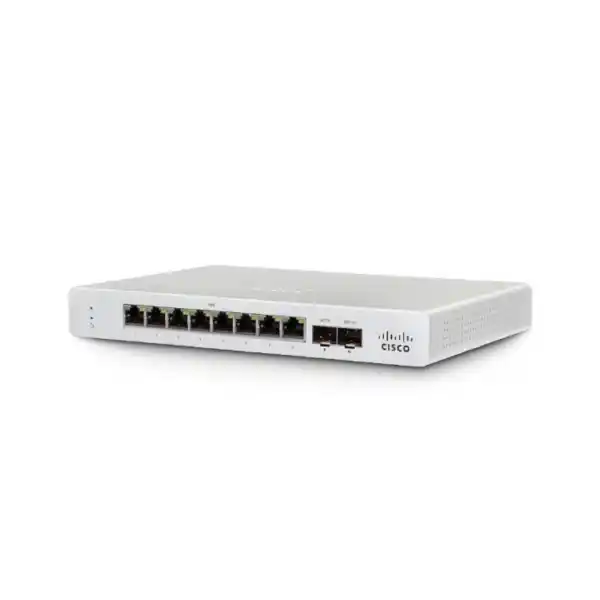
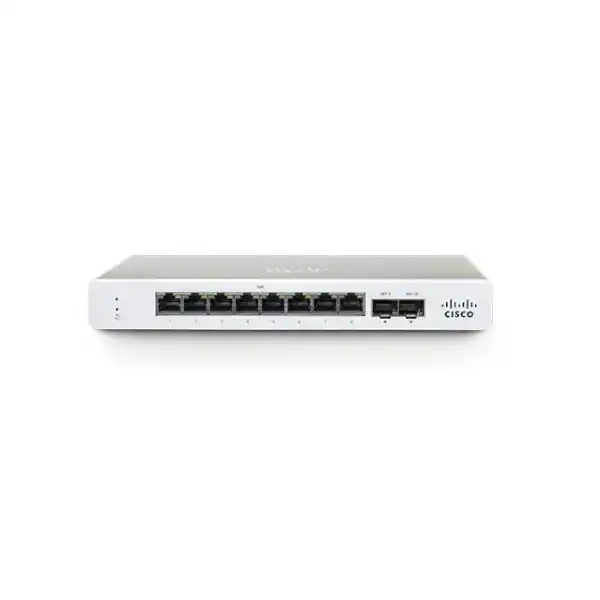
Cisco Meraki MS130-8X Cloud-Managed Multigigabit Access Switch
Equip a compact network location with eight copper access interfaces, two high-speed optical uplink interfaces and centralized cloud management. The MS130-8X is a Layer 2 switch for sites that need dependable wired access, multigigabit connectivity for selected endpoints and convenient remote oversight. Unlike a generic unmanaged switch, this model supports policy-based configuration, VLAN segmentation, authentication controls and remote diagnostics through Meraki Dashboard. Its compact format suits a branch communications cupboard, retail back office or distributed campus room where a full 24-port chassis would be unnecessary.
The distinction between the MS130-8X and basic eight-port alternatives matters: six ports operate at 10/100/1000 Mbps, two copper ports support 100 Mbps, 1Gbps and 2.5Gbps, and two separate SFP+ ports support 10GbE uplink connectivity with appropriate compatible media. The shared PoE+ power budget is 120W, with a maximum of 30W per eligible port. These figures must be evaluated against actual endpoint requirements rather than interpreted as a guarantee that all connected powered devices can simultaneously consume 30W.
FourTeck supports procurement discussions for Ugandan organizations that need the correct hardware variant, licensing term, optics, cabling and deployment planning in one documented bill of materials. Before purchasing, identify how many multigigabit endpoints you have today, whether a 10GbE aggregation switch is available, how many powered devices will be connected and whether your network team already uses Meraki Dashboard. The answers determine whether this compact platform is a suitable long-term fit.
At-a-Glance Procurement Facts
MS130-8X-HW
6 × 1GbE + 2 × 2.5GbE
2 × 10GbE SFP+
120W shared, up to 30W/port
Meraki Dashboard with appropriate license
Price, lead time and warranty on quote
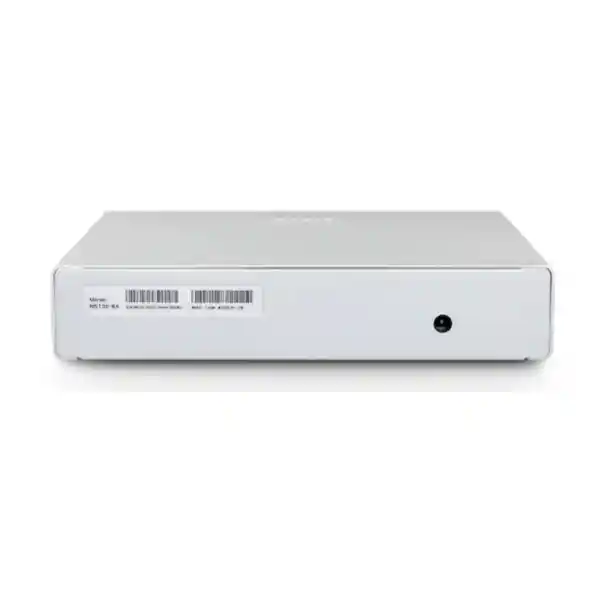
The MS130-8X uses an external 54V DC power supply and has a fixed internal fan. Its switching capacity is 62Gbps. It is not a modular core switch, does not provide physical stacking and should not be purchased on the assumption that it supports advanced Layer 3 routing. The exact licensing offer, warranty entitlement and local delivery schedule should be recorded on the supplier quotation.
Architecture and Operational Fit
A branch access switch sits between users and the network aggregation or security layer. On this model, the six standard Gigabit copper ports accommodate common wired clients such as desktop computers, printers, desk phones and controllers. Two 2.5GbE ports provide additional capacity for compatible wireless access points or other multigigabit endpoints without requiring every access port to be upgraded. The two SFP+ interfaces offer high-speed links toward a compatible distribution switch, reducing the risk that a busy access switch is constrained by a single 1Gbps uplink.
Meraki Dashboard provides a common management environment for administrators who oversee multiple buildings or towns. Administrators can define VLAN membership, review client connectivity, inspect port behavior, capture packets remotely and coordinate supported firmware upgrades. The cloud-managed design is particularly useful where each branch has limited local technical staffing. It does not eliminate the need for a stable network design, appropriate internet access for management and secure administrative practices.
The 62Gbps switching-capacity specification describes the switch fabric and must not be mistaken for guaranteed application throughput, internet bandwidth or aggregate wireless performance. End-to-end speed depends on the connected endpoint, cable category and condition, negotiated interface speed, uplink media, traffic patterns and upstream equipment. When sizing the deployment, map the expected peak traffic between local clients and the aggregation layer rather than purchasing solely on the highest advertised number.
Six Business Outcomes
- Performance integrity: Separate 2.5GbE access ports and 10GbE SFP+ uplinks make it possible to allocate faster connectivity to selected devices while retaining Gigabit access for ordinary endpoints.
- Operational continuity: Remote diagnostics can shorten investigation time, but physical power, upstream connectivity and spare-unit procedures still require planning.
- Measured scalability: Standardize the same branch configuration across multiple sites while tracking the eight-port copper limit and absence of physical stacking.
- Access security: Use VLAN tagging, 802.1X authentication, DHCP snooping and supported access controls within a documented organizational policy.
- Centralized administration: Monitor switches through Meraki Dashboard and coordinate configuration changes without requiring an engineer at every site.
- Cost awareness: Account for hardware, license term, power supply, compatible optics, installation, PoE loading and replacement planning when calculating total ownership cost.
Hardware and Software Feature Matrix
| Component | Confirmed capability | Deployment consequence |
|---|---|---|
| Copper interfaces | 6 × 1GbE; 2 × 2.5GbE | Reserve faster ports for devices that can use them. |
| Fiber uplinks | 2 × 10GbE SFP+ | Verify transceiver and aggregation-switch compatibility. |
| Power delivery | 802.3at PoE+, 120W shared budget | Calculate simultaneous powered-device demand. |
| Management | Meraki Dashboard | Include suitable subscription licensing. |
| Security | 802.1X, DHCP snooping, IPv4/IPv6 ACL support | Align policies with the full network architecture. |
| Cooling | Fixed internal fan | Allow ventilation and assess acoustic suitability. |
Technical Specifications
| Specification | MS130-8X |
|---|---|
| Manufacturer | Cisco Meraki |
| Hardware part number | MS130-8X-HW |
| Switching tier | Cloud-managed Layer 2 access |
| Gigabit RJ45 | 6 |
| Multigigabit RJ45 | 2 × 100M/1G/2.5G |
| SFP+ uplinks | 2 × 10GbE |
| PoE standard | IEEE 802.3at, up to 30W per port |
| Shared PoE budget | 120W |
| Switching capacity | 62Gbps |
| Power input | 54V DC, 2.78A external adapter |
| Power load | 16W idle / 136W maximum |
| Cooling | Fixed internal fan |
| Dimensions | 4.4 × 23 × 23cm (H × W × D) |
| Weight | 0.96kg |
| Operating temperature | 0–45°C |
| Storage temperature | −20–70°C |
| Humidity | 5–95% |
| Mounting | Desktop or integrated wall mount |
| Physical stacking | Not supported |
Specifications above are based on the Cisco Meraki MS130 product datasheet. Check current supported optics, firmware features, country-specific power cord and warranty documents before final purchase.
Configuration and Sizing Worksheet
1. Count access devices
List each computer, access point, phone, camera and other wired endpoint. The switch has eight copper access ports in total, only two of which provide 2.5GbE. Do not count SFP+ uplinks as ordinary RJ45 endpoint ports.
2. Estimate PoE draw
Record the maximum supported power request of each powered device, then add the simultaneous load. For example, four devices requesting 25W each consume 100W of the 120W shared allowance, leaving limited room for additional powered equipment. Confirm endpoint power class and cable quality.
3. Plan the uplink
Determine whether the aggregation layer supports 10GbE SFP+, which fiber type is installed, the route distance and whether supported direct-attach cabling is preferable. Do not assume every third-party optic or copper SFP+ module is supported.
4. Confirm installation conditions
Measure the shelf or wall position, reserve ventilation clearance, protect the external adapter and assess fan noise. Include a suitable UPS when power interruptions would disrupt essential services.
5. Include management entitlement
Ask for a quote with the correct Meraki switch license and agreed subscription duration. Confirm any Advanced-license feature needs separately, including availability of Adaptive Policy under the intended firmware and licensing combination.
6. Prepare the purchasing request
Provide hardware quantity, destination, deployment date, license term, optics, mounting accessories, power requirements, installation services, organizational purchasing details and warranty expectations. A complete request reduces revisions and avoids receiving hardware without the items required to make it operational.
Deployment Scenarios
Distributed enterprise branches
A branch may place its access points on the two multigigabit ports, connect office workstations to Gigabit ports and use a 10GbE SFP+ interface to reach an upstream distribution device. Standardized dashboard templates can help administrators maintain consistent VLAN and port policies across branches. Where the branch needs more than eight copper ports, select a higher-density access switch instead of overloading a compact model.
Banking and financial services
For a small controlled office, segment teller workstations, staff endpoints, voice equipment and management devices according to the institution’s network policy. 802.1X can support endpoint authentication when backed by an appropriately configured identity service. The switch is one part of a larger secure architecture and does not replace a firewall, transaction security controls or resilient WAN connectivity.
Schools and campuses
In a small classroom wing or administrative office, the switch can connect wired teaching devices and selected higher-bandwidth access points. Central monitoring is valuable when technical personnel support multiple buildings. Budget for physical security, UPS capacity and a clear process for replacing failed edge devices.
Government and regulated facilities
Use the MS130-8X only after validating procurement rules, cloud-management policy, identity controls, data governance and required supplier documentation. Agencies with restrictions on externally hosted management platforms should assess those requirements before choosing any cloud-managed switch. Request a documented configuration baseline and an agreed maintenance process.
Three Technical Deep Dives
Switch fabric, multigigabit access and uplink design
The architecture pairs ordinary Gigabit access with two 2.5GbE ports and two SFP+ uplinks. This layout can be effective where one or two access points need greater than 1Gbps wired connectivity but the remaining devices do not. The 62Gbps switching fabric is a platform capacity figure; it should be evaluated alongside the interface layout and real network traffic. A 10GbE uplink is only useful when the far-end switch, transceiver or direct-attach assembly and configuration are compatible. Plan the cable route and media selection before installation, and test link negotiation and error counters after commissioning.
Dashboard software and security operations
Meraki Dashboard enables centrally administered switch configuration and visibility. Administrators can establish VLANs, review client and port information, use remote packet capture and coordinate supported software updates. DHCP snooping and 802.1X are useful controls when correctly deployed, but neither automatically creates a complete security program. Define access roles, administrator authentication, change approval, firmware windows and incident procedures. Confirm the current license tier and software prerequisites for any advanced functionality before making contractual commitments.
Continuity, recovery and spare strategy
The MS130-8X does not offer dual hot-swappable internal power supplies or physical stacking. Consequently, availability planning must address the external power adapter, switch hardware, uplink path and site electrical supply. Where service continuity is essential, consider a spare switch, documented configuration and an appropriately designed redundant network path using compatible upstream equipment. Two SFP+ ports do not by themselves guarantee failover. Test the proposed topology and recovery process, including how a replacement device will be claimed and configured in the Meraki organization.
Pre-Purchase Questions That Prevent Costly Mistakes
Does the hardware include a cloud license? Treat hardware and licensing as distinct quotation lines unless the seller explicitly states otherwise. How many devices can receive power simultaneously? The shared 120W budget, not simply the number of ports, determines the feasible combination. Is the switch silent? No: the MS130-8X has a fixed internal fan, so placement in a quiet meeting room deserves consideration. Can it replace a Layer 3 distribution switch? It is primarily a Layer 2 access platform and should not be assumed to provide the routing feature set of a dedicated distribution device.
Will any 10G module work? Use supported media and confirm interoperability with the far-end device. Is the 2.5GbE interface useful for every access point? Only endpoints supporting compatible multigigabit Ethernet can take advantage of it. Is the external power adapter included for the destination market? Confirm the exact supply package and mains cord. Can the switch be mounted in a standard rack? The chassis supports desktop and wall mounting; any third-party shelf or rack arrangement must be planned separately. Does the device continue forwarding traffic during a management-cloud interruption? Evaluate the applicable Meraki behavior and operational dependencies in your environment, and do not equate cloud management with cloud-based packet forwarding.
Before approving a purchase order, request written confirmation of hardware identity, licensing, delivery, warranty procedure, optics, power accessories and any staging service. This protects the purchasing team from unexpected project costs and gives the implementing engineer a usable acceptance checklist.
Uganda Procurement and Delivery Coordination
Organizations in Uganda can contact FourTeck for an itemized quotation covering Cisco Meraki MS130-8X-HW hardware and required supporting items. The purchasing process should begin with a verified bill of materials and destination details. Commercial quotations can then specify availability, pricing currency, applicable taxes, estimated lead time, warranty terms and the scope of any requested technical services. None of these commercial details should be inferred from the hardware datasheet.
For Kampala headquarters and branches in Entebbe, Jinja, Mbarara or Gulu, provide the exact receiving address, preferred delivery window and site contact. Remote sites may require extra coordination for receiving, power readiness and installation. Where equipment is destined for multiple locations, request site-by-site labeling and a serial-number handover record. Confirm whether staging, Dashboard onboarding or pre-shipment firmware work is included in the agreed service scope.
Regional Coverage and Cross-Border Planning
Kampala buyers may prioritize centralized purchasing and branch rollout coordination. Entebbe deployments may involve hospitality or airport-area offices, while Jinja industrial and education sites often need careful cable and power planning. Mbarara and Gulu organizations may benefit from a documented remote-support and spare-unit strategy. Delivery coverage and timelines must be confirmed for each destination.
Cross-border teams can review the regional FourTeck websites for Uganda, Kenya, African markets, the UAE and Kuwait. For international shipments, confirm import responsibilities, local tax treatment, licensing arrangements, electrical accessories and the warranty service route before issuing the purchase order.
Related Infrastructure and Service Planning
A complete branch design may also require wireless access points, a security appliance, supported 10GbE optical transceivers, structured cabling, UPS protection and appropriate mounting accessories. Explore the FourTeck Uganda catalogue and discuss related Cisco Meraki switching options such as the MS130-8P, MS130-12X and higher-port-count MS130 models. Selection should be based on the exact access-port mix and power requirement, not merely a similar model name. Contact the team for validated part numbers and accessory compatibility.
FourTeck Technical Procurement Support
The most valuable pre-sales work is verification: match the requested switch to its official part number, check copper and fiber requirements, validate PoE loading, review the intended Meraki license and document the upstream network connection. Where separately agreed, staging can include labeling, onboarding preparation and configuration review. Pre-shipment firmware updates and post-sales support should be included only when confirmed in the service quotation. For warranty claims, retain purchase documentation, serial numbers and the applicable manufacturer or seller entitlement details.
Frequently Asked Questions
1. What is the Cisco Meraki MS130-8X best used for?
It is designed for compact, cloud-managed Layer 2 access deployments where ordinary Gigabit devices coexist with one or two endpoints that benefit from 2.5GbE connections. Typical uses include small branches, retail back offices, education facilities and distributed enterprise edge locations. The two 10GbE SFP+ uplinks make it attractive when a compatible high-speed aggregation layer is available. It is less suitable when a site needs many multigigabit ports, extensive routing functions or physical stacking. Count endpoints and review growth plans before deciding.
2. Does the MS130-8X support Power over Ethernet?
Yes. It supports IEEE 802.3at PoE+ with up to 30W per eligible port and a shared 120W switch budget. This does not mean every port can draw 30W at once. Review each access point, phone or camera’s maximum power requirement and calculate simultaneous consumption. Consider startup and operating behavior, as well as the effects of future device upgrades. If your connected devices collectively require more than the supported budget, select a switch with a higher power allowance or use an approved alternative power design.
3. Is a Meraki license needed?
Meraki switches are part of a licensed cloud-management ecosystem. The procurement request should therefore identify the correct switching license, license model and term for the organization. Do not assume a hardware-only price includes the subscription. If a proposed deployment depends on Advanced-license features, ask for confirmation of both licensing and firmware prerequisites. An itemized quotation is the safest way to compare suppliers because it makes the ongoing management entitlement visible alongside the initial hardware price.
4. Can I connect 10GbE fiber directly to this switch?
The MS130-8X provides two SFP+ uplink interfaces. A working 10GbE fiber connection also requires supported optical modules, the appropriate fiber type and connector, a compatible far-end port and correct configuration. Distance, optical power budget and cable condition matter. Some installations may use supported direct-attach copper assemblies instead of fiber. Avoid purchasing transceivers solely because their physical shape fits the slot; verify the relevant compatibility guidance for the switch and the upstream equipment.
5. Does it have eight 2.5GbE ports?
No. The copper interface mix is six Gigabit RJ45 ports and two multigigabit RJ45 ports that can negotiate up to 2.5Gbps with compatible endpoints. The two 10GbE SFP+ uplinks are separate interfaces and do not convert the six ordinary Gigabit ports into multigigabit ports. If a site has four or more multigigabit access points, compare higher-density or different-port-mix switches before purchasing. A simple port-by-port device schedule prevents a costly mismatch between the hardware and the deployment plan.
6. Can the MS130-8X replace a core switch?
It is primarily a compact Layer 2 access switch rather than a feature-rich campus core platform. Although it offers 10GbE uplinks and a 62Gbps switching capacity, these specifications do not imply advanced routing, modular resilience or physical stacking. For a larger environment, use it as an edge device connected to a suitably designed distribution or core layer. Confirm the location of default gateways, routing policy, firewall enforcement and redundancy before commissioning. Core-switch selection should follow a separate capacity and availability assessment.
7. What are its power and cooling requirements?
Cisco specifies an external 54V DC, 2.78A supply, approximately 16W idle power load and 136W maximum power load for this model. It uses a fixed internal fan, so it should not be described as fanless. Provide appropriate mains protection, ventilation and physical security for the adapter. In areas where power interruptions are frequent, consider a correctly sized UPS and a documented restart procedure. The installation location should remain within the specified 0–45°C operating range.
8. How should a multi-branch organization manage the switch?
A Meraki Dashboard organization can help central teams manage configuration and monitor distributed switches. Prepare a consistent site naming convention, VLAN plan, port labeling standard and administrative access policy. Claim each device to the appropriate organization and network, then verify that it can communicate with the management service. Remote packet capture and port-level visibility can assist troubleshooting, but they do not replace local cabling tests or power checks. Document who approves changes and how configuration and hardware replacement are handled.
9. What warranty and replacement support is available in Uganda?
The applicable warranty and replacement process depend on the exact manufacturer entitlement, purchasing channel, contract and location. Ask the supplier to state the warranty basis, proof-of-purchase requirements, return procedure and expected support contact in writing. Do not assume immediate local replacement or a fixed delivery time without a confirmed service commitment. For critical locations, consider purchasing a spare unit and maintaining a documented process for restoring its configuration. Keep serial numbers, license records and the original invoice accessible to authorized staff.
10. What information is needed for an accurate FourTeck quotation?
Provide the model MS130-8X-HW, quantity, Uganda delivery destination, required license duration, expected PoE device list, planned 10GbE uplink media and any mounting or power accessories. Mention whether your organization already uses Meraki Dashboard and whether technical staging or deployment support is needed. Include the intended delivery date and any tender documentation requirements. FourTeck can then respond to the defined scope rather than a generic switch request, helping your procurement team compare complete offers and avoid missing essential accessories.
Request a Cisco Meraki MS130-8X Quote for Uganda
Specify the quantity, site locations, licensing term and accessories you require. FourTeck can review the proposed branch topology, 120W PoE budget, multigigabit endpoints and 10GbE uplink compatibility before confirming a commercial offer. Request written confirmation of availability, pricing, lead time, warranty terms and any agreed configuration assistance. Whether the project is a single branch refresh or a multi-location deployment, a complete bill of materials makes the purchasing process more predictable.




Reviews
There are no reviews yet.