SECURE REMOTE WORK • UGANDA PROCUREMENT
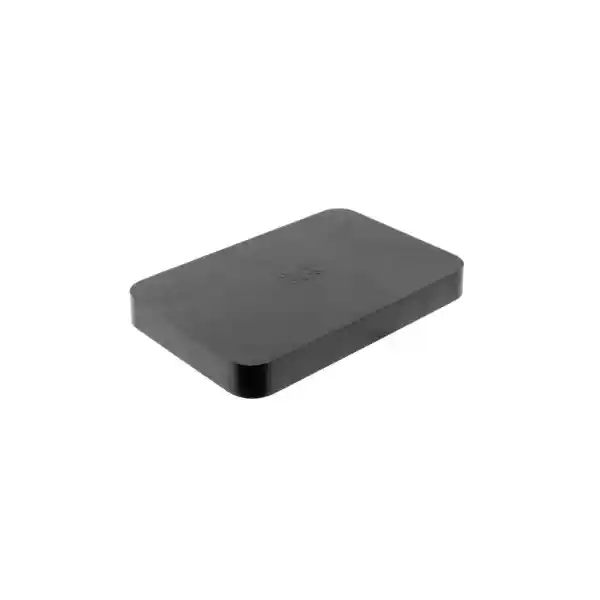
Cisco Meraki Z4 Cloud-Managed Teleworker Security Gateway
Equip a home-based employee, temporary office, executive workspace or small remote location with centrally administered enterprise networking. The Meraki Z4 combines wired connectivity, Wi-Fi 6, stateful firewall protection and secure VPN services in a single compact unit. Instead of sending a technician to each location for routine policy changes, network teams can use the Meraki cloud dashboard to monitor equipment and administer supported settings remotely. The Z4 is intended for smaller deployments rather than replacing a high-capacity branch firewall. Evaluate the number of clients, encrypted traffic demand and physical WAN design before ordering.
Procurement facts at a glance
Z4-HW; FourTeck catalogue SKU: CISCO-MERAKI-Z4-UGANDA.
Secure teleworker or small remote site; up to 15 devices.
One Gigabit Ethernet WAN and four Gigabit Ethernet LAN ports, including one PoE+ LAN port.
Hardware pricing, licensing, stock, lead time and warranty coverage require written quotation.
Why organizations deploy the Z4
A conventional consumer router can provide internet access, but often creates an administrative island: support staff may have little insight into client activity, security policies and connectivity faults. The Z4 addresses that operational gap with Meraki Dashboard management, remote diagnostic tools, event visibility and supported VPN integration. A typical deployment connects the internet service provider’s modem or Ethernet handoff to the Z4 WAN port, then connects a workstation, desk phone or other approved equipment to its LAN interfaces. Wi-Fi 6 supports wireless endpoints without requiring a separate access point for every modest installation. The appliance supports configurable VLANs, DHCP, static routes, NAT, traffic shaping and stateful firewall rules, subject to software and licensing capabilities.
The standard Z4 has no integrated cellular uplink. It is therefore important not to confuse it with the Z4C when specifying resilience requirements. A resilient remote-worker design should also consider power continuity, ISP quality, upstream modem behaviour, DNS, access authentication and support escalation. Firewall throughput is rated up to 500 Mbps in NAT mode, while maximum VPN throughput is 250 Mbps; neither figure guarantees end-to-end application performance in every environment. A procurement specification should distinguish LAN port link rates, wireless theoretical radio data rates, firewall processing and encrypted tunnel throughput rather than treating them as interchangeable.
Business outcomes and operating value
- Consistent remote connectivity: provide a managed networking endpoint for approved business applications, voice and collaboration services.
- Remote support: use dashboard visibility, logs and packet-capture capabilities to investigate connectivity without always dispatching an engineer.
- Repeatable deployments: standardize templates, addressing and access policies across geographically dispersed users.
- Security controls: apply supported stateful firewall, VPN, network segmentation and identity-related policies appropriate to the organization.
- Small-site simplicity: consolidate router, wireless access and Ethernet connectivity into a single device where the client count and traffic profile fit.
- Predictable procurement: specify hardware, subscription entitlement, replacement procedure and support obligations together instead of comparing appliance-only prices.
Verified technical specifications
| Attribute | Cisco Meraki Z4 |
|---|---|
| Hardware ordering code | Z4-HW |
| Recommended clients | Up to 15 devices |
| Firewall throughput | Up to 500 Mbps, stateful NAT mode |
| VPN throughput | Up to 250 Mbps |
| WAN | 1 × dedicated Gigabit RJ45 |
| LAN | 4 × dedicated Gigabit RJ45 |
| PoE | 1 × 802.3at PoE+ LAN port |
| Wireless | Dual-band 2×2 Wi-Fi 6 MU-MIMO, 2.4/5 GHz |
| Theoretical wireless chipset rate | Up to 1.5 Gbps; not an application throughput guarantee |
| Cellular modem | None integrated on Z4 |
| Power | 50 W DC adapter; approximately 11 W idle / 42 W maximum load |
| Dimensions | 184.2 × 123 × 28 mm, per Z4-specific datasheet |
| Weight | Approximately 0.391 kg |
| Operating temperature | 0–45°C |
| Humidity | 5–95% |
| Mounting | Desktop or wall mount |
Specifications reflect Cisco Meraki’s Z4 product documentation. Physical measurements should be reconfirmed against the supplied hardware revision and installation guide before making a fixed enclosure.
Configuration and sizing worksheet
Start with the actual device inventory, not merely the number of employees. Include laptops, desk phones, printers, tablets and occasional visitors. Compare the resulting count with Cisco’s recommendation of up to 15 devices. Next record typical and peak broadband rates, VPN-dependent applications, concurrent voice or video sessions and any unusually large file transfers. Compare the encrypted traffic requirement with the 250 Mbps rated VPN capability, allowing engineering margin for variable workloads. Confirm whether the ISP presents Ethernet directly or requires a modem or bridge. Plan LAN addressing, DHCP scope, VLAN boundaries, wireless SSIDs and the central Meraki organization into which the appliance will be enrolled.
For power planning, confirm the correct regional mains lead, a stable adapter supply and optional UPS runtime. The PoE+ LAN interface can simplify a compatible phone connection, but the attached device’s power demand and the total appliance power budget still require validation. For a fixed installation, allow ventilation around the compact enclosure and keep it within the manufacturer’s environmental limits. The Z4 is not a rack-mounted modular chassis and should not be ordered with assumptions about redundant internal power supplies. Before approving the bill of materials, check the organization’s Meraki licensing model, selected feature entitlement, subscription term, device claim process and escalation contacts.
Deployment scenarios
Corporate teleworkers and executive home offices
Place the Z4 behind an approved internet handoff and establish centrally managed access to company resources. Define the traffic that should traverse VPN, verify local internet breakout requirements and test application behaviour under ordinary household broadband conditions. For voice users, validate QoS expectations and PoE+ compatibility before installation.
Financial service satellite desks
Use consistent segmentation, firewall policy and centrally reviewed change controls for a small authorized workstation group. Financial institutions should additionally assess authentication, monitoring retention, data-handling rules and independent security requirements; the gateway alone does not establish regulatory compliance.
Education and distributed administration
Connect a modest staff workspace, outreach desk or examination administration office to centrally managed resources. A campus with hundreds of clients needs a different scale of gateway and wireless design; the Z4 is a small-site endpoint, not a campus core replacement.
Public-sector field offices
For small approved field locations, use standard configurations and an inventory of installed devices. Procurement teams should validate applicable security standards, approved cryptographic configurations, support response obligations and data-sovereignty policies independently.
Architecture, security and resilience considerations
Traffic processing and physical interfaces
The Z4 integrates firewall and routing functions with a single wired WAN, four wired LAN ports and a dual-band wireless radio. Packet processing figures are workload-dependent, so capacity assessment should focus on realistic application flows rather than the theoretical maximum Wi-Fi PHY rate. Its single WAN connection is a critical design constraint. When a site requires multiple native wired uplinks, evaluate a different gateway architecture rather than assuming an additional dedicated WAN port exists.
Cloud administration and firmware
Meraki Dashboard provides centralized management and visibility, including client statistics, event inspection and remote troubleshooting capabilities. Automatic firmware update mechanisms help administrators maintain a supported software baseline, but change windows and compatibility testing remain important. Validate the organization, network, administrator roles and license assignment before shipment. Do not assume all advanced security features are included with every licensing tier.
Continuity and recovery
Document what happens during an ISP outage, upstream modem failure, power interruption or hardware replacement. The standard Z4 does not contain a built-in cellular modem, so any cellular continuity plan must use a separately validated design or a suitable alternate model. Keep network settings documented, identify an authorized replacement procedure and verify that spare equipment can be enrolled into the correct dashboard organization. Where uptime targets are stringent, design end-to-end redundancy instead of relying on a single compact appliance.
Important questions before ordering
Is licensing included? Do not assume it is. Ask for a quotation with the exact compatible license or subscription and term, including any support entitlement. Can it provide LTE failover by itself? No; the standard Z4 has no integrated cellular modem. Can it support a large office? Its recommended deployment is up to 15 devices, so larger locations require a different sizing exercise. Will every internet plan achieve 500 Mbps? No; throughput depends on service quality, configuration and traffic type. Does the PoE port power any device? Compatibility and power requirements must be checked. Is installation plug-and-play? Cloud management simplifies repeatability, but ISP handoff, licensing, device claim, routing and firewall policies still need correct setup. Does the quoted price include taxes and delivery? Request an itemized written quote to confirm.
Uganda supply and regional delivery coordination
FourTeck can prepare a request-based procurement proposal for Kampala, Entebbe, Jinja, Mbarara, Gulu and other Uganda destinations. Provide the number of Z4 units, intended sites, subscription duration, power lead preference and deployment deadline. For multisite rollouts, share a location schedule and the expected number of endpoints per office so the proposed model can be checked against the intended workload. Shipping routes, stock position, import charges, warranty arrangements and delivery dates must be confirmed on the quotation; no immediate availability or fixed transit time is implied here.
For projects extending beyond Uganda, coordinate sourcing requirements across Uganda, Kenya, African regional markets, the UAE and Kuwait. Confirm country-specific documentation, invoicing entity, compatible mains accessories, export requirements and destination warranty terms before consolidating a cross-border order.
Related solutions and accessories to consider
When planning a broader Meraki deployment, compare the Z4 platform with the Z4C cellular variant. Confirm the Z4 hardware datasheet, installation requirements, compatible MA-PWR-50WAC replacement adapter, region-appropriate power cord and the exact Meraki license. For internal catalogue alternatives and accessory availability, request a matched bill of materials from FourTeck rather than relying on an unverified accessory listing.
FourTeck technical procurement assistance
Technical coordination may include model suitability checks, hardware and licensing bill-of-materials review, power accessory confirmation, rollout staging requirements and post-delivery support scope. Where configuration or pre-shipment firmware preparation is required, request those services explicitly and confirm feasibility, access permissions, cost and acceptance criteria in writing. Establish who owns the Meraki organization, who can claim equipment and who will approve firmware changes before any deployment work begins.
Frequently asked questions
What is the Cisco Meraki Z4 used for?
It is a cloud-managed gateway intended to extend managed network connectivity and security to teleworkers and small remote locations. It combines routing, firewall, VPN and Wi-Fi 6 with Gigabit Ethernet interfaces. A network administrator can monitor and manage supported functions through the Meraki Dashboard. It is most appropriate where the small device count, bandwidth requirements and single wired WAN design match the operating environment.
How many devices should connect to a Z4?
Cisco lists a recommended use case of up to 15 devices. This is a planning guideline rather than a promise that every mix of 15 devices will deliver identical performance. Count all wired and wireless endpoints and consider video, voice, file transfers, encrypted applications and background updates. Where usage is unusually intensive, evaluate a larger platform even if the endpoint count appears modest.
What throughput can buyers expect?
The published maximum stateful firewall throughput in NAT mode is 500 Mbps and the maximum VPN throughput is 250 Mbps. Actual experience also depends on the broadband connection, service-provider modem, application protocol, encryption overhead and policy configuration. The wireless chipset’s stated maximum rate is not a guarantee of application transfer speed or internet bandwidth.
Does the Z4 include cellular backup?
No. The standard Z4 has one dedicated wired Gigabit Ethernet WAN and no built-in cellular modem. Cisco offers a separate Z4C model with integrated cellular capabilities. If uninterrupted connectivity is essential, specify the required failover behaviour, local carrier compatibility, service plan and recovery tests before choosing hardware.
Does the gateway require a Meraki license?
Meraki cloud-managed deployments require appropriate licensing or subscription entitlements. The correct commercial item depends on the organization’s licensing arrangement, term and required feature set. Ask for an itemized quote that separates Z4-HW from compatible licensing and confirms how the new device will be added to the existing Meraki organization. Never assume a hardware-only price represents the full deployment cost.
Can the Z4 power an IP telephone?
One Gigabit LAN port supports 802.3at PoE+. This can simplify a deployment with a compatible VoIP handset or other supported powered device. Confirm the device’s PoE classification, draw and cabling requirements and the gateway’s overall power budget. The presence of one PoE+ port should not be interpreted as a four-port PoE switch.
Can it be installed on a wall?
The Z4 supports desktop or wall mounting. Choose a location with adequate ventilation, safe cable routing, suitable power and reliable wireless coverage. Check the actual unit and applicable installation guide before drilling or manufacturing brackets because documentation revisions can report slightly different physical measurements. It is not a standard rack-mount chassis.
How is troubleshooting performed remotely?
Meraki Dashboard offers centralized monitoring, historical client information, event data and remote diagnostic capabilities including packet capture. These functions can help distinguish client-side problems, policy issues and upstream network faults. Troubleshooting still requires suitable administrative permissions and a working management path; outages affecting power or internet access may require local intervention.
What should a Uganda buyer include in the quotation request?
Specify Z4-HW quantity, deployment location, estimated endpoint count, WAN service speed, required VPN use, licensing term, power-cord preference, expected installation date and whether configuration assistance is needed. Ask FourTeck to identify tax, freight, warranty processing, delivery assumptions and support scope separately. For multiple sites, attach a location-by-location inventory to reduce specification errors.
What happens if a unit needs replacement?
Replacement arrangements depend on the applicable manufacturer entitlement, seller terms and country-specific supply conditions. Confirm warranty eligibility, serial-number documentation, fault reporting procedures, return-shipping responsibility and any advance replacement option before ordering. Also prepare a dashboard enrollment and configuration restoration procedure so a replacement appliance can be returned to service with controlled administrative access.
Request a Cisco Meraki Z4 quotation for Uganda
Share your project location, required quantity, network size, subscription requirements and delivery target. FourTeck can respond with a procurement-oriented proposal that clarifies hardware, compatible licensing, availability, power accessories, commercial terms and any requested engineering support. A written quote is the appropriate basis for confirming price, stock, delivery and warranty coverage.




Reviews
There are no reviews yet.