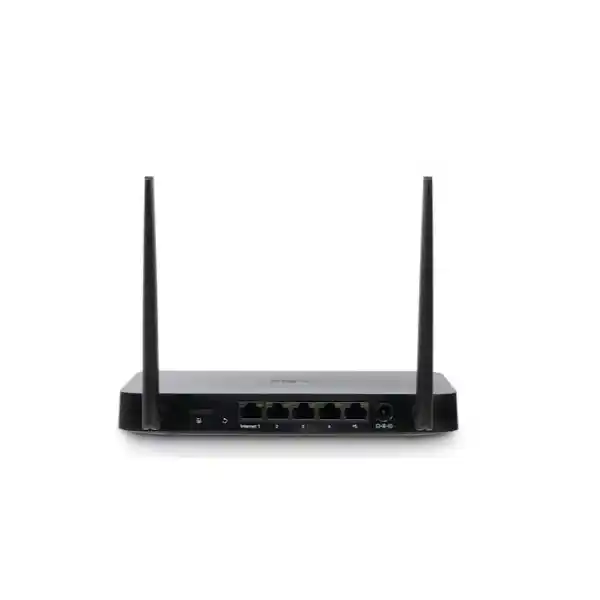
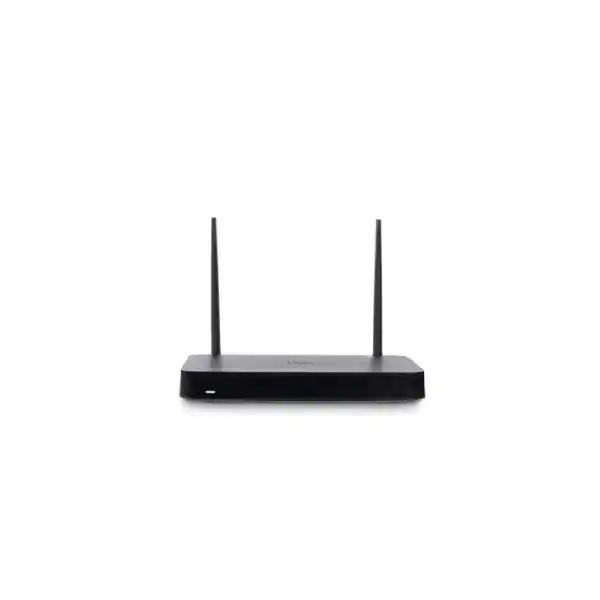
Cisco Meraki Z4C Cloud-Managed Teleworker Gateway for Secure Remote Connectivity
The Cisco Meraki Z4C is a compact firewall, VPN router and Wi-Fi 6 gateway built to extend an organization’s managed network to remote staff, small branches and temporary workplaces. Its integrated LTE modem offers a secondary path when the wired connection fails, provided that a supported SIM, service plan and adequate cellular signal are available. Rather than deploying a separate firewall, wireless access point and cellular backup router at every location, IT teams can evaluate a single appliance that provides these functions under centralized administration.
For Uganda-based buyers, the central purchasing question is not merely whether a gateway can connect to the internet. The important considerations are whether employees can reach approved business systems securely, whether support teams can diagnose problems remotely, whether cellular backup will function with the intended operator and whether the full hardware and licensing cost has been budgeted. The Z4C is designed for a small endpoint population and should be assessed against real user counts, VPN demand, security features and WAN bandwidth.
A practical deployment might place the gateway beside a remote worker’s desk, connect the dedicated WAN port to an existing modem, use the integrated wireless network for approved laptops and attach a compatible VoIP phone to the PoE+ LAN port. If the primary broadband service becomes unavailable, configured cellular failover can preserve connectivity subject to carrier coverage and the data allowance. Administrators manage policies and visibility through the Cisco Meraki Dashboard.
FourTeck can help buyers prepare a bill of materials that distinguishes the Z4C hardware from subscriptions, power-cord requirements, LTE service and optional installation services. This reduces the risk of receiving an appliance that cannot be commissioned immediately. Pricing, lead time, licensing and warranty conditions should be confirmed in a written quotation rather than assumed from a generic listing.
At-a-Glance Procurement Facts
Z4C-HW; regional listing SKU CISCO-Z4C-UGANDA.
Up to 15 devices; validate application and traffic requirements.
One Gigabit WAN, four Gigabit LAN, Wi-Fi 6 and integrated Cat 12 LTE.
50 W DC supply; published idle/max loads of 15 W/46 W.
Confirm stock, delivered price, license term and applicable regional warranty before payment.
Architecture and Operating Model
The Z4C combines several edge-network functions in one appliance. Its dedicated wired WAN port provides the normal internet uplink, while the integrated Cat 12 LTE modem offers a cellular alternative. Four Gigabit LAN interfaces connect wired endpoints or a downstream access switch; one of those ports can provide 802.3at PoE+ power to a compatible endpoint. Dual-band 2×2 Wi-Fi 6 serves local wireless clients. A stateful firewall, traffic policies and VPN capabilities create the logical security boundary between the local network and external resources.
The architecture is particularly useful where corporate IT needs consistent settings without maintaining a specialist engineer at each location. A deployment can be prepared in Meraki Dashboard, associated with the appliance serial number and monitored after installation. Centralized visibility helps teams investigate WAN loss, client connectivity, policy errors and usage patterns. Remote packet capture, syslog and NetFlow support are available as part of the platform’s documented software capabilities.
The published maximum stateful firewall throughput is 500 Mbps, maximum VPN throughput is 250 Mbps and listed security throughput is 300 Mbps. These figures describe different processing conditions and must not be combined into a single performance promise. A buyer planning encrypted application traffic should size against VPN performance and expected concurrent activity, not simply the physical one-gigabit port rate. Likewise, the stated wireless radio data rate is not equivalent to guaranteed application throughput.
For network segmentation, administrators can plan VLANs, DHCP assignments, firewall rules and appropriate wireless access controls. The design should identify trusted corporate endpoints, guest or personal devices, and equipment that requires restricted access. Traffic shaping can prioritize essential collaboration or voice services, but successful call quality still depends on upstream broadband stability, packet loss, latency and service-provider performance.
LTE backup introduces resilience but not unlimited capacity. Cellular bandwidth varies by location, radio conditions, congestion and operator policy. Before rollout, confirm that the intended carrier supports the modem’s bands and that the service can provide the required data volume. An organization using the device in a rural or shielded building should test actual reception and antenna placement. Carrier compatibility cannot be guaranteed merely because the gateway supports a broad range of LTE bands.
Business Outcomes and Operational Value
- Performance integrity. Match real workload demand to the 500 Mbps firewall and 250 Mbps VPN ceilings, allowing capacity for simultaneous video meetings, business applications and software updates.
- Service continuity. Configure automatic wired-to-cellular failover and test restoration behavior; remember that LTE remains dependent on coverage, subscription status and local power.
- Distributed expansion. Standardize a repeatable small-site design so IT teams can provision remote offices and home-working locations without creating a different network architecture for each installation.
- Controlled access. Use stateful firewall policies, segmentation and secure VPN configuration to limit exposure while enabling approved corporate workflows.
- Central administration. Meraki Dashboard supports common configuration practices, remote monitoring, firmware administration and troubleshooting across multiple gateways.
- Cost visibility. Evaluate hardware, Meraki licensing, LTE service, installation labor, electricity, warranty and replacement planning as a combined lifecycle cost.
- Endpoint convenience. The integrated PoE+ LAN port can reduce the need for a separate injector for one suitable powered device, subject to the 30 W port limit and overall power budget.
- Operational consistency. Document baseline settings, administrator access, configuration ownership and recovery procedures so a device replacement does not become an improvised project.
Hardware and Software Highlights
The Z4C’s principal hardware distinction from the non-cellular Z4 is its integrated LTE capability. The device includes two external LTE antennas, a SIM slot, one dedicated Gigabit Ethernet WAN interface and four dedicated Gigabit Ethernet LAN interfaces. Its wireless subsystem uses dual-band 2×2 Wi-Fi 6 with MU-MIMO. The device is intended for desktop or wall mounting rather than native rack installation. If a procurement specification calls for a rack appliance, the installation plan must explicitly provide an appropriate shelf and suitable cable access.
On the software side, the published feature set includes Layer 3/Layer 7 stateful firewall operation, NAT, configurable VLANs and DHCP, static routing, client VPN, Meraki AutoVPN, IPsec capabilities, traffic shaping, historical client statistics, remote packet capture, NetFlow and syslog. Availability and behavior of particular features can depend on firmware and licensing. Before signing off a regulated deployment, ask the network architect to map every required security control to a documented feature and the chosen subscription.
Technical Specifications Ledger
| Parameter | Cisco Meraki Z4C |
|---|---|
| Manufacturer order code | Z4C-HW |
| Recommended clients | Up to 15 devices |
| Wired WAN | 1 × dedicated Gigabit RJ45 |
| Wired LAN | 4 × dedicated Gigabit RJ45 |
| PoE+ | 1 × 802.3at LAN port, up to 30 W |
| Cellular | Integrated Category 12 LTE modem; 2 external LTE antennas |
| Wireless | Dual-band 2×2 Wi-Fi 6, 802.11a/b/g/n/ac/ax |
| Maximum stated radio data rate | 1.5 Gbps theoretical chipset rate, not guaranteed user throughput |
| Stateful firewall | Up to 500 Mbps in NAT mode |
| VPN | Up to 250 Mbps |
| Security throughput | 300 Mbps published figure |
| Dimensions | 200 × 112 × 26 mm |
| Weight | 0.487 kg |
| Mounting | Desktop or wall |
| Power supply | 50 W DC, 54 V / 0.92 A |
| Power consumption | 15 W idle; 46 W maximum |
| Operating temperature | 0–45°C |
| Storage temperature | −20–70°C |
| Humidity | 5–95% |
| Management | Cisco Meraki Dashboard; applicable licensing required |
Specifications reflect Cisco’s published Z4C documentation and are subject to manufacturer revisions. Regulatory approvals and cellular carrier certification vary by region; confirm the exact unit and intended service before purchase. The compact chassis does not imply zero clearance requirements: allow space for cables, external antennas, ventilation and access to the SIM and power connection.
Configuration and Sizing Worksheet
1. Count endpoints and simultaneous users
List laptops, phones, printers, handheld devices and other network clients. Distinguish the number of people from the number of connected devices. Compare the total with Cisco’s recommendation of up to 15 devices and consider whether growth or peak sessions require a larger platform.
2. Measure application demand
Record expected broadband speed, encrypted traffic, video collaboration, voice calling, file synchronization and remote desktop use. Plan around the appropriate throughput rating and allow headroom for traffic spikes.
3. Validate installation conditions
Choose a secure desktop or wall position within the 0–45°C operating range. Check the power outlet, approved adapter, cable runs and antenna clearance. If the gateway sits inside furniture, test Wi-Fi and LTE performance before final installation.
4. Confirm resilience assumptions
Identify the primary internet provider and LTE backup operator. Check cellular signal, SIM activation, data allowance, acceptable failover time and which applications must remain available during a wired outage.
5. Define licensing and governance
Identify the Meraki organization, dashboard administrators, applicable license model and term, security requirements, firmware policy and asset ownership. Confirm that the license purchased is appropriate for the appliance and deployment.
6. Prepare the quotation request
Provide quantity, delivery city, intended deployment date, site power plug, licensing term, preferred LTE operator, installation scope and any documentation required by procurement. Ask for a line-item quotation identifying the hardware, subscription and services separately.
Deployment Scenarios
Corporate remote workers
A remote employee can connect a laptop over managed Wi-Fi and an IP phone through the PoE+ LAN port while the Z4C establishes approved connectivity to company resources. Central IT should define which traffic traverses VPN and which may access the internet directly, subject to corporate security policy. A test should verify voice quality, authentication and failover behavior before the device is handed to the user.
Distributed business locations
For a small sales office, service kiosk or regional administration point, the Z4C can provide a standardized network edge without a full-size branch appliance. This works best when client counts and traffic levels are modest. Larger sites, heavy east-west traffic or complex switching requirements may need a separate switching and security design.
Financial services
A small financial-service field office may require segmented access to approved applications and resilient links for staff. The gateway can be considered as part of a controlled architecture, but selection alone does not establish compliance with banking regulations or payment standards. Security teams must validate encryption, logging, access policy, carrier resilience and incident procedures.
Education and training
An administrative workspace or small training location can use the gateway to provide managed access for a limited device population. Student-heavy environments with large numbers of devices will generally exceed its intended scale. Schools should forecast client growth and consider whether a dedicated campus switching and wireless design is more appropriate.
Government and public-sector operations
A small government field office can assess the Z4C for secure connectivity under centrally managed policies. Before procurement, confirm any local approval, data handling, logging, service availability and supply-chain requirements. Mission-critical operations should not treat a single gateway and one cellular operator as a complete disaster-recovery architecture.
Technical Deep Dive: Processing and Traffic Paths
The published performance ratings are the most useful sizing indicators because Cisco does not present this model as a modular enterprise chassis with a separately quoted switching backplane. The physical Gigabit Ethernet interfaces establish link speed, while security processing and VPN encryption introduce their own capacity limits. Traffic entering the wired WAN, traversing firewall policy and leaving for local clients is not identical to traffic encapsulated in an encrypted site-to-site tunnel. Plan each use case separately.
Wireless traffic is subject to radio interference, channel availability, distance, client capability and shared airtime. The headline maximum radio data rate is therefore not a contractual throughput value. Where applications demand predictable latency, a wired connection may be preferable. For voice endpoints, confirm that the device’s PoE+ output and overall power supply are appropriate for the connected phone.
Technical Deep Dive: Firmware and Policy Control
Meraki Dashboard is the operational center for device inventory, configuration, firmware management and troubleshooting. A successful rollout needs more than initial cloud enrollment: administrators should document role-based access, change approval, security baselines, notification recipients and the process for responding to WAN alarms. Firmware scheduling should account for business hours and maintenance windows, especially where staff rely on the gateway for critical calls.
Layer 3 and Layer 7 policies, NAT, VPN and VLAN settings should follow a written network design. Configuration templates can improve consistency, but each site still needs verification of address ranges, carrier conditions and connected devices. Logging and packet-capture functions can assist investigation, subject to the organization’s data-retention and privacy rules.
Technical Deep Dive: Continuity and Recovery
The Z4C’s built-in LTE modem is an alternative uplink, not a substitute for a complete continuity plan. Automatic cellular failover can mitigate certain wired ISP interruptions, but it cannot solve a local power failure, poor mobile coverage, expired SIM subscription or an upstream corporate application outage. Organizations should test these failure modes and define acceptable recovery targets.
A replacement procedure should capture serial-number ownership, Dashboard organization access, spare hardware policy, licensed entitlement, WAN settings and a contact escalation path. Where operations require uninterrupted availability, consider UPS power, diverse operators and a broader network design rather than assuming the Z4C provides dual-appliance high availability.
Questions to Resolve Before Purchase
Is a license included? Do not assume the hardware price includes the required Meraki subscription. Request a separate line item stating the license type, duration, start conditions and renewal responsibility. Will my SIM work? Confirm LTE bands, carrier acceptance and real signal at the site; an operator’s absence from Cisco’s tested-carrier list does not by itself establish incompatibility, but it warrants validation. Can I mount it in a rack? The published mounting options are desktop and wall; a rack installation needs a suitable shelf and ventilation planning. Will the power supply fit local sockets? Specify the correct approved power cord and electrical arrangement. Is it appropriate for 30 or 50 endpoints? Cisco’s recommended client population is up to 15; request alternative sizing for larger workloads.
Does the cellular connection deliver the same speed as fiber? No such equivalence should be assumed; performance depends on carrier conditions and data policy. Can it support third-party devices? Standard Ethernet and Wi-Fi clients can connect, but the corporate VPN design, identity controls and downstream networking equipment require compatibility review. Can the gateway be moved between offices? Reassignment should be coordinated with Dashboard ownership, licensing, carrier service and regional compliance. What happens after a failure? Confirm support entitlement, warranty procedure and replacement lead time in the procurement contract.
Uganda Procurement and Delivery Planning
Organizations purchasing Cisco Meraki Z4C equipment in Uganda should request a formal quotation that identifies the precise hardware part number, applicable subscription, accessories and delivery destination. FourTeck can be contacted to discuss sourcing and project requirements; stock and delivery timing are subject to confirmation. A quotation should specify currency, taxes where applicable, shipping arrangements, warranty terms and any installation or commissioning services included.
For a deployment with several remote users, provide a location schedule and desired rollout order. This helps distinguish one-off hardware supply from a coordinated deployment that may require pre-staging, asset labeling, configuration documentation and handover testing. Where a customer requires cellular resilience, local operator compatibility should be assessed before committing to a nationwide rollout.
Local coverage considerations
Kampala procurement teams may coordinate central IT policies and distribute gateways to staff. Entebbe offices should verify connectivity at the actual building rather than infer coverage from city-wide maps. Jinja field locations can benefit from a standard remote-support procedure, while Mbarara deployments may require advance logistics planning. Gulu installations should likewise validate LTE reception, service availability and delivery arrangements. FourTeck can discuss these destinations during quotation preparation; no fixed transit time or on-site service guarantee is implied.
Cross-Border Procurement Coordination
Multinational organizations may require aligned device standards across Uganda, Kenya, the UAE, Kuwait and other African markets. Regional purchasing teams can review FourTeck Uganda, FourTeck Kenya, FourTeck Africa, FourTeck UAE and FourTeck Kuwait for local contact channels. Each destination may have different shipping, import, cellular certification, electrical and warranty considerations. A common Meraki management strategy does not eliminate the need to validate the physical and regulatory requirements of each destination.
Related Solutions and Procurement References
When comparing options, consult Cisco’s Z4C datasheet and installation guide. Buyers without a cellular requirement can review the Meraki Z4. For accessories, ask FourTeck to confirm the 50 W replacement adapter, regional power cord, Meraki subscription and compatible PoE endpoint on the same bill of materials. These links lead to a quotation discussion rather than asserting that a particular accessory is currently in stock.
FourTeck Technical Service Scope
A configuration-led purchasing process starts with an engineering review of the site count, client population, WAN service, LTE backup strategy and access policies. FourTeck can be asked to scope bill-of-materials validation, license matching, accessory selection, staging and pre-shipment firmware checks where these services are available and explicitly agreed. Buyers should identify who owns the Dashboard organization, who will receive administrative credentials and who is responsible for the cellular SIM contract.
A useful acceptance checklist includes serial-number inventory, successful Dashboard enrollment, wired WAN operation, LTE failover test, VPN connectivity, client isolation where required and a documented support escalation route. Post-sales assistance and replacement obligations must follow the agreed service and warranty terms. For regulated organizations, require formal approval of the intended security configuration before production use.
Frequently Asked Questions
1. What is the Cisco Meraki Z4C intended to do?
It is a cloud-managed teleworker gateway combining firewall, router, VPN, Wi-Fi 6 and cellular backup functions. The intended audience includes remote staff and small offices that need centrally administered connectivity to company resources. Cisco recommends the platform for up to 15 devices, so it should not be treated as a replacement for a high-capacity campus or data-center firewall. Before ordering, compare the endpoint count, VPN requirements and internet service to the published specifications.
2. Does the Z4C include cellular backup?
Yes. The integrated Cat 12 LTE modem provides a cellular uplink that can be used for failover. The device requires an appropriate active SIM and mobile data service. Coverage, signal strength, carrier approval and compatible frequency bands need to be checked for the exact installation address. Test failover and restoration under realistic conditions, and establish whether essential applications can operate within the backup data allowance.
3. What are the wired and wireless interfaces?
The Z4C has one dedicated Gigabit Ethernet WAN port and four dedicated Gigabit Ethernet LAN ports. One LAN port supports PoE+ power delivery up to 30 W for an appropriate connected device. Wireless access uses dual-band 2×2 Wi-Fi 6. The manufacturer also lists a theoretical maximum radio data rate, but real client speeds depend on radio conditions and device capability. A wired connection remains preferable for workloads requiring predictable performance.
4. Is a Meraki license necessary?
Meraki cloud-managed equipment is sold within a licensing ecosystem, and the buyer should confirm the applicable subscription and entitlement for the exact device. Ask for hardware and licensing to be shown separately in the quotation. Confirm term length, activation arrangements, renewal responsibility and the effect of a lapsed subscription on operations. Do not assume a low hardware-only price represents the full cost of a working deployment.
5. Can the Z4C connect securely to a corporate network?
The documented platform includes Meraki AutoVPN and other VPN capabilities that can support approved corporate connectivity. Compatibility depends on the headquarters network, tunnel configuration, address plan and security policy. Before rollout, identify the target applications and authentication requirements, then test traffic paths and access restrictions. An encrypted tunnel alone does not replace endpoint security, user access management or organization-wide monitoring.
6. What happens when the wired internet fails?
The gateway supports automatic failover to its cellular uplink when properly configured and provisioned. Actual continuity depends on LTE coverage, SIM status, carrier network conditions and local electrical power. Existing sessions may be disrupted during a path change, so users should not assume seamless continuity for every application. Test critical voice, payment or remote-access workflows and establish a recovery procedure for prolonged outages.
7. Can it power an IP phone?
One Gigabit LAN port provides 802.3at PoE+ with a stated maximum of 30 W. That can simplify connecting a compatible IP phone or another powered endpoint. Confirm the endpoint’s power class and electrical requirements, and account for the gateway’s power supply and total consumption. If several powered devices are needed, a separate suitable PoE switch may be required; the gateway does not provide four PoE+ outputs.
8. What installation conditions are required?
The device is designed for desktop or wall mounting and measures approximately 200 × 112 × 26 mm. Cisco specifies an operating range of 0–45°C and a 50 W DC power supply. Plan for a safe mounting location, ventilation, cable routing, LTE antenna placement and access to the SIM slot. Verify the correct regional power cord and avoid assuming that a compact appliance can operate reliably inside a sealed, hot enclosure.
9. How should warranty and replacement be handled?
Warranty eligibility, support entitlement and replacement processing depend on the purchase and licensing arrangements. Ask for the applicable warranty terms in writing, including the responsible support contact, evidence required for a claim and expected replacement procedure. Keep the purchase invoice, serial number and Dashboard ownership records. For critical remote locations, assess whether a spare unit or a documented alternate connectivity plan is justified.
10. Can FourTeck help prepare a multi-location quotation?
A quotation request can cover quantities, destinations, power accessories, subscription terms and potential staging or installation needs. Supply a site list, intended deployment schedule, endpoint counts, preferred cellular operators and the person responsible for Dashboard administration. FourTeck can review the requirements and confirm which supply or technical services can be included in the proposal. Delivery dates, stock and service commitments should be accepted only when explicitly stated in the final quotation.
Plan Your Cisco Meraki Z4C Deployment in Uganda
Request a quotation that accounts for the gateway hardware, appropriate Meraki subscription, regional power accessories, cellular readiness and deployment services. Include the number of sites and devices, preferred delivery city, required VPN connectivity and expected project timeline. A well-scoped request helps avoid delays caused by missing license entitlements, incompatible power accessories or untested cellular service.
FourTeck can discuss the proposed application and provide procurement guidance subject to product availability and agreed service scope. Before approval, review the final bill of materials and confirm warranty, tax, delivery and commissioning terms. Use the contact link to begin a practical, site-specific conversation about secure remote networking.



Reviews
There are no reviews yet.