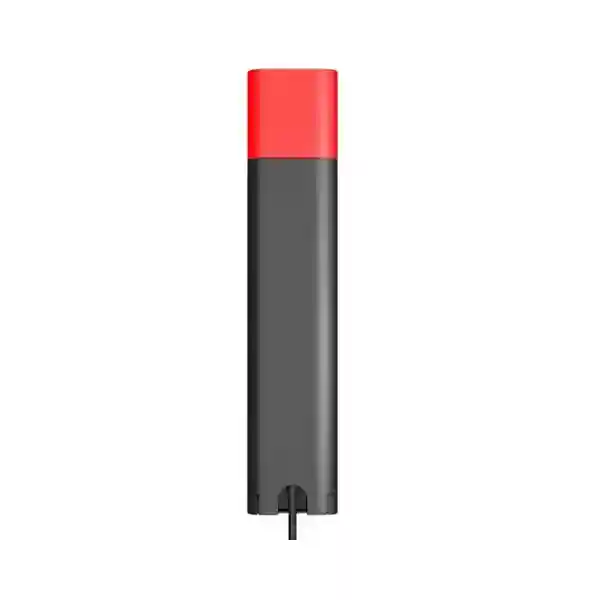
Workplace Presence & Call-Status Accessory
Yealink BLT60 Busylight – Visual Call Status for Professional Workspaces
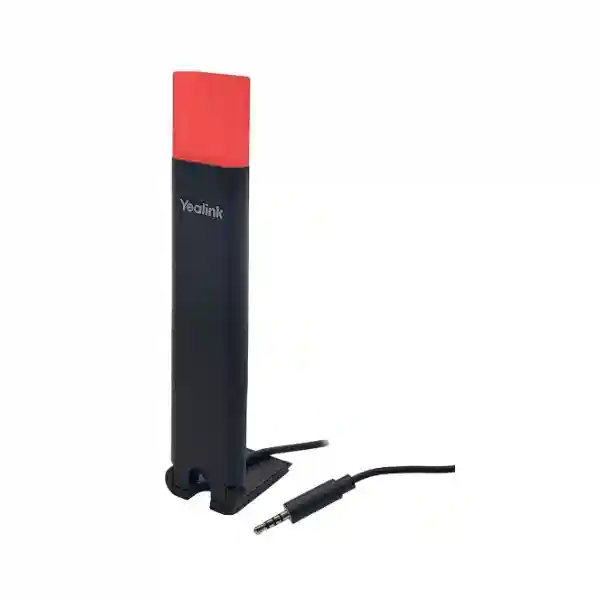
The Yealink BLT60 is a visible workplace status light built to complement compatible Yealink headset bases. It gives nearby colleagues a simple visual indication of call activity and supported presence states, helping reduce interruptions in busy offices, contact centres, reception desks and shared work areas. Rather than requiring staff to guess whether a colleague is available, the BLT60 places an illuminated indicator where it can be seen clearly. Yealink describes the accessory as plug-and-play and provides a 1.8-metre cable so it can be positioned at a desk edge, workstation divider or monitor area. For procurement teams, the important consideration is compatibility: BLT60 is designed around supported Yealink headset systems with a base and should be specified together with the exact headset model and communications platform.
In an enterprise rollout, a small accessory can have an outsized operational effect when it removes ambiguity. Agents can remain focused on calls, supervisors can identify active conversations without approaching a desk, and open-office teams can apply a more consistent visual convention. The BLT60 is especially relevant where users spend significant time on softphone or desk-phone calls and where acoustic privacy, concentration and predictable interaction etiquette matter. FourTeck can assist Uganda buyers with model validation, quantity planning, commercial quotation and accessory matching before supply.
Procurement Fact Rail
Yealink BLT60 Busylight
Visual call and presence indication
1.8 m placement flexibility
Compatible Yealink headset base environment
Business quotation on request
Confirm regional commercial terms at quotation
The fact rail is deliberately procurement-focused. The BLT60 is not a network appliance, independent desk phone or universal standalone indicator. Its value depends on being paired with a supported Yealink base-equipped headset deployment and a calling environment that exposes the relevant states. Yealink documentation identifies BLT60 as an optional accessory for multiple WH-series systems and states that it can alert users to phone or softphone status. Supported presence behavior may depend on the particular headset, base, softphone and configuration. This means a buyer should avoid treating the accessory as an isolated line item without checking the installed endpoint estate.
Operational Architecture and Product Overview
BLT60 solves a straightforward workplace problem: voice communications are invisible to people who are not wearing the headset. In a shared office, a colleague can see someone seated at a desk but may not know that the person is listening to a customer, participating in a conference, waiting for a caller to answer or handling an incoming call. A visible status light externalizes that state. The result is not merely decorative illumination; it is a human-interface layer between the communications endpoint and the surrounding workspace.
Yealink specifies that BLT60 works with supported headset systems with a base. In supported configurations, the light follows call or presence information supplied through the Yealink environment. Documentation for compatible WH systems describes states such as startup indication, ringing, active call and, where softphone support exists, presence or notification behavior. Yealink also provides configuration controls through Yealink USB Connect for supported systems, allowing administrators or users to select appropriate Busylight behavior. Because implementation differs by headset generation and communications application, the exact target environment should be documented before a bulk purchase.
The 1.8-metre cord is operationally important. A status light that sits behind a monitor or underneath paperwork has little value. The longer lead allows teams to place the BLT60 where colleagues can actually see it—at a monitor edge, partition, desktop corner or another suitable visible point near the workstation. Yealink’s product presentation highlights selectable light-guide shapes and synchronized working-state indication. This flexibility supports both individual desks and standardized floor layouts.
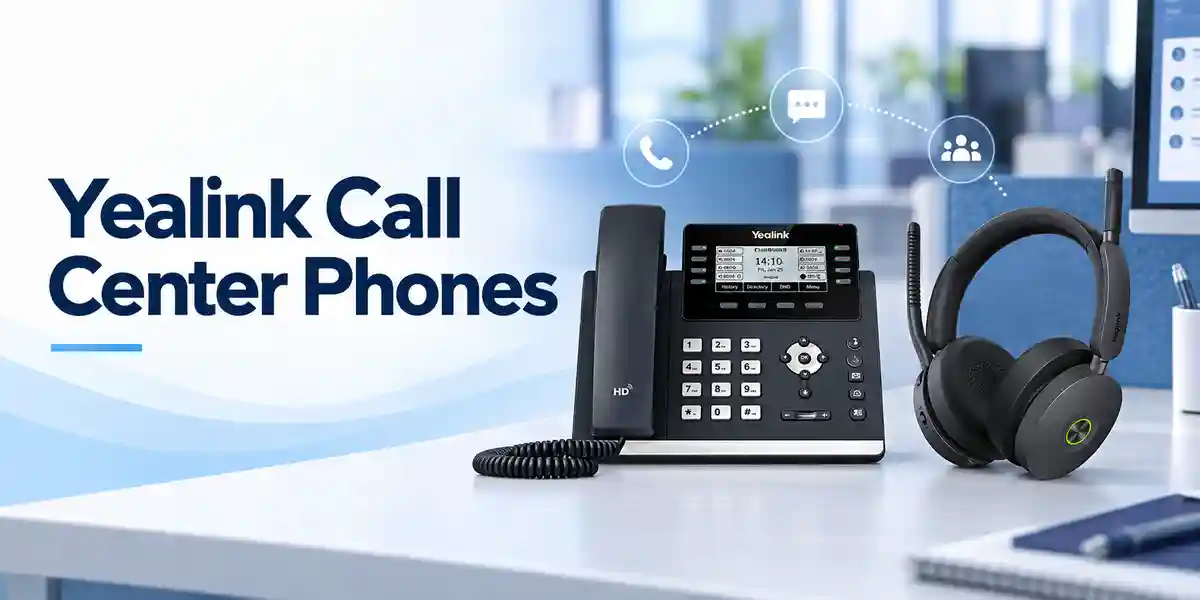
For contact centres, the business case is especially clear. Agents often need uninterrupted attention while authenticating callers, recording case information or following regulated scripts. A visible red call indication can discourage unnecessary approaches without requiring the agent to gesture or break conversation flow. For supervisors, the light also gives immediate environmental awareness without opening a monitoring application. In smaller offices, the same principle helps receptionists, account teams and support engineers communicate availability more naturally.
The architecture is intentionally simple: the BLT60 is an endpoint accessory, while the supported headset base and communications software provide the context. It does not replace presence services, call-control software, headsets or desk phones. Instead, it turns supported state information into an ambient visual signal. Procurement teams therefore gain the best result by treating BLT60 as part of a workstation standard rather than as an unrelated peripheral.
Enterprise Business Outcomes and Value Analysis
Visual call-state signaling helps protect active conversations from avoidable interruptions. For customer-facing teams, maintaining conversational continuity can improve professionalism and reduce the risk of missing information while an agent responds to someone standing nearby.
The BLT60 uses a direct accessory model rather than adding another wireless endpoint that staff must charge independently. Once correctly connected to a supported base and configured, it becomes part of the user’s normal communications station.
Organizations can incorporate the Busylight into a repeatable headset workstation specification for teams whose roles involve frequent calls. Standardization simplifies onboarding, purchasing and support because the same visual convention can be applied across many desks.
A visible active-call indicator can support better office behavior around sensitive conversations. It is not a security control and does not protect audio or data, but it can reduce accidental interruption while finance, HR, service or management personnel are speaking.
Supported Busylight behavior can be configured through the Yealink headset ecosystem. This keeps accessory behavior aligned with the headset workstation rather than creating a separate user interface for a simple status function.
BLT60 should be evaluated as a targeted productivity accessory rather than a standalone communications investment. Buyers can deploy it only to roles that gain meaningful value from visual call status, avoiding unnecessary accessories at low-call-volume desks.
The concept is immediately understandable: illuminated states communicate whether the workstation is engaged. This reduces training burden compared with processes that rely on users manually changing signs or verbally notifying nearby colleagues.
Key Hardware and Software Highlights
| Element | Confirmed Capability | Operational Outcome |
|---|---|---|
| Visible light guide | Designed to display working/call states | Nearby staff can recognize call activity without interrupting the user. |
| 1.8 m cable | Extended placement reach | Allows positioning where the indicator is easier to see. |
| Plug-and-play design | Accessory integration with supported Yealink bases | Reduces desk-side complexity when deployed in a validated environment. |
| Status synchronization | Supported phone/softphone states can drive illumination | Makes call activity visible beyond the headset wearer. |
| Yealink USB Connect controls | Busylight settings available for supported headset models | Provides a defined configuration path for administrators and users. |
The BLT60 should not be assessed using switch, router or server metrics such as packet throughput, backplane bandwidth or rack-unit density because it is not a network-processing device. The relevant technical criteria are compatibility, state behavior, visibility, cable placement and manageability within the Yealink headset ecosystem. This distinction is important for accurate tender specifications: demanding unrelated infrastructure metrics would create misleading requirements and could obscure the real purchasing decision.
Technical Specifications Ledger
| Specification | BLT60 Detail | Procurement Note |
|---|---|---|
| Product type | Busylight / visual status accessory | Order as an accessory for a validated Yealink headset/base environment. |
| Primary function | Visual phone/softphone working-state indication | Behavior depends on supported endpoint and application integration. |
| Cable length | 1.8 metres | Plan routing so the indicator remains visible and the cable is protected. |
| Typical call indication | Flashing red for ringing; solid red during a call on documented supported systems | Validate behavior against the chosen headset and softphone. |
| Presence indication | Supported on compatible configurations; documentation for WH66/WH67 includes green available, orange away and red DND/busy | Do not assume every application exposes every state. |
| Configuration | Yealink USB Connect on supported headset platforms | Keep headset firmware and management software aligned with vendor guidance. |
| Standalone use | Not intended as a generic standalone USB presence lamp | Confirm the compatible base before purchase. |
| Power draw | Not specified on the reviewed BLT60 product information | Request current manufacturer documentation if a tender requires a numeric value. |
| Dimensions / weight | Not stated on the reviewed BLT60 product page | Confirm against current packing documentation for logistics-sensitive orders. |
| Regional warranty | Commercial terms to be confirmed with quotation | Record warranty and replacement process on the purchase order. |
This ledger intentionally separates confirmed product behavior from details that should be validated commercially. Enterprise buyers often need a clean audit trail showing which requirements are manufacturer-published and which depend on the reseller, region, software environment or current production revision. For BLT60, compatibility and status behavior are more consequential than raw electrical specifications. A pilot desk is recommended where the organization uses a specialized softphone, virtual desktop environment, unusual USB policy or a mixed fleet of headset generations.
Configuration and Sizing Worksheet
Step 1 – Estimate User Scale
Count users who spend enough time on calls to benefit from a visible indicator. Do not automatically match the BLT60 quantity to total employee headcount. Prioritize contact-centre agents, reception teams, help desks, inside sales, finance personnel, dispatch coordinators, remote-service operators and managers who regularly use supported Yealink headset bases. Add spare units only according to the organization’s normal accessory replacement policy.
Step 2 – Validate the Desk Environment
Record the exact Yealink headset and base model at each target workstation. Check where the light will be mounted or placed and confirm that the 1.8-metre lead can reach without crossing walkways, being trapped by monitor arms or interfering with adjustable desks. The indicator should remain visible from the direction colleagues normally approach.
Step 3 – Confirm Connectivity and Platform Behavior
Document whether calls originate from a desk phone, PC softphone or a combination of devices. Where multiple devices are connected, Yealink documentation notes that presence display can depend on which device is configured as the default audio or outgoing-dialer device. Confirm the organization’s collaboration and calling client, then validate the required states on a sample workstation before mass deployment.
Step 4 – Review Software and Licensing
The BLT60 itself is an accessory, but the wider calling environment may involve softphone, unified-communications or device-management licensing. Do not attribute those subscriptions to the light unless they are actually required by the chosen communications platform. Yealink USB Connect is used for supported headset configuration. For a tender, separate accessory hardware cost from any third-party calling licenses so recurring charges remain transparent.
Step 5 – Prepare the Quote Request
Provide the BLT60 quantity, compatible headset/base model, softphone or desk-phone platform, delivery city, desired deployment date, company billing details and any warranty or staging requirements. For a mixed estate, provide quantities per headset model. This lets FourTeck verify the bill of materials before issuing the commercial proposal and reduces the risk of ordering an accessory for an unsupported base.
Deployment Scenarios and Industry Use Cases

Large Enterprise and Multi-Site Networks
A multi-site organization can define BLT60 as part of a standard voice workstation bundle for selected job profiles. Headquarters may deploy it to service desks and executive assistants, while branch offices use it for reception and customer-care positions. The technical advantage of this approach is consistency: the light does not need to participate in the IP network independently; it follows the supported Yealink workstation. Asset teams can therefore associate each unit with a headset bundle rather than manage it as a separate network endpoint.
Financial and Banking Institutions
Banking environments involve frequent customer conversations, internal approvals and operational coordination. A visible call indicator can help colleagues avoid approaching an employee during an active conversation. This is a behavioral aid rather than a confidentiality technology, so secure room design, headset security, authentication and application controls remain separate requirements. BLT60 fits best as one layer in a disciplined workstation standard.
Educational and Campus Networks
Universities and training institutions can use visible call-state accessories in admissions offices, ICT help desks, registries, finance departments and administrative contact centres. Staff may handle a mixture of internal calls and public enquiries. A clearly visible status signal can reduce interruptions during student support conversations, particularly in open administrative areas where multiple service functions share the same room.
Government and Defense Procurement
Public-sector procurement often requires precise model identification, controlled bills of materials and clear separation between functional requirements and unsupported assumptions. BLT60 can be specified as a visual call-status accessory for validated Yealink headset bases. For sensitive environments, the buyer should independently assess endpoint policy, software approval, USB controls and communications-security requirements. The Busylight itself should never be represented as providing encryption, access control or information assurance; its purpose is visual status indication.
Technical Deep Dive: Status Processing and Accessory Architecture
The BLT60 does not process voice media or network packets. Its functional architecture is better understood as a visual output device attached to a supported Yealink headset base. The communications application and headset ecosystem determine call state; the accessory presents that state through illumination. This separation keeps the user experience simple. When a supported system identifies an incoming call, documentation describes fast red flashing. During an active call, the light can remain solid red. On compatible systems, additional presence or notification states may be represented.
From an engineering perspective, this is valuable because the accessory does not need its own IP address, network switch port, wireless onboarding procedure or independent battery-management process. It belongs to the workstation edge. That makes it suitable for high-density environments where adding independently managed devices would increase operational overhead. The main design dependency is therefore not bandwidth but endpoint compatibility. A procurement engineer should validate headset model, base firmware, calling client and expected state mapping.
Technical Deep Dive: Software Ecosystem and Operational Control
Yealink USB Connect provides configuration functions for supported headset systems. Yealink support material describes Busylight options such as synchronized behavior, available, do-not-disturb and off modes on compatible devices. It also advises ensuring relevant Busylight settings are enabled and keeping headset firmware current. This gives administrators a practical troubleshooting path when the light does not behave as expected.
Software compatibility remains a critical pre-purchase item. Presence synchronization requires support from the communications environment, and manually changing a presence state in some compatible desk-phone or softphone scenarios does not necessarily trigger a BLT60 change. Buyers should define the states that actually matter operationally—typically ringing and active call first—then treat extended presence behavior as a feature to validate in the organization’s exact software stack.
Technical Deep Dive: Availability, Continuity and Recovery
A Busylight is not a high-availability system in the conventional data-centre sense. There are no redundant power supplies, clustered controllers or failover interfaces. Continuity instead depends on the headset base, host communications system and physical accessory connection. If the base, calling client or workstation is unavailable, the visual indication cannot provide meaningful state information.
For larger deployments, resilience comes from operational standardization. Keep a small pool of validated spare accessories, document the approved headset/base combinations, retain a known-good configuration and train support staff to distinguish between a light failure and an upstream softphone or base issue. A simple replacement test with a known-good BLT60 can rapidly isolate hardware problems. This approach is more appropriate and cost-effective than attempting to engineer infrastructure-grade redundancy into a desktop indicator.
Pre-Purchase Buyer Gap Checklist
Before issuing a purchase order, buyers should close the common information gaps that cause accessory projects to stall. First, confirm that every target desk has a supported Yealink headset with a compatible base. A headset brand match alone is not enough; exact model and generation matter. Second, identify whether the organization expects only ringing/in-call indication or also wants available, away, busy, do-not-disturb, missed-call or message behavior. Those additional states can depend on headset model and softphone support.
Third, separate hardware price from software subscriptions. The BLT60 is not a calling service and does not by itself provide Microsoft Teams, SIP service, PBX licensing or contact-centre seats. Existing collaboration licensing should be reviewed independently. Fourth, inspect physical desk clearance and cable routing. The 1.8-metre lead offers useful flexibility, but sit-stand desks and movable monitor arms require enough slack and secure routing.
Fifth, validate mixed-vendor assumptions. BLT60 is designed for the Yealink headset ecosystem and should not be purchased on the assumption that it will act as a universal light for arbitrary third-party headset bases. Sixth, request current warranty and replacement terms with the quotation. Regional commercial coverage may differ by supply channel, and procurement records should identify how a defective accessory will be handled.
Seventh, consider lifecycle consistency. If a large organization is refreshing headsets in phases, determine whether the planned future base models also support BLT60 or whether a newer accessory strategy will be used. Eighth, conduct a pilot when the calling environment includes virtual desktops, locked-down USB policies or specialized contact-centre applications. A ten-desk validation can reveal integration differences before hundreds of accessories are ordered.
Finally, document acceptance criteria. A useful acceptance test can be simple: accessory starts correctly; incoming call produces the expected visible state; active call produces the expected state; idle behavior matches policy; cable placement is visible; and the selected softphone behaves consistently. Clear acceptance criteria turn an inexpensive peripheral into a controlled enterprise deployment rather than an ad-hoc desk accessory.
Uganda Procurement and Delivery Logistics
Uganda organizations can request BLT60 quotations from FourTeck with the quantity, Yealink headset/base model and intended calling platform. For larger requirements, including the endpoint inventory at the quotation stage helps reduce compatibility risk. Commercial documentation can then reflect the requested quantities, delivery destination and any agreed staging or support scope.
Order processing should be planned around the required project date rather than assuming immediate availability for every quantity. Stock position, inbound supply, warranty terms and delivery timing can be confirmed in the current quotation. For distributed projects, buyers may choose consolidated delivery to a central Kampala facility or coordinate onward distribution according to their internal rollout plan. Where pre-configuration is relevant, FourTeck can help validate the associated Yealink headset environment and advise what should be checked before shipment.
For formal procurement, include the legal purchasing entity, tax and billing details, delivery contact, city, purchase-order process and requested delivery window. If the BLT60 is part of a wider headset refresh, submit the full bill of materials together. This enables accessory compatibility to be reviewed in context and makes it easier to identify missing bases, cables, headsets or other workstation components before fulfillment.
Uganda Coverage Matrix
Head offices, contact centres, financial services, NGOs, government and enterprise deployments.
Hospitality, aviation-linked operations, administration and customer-service workstations.
Industrial, education, service and branch-office communication requirements.
Regional enterprises, healthcare administration, education and distributed support teams.
Institutional, NGO, education and branch communications deployments.
For each location, the recommended procurement method remains the same: identify the exact compatible headset/base, quantify target users, define the required visual behavior and request a current delivery quotation. Regional rollout planning should account for internal receiving procedures and the organization’s own branch-distribution schedule.
Cross-Border and Regional Supply Chains
Organizations operating across East Africa, the Gulf and broader African markets can coordinate Yealink accessory requirements through FourTeck’s regional web presence. Uganda requirements can begin at FourTeck Uganda, while Kenyan projects can reference FourTeck Kenya. Multi-country African deployments can be scoped through FourTeck Africa. UAE procurement teams can use FourTeck UAE, and Kuwait requirements can be coordinated through FourTeck Kuwait.
For cross-border projects, maintain a common technical specification while allowing commercial terms, taxes, import handling, warranty routing and delivery times to be confirmed per destination. This helps multinational buyers standardize the user experience without assuming that every country follows identical fulfillment conditions.
Related Yealink Solutions and Internal Navigation
BLT60 is most useful when considered within the broader communications workstation. Explore Yealink and enterprise communications solutions in Uganda and contact FourTeck for compatible WH-series headset options, desk-phone integration, unified communications endpoints and call-centre workstation planning. Organizations refreshing multiple user profiles can also evaluate Yealink office desk phones, reception endpoints, touchscreen devices and unified communications solutions alongside headset accessories.
A complete bill of materials may include the compatible headset and base, BLT60 accessories for selected users, appropriate endpoint cables, desk phones where required and the organization’s existing softphone or unified-communications platform. Rather than selecting each component independently, procurement teams should map accessories to user roles. High-call-volume staff may justify a visible Busylight, while occasional users may only need a standard headset. This role-based approach keeps the project commercially efficient and easier to support.
FourTeck Technical Service Capabilities
FourTeck can support enterprise accessory procurement by validating the proposed bill of materials against the target Yealink workstation environment. Engineering validation is especially useful when an organization has several headset generations, a mixture of desk phones and softphones, or a phased endpoint refresh. The goal is to identify mismatches before products reach user desks.
Where project scope permits, staging can include checking the associated headset platform, confirming current firmware requirements and documenting expected Busylight behavior. Pre-shipment validation does not replace the customer’s application testing, because softphone policies and endpoint restrictions are specific to each organization. It does, however, create a cleaner handover point.
Post-sales support can help isolate whether an issue relates to the BLT60 hardware, headset base, configuration, firmware or communications application. For enterprise teams, this structured fault-isolation approach is more useful than simply replacing parts without diagnosis. Buyers should include their required support level, response expectations and warranty process in the quotation request so the commercial scope is clear before ordering.
Extended Technical FAQ
1. What is the Yealink BLT60 designed to do?
The BLT60 is a visual status accessory for supported Yealink headset bases. Its purpose is to make call and supported presence states visible to people around the user. In documented configurations, an incoming call can produce a flashing red indication and an active call can produce a solid red indication. Compatible environments may also expose other presence or notification states. It is particularly useful in open offices and contact centres where colleagues need a quick, non-verbal way to know when a user should not be interrupted.
2. Can BLT60 be used as a standalone generic USB status lamp?
Buyers should not specify it that way. Yealink support guidance states that BLT60 is used with Yealink headsets that have a compatible base, including supported WH-series and workstation products. The base and communications environment supply the relevant call-state context. If your requirement is for a universal lamp that connects directly to arbitrary PCs or third-party headset ecosystems, validate that requirement separately rather than assuming BLT60 will meet it. Provide FourTeck with the exact headset/base model before ordering.
3. Which light states can users expect?
The exact mapping depends on the supported headset and software configuration. Yealink documentation for compatible systems describes fast red flashing for ringing and solid red for an active call. Some WH66/WH67 documentation also describes green for available, orange for away and red for DND or busy when presence synchronization is supported. Missed-call or voice-message indication may require softphone support. Procurement specifications should distinguish mandatory states from desirable states and validate them in the organization’s actual calling client.
4. Does the BLT60 require a separate software subscription?
The accessory itself should not be confused with a softphone or unified-communications subscription. However, the surrounding calling environment may have its own licenses, such as Microsoft Teams, a contact-centre platform, SIP service or another collaboration client. Supported configuration can be managed through Yealink USB Connect. Buyers should separate hardware accessory cost from third-party service and application licensing so the recurring commercial obligations remain clear.
5. How should we check compatibility before a bulk order?
Create a simple endpoint inventory listing headset model, base model, desk phone if present, computer operating environment and calling application. Identify the status behaviors you need, then test a sample BLT60 on the most common workstation profile. If the organization has several headset generations or multiple softphones, test each distinct profile. This is especially important in virtual desktop environments or tightly controlled corporate PCs. FourTeck can use the inventory to help review the proposed accessory quantities and bill of materials.
6. Is the 1.8-metre cable important for deployment?
Yes. Visibility is the entire purpose of the accessory, and the cable gives users freedom to place the light where colleagues can see it. During desk surveys, consider monitor position, partitions, sit-stand movement, cable trays and the direction from which colleagues approach. Avoid routing that puts tension on the cable or creates a snag point. For standardized office furniture, establish a preferred mounting or placement location so the visual convention remains consistent across the team.
7. What happens if the Busylight does not change state correctly?
Troubleshooting should begin with the supported headset base and communications application, not with the light alone. Confirm the accessory is connected correctly, verify the headset firmware, review Busylight settings in Yealink USB Connect where applicable and check whether the selected softphone supports the expected state. Yealink notes that some behavior depends on the default audio or outgoing-dialer device and that manually changed presence states may not always drive BLT60 behavior. Testing with a known-good accessory can help distinguish hardware failure from configuration or software issues.
8. What warranty should Uganda buyers expect?
Warranty should be confirmed in the current FourTeck quotation rather than assumed from a generic global statement. Procurement teams should record the applicable warranty period, return procedure, proof-of-purchase requirements and replacement process on the order documentation. For larger deployments, it can also be sensible to hold a small number of spare accessories so a user can remain operational while a suspected fault is diagnosed or processed through the agreed support channel.
9. Can BLT60 improve confidentiality?
It can support better workplace behavior by showing colleagues that a person is on a call, which may reduce accidental interruption. It should not, however, be treated as a security or privacy control. The accessory does not encrypt audio, authenticate users, control room access or prevent eavesdropping. Organizations handling sensitive conversations still need appropriate headsets, application security, physical workspace design, access controls and staff procedures. BLT60 is best viewed as a visible etiquette and workflow aid within that broader control environment.
10. What information should we send to FourTeck for a quote?
Send the required BLT60 quantity, the exact Yealink headset/base model, the desk phone or softphone platform, delivery city, target project date and company purchasing details. If several models are deployed, provide quantities by model. Also mention whether you need only product supply or want assistance with compatibility validation and staging. For multi-site projects, identify each destination and planned quantity. A precise request allows the quotation to reflect the actual deployment and reduces the risk of accessory incompatibility after purchase.
Request a Yealink BLT60 Procurement Quote
For a reliable BLT60 rollout, start with the exact Yealink headset/base model and the communication platform used at each target workstation. FourTeck can help Uganda businesses review accessory compatibility, prepare a suitable bill of materials and issue a current commercial quotation for Kampala, Entebbe, Jinja, Mbarara, Gulu and other locations. For larger contact-centre or enterprise projects, include the number of users, site distribution and rollout schedule so supply planning can be aligned with your deployment.
The BLT60 is a simple accessory, but correct specification matters. A short compatibility review before purchase helps ensure that the visible call-status behavior expected by users is supported by the chosen headset and software environment. Submit your requirements to begin quotation and technical validation.




Reviews
There are no reviews yet.