
Yealink MP54 E2 Teams Phone – Microsoft Teams Business Desk Phone
The Yealink MP54 E2 is a purpose-built Microsoft Teams desk phone for organizations that want the convenience of a traditional handset and keypad while keeping calling, contacts, meetings and user identity aligned with a Microsoft Teams communications environment. Positioned for general office workers, front desks and common areas, it provides a practical endpoint for organizations moving voice workflows away from legacy desk telephony or standardizing new sites around Teams Phone. The current MP54 E2 platform combines a 4-inch capacitive touchscreen with physical call controls, a dedicated Teams button, dual-port Gigabit Ethernet, Power over Ethernet, integrated dual-band Wi-Fi, Bluetooth 5.2 and USB headset connectivity. This combination gives procurement and IT teams useful deployment flexibility: desks can use structured Ethernet and PoE where available, while integrated wireless connectivity can support appropriate environments where cabling constraints need to be considered.
For Uganda deployments, the important buying question is not simply whether a phone can make a Teams call. Buyers need to establish user licensing, network readiness, switch PoE capacity, VLAN and security policy, headset requirements, common-area versus assigned-user profiles, device-management ownership and support procedures. FourTeck can assist with bill-of-materials validation and quotation preparation so that handset quantities, accessories and power requirements are considered before purchase.
Instant Specifications & Procurement Facts
Yealink MP54 E2 Teams
General office, front desk and common-area Teams calling
4-inch 480 × 800 capacitive touchscreen
Dual-port Gigabit Ethernet, IPv4/IPv6
IEEE 802.3af Class 3 PoE; optional 5 V/2 A adapter
Bluetooth 5.2 and dual-band 2.4/5 GHz Wi-Fi
The procurement baseline should include more than the handset count. Confirm whether each desk receives PoE, whether pass-through Ethernet to a workstation is required, which Microsoft license applies to each user profile, and whether wired, USB or Bluetooth headsets are planned. Warranty terms, stock status and delivery timing should be confirmed on the commercial quotation because these may vary by supply batch and project conditions.
Operational Architecture and Product Overview
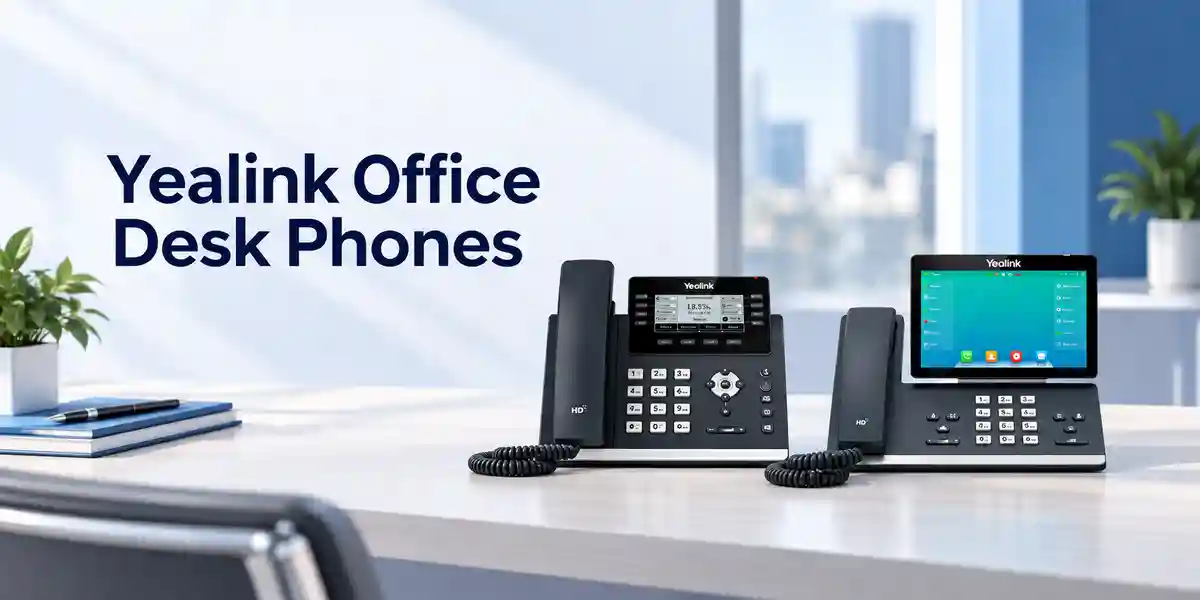
The MP54 E2 brings the Teams calling experience onto a dedicated desk endpoint rather than relying exclusively on a PC softphone. That distinction matters in reception areas, service counters, shared offices and roles where a physical handset remains operationally useful. The touchscreen presents the Teams-oriented interface, while tactile keys provide familiar access to headset, mute, speakerphone and Teams functions. A magnetic handset helps keep the receiver seated, and the hearing-aid-compatible design broadens accessibility for workplace deployments.
At the network layer, two Gigabit Ethernet ports allow the endpoint to sit in a conventional IP telephony desk topology. IEEE 802.3af Class 3 PoE can deliver network and power over the Ethernet infrastructure, reducing the need for a separate AC adapter at each desk. Where PoE is unavailable, an optional external adapter can be planned. Built-in Wi-Fi offers another connectivity path, but enterprise buyers should treat wireless deployment as an architectural decision: radio coverage, authentication, roaming expectations and local security policy should be validated rather than assuming Wi-Fi is a direct substitute for structured cabling in every environment.
Audio is central to the platform. The phone supports HD handset and speaker audio, a full-duplex hands-free speakerphone with acoustic echo cancellation and a broad codec set including SILK, G.722-family codecs and established narrowband formats. Noise-reduction functions are intended to improve intelligibility in everyday office conditions. For headset users, the USB Type-A port, RJ9 headset interface and Bluetooth capability provide several accessory paths. Compatibility should still be confirmed against the exact headset model and desired call-control behavior before a large rollout.
Management is designed for business fleets rather than isolated consumer devices. Microsoft device-management capabilities and Yealink management platforms can support configuration, monitoring and maintenance workflows. Browser, phone and auto-provisioning options are also documented. Operational teams can therefore build a repeatable process for onboarding, firmware updates, troubleshooting, log collection and device lifecycle administration. This becomes especially important when hundreds of endpoints are distributed across multiple branches, where manual desk-by-desk configuration would increase support effort and configuration drift.
Enterprise Business Outcomes & Value Analysis
Key Hardware & Software Highlights

The 4-inch 480 × 800 capacitive touchscreen provides a compact visual interface without turning the phone into an oversized desktop terminal. Five-point multi-touch capability supports direct interaction, while the physical dial pad and dedicated function keys preserve familiar telephone ergonomics. The two-angle stand supports desk positioning, and wall mounting is supported for locations where surface space is limited.
Connectivity includes two Gigabit Ethernet ports, one USB Type-A port, an RJ9 handset port, an RJ9 headset port and a security-lock interface. Integrated Bluetooth 5.2 removes the need for a separate Bluetooth dongle for supported accessories, while built-in dual-band Wi-Fi improves deployment flexibility. The MP54 E2 does not serve the same role as a premium attendant console with expansion modules; buyers requiring large numbers of programmable keys or expansion-module support should compare the broader Yealink MP E2 portfolio before finalizing the model.
Technical Specifications Ledger
| Operating platform | Current Yealink documentation lists Android 15 and Microsoft Device Ecosystem Platform for the MP54 E2 Teams model. |
| Display | 4-inch 480 × 800 capacitive touchscreen; five-point multi-touch; two-angle stand. |
| Ethernet | Dual-port Gigabit Ethernet. |
| PoE | IEEE 802.3af, Class 3. |
| Wireless | Built-in Bluetooth 5.2; built-in dual-band 2.4 GHz/5 GHz Wi-Fi. |
| USB | 1 × USB Type-A; supports USB headset and flash drive functions documented by Yealink. |
| Audio | HD handset, HD speaker, HAC handset, full-duplex speakerphone with AEC, noise cancellation. |
| Protocols/security | IPv4/IPv6, DHCP/static addressing, HTTP/HTTPS, SNTP, TLS, certificate management, IEEE 802.1X, WPA2/WPA3. |
| Power consumption | PSU approximately 1.7–5.3 W; PoE approximately 2.3–6.8 W. |
| Optional adapter | AC 100–240 V input, DC 5 V/2 A output. |
| Dimensions | 223 × 159 × 127 × 36 mm. |
| Operating environment | -10°C to 50°C; 10–95% operating humidity. |
Specification revisions can occur across firmware and manufacturing cycles. For project procurement, the quotation and current manufacturer documentation should be used together to validate the required software baseline, included accessories and region-specific supply details.
Configuration & Sizing Worksheet
1. Estimate users and workload
Separate assigned-user desks, reception positions, common areas, hot desks and shared operational stations. These profiles can have different licensing, sign-in and accessory requirements. Record simultaneous calling expectations and whether each position needs handset-only use, speakerphone operation or a dedicated headset.
2. Validate physical placement
Measure desk or wall locations, confirm Ethernet outlet placement and check that handset cords and headset cabling can be routed safely. In high-traffic public areas, consider the security-lock interface and how the device will be physically protected.
3. Check power and cabling
Confirm PoE support on access switches and calculate available power budget per switch. If PoE is unavailable, include the correct power adapters and suitable outlets. Confirm whether the second Ethernet port will be used for a workstation and ensure the network design supports the intended topology.
4. Map licensing
A Teams-capable phone is only one part of the solution. The required Microsoft licensing depends on user and calling scenario. Common-area positions may use a different license profile from named users. Confirm calling plans, operator connectivity or Direct Routing architecture separately as applicable.
5. Prepare the quotation brief
Provide quantity, delivery city, user profile, existing Microsoft environment, PoE availability, wired or wireless preference, headset models, wall-mount needs, desired staging and target deployment date. This reduces revisions and makes accessory omissions less likely.
Deployment Scenarios & Industry Use Cases
Large enterprise and multi-site networks
The MP54 E2 can be standardized as a general-purpose Teams desk endpoint across departments and branches. Centralized management is particularly valuable when devices are geographically dispersed. Enterprises should define a reference configuration covering firmware, VLAN assignment, authentication, certificates, sign-in method, time settings, emergency-calling policy and approved accessories before bulk deployment.
Financial and banking institutions
Banks and financial organizations often require controlled endpoint configuration, auditable change processes and strict access-network policy. Features such as 802.1X, TLS and certificate management can form part of that architecture, but they should be validated against institutional standards. Branch rollout plans should also include spare-device procedures and configuration recovery so a failed endpoint can be replaced predictably.
Education and campus networks
Universities and schools may use dedicated phones in administration offices, reception areas, faculty locations and shared service points. PoE can simplify distributed deployment, while centralized administration helps support teams manage endpoints across multiple buildings. Network segmentation and emergency-calling requirements should be reviewed at campus scale.
Government and regulated procurement
Public-sector projects often involve formal bills of materials, acceptance criteria and documentation. Buyers should specify exact model, quantity, power method, accessories, required software baseline, warranty terms, delivery destination and any preconfiguration scope. Security requirements should be mapped to the organization’s approved standards rather than assumed from a feature list alone.
Technical Deep Dive: Endpoint Processing and Audio Architecture
A business desk phone is an endpoint appliance rather than a general-purpose workstation. The practical value of its processing platform is responsiveness, dependable media handling and sufficient headroom for the Teams interface and device-management functions. Yealink’s current MP54 E2 documentation positions the platform on a modern Android base with MDEP. The phone combines local user-interface processing with network media transport and dedicated audio functions. Full-duplex hands-free operation with acoustic echo cancellation is important when speakerphone microphones and loudspeakers operate simultaneously. Voice activity detection, comfort-noise generation, packet-loss concealment, adaptive jitter buffering and automatic gain control are documented audio functions that help the endpoint deal with ordinary IP voice conditions. They do not replace a properly engineered LAN and WAN; packet loss, excessive latency, unstable wireless coverage or misconfigured QoS can still affect the user experience.
Technical Deep Dive: Software, Security and Operational Control
The MP54 E2 should be treated as a managed network endpoint. IT teams can incorporate device onboarding, firmware governance, credentials, certificates and monitoring into established operational procedures. Support for TLS, HTTPS, 802.1X, WPA2/WPA3 and encrypted configuration data provides mechanisms that can be aligned with enterprise controls. Microsoft Teams Admin Center and Yealink management tooling can assist fleet administration. Before rollout, administrators should decide which platform is authoritative for which tasks, how firmware changes are tested, how configuration exceptions are approved and how devices are recovered after reset or replacement.
Technical Deep Dive: Availability and Service Continuity
Endpoint resilience begins with infrastructure design. PoE phones depend on the access switch, so sites requiring voice continuity during utility outages should consider UPS-backed switching and upstream network equipment. Internet and Microsoft service reachability, SBC architecture where applicable, DNS, DHCP and authentication services also affect availability. A sensible spare strategy can reduce restoration time for hardware failures. For branch deployments, keep a documented replacement procedure describing how a spare is identified, connected, provisioned, updated and assigned. This operational discipline is often more valuable than relying on informal troubleshooting during an outage.
Pre-Purchase Buyer Gap Checklist
Licensing: The handset price does not automatically include every Microsoft service needed for enterprise calling. Confirm the exact Microsoft license and PSTN connectivity model for each user class. Power: PoE is supported, but switch capacity must be available; otherwise plan optional adapters. Headsets: USB, RJ9 and Bluetooth options exist, but validate the chosen headset and desired remote call-control behavior. Network policy: Determine VLAN, DHCP, DNS, QoS, 802.1X and certificate requirements before staging. Wireless: Built-in Wi-Fi is convenient, yet enterprise wireless authentication and coverage should be tested at intended desk locations. Lifecycle: Confirm current firmware support and project delivery batch at quotation time. Expansion needs: If users require a large attendant sidecar or many physical programmable keys, compare another model in the MP E2 range. Physical fit: Confirm desk clearance, wall-mount plan and cable routing. Security: Map supported controls to your own security baseline and do not assume default settings satisfy internal policy. Support: Establish who handles Microsoft tenant issues, LAN problems, endpoint configuration and hardware warranty cases. Clear ownership prevents avoidable delays after deployment.
Uganda Procurement & Delivery Logistics
FourTeck Uganda can prepare commercial quotations for single-site requirements and larger multi-location rollouts. A useful request includes exact quantity, destination, target date, power preference, headset requirement and whether devices need pre-shipment configuration. For projects, provide a site list so quantities and delivery phases can be mapped clearly. Stock position, lead time, warranty baseline and commercial terms should be taken from the issued quotation because they can vary with order timing and supply conditions.
Preconfiguration can be scoped where appropriate, but customer-side tenant permissions, network policy and credentials must be coordinated securely. For phased rollouts, a pilot group is recommended before broad deployment. Pilot validation can check sign-in, calling, transfers, voicemail, meeting controls, network authentication, headset operation and device-management visibility under the customer’s actual environment.
Local Coverage Matrix
Organizations in Kampala can request supply for headquarters, branches, shared offices and service counters, while Entebbe projects may include hospitality, logistics and administrative environments. Jinja deployments can cover industrial, education and commercial sites; Mbarara requirements may span regional offices, healthcare administration, education and distributed businesses; and Gulu projects can include institutional and multi-site operations. Delivery planning should be based on confirmed project address, quantity and timing rather than assumed city-wide lead times. For multi-branch organizations, consolidate site quantities into one schedule so staging labels, accessories and dispatch documentation can be coordinated consistently.
Cross-Border & Regional Supply
Regional organizations can coordinate procurement across multiple operating markets. Visit FourTeck Uganda, FourTeck Kenya, FourTeck Africa, FourTeck UAE and FourTeck Kuwait for the appropriate regional contact route. Cross-border projects should define destination country, consignee requirements, quantity, delivery terms and whether a common configuration baseline will be used across all sites. Regional standardization can simplify support, but local power, network, regulatory and commercial requirements still need validation per destination.
Related Products & Solution Paths
The MP54 E2 fits the entry-level Teams desk-phone role. Organizations with different user profiles should evaluate the broader Yealink portfolio rather than forcing one model into every desk scenario. Premium executives may need larger displays or additional accessory support, while common areas may prioritize simpler controls. Explore Yealink business communication solutions in Uganda and contact FourTeck for model-to-role mapping. Relevant adjacent requirements can include Teams headsets, PoE switching, structured network connectivity, UPS protection, wireless infrastructure and device-management planning. A complete bill of materials should account for these dependencies at the same time as the handset purchase.
FourTeck Technical Service Capabilities
For project deployments, FourTeck can help validate the bill of materials against the intended use case before order placement. This includes checking handset quantities, power method, accessory assumptions and basic deployment dependencies. Where agreed within project scope, staging can include device identification, firmware preparation and configuration activities aligned with customer-provided requirements. Pre-shipment validation helps reduce the chance that devices arrive without required accessories or with an unsuitable deployment assumption.
Post-sales troubleshooting should distinguish endpoint issues from Microsoft tenant, licensing, LAN, WAN, DNS, authentication or upstream service problems. Capturing device logs, network symptoms, affected users, timestamps and reproduction steps makes escalation more efficient. Warranty handling for confirmed hardware faults should follow the terms supplied with the commercial order.
Extended Technical FAQ
Is the Yealink MP54 E2 designed specifically for Microsoft Teams?
Yes. The Teams version is designed around a Microsoft Teams-oriented user experience and includes a dedicated Teams button. It is intended for business calling scenarios such as general office desks, front desks and common areas. The endpoint should still be considered part of a broader Teams Phone architecture: user licensing, PSTN connectivity, tenant configuration and network readiness must be planned separately. Buyers should state clearly that they require the MP54 E2 Teams model when requesting a quotation so that it is not confused with another software edition or an older MP54 generation.
Does the MP54 E2 support Power over Ethernet?
Yes. It supports IEEE 802.3af Class 3 PoE. This can simplify installation by allowing a compatible Ethernet switch to provide network connectivity and power over one cable. Before bulk deployment, check the total PoE budget of every access switch and allow suitable engineering margin. If PoE is not available at a location, an optional external power adapter can be planned. UPS protection for PoE switches may also be relevant where desk-phone availability is expected during short utility interruptions.
Does it have built-in Wi-Fi and Bluetooth?
Yes. Current MP54 E2 documentation lists built-in Bluetooth 5.2 and dual-band 2.4 GHz/5 GHz Wi-Fi. This is an important difference from some older phone designs that relied on optional dongles. For enterprise deployment, built-in wireless does not remove the need for compatibility validation. Confirm Wi-Fi authentication policy, signal coverage and security requirements, and verify the exact Bluetooth headset or accessory model before purchasing large quantities.
Can a USB headset be connected?
The phone includes one USB Type-A port and supports USB headset use. It also provides an RJ9 headset port and Bluetooth connectivity, giving buyers several headset paths. The correct choice depends on user role, comfort requirements, call-control expectations and the headset vendor’s compatibility. Contact-center-style users may have different requirements from occasional office callers. For a project quote, include the preferred headset model or ask for a matched headset recommendation so compatibility can be checked before rollout.
What Microsoft license is required?
Licensing depends on the deployment scenario and services required. A named office user and a common-area phone may use different Microsoft licensing arrangements, and PSTN connectivity can involve additional services or architecture. Microsoft documentation and tenant configuration should be reviewed for the exact requirement. Do not assume that purchasing the physical phone automatically grants Teams Phone service or external calling rights. During planning, identify every device as assigned-user, common-area, hot-desk or another defined profile and map licenses accordingly.
Can IT teams manage multiple MP54 E2 phones centrally?
Yes. Yealink documents support for Microsoft device-management capabilities and Yealink device-management platforms, alongside browser, phone and auto-provisioning configuration methods. Central management is particularly useful for multi-site fleets because it can reduce manual changes and improve visibility. Administrators should create a governance process that defines configuration ownership, firmware testing, maintenance windows, exception handling and troubleshooting. A management platform is most effective when paired with standardized templates and documented lifecycle procedures.
What security capabilities are available?
Documented network and security functions include TLS, HTTPS certificate management, IEEE 802.1X, WPA2/WPA3 and AES encryption for configuration files, along with IPv4/IPv6 networking. These are building blocks rather than a complete security policy. Enterprise buyers should compare them with internal requirements for identity, certificate issuance, VLAN access, wireless authentication, patch management and logging. Security teams should validate the intended configuration before deployment and define how firmware and certificates will be maintained throughout the device lifecycle.
Is the MP54 E2 suitable for reception desks?
It can be suitable for reception and front-desk use where the required workflow fits the phone’s interface and available keys. The 4-inch touchscreen, physical dial pad, Teams button and headset options cover many general reception scenarios. However, high-volume attendants who require numerous programmable keys, a larger display or an expansion module may be better served by another model. Document the receptionist’s daily call-handling workflow—including transfers, shared lines, headset use and directory access—before standardizing the endpoint.
What should be tested in a pilot deployment?
A pilot should validate sign-in, inbound and outbound calls, hold, transfer, forwarding, voicemail, meeting controls, emergency-calling behavior where applicable, network authentication, VLAN behavior, DHCP/DNS, Wi-Fi if used, headset compatibility, audio quality and visibility in the chosen management platform. It should also test reset and replacement procedures. A successful pilot is not only a demonstration that one call works; it should prove that the endpoint can be supported consistently under the organization’s real network and operational policies.
How is warranty or replacement handled?
Warranty coverage and replacement procedures should be confirmed on the FourTeck quotation and order documentation because commercial terms can vary by supply arrangement. If a hardware issue occurs, record the serial information, firmware version, symptoms, troubleshooting performed and any relevant logs. This helps distinguish hardware failure from configuration, network or service issues. For larger fleets, maintaining a small pool of approved spare units can reduce downtime while a warranty case is assessed and processed.
Prepare Your Yealink MP54 E2 Procurement Request
Send FourTeck your required quantity, Uganda delivery location, user profile, Microsoft Teams environment, PoE availability, headset requirement and desired deployment date. For multi-site projects, include a branch-by-branch quantity schedule and identify any staging or labeling requirements. This information allows the commercial and technical teams to prepare a more complete bill of materials and reduce avoidable revisions during procurement.
Reviews
There are no reviews yet.