
Yealink MP54 E2 Zoom Phone – Dedicated Enterprise Zoom Desk Phone
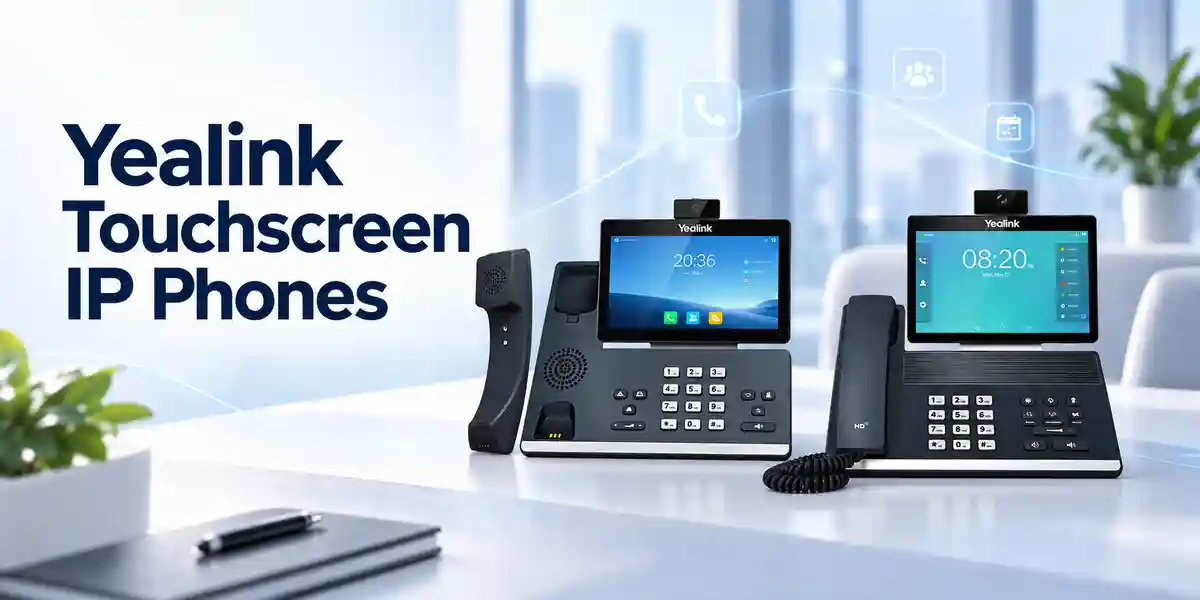
The Yealink MP54 E2 Zoom Phone is a dedicated business communications endpoint designed for organizations that want a familiar desk-phone experience tightly aligned with Zoom calling workflows. It combines a 4-inch capacitive touch screen, tactile dialing controls, Android 13, Yealink Optimal HD audio, integrated Bluetooth 5.2, dual-band Wi-Fi, dual Gigabit Ethernet and Power over Ethernet in a compact desktop form. For procurement teams in Uganda, that combination matters because the device can fit both structured wired deployments and selected wireless office scenarios without turning every desk into a collection of adapters and add-on modules. It is particularly relevant where users still value a handset and physical keypad but IT teams want centralized device administration and a consistent Zoom-oriented user experience.
The MP54 E2 is positioned for office workers, front-office roles, administrative teams, shared work areas and organizations replacing older desk phones with a modern managed endpoint. Its purpose is straightforward: provide a reliable, purpose-built calling device that reduces dependence on a computer for everyday voice communication while keeping users connected to the organization’s Zoom environment. The magnetic handset, hearing-aid-compatible design, full-duplex speakerphone with acoustic echo cancellation and noise-control technologies support practical day-to-day calling in busy offices. A USB port also enables compatible USB headsets for users who prefer hands-free operation.
For an enterprise purchase, the phone itself is only one part of the decision. Network VLAN design, PoE budget, Zoom licensing, user assignment, Wi-Fi policy, headset choice, security certificates, device enrollment, firmware governance and support procedures can all affect rollout quality. FourTeck therefore treats the MP54 E2 as an infrastructure endpoint rather than a standalone retail handset. Project discussions can include quantity planning, power method, cabling, deployment location, user profile, management approach and staging requirements before shipment.
Operational Product Architecture and Overview
At the endpoint layer, the MP54 E2 brings together an Android-based application environment, a touch interface, dedicated telephony hardware and enterprise network interfaces. This architecture is important because business desk phones must remain simple for the user while still participating in complex corporate infrastructure. The user sees a handset, keypad, touch display and call controls; behind that interface, the device must obtain network addressing, establish secure communications, synchronize time, enroll into management services, receive configuration, register to cloud services and maintain voice quality under changing network conditions.
The wired network path is based on dual-port Gigabit Ethernet. In a typical desk deployment, one Ethernet connection can link the phone to the access switch while the second port supports downstream connectivity according to the organization’s approved topology. IEEE 802.3af Class 3 PoE allows a compatible access switch to power the phone. This reduces the number of wall adapters required and gives network teams a more centralized approach to power control, UPS protection and fault isolation. The phone also includes integrated dual-band Wi-Fi for environments where approved wireless connectivity is preferable or where structured cabling is difficult to extend.
Voice quality is handled through a combination of hardware acoustics and signal-processing functions. Yealink specifies HD handset and speaker capabilities, full-duplex hands-free operation with acoustic echo cancellation, Noise Proof Technology, packet-loss concealment, adaptive jitter buffering and automatic gain control. These features do not replace good LAN and WAN engineering, but they help the endpoint produce a more usable conversation when normal office noise, speakerphone operation and variable packet delivery are present. Supported codecs include G.722-family wideband options as well as common G.711, G.723, G.726, G.729AB and iLBC formats, giving the device a broad technical foundation for enterprise voice environments.
The operational challenge for procurement teams is rarely whether a phone can place a call. The larger question is whether hundreds of phones can be deployed consistently, managed without excessive desk-side intervention and supported through a predictable lifecycle. MP54 E2 supports browser, phone, auto-provisioning and device-management approaches, together with Zoom Device Management and Yealink management platforms. Administrators can use centralized tooling for deployment, configuration and updates, subject to the organization’s chosen service and management architecture. This becomes increasingly valuable across multi-floor, multi-branch and distributed deployments where manual configuration would create inconsistent settings and support overhead.
Security is also part of the endpoint architecture. Yealink lists IPv4 and IPv6 operation, static or DHCP addressing, HTTPS, TLS, SRTP, certificate management and IEEE 802.1X support for the Zoom model. Those capabilities allow the phone to participate in common enterprise access-control and encrypted-communications designs. Exact configuration still depends on the customer network, certificate infrastructure, Zoom environment and security policy. Before a large rollout, a controlled pilot should validate authentication, VLAN behavior, firewall rules, DNS, NTP/SNTP, provisioning and call-quality monitoring under real site conditions.
Enterprise Business Outcomes and Value Analysis
Key Hardware and Software Highlights
Android 13 Platform
The Zoom edition is based on Android 13, providing the software foundation for its Zoom-tailored experience. For IT teams, the platform generation is relevant to application support, firmware planning and lifecycle governance.
4-inch Touch Display
The 480 × 800 capacitive touch screen supports five-point multi-touch and provides a compact visual interface for calling, contacts, meeting details and device interaction while retaining physical telephone controls.
Enterprise Audio Stack
HD handset and speaker, Noise Proof Technology, full-duplex speakerphone operation and acoustic echo cancellation are designed to keep speech understandable in everyday business environments.
Integrated Wireless
Bluetooth 5.2 supports compatible wireless headset workflows, while built-in 2.4 GHz and 5 GHz Wi-Fi supports 802.11a/b/g/n/ac connectivity without requiring an external Wi-Fi dongle.
Gigabit and PoE
Dual Gigabit Ethernet and IEEE 802.3af Class 3 PoE support make the phone suitable for structured enterprise access networks and centralized power designs.
USB Headset Expansion
A USB 2.0 Type-A port supports compatible USB headsets, giving frequent callers an additional audio accessory path beyond the handset, speakerphone and Bluetooth options.
Technical Specifications Ledger
The following ledger consolidates manufacturer-published specifications for the MP54 E2 Zoom edition. Procurement teams should use the exact regional part number on the final quotation and validate any accessory, firmware or service dependency before bulk deployment.
| Category | Specification |
|---|---|
| Operating platform | Android 13; Zoom-tailored user interface |
| Display | 4-inch 480 × 800 capacitive touch screen; five-point multi-touch |
| Audio | HD handset, HD speaker, HAC magnetic handset, Yealink Noise Proof Technology, full-duplex speakerphone with AEC |
| Codecs | G.722, G.722.1, G.722.1C, G.711 A/μ, G.723, G.726, G.729AB, iLBC |
| Voice processing | VAD, CNG, AEC, PLC, AJB, AGC |
| Ethernet | Dual-port Gigabit Ethernet |
| PoE | IEEE 802.3af, Class 3 |
| Wi-Fi | Built-in dual-band 2.4/5 GHz, IEEE 802.11a/b/g/n/ac, up to 433 Mbps dynamic |
| Bluetooth | Built-in Bluetooth 5.2 |
| USB | 1 × USB 2.0 Type-A; USB headset support |
| Telephony ports | 1 × RJ9 handset; 1 × RJ9 headset |
| Security | TLS, SRTP, HTTPS certificate management, IEEE 802.1X; IPv4/IPv6 support |
| Management | Browser, phone, auto provisioning, Zoom Device Management, Yealink device-management platforms, RPS, QoE reports and logs |
| Optional power adapter | AC 100–240 V input; DC 5 V/2 A output |
| Power consumption | PSU: 1.7–5.3 W; PoE: 2.3–6.8 W |
| Dimensions | 223 × 159 × 127 × 36 mm, manufacturer format W × D × H × T |
| Operating temperature | 0–50°C for the manufacturer-published Zoom datasheet |
| Operating humidity | 10–95% |
| Mounting | Desktop stand; wall mountable |
| Package basics | Phone, handset with cord, CAT5E Ethernet cable, stand and quick-start guide; power adapter optional |
For practical deployment, these specifications should be interpreted as part of a system. A PoE-capable phone still requires adequate switch power budget. Wi-Fi capability still requires compatible WLAN security and sufficient coverage. Bluetooth availability does not guarantee every third-party headset feature. USB headset support should be checked against the desired accessory model. Likewise, management capabilities depend on account permissions, service configuration and the tools selected by the customer. A pilot using the same switch family, network policy, headset and Zoom environment planned for production is the most reliable way to eliminate surprises before a large order.
Configuration and Sizing Worksheet
Step 1: Estimate Users and Workload
Count permanent desks, reception points, shared desks, common work areas and spare units separately. Identify which users require a physical handset, which require USB or Bluetooth headsets and which locations are primarily speakerphone environments. For a multi-site rollout, record quantities by branch rather than only as a company-wide total. This makes shipping, staging and support planning easier. Consider a reasonable spare pool based on operational criticality and replacement lead time rather than purchasing only the exact number of occupied desks.
Step 2: Validate the Physical Environment
Measure desk space and check cable routing, wall mounting needs and handset clearance. Confirm that operating temperature and humidity remain within the published limits. Where phones will be placed at reception counters, security-sensitive public areas or shared facilities, review physical locking and cable protection. The MP54 E2 includes a security lock slot, but the overall installation should also protect network cabling and power paths from accidental disconnection.
Step 3: Plan Power and Cabling
For PoE deployments, inventory the access switches and calculate available PoE budget against the number of endpoints on each switch. Use the manufacturer’s maximum PoE consumption as a conservative planning reference, while allowing capacity for other powered devices such as access points and cameras. If external adapters are required, include them explicitly because the adapter is optional. Confirm CAT5E or better cabling quality, patch-panel condition and switch-port availability before shipment.
Step 4: Confirm Services and Management
The hardware purchase does not by itself create a Zoom calling service. Confirm the organization’s Zoom account architecture, user entitlements, number assignment, PSTN or carrier arrangement, emergency calling policy and administrator access. Decide whether Zoom Device Management, Yealink management services or another approved workflow will be used for endpoint administration. Record firmware policy, enrollment method, naming conventions and certificate requirements before mass provisioning.
Step 5: Prepare the Quote Request
A complete quote request should state the required quantity, delivery city, expected deployment date, preferred power method, headset quantities and types, wall-mount needs, staging requirements, branch allocation and whether configuration assistance is required. Include any requirement for serial-number capture, asset labeling, firmware baseline verification or separate packing by location. This information allows the supply proposal to reflect the real deployment rather than only the base handset count.
Deployment Scenarios and Industry Use Cases
Large Enterprise and Multi-Site Networks
A distributed enterprise can standardize MP54 E2 units across headquarters, branches and departmental offices while using centralized management to reduce site-by-site configuration. A typical topology places phones on access switches with voice VLAN and PoE, then connects sites to the organization’s secured WAN and internet services. Device templates, firmware baselines and naming conventions should be standardized before rollout. Branch-level spare units can shorten recovery time where transport between sites is slow.
Financial and Banking Institutions
Banks and financial organizations often require disciplined endpoint access control, change management and support records. The phone’s support for secure protocols and 802.1X can fit into a broader controlled network design, but security teams should validate certificates, authentication flows, VLAN assignment, logging and firmware procedures in a pilot. Public-facing counters may also require physical security and carefully selected headset or handset workflows.
Education and Campus Networks
Universities, colleges and large schools can deploy dedicated phones in administration offices, departments, reception desks and selected shared facilities. Campus switching often makes PoE practical, while centralized management helps a small IT team administer devices across many buildings. Network engineers should validate VLAN capacity, Wi-Fi policy where wireless operation is planned, emergency-calling arrangements and user assignment for shared locations.
Government and Defense Procurement
Public-sector deployments commonly require formal bills of materials, delivery documentation, serial-number records and controlled configuration. Buyers should define the approved cloud-service policy, network security requirements and data-handling rules before purchase. Where environments have specialized security restrictions, the MP54 E2’s capabilities must be evaluated against the organization’s own accreditation and architecture requirements rather than assumed to satisfy them automatically.

Across these scenarios, a successful deployment follows the same discipline: establish a known-good network path, validate service licensing, create a repeatable configuration baseline, stage a small pilot group, measure call quality and support outcomes, then scale in controlled batches. Large rollouts should avoid mixing untested firmware, unknown headsets and last-minute network changes. The phone is one component of the communications service; the quality of the rollout depends on the complete design.
Technical Deep Dive 1: Processing, Audio Acceleration and Endpoint Architecture
The MP54 E2 is not marketed as a general-purpose computing device; its architecture is tuned around a dedicated collaboration endpoint. That distinction matters in procurement. Users need predictable response from the call interface, stable audio behavior and straightforward physical controls rather than workstation-class compute specifications. Android 13 provides the application platform, while the endpoint hardware supports touch input, keypad events, handset state, speakerphone functions, wired and wireless networking and audio processing. The result is an appliance-style device that can remain available at the desk independently of the user’s laptop workload.
Audio processing is a particularly important part of the architecture. Full-duplex hands-free communication requires the device to manage simultaneous near-end and far-end speech while controlling acoustic echo from the speaker. Adaptive jitter buffering helps compensate for normal packet timing variation, packet-loss concealment can reduce the audible effect of missing packets, and gain control helps maintain useful signal levels. These mechanisms work together with the handset and speaker design. They cannot correct severe congestion or an unstable WAN, so enterprise deployments should still apply appropriate traffic engineering and monitor quality metrics.
The network interfaces provide deployment flexibility without making wireless connectivity mandatory. Wired Gigabit Ethernet remains the natural choice for many fixed desks because it offers predictable physical connectivity and PoE. Integrated Wi-Fi can be useful where cabling is constrained, but the WLAN should be engineered for voice-grade roaming, signal quality and capacity if mobility or dense deployments are expected. Bluetooth is primarily useful for compatible accessories, allowing users to adopt wireless headsets while keeping the desk phone as the managed endpoint.
Technical Deep Dive 2: Software Ecosystem, Firmware Security and Operational Control
Endpoint software lifecycle is often more consequential than the initial installation. The MP54 E2 Zoom edition’s Android 13 base and centralized management support give administrators a framework for controlled updates and configuration. Organizations should define who can approve firmware, how updates are tested, how quickly security-related releases are adopted and what rollback or incident procedure applies if an update causes unexpected behavior. A small validation ring can be useful before broad deployment so that new firmware is tested with the organization’s exact network, service and accessory combination.
Secure communications capabilities include TLS, SRTP and HTTPS-related functions, while certificate management and IEEE 802.1X can support controlled network access. These features only provide value when the surrounding infrastructure is configured to use them. Network access control may require certificate enrollment, identity configuration or switch-port policy. Firewall rules must permit required service traffic without unnecessarily opening the endpoint network. Administrator credentials and management interfaces should follow the organization’s access-control policy, and unused services should be restricted where supported.
Operational control also depends on observability. The manufacturer lists QoE monitoring reports, system logs, package tracing export and remote screenshot capability among management functions. These tools can help support teams distinguish endpoint faults from network, account or service issues. Before deployment, establish a troubleshooting runbook covering power, link state, IP assignment, DNS, time synchronization, registration, user sign-in, call setup, audio path and upstream service status. This reduces the temptation to factory-reset devices before the actual fault domain is understood.
Technical Deep Dive 3: Availability, Redundancy and Recovery Planning
A desk phone can be reliable while the overall calling service remains vulnerable to upstream dependencies. Availability planning should therefore consider the entire path: endpoint power, access switch, LAN, DNS, DHCP where used, firewall, WAN or internet service, cloud service, carrier interconnection and user account. PoE can improve local resilience when switches are connected to UPS systems, but that benefit disappears if the router or internet circuit has no backup. Critical sites may require redundant connectivity, protected network equipment and documented fallback communications procedures.
At the endpoint level, recovery planning should include spare units, standardized configuration and an inventory of serial numbers and assigned locations. If a device fails, a pre-staged replacement can be more efficient than attempting lengthy desk-side repair. Central management and repeatable enrollment processes can make replacement faster, provided account assignment and security controls are documented. Organizations with branches outside Kampala should pay particular attention to spare placement because physical replacement lead time can be more significant than at headquarters.
Disaster recovery should also define what happens when the cloud calling service or primary internet path is unavailable. The correct response depends on the organization’s architecture and service provider. The MP54 E2 should not be treated as a substitute for service-level continuity design. Procurement teams should ask their communications architects how emergency calls, critical hotlines and essential departments operate during internet, power or cloud-service disruptions, then ensure the endpoint rollout aligns with that plan.
Pre-Purchase Buyer Gap Checklist
Licensing: confirm the Zoom service and user entitlements separately from the hardware. A phone can be technically operational on the network yet unusable for the intended service if account licensing, numbers or administrator policies are incomplete. Ask the internal service owner to document required licenses and account assignment before the order is finalized.
Hardware generation: distinguish the MP54 E2 Zoom from the earlier MP54 Zoom model. Yealink has identified MP54 E2 Zoom as the replacement for the older MP54 Zoom generation. Part numbers and product descriptions on quotations should therefore be checked carefully so the intended generation is supplied.
Power: the AC adapter is optional. If the site does not provide compatible PoE, add the correct adapter quantity to the bill of materials. For PoE sites, calculate switch budget rather than assuming every powered port can simultaneously deliver the required power.
Headsets: Bluetooth and USB connectivity broaden accessory choice, but organizations should validate the exact headset model and desired controls such as answer/end behavior, mute synchronization and charging arrangements. A compatibility test is preferable for call-center-like users who depend heavily on headsets.
Physical placement: confirm desk depth, stand angle, cable exit path and wall-mount requirements. Public counters may need physical lock planning. Shared desks may require a documented sign-in and sign-out process. Locations with high dust, heat or humidity should be assessed against the published operating limits.
Cross-vendor infrastructure: Gigabit Ethernet, PoE and common network protocols provide a standards-based foundation, but successful operation still depends on switch configuration, VLAN policy, authentication, firewall rules and service integration. Validate representative switches and network access-control policies in a pilot.
Lifecycle and firmware: identify who owns firmware approvals and how update windows are scheduled. Record the baseline version at deployment. Avoid mixing untested firmware versions across a large estate unless there is a deliberate staged rollout plan.
Support responsibility: decide which team handles account issues, LAN faults, handset hardware, headset problems and upstream service incidents. A clear support matrix prevents every call-quality complaint from being treated as a phone failure.
Uganda Procurement and Delivery Logistics
FourTeck can structure MP54 E2 procurement around project quantities rather than a simple one-unit transaction. The quotation process should begin with quantity, delivery destination, target schedule and the intended deployment model. Buyers should state whether PoE is available, whether external adapters are required, which headset types are planned and whether devices must be staged or labeled before dispatch. For multi-branch projects, a location-by-location quantity schedule helps prevent redistribution work after delivery.
Order processing and delivery timing depend on confirmed stock, quantity and supply route at the time of quotation. For that reason, project teams should avoid treating a generic lead-time statement as a commitment. The commercial quotation should record the applicable availability and delivery terms. Where a rollout has a fixed go-live date, include contingency for receiving inspection, network validation, staging, user assignment and pilot testing before mass deployment.
Technical pre-configuration can be discussed where the project requires consistent settings, firmware verification, asset records or branch-specific preparation. The exact scope should be agreed before order processing because some settings depend on customer credentials, service accounts or security information that should remain under controlled handling. A practical staging plan separates supplier-side preparation from customer-side authentication and final enrollment.
Local Coverage Matrix
Head-office, branch, hospitality, professional-services and campus deployments.
Office, logistics, hospitality and airport-area business communications projects.
Industrial, education, commercial and branch-office endpoint requirements.
Regional offices, healthcare administration, education and enterprise branches.
Regional administration, NGO, education and distributed organizational deployments.
For projects outside these hubs, delivery planning can be incorporated into the quotation based on destination and quantity. Multi-location buyers should provide a branch schedule, site contact details and any packing requirements. Centralized delivery to a Kampala staging location may suit some organizations, while direct branch allocation may suit others. The preferred model depends on internal logistics, technical staffing and rollout sequencing.
Cross-Border and Regional Supply Chains
Organizations operating across East Africa, the Gulf and broader African markets often benefit from coordinating endpoint standards across countries while keeping commercial and delivery arrangements appropriate to each market. FourTeck maintains regional web presences for Uganda, Kenya, Africa, UAE and Kuwait. Regional buyers can use a common technical bill of materials as a starting point while confirming local delivery, warranty and commercial terms per destination.
Cross-border projects should identify whether devices are delivered centrally or country by country, how serial numbers are recorded, who performs staging, and which entity manages cloud-service accounts. Power accessories, local electrical standards, import processes and warranty handling should be confirmed for each destination rather than assumed to be identical. Consistent model selection can simplify support, but regional execution still requires country-specific logistics.
Related Yealink Solutions and Internal Paths
A complete communications deployment may require more than the MP54 E2 handset. Buyers can review the FourTeck Uganda enterprise technology portfolio for complementary infrastructure and request guidance on related Yealink desk phones, USB headsets, Bluetooth headsets, PoE switching, structured cabling and unified communications accessories. Projects with executive users may require a higher-tier touchscreen endpoint, while reception or common-area roles may have different display and accessory priorities. Standardizing a small number of approved user profiles usually creates a cleaner support model than selecting a different phone for every individual.
For Zoom-centric deployments, compare endpoint requirements by role: general office user, reception operator, executive, shared space and high-call-volume user. The MP54 E2 is particularly suited to general desk calling where a compact touch display and physical handset are preferred. Headset-heavy roles should validate accessory compatibility. Sites without PoE should include adapters, while sites with managed PoE should confirm switch capacity. Contact FourTeck through the Uganda quotation page to build a role-based bill of materials rather than ordering isolated components.
FourTeck Technical Service Capabilities
Enterprise endpoint projects benefit from engineering validation before boxes are dispatched. FourTeck can discuss bill-of-materials verification covering handset quantity, power method, headset requirements, cabling dependencies and branch allocation. This review is intended to catch practical gaps such as missing power adapters at non-PoE sites, incorrect accessory assumptions or insufficient spare quantities. For larger projects, the same process can map device profiles to user groups and locations.
Staging requirements can include agreed firmware baseline checks, asset or serial-number recording, physical inspection and packing by site. Where pre-shipment configuration is appropriate, the scope should be documented carefully so customer credentials and sensitive service settings remain under the correct administrative control. Firmware updates should be validated against the customer’s intended environment before broad deployment, especially where a large installed base is involved.
Post-sales technical support can focus on distinguishing hardware faults from network, service, account or accessory issues. Useful troubleshooting evidence includes device logs, network addressing, switch-port state, PoE status, call-quality reports, firmware version and reproducible symptoms. A structured diagnostic process is faster than replacing devices without confirming the fault domain. Warranty handling, replacement procedure and applicable support terms should follow the commercial documentation issued for the order.
Extended Technical FAQ
1. Is the Yealink MP54 E2 Zoom the same as the older MP54 Zoom?
No. Buyers should distinguish the MP54 E2 Zoom from the earlier MP54 Zoom generation. Yealink has published an end-of-sale notice for the older MP54 Zoom and identifies MP54 E2 Zoom as its replacement. The E2 model uses Android 13 and includes integrated Bluetooth 5.2 and dual-band Wi-Fi. When requesting a quotation, use the full MP54 E2 Zoom description and verify the part description on the commercial document. This is especially important when comparing offers from different supply channels, because similar model names can otherwise lead to an unintended older generation being quoted.
2. Does the MP54 E2 Zoom require Power over Ethernet?
PoE is supported but is not the only power method. The phone supports IEEE 802.3af Class 3 PoE, which is often the preferred enterprise deployment method because power and data can be delivered through the structured Ethernet connection. Yealink also specifies an optional external AC adapter with 100–240 V input and 5 V/2 A DC output. If your access switches do not provide PoE, the adapter requirement should be added explicitly to the bill of materials. For PoE deployments, network teams should calculate switch power budgets for the total number of phones and other powered devices.
3. Can the phone connect through Wi-Fi instead of Ethernet?
Yes. The MP54 E2 Zoom includes built-in dual-band 2.4 GHz and 5 GHz Wi-Fi supporting IEEE 802.11a/b/g/n/ac. That can be useful in offices where an Ethernet run is unavailable or where the approved design calls for wireless connectivity. However, a fixed wired connection remains attractive for many desk deployments because it provides predictable connectivity and can carry PoE. If Wi-Fi will be used at scale, validate signal coverage, channel planning, authentication, capacity and voice performance in the actual site environment before rollout.
4. What headset options are available?
The phone provides several headset paths. It has built-in Bluetooth 5.2 for compatible Bluetooth headsets, a USB 2.0 Type-A port that supports USB headsets, and an RJ9 headset port. This gives procurement teams flexibility across user profiles. Compatibility should still be checked for the exact headset model, especially if users expect integrated answer/end controls, mute synchronization or other advanced functions. High-call-volume teams should test the chosen headset and phone combination during the pilot phase rather than assuming that every accessory function behaves identically across vendors.
5. What network security features does the MP54 E2 Zoom support?
Manufacturer specifications list IPv4 and IPv6 support, static or DHCP addressing, HTTPS, TLS, SRTP, HTTPS certificate management and IEEE 802.1X. These capabilities allow the phone to participate in common enterprise security architectures. The presence of a protocol does not automatically secure a deployment; administrators must configure certificates, network access policies, firewall rules, management permissions and firmware procedures appropriately. Security teams should test the phone against the organization’s actual access switches, identity infrastructure and cloud-service policy before approving a large production rollout.
6. Does buying the phone include the required Zoom service license?
Hardware procurement and cloud-service licensing should be treated as separate items unless a quotation explicitly states otherwise. The MP54 E2 Zoom is designed as a Zoom-tailored endpoint, but the organization’s account, user entitlements, telephone numbers, calling plan or carrier arrangement and administrative configuration must be available for the intended service. Before ordering, ask the Zoom service owner or communications administrator to confirm the required licenses and user profile. This avoids a situation where devices arrive physically ready but cannot be assigned or used because service-side prerequisites are incomplete.
7. Can the MP54 E2 be centrally managed?
Yes. Yealink lists support for Zoom Device Management and Yealink device-management platforms, along with browser, phone and auto-provisioning configuration methods. Central management can help administrators deploy settings, perform updates and monitor larger device populations more consistently. The exact capabilities available to your organization depend on the management platform, account permissions and service configuration. Before mass rollout, create a standard template, define naming conventions and test enrollment on a small group. Document how factory-reset or replacement phones are returned to the managed state.
8. What should be checked before deploying hundreds of units?
Run a representative pilot. Use the same access switches, VLANs, network access control, firewall path, internet service, Zoom account structure, headsets and firmware planned for production. Confirm PoE capacity, DHCP or static addressing, DNS, time synchronization, sign-in, inbound and outbound calling, emergency calling policy, call transfer, voicemail, meeting controls and management enrollment. Test both normal and failure conditions. Record the approved configuration and support procedure. After the pilot is accepted, deploy in batches so any unexpected issue affects a limited group rather than the entire organization.
9. How should warranty and hardware replacement be planned?
Warranty coverage and replacement procedures should be confirmed on the commercial quotation because terms can vary by supply arrangement and project. For business-critical deployments, maintain a small pool of compatible spare units so a failed endpoint can be replaced without waiting for the warranty process to complete. Record serial numbers, assigned locations and firmware versions. When a fault occurs, collect evidence such as power status, network link, logs and reproducible symptoms before replacement. This helps separate true hardware failures from network, account, headset or service issues and can shorten support resolution.
10. Can FourTeck assist with configuration and deployment planning?
FourTeck can discuss pre-deployment requirements such as bill-of-materials validation, power method, headset selection, site allocation, firmware baseline, asset records and staging expectations. The appropriate scope depends on project size and the customer’s administrative and security model. Sensitive credentials and final cloud-service enrollment should remain controlled according to the customer’s policy. For a useful quotation, provide quantities by site, target deployment date, PoE availability, accessory needs and any requirement for labeling, serial-number capture or pre-shipment checks.
Prepare Your Yealink MP54 E2 Zoom Deployment
A strong procurement request identifies the complete operating requirement, not just the handset model. Send FourTeck your required quantity, delivery city, branch allocation, target rollout date, preferred PoE or adapter power method, headset needs and any staging requirements. For larger projects, include the number of sites and whether serial-number capture, asset labeling, firmware verification or separate packing is required. The team can then structure a quotation around the intended deployment and flag obvious bill-of-materials gaps before ordering.
For organizations migrating from older Zoom desk phones, also state the existing model and current management approach. This helps frame replacement planning, pilot scope and accessory reuse checks. Final availability, warranty terms, delivery schedule and commercial conditions should be confirmed in the issued quotation.


Reviews
There are no reviews yet.