
Yealink MP56 E2 Zoom Phone — Native Business Desk Communications
The Yealink MP56 E2 Zoom Phone is a dedicated business desk endpoint built for organizations standardizing daily voice collaboration around Zoom Phone. It combines a large touch interface, familiar handset and hard-key controls, professional audio processing, wired Gigabit networking, wireless connectivity and centralized device administration in one desktop appliance. For Uganda enterprises, this makes the MP56 E2 particularly relevant where procurement teams need a repeatable phone standard for office workers, reception positions, service teams and hybrid workplaces without forcing every user to rely on a computer for routine calls.
The E2 generation uses Android 13 and a 7-inch 1024 × 600 capacitive touchscreen. Yealink specifies Optimal HD audio, Acoustic Shield and Smart Noise Filtering, plus full-duplex hands-free operation with acoustic echo cancellation. Built-in Bluetooth 5.2 and dual-band 2.4/5 GHz Wi-Fi support flexible workplace connectivity, while dual-port Gigabit Ethernet with Power over Ethernet enables conventional structured cabling deployment. The magnetic handset, hearing-aid-compatible design and physical calling keys preserve the immediacy users expect from a business telephone.
Instant Specifications & Procurement Fact Rail
MP56 E2 Zoom
Android 13 / Zoom Phone
7-inch, 1024 × 600 touch
Dual Gigabit Ethernet + PoE
Bluetooth 5.2 + dual-band Wi-Fi
Quote-based regional supply
Before issuing a purchase request, buyers should confirm required quantities, Zoom Phone account readiness, PoE availability, VLAN and network policy, headset requirements, mounting method and delivery location. Warranty terms should be confirmed on the commercial quotation because regional coverage, distributor channel and project conditions can affect the applicable baseline.
Operational Product Architecture & Overview
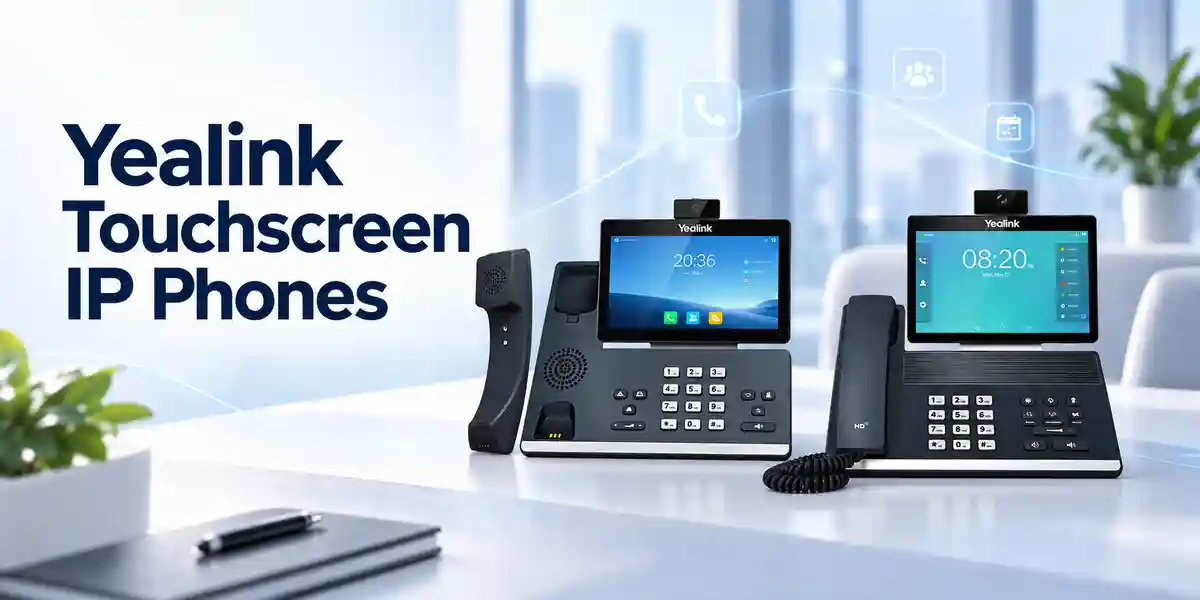
The MP56 E2 is designed around the idea that a cloud calling endpoint should behave like a dependable telephone while presenting the richer controls of a modern collaboration service. The touchscreen is the primary visual workspace for contacts, calling and Zoom-oriented interaction, but tactile controls reduce dependence on touch navigation for frequent actions. This matters in front-office and high-call-volume environments where users need immediate mute, speaker, headset, transfer or redial behavior.
Its network architecture gives IT teams several deployment paths. Dual-port Gigabit Ethernet allows the phone to sit within a conventional desk cabling topology, and PoE can carry power over the same access connection when a compatible switch is available. Integrated dual-band Wi-Fi provides another network option where policy permits wireless voice endpoints. Bluetooth supports compatible wireless accessories, while the USB Type-A interface accommodates supported USB headsets. These choices let procurement teams standardize the endpoint while still accommodating different desk layouts and user roles.
Audio quality is a central architectural consideration. Yealink combines HD audio with noise-control technologies and full-duplex speakerphone operation. In practical terms, this targets the recurring business problems of background conversations, room noise, echo and uneven speakerphone interaction. The handset is hearing-aid compatible, supporting broader workplace accessibility requirements. For administrators, centralized management through Zoom Device Management and Yealink management services can reduce the effort associated with dispersed phone estates, firmware maintenance and device oversight.
The MP56 E2 should be treated as a purpose-built Zoom endpoint rather than a generic SIP telephone. Procurement teams should validate the intended collaboration platform before ordering, especially when an organization operates mixed telephony estates. That simple check prevents a common deployment error: buying hardware based only on physical connectivity while overlooking the application environment for which the endpoint is designed.
Enterprise Business Outcomes & Value Analysis
Key Hardware & Software Highlights
7-inch Touch Interface
The 1024 × 600 capacitive display provides a spacious interface for Zoom Phone workflows, contacts and calling controls. Physical keys remain available for frequently repeated telephone actions.
Professional Audio
Optimal HD audio, Acoustic Shield, Smart Noise Filtering and full-duplex speakerphone technology are intended to keep conversation intelligible in practical office environments.
Flexible Connectivity
Bluetooth 5.2, dual-band Wi-Fi, USB Type-A and dual Gigabit Ethernet allow the same endpoint to serve different desk and accessory requirements.
Enterprise Deployment
PoE support and centralized management are valuable when phones must be deployed in quantity across departments, floors or branch locations.
Technical Specifications Ledger
| Category | Confirmed MP56 E2 Zoom Detail |
|---|---|
| Operating platform | Android 13 with Zoom-tailored interface |
| Display | 7-inch 1024 × 600 capacitive touchscreen |
| Audio | Optimal HD audio, Acoustic Shield, Smart Noise Filtering, full-duplex speakerphone with AEC |
| Accessibility | Hearing-aid-compatible handset |
| Bluetooth | Bluetooth 5.2 |
| Wi-Fi | Dual-band 2.4 GHz / 5 GHz Wi-Fi |
| USB | 1 × USB Type-A; supports USB headset |
| Ethernet | Dual-port Gigabit Ethernet |
| Power | Power over Ethernet supported |
| Management | Zoom Device Management and Yealink management services |
| Mounting | Wall mountable |
| Handset | Magnetic handset |
For procurement documentation requiring exact dimensions, environmental tolerances, package contents, regional compliance marks or maximum measured power consumption, request the current regional datasheet and quotation package before final approval. This avoids inserting assumptions where hardware revisions, regional bundles or documentation editions may differ.
Configuration & Sizing Worksheet
1. Estimate Users and Calling Roles
Separate users into general office, reception, service desk, management and shared-area groups. Record the number of permanent desks, hot desks and contingency spares. The MP56 E2 is positioned as a standard Zoom Phone for general office and front-desk use, so specialized executive or entry-level roles may justify comparing adjacent models before standardization.
2. Validate Network and Desk Environment
Confirm available Ethernet ports, voice VLAN design, DHCP and addressing policies, firewall requirements, internet capacity and wireless policy. If PoE is planned, check switch capacity at both port and total chassis budget levels. Where Wi-Fi is proposed, validate signal quality and organizational policy rather than assuming wireless connectivity alone guarantees acceptable voice performance.
3. Plan Power and Cabling
PoE can simplify desks by carrying network and power over structured cabling. Sites without PoE should identify the appropriate supported power option and local socket requirements during quotation. Confirm patch-lead lengths and cable pathways for reception counters, wall positions and furniture with integrated cable management.
4. Confirm Zoom Service Requirements
The handset hardware is only one part of the solution. Confirm that user accounts, calling plans, number assignments and administrative policies are ready for the intended Zoom Phone deployment. Licensing and service subscriptions should be quoted or validated separately according to the customer’s tenant and commercial arrangement.
5. Prepare the Quote
Provide device quantity, deployment cities, desired delivery schedule, headset preference, PoE status, mounting needs, spare ratio and whether staging or pre-configuration assistance is required. This information reduces revision cycles and helps align hardware, accessories and logistics from the beginning.
Deployment Scenarios & Industry Use Cases

Large Enterprise & Multi-Site Offices
A multi-site organization can adopt the MP56 E2 as a common desk endpoint for employees whose daily work centers on voice collaboration. Standardization simplifies onboarding, documentation and accessory planning. Central management becomes especially valuable when phones are distributed across floors or branches because administrators need repeatable processes for device oversight rather than manual desk-by-desk intervention.
Financial & Banking Institutions
Banks and financial organizations often require controlled endpoint standards, predictable wired connectivity and clear ownership of device administration. The MP56 E2 can fit branch offices and administrative teams where Zoom Phone is the approved calling platform. Deployment should follow institutional segmentation, identity, firmware and physical-security policies.
Educational & Campus Networks
Universities and large schools can use standardized desk phones in administration, admissions, finance, faculty offices and service desks. Campus teams should map voice VLANs, PoE capacity and building-level cabling before mass rollout, particularly where network infrastructure varies between older and newer facilities.
Government & Public-Sector Procurement
Public-sector buyers typically need clear bills of materials, documented model identity, controlled receiving and support processes. The MP56 E2 can be considered where the approved communications architecture uses Zoom Phone and procurement rules permit the platform. Security, data governance and cloud-service approvals remain customer policy decisions and should be completed before purchase.
Technical Deep Dive: Processing, Audio & Endpoint Architecture
Unlike a basic desk telephone, the MP56 E2 combines an application platform with purpose-built telephony controls. Android 13 provides the operating foundation for the native Zoom experience, while the display and physical controls divide interaction between visual workflows and immediate tactile calling actions. This is operationally useful because the device can expose richer cloud features without discarding the familiar behavior users expect when answering, muting, transferring or placing a call on speaker.
Audio processing is equally important. Yealink’s combination of HD audio, Acoustic Shield, Smart Noise Filtering and acoustic echo cancellation is designed to reduce distractions and maintain conversational clarity. Full-duplex hands-free operation allows both parties to speak naturally without the severe clipping associated with lower-quality speakerphone designs. For open offices, reception counters and shared service areas, these characteristics can have more practical value than headline feature counts because intelligibility directly affects repeated questions, call duration and user confidence.
Technical Deep Dive: Software Ecosystem & Operational Control
The MP56 E2 Zoom is a platform-specific endpoint. That distinction should shape procurement. Its native interface is intended to give users a consistent Zoom Phone experience, while administrators can use Zoom Device Management and Yealink management services for fleet administration. Organizations should establish a defined ownership model for account provisioning, firmware governance, network policy and device lifecycle. A phone rollout is easier to support when responsibilities are documented before hundreds of endpoints reach desks.
Firmware management should follow an approved maintenance process. Test updates on a representative pilot group, verify calling and accessory behavior, then expand deployment according to organizational change-control procedures. Central management can reduce operational effort, but governance remains important: configuration consistency, administrative access and inventory records should be reviewed periodically.
Technical Deep Dive: Availability, Resilience & Recovery
Endpoint resilience depends on more than the handset. A successful architecture considers access switching, PoE, internet connectivity, DNS, DHCP, cloud-service reachability and identity. Where voice availability is critical, design redundant upstream network paths and power protection appropriate to the site. A PoE phone connected to an access switch protected by UPS power can remain operational through some local power disturbances, whereas a phone using an unprotected local adapter may not.
Keep spare endpoints for larger estates and document replacement procedures. If a desk phone fails, support teams should know how to identify the asset, replace it, enroll the new unit and restore the user’s service. Disaster-recovery planning should also include alternative calling methods approved by the organization for periods when a site or upstream service is unavailable.
Pre-Purchase Buyer Gap Checklist
Licensing: confirm Zoom Phone subscriptions, calling plans and user entitlements separately from the physical handset price. Platform fit: ensure the requested model is specifically the MP56 E2 Zoom edition and matches the organization’s intended service. Lifecycle: the MP56 E2 is the newer replacement direction for the earlier MP56 Zoom model, which Yealink announced as end-of-sale in 2025. Network: verify PoE budget, VLANs, DHCP, firewall policy and internet quality. Accessories: list USB or Bluetooth headset requirements and test critical models before a large rollout. Physical installation: identify desk versus wall placement and verify cable routing. Power: do not assume every site has PoE; record exceptions in the bill of materials. Management: decide whether Zoom Device Management, Yealink management services or an approved combination will be used operationally.
Buyers should also distinguish between features integrated into the phone and features delivered by the cloud service. Call policies, numbers, tenant configuration and subscription entitlements are service-side considerations. Similarly, the presence of Wi-Fi does not eliminate the need for network engineering: wireless coverage, congestion and security policies still determine whether Wi-Fi is appropriate for business voice at a given desk.
For a mixed-vendor estate, test interoperability at the service and workflow level rather than assuming that standard Ethernet or Bluetooth alone establishes full functional compatibility. The safest procurement process uses a small pilot group that represents real user types, accessories and network conditions before a broad rollout.
Uganda Procurement & Delivery Logistics
FourTeck can structure MP56 E2 Zoom quotations around project quantity, delivery destination, accessory requirements and rollout support. A useful request includes the number of phones, destination city, desired schedule, whether PoE is available, headset requirements and any staging needs. Commercial availability, lead time and warranty terms should be confirmed on the issued quotation because they can vary with quantity, channel inventory and project timing.
For larger deployments, phased delivery can be considered so IT teams can pilot, validate and then expand. Pre-shipment activities may include bill-of-materials review, model verification and agreed staging steps. Customers should provide tenant-specific credentials only through approved secure operational procedures; they should not be embedded casually in procurement correspondence.
Local Coverage Matrix
Kampala projects may range from single-office upgrades to multi-floor corporate rollouts requiring coordinated delivery and network readiness. Entebbe customers can plan office, hospitality-administration and institutional deployments with attention to site access and delivery scheduling. Jinja businesses can standardize branch communications while maintaining the same endpoint model used at headquarters. Mbarara organizations can include phones, headsets and deployment accessories in a consolidated bill of materials. Gulu customers can similarly request project-based supply with delivery requirements documented at quotation stage. For every city, final timing depends on confirmed stock, order quantity, payment status and logistics arrangements.
Cross-Border & Regional Supply Chains
Organizations operating across East Africa and the Gulf may need consistent communications hardware across multiple legal entities and delivery points. FourTeck regional sites can support procurement planning through Uganda, Kenya, broader African markets, UAE and Kuwait. Cross-border projects should identify destination countries, quantities and desired delivery windows early so commercial terms, freight, import handling and regional warranty arrangements can be clarified before purchase approval.
Related Products & Deployment Options
Organizations comparing roles can consider the broader FourTeck Uganda communications portfolio alongside the MP56 E2. Within Yealink’s Zoom family, the MP54 E2 Zoom targets entry-level general office and front-desk requirements, while the MP58-WH E2 Zoom is positioned for premium executive and professional use. Buyers with meeting-room requirements should distinguish desk endpoints from conference-room systems. Headsets, PoE switching, structured cabling and power protection should be considered part of the complete deployment bill rather than afterthoughts. Contact FourTeck Uganda for model comparison and compatible accessory planning.
FourTeck Technical Service Capabilities
A reliable rollout begins with engineering validation rather than box movement. FourTeck can help customers review the requested model, quantity, network assumptions, PoE readiness, headset needs and deployment locations before commercial closure. Bill-of-materials verification is especially useful for multi-site projects because small omissions—power requirements, mounting accessories, patch leads or spare units—can delay otherwise straightforward installations.
Where agreed for a project, staging can include physical model verification, firmware review and preparation steps aligned with the customer’s rollout plan. Post-sales support can assist with hardware-level troubleshooting and coordination while cloud-account and service-side matters remain subject to the relevant platform administration and subscription support arrangements. The objective is a controlled handover with clear responsibility for hardware, network and service layers.
Extended Technical FAQ
Is the MP56 E2 Zoom a generic SIP desk phone?
It should be procured as a dedicated Zoom Phone appliance, not simply as a generic Ethernet telephone. Its value is the native Zoom-tailored user experience combined with Yealink desk-phone hardware. Before ordering, confirm that Zoom Phone is the intended communications platform and that the relevant tenant, user entitlements and calling arrangements are ready. Organizations operating conventional SIP systems or another collaboration platform should validate a different model or edition rather than assuming that physical Ethernet connectivity means application-level interchangeability.
What is different about MP56 E2 compared with the older MP56 Zoom?
The MP56 E2 is the newer generation and Yealink identifies it as the recommended replacement direction for the original MP56 Zoom, whose end-of-sale date was announced as May 31, 2025. The E2 Zoom model uses Android 13 and includes a 7-inch touchscreen, Bluetooth 5.2, dual-band Wi-Fi, Gigabit Ethernet and PoE. For new projects, buyers should specify the complete MP56 E2 Zoom model description on requests and purchase documentation to avoid ambiguity with the older generation.
Can the phone use Power over Ethernet?
Yes. Yealink lists PoE support together with dual-port Gigabit Ethernet. PoE is useful in structured office deployments because the access network can deliver connectivity and power through the same cabling path. Procurement teams should still check the access switch’s supported PoE standard, available per-port capacity and total power budget across all connected devices. Where PoE is unavailable, confirm the appropriate supported power arrangement during quotation instead of assuming a power adapter is included in every regional bundle.
Does it support wireless networking and wireless headsets?
The MP56 E2 Zoom includes dual-band 2.4 GHz and 5 GHz Wi-Fi plus Bluetooth 5.2. Bluetooth can support compatible wireless peripherals, while Wi-Fi provides a network alternative where organizational policy permits. For high-volume deployments, test the chosen headset models and wireless environment with a pilot group. Radio capability does not replace site engineering: coverage, interference, security configuration and user density can affect real-world performance, so wired Gigabit Ethernet may remain the preferred connection for many permanent desks.
What display does the MP56 E2 Zoom use?
Yealink specifies a 7-inch capacitive touchscreen with 1024 × 600 resolution. The display provides the visual workspace for the Zoom-tailored interface, while physical keys preserve conventional telephone interaction for frequent call functions. This combination is useful for employees who need cloud calling features but still want the immediacy of a dedicated desk phone. When planning reception or shared-counter installations, check sight lines, desk depth and cable routing so the device remains accessible without obstructing other workstation equipment.
How does the MP56 E2 handle noisy office environments?
Yealink equips the model with Optimal HD audio, Acoustic Shield and Smart Noise Filtering, along with full-duplex speakerphone operation and acoustic echo cancellation. These technologies are designed to improve intelligibility when calls take place around typical workplace noise. Actual results still depend on room acoustics, user position and background sound level. For very noisy service desks or open-plan areas, a suitable professional headset may provide better isolation, so headset selection should be included in the deployment pilot rather than treated as a purely cosmetic accessory choice.
Can IT teams manage many MP56 E2 Zoom phones centrally?
Yes. Yealink lists support for Zoom Device Management and Yealink management services. Central administration is important for larger estates because it helps teams apply consistent operational practices across distributed endpoints. Before rollout, define who owns device enrollment, firmware policy, configuration changes, asset records and incident response. Test administrative workflows on a pilot set first. Central tools reduce repetitive effort, but they work best when the organization also has documented governance, change windows and clear separation between device, network and cloud-service responsibilities.
What should be included in a procurement quote request?
Include the exact model name, quantity, delivery city or cities, target schedule, PoE availability, preferred headset type, wall-mount requirements, spare-unit ratio and any requested staging support. Also indicate whether the deployment is new or an expansion of an existing Zoom Phone environment. For multi-branch projects, break quantities down by site. This allows the commercial and technical review to identify accessory or logistics requirements earlier. Licensing, calling plans and tenant configuration should be clearly separated from hardware unless the quotation explicitly includes those services.
What warranty should Uganda buyers expect?
Warranty should be confirmed on the FourTeck commercial quotation for the specific order. Avoid relying on a generic assumption because applicable terms can depend on supply channel, region, project conditions and manufacturer or distributor policy. Keep serial-number and purchasing records for every unit in larger deployments so any support or replacement case can be traced efficiently. Procurement teams should also define internal spare policy: holding a small number of replacement phones can reduce user downtime while a formal warranty case is being diagnosed or processed.
Can FourTeck assist with rollout preparation?
FourTeck can assist with project-oriented hardware planning, bill-of-materials review, accessory selection, network and PoE readiness discussions, staging requirements and delivery coordination. The exact scope should be agreed in the quotation or statement of work. Customers should retain control of sensitive tenant credentials and follow approved secure processes for any configuration activity. A well-defined rollout separates physical endpoint preparation, network readiness and Zoom tenant administration so each team knows its responsibilities and deployment problems can be isolated quickly.
Plan Your Yealink MP56 E2 Zoom Deployment in Uganda
For a precise commercial proposal, send FourTeck your handset quantity, deployment locations, required delivery schedule, headset preferences, PoE status and any staging requirements. A project-specific quote can then align the MP56 E2 Zoom hardware with the practical accessories and logistics needed for your environment. For multi-site deployments, include the quantity required at each branch and whether you want phased delivery. Clear requirements at the quotation stage reduce revisions, simplify receiving and give technical teams a stronger basis for rollout planning.


Reviews
There are no reviews yet.