
Yealink MP58-WH E2 Zoom Phone – Premium Enterprise Zoom Desk Phone
The Yealink MP58-WH E2 Zoom Phone is a premium desktop communications endpoint built for organizations standardizing voice and meeting workflows around Zoom Phone. It combines a dedicated Zoom-oriented user experience with Android 13, a 7-inch capacitive touchscreen, professional HD audio, flexible wired and wireless networking, and the BTH58 Bluetooth wireless handset. For procurement teams, the practical value is straightforward: one managed business endpoint can give executives, managers, reception staff and other high-usage employees a familiar calling interface while reducing dependence on separate desk-phone and mobility accessories.
In an enterprise deployment, a phone is not selected only for how it looks on a desk. IT teams need to know how it will be powered, how it connects to the LAN, how users authenticate, how firmware and settings are controlled, whether headsets can be accommodated, and whether the hardware can remain manageable when the estate expands from a few devices to hundreds. The MP58-WH E2 addresses these concerns with dual-port Gigabit Ethernet, IEEE 802.3af PoE support, integrated dual-band Wi-Fi, Bluetooth 5.2, USB connectivity, wall-mount capability and support for centralized device-management workflows. Its adjustable 1024 × 600 display gives users a touch-led interface for calls, contacts, voicemail, meetings and presence information.
The BTH58 wireless handset is particularly useful where an employee needs to move around a private office or nearby workspace without switching immediately to a headset. Yealink specifies an operating range of up to approximately 10 metres in suitable conditions, together with long talk and standby capability. The handset, speakerphone and audio processing are designed around clear business conversation, with HD voice, acoustic processing, noise reduction and echo cancellation helping maintain intelligibility in busy office environments.
FourTeck supplies the Yealink MP58-WH E2 Zoom Phone for Uganda projects ranging from single executive offices to structured multi-site deployments. Quotations can be prepared around device quantity, PoE availability, headset requirements, expansion modules, deployment locations and staging needs rather than treating the phone as an isolated item.
Instant Specifications & Procurement Fact Rail
MP58-WH E2 Zoom
Android 13 / Zoom UI
7-inch 1024 × 600 touch
Dual Gigabit Ethernet
PoE or compatible PSU
Wi-Fi + Bluetooth 5.2
The MP58-WH E2 sits at the premium end of Yealink’s E2 Zoom Phone range and is best evaluated as a managed collaboration endpoint rather than a basic SIP desk telephone. The supplied configuration includes the BTH58 Bluetooth handset, while the phone provides two USB Type-A ports, one USB Type-C port, an RJ9 headset interface and expansion support for compatible Yealink accessories. PoE can reduce desktop power-adapter clutter when the access switch provides the required power budget. Where PoE is unavailable, the correct compatible power supply should be included in the bill of materials. Stock position, lead time and warranty terms should be confirmed on the commercial quotation because they can vary by batch, project volume and sourcing route.
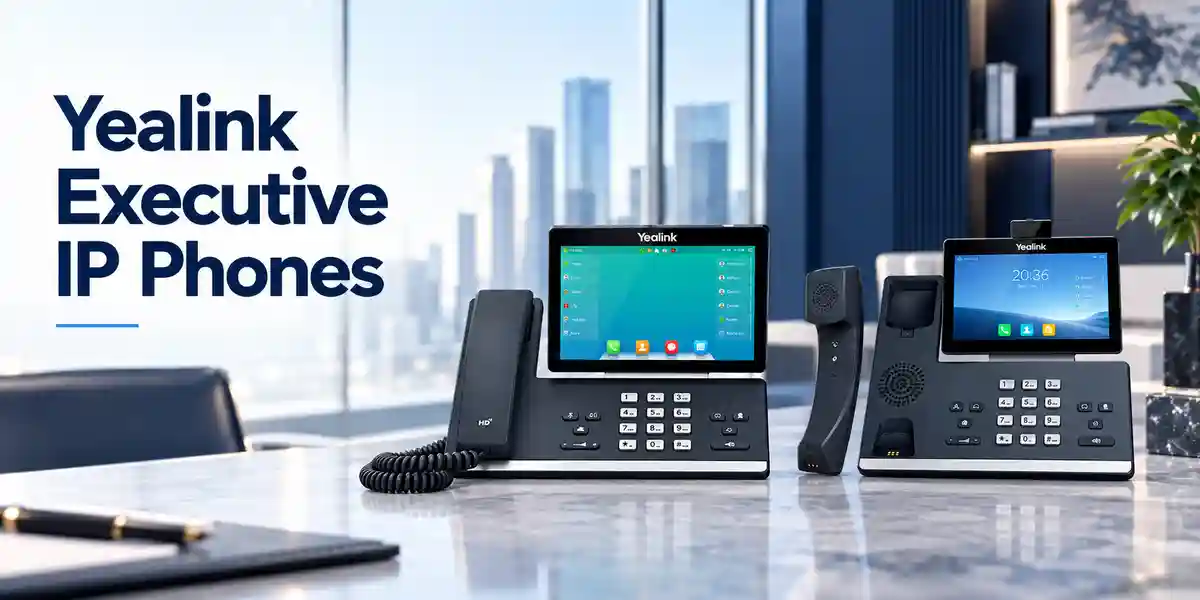
Operational Product Architecture & Overview
The architecture of the MP58-WH E2 is centered on a modern Android-based endpoint that places the Zoom experience directly on the desk. Android 13 provides the operating foundation, while the device interface is shaped for calling and collaboration rather than general-purpose tablet use. This matters operationally because users do not need to translate a conventional multi-line telephone workflow into a cloud-calling environment. Presence, contacts, call history, voicemail, meetings and common call controls can be presented through a touch interface that resembles the collaboration workflow users already encounter elsewhere.
At the network layer, dual-port Gigabit Ethernet allows the phone to sit inline between the office network and a workstation where the local design permits it. This can reduce the number of wall data outlets needed at a desk, although network architects should still consider VLAN policy, endpoint authentication, QoS and switch-port security before adopting an inline topology. IEEE 802.3af PoE support means compatible access switches can deliver data and power over the same cable. For larger projects, the switching team should calculate the cumulative PoE budget rather than assuming that available port count equals available power capacity.
Wireless connectivity adds another deployment path. Integrated dual-band Wi-Fi supports environments where a wired drop is inconvenient, while Bluetooth 5.2 enables the BTH58 handset and compatible Bluetooth accessories. Wired Ethernet remains attractive for predictable latency and centralized power, but Wi-Fi can be useful in executive offices, temporary project spaces, renovated buildings and areas where structured cabling changes are costly. The correct choice depends on radio coverage, security policy, roaming expectations and local network design.
Audio processing is equally important. Yealink combines HD handset and speaker audio with Noise Proof technology, acoustic processing and full-duplex speakerphone operation with acoustic echo cancellation. These functions are intended to keep speech intelligible when the endpoint is used in a real office rather than a silent demonstration room. The HAC-compatible handset also supports accessibility planning for users with compatible hearing aids.
The 7-inch capacitive screen provides 1024 × 600 resolution and a multi-touch interface. The rotatable display allows users to improve the viewing angle for seated work. For employees who spend much of the day moving between calls, meetings and calendar events, a larger touch surface can reduce the friction associated with nested physical-key menus. It also gives administrators a consistent platform for user guidance because common tasks can be described through a recognizable graphical interface.
Centralized management is one of the strongest architectural reasons to choose a purpose-built enterprise phone. The MP58-WH E2 supports Zoom Device Management as well as Yealink management mechanisms. In a controlled rollout, administrators can use supported management services for provisioning, configuration and lifecycle operations instead of treating each telephone as a manually maintained island. This becomes increasingly important as the estate grows across floors, branches and cities.
Enterprise Business Outcomes & Value Analysis
1. Performance & Conversation Integrity
Gigabit Ethernet, modern endpoint software and professional audio processing help create a responsive desk-phone experience. The endpoint supports common wideband and narrowband voice codecs, while echo cancellation, packet-loss concealment and jitter-handling functions contribute to call continuity. Actual call quality still depends on LAN design, WAN performance, cloud connectivity and QoS policy, so the device should be deployed as part of an engineered voice environment.
2. Reliability & Operational Continuity
PoE can centralize endpoint power onto managed switching and UPS-backed infrastructure, helping offices keep phones powered during short local mains interruptions when the network room is protected. The phone can also use an appropriate external power supply where PoE is unavailable. Standardizing one endpoint model for priority users simplifies spares planning, documentation and support procedures.
3. Scalable Infrastructure
A deployment can begin with a small executive group and expand to larger departments without changing the fundamental management model. Dual Ethernet, Wi-Fi, Bluetooth, USB and compatible expansion options allow different desk profiles to be accommodated while maintaining a common core device. This is useful when procurement wants to reduce unnecessary model proliferation.
4. Security & Access Control
Android 13 gives the E2 generation a contemporary software foundation, while enterprise administrators can combine endpoint management with network segmentation, authenticated access, controlled firmware policy and cloud-account governance. Security should be treated as an end-to-end discipline: device configuration, user identity, switch access, firewall policy and administrator privileges all require coordinated controls.
5. Centralized Management
Support for Zoom and Yealink management platforms reduces the need for repetitive desk-side configuration. Central provisioning and update workflows are particularly valuable for branches outside Kampala, where dispatching technical staff for routine endpoint changes can add cost and delay. Management capability should be validated against the customer’s chosen tenant and administration policy before mass rollout.
6. TCO & Energy Planning
The model can consolidate desk calling, wireless handset mobility, speakerphone use and headset connectivity into one managed endpoint. Published power figures are modest for a touchscreen business phone, but project TCO should include PoE switch capacity, licenses, accessories, spare units, staging, freight and support. A complete bill of materials prevents low headline hardware cost from masking missing deployment components.
Key Hardware & Software Highlights
| Component | Capability | Operational Outcome |
|---|---|---|
| Android 13 | Modern E2 software platform | Supports current-generation Zoom-oriented endpoint workflows and lifecycle management. |
| 7-inch touchscreen | 1024 × 600 capacitive multi-touch | Clear access to calling, contacts, calendar, voicemail and meeting controls. |
| BTH58 handset | Bluetooth wireless handset | Allows short-range movement away from the base phone during calls. |
| Gigabit Ethernet | Two 10/100/1000 ports | Supports high-speed LAN attachment and suitable PC pass-through designs. |
| PoE | IEEE 802.3af Class 3 | Can remove the need for a local PSU where compatible PoE is available. |
| Wireless | Dual-band Wi-Fi and Bluetooth 5.2 | Flexible network and accessory choices for modern offices. |
The important procurement point is not any single feature but the way the components work together. A touchscreen without centralized management can create support overhead; wireless connectivity without a radio design can create inconsistent calls; PoE without switch budgeting can lead to deployment surprises. The MP58-WH E2 provides a capable hardware foundation, but FourTeck recommends validating the complete operating environment so each capability contributes to a stable service.
Technical Specifications Ledger
| Area | Specification | Procurement Note |
|---|---|---|
| Operating platform | Android 13, Zoom user interface | Confirm tenant and service licensing separately. |
| Display | 7-inch, 1024 × 600 capacitive touchscreen, 5-point multi-touch | Rotatable screen assists desk viewing angle. |
| Ethernet | Dual-port Gigabit Ethernet | Suitable cabling and switch configuration required. |
| PoE | IEEE 802.3af, Class 3 | Check aggregate switch PoE budget. |
| Wi-Fi | 2.4/5 GHz, IEEE 802.11a/b/g/n/ac, up to 433 Mbps nominal | Performance depends on RF conditions and WLAN design. |
| Bluetooth | Bluetooth 5.2 | Supports BTH58 and compatible Bluetooth accessories. |
| USB | 2 × USB Type-A, 1 × USB Type-C | Useful for supported headsets, media and expansion scenarios. |
| Audio | HD handset/speaker, Noise Proof, full-duplex speakerphone, AEC, HAC handset | Designed for professional voice use. |
| Expansion | Supports up to 3 compatible EXP50 modules | Confirm accessory power and compatibility in BOM. |
| Management | Zoom Device Management; Yealink management support | Management entitlements and policies may vary. |
| Operating temperature | 0–50°C | Install indoors with appropriate ventilation. |
| Humidity | 10–95% | Avoid condensation and uncontrolled environments. |
| Power consumption | Published ranges approximately 2.5–7 W PSU / 3.3–7.6 W PoE | Use design margin when calculating power budgets. |
Specifications describe the endpoint, not the entire solution. A production deployment also requires a functioning Zoom Phone environment, appropriate user/service licensing, IP connectivity, DNS and time services, firewall access, adequate LAN/WAN quality and an administration model. Buyers should therefore use this ledger as the hardware baseline and combine it with a site-specific readiness review.
Configuration & Sizing Worksheet
Step 1 – Count users by desk profile
Separate executive and high-call-volume users from general office users. The MP58-WH E2 is especially relevant where the large touchscreen and wireless handset provide measurable workflow value. Record the number of devices per floor, branch and department, then add a reasonable spare pool for critical sites.
Step 2 – Validate network and power
Identify whether each location provides Gigabit Ethernet, PoE and suitable VLAN/QoS policy. Multiply endpoint count by a conservative per-port power allowance and compare the result with each access switch’s available PoE budget. If the budget is insufficient, decide whether to upgrade switching or include compatible local power supplies.
Step 3 – Assess cabling and wireless coverage
For wired deployment, confirm Cat5e or better structured cabling and available switch ports. For Wi-Fi deployment, validate signal level, channel utilization, authentication method and voice performance at the actual desk locations. Do not use wireless simply to avoid cabling without confirming that the WLAN can sustain business calling.
Step 4 – Define accessories
List users requiring USB or Bluetooth headsets, EXP50 expansion modules, wall mounting, replacement handsets or local power adapters. Confirm headset compatibility before bulk purchasing. Accessory standardization can materially reduce help-desk complexity.
Step 5 – Confirm services and licensing
The hardware purchase does not automatically provide a Zoom Phone service subscription or PSTN calling entitlement. Confirm the organization’s Zoom licensing, number plan, emergency-calling requirements, local carrier arrangements and administrator access. Where the phone will join an existing tenant, validate policy compatibility before shipment.
Step 6 – Prepare the quotation request
Provide quantity, destination, required delivery date, preferred power method, accessory list, site count, staging requirements and whether serial-number capture or pre-configuration is needed. A complete request allows FourTeck to prepare a more useful bill of materials and reduces commercial revisions later.

Deployment Scenarios & Industry Use Cases
Large Enterprise & Multi-Site Networks
Large organizations can deploy the MP58-WH E2 to executives, department heads, reception supervisors and other users who benefit from a premium touch interface and wireless handset. A standardized configuration can be staged centrally, assigned to users, documented and shipped to branches. Central management reduces the operational penalty of geographic distribution, while PoE simplifies desk installation when branches use managed enterprise switches. For multi-site designs, the network team should maintain consistent voice VLAN, QoS, firewall and DNS policies so user experience does not depend heavily on branch location.
Financial & Banking Institutions
Banks and financial organizations commonly require predictable endpoint behavior, controlled administration and clear accountability for device configuration. The MP58-WH E2 can fit executive offices, operations management areas and selected customer-service functions where Zoom Phone is the approved calling platform. Procurement should coordinate with security teams on device enrollment, identity policy, network segmentation, firmware governance and physical security. Branch power continuity should also be considered; PoE switching protected by UPS infrastructure can help keep endpoints available during brief power events, subject to WAN and core-service availability.
Educational & Campus Networks
Universities, colleges and large schools may use premium Zoom endpoints in administration offices, leadership areas, admissions, finance and central service desks. Campus networks often have mature VLAN and PoE infrastructure, which can make physical deployment straightforward. The larger challenge is lifecycle administration across many buildings. Central management, standardized naming and an asset register should be incorporated from the beginning. Where Wi-Fi is considered, validate density and roaming conditions because a campus WLAN designed mainly for laptops may not automatically provide the desired real-time voice behavior at every location.
Government & Public-Sector Procurement
Government projects frequently require formal bills of materials, consistent model identification, warranty documentation and controlled acceptance. The MP58-WH E2 can be quoted with its required accessories and deployment services so evaluation teams can distinguish the base hardware from optional power, headset and expansion components. Agencies should align cloud-service use with their own information-security, data-governance and communications policies. Where equipment is distributed to regional offices, serial-number capture, labeling, staging and shipment schedules can be included in the implementation plan.
Technical Deep Dive 1: Processing, Audio & Endpoint Architecture
The E2 generation moves the premium Yealink Zoom desk-phone experience onto Android 13, providing a current software base for the device’s dedicated communications role. Unlike a traditional desk phone whose interface is dominated by fixed keys and line labels, the MP58-WH E2 presents functions through a responsive touch environment. This architecture is useful when the cloud platform evolves because workflows can be represented in software rather than being limited to a fixed physical keypad layout.
Audio performance is the result of several layers. The physical handset and speaker provide the acoustic interface; codec support determines how voice is represented across the network; echo cancellation helps prevent speaker output from returning into the microphone path; jitter buffering and packet-loss handling help compensate for imperfect networks; and noise-processing functions reduce distracting environmental sound. None of these features eliminates the need for a healthy network, but together they give the endpoint more resilience in everyday office conditions.
The BTH58 wireless handset adds a separate mobility layer. A user can answer or continue a call while moving within practical Bluetooth range of the desk unit. This is valuable for executives who consult documents away from the desk, managers who move between a desk and nearby cabinet, or staff who need privacy without wearing a headset. Because the handset remains associated with the desk endpoint, organizations can retain the familiar desk-phone model while adding limited local mobility.
Technical Deep Dive 2: Software Ecosystem, Firmware Security & Control
Enterprise phones should be governed like managed network endpoints. The MP58-WH E2 supports centralized device-management approaches through Zoom and Yealink tooling, allowing administrators to move beyond one-device-at-a-time configuration. A mature operating process should define who can enroll devices, who approves firmware changes, how configuration templates are maintained, how failed endpoints are replaced and how credentials are removed when equipment is retired.
Firmware management deserves particular attention. Organizations should establish a tested release process rather than applying changes unpredictably across all devices. A small pilot group can validate a release against the customer’s network, headsets, calling workflows and tenant policies before broad deployment. The same principle applies to configuration changes. Central tools make large changes possible, but governance determines whether that power reduces risk or amplifies it.
Network security remains a shared responsibility. The phone should reside in an appropriately controlled network segment, use only required services, and be subject to access policies consistent with the organization’s endpoint standards. Administrator credentials, cloud tenant privileges and device inventory records should be protected. When a phone changes user or site, the reassignment process should include account, configuration and asset-record updates rather than merely moving the hardware.
Technical Deep Dive 3: Availability, Redundancy & Recovery
A single desk phone does not create high availability by itself. Service continuity depends on the entire chain: endpoint power, access switch, local LAN, WAN/Internet connectivity, DNS, cloud platform availability and calling services. The MP58-WH E2 can participate in a resilient design when these dependencies are engineered deliberately. PoE is useful because endpoint power can be consolidated onto network switches protected by UPS systems, avoiding a separate unprotected wall adapter at every desk.
At branch level, organizations with critical calling requirements should consider redundant WAN connectivity and documented fallback procedures. The exact approach depends on business impact and service architecture. Some users may rely on mobile applications as an alternate endpoint; others may require secondary circuits or dedicated continuity arrangements. The desk phone should therefore be included in business-continuity planning rather than treated as the whole continuity solution.
Hardware recovery planning is simpler when models are standardized. Keeping a small quantity of pre-approved spare units can shorten replacement time. Administrators should document the enrollment and reassignment steps required to replace a failed phone, including any tenant actions and asset-register updates. For regional offices, holding spares centrally in Kampala may be adequate for normal operations, while highly critical remote sites may justify local spares.
Pre-Purchase Buyer Gap Checklist
Is Zoom Phone licensing included? Treat the endpoint hardware and cloud calling entitlement as separate procurement lines unless a quotation explicitly bundles services. Confirm user licensing, PSTN requirements and number provisioning with the responsible service administrator.
Does the phone require a power adapter? Not when suitable IEEE 802.3af PoE is available and correctly budgeted. Where PoE is absent, include the correct compatible power supply. Check this before shipment to avoid desks receiving phones that cannot be powered.
Can it use Wi-Fi instead of Ethernet? The phone includes dual-band Wi-Fi, but the WLAN must be engineered for reliable real-time communications. Validate coverage, authentication and congestion at each intended location.
Will existing headsets work? The phone supports Bluetooth, USB and an RJ9 headset interface, but exact headset features can vary. Validate the specific make and model, especially for electronic hook-switch behavior, call-control buttons and firmware compatibility.
Can it support reception-style expansion? Compatible EXP50 expansion modules can extend key capacity, with support for multiple modules. Confirm the intended module count, power arrangement and workflow before ordering.
Is it suitable for a hot desk? It can be used in managed office environments, but the best sign-in and reassignment workflow depends on the customer’s Zoom configuration and policies. Test the exact workflow before a large shared-desk rollout.
What about lifecycle and updates? Android 13 is a major reason to select the E2 generation. Even so, buyers should ask about current firmware, supported management tooling and the organization’s planned endpoint replacement cycle. No enterprise endpoint should be purchased without an owner for lifecycle administration.
What physical details matter? Allow adequate desk space, cable routing and screen clearance. If wall mounting is planned, confirm bracket requirements and the usability of the handset and display at the intended height.
What hidden project costs should be included? Consider PoE switching, power adapters, headsets, expansion modules, licensing, freight, taxes, staging, configuration, spares and support. A complete bill of materials is more useful than comparing base-unit prices alone.
Uganda Procurement & Delivery Logistics
FourTeck can prepare Uganda quotations for individual units, departmental refreshes and larger multi-site Yealink deployments. The most efficient quotation request includes the exact model, quantity, destination, required delivery date, preferred power method and any headset or expansion-module requirements. For projects, include the number of sites and whether equipment should be staged, labeled or documented before dispatch.
Order processing begins after commercial scope is agreed and availability is confirmed for the required quantity. Lead time can vary with stock position, project volume and sourcing route, so buyers working against an office opening or migration date should provide the target schedule early. For large rollouts, phased delivery may be preferable to sending every device at once, particularly where branches are being migrated in waves.
Technical pre-configuration can reduce installation effort when requirements are defined in advance. Typical preparation may include inventory capture, firmware validation, labeling and configuration support within the limits of the customer’s tenant and security policy. Organizations should identify an authorized administrator for any cloud-side actions that cannot be completed without customer credentials or approvals.
Local Coverage Matrix
Kampala: suitable for head-office deployments, executive floors, contact functions and centralized staging. Entebbe: practical for corporate offices, hospitality administration and airport-area businesses. Jinja: supports industrial, education and regional business requirements. Mbarara: suitable for western-region branch deployments, institutions and distributed enterprises. Gulu: supports northern-region offices, public-sector projects, NGOs and multi-site organizations. Delivery planning should consider quantity, site access, receiving contacts and the customer’s implementation schedule.
Cross-Border & Regional Supply Chains
Organizations operating across several countries often benefit from aligning endpoint models and bills of materials. FourTeck supports regional sourcing conversations across Uganda, Kenya, broader African markets, the UAE and Kuwait. Regional standardization can simplify support documentation, user training, spare holdings and procurement governance.
Cross-border projects should still account for local import processes, taxes, warranty routes, service licensing, numbering requirements and power accessories. A model standardized globally may need different commercial or logistical handling in each country. Providing a site-by-site quantity schedule allows sourcing and delivery plans to be structured around the actual rollout rather than a single undifferentiated shipment.
Related Yealink Products & Deployment Options
A complete voice estate rarely uses one endpoint profile everywhere. Buyers evaluating the MP58-WH E2 for executives may also consider the Yealink MP56 E2 Zoom for standard professional desks and the Yealink MP54 E2 Zoom for cost-conscious office positions. Reception and high-call-volume users can review Yealink EXP50 expansion options, while headset users can explore Yealink business headsets. For meeting spaces, see Yealink Zoom Rooms solutions. This tiered approach lets organizations match device capability to user role while retaining a coherent vendor ecosystem.
FourTeck Technical Service Capabilities
FourTeck can support the procurement process beyond simply identifying a part number. Engineering validation can review the requested model against the intended Zoom Phone environment, network power method, accessory set and user profile. Bill-of-materials verification is especially useful for projects where phones, power supplies, headsets, expansion modules and switching capacity must align before equipment reaches site.
For larger orders, staging requirements can be agreed before shipment. Depending on project scope and customer authorization, this may include asset recording, labeling, firmware checks, packaging by site and configuration preparation. Pre-shipment firmware validation can reduce the chance that a large batch arrives with inconsistent software states, while a controlled pilot helps identify tenant or accessory issues before the broader rollout.
Post-sales technical support can assist with hardware-level troubleshooting, deployment questions and warranty coordination according to the agreed supply terms. Customers should retain serial numbers, purchase documentation and a clear description of any fault. For cloud-side issues, cooperation with the customer’s authorized Zoom administrator may be required because endpoint behavior is often influenced by tenant configuration as well as local hardware.
Extended Technical FAQ
1. What is the Yealink MP58-WH E2 Zoom Phone designed for?
It is a premium business desk phone tailored for Zoom Phone users who want a dedicated desktop endpoint with a large touchscreen and professional audio. The model is particularly suitable for executives, managers and employees who make frequent calls and value the BTH58 wireless handset. It runs Android 13 and presents a Zoom-oriented interface for calling, contacts, presence, voicemail and meeting-related workflows. It should be viewed as part of a managed cloud communications environment rather than as a standalone analog telephone. A working network, appropriate Zoom services and correct administrative configuration are required for production use.
2. Does the MP58-WH E2 support Power over Ethernet?
Yes. The phone supports IEEE 802.3af PoE, Class 3, through its Gigabit Ethernet interface. This allows a compatible PoE access switch to provide both network connectivity and electrical power over the Ethernet cable. For enterprise projects, the important step is to check the switch’s total available PoE budget across all connected devices, not only whether individual ports are labeled PoE. If PoE is unavailable or insufficient, include the correct compatible external power supply in the order. Centralized PoE backed by UPS infrastructure can also contribute to better power continuity.
3. Can the phone connect over Wi-Fi?
Yes. Integrated dual-band Wi-Fi supports 2.4 GHz and 5 GHz operation using common 802.11 standards. This can be useful in offices where structured cabling is unavailable or inconvenient. However, business voice traffic is sensitive to congestion, interference and weak signal levels, so wireless deployment should follow an RF and network readiness assessment. Confirm authentication compatibility, signal quality and capacity at the actual desk location. Where a stable wired Ethernet connection is readily available, many enterprises still prefer it for predictable endpoint connectivity and straightforward PoE power.
4. What is special about the BTH58 wireless handset?
The BTH58 gives the MP58-WH E2 a wireless handset experience without forcing the user to adopt a headset. It is useful for short-range movement around an office while remaining on a call. Yealink publishes practical mobility and battery characteristics for the handset, including substantial talk and standby time. Actual wireless range depends on the physical environment and interference. The handset is best suited to local mobility around the desk rather than building-wide roaming. Organizations that require broader mobility should evaluate DECT, mobile-app or other purpose-built roaming solutions alongside the desk phone.
5. Does buying the phone include a Zoom Phone license?
The hardware and the cloud service should be treated as separate procurement components unless a commercial quotation explicitly states otherwise. The organization needs the appropriate Zoom Phone licensing, user assignment, calling plan or carrier integration, and administrative configuration required for its chosen deployment. PSTN numbers, emergency-calling arrangements and regulatory requirements can vary by service design and country. Before ordering a large quantity, confirm the licensing model with the organization’s Zoom administrator or service provider and test a representative endpoint in the target tenant.
6. Can existing USB or Bluetooth headsets be used?
The MP58-WH E2 provides Bluetooth 5.2, USB Type-A connectivity and an RJ9 headset interface, giving administrators several accessory paths. Compatibility should still be validated at the exact headset-model level. Basic audio may work while advanced call-control functions such as answer, end, mute synchronization or electronic hook switch behave differently. For a standardized rollout, test the preferred headset with current phone firmware and the organization’s real calling workflow, then document the approved combination. This avoids supporting a large collection of individually selected accessories.
7. Can the phone be centrally managed?
Yes. The model supports Zoom Device Management and Yealink device-management mechanisms, enabling administrators to manage endpoints more efficiently than through repeated desk-side configuration. The precise capabilities available depend on the platform, tenant configuration, firmware and service entitlements. Organizations should define an operational model covering enrollment, naming, configuration templates, firmware testing, update approval, reassignment and retirement. Central management is most valuable when paired with disciplined governance because a standardized process reduces configuration drift across branches and departments.
8. What should be checked before deploying hundreds of units?
Start with a controlled pilot. Validate Zoom sign-in and calling, firmware, LAN addressing, DNS, firewall access, VLANs, QoS, PoE budget, headset compatibility, wireless behavior where applicable, and management enrollment. Confirm how phones will be labeled, assigned and recorded in the asset register. Prepare replacement and rollback procedures before the first mass wave. For multi-site projects, test at more than one representative branch because WAN and switching conditions may differ. Finally, verify the complete bill of materials so power supplies, expansion modules and accessories are not discovered as missing during installation.
9. How should warranty or hardware replacement be handled?
Warranty processing should follow the terms stated on the FourTeck quotation or invoice for the supplied batch. Keep purchase records and device serial numbers, and document the fault symptoms, troubleshooting already performed and current firmware. Some apparent hardware problems can be caused by power, cabling, tenant configuration or network conditions, so basic isolation is useful before replacement. For critical environments, maintaining a small spare pool can restore service faster than waiting for a warranty cycle. When replacing a managed phone, remember to update cloud assignments and asset records as well as the physical unit.
10. Can FourTeck help with configuration and rollout planning?
Yes, project scope can include procurement guidance, bill-of-materials validation, staging discussions, firmware checks, accessory planning and deployment support. The customer should identify its Zoom administrator and provide approved technical requirements because cloud-side configuration may require tenant access that remains under customer control. For larger projects, a staged rollout is recommended: establish a baseline configuration, test a small user group, capture lessons, then deploy in controlled waves. This method gives procurement, networking and collaboration teams a shared acceptance point before the estate expands.
Request a Yealink MP58-WH E2 Zoom Phone Quote
For a useful commercial proposal, send FourTeck the required quantity, delivery location, target date, PoE availability and any headset, expansion-module or staging requirements. For multi-site projects, include a location-by-location quantity schedule so logistics and configuration planning can be aligned with the rollout. FourTeck can help structure the bill of materials around the complete deployment rather than the phone alone, reducing the risk of missing power, accessory or implementation components.
The MP58-WH E2 is a strong fit for organizations that have standardized on Zoom Phone and want a premium, centrally manageable desk endpoint with Android 13, a large touch display, professional audio, integrated Wi-Fi and Bluetooth, Gigabit Ethernet, PoE and a wireless handset. Confirm current availability, commercial terms and project support through the Uganda team.



Reviews
There are no reviews yet.