
Yealink MP66W Teams Cordless Phone – Rugged Enterprise Wi-Fi Communications
The Yealink MP66W is a portable Microsoft Teams-certified enterprise handset built for employees who need to communicate while moving rather than remaining at a fixed desk. Instead of depending on a traditional wired desk phone at every workstation, the MP66W uses enterprise Wi-Fi and native Teams functionality to place calling, meeting participation and day-to-day voice controls in a rugged handheld device. It is especially relevant to hospitals, warehouses, factories, retail operations, transport facilities, campuses and service environments where users regularly cross coverage zones and require a handset that can tolerate demanding daily handling.
The platform combines Android 15 on Microsoft Device Ecosystem Platform with Yealink voice engineering, a 2.8-inch 240 × 320 colour screen, IP67 ingress protection, tested drop resistance up to 1.8 metres, chemical-cleaning resistance and an antibacterial design. Wireless connectivity includes IEEE 802.11a/b/g/n/ac/ax across supported 2.4 GHz and 5 GHz networks, with tri-band Wi-Fi 6E architecture and 6 GHz capability identified by Yealink as coming soon. IEEE 802.11k/v/r roaming support is intended to help compatible enterprise wireless infrastructure move an active handset between access points with less disruption. Bluetooth 5.3 allows compatible wireless headsets, while the USB Type-C interface serves charging, supported headsets and YubiKey use.
For Uganda deployments, the buying decision should therefore consider more than handset quantity. A successful project also depends on Wi-Fi coverage quality, roaming configuration, authentication policy, Teams licensing, charging arrangements, device-management ownership and the operating conditions in which users will carry the phones. FourTeck can help turn those requirements into a practical bill of materials and quotation rather than treating the handset as an isolated endpoint.
Instant Specifications & Procurement Fact Rail
Yealink MP66W Teams
Mobile enterprise Teams voice
Wi-Fi 6E architecture, 802.11k/v/r
3000 mAh battery; 5V/3A adapter
IP67; 1.8 m drop resistance
Quote and availability confirmation
The MP66W should be specified as a wireless Teams endpoint rather than a DECT handset or conventional SIP desk phone. Its network dependency is the enterprise WLAN, making wireless design central to deployment quality. Yealink specifies a rechargeable 3000 mAh lithium-ion battery rated for up to 8 hours of talk time and up to 80 hours of standby under laboratory conditions. The supplied charging arrangement includes a cradle and power adapter, while USB Type-C provides an additional physical interface. Warranty terms, lead time and local stock position should be confirmed on the commercial quotation because they can vary by supply batch, project quantity and procurement route. Yealink states global availability from mid-October 2026, so project schedules should be aligned with confirmed regional availability rather than assumed shelf stock.
Operational Product Architecture & Overview
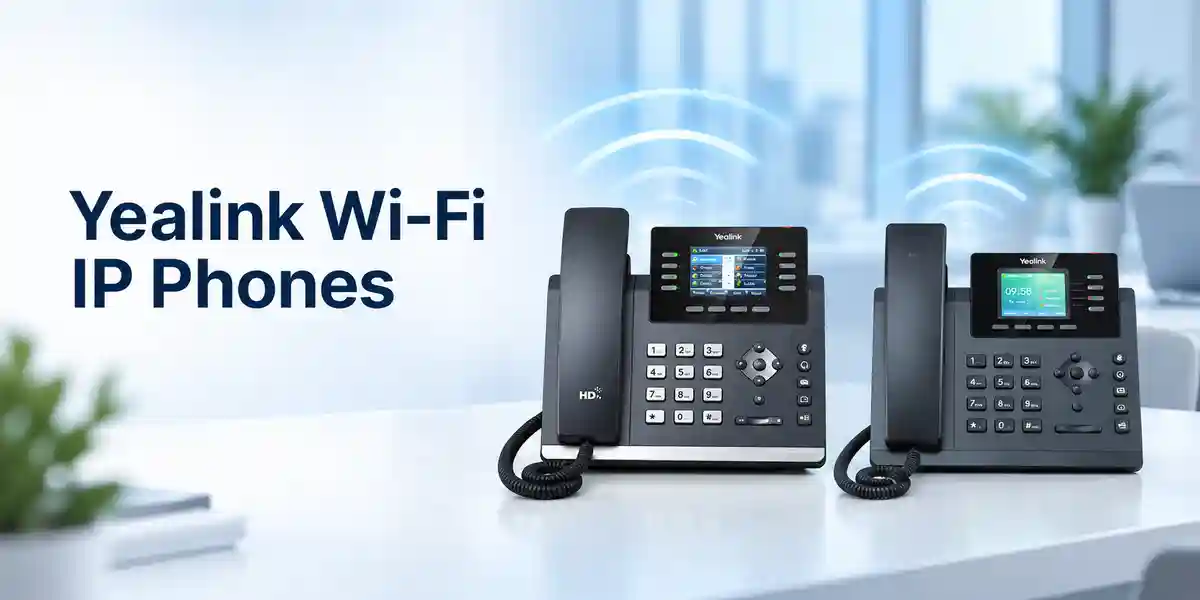
The architectural value of the MP66W starts with its direct relationship to the wireless LAN. In environments where staff are constantly moving, installing a fixed handset at every possible point of work can create unnecessary hardware, cabling and user friction. A portable Teams endpoint lets a named user or operational role carry communications through the building, provided the WLAN has been engineered for voice mobility. The handset supports IEEE 802.11a/b/g/n/ac/ax networking and 802.11k, 802.11r and 802.11v roaming mechanisms. These standards can help compatible access points and clients exchange neighbor information, steer associations and accelerate handover. They do not replace good RF design: channel planning, signal overlap, interference control, authentication latency and access-point density still matter.
The software layer is equally important. The MP66W is based on Android 15 and Microsoft Device Ecosystem Platform, giving organisations a native Teams-oriented device rather than a generic mobile phone running an unmanaged application. Microsoft-oriented security and management capabilities can be combined with Yealink administration tools. Yealink lists support for Microsoft Device Management Platform as well as Yealink Device Management Platform and Yealink Management Cloud Service. For IT teams, this matters because a fleet of tens or hundreds of handsets needs repeatable configuration, visibility, firmware governance, logs and controlled enrollment.
Audio architecture is designed for operational spaces where background sound can interfere with calls. Yealink specifies Optima HD voice, dual-microphone noise cancellation, Acoustic Shield technology and full-duplex hands-free audio with acoustic echo cancellation. The codec list includes SILK, G.722 family options, G.711, G.723, G.726, G.729AB, iLBC and ARES. The practical outcome is not simply a long feature list: users in corridors, shop floors, receiving areas and service counters need speech to remain intelligible without repeatedly searching for a quiet room.
Physical design addresses another common procurement concern: consumer-style devices can be poorly suited to shared operational environments. The MP66W is IP67 rated, resistant to dust and water ingress within the scope of that rating, designed to withstand drops up to 1.8 metres, and uses materials described by Yealink as antibacterial and resistant to chemical cleaning. These characteristics make the handset relevant where cleaning routines, gloves, movement, accidental impacts or dusty conditions are routine. They do not make the device indestructible, and procurement teams should still define carrying, charging and replacement procedures.
The 2.8-inch 240 × 320 TFT display is deliberately compact and non-touch. Four soft keys, dedicated speaker/off-hook/on-hook/mute controls, navigation keys, volume controls and programmable side/action functions give users tactile operation. For teams working with gloves or needing rapid access to communications, physical controls can be operationally useful. The programmable action button can support emergency-call workflows, while Yealink also positions the device for push-to-talk scenarios where enabled by the relevant environment and services.
Battery planning must be treated as part of the architecture. Yealink publishes up to 8 hours of talk time and 80 hours standby, both laboratory figures, and states approximately 2.5 hours for a full charge in its product material. Actual runtime will vary with signal conditions, call activity, screen usage, Bluetooth, roaming behavior, configuration and battery age. Organisations running long shifts should model charging windows, spare-device pools and handover procedures rather than relying only on maximum laboratory figures.
Enterprise Business Outcomes & Value Analysis
A Wi-Fi Teams handset can follow the worker through the facility, reducing dependence on fixed extensions. Where the WLAN supports properly tuned 802.11k/v/r roaming, the architecture is designed to support quicker movement between compatible access points. This is useful for nurses, supervisors, warehouse coordinators, security teams and technicians whose jobs are defined by movement.
IP67 protection, 1.8-metre drop resistance and chemical-cleaning-resistant construction reduce the mismatch between delicate office hardware and demanding operational environments. The value is risk reduction: fewer avoidable endpoint failures can mean less downtime and fewer emergency replacements.
Because the handset operates over enterprise Wi-Fi, expansion can align with an organisation’s wireless capacity rather than requiring a dedicated wired voice port at each user location. Scaling still requires capacity planning for airtime, authentication, QoS and RF coverage, but the physical deployment model is flexible.
Support includes TLS 1.3, HTTPS certificate management, WPA2/WPA3 personal and enterprise modes, IEEE 802.1X and AES encryption for configuration files. USB Type-C also supports YubiKey use. Security value depends on correct policy configuration, certificate lifecycle management and alignment with the organisation’s Microsoft environment.
Browser, phone and automatic provisioning options are complemented by Microsoft and Yealink device-management platforms. Central control becomes increasingly valuable as fleet size grows because administrators need consistent configuration, diagnostics, logging and lifecycle processes.
The strongest cost case comes from matching the device to roles that genuinely need mobile voice. Buyers should compare handset quantity, charging accessories, WLAN readiness, licenses, support and replacement stock as one lifecycle cost. A correctly scoped deployment can avoid overbuying fixed endpoints while giving mobile teams purpose-built communications.
Native Teams behavior reduces the conceptual gap for organisations already standardized on Microsoft Teams. Physical call keys, a familiar handset form and dedicated controls can also simplify adoption for operational staff who do not need or want a general-purpose smartphone.
Key Hardware & Software Highlights
The MP66W brings together a compact set of components that are meaningful only when viewed against the operating workflow. The 2.8-inch non-touch display provides status and Teams interaction without turning the device into a fragile glass-dominated smartphone. A backlit keypad, navigation controls, four soft keys and dedicated call controls support tactile use. The programmable action key can be mapped into supported emergency or operational workflows, while the side key and volume controls allow rapid adjustment.
| Component | Confirmed capability | Operational relevance |
|---|---|---|
| Wireless radio | 802.11a/b/g/n/ac/ax; 2.4/5/6 GHz architecture | Enterprise WLAN mobility; 6 GHz subject to rollout/support. |
| Roaming | 802.11k/r/v | Designed for faster AP handover on compatible WLANs. |
| Bluetooth | Bluetooth 5.3 | Wireless headset connectivity. |
| Battery | 3000 mAh, 3.85 V, 11.55 Wh | Portable shift-oriented operation with planned charging. |
| Housing | IP67, 1.8 m drop resistant | Better fit for frontline and industrial handling. |
| Software | Android 15 / MDEP | Native Teams experience and enterprise administration. |
The Type-C port is multifunctional, supporting charging, compatible headsets and YubiKey. The charging-dock connector provides a practical home position between shifts. The handset can also be wall mounted where operational procedures require a known storage location. These details influence deployment more than headline specifications might suggest: a well-designed project identifies where devices live, where they charge, who owns them, and how a replacement is issued when a handset is unavailable.
Technical Specifications Ledger
| Category | Specification |
|---|---|
| Platform | Microsoft Teams-certified cordless Wi-Fi handset; MDEP; Android 15. |
| Display | 2.8-inch 240 × 320 TFT colour non-touch display with backlight; multilingual interface. |
| Wi-Fi | IEEE 802.11a/b/g/n/ac/ax; tri-band 2.4/5/6 GHz architecture; IEEE 802.11k/r/v roaming. Yealink notes 6 GHz as coming soon. |
| Bluetooth | Bluetooth 5.3 for compatible headset use. |
| Audio | HD handset/speaker, HAC handset, Acoustic Shield, dual-mic noise cancellation, full-duplex speakerphone with AEC, VAD, CNG, PLC, AJB and AGC. |
| Codecs | SILK, G.722, G.722.1, G.722.1C, G.711(A/μ), G.723, G.726, G.729AB, iLBC and ARES. |
| Physical interface | 1 × USB Type-C for charging, headset and YubiKey; charging dock connector. |
| Battery | Rechargeable lithium-ion, 3000 mAh, 3.85 V, 11.55 Wh; up to 8-hour talk and 80-hour standby under laboratory conditions. |
| Adapter | AC 100–240 V input; DC 5 V / 3 A output. |
| Protection | IP67; safe drop height 1.8 m; chemical-cleaning resistant; antibacterial design. |
| Size / weight | 160.9 × 58.8 × 21.5 mm; 220 g handset weight. |
| Operating environment | 0–40°C operating temperature; 10–95% operating humidity. |
| Storage | -30–70°C storage temperature. |
| Security | TLS 1.3, HTTPS certificate manager, WPA/WPA2 PSK, WPA3-PSK, WPA2/WPA3 Enterprise, IEEE 802.1X, encrypted configuration file support. |
| IP networking | IPv4/IPv6, static/DHCP addressing, proxy mode, HTTP/HTTPS web server, SNTP. |
| Management | Browser/phone/auto-provisioning, RPS, QoE reports, logs, packet tracing, Microsoft device management, YDMP/YMCS support. |
| Package | MP66W handset, charger cradle, rechargeable battery, belt clip, quick-start guide and power adapter. |
Specifications should be validated against the exact regional hardware and current firmware at order time. Wireless regulatory availability, Teams functions, management capabilities and accessory compatibility can depend on geography, service configuration and software release. The 6 GHz component of Wi-Fi 6E is specifically marked by Yealink as coming soon, so buyers should not make a current deployment dependent on 6 GHz operation without written confirmation for the target project.
Configuration & Sizing Worksheet
1. Estimate users, shifts and concurrency
Start with roles rather than headcount. Record how many staff require a handset at the same time, how many shifts operate per day, whether devices are individually assigned or pooled, and how many simultaneous calls are expected. A 24-hour operation may need a different charging and spare strategy from an eight-hour office shift. Include supervisors, reception points, clinical teams, security, warehouse staff and maintenance personnel separately so the quantity model reflects actual workflows.
2. Validate the wireless environment
Map the areas where a live Teams call must remain usable: corridors, lifts where coverage is available, loading areas, wards, production lines, storage aisles, offices and external transition zones. Confirm access-point models, controller architecture, supported security methods, 802.11k/v/r configuration and RF survey results. Voice mobility needs consistent coverage and low interference; simply seeing a Wi-Fi icon is not enough evidence of production readiness.
3. Plan charging, storage and accessories
Decide where cradles will be powered and whether users return handsets to a central charging area. The standard adapter accepts 100–240 V AC and outputs 5 V/3 A. Account for socket availability, secure storage, belt clips and compatible Bluetooth or USB-C headsets. If shifts overlap, evaluate whether the available charging window matches actual usage patterns and maintain a sensible spare pool for operational continuity.
4. Confirm Microsoft services and administration
The handset is a Teams endpoint, but the commercial and functional environment also includes Microsoft tenant configuration, user or common-area identity design, calling services and applicable licensing. Buyers should confirm the exact Microsoft subscription and telephony architecture with their Microsoft administrator or licensing provider. Also choose whether device administration will rely on Microsoft tooling, Yealink YDMP/YMCS, auto-provisioning, or a defined combination.
5. Prepare the quotation package
For an accurate FourTeck quotation, provide required quantity, delivery city, target deployment date, user model, existing Wi-Fi platform, Teams tenant status, headset requirements, charging requirements, desired staging services and warranty expectations. Note whether devices need pre-shipment firmware validation, asset labeling, configuration templates or phased delivery. This information reduces commercial ambiguity and makes it easier to identify dependencies before purchase approval.
Deployment Scenarios & Industry Use Cases

Large Enterprise and Multi-Site Operations
In a large organisation, the MP66W can serve staff who leave their desks frequently but still need a managed corporate calling endpoint. Facilities teams, floor supervisors, security personnel and service coordinators can carry a consistent Teams identity across compatible wireless coverage. Multi-site projects should standardize WLAN settings, identity policy, firmware baselines and device naming so that support teams do not inherit a different handset configuration at every branch. The procurement plan should also define central versus local spare stock and how damaged devices are replaced.
Financial and Banking Institutions
Banks and financial organisations often combine controlled offices with branches, secure operations areas and staff who move between service points. The MP66W’s enterprise authentication options, TLS 1.3 support and managed Teams environment can fit into a broader security design. However, deployment should be subject to the institution’s own information-security review. Certificate enrollment, 802.1X policy, device identity, physical custody, logging and emergency procedures should be documented before rollout. A rugged handset is particularly relevant where back-office or facilities roles need mobility without introducing unmanaged consumer devices.
Education and Campus Networks
Universities, colleges and large schools can use portable communications for security teams, facilities staff, IT support and operational coordinators who move between buildings. Campus Wi-Fi often has broad coverage, but voice roaming exposes weak transition areas that ordinary data usage may tolerate. A pre-deployment walk test should therefore follow the actual routes users take. Device pools can be assigned by role or shift, and central charging points can simplify custody. Existing Teams adoption can also reduce the need for a separate user communications experience.
Government and Controlled Procurement
Government deployments may require formal bills of materials, documented specifications, approval workflows and security review. The MP66W can be evaluated against requirements for wireless voice, ruggedness, enterprise authentication and centralized administration. Procurement teams should distinguish manufacturer-confirmed specifications from project-specific requirements and request written confirmation for regional availability, warranty and delivery. Where a tender specifies particular compliance certificates or local regulatory evidence, those documents should be requested as part of the bid package rather than assumed from a general product page.
Healthcare, Warehousing and Manufacturing
These are among the most natural environments for a rugged cordless Teams handset. Healthcare teams value cleanability, mobility and rapid escalation; warehouses need communications through aisles and loading zones; manufacturing sites need durable endpoints that tolerate movement and incidental impact. In every case, the WLAN remains a critical dependency. RF coverage should be assessed around metal racks, machinery, dense walls, clinical equipment and other sources of attenuation or interference.
Technical Deep Dive 1: Wireless Processing, Roaming & Voice Architecture
The MP66W is not a cellular handset and does not depend on a dedicated DECT base. Its primary transport is the enterprise Wi-Fi network. That architectural choice can simplify integration for organisations already operating a robust WLAN, but it shifts performance responsibility toward wireless design. IEEE 802.11k can help a client obtain information about neighboring access points, 802.11v can support network-assisted transition decisions, and 802.11r is designed to accelerate secure roaming. Together, these capabilities can reduce the time required to move between access points, but only when the surrounding WLAN supports and correctly implements them.
For voice, milliseconds matter more than they do for many ordinary data applications. Packet loss, jitter, high latency or slow reauthentication may be noticeable as clipped speech or interruption. Therefore, deployment teams should assess RSSI boundaries, channel utilization, co-channel interference, minimum data rates, QoS behavior and authentication timing. The handset’s audio processing—HD voice, dual microphones, Acoustic Shield, noise cancellation and AEC—addresses the acoustic side of the call, while the network must protect transport quality. Both layers are required for a strong user experience.
The Wi-Fi 6E architecture provides a forward-looking radio platform, but Yealink currently labels 6 GHz support as coming soon. Buyers should design current projects around confirmed 2.4 GHz and 5 GHz operation unless the exact firmware, regulatory domain and deployment date have been validated for 6 GHz. This distinction prevents a specification headline from becoming an unverified project dependency.
Technical Deep Dive 2: Software Ecosystem, Firmware Security & Operational Control
Android 15 and Microsoft Device Ecosystem Platform place the MP66W within a managed enterprise endpoint model. MDEP is intended to support security and management mechanisms for Android-based Microsoft devices, while Yealink adds its own provisioning and management capabilities. The practical procurement question is who owns device lifecycle operations after installation. A fleet should have named responsibility for enrollment, policy, firmware, logs, reset procedures, account changes and decommissioning.
Network security features include TLS 1.3, HTTPS certificate management, WPA2 and WPA3 enterprise options, IEEE 802.1X and encrypted configuration files. These capabilities give security teams building blocks; they do not automatically establish a secure deployment. Certificates need valid trust chains and renewal processes, wireless authentication must match organisational policy, administrator access must be controlled, and firmware should follow a tested update process. USB Type-C YubiKey support can also be relevant where compatible authentication workflows are planned.
Yealink lists browser, handset and auto-provisioning configuration, RPS, QoE reports, system logs, packet tracing and support for Microsoft and Yealink management platforms. For larger estates, administrators should establish a pilot ring before broad firmware changes, maintain an asset register and document a known-good baseline. That turns endpoint management into a controlled operational process rather than a sequence of manual fixes.
Technical Deep Dive 3: Availability, Redundancy & Recovery
A cordless handset does not provide high availability by itself. Service continuity depends on several layers: access-point coverage, WLAN controllers or cloud management, authentication infrastructure, internet or WAN connectivity where required, Microsoft Teams services, power for network equipment and charged endpoint batteries. Procurement should therefore map the failure domains. A handset can remain fully functional physically while being unusable because a wireless controller, upstream link or identity service is unavailable.
At the endpoint layer, resilience can be improved through spare handsets, disciplined charging and documented replacement enrollment. At the network layer, organisations may use redundant switching, access-point density, UPS protection and resilient WAN design according to their risk profile. At the service layer, administrators should understand Microsoft calling dependencies and emergency-calling behavior. The MP66W’s programmable action button can support rapid emergency workflows, but the organisation must define what number or service it reaches and test the workflow under realistic conditions.
Recovery planning should include lost devices, failed batteries, damaged cradles, forgotten credentials and factory-reset scenarios. IT teams should know how quickly a spare can be enrolled and assigned. For shared devices, user sign-in/sign-out procedures and custody records can be as important as technical redundancy. These operational details often determine whether a deployment remains dependable months after installation.
Pre-Purchase Buyer Gap Checklist
Licensing: the hardware purchase should not be assumed to include every Microsoft telephony entitlement required by the organisation. Confirm Teams user/common-area design, Teams Phone requirements, PSTN connectivity and any relevant management subscriptions with the responsible Microsoft licensing specialist. FourTeck can scope hardware and deployment dependencies, but the tenant’s licensing position must be verified for the intended calling model.
6 GHz readiness: although the handset is described as tri-band Wi-Fi 6E, Yealink marks 6 GHz as coming soon. Do not base a tender acceptance criterion on immediate 6 GHz operation without confirmation of firmware and regional regulatory support. Existing 2.4 GHz and 5 GHz WLAN design remains relevant.
Roaming compatibility: 802.11k/v/r support is valuable only when the wireless infrastructure and security configuration work with it. Confirm access-point/controller capabilities and test with the actual authentication method. Fast roaming can be affected by controller configuration, RADIUS response time, RF design and mixed-vendor behavior.
Battery expectations: the published 8-hour talk and 80-hour standby values are laboratory figures, not guaranteed shift duration in every environment. Heavy calling, weak signal, repeated roaming, Bluetooth and battery aging can change runtime. Define charging and spare procedures before large-scale deployment.
Cleaning and durability: IP67, antibacterial construction and chemical-cleaning resistance are meaningful for frontline environments, but cleaning chemicals and procedures should still follow manufacturer guidance. Ruggedness reduces risk; it does not remove the need for care, inspection and replacement of damaged devices.
Physical fit: the handset measures 160.9 × 58.8 × 21.5 mm and weighs 220 g. Confirm that belt-clip use, protective clothing, gloves, charging locations and storage arrangements fit real workflows. A small pilot group can identify ergonomic issues before a large purchase.
Cross-vendor WLAN: standards-based Wi-Fi allows deployment across many enterprise networks, but interoperability should be proven with the specific WLAN platform and software release. A pilot should include roaming, authentication, voice quality, congestion periods and dead-zone checks.
Lifecycle: Yealink lists global availability from mid-October 2026. Buyers planning long-term standardization should request current lifecycle, lead-time and regional supply information with the quotation. For multi-year rollouts, establish a process for reviewing firmware, accessory continuity and replacement availability.
Uganda Procurement & Delivery Logistics
FourTeck Uganda can structure MP66W procurement around project quantities rather than a generic retail transaction. A useful quotation request identifies the number of handsets, delivery destination, target date, existing Teams environment, wireless infrastructure, accessory needs and any staging requirement. This allows the commercial response to distinguish core handsets from optional services and project dependencies.
Order processing normally begins after the commercial scope, availability, warranty terms and payment conditions are accepted. Because the MP66W is a newly introduced model and Yealink indicates global availability from mid-October 2026, lead time should be confirmed for each order rather than inferred from a website listing. Larger quantities may require planned allocation or consolidated inbound logistics. FourTeck can coordinate project delivery scheduling based on confirmed supply information.
Technical pre-configuration can be discussed before shipment. Depending on project scope, this may include firmware-baseline checks, asset recording, configuration planning, management-platform preparation and documentation. Where wireless readiness is uncertain, a pilot deployment is preferable to immediate full rollout. Pilot users should represent the actual environment, including the longest roaming routes and busiest operating periods.
For formal procurement, buyers may request a clear bill of materials, product identification, accessory lines and service scope. Warranty handling should also be documented at quotation stage so the responsible contacts, evidence requirements and replacement process are understood before devices enter production.
Local Coverage Matrix
Enterprise offices, healthcare, retail, logistics and institutional deployments with quotation and project-delivery coordination.
Hospitality, transport, aviation-support, education and corporate wireless communications requirements.
Manufacturing, warehousing, education and multi-site business deployments requiring mobile Teams voice.
Regional enterprise, healthcare, education and distributed operational teams with project-based supply needs.
Institutional, NGO, education, logistics and regional office deployments with centralized procurement coordination.
Coverage planning should always distinguish delivery reach from wireless coverage inside the customer facility. FourTeck can supply to regional projects, while the customer’s WLAN must be assessed independently for handset roaming and voice quality. For multi-city organisations, standardizing the handset, configuration baseline and acceptance test can make support more consistent across Uganda.
Cross-Border & Regional Supply Chains
Regional organisations often need the same communications platform across more than one country. FourTeck’s regional web presence can support procurement conversations spanning Uganda, Kenya, the wider African market, the United Arab Emirates and Kuwait. Cross-border projects should still account for local wireless regulations, warranty routes, import procedures, taxes, delivery terms and regional product variants.
For multinational rollouts, the technical standard should define approved firmware, Wi-Fi security, Teams configuration, naming conventions, accessories and acceptance tests while allowing country-specific commercial and regulatory requirements. Central bill-of-materials control can reduce model drift, but each delivery should be confirmed against local availability. This is particularly important for Wi-Fi 6E features because 6 GHz regulation and device enablement can vary by market and software release.
Related Yealink Solutions & Internal Navigation
The MP66W fits within a broader Yealink communications environment. Organisations comparing portable and fixed endpoints can review the FourTeck Uganda enterprise technology portfolio and request guidance on Yealink Teams phones, SIP endpoints, conference devices, headsets and wireless communications. A mixed deployment can be appropriate: executives and reception staff may need fixed desk phones, mobile operational staff may need the MP66W, and meeting spaces may require dedicated conferencing systems.
Accessory planning should include charging cradles, power adapters, compatible Bluetooth or USB-C headsets, belt clips and spare-device strategy where required. For a project-specific related-product list, use the FourTeck Uganda contact page and provide the intended roles and environment. FourTeck can then identify relevant Yealink alternatives or complementary devices without forcing every user type onto the same endpoint.
For regional sourcing, customers can also reference FourTeck Kenya, FourTeck Africa, FourTeck UAE and FourTeck Kuwait for country-specific commercial discussions.
FourTeck Technical Service Capabilities
Enterprise handset procurement benefits from engineering validation before devices reach end users. FourTeck can help review the proposed bill of materials against user counts, site types, charging arrangements, headset requirements and management expectations. This step is intended to identify missing dependencies and prevent accessory or quantity assumptions from surfacing only after delivery.
Staging requirements can be defined as part of the project scope. Depending on the agreed service, activities may include hardware identification, firmware-baseline validation, asset recording, configuration preparation and pre-shipment checks. A controlled pilot can then verify sign-in, calling, audio, roaming, charging and management behavior in the customer’s actual environment. Firmware updates should be tested against the intended Teams and wireless environment rather than applied without change control.
Post-sales support should be planned around clear responsibility boundaries. Wireless issues may originate in the handset, access point, controller, authentication service, WAN or Microsoft environment. Useful troubleshooting therefore requires logs, packet evidence, reproducible symptoms and an understanding of the network path. FourTeck can assist with product-side technical coordination and warranty processes according to the purchased support scope and applicable terms.
Extended Technical FAQ
1. Is the Yealink MP66W a DECT phone or a Wi-Fi phone?
The MP66W is an enterprise Wi-Fi Teams handset, not a traditional DECT handset. It connects through supported IEEE 802.11 wireless networks and is designed to roam between compatible access points using 802.11k/v/r mechanisms. That distinction is important when planning infrastructure: a DECT project focuses on DECT bases and radio coverage, while an MP66W project depends on the enterprise WLAN. Before purchase, confirm that the intended areas have suitable Wi-Fi coverage, capacity, security and roaming configuration for voice. A data network that works acceptably for laptops may still need tuning for real-time mobile voice.
2. Does the MP66W support Wi-Fi 6E and the 6 GHz band?
Yealink describes the MP66W as having tri-band 2.4 GHz, 5 GHz and 6 GHz Wi-Fi 6E architecture, supporting IEEE 802.11a/b/g/n/ac/ax. However, the manufacturer specifically marks 6 GHz functionality as coming soon. Buyers should therefore treat 6 GHz operation as dependent on current firmware, regional regulatory conditions and Yealink enablement. For a deployment being designed today, confirm the exact status in writing if 6 GHz is a requirement. Do not assume that a Wi-Fi 6E label automatically means the 6 GHz radio is immediately usable in every country or firmware version.
3. How rugged is the handset for warehouses and healthcare?
The MP66W carries an IP67 protection rating and Yealink states a safe drop height of 1.8 metres. It also uses an antibacterial design and materials described as resistant to chemical cleaning. Those characteristics make it better suited than a typical office handset to environments where dust, cleaning routines, movement and accidental drops are realistic. IP67 and drop specifications should still be interpreted within their defined test conditions. Customers should follow manufacturer cleaning guidance, replace physically damaged units and avoid treating rugged construction as permission for misuse. A pilot can confirm ergonomics and cleaning workflows before wider rollout.
4. What battery life should we plan for?
Yealink specifies a 3000 mAh rechargeable lithium-ion battery rated for up to 8 hours of talk time and up to 80 hours of standby in laboratory testing. Real operating time can differ because radio signal strength, roaming frequency, call duration, screen activity, Bluetooth use, configuration and battery age all affect consumption. A project should therefore plan around the actual shift pattern rather than the maximum published figure. Identify charging windows, cradle locations and spare-device needs. For continuous operations, test battery performance during a realistic pilot shift and build replacement procedures for batteries or handsets that no longer meet operational runtime requirements.
5. Can the MP66W roam without dropping calls?
The handset supports IEEE 802.11k, 802.11r and 802.11v, technologies intended to improve roaming behavior on compatible wireless infrastructure. Yealink markets the device for seamless mobility, but end-to-end call continuity depends on more than the handset. Access-point placement, controller settings, RF overlap, channel utilization, security authentication, RADIUS response time and network latency can all influence the transition. The correct procurement approach is to validate roaming on the exact WLAN platform and security policy that will be used in production. Walk-test active calls through difficult transition areas and record any interruption before approving a large rollout.
6. What Microsoft licensing is included with the phone?
Hardware purchase should not be interpreted as automatically providing every Microsoft license or calling entitlement needed for a customer’s deployment. The required Microsoft subscriptions depend on whether the device is assigned to an individual, used as a shared/common-area endpoint, connected to PSTN calling and managed under particular tenant policies. Licensing can change over time, so the organisation’s Microsoft administrator or licensing provider should validate the exact entitlement set for the intended use. During quotation preparation, tell FourTeck whether the environment already uses Teams Phone and how users will be assigned so hardware and deployment planning can be aligned with the tenant design.
7. How can IT teams manage a fleet of MP66W handsets?
Yealink lists configuration through the browser, handset and auto-provisioning, plus Yealink Redirection and Provisioning Service, quality monitoring reports, factory reset/reboot controls, packet tracing, system logs and screenshot capabilities. The MP66W also supports Microsoft Device Management Platform and Yealink management platforms such as YDMP/YMCS. The appropriate management architecture depends on the organisation’s scale and policies. For larger fleets, define enrollment, naming, firmware rings, configuration ownership, monitoring, reset procedures and decommissioning. Centralized administration is most effective when paired with an asset register and change-control process rather than treated only as a troubleshooting tool.
8. What security features are available?
The published specification includes TLS 1.3, HTTPS certificate management, WPA/WPA2 PSK, WPA3-PSK, WPA2-Enterprise, WPA3-Enterprise, IEEE 802.1X and AES encryption for configuration files. MDEP also provides a Microsoft-oriented foundation for managed Android enterprise devices. These are security capabilities, not a substitute for deployment policy. IT teams still need to choose authentication methods, manage certificates, restrict administrator access, keep firmware current and define device-loss procedures. If the organisation has strict security requirements, perform a formal review of the exact firmware and management architecture before production approval. USB Type-C support for YubiKey may also be relevant to compatible authentication workflows.
9. What comes in the standard package?
Yealink’s published package content includes the MP66W handset, charger cradle, rechargeable battery, belt clip, quick-start guide and power adapter. The adapter specification is 100–240 V AC input with 5 V/3 A DC output. Project buyers should still verify the exact regional package at quotation stage, especially where plug type, spare accessories or bulk packaging matter. If users need Bluetooth headsets, USB-C headsets, additional charging arrangements or a larger spare pool, list those separately in the bill of materials. A complete project quotation should make included and optional items clear so deployment teams are not waiting for overlooked accessories.
10. How are warranty and replacement handled in Uganda?
Warranty duration, process and replacement handling should be confirmed on the FourTeck commercial quotation for the specific supply batch and project. When a fault occurs, keep purchase documentation, serial information and a clear description of the symptom. Technical triage may be needed to distinguish hardware failure from WLAN, account, firmware or service issues. For operations where a handset is mission-critical, maintain spare devices rather than assuming warranty turnaround can function as immediate redundancy. FourTeck can coordinate product-side support and applicable warranty processing according to the agreed terms, while customer IT teams should retain configuration and enrollment procedures for rapid replacement.
Prepare Your Yealink MP66W Procurement Request
For a useful commercial response, send FourTeck Uganda the required handset quantity, deployment locations, target date, Teams environment, existing Wi-Fi platform, charging model and any headset or staging requirements. For multi-site projects, include each site and expected quantity so supply planning can be coordinated. If wireless voice readiness has not yet been validated, request a pilot-oriented scope before committing the full fleet. The MP66W combines native Teams communications, rugged IP67 construction, enterprise Wi-Fi roaming and centralized management in a portable handset, but the best deployment result comes from matching those capabilities to a properly designed WLAN and clearly defined operating process.
Availability should be confirmed at quotation time. Yealink currently indicates global availability from mid-October 2026, and regional lead times may vary. FourTeck can help validate the bill of materials, accessories, technical dependencies and delivery plan before purchase approval.


Reviews
There are no reviews yet.