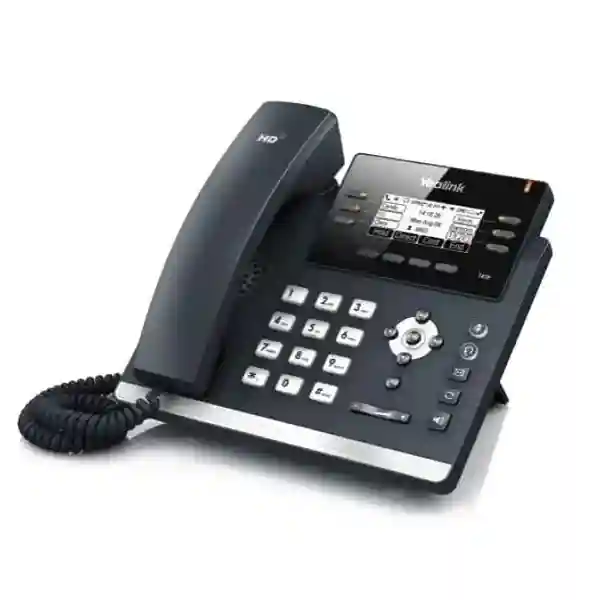
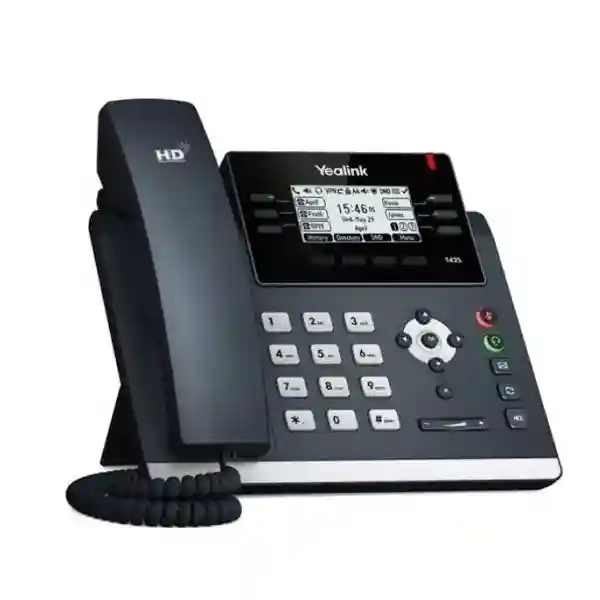
Yealink SIP-T42U Professional SIP Desk Phone for Business Voice
The Yealink SIP-T42U is a business-class SIP desk telephone built for organizations that need dependable daily voice communications, flexible line handling and straightforward IP-network integration without moving every employee to a large color touchscreen endpoint. It supports up to 12 VoIP accounts, a 2.7-inch 192×64-pixel backlit graphical display, dual-port Gigabit Ethernet, IEEE 802.3af Power over Ethernet and two USB 2.0 ports. This combination makes the model particularly practical for general office users, supervisors, reception support positions, service desks and branch locations where reliable calling, headset flexibility and manageable deployment cost matter more than multimedia features.
For procurement teams in Uganda, the value of the SIP-T42U is not simply its feature count. The phone fits into a wider IP telephony design: it must register to a compatible SIP service or PBX, receive suitable network connectivity, obtain power from a PoE switch or an appropriate optional power adapter, and be configured with the organization’s dialing, security and provisioning policies. FourTeck can help buyers translate those requirements into a consistent bill of materials before rollout.
Instant Specifications & Procurement Fact Rail
Yealink SIP-T42U
Up to 12 SIP accounts
2 × Gigabit Ethernet
IEEE 802.3af PoE, Class 2
2 × USB 2.0
Quote-based Uganda supply
The fact rail helps a buyer identify the infrastructure dependencies early. The phone can use PoE, simplifying desk cabling when the access switch supports the required standard. Its two Gigabit Ethernet interfaces allow a conventional phone-and-PC desk topology where the handset connects to the LAN and a workstation can connect through the phone. Optional accessories should be included explicitly in the quotation rather than assumed to be part of the base handset. Warranty terms, stock position, lead time and included accessories should likewise be confirmed on the commercial quotation for the exact shipment.
Operational Product Architecture & Overview
The SIP-T42U sits at the endpoint layer of an IP telephony architecture. Voice signaling is handled through SIP while media travels across the organization’s IP network according to the codecs, network policy and voice platform in use. The endpoint therefore participates in several systems at once: Ethernet switching, VLAN design, DHCP and addressing, SIP registration, call routing, directory services, firmware management and endpoint security. Procurement succeeds when these dependencies are checked before a large quantity is ordered.
At the user interface, the 2.7-inch monochrome graphical LCD presents line and call information without the power and complexity associated with a large touchscreen. Six line keys with LEDs can be programmed for line status and related functions, and Yealink supports multiple pages of paperless DSS functions. Dedicated feature keys for message, headset, mute, redial and hands-free operation reduce the number of steps needed for frequent actions. This is useful in environments where employees need repeatable call handling rather than a heavily application-oriented desk device.
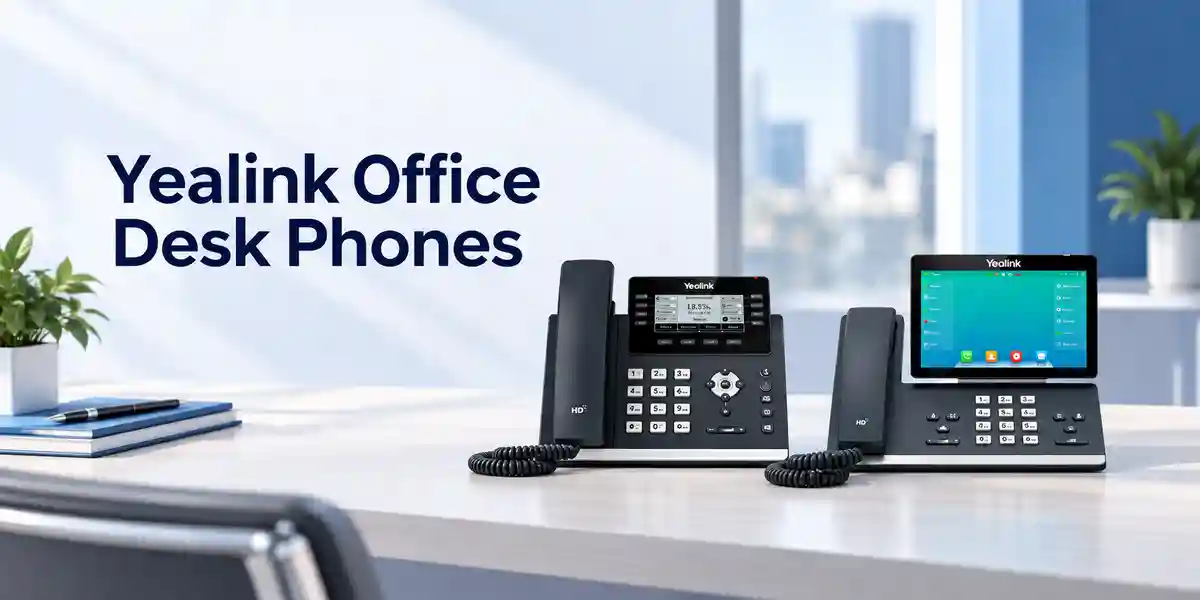
Audio architecture is equally important. Yealink specifies HD handset and HD speaker capabilities, wideband G.722 support, full-duplex hands-free operation with acoustic echo cancellation, a hearing-aid-compatible handset, Acoustic Shield and smart noise filtering. In practical terms, these functions are intended to improve speech intelligibility and suppress distractions in normal office use. Actual call quality still depends on the complete path: codec negotiation, LAN congestion, WAN quality, PBX configuration, headset choice and the remote party’s equipment all contribute to the experience.
Two USB ports are a distinguishing deployment feature. Depending on supported accessories and firmware, they can accommodate functions such as compatible USB headsets, USB recording, Yealink Bluetooth adapters and Yealink Wi-Fi adapters. This gives IT teams flexibility to standardize one desk-phone model while adapting selected desks for wireless connectivity or headset-centric work. Bluetooth and Wi-Fi are not described as built into the base T42U; compatible adapters are required where those capabilities are needed.
Enterprise Business Outcomes & Value Analysis
These outcomes should be assessed at system level. A desk phone cannot create high availability if the SIP platform, internet circuit, switch stack or power infrastructure has a single point of failure. Similarly, buying wireless adapters for every user may add cost without operational benefit if structured Ethernet already reaches each desk. FourTeck’s procurement approach can therefore start from user roles and network topology, then map hardware and accessories to the actual deployment.
Key Hardware & Software Highlights
| Component | Capability | Operational Value |
|---|---|---|
| Display | 2.7-inch 192×64 backlit graphical LCD | Clear call-state and menu information in a compact desk format. |
| Ethernet | 2 × 10/100/1000 Mbps RJ45 | Supports phone plus downstream workstation desk topology. |
| Power | 802.3af PoE Class 2 | Can reduce local power-brick requirements. |
| USB | 2 × USB 2.0 | Accessory flexibility for compatible headsets, adapters and recording. |
| Audio | HD voice, G.722, AEC, Acoustic Shield, smart noise filtering | Designed for intelligible business conversations. |
| Call Handling | Up to 12 accounts, 5-way conference | Suitable for users handling multiple lines and collaborative calls. |
The most important hardware decision is often not the phone itself but the accessory combination. A standard office desk may require only the handset and PoE. A service agent may need a certified USB headset. A location without Ethernet at the final desk may need a compatible Wi-Fi adapter, subject to radio design and organizational policy. A mobile supervisor may value Bluetooth headset support through a compatible adapter. Defining these profiles prevents unnecessary accessory purchasing and reduces support variation.
Technical Specifications Ledger
| SIP Accounts | Up to 12 |
| Display | 2.7-inch, 192×64 pixels, graphical LCD with backlight |
| Line Keys | 6 line keys with LED; programmable paperless DSS functions across pages |
| Ethernet | 2 × RJ45 10/100/1000M Ethernet |
| PoE | IEEE 802.3af, Class 2 |
| USB | 2 × USB 2.0 compliant |
| Handset / Headset | 1 × RJ9 handset, 1 × RJ9 headset |
| Wideband Codec | G.722; AMR-WB optional according to Yealink documentation |
| Narrowband Codecs | PCMU/G.711μ, PCMA/G.711A, G.723.1, G.729 variants, G.726, iLBC; AMR-NB optional |
| Conference | 5-way conference calling |
| Wireless Options | Wi-Fi through compatible WF40/WF50 adapter; Bluetooth through compatible Yealink adapter such as supported BT-series options |
| Stand | Two adjustable angles; wall mounting supported |
| Optional External Power | Yealink documentation lists an optional 5V/1.2A adapter; confirm included accessories on quote |
Specifications should be treated as the technical baseline rather than a complete deployment design. Firmware revision, PBX integration and accessory support can affect the availability or behavior of specific functions. For controlled enterprise rollouts, test a representative phone with the intended PBX, switch, VLAN, DHCP options, security policy, headset and provisioning method before approving a large deployment.
Configuration & Sizing Worksheet
1. Estimate user and line requirements
Count physical users, shared desks, reception positions, meeting areas and spare units. Then identify how many SIP registrations each role actually requires. The T42U supports up to 12 accounts, but many employees may use only one or two. Determine whether shared line appearance, BLF, pickup groups, hunt groups or platform-specific features are required and confirm support with the PBX.
2. Validate the LAN and PoE design
Map each desk to an Ethernet switch port and confirm the access switch provides compatible PoE where local adapters will not be used. Check switch PoE budget at the full endpoint count rather than assuming that an individual PoE-capable port guarantees sufficient chassis power. Define voice VLAN and QoS policies before installation.
3. Plan cabling and desk topology
Where one cable reaches a desk, the phone’s dual Gigabit interfaces can support a common topology in which the LAN feeds the phone and the phone feeds the workstation. Verify organizational security policy before using pass-through networking. Where wireless operation is required, include a compatible Yealink Wi-Fi adapter and validate radio coverage.
4. Define accessories
Separate users into handset-only, wired-headset, USB-headset, Bluetooth and wireless-network profiles. Confirm exact headset and adapter compatibility for the intended firmware. This avoids buying adapters for desks that do not need them and helps support teams maintain a controlled accessory list.
5. Prepare the quote
Provide phone quantity, destination city, PBX or hosted voice platform, PoE availability, headset requirement, wireless adapter requirement, desired staging services and project timeline. Include a spare-unit policy for large fleets. For multi-site projects, provide quantities by location so packaging, labeling and dispatch can be planned efficiently.
Deployment Scenarios & Industry Use Cases

Large Enterprise and Multi-Site Networks
In a large enterprise, the SIP-T42U can serve as a standardized general-purpose desk endpoint across departments and branches. Standardization can simplify templates, user training, spare stock and help-desk troubleshooting. A multi-site design should define local switching, WAN survivability expectations, voice VLAN policy, centralized or distributed call control and how endpoints behave when the WAN path is unavailable.
Financial and Banking Environments
Banks and financial organizations commonly require controlled network segmentation, disciplined firmware management and documented endpoint configurations. The phone should be evaluated against the institution’s SIP security, certificate, authentication, call-recording and network-access requirements. Procurement should not assume that a generic SIP feature automatically satisfies an institution-specific compliance policy.
Education and Campus Networks
Universities and schools may deploy phones across administration, faculties, security posts, libraries and support departments. Gigabit pass-through can be useful where a desk has a single structured cable. Central templates can help keep extension naming, emergency dialing and directory behavior consistent across buildings.
Government and Controlled Procurement
Government projects often require a clear bill of materials, documented model references, warranty procedures and approval of technical equivalence. The SIP-T42U should be mapped to the project’s stated SIP, Ethernet, PoE, codec and security requirements. Where tender specifications require certifications or particular cryptographic behavior, request current manufacturer documentation for the exact firmware and hardware revision.
Technical Deep Dive: Voice Processing and Endpoint Architecture
Voice endpoints translate between the human acoustic interface and packetized media on the IP network. The T42U combines handset, speakerphone, microphone processing, codec handling and Ethernet connectivity in a single managed endpoint. Wideband G.722 can provide a broader speech frequency range when both sides of the call path support it. Acoustic echo cancellation is important in speakerphone mode because it helps prevent loudspeaker output from returning through the microphone as disruptive echo. Packet-loss concealment and jitter-related mechanisms help endpoints deal with imperfect packet arrival, but they cannot fully compensate for a poorly engineered network.
For this reason, buyers should evaluate latency, jitter and loss across the expected WAN path and apply voice QoS consistently. The phone’s Gigabit interfaces address local link speed, but WAN congestion can still damage call quality. A successful rollout treats endpoint capability and network engineering as one design.
Technical Deep Dive: Firmware, Provisioning and Operational Control
Enterprise endpoint management is built around repeatability. Rather than configuring hundreds of phones manually, administrators normally define templates for accounts, dial plans, network settings, feature keys and related policies, then use a supported provisioning workflow. The T4U family’s unified firmware and auto-provisioning approach can reduce variation across supported models. Before a mass firmware change, administrators should test representative devices with the production PBX, accessories and critical call flows.
Security also requires operational discipline. Default credentials should not remain in service, management interfaces should be limited according to policy, and secure signaling/media options should be configured where the PBX and network design support them. Firmware provenance and upgrade procedures should be documented so the organization can respond consistently to vendor advisories.
Technical Deep Dive: Availability and Recovery
A desk phone is only one element in the voice availability chain. PoE can simplify endpoint power and allows centralized UPS protection when access switches are backed appropriately. However, continued service also depends on switch uplinks, routing, WAN connectivity, DNS where used, SIP platform availability and any session border controllers or cloud connectivity in the call path. Multi-site organizations should document what happens during each failure scenario.
Recovery planning should include spare handsets, saved provisioning templates, known-good firmware, replacement procedures and user reassignment steps. For large fleets, holding a small controlled spare pool can reduce restoration time after physical damage. The spare policy should match business criticality and lead times rather than relying on an arbitrary percentage.
Pre-Purchase Buyer Gap Checklist
Are licenses included? The handset is an endpoint; PBX extensions, hosted seats, call recording, contact-center services or other platform entitlements may be separately licensed by the voice-platform provider. Confirm those costs independently of the phone hardware.
Is Wi-Fi built in? The SIP-T42U supports Wi-Fi through compatible Yealink USB adapters such as WF40/WF50 rather than presenting Wi-Fi as an integrated base feature. Include the required adapter in the bill of materials where wireless networking is approved.
Is Bluetooth built in? Bluetooth functionality is available through supported Yealink USB Bluetooth adapters. Confirm the exact adapter and headset combination before purchasing at scale.
Will it work with an existing PBX? SIP provides broad interoperability, but advanced features vary by platform. Validate registration, transfer, hold, conferencing, voicemail indication, BLF, directory integration, provisioning and any secure-media requirements with the intended system.
Does the box include a power adapter? Do not assume it does. The phone supports PoE and Yealink documentation describes an external adapter as optional. The commercial quotation should state what is included.
Can it share a network point with a PC? Dual Gigabit Ethernet supports a conventional pass-through desk topology. Network administrators should still verify VLAN, authentication and security policy.
What about lifecycle? Buyers planning a multi-year fleet should confirm current manufacturer availability, firmware support expectations and replacement strategy at the time of quotation. A lifecycle plan should also identify acceptable successor models in case the project expands later.
What should be piloted? Test a real handset against the intended PBX, switch model, PoE environment, VLAN, DHCP, headset, call flows, directory and provisioning platform. A short pilot is one of the most effective ways to remove deployment uncertainty.
Uganda Procurement & Delivery Logistics
FourTeck supports Uganda organizations that need a structured quotation for Yealink SIP-T42U deployments. A useful request includes the required quantity, delivery city, target deployment date, organization type, PBX or hosted SIP platform and any accessory requirements. For larger deployments, quantities can be separated by site so the commercial and logistics plan reflects the actual rollout.
After technical scope is established, the quotation can identify the handset model, required accessories and applicable commercial terms. Stock status and lead time should be treated as quote-specific because enterprise hardware availability changes. Projects requiring pre-configuration should provide an agreed configuration brief, extension data handling method and acceptance criteria before staging begins.
Delivery planning should account for site receiving hours, responsible contacts and whether the project needs consolidated or phased dispatch. Multi-branch deployments can benefit from device labeling and location mapping so phones reach the correct site and user group. Where installation is performed by a separate integrator, FourTeck can help ensure the hardware bill of materials matches the approved technical design.
Local Coverage Matrix
Kampala: Suitable for headquarters, corporate offices, contact operations and distributed departments requiring standardized SIP desk phones. Entebbe: Business, hospitality, logistics and institutional deployments can be scoped around site quantities and network readiness. Jinja: Branch offices, industrial administration and service organizations can request project-based supply. Mbarara: Regional offices, education, healthcare administration and commercial organizations can plan phased endpoint deployments. Gulu: Public-sector, NGO, education and business sites can include the T42U in wider IP telephony bills of materials.
Coverage statements describe procurement planning rather than guaranteed same-day inventory. Delivery timing, freight method and availability should be confirmed on the current quotation for the required quantity and destination.
Cross-Border & Regional Supply Chains
Organizations operating across East Africa and the Gulf may need consistent endpoint standards across several countries. FourTeck’s regional web presence includes Uganda, Kenya, Africa, UAE and Kuwait. Regional procurement can be planned around common model references while still respecting country-specific delivery, tax, warranty and commercial requirements.
For cross-border projects, provide a quantity schedule by country and site. This allows the supply plan to distinguish central purchasing from local delivery and helps identify where accessories, plug types, power methods or service expectations differ. Do not assume a warranty or delivery term from one country automatically applies to another; confirm the commercial terms for each destination.
Related Yealink Solutions & Internal Paths
A T42U project may form part of a broader communications environment rather than a single-model purchase. Explore the FourTeck Uganda technology portfolio and contact the team for related Yealink desk phones, executive IP phones, reception endpoints, call-center headset requirements, conference devices, PoE switching and structured network accessories. For users who need larger color displays or integrated wireless features, a different Yealink model may be more appropriate. For basic desks, the T42U can offer a balanced mix of line capacity, Gigabit connectivity and USB expansion.
Related-product selection should be role-based. Executives may prioritize a larger display and integrated wireless functions; reception staff may need more visible programmable keys or expansion-module support; contact-center agents may prioritize certified headsets and call-platform integration; meeting spaces need purpose-built conference endpoints. A mixed-model deployment can still be managed coherently when the models are chosen from a compatible family and validated against the same voice platform.
FourTeck Technical Service Capabilities
FourTeck can support the procurement process with engineering validation before shipment. This may include reviewing the proposed phone quantity, PoE assumptions, headset requirements, network topology and PBX environment. Bill-of-materials verification is especially useful where a project includes optional Wi-Fi or Bluetooth adapters, local power supplies, headsets or multi-site quantities.
Where agreed for the project, staging can include controlled preparation activities such as firmware alignment, configuration-template validation and labeling. The exact scope should be documented before order processing so both sides understand which settings will be applied and which remain the responsibility of the customer or system integrator. Sensitive SIP credentials should be handled through an agreed secure process.
Post-sales technical support can focus on hardware verification, configuration guidance and coordination around warranty cases according to the applicable terms. Complex PBX behavior may require cooperation with the voice-platform administrator because endpoint symptoms can originate in call routing, licensing, SBC policy, firewall rules, VLAN configuration or WAN conditions rather than the handset itself.
Extended Technical FAQ
Does the Yealink SIP-T42U support twelve SIP accounts?
Yes. Yealink specifies support for up to 12 VoIP accounts. That capacity can be useful for users who require multiple registrations or line identities, but the practical configuration depends on the PBX and the organization’s call-flow design. A typical employee may use only one account, while supervisors or shared-service positions may use several. Before deployment, map each intended account to a real operational requirement and confirm how the PBX handles registration, line appearance, BLF and shared functions.
Can the SIP-T42U be powered by a PoE switch?
Yes. The phone supports IEEE 802.3af Power over Ethernet and is listed as Class 2. PoE is often the preferred enterprise deployment method because it can remove the need for a local power adapter at each desk. However, the switch must have sufficient overall PoE capacity for the complete endpoint count. For resilience, consider whether the access switch and upstream voice infrastructure are protected by UPS power. If PoE is unavailable, confirm the correct optional external adapter in the quotation.
Does the T42U have built-in Wi-Fi and Bluetooth?
The model supports wireless functionality through compatible USB accessories rather than treating both features as built-in. Yealink documentation identifies WF40/WF50 Wi-Fi adapter support and supported BT-series Bluetooth adapters. This distinction matters when budgeting because desks requiring wireless networking or Bluetooth headsets may need additional hardware. Confirm current adapter compatibility and firmware support before ordering, particularly if the organization already owns accessories from an older Yealink deployment.
Can a computer connect through the phone?
The T42U has two RJ45 10/100/1000 Mbps Ethernet ports, enabling the common arrangement where the network connects to the phone and a workstation connects through the phone’s second port. This can be valuable at desks with one structured network outlet. Network teams should still confirm VLAN, QoS, authentication and endpoint-security policies. In environments using strict network access control, the exact phone-and-PC topology should be tested before broad rollout.
What headset options are available?
The phone provides an RJ9 headset interface and two USB 2.0 ports, and Yealink documents support for compatible USB headsets and accessory-based wireless headset options. Headset compatibility should be treated as a specific model-to-model check rather than assumed from connector type alone. For contact-center or heavy-call users, identify the exact headset, required call-control behavior and wearing style during procurement. A small pilot can confirm audio levels, answer/end controls and user comfort before purchasing a large headset quantity.
Will it work with every SIP PBX?
The phone uses SIP and is designed for broad IP telephony interoperability, but no enterprise buyer should interpret that as a guarantee that every advanced feature behaves identically on every PBX. Basic registration and calling may be straightforward while BLF, directories, call recording, provisioning, secure media or platform-specific services can require particular configuration. Validate the T42U against the exact PBX or hosted voice service and firmware version used by the organization, especially when replacing an existing endpoint fleet.
Does the phone support conference calling?
Yealink specifies five-way conferencing on the SIP-T42U. This can be useful for routine collaboration directly from the desk. The exact user experience can depend on call state and platform configuration, and larger formal meetings may be better served by a conference platform or dedicated meeting-room device. During acceptance testing, include hold, transfer and conference scenarios that match real workflows so users and administrators know how those functions behave on the deployed PBX.
What should be checked before ordering a large quantity?
Start with PBX compatibility, extension count, PoE capacity, switch-port availability, voice VLAN design, DHCP and provisioning method. Then define accessory profiles for headsets, Wi-Fi, Bluetooth and local power. Confirm current stock, lead time, warranty terms and what is included in the box on the quotation. For a large rollout, test representative units with production-like network conditions and critical call flows. Finally, plan spare units, labeling, staging and site-by-site quantities so deployment teams receive the right equipment in the right sequence.
How should warranty or replacement cases be handled?
Keep purchase records, serial-number information and the applicable quotation or invoice. When a hardware issue is suspected, document the symptoms, firmware version, power method, network environment and troubleshooting already completed. Where practical, test with a known-good cable, switch port or spare handset to distinguish endpoint failure from network or configuration problems. Warranty eligibility and replacement procedure depend on the applicable commercial terms, so buyers should confirm the regional warranty baseline and return process at the time of purchase.
Can FourTeck assist with configuration planning?
FourTeck can help scope the endpoint bill of materials and deployment requirements, including phone quantities, PoE assumptions, compatible accessory needs and staging requirements. The customer should provide details of the SIP platform, network environment and desired user functions. For complex integrations, coordination with the organization’s PBX administrator or voice integrator may also be required. Defining responsibilities before rollout helps avoid confusion between handset configuration, PBX programming, network policy and carrier services.
Request a Yealink SIP-T42U Procurement Quote
Send FourTeck your required quantity, Uganda delivery location, PBX or hosted SIP platform, PoE availability and accessory requirements. For multi-site projects, include quantities for each branch and your target rollout schedule. The resulting bill of materials can distinguish base phones from optional Wi-Fi adapters, Bluetooth accessories, headsets and power requirements, giving procurement and technical teams a clearer basis for approval.
For the fastest technical review, include any mandatory security, provisioning, directory or call-control requirements. A pilot is recommended when the handset will be introduced to a new voice platform or network design.




Reviews
There are no reviews yet.