Enterprise Voice Communications • Uganda
Yealink SIP-T44U Business SIP IP Phone for Enterprise Voice Communications
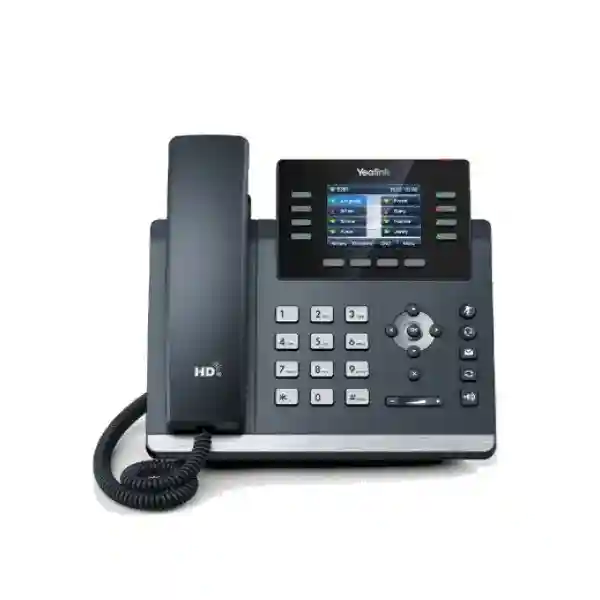
The Yealink SIP-T44U is a professional 12-account SIP desk phone built for organizations that need clear voice communications, responsive call handling, Gigabit desktop networking and practical expansion without moving to an oversized executive handset. It combines a 2.8-inch 320 × 240 backlit color display, Yealink Optima HD Voice, Acoustic Shield and Smart Noise Filtering with dual USB connectivity, Power over Ethernet, dual-port Gigabit Ethernet and support for the EXP43 expansion module. For procurement teams, the important point is not simply the number of features on the front panel. The T44U is designed to sit inside a managed business voice environment where consistent provisioning, predictable cabling, headset compatibility and long-term administrative control matter as much as the phone itself.
This model is particularly useful where a standard entry-level desk phone would create operational limits. Receptionists may need more monitored extensions. Department coordinators may need programmable keys. Managers may require a USB headset while also retaining another USB function. IT teams may need phones that can be staged in quantity, registered to SIP services and maintained using a common T4U configuration approach. The SIP-T44U addresses those requirements while keeping the familiar physical keypad and handset workflow that many business users prefer.
FourTeck supplies the Yealink SIP-T44U for Uganda deployments ranging from individual office replacements to multi-floor and multi-site rollouts. A correct quotation should account for the number of handsets, SIP platform, PoE availability, headset requirements, wireless adapter requirements, expansion modules, mounting method and any staging or pre-configuration services. This prevents a low headline device cost from turning into an incomplete bill of materials after purchase.
Instant Specifications & Procurement Fact Rail
SIP-T44U, T4U business desk-phone family
Up to 12 SIP accounts for multi-line business use
2.8-inch 320 × 240 color LCD with backlight
Dual-port Gigabit Ethernet with PoE support
Dual USB and EXP43 color-screen expansion support
Project quotation; confirm quantity, accessories and delivery location
The fact rail should be read as a deployment baseline rather than a complete purchase list. PoE can reduce desk-side power requirements when the access switch provides compatible power, while non-PoE environments may require an appropriate external power option. Wi-Fi and Bluetooth functionality on the SIP-T44U is enabled through compatible optional USB adapters rather than being assumed as built in. Likewise, users who need a large monitored-extension field should identify the number of EXP43 modules and the intended key layout before the quotation is finalized. Warranty handling, lead time and regional availability should be confirmed on the project quotation because these conditions can vary by supply batch and destination.
Operational Product Architecture & Overview
At the desktop, the SIP-T44U functions as a dedicated SIP endpoint that combines voice processing, a physical user interface, Ethernet switching and peripheral expansion in one managed appliance. The phone registers with a compatible SIP PBX, hosted voice service or communications platform, receives addressing and network parameters through the enterprise LAN, and presents the user with line appearances, call controls, directories and programmable functions. Its dual-port Gigabit Ethernet design allows a common desk topology in which the network connection enters the phone and a second Ethernet link can serve a workstation, subject to the organization’s VLAN, security and bandwidth policies.
For organizations replacing older 10/100 desk phones, Gigabit pass-through is important because the phone should not become an unnecessary bottleneck between the user’s computer and the access network. Voice traffic still requires correct VLAN design, quality-of-service policy and upstream capacity; the handset cannot compensate for a congested or poorly engineered LAN. The practical value is that a modern workstation can share the physical desk drop without forcing the organization to accept Fast Ethernet limitations at that point.
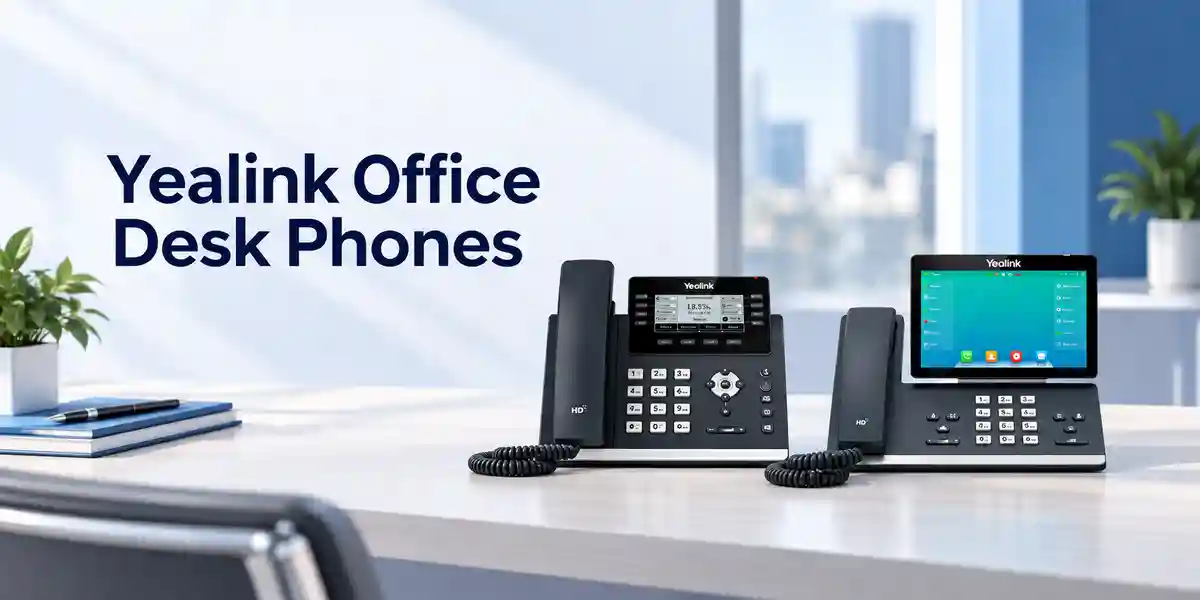
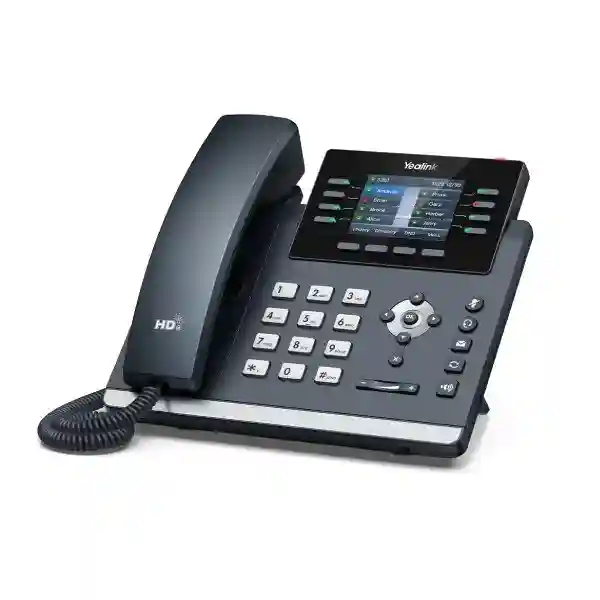
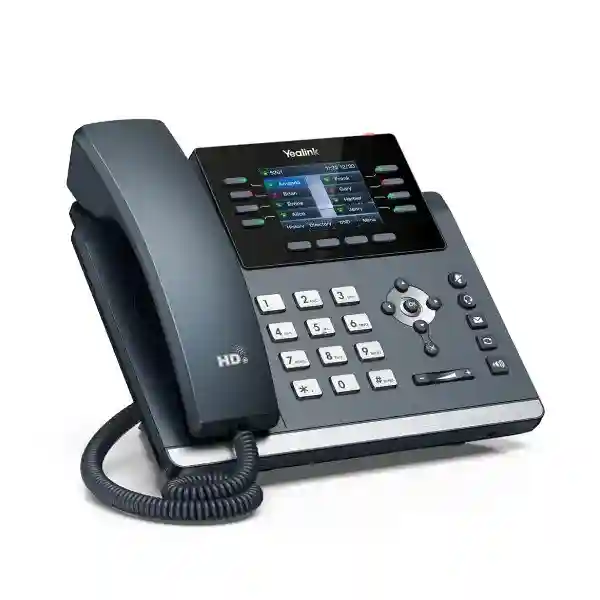
The phone’s 2.8-inch color screen is deliberately compact. It is intended to provide readable call status, menus, labels and directory information without turning the device into a touch-centric workstation. Eight line keys and multiple pages of programmable functions provide a physical-key workflow, while up to 21 paperless DSS keys across three pages can be configured for common actions such as speed dial, line monitoring or other supported PBX functions. Where a receptionist, executive assistant or departmental coordinator needs a substantially larger visible key field, the EXP43 expansion architecture is the more appropriate path. Up to three compatible expansion modules can be used, providing a scalable control surface without replacing the base phone.
Audio design is equally central to the architecture. Yealink Optima HD Voice, wideband codec support, full-duplex hands-free operation, acoustic echo cancellation and noise-management features are intended to improve intelligibility during everyday office conversations. Acoustic Shield and Smart Noise Filtering can help reduce distracting environmental sound, but deployment teams should still consider room acoustics, user seating and headset selection. In an open office, a good headset may deliver a larger practical improvement than simply increasing handset volume. In private offices, the speakerphone and handset may be the primary modes.
The dual USB ports distinguish the T44U from simpler phones because they give administrators more flexibility when matching endpoints to user roles. Depending on compatible accessories and configuration, USB can support headsets, recording, optional Bluetooth adapters and optional Wi-Fi adapters. The presence of two ports means the organization can plan combinations rather than treating every peripheral as mutually exclusive. This matters in call-intensive roles where a wireless headset may be required while another USB function remains useful.
From an administration perspective, unified T4U firmware and common auto-provisioning templates help reduce configuration fragmentation across compatible T4U models. Yealink’s provisioning mechanisms, including RPS-supported deployment workflows, are designed to make larger installations easier to stage and maintain. Dual firmware images add resilience during firmware management by providing an additional protection mechanism if an update does not complete as expected. The purchasing question therefore extends beyond “Does the phone make SIP calls?” A better evaluation asks whether the model fits the organization’s PBX, security policy, headset estate, switch infrastructure, provisioning method and expected user role over the planned lifecycle.
Enterprise Business Outcomes & Value Analysis
The SIP-T44U supports up to 12 SIP accounts and provides a responsive physical-key interface for users who routinely move between lines, transfer calls, place callers on hold or initiate conferencing. The value is operational consistency: users can work through familiar dedicated controls rather than depending on a general-purpose computer for every call. Dual-port Gigabit Ethernet helps preserve modern desktop network performance, while voice quality features support clear conversations when the LAN and SIP platform are correctly engineered.
A business handset may remain on a desk for years, so firmware management is part of reliability. Dual firmware images are designed to reduce the risk associated with unsuccessful firmware updates, while unified T4U firmware can simplify fleet maintenance. Reliability also depends on upstream elements: PoE switching, UPS coverage, SIP platform redundancy, DHCP/DNS availability and WAN resilience should be reviewed together with the endpoint purchase.
The phone can serve ordinary knowledge workers and expand toward higher-call-volume roles through programmable keys and EXP43 modules. That creates a useful standardization opportunity. An organization may deploy the same core handset across multiple departments, then add expansion hardware only where the workflow justifies it. This can simplify spares, training and configuration compared with maintaining many unrelated endpoint families.
The T4U platform supports secure SIP transport capabilities including TLS and media-security options such as SRTP when supported and correctly configured by the wider communications platform. Security should be implemented end to end: certificates, provisioning credentials, switch-port policy, VLAN segmentation, administrative passwords and PBX permissions all matter. The handset is one controlled endpoint inside that design, not a substitute for a voice-security architecture.
Zero-touch-oriented provisioning workflows can reduce the time required to configure large quantities of phones manually. Common templates can define account parameters, line keys, network behavior and other supported settings. For distributed organizations, this is valuable because replacement devices can be prepared according to a repeatable standard instead of relying on local staff to reproduce configuration from memory.
PoE can consolidate power and data delivery over the structured cabling system, potentially reducing the number of desk-side adapters that must be purchased, labeled and supported. However, PoE is not free capacity: the access-switch power budget and UPS runtime must be sized for the number of endpoints. A complete cost model should include phones, switches, licenses or hosted subscriptions, headsets, optional adapters, expansion modules, spares, configuration labor and support.
The adjustable stand and wall-mount capability support different workspaces, while the color display improves visibility compared with monochrome entry models. The Hall Switch handset design supports quieter operation. For users with specific accessibility requirements, confirm the handset and headset arrangement during pilot testing rather than assuming one endpoint configuration will suit every employee.
Key Hardware & Software Highlights
| Component | Capability | Operational Outcome |
|---|---|---|
| 2.8-inch color LCD | 320 × 240 resolution with backlight | Clear status, menu and programmable-key labeling in a compact desk footprint. |
| SIP engine | Up to 12 SIP accounts | Supports multi-line and multi-account roles without requiring separate handsets. |
| Ethernet switch | Dual-port Gigabit Ethernet | Allows common phone-plus-PC desk cabling while retaining Gigabit capability. |
| Power | IEEE 802.3af PoE support | Enables centralized power from compatible access switches and UPS-backed network rooms. |
| USB expansion | Two USB ports | Supports flexible combinations of compatible headsets, recording and optional wireless adapters. |
| Audio subsystem | Optima HD Voice, Acoustic Shield, Smart Noise Filtering | Improves speech intelligibility for office conversations when network and room conditions are suitable. |
| Expansion bus | EXP43 module support | Adds visible programmable keys for reception, assistants and high-volume call handling. |
| Firmware design | Unified T4U firmware and dual firmware images | Reduces fleet variation and adds protection around update workflows. |
The most useful way to evaluate these features is by mapping them to actual user groups. A standard office user may need only PoE, one SIP account and a wired handset. A sales manager may need several accounts and a wireless headset. A receptionist may need an EXP43 module, extensive BLF programming and a carefully planned transfer workflow. A branch deployment may prioritize remote provisioning and standardized templates. Purchasing the same base model can make sense across these groups, but only when the accessory and configuration profile is documented for each role.
Technical Specifications Ledger
| Category | SIP-T44U Specification | Procurement Note |
|---|---|---|
| Display | 2.8-inch 320 × 240 color LCD with backlight | Compact physical-key interface rather than touchscreen workflow. |
| SIP Accounts | Up to 12 | Actual registrations depend on PBX/service entitlements and configuration. |
| Line Keys | 8 line keys; up to 21 paperless DSS keys over three pages | Map key layouts by user role before mass provisioning. |
| Audio | HD handset and speaker; Optima HD Voice; Smart Noise Filtering; Acoustic Shield | Pilot headsets for noisy open-plan environments. |
| Wideband Codec | G.722; platform support may also include Opus depending on firmware/platform combination | Confirm negotiated codec set with the target voice platform. |
| Narrowband Codecs | G.711 A/µ, G.729 variants, G.726, G.723.1, iLBC | Useful for interoperability; PBX policy determines actual use. |
| Speakerphone | Full duplex with acoustic echo cancellation | Room acoustics still affect perceived quality. |
| Ethernet | Dual-port Gigabit Ethernet | Suitable for phone-plus-PC desk topology. |
| Power | PoE supported | Verify switch PoE budget and UPS runtime for full endpoint count. |
| USB | Two USB ports | Confirm supported accessory combinations and firmware compatibility. |
| Wi-Fi | Via compatible WF40/WF50 USB adapter | Not treated as built-in wireless; include adapter when required. |
| Bluetooth | Via compatible BT-series USB adapter | Adapter model should be checked against current firmware support. |
| Headsets | USB headset and EHS support | Validate specific headset model and remote-call-control requirements. |
| Expansion | EXP43 color-screen expansion modules; up to three modules supported | Ideal for reception and high-volume monitored-extension roles. |
| Mounting | Two-angle stand; wall mountable | Confirm wall-mount accessory requirements and cable routing. |
| Provisioning | Auto-provisioning, RPS-supported deployment workflows, unified T4U templates | Prepare templates and security credentials before bulk rollout. |
| Security | SIP over TLS/SSL support, SRTP support, Security Center features | End-to-end security depends on PBX, certificates and network policy. |
| Firmware Resilience | Dual firmware images | Supports safer operational update practices. |
Specifications should be validated against the firmware release, regional package and accessory revision quoted for the project. A specification ledger is most valuable when it becomes part of the acceptance checklist: confirm display and key requirements, network interfaces, PoE behavior, SIP registration, codec policy, headset operation, transfer behavior, directory integration, expansion modules and provisioning before approving a large deployment. This approach reduces the risk of discovering role-specific gaps only after devices have been distributed.
Configuration & Sizing Worksheet
Step 1 — Estimate users, roles and call workload
Count physical desks, shared phones, reception positions, meeting-area endpoints and spare units separately. Then classify each user by call behavior. A light-use employee may require one SIP account and standard handset operation. A supervisor may need multiple line appearances and a USB headset. A receptionist may require dozens of monitored extensions through EXP43 modules. This role-based count is more accurate than ordering the same accessory bundle for every desk.
Step 2 — Validate LAN, VLAN and desk cabling
Document the access switch serving each area, available Gigabit ports, voice VLAN design, DHCP options, DNS/NTP reachability and quality-of-service policy. If a workstation will connect through the phone, confirm that security policy permits this topology and that the switch-port configuration is designed accordingly. Wireless adapters should be treated as exceptions where structured cabling is unavailable or unsuitable, not as an automatic replacement for a stable wired voice network.
Step 3 — Calculate power and resilience
For PoE deployment, total the number of phones per switch and compare the resulting requirement with the switch’s available PoE budget. Include other powered devices such as wireless access points and cameras. Then check UPS runtime. During a mains outage, an IP phone remains useful only while the LAN, PoE switch, router, firewall, SIP platform or WAN path remain powered. If external adapters are planned, confirm outlet availability and local plug requirements.
Step 4 — Confirm platform licensing and subscriptions
The phone itself does not automatically provide a business telephone service. Each required SIP account, extension, hosted seat, trunk, recording feature or contact-center capability may depend on the chosen PBX or service provider. Before ordering, identify the exact platform and ask whether the intended functions—BLF, transfer, shared lines, directories, voicemail, conferencing, remote provisioning and secure transport—are supported in the desired configuration.
Step 5 — Build the accessory matrix
Record whether each role requires a USB headset, EHS capability, Bluetooth adapter, Wi-Fi adapter, EXP43 module, wall mounting or external power. Two USB ports provide flexibility, but accessory compatibility still needs validation. For headset-heavy deployments, pilot the exact headset and firmware combination with answer/end controls, mute behavior and audio levels before committing to a large quantity.
Step 6 — Prepare the quotation package
A strong request for quotation should state quantity, delivery city, deployment sites, required date, SIP/PBX platform, PoE availability, accessory quantities, expansion-module count, configuration services, firmware preference, labeling requirements and desired spares. For phased rollouts, identify quantities per phase. For government, education, finance or other controlled procurement, add documentation, invoicing and acceptance requirements at the beginning rather than after shipment planning.
Deployment Scenarios & Industry Use Cases
Large Enterprise & Multi-Site Networks
In a headquarters-and-branches topology, the SIP-T44U can be standardized as a common desk endpoint while provisioning templates assign different line keys, accounts and directories by department. Central administrators can prepare configuration profiles, then use supported provisioning workflows to reduce manual setup. Gigabit pass-through suits desks where one structured-cabling drop serves both phone and workstation. Branch resilience should be planned at the network and voice-platform level, including WAN failover, local survivability where required, DNS and power continuity.
Financial & Banking Institutions
Banks and financial organizations often require controlled endpoint configurations, segmented voice networks, secure signaling and documented change management. The T44U can participate in such an environment when configured with the organization’s supported secure transport and media policies. Procurement should validate certificate handling, PBX interoperability, directory access, logging expectations and headset requirements. Endpoint security should be combined with switch-port controls, restricted administrative access and formal firmware-management procedures.
Educational & Campus Networks
Universities, schools and training institutions may deploy phones across administration blocks, faculties, libraries, security desks and residences. The T44U’s common firmware approach can help reduce support complexity across a broad campus. Reception and security positions can add expansion modules, while ordinary offices can retain the base handset. Campus planners should map voice VLANs, PoE capacity and emergency-calling behavior by building and ensure that location information remains accurate when phones are moved.
Government & Controlled Procurement
Government deployments often place additional emphasis on bill-of-materials accuracy, approved technical specifications, acceptance testing, documentation and controlled configuration. The T44U can be evaluated as part of a SIP endpoint standard, but the project should specify the exact firmware baseline, provisioning process, network security controls and warranty route. Staged acceptance can include physical inspection, registration, inbound and outbound calling, transfer, conferencing, directory functions, headset operation and recovery after reboot.

Across these scenarios, the handset is only one layer of the solution. Successful deployments align endpoints with the call-control platform, switching, routing, firewall policy, identity and directory services, WAN design, power resilience and user-support model. A pilot group should represent different roles and locations so that configuration issues are found before the main rollout. The pilot should also verify how the phone behaves during WAN interruption, PBX maintenance, firmware upgrades and user moves between desks.
Technical Deep Dive 1: Voice Processing, Network Handling & Expansion Architecture
The SIP-T44U’s practical performance comes from the coordination of its SIP call-control functions, audio processing, Ethernet switching and physical user interface. Voice packets must traverse the LAN with sufficiently low delay, jitter and loss, while signaling must reach the PBX reliably. The phone supports common wideband and narrowband codecs so it can negotiate audio according to the platform’s policy. Wideband voice can improve natural speech quality, while narrowband codecs remain relevant for interoperability and bandwidth planning. Codec choice should be controlled centrally where possible; allowing endpoints to negotiate without a documented policy can make troubleshooting more difficult.
The built-in Gigabit switch supports a common enterprise desk design in which the phone and PC share the same physical network outlet while logical separation is maintained through VLAN and switch configuration. This topology reduces cabling pressure, but administrators should understand the trust boundary. The PC port is part of the endpoint path, so access-layer security and segmentation policies must be tested. For high-security desks, organizations may choose dedicated physical ports instead.
Expansion is handled in two directions. USB ports add peripheral flexibility, while EXP43 modules add a larger programmable key surface. This separation is useful because a headset user does not need to consume the same expansion path as a receptionist’s BLF panel. Up to three expansion modules can support a large number of additional programmable keys, making the T44U suitable for switchboard-like workflows without moving to a software-only console. The correct choice depends on whether the user needs constant visual monitoring or simply occasional access to programmable functions.
Technical Deep Dive 2: Firmware Security & Operational Control
Enterprise voice endpoints require lifecycle management. A phone that is secure on installation can become a liability if firmware, credentials and certificates are ignored for years. The T4U family’s unified firmware strategy can help administrators maintain a consistent baseline across compatible models. Dual firmware images provide an additional resilience mechanism around upgrade operations. Administrators should still use staged deployment: validate a release on representative devices, confirm registration and key functions, then expand the update ring gradually.
Secure signaling through TLS and secure media through SRTP can protect call-control and voice traffic when the PBX, certificates and network are configured to support them. These protocols should not be viewed as isolated checkboxes. Certificate validity, trust chains, time synchronization, provisioning-channel security and administrative credentials determine whether the implementation is genuinely robust. The Security Center capabilities in the T4U platform also give organizations more control over device-management connections and data reporting choices.
Provisioning is another security boundary. Configuration files can contain server addresses, usernames and sensitive parameters. They should be delivered through approved methods with access controls appropriate to the organization. Default passwords should be replaced, unused services should be disabled where policy requires, and administrative access should be restricted. When devices are retired or reassigned, configuration and account data should be cleared according to the organization’s asset-disposal procedure.
Technical Deep Dive 3: High Availability, Redundancy & Disaster Recovery
A desk phone cannot create high availability by itself. Availability is an end-to-end property involving power, switching, routing, WAN connectivity, DNS, SIP services and the endpoint. The T44U contributes through predictable wired networking, PoE support, firmware resilience and compatibility with managed SIP environments. To keep phones operating during a local power interruption, the access switches providing PoE must be connected to suitable UPS capacity, and the upstream router, firewall and any on-premises call-control servers must also remain powered.
For multi-site organizations, disaster recovery planning should define what happens if the primary PBX or WAN circuit is unavailable. Depending on the chosen platform, phones may support alternate server configurations or the platform may provide redundant registration targets. Those behaviors are platform-specific and should be tested rather than assumed. A useful test plan includes loss of the primary server, restoration of service, WAN failover, DNS interruption and endpoint reboot during an outage.
Spare strategy matters as well. Holding a small pool of pre-approved replacement handsets can reduce user downtime. With standardized provisioning, a failed device can be replaced and configured using a known process rather than manually reconstructing every setting. Record serial numbers, assigned users, MAC addresses and configuration profiles in the asset-management system. For remote branches, decide whether spares should be stored centrally or positioned locally based on travel time and service-level expectations.
Pre-Purchase Buyer Gap Checklist
Is wireless connectivity built in? The SIP-T44U should be planned as a wired Gigabit Ethernet phone. Wi-Fi and Bluetooth are available through compatible optional USB adapters. If built-in wireless is a mandatory standard, compare the required endpoint family carefully rather than assuming the USB capability is equivalent to an integrated radio.
Are PBX licenses included? A physical phone and a SIP service entitlement are different items. Hosted seats, extension licenses, SIP trunks, recording, contact-center features and advanced directories may carry separate charges from the communications-platform provider. Request a complete solution bill of materials if the organization is not already licensed.
Will the phone work with an existing PBX? SIP provides broad interoperability, but advanced functions vary. Basic registration and calling may work while BLF, shared lines, remote directories, call recording or provisioning require platform-specific support. Validate the exact PBX release and intended feature set.
Does PoE remove every power concern? It removes the need for a desk-side adapter when a compatible PoE switch supplies the phone, but the switch itself must have sufficient power budget. UPS capacity must also be considered if telephony is expected to remain available during power interruptions.
How much desk space is needed? The base phone is compact, but expansion modules and headset bases increase the footprint. Reception desks should be measured with the complete configuration in mind. Wall-mounted installations also need appropriate cable routing and mounting hardware.
Can every USB accessory be combined? Two USB ports increase flexibility, but administrators should confirm the exact supported accessory combination and firmware level. A pilot with the intended headset, Bluetooth/Wi-Fi adapter and recording workflow is preferable to assumptions based only on connector count.
What happens when firmware changes? Treat firmware as a controlled infrastructure change. Maintain a tested baseline, review release notes, pilot representative phones and schedule broad updates only after core functions have been validated. Dual firmware images improve resilience but do not replace change control.
What is the realistic lifecycle cost? Add handset cost, shipping, taxes where applicable, PBX subscriptions, headsets, expansion modules, adapters, PoE switching, UPS capacity, staging labor, support and spare stock. This gives procurement a more useful comparison than unit price alone.
Uganda Regional Procurement & Delivery Logistics
For Uganda projects, the quotation process should begin with quantity, delivery location and the intended communications platform. FourTeck can structure the requested bill of materials around base SIP-T44U phones and the accessories actually required for each user group. For example, a head-office project may combine standard phones for general staff, USB headsets for call-intensive teams and EXP43 modules for reception positions. A branch rollout may prioritize PoE, pre-defined provisioning profiles and spare units.
Order processing should account for the difference between product lead time and project readiness. Even when hardware is available, the customer may still need VLAN configuration, SIP credentials, extension assignments, directory data, firewall policy and user lists. Providing these inputs early allows staging activities to be aligned with shipment. Where pre-configuration is requested, the project team should define which settings can be prepared before delivery and which depend on site-specific information.
Delivery timing varies according to quantity, supply route and destination. Procurement teams should therefore rely on the formal quotation for lead-time commitments rather than assuming a generic web estimate applies to a specific Uganda order. For larger deployments, phased delivery can reduce storage pressure and allow the first site to validate the configuration before later batches are released. Acceptance criteria should be documented so that both customer and supplier know what constitutes a complete delivery.
Technical pre-configuration can include agreed firmware baselines, provisioning parameters, line-key templates and labeling plans when the required project data is available. Sensitive SIP credentials should be handled according to the customer’s security policy. Some organizations prefer devices to be delivered with only network bootstrap settings so final credentials are applied inside the customer environment. This can be accommodated as part of the deployment design.
Local Coverage Matrix
Head offices, contact teams, professional services, retail administration and multi-floor enterprise deployments.
Business offices, hospitality administration, logistics operations and organizations requiring managed voice endpoints.
Industrial, commercial, education and branch-office requirements with centralized SIP communications.
Regional offices, healthcare administration, education and distributed enterprise communications projects.
Branch connectivity, institutional deployments and regional operations requiring standardized IP telephony.
Coverage planning should include the final delivery point, site access requirements and whether devices are shipped as hardware only or as part of a staged deployment. Organizations with offices in several Ugandan cities can standardize the endpoint profile while varying local quantities and accessory bundles. A common configuration template, asset list and acceptance checklist makes distributed deployment easier to control and provides the support team with consistent documentation after handover.
Cross-Border & Regional Supply Chains
Regional organizations frequently need the same communications standard across several countries. FourTeck’s regional web presence can support project coordination across Uganda, Kenya, broader African markets, the UAE and Kuwait. For cross-border projects, procurement should identify the legal purchasing entity, destination country, required documentation, local tax treatment, delivery terms and support expectations for each site.
Standardization should focus on model, firmware baseline, configuration template, accessory matrix and acceptance tests while allowing for local power, logistics and service-provider differences. A regional project can use one technical design but separate commercial quotations by country. This approach improves consistency without ignoring customs, lead-time and invoicing realities. Where stock must move between regional supply points, confirm the final route and delivery commitment on the formal order rather than assuming one country’s availability applies to another.
Related Yealink Solutions & Internal Navigation
The SIP-T44U sits within a wider Yealink business communications portfolio. Buyers comparing endpoints should consider whether the project needs a standard wired SIP desk phone, a model with integrated wireless connectivity, a larger executive display, a receptionist expansion module or a headset-focused workstation. FourTeck can help map endpoint roles before quantities are finalized.
Business IP Phones
Yealink T44W Options
Yealink T46U Options
Yealink EXP43 Expansion
Yealink Headset Options
For mixed-role projects, comparing adjacent models can prevent over-specification. A user who needs only basic calling may not need the same endpoint as a receptionist, while a user who requires built-in wireless may be better served by a different variant. The objective is a coherent fleet with the fewest model variations necessary to cover real business roles.
FourTeck Technical Service Capabilities
Enterprise phone procurement benefits from engineering validation before shipment. FourTeck can use the customer’s endpoint count, PBX platform, network design and accessory requirements to review the proposed bill of materials and identify missing dependencies. This is particularly useful where the project includes PoE switching, USB headsets, wireless adapters or expansion modules that must work as a coordinated system.
Staging services can be aligned with the customer’s operating model. Depending on project requirements and the information supplied, phones can be prepared around an agreed firmware baseline, standardized configuration approach and labeling scheme. Pre-shipment firmware work should follow change-control principles: the target release must be appropriate for the communications platform, and a representative sample should be tested before large quantities are processed.
Bill-of-materials verification is equally important for accessory-heavy roles. A receptionist package may include the phone, one or more EXP43 modules and a headset; a mobile manager may require an approved Bluetooth adapter and wireless headset; a location without PoE may need a power solution. Capturing these differences at quotation stage reduces urgent accessory purchases after deployment begins.
Post-sales technical support can focus on product setup, firmware, provisioning logic and troubleshooting within the agreed project scope. Complex faults should be isolated systematically by separating endpoint, network, PBX and service-provider layers. Maintaining configuration backups, asset records and tested spare devices gives the customer a faster recovery path than ad-hoc replacement.
Extended Technical FAQ
1. How many SIP accounts does the Yealink SIP-T44U support?
The SIP-T44U supports up to 12 SIP accounts, making it suitable for users who need several line identities, departmental registrations or multi-account call handling. The number of accounts supported by the hardware does not mean every deployment should configure all twelve. Each registration depends on the PBX or hosted service, licensing and organizational call-flow design. For a typical office user, one or two accounts may be enough. Reception or supervisory roles may use more. During staging, define which accounts belong on each role profile and avoid unnecessary registrations that complicate troubleshooting.
2. Does the SIP-T44U include built-in Wi-Fi and Bluetooth?
The SIP-T44U supports Wi-Fi and Bluetooth through compatible optional Yealink USB adapters rather than treating both radios as built-in features. Yealink lists WF40/WF50 options for Wi-Fi and compatible BT-series adapters for Bluetooth, with exact support depending on accessory and firmware. This distinction matters when preparing a quotation because a phone ordered without the required adapter should not be expected to provide that wireless function. If integrated wireless is a mandatory corporate requirement, compare the appropriate Yealink variant before standardizing the fleet.
3. Can the T44U be powered entirely through the network cable?
Yes, the phone supports Power over Ethernet, allowing a compatible PoE switch to deliver network connectivity and power over the Ethernet connection. This can simplify desk cabling and centralize power protection in the network room. The design must still account for the access switch’s total PoE budget and the UPS capacity needed to keep phones operating during an outage. If the existing switch does not provide suitable PoE, an appropriate power arrangement must be included. Confirm the intended power method for every site before ordering.
4. Is the Yealink EXP43 useful with the SIP-T44U?
Yes. The EXP43 is particularly useful for receptionists, executive assistants, departmental coordinators and other users who need a large visible set of programmable keys. The SIP-T44U already provides programmable keys on the phone, but an expansion module makes it easier to monitor more extensions or access more functions without moving between pages. Yealink supports multiple EXP43 modules with the T44U. Before purchase, define the BLF, speed-dial and feature-key layout so the number of modules reflects the real workflow rather than an arbitrary maximum.
5. Will the SIP-T44U work with our existing SIP PBX?
The SIP-T44U is based on SIP and is designed for broad interoperability, but a complete compatibility decision should be made against the exact PBX vendor, software release and required feature set. Basic registration and calling are only part of the test. Organizations should also validate transfer, hold, voicemail indication, BLF, directories, conferencing, secure signaling, provisioning, shared lines and any contact-center integration they expect to use. A short pilot with the production PBX is the safest method for confirming behavior before a large purchase.
6. What headset options should be considered?
The T44U supports USB headsets and EHS-based headset workflows, and optional Bluetooth connectivity can extend the range of compatible wireless solutions. Headset selection should be based on the user’s work pattern: call-center and reception staff may prioritize wearing comfort, microphone noise control and remote answer/end capability, while occasional users may need only a simple wired headset. Compatibility should be checked for the exact headset model and firmware. For larger deployments, pilot several real users for a few days before approving a standard headset across the organization.
7. What licenses are required to use the phone?
The handset itself does not replace the licensing or subscription requirements of the chosen communications platform. A business may need a hosted voice seat, PBX extension license, SIP trunk capacity, voicemail, recording or contact-center entitlement depending on the service design. These charges are determined by the platform or service provider, not simply by the phone model. Procurement teams should request a combined commercial view of endpoint hardware and recurring communications services when building a new system, especially when comparing on-premises and hosted alternatives.
8. How should firmware updates be handled across many phones?
Use a controlled rollout. Keep an approved firmware baseline, review release documentation, test the update on representative devices and verify calling, provisioning, headsets, expansion modules and security behavior before broad deployment. Unified T4U firmware can simplify administration across compatible models, while dual firmware images add resilience around update operations. Large fleets should be updated in groups so an unexpected interoperability issue does not affect every user at once. Configuration backups and clear rollback procedures should be part of the operational runbook.
9. How is warranty or hardware replacement handled?
Warranty terms and replacement procedures should be confirmed on the formal FourTeck quotation because regional supply route, batch and commercial terms can affect the applicable process. Customers should retain purchase documentation and maintain an asset list containing model, serial number, MAC address, user and site. When a fault occurs, basic isolation should determine whether the issue follows the handset, cable, switch port, power source or PBX account. A small pool of configured spares can reduce downtime while a warranty case is being assessed.
10. Can FourTeck help with configuration before delivery?
Configuration support can be planned as part of the project when the customer provides the necessary technical information. Typical preparation may include an agreed firmware baseline, provisioning approach, role-based line-key templates, device labeling and accessory validation. The exact scope depends on the PBX, security policy and whether sensitive credentials can be supplied before shipment. Some customers prefer final account credentials to be applied only inside their network. In that case, devices can be staged to an agreed bootstrap point and completed during deployment.
Prepare a Complete Yealink SIP-T44U Procurement Request
For an accurate Uganda quotation, send the required quantity, delivery city, target deployment date, SIP or PBX platform, PoE availability and the number of users who need headsets, wireless adapters or EXP43 expansion modules. If the phones will be rolled out across several offices, include quantities per site and whether staging, firmware preparation, labeling or spare units should be included. FourTeck can then structure the bill of materials around the real deployment rather than quoting only the base handset.
For replacement projects, also provide the current phone model and any functions that users rely on today, such as BLF, shared lines, remote directories or headset answer controls. For new systems, identify the selected voice platform or request that endpoint requirements be coordinated with the wider solution. A precise scope makes it easier to compare commercial options, avoid missing accessories and plan a smoother rollout.




Reviews
There are no reviews yet.