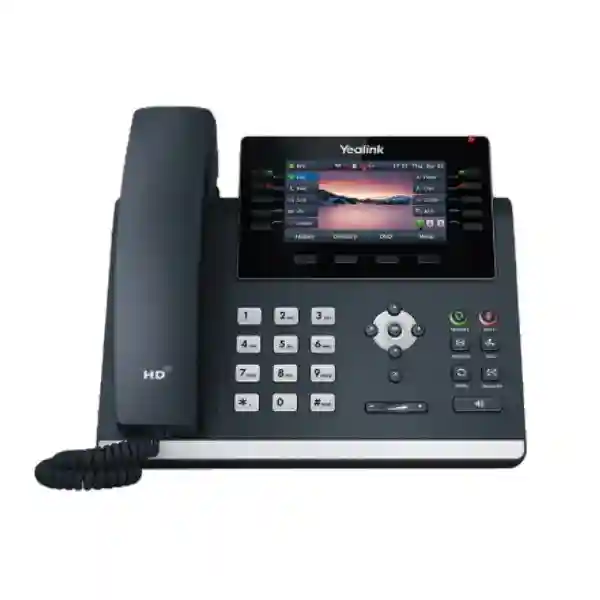
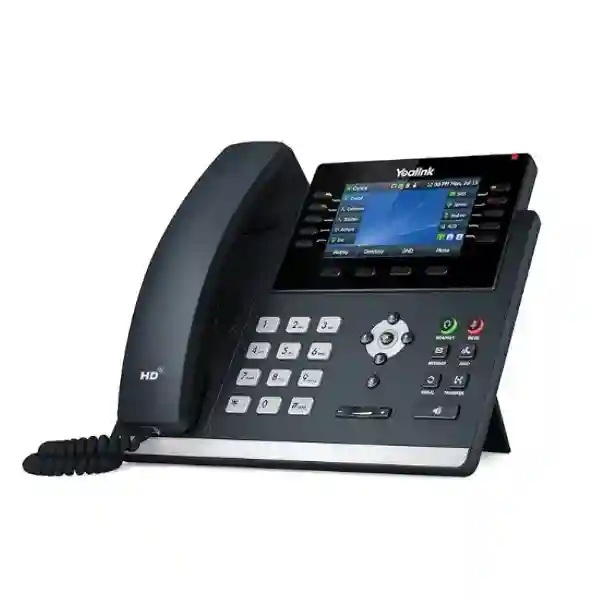
Yealink SIP-T46U Professional SIP IP Phone for Enterprise Communications
The Yealink SIP-T46U is a colour-screen business IP phone built for professionals who spend a substantial part of the working day handling calls, supervising extensions, coordinating teams or managing customer and supplier communication. It combines a 4.3-inch 480 × 272 display, support for up to 16 SIP accounts, dual-port Gigabit Ethernet, IEEE 802.3af Power over Ethernet, two USB 2.0 ports and a broad set of call-management functions in a desktop format suitable for executive offices, reception desks, administrative teams and operational departments. Rather than treating the desk phone as an isolated endpoint, the T46U is designed to participate in a managed SIP environment where provisioning, VLAN policy, encrypted signalling, voice quality and accessory compatibility can be planned centrally.
For procurement teams in Uganda, the important question is not simply whether the handset can place and receive calls. A business deployment must consider the PBX or hosted voice platform, network switching, PoE budget, VLAN design, headset requirements, wireless connectivity, expansion-key needs, firmware governance and support process. The T46U addresses these requirements with standards-based SIP operation, Gigabit Ethernet pass-through, configurable network security, automatic provisioning options and flexible USB expansion. Its physical line keys and programmable DSS pages provide direct visual control without forcing users to navigate deeply through menus during busy call periods.
FourTeck can support organisations that are replacing ageing desk phones, expanding an IP telephony estate, opening a branch, standardising executive endpoints or preparing a larger unified communications rollout. Before quotation, buyers should confirm the required quantity, target call platform, PoE availability, desired headsets, optional Wi-Fi or Bluetooth adapters, expansion modules and delivery location. This reduces accessory omissions and helps produce a bill of materials aligned with the intended deployment.
Instant Specifications & Procurement Fact Rail
Yealink SIP-T46U
Professional and executive SIP desktop
Dual-port Gigabit Ethernet
IEEE 802.3af PoE Class 3; optional 5 V/2 A adapter
Up to 16 VoIP accounts
Project quotation on request
The fact rail gives procurement staff a fast baseline for technical qualification. The T46U is best evaluated as part of the complete voice environment rather than solely by handset count. A PoE-enabled access switch can supply power and data over the same Ethernet run, while the second Gigabit port can provide a network path for a nearby workstation where policy permits. Organisations without PoE should account for the optional external adapter and local socket availability. Wireless operation is accessory-dependent rather than built in: supported Yealink USB adapters can add Wi-Fi or Bluetooth capability. The two USB ports are particularly useful where a deployment combines a headset with another supported peripheral. Warranty terms, stock position and lead time should be confirmed on the project quotation because these can vary by supply batch and procurement route.
Operational Product Architecture & Overview
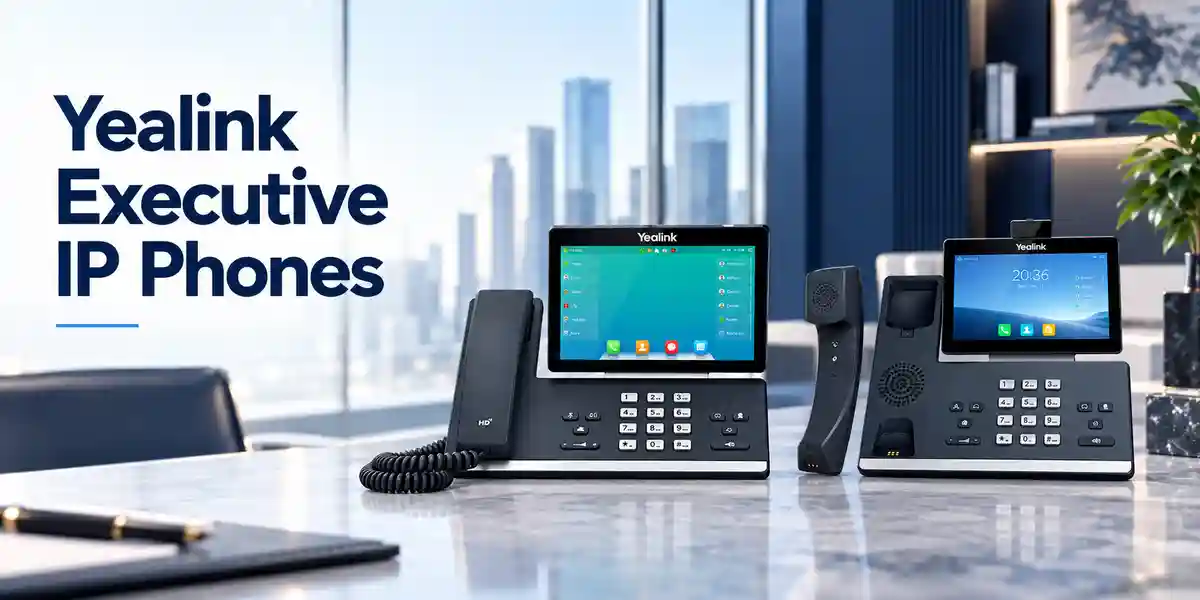
At the endpoint level, the SIP-T46U combines voice processing, a colour user interface, Ethernet switching, USB expansion and SIP signalling in a single desktop device. Its architecture is intended for managed business telephony rather than consumer calling. The handset and full-duplex speakerphone support HD voice functions, while Acoustic Shield and Smart Noise Filtering are intended to reduce distracting environmental sound. Codec support includes G.722 for wideband calling alongside commonly deployed narrowband codecs. Actual end-to-end audio quality still depends on the call platform, negotiated codec, network condition, remote endpoint and any carrier interconnection.
The network side uses two Gigabit Ethernet ports. In a conventional office topology, one port connects toward the access switch and the second can connect to a workstation. This arrangement can reduce separate wall-port requirements, although network administrators should validate VLAN, security and throughput policies before adopting pass-through at scale. The phone supports 802.1p/Q tagging and Layer 3 DSCP mechanisms, enabling voice traffic to be classified within an appropriately configured network. LLDP, CDP and DHCP VLAN mechanisms provide several approaches to endpoint placement. Static and DHCP addressing are supported, as are IPv6 environments.
Security controls matter because an IP phone is a networked endpoint with configuration data, credentials and signalling relationships. The T46U supports SRTP for media, TLS 1.3, HTTPS management, certificate handling, AES256 configuration-file encryption, several digest authentication algorithms, IEEE 802.1X, OpenVPN, L2TP VPN and secure boot. These capabilities provide building blocks for a hardened deployment, but they are not substitutes for correct administration. Organisations should establish approved firmware versions, restrict management access, protect provisioning services, segment voice traffic where appropriate and retire default or unused services.
For call handling, the phone supports up to 16 VoIP accounts and provides ten physical line keys that can be programmed across pages for as many as 27 paperless DSS assignments. Users can work with familiar functions such as hold, mute, transfer, forwarding, waiting, DND, redial, call park and pickup, voicemail and conference features. The exact behaviour of advanced PBX features can depend on the SIP platform and provisioning template, so a pilot with the intended call server is prudent for large rollouts.
USB expansion is one of the model’s strongest practical differentiators. Two USB 2.0 ports can support combinations of compatible wireless adapters, headsets and recording functions. This allows organisations to start with a conventional wired desk deployment and add accessories to selected roles without replacing the base handset. For receptionists, assistants or supervisors requiring a larger visual field of extensions, compatible EXP43 colour-screen expansion modules can add programmable keys. Up to three modules can be attached, providing a substantially larger control surface for busy desks.
Enterprise Business Outcomes & Value Analysis
Key Hardware & Software Highlights
The 4.3-inch backlit colour display is large enough to present caller information, line state, menus and programmable functions without requiring a touchscreen workflow. Ten illuminated line keys support rapid visual interaction, while feature keys provide dedicated access to message, headset, hold, mute, transfer, redial and speakerphone functions. Four context-sensitive soft keys and navigation controls support menu-driven administration. The handset is hearing-aid compatible, and the physical stand supports two viewing angles; wall mounting is possible with the appropriate bracket.
Two USB ports distinguish the model from simpler desk phones. A buyer can plan combinations such as a compatible USB headset plus Wi-Fi adapter, or a Bluetooth adapter plus another supported USB function. Accessory compatibility should be validated against the current Yealink support matrix and the firmware version intended for deployment. The two RJ9 connections serve the handset and compatible headset interfaces, while EHS support can assist selected wireless-headset workflows.
Software capabilities include common SIP calling functions, dial plans, XML browser functions, action URLs, visual voicemail, call recording support, RTCP-XR reporting and multiple provisioning paths. For administrators, logs and packet tracing can aid troubleshooting. For users, the practical benefit is that the endpoint can be shaped to role requirements without turning every desk into a unique configuration. Templates can establish a common baseline, with selective DSS keys, account assignments and accessories layered on for departments that need them.
Technical Specifications Ledger
| Category | Confirmed specification | Procurement relevance |
|---|---|---|
| Display | 4.3-inch, 480 × 272, backlit colour display, 16-bit colour | Clear line-state and menu visibility for frequent call handling. |
| Accounts | Up to 16 VoIP accounts | Suitable for users managing multiple extensions or identities. |
| Ethernet | Dual-port Gigabit Ethernet | Supports modern access networks and optional PC pass-through. |
| PoE | IEEE 802.3af, Class 3 | Allows central switch/UPS-backed power where available. |
| USB | 2 × USB 2.0 | Supports compatible headset, wireless adapters and recording scenarios. |
| Audio | HD handset/speaker, Acoustic Shield, Smart Noise Filtering, full-duplex speakerphone with AEC | Designed for intelligible office conversations. |
| Wideband codec | G.722; AMR-WB optional | Confirm codec path with PBX and carrier. |
| Security | SRTP, TLS 1.3, HTTPS, AES256 configuration encryption, 802.1X, secure boot | Supports enterprise endpoint hardening. |
| Power use | PoE 1.6–3.8 W; PSU 1.2–3.0 W | Useful for PoE and UPS capacity calculations. |
| Dimensions | 244 × 213 × 185 × 54 mm manufacturer format | Check desk and wall-placement requirements. |
| Operating range | -10 to +45°C; 5–90% RH non-condensing | Install in suitable indoor environments. |
| Expansion | Up to 3 compatible colour-screen expansion modules | Useful for reception, assistants and monitoring-intensive roles. |
Specification-led purchasing should distinguish between built-in capability and accessory-enabled capability. Wi-Fi and Bluetooth are available through compatible USB dongles rather than embedded radios. The external AC adapter and wall-mount bracket may be optional depending on package and region. For projects, the quote should therefore list every accessory explicitly rather than assuming it is included with the base phone.
Configuration & Sizing Worksheet
Step 1 — Estimate users and call roles. Separate ordinary knowledge workers from executives, reception staff, assistants, supervisors and high-call-volume users. Determine how many SIP identities each role needs, whether BLF visibility is important and whether any desks need expansion modules. A user who only needs one extension can still benefit from the T46U, but the model’s value is strongest where colour status information, programmable keys or accessory flexibility will be used.
Step 2 — Validate network readiness. Count available switch ports, verify Gigabit support, document the voice VLAN design and calculate PoE capacity. Although individual handset power draw is modest, a floor containing dozens or hundreds of endpoints must be included in the switch’s total PoE budget and UPS runtime model. Confirm DHCP, DNS, NTP/SNTP and provisioning reachability. Where 802.1X is required, test authentication behaviour with the organisation’s NAC environment before mass rollout.
Step 3 — Plan cabling and placement. The typical deployment uses structured Ethernet from the access switch to the phone. If a PC will connect through the phone, document that topology and ensure VLAN and authentication policies accommodate it. Check desk depth, handset reach, cable routing and wall mounting requirements. In hot or dusty locations, ensure the stated operating environment can be maintained; the T46U is an office endpoint rather than an industrial outdoor device.
Step 4 — Define accessories. Identify users needing wired USB headsets, EHS-connected wireless headsets, Bluetooth, Wi-Fi, call recording or expansion modules. Two USB ports permit useful combinations, but each accessory should be checked against the current compatibility information and target firmware. Avoid ordering generic dongles on the assumption that all USB devices are interchangeable.
Step 5 — Confirm platform and subscriptions. The handset supports SIP, but the voice service itself may require PBX user licences, hosted calling subscriptions, trunks, numbers, recording licences or contact-centre entitlements. These are separate from the physical phone unless explicitly bundled. Document the call platform and desired feature set so provisioning and commercial dependencies are clear.
Step 6 — Prepare the quote request. Include quantity, delivery city, PBX or hosted platform, PoE availability, headset model preference, Wi-Fi/Bluetooth requirements, expansion-module count, wall-mount requirement, desired staging services and target deployment date. For multi-site projects, provide quantities by site so shipment and configuration batches can be planned.
Deployment Scenarios & Industry Use Cases

Large enterprise and multi-site networks
In a multi-office environment, the T46U can form part of a standard endpoint catalogue for managers and users with heavier call-control requirements. Central provisioning can establish common account templates, security policy, VLAN parameters and feature-key layouts. Branch offices can then receive devices prepared to join the same enterprise calling architecture. Administrators should test WAN failure behaviour, local emergency calling and call-server redundancy according to the chosen platform rather than assuming handset capability alone provides site survivability.
Financial and banking institutions
Banks and financial organisations commonly place greater emphasis on segmentation, authentication, auditability and controlled firmware. The T46U offers relevant endpoint capabilities including TLS 1.3, SRTP, HTTPS, certificate management, encrypted configuration files and 802.1X. Deployment teams should combine these with restricted provisioning access, approved firmware, switch controls and documented replacement procedures. For customer-facing desks, programmable keys can speed transfers to departments while headsets can support longer conversations.
Education and campus networks
Universities, schools and training institutions may need phones across administration, admissions, finance, faculty offices, libraries and security desks. The model’s PoE support can simplify installation where campus switches provide central power. Different DSS templates can be assigned by department without changing the handset model. Campus IT teams should account for switch PoE budgets building by building and should define how phones are discovered, provisioned and supported during semester changes or office moves.
Government and regulated procurement
Government projects often require precise bill-of-materials control, documented specifications, serial tracking, staged delivery and compatibility validation. The T46U’s standards-based network and SIP features make it suitable for evaluation within such environments, subject to the agency’s platform and security requirements. Procurement documents should state required firmware, accessory list, warranty route, power method and acceptance test. Where local policies impose specific cryptographic, hosting or supply-chain conditions, these should be validated before purchase.
Technical Deep Dive: Processing, Audio & Endpoint Architecture
A business desk phone continuously coordinates signalling, media, user-interface events and network functions. During a call, SIP signalling establishes and manages the session while RTP-family media carries voice. The endpoint negotiates a codec supported by the wider call path. G.722 can provide wideband voice where both sides and intermediate services permit it; narrower codecs remain important for interoperability. Echo cancellation, packet-loss handling, adaptive jitter buffering, gain control and related audio mechanisms work together to keep conversations usable under normal enterprise conditions.
The dual Gigabit interface also means the handset can participate in a converged desk topology without forcing the connected workstation through a Fast Ethernet bottleneck. This does not remove the need for network engineering. Voice is sensitive to latency, jitter and packet loss, so switch configuration, QoS trust boundaries, WAN design and congestion management matter. The phone provides classification and VLAN capabilities that administrators can integrate into those policies. For high-volume deployments, configuration consistency is more important than manual tuning of individual phones.
Technical Deep Dive: Firmware Security & Operational Control
Firmware governance should be treated as an ongoing operational process. The T46U supports dual firmware images and multiple provisioning methods, helping administrators manage updates and recover from problematic changes. Secure boot helps protect the device startup chain, while encrypted configuration files can reduce exposure of stored deployment information. TLS and SRTP can protect signalling and media when the call platform is configured to use them. Certificate lifecycle, trust stores, authentication and provisioning credentials should be documented alongside the PBX design.
For troubleshooting, system logs and packet tracing can help engineers isolate registration failures, DNS issues, provisioning errors and call-quality problems. Access to these diagnostic functions should be controlled because traces and logs may contain operational details. A disciplined estate uses standard templates, change records, tested firmware and a small number of approved accessory combinations. This approach reduces desk-by-desk variation and makes replacement faster.
Technical Deep Dive: Availability, Redundancy & Recovery
The handset supports call-server redundancy, but business continuity depends on the entire service chain. A resilient design may include redundant call servers or hosted service nodes, redundant switching, protected power, diverse WAN connectivity and documented failover behaviour. PoE is useful because phones can remain powered from centrally protected switches during a local mains interruption, provided the switch and upstream network are on suitable UPS or generator infrastructure.
Replacement planning is equally important. Organisations should maintain a small pool of compatible spare handsets for critical sites, preserve configuration templates centrally and record any role-specific accessories. A failed unit can then be swapped, provisioned and returned to service without reconstructing settings manually. Disaster-recovery exercises should include telephony endpoints, not just servers, particularly where reception, security, operations or emergency coordination relies on fixed phones.
Pre-Purchase Buyer Gap Checklist
Are there hidden recurring handset licences? The physical phone itself is an endpoint, but the PBX, hosted calling service, SIP trunk, recording platform or contact-centre service may impose separate subscriptions. Ask the voice-platform provider for the full per-user and feature licensing model. Is Wi-Fi built in? No; wireless LAN capability is added using a compatible Yealink USB Wi-Fi adapter. Is Bluetooth built in? Bluetooth similarly depends on a supported USB adapter. Include these in the bill of materials when required.
Is the power adapter included? Manufacturer documentation identifies the external adapter as optional, so project buyers should not assume it is supplied. In PoE deployments it may not be needed. Can the phone power from any PoE switch? It supports IEEE 802.3af Class 3; verify that the access switch supplies compatible PoE and has enough aggregate budget. Will every SIP platform support every feature? Basic SIP interoperability is broad, but advanced features, provisioning and key behaviour can vary. Test the exact PBX or hosted service.
Can it handle reception duties? The built-in programmable keys can cover moderate monitoring requirements, and compatible EXP43 modules can expand the visible control surface. Very complex reception workflows should be tested with the intended PBX and attendant process. Will a PC connected through the phone still have Gigabit connectivity? The phone provides dual Gigabit Ethernet ports, but actual workstation performance also depends on cabling, switch configuration and policy.
What about lifecycle and firmware? Before a large purchase, confirm the current manufacturer lifecycle status, approved firmware branch and planned support policy for the organisation. Keep a standard firmware baseline rather than allowing uncontrolled version drift. Does it fit the desk? The published physical dimensions should be checked against desk furniture, monitor stands and cable channels, particularly where an expansion module is added. What happens during power failure? A PoE phone remains operational only if the PoE switch, network path and call platform remain powered and reachable. Include voice endpoints in UPS and continuity planning.
Uganda Procurement & Delivery Logistics
FourTeck can prepare project quotations for Uganda organisations based on quantity, deployment location and accessory requirements. A useful request identifies the exact model, quantity, intended PBX or hosted calling platform, whether PoE is available, and any headset, Wi-Fi, Bluetooth, expansion-module or wall-mount requirements. This allows the commercial and technical scope to be aligned before purchase rather than corrected during installation.
For larger rollouts, orders can be structured by site or deployment phase. Pre-shipment activities may include bill-of-materials review, firmware alignment and configuration preparation where agreed in the project scope. Delivery timing depends on stock position, import route, order size and destination, so the issued quotation should be treated as the authoritative source for lead time and warranty terms. Organisations with a fixed migration date should provide the target date early enough to accommodate staging and acceptance checks.
Kampala projects may involve headquarters, branches, call-handling teams and professional offices, while Entebbe deployments can include hospitality, aviation-related offices and branch operations. Jinja, Mbarara and Gulu organisations can use the same structured quotation process, with shipment planning based on final destination and quantity. For distributed estates, consolidating model and accessory requirements into one bill of materials can improve consistency across sites.
Local Coverage Matrix
Enterprise offices, financial services, professional firms, retail headquarters and multi-branch administration.
Corporate offices, hospitality operations and organisations requiring managed SIP endpoints.
Industrial, education, commercial and branch-office communication deployments.
Regional offices, healthcare administration, education and growing business networks.
Institutional, NGO, government, education and regional enterprise requirements.
Cross-Border & Regional Supply Chains
Projects spanning more than one country benefit from a consistent endpoint specification and site-by-site quantity schedule. FourTeck maintains regional web properties for Uganda, Kenya, the broader African market, the UAE and Kuwait. Multi-country buyers should identify destination, quantity and required accessories for each site because commercial terms, freight, warranty routing and lead times can differ by market.
A common technical baseline can still be maintained across regions: same phone model, approved firmware, standard DSS templates, documented network requirements and controlled accessory combinations. This makes support easier for central IT teams while allowing logistics to be handled according to the destination country.
Related Products & Deployment Components
A complete voice endpoint project often includes more than the handset. Buyers comparing the T46U may also consider the Yealink SIP-T43U where fewer line keys or a simpler display are sufficient, or the SIP-T48U where a larger touchscreen interface is preferred. Reception and executive-assistant desks can be paired with the compatible EXP43 expansion module. Users who spend long periods on calls may benefit from approved Yealink wired or wireless headsets. Wi-Fi and Bluetooth requirements should be met with compatible Yealink USB adapters selected for the firmware and deployment.
Explore FourTeck Uganda enterprise communications or contact the team for current related-model and accessory links. For PoE deployments, include access-switch capacity in the same project review. For non-PoE desks, specify the appropriate power adapters. A coordinated bill of materials helps avoid a common installation problem: phones arriving before the power, headset, mounting or network components needed to make them operational.
FourTeck Technical Service Capabilities
FourTeck project support can begin with engineering validation of the proposed endpoint against the stated deployment. This includes checking the phone model, quantities, accessory dependencies and network assumptions. Bill-of-materials verification is especially valuable where a project mixes PoE and non-PoE desks, wireless adapters, headsets and expansion modules, because each dependency should be visible before ordering.
Where included in the agreed scope, staging can align devices with a selected firmware baseline and prepare configuration parameters for deployment. Pre-shipment firmware updates can reduce work at the destination and help keep a batch consistent. Configuration services should be based on customer-supplied platform information and approved settings; sensitive credentials should be handled through appropriate secure processes.
Post-sales support can assist with hardware-level troubleshooting, configuration review and warranty-routing questions according to the purchased support arrangement. For larger estates, customers should maintain their own documented network diagrams, PBX configuration backups and endpoint templates so that support can begin from a known baseline. This combination of supplier validation and customer operational documentation reduces recovery time when a handset, switch port or service configuration changes.
Extended Technical FAQ
Does the Yealink SIP-T46U support Power over Ethernet?
Yes. The T46U supports IEEE 802.3af PoE Class 3. In a suitable network, the Ethernet cable can therefore provide both connectivity and power from a compatible PoE access switch. This can simplify desk installation and allows central UPS protection if the switch and upstream infrastructure are protected. Buyers should still calculate aggregate PoE demand for the complete switch rather than considering one phone in isolation. If PoE is not available, Yealink specifies an optional external AC adapter with 100–240 V input and 5 V/2 A output. Confirm adapter inclusion on the quotation.
How many SIP accounts can the T46U register?
The phone supports up to 16 VoIP accounts. This is useful for executives, shared administrative roles or users who need several identities on one endpoint. Account capacity should not be confused with PBX licensing: the call platform may require a user, device, extension or feature licence for each relevant service. The practical number of accounts used on a desk should be driven by workflow rather than the maximum specification. For a large rollout, define account assignments in the provisioning template so that configuration remains consistent and recoverable.
Are Wi-Fi and Bluetooth built into the phone?
They are accessory-enabled rather than built in. The T46U’s dual USB ports can accept supported Yealink Wi-Fi and Bluetooth adapters, giving buyers flexibility to add wireless capability only where required. This distinction matters for budgeting because the adapter must be included separately in the bill of materials. Compatibility can depend on adapter model and firmware, so validate the current supported combination before ordering a large quantity. Wired Gigabit Ethernet remains the standard connection method and is generally preferred for fixed enterprise desks where structured cabling is available.
Can the T46U be used with a headset?
Yes. The phone provides a headset port, USB connectivity and EHS support for compatible headset scenarios. The best connection method depends on the selected headset and user workflow. A contact-heavy user may prefer a wireless headset for mobility, while an ordinary desk user may use a wired model. Buyers should avoid assuming universal headset compatibility. Specify the exact headset model or ask for a validated pairing, particularly where remote answer, call control or firmware-managed features are required. Testing a representative headset with the intended phone firmware is advisable before estate-wide deployment.
What security features are available?
The T46U includes several controls relevant to enterprise deployment, including TLS 1.3, SRTP, HTTPS, certificate management, AES256 configuration-file encryption, multiple digest authentication algorithms, IEEE 802.1X, VPN options and secure boot. These features provide useful mechanisms, but secure operation depends on how they are configured with the PBX, provisioning system and network. Organisations should use approved firmware, restrict administrative access, protect provisioning credentials, disable unnecessary services and manage certificates deliberately. Security requirements should be validated during pilot deployment rather than assumed from the presence of individual protocols.
Can it work with an existing SIP PBX?
The phone supports SIP v1 and SIP v2 and is designed for broad SIP deployment, but exact compatibility depends on the target PBX or hosted platform. Registration and basic calling may work while advanced features such as BLF, call recording, directory integration, special key templates or automatic provisioning require platform-specific configuration. Before a large purchase, identify the exact PBX version, firmware branch and required user features. A pilot using representative accounts is the most reliable way to validate behaviour, especially when replacing another vendor’s phones or integrating with a customised on-premises system.
How does the T46U support receptionists and assistants?
The handset provides ten line keys and supports programmable paperless DSS functions across pages, allowing as many as 27 DSS assignments. For roles that need visibility of many more extensions, compatible colour-screen expansion modules can be added, with support for up to three modules. This makes the platform adaptable for reception, executive-assistant and supervisory desks. The actual BLF, transfer and attendant workflow depends on the PBX, so configure a representative desk during the pilot. Consider headset ergonomics and desk space as well as key count when designing a reception position.
What should be checked before ordering hundreds of units?
Start with a controlled pilot. Validate the PBX or hosted service, firmware, provisioning method, VLAN behaviour, PoE capacity, 802.1X requirements, codecs, headsets, wireless adapters and expansion modules. Confirm the package contents and whether optional adapters or wall mounts are needed. Then document a standard configuration and acceptance test. For each site, count switch ports and PoE budget, verify UPS coverage and map delivery quantities. Finally, obtain written quotation terms covering model, quantity, accessories, warranty route and lead time. This process is more reliable than treating the handset purchase as a simple unit-price exercise.
How should warranty and replacement be planned?
Warranty conditions can vary by supply route and project, so buyers should use the FourTeck quotation or order documentation as the authoritative commercial reference. For business-critical deployments, keep a reasonable pool of compatible spare phones rather than waiting for a warranty process before restoring a desk. Central provisioning makes replacement easier because the configuration can be reapplied to a spare unit. Record serial numbers and site assignments where asset management requires them. If a fault occurs, preserve relevant logs and note the firmware version, network port and symptoms to speed technical assessment.
Can FourTeck assist with configuration and rollout planning?
Project support can include model and accessory validation, bill-of-materials review, firmware alignment and configuration preparation where included in the agreed scope. The customer should provide the intended PBX or hosted platform, account/provisioning approach, network parameters and security requirements. For larger deployments, a staged approach is recommended: pilot, acceptance, template freeze, batch staging and site rollout. This makes issues visible before they are repeated across many desks. Contact FourTeck with quantities and deployment details so the quotation can reflect both hardware and any requested technical services.
Prepare Your Yealink SIP-T46U Procurement Request
For a useful quotation, provide the number of T46U phones required, delivery location, target PBX or hosted voice platform, PoE availability and any headset, Wi-Fi, Bluetooth, expansion-module or wall-mount requirements. For multi-site deployments, separate quantities by location and state the desired rollout schedule. FourTeck can use this information to align the handset, accessories and technical scope before order processing. A complete request reduces delays caused by missing power adapters, incompatible peripherals or unclear platform requirements and gives both procurement and IT teams a clearer basis for approval.



Reviews
There are no reviews yet.