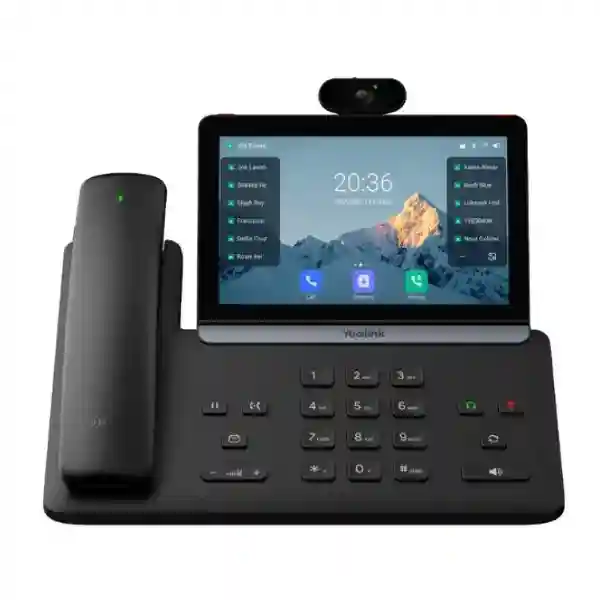
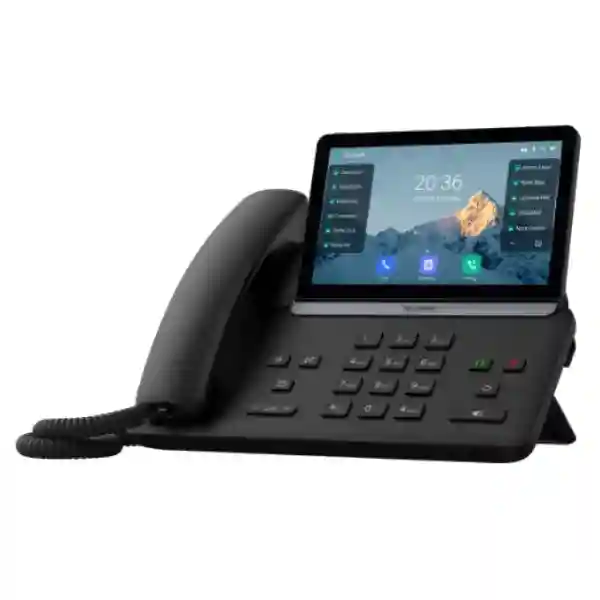
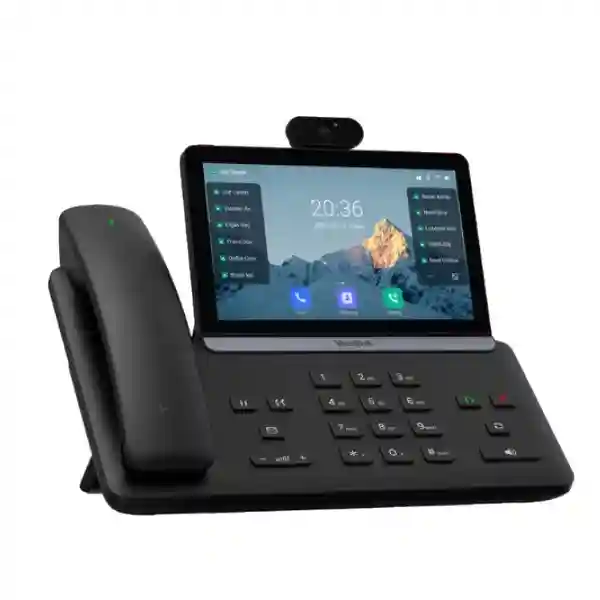
Yealink SIP-T88 Smart Business Phone for Enterprise Voice Communications
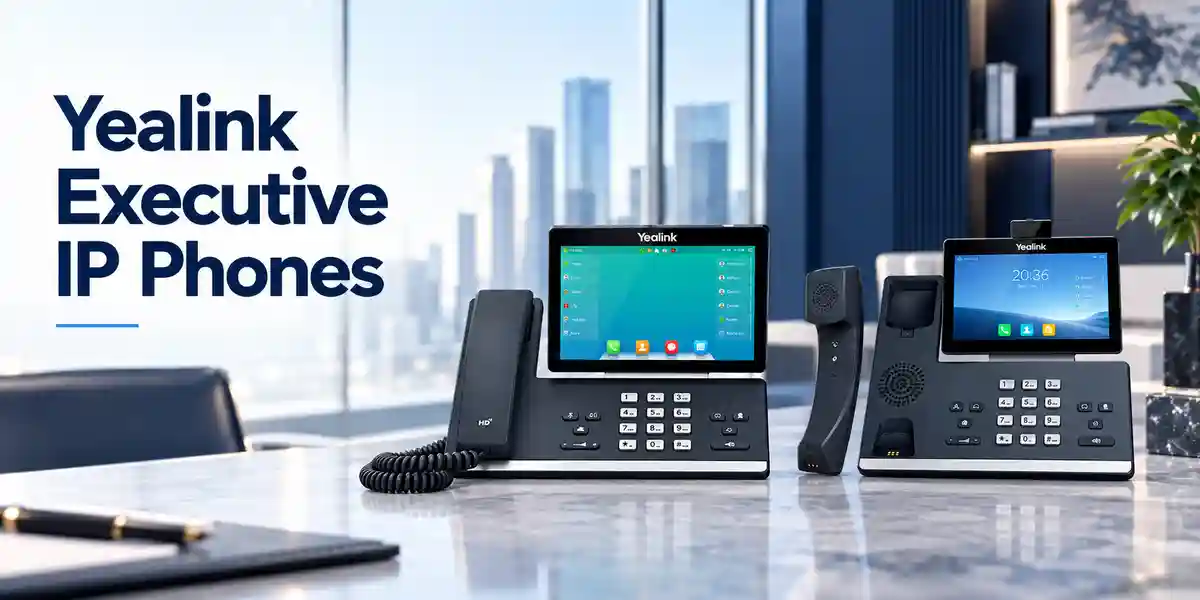
The Yealink SIP-T88 Smart Business Phone is designed for organizations that want the familiarity of a professional desk telephone combined with the visual control, connectivity and administration expected from a modern IP endpoint. In practical terms, it sits on a user’s desk, registers to a compatible SIP service or IP-PBX, and provides a dedicated interface for business calling, contacts, call transfer, conferencing, voicemail and programmable line functions. The current Yealink T88 family is positioned for business professionals and uses a large 7-inch adjustable capacitive touch display. Current T88W documentation identifies Android 13, 16 VoIP accounts, dual-port Gigabit Ethernet, IEEE 802.3af PoE, Bluetooth 5.0, dual-band Wi-Fi and support for as many as three EXP55 expansion modules. Because exact capabilities can vary by T88 variant, procurement should confirm the ordered suffix and bill of materials before purchase.
For Uganda projects, the phone is especially relevant where organizations are replacing legacy analog extensions, refreshing older SIP endpoints, standardizing executive desks, expanding reception capacity or introducing centralized provisioning across multiple offices. A successful deployment is not simply a matter of choosing a premium handset. Buyers need to confirm SIP platform interoperability, network VLAN design, PoE budget, switch port availability, headset compatibility, user profile requirements, provisioning methods and the desired support model. FourTeck can help turn those requirements into a clear bill of materials so the delivered endpoint is appropriate for the intended environment.
The value of a smart desk phone is strongest when it reduces friction during everyday calling. A large touch display can simplify directory access and feature navigation; programmable DSS functions can expose frequently used extensions and actions; HD audio and noise-management technologies can improve intelligibility in active offices; and integrated wired and wireless interfaces give IT teams more deployment options. Security is equally important. Current T88W specifications include TLS 1.3, SRTP, secure boot, AES-256 configuration-file encryption, 802.1X and WPA2/WPA3 capabilities, helping administrators build the endpoint into a broader enterprise security policy rather than treating it as an isolated appliance.
Instant Specifications & Procurement Fact Rail
Yealink SIP-T88 smart business phone / T88 series
Professional, executive, reception and enterprise desk calling
7-inch 1024 × 600 adjustable capacitive touch screen on current T88 variants
Gigabit Ethernet and PoE on documented T88W configuration
Bluetooth 5.0 and dual-band Wi-Fi on documented T88W configuration
Project quotation; confirm quantity, variant and accessories
Procurement teams should treat this fact rail as a fast planning reference rather than a substitute for the final quotation. Yealink markets several T88 variants, and features such as the Bluetooth handset bundle may differ. The current T88W documentation lists the BTH88 Bluetooth handset as optional, while Pro variants may be bundled differently. Power adapters can also be optional where PoE is the planned source. Before purchase, confirm whether the site provides 802.3af PoE, whether users require wired or wireless headsets, and whether reception or attendant positions need EXP55 expansion modules. Warranty handling and service terms should be confirmed on the issued FourTeck quotation because project, channel and regional terms can vary.
Operational Product Architecture & Overview
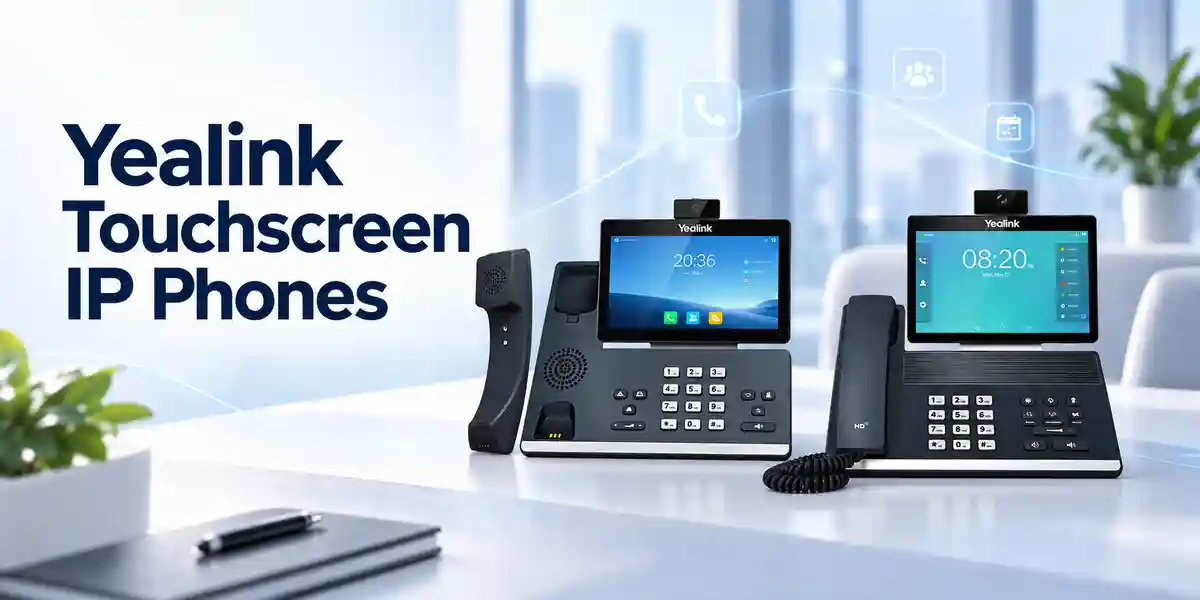
The SIP-T88 concept is built around a simple architectural objective: give the user a dedicated voice endpoint that can participate cleanly in an IP network while remaining easy to operate throughout a busy workday. At the physical layer, the documented T88W provides two Gigabit Ethernet interfaces. This allows a common desktop topology in which the wall or floor network point connects to the phone and the phone’s secondary Ethernet port can connect a workstation. That topology can reduce the number of access-switch ports required at a desk, but network engineers should still validate VLAN policy, QoS, endpoint authentication and downstream workstation security. The phone supports 802.1p/Q VLAN tagging and Layer 3 DSCP controls, giving network teams mechanisms to separate and prioritize voice traffic where the switching and routing infrastructure is configured accordingly.
At the signaling layer, the phone is a SIP endpoint. The documented platform supports SIP v1 and v2, IPv4 and IPv6, DNS-SRV, UDP/TCP transports, redundant servers and direct IP calling. In normal enterprise deployment, the endpoint registers to an IP-PBX, hosted voice service or SIP platform, where extensions, call routing and organizational policy are managed. This distinction matters during procurement: buying the desk phone does not itself provide a telephone service. Buyers need an existing or planned SIP environment, suitable credentials or provisioning, and any platform-side licenses required by the selected PBX or cloud service.
The user interface layer is where the T88 platform differentiates itself from simpler key-and-LCD desk phones. The 7-inch 1024 × 600 capacitive touch screen creates space for directories, call controls, status information and configurable functions. The documented T88W supports 84 one-touch DSS keys through its interface and seven dedicated feature keys for common operations such as hold, transfer, message, headset, mute, redial and speakerphone. This combination is useful for staff who handle multiple lines or frequently interact with internal extensions. Receptionists and assistants with larger monitoring requirements can add compatible EXP55 color-screen expansion modules, with support documented for up to three modules.
Audio architecture is another core consideration. Current documentation identifies HD handset and speaker audio, full-duplex hands-free operation with acoustic echo cancellation, Acoustic Shield, Smart Noise Filtering and wideband codec support. These technologies do not remove the need for good network design: packet loss, jitter, WAN congestion and incorrect QoS can still degrade calls. They do, however, give the endpoint a strong acoustic foundation. For open offices, call centers and shared spaces, buyers should also evaluate a compatible headset so users can maintain privacy and consistent microphone positioning.
Wireless connectivity expands placement and accessory options. The documented T88W integrates Bluetooth 5.0 for supported Bluetooth handsets, headsets and mobile-device pairing, plus dual-band 2.4 GHz and 5 GHz Wi-Fi supporting modern wireless standards. Wi-Fi can be useful where cabling is constrained, but wired Ethernet with PoE is usually simpler to power, segment and troubleshoot in a permanent enterprise desk deployment. The right choice depends on site infrastructure, business-continuity expectations and wireless design.
Enterprise Business Outcomes & Value Analysis
Gigabit Ethernet, QoS controls, HD voice and modern audio processing help create a strong endpoint foundation. In a correctly engineered LAN, voice VLANs and DSCP policies can protect latency-sensitive traffic from competing desktop workloads. The endpoint’s full-duplex speakerphone and echo cancellation support natural conversation during hands-free calls.
PoE can centralize endpoint power at the access switch, allowing phones to remain powered from a UPS-backed switching environment. Redundant SIP server support can complement a resilient call-control design. Actual availability still depends on PBX, LAN, WAN, DNS, power and carrier architecture.
Multiple VoIP accounts, programmable DSS functions and optional expansion modules allow one endpoint family to cover different professional roles. Standardizing on a common family can simplify training, spares and provisioning across branches while still allowing role-specific accessories.
TLS 1.3, SRTP, secure boot, configuration encryption, 802.1X and modern wireless security provide useful building blocks for protected signaling, media and endpoint access. Security outcomes depend on enabling these functions consistently on the phone, PBX and network.
Web, phone and automatic configuration methods, plus HTTP/HTTPS and other provisioning mechanisms, help IT teams move away from manual per-desk setup. Central templates can reduce deployment time and improve configuration consistency across a larger estate.
PoE reduces dependence on individual power adapters, Gigabit pass-through can support a phone-plus-PC desk topology, and centralized provisioning can lower repetitive support effort. Buyers should include PBX licensing, accessories, switching capacity, support and replacement stock when calculating total ownership cost.
The strongest business case is therefore not based on one headline specification. It comes from combining a capable user interface with repeatable deployment. A premium phone that is manually configured, connected to an unmanaged network and supplied without a lifecycle plan can create unnecessary support overhead. Conversely, a standardized endpoint with templates, documented VLANs, defined headset models and clear replacement procedures can become a predictable component of the communications environment. Procurement and IT teams should agree on those operational standards before a large order is placed.
Key Hardware & Software Highlights
The 7-inch capacitive touch display is the primary interaction surface and is particularly useful where users need more visual context than a conventional small LCD can provide. The adjustable screen supports ergonomic positioning on different desks. Dual Gigabit Ethernet interfaces suit modern office networks and avoid forcing the attached workstation down to Fast Ethernet speeds. IEEE 802.3af PoE Class 3 support on the documented T88W enables centralized powering through a compatible switch or injector, while an optional AC adapter can support sites without PoE.
Two USB 2.0 connections, Type-A and Type-C on the documented configuration, support a range of peripherals and media use cases. Compatible USB headsets can provide a controlled audio experience for frequent callers, while EXP55 modules can extend visible line and function capacity. Bluetooth 5.0 supports wireless accessory integration, including the optional BTH88 handset on T88W, and integrated Wi-Fi gives network flexibility where Ethernet is unavailable or intentionally avoided.
Software functions include core enterprise calling such as hold, forward, waiting, transfer, redial, auto answer, call park, pickup, voicemail indication, paging and intercom where supported by the call platform. The endpoint can participate in conferencing and supports directory and application functions. Administrators should verify each desired feature against the intended PBX because SIP interoperability is broad but advanced features can depend on vendor-specific implementation and provisioning.
Security architecture deserves equal weight. Trusted Execution Environment technology, secure boot, encrypted configuration files, certificate management, SRTP media protection and TLS signaling support help protect the device and communications path. Enterprises using NAC can evaluate 802.1X, while Wi-Fi deployments can use WPA2/WPA3. OpenVPN and L2TP VPN support can be relevant in remote-office designs, although centralized network VPN architectures may be preferable depending on policy.
Technical Specifications Ledger
| Area | Documented T88W capability | Procurement significance |
|---|---|---|
| Display | 7-inch, 1024 × 600 capacitive adjustable touch screen; five-point multi-touch | Large visual interface for call control, directories and programmable functions. |
| Operating platform | Android 13; Yealink SDK and third-party Android application support | Useful where approved applications or integrated workflows are part of the endpoint design. |
| Accounts | 16 VoIP accounts | Supports multi-line and multi-account professional roles, subject to PBX provisioning. |
| Ethernet | Dual-port Gigabit Ethernet | Supports phone plus workstation topology without a 100 Mbps desktop bottleneck. |
| PoE | IEEE 802.3af Class 3 | Enables centralized power when connected to a suitable PoE access switch. |
| Wi-Fi | Dual-band 2.4/5 GHz; 802.11a/b/g/n/ac/ax | Flexible network attachment where structured cabling is impractical. |
| Bluetooth | Bluetooth 5.0 | Supports compatible headsets, BTH88 handset and mobile pairing scenarios. |
| USB | 2 × USB 2.0, Type-A and Type-C | Peripheral flexibility for headsets, storage and supported expansion use. |
| Expansion | Up to three EXP55 color-screen modules | Useful for reception, assistant and high-line-count positions. |
| Audio | HD handset/speaker, Acoustic Shield, Smart Noise Filtering, full-duplex speakerphone with AEC | Designed for intelligible professional calls in normal office environments. |
| Security | TEE, secure boot, TLS 1.3, SRTP, AES-256 configuration encryption, 802.1X, WPA2/WPA3 | Provides controls for endpoint, network, signaling and media protection. |
| Dimensions | 263.7 × 188.8 × 239.9 × 38.9 mm, manufacturer format W × D × H × T | Confirm desk depth, stand position and cable clearance. |
| Operating temperature | -10°C to 45°C | Install in conditioned office environments and avoid excessive heat exposure. |
| Humidity | 5% to 90% | Relevant for storage and deployment planning in varied regional conditions. |
| Power consumption | PoE approximately 2.79–5.37 W; PSU approximately 2.06–4.45 W | Useful for PoE switch budgeting and UPS capacity estimates. |
Specifications above reflect the manufacturer’s current published T88W documentation and should be matched to the exact quoted T88 model. When a project uses a Pro or video-enabled variant, request a variant-specific bill of materials and datasheet. The reason is practical: handset bundles, camera capabilities and included accessories may change between variants even when the industrial design and core platform are similar. For procurement records, retain the final quotation, manufacturer part number and approved configuration together.
Interactive Configuration & Sizing Worksheet
Step 1 — Count users by role. Separate standard professionals, executives, receptionists, assistants, shared desks and specialist users. Do not assume every employee needs the same accessory package. A receptionist may benefit from one or more EXP55 modules and a professional headset, while an executive may prioritize a wireless handset or Bluetooth headset. Shared desks may need hot-desking support and a more tightly controlled sign-in process.
Step 2 — Map the voice platform. Record the IP-PBX or hosted SIP service, software release, required codecs, extension count and advanced features. Identify whether the platform requires per-user or per-device licensing. The SIP-T88 is an endpoint, so licenses charged by a PBX vendor, carrier or hosted provider are separate from the hardware unless explicitly included in a quotation.
Step 3 — Validate network capacity. Count available switch ports and PoE ports in each wiring closet. Confirm voice VLAN configuration, DHCP options if used, DNS, NTP, routing, firewall policy and QoS. Multiply the number of planned phones by a conservative PoE budget rather than relying only on average consumption. Include expansion modules and USB peripherals in the validation because accessories can influence power requirements.
Step 4 — Decide wired versus wireless. Ethernet with PoE is often the preferred fixed-desk architecture because one cable carries network and power. Wi-Fi is valuable for sites without cabling or for special layouts, but requires strong RF coverage, appropriate SSIDs, authentication and roaming behavior. Do not use Wi-Fi merely to avoid correcting an under-designed wired network where high availability is required.
Step 5 — Check desk and wall placement. Confirm desk depth, cable routing and screen visibility. The phone is wall mountable, but wall installations require appropriate mounting arrangements and cable planning. For reception counters, verify that the display angle is comfortable and that expansion modules do not obstruct work surfaces.
Step 6 — Define accessories. List headsets, BTH88 wireless handsets where required, EXP55 modules, power adapters for non-PoE locations and any security locks. Headset selection should be validated against Yealink compatibility guidance and the intended connection type. If users frequently move during calls, compare a supported wireless headset with the optional Bluetooth handset based on workflow.
Step 7 — Prepare the quote request. Provide quantity, city, organization type, PBX or hosted platform, PoE status, desired accessories, delivery deadline and whether staging is required. For multi-site deployments, include quantities per location. This lets FourTeck prepare a more accurate hardware and services proposal and reduces the risk of receiving phones without the adapters, modules or configuration services the project actually needs.
Deployment Scenarios & Industry Use Cases
Large enterprise and multi-site networks
In a large enterprise, T88 phones can be standardized for executives, managers and other high-interaction users while simpler endpoints serve general desks. The main design challenge is consistency. Administrators should create provisioning templates for SIP accounts, VLANs, time settings, certificates, directories, function keys and firmware. Branch offices can then receive endpoints with a predictable baseline. A central PBX or cloud service can unify numbering, but WAN resilience must be considered. If a branch loses upstream connectivity, the behavior of phones depends on the voice architecture and whether local survivability is provided.
Financial and banking institutions
Banks and financial organizations typically place greater emphasis on network access control, encrypted signaling, call recording policy, change control and auditable provisioning. The T88 platform’s 802.1X, TLS, SRTP and secure-boot capabilities can contribute to that design. Procurement should still verify the complete security chain: certificate issuance, PBX cipher support, switch authentication, administrative credentials, firmware governance and log handling. Where calls are recorded for regulatory or service reasons, confirm recording is implemented by the approved platform and follows local policy.
Educational and campus networks
Universities, colleges and large schools may deploy phones across administration blocks, faculty offices, security desks, clinics and reception points. The ability to centrally provision devices is valuable when endpoints are geographically dispersed. Campus networks should define voice VLANs and emergency calling behavior carefully, especially when extensions can be moved between buildings. Premium T88 units may be concentrated in administrative and reception roles, while a mixed Yealink estate can provide cost-appropriate endpoints elsewhere.
Government and controlled procurement
Government buyers often require a documented bill of materials, formal quotation, warranty terms, serial-number tracking and controlled configuration. Before ordering, specify the exact T88 variant and any mandatory security settings. Where internal standards prohibit wireless radios, confirm whether Wi-Fi and Bluetooth can be disabled according to policy or select an endpoint aligned with the approved architecture. For sensitive environments, the phone should be evaluated as part of the overall communications system rather than assumed suitable solely because individual security features are available.
Technical Deep Dive 1: Processing, Audio & Endpoint Architecture
A smart IP phone is effectively a specialized network computer optimized for real-time communications. The T88 platform combines a touch interface, application environment, SIP signaling stack, audio processing, Ethernet switching functions and peripheral connectivity. Its most important workload is not raw compute throughput but predictable real-time handling of voice signaling and media while keeping the interface responsive. During a call, the phone negotiates media parameters with the remote platform, encodes microphone audio, transports RTP media, receives and decodes the far-end stream, and applies acoustic processing for speaker, handset or headset use.
The documented codec set includes wideband and narrowband options. Wideband audio such as G.722 can provide more natural speech when supported end to end. Codec choice may be controlled by PBX policy, bandwidth requirements and carrier interoperability. Packet loss concealment, jitter buffering, echo cancellation and gain control help manage normal network and acoustic variations, but they cannot compensate indefinitely for a poor WAN. Network teams should measure latency, jitter and loss and prioritize remediation at the network layer.
The integrated Gigabit switch also has architectural consequences. When a workstation is connected through the phone, the endpoint becomes part of the data path. VLAN configuration must therefore be deliberate. A common model places voice traffic in a dedicated tagged VLAN while workstation traffic remains in the assigned data VLAN. LLDP, CDP or DHCP mechanisms can assist discovery depending on the network. This approach can simplify cabling while maintaining logical separation, but only when switch policies and endpoint settings agree.
Technical Deep Dive 2: Software Ecosystem, Firmware Security & Operational Control
The documented T88W uses Android 13 and supports Yealink’s SDK plus third-party Android applications. In enterprise use, application flexibility should be governed rather than treated as an invitation to install arbitrary software. Organizations should define which applications are approved, who can install them, how updates are controlled and whether the endpoint needs application access at all. A voice phone often has a longer operational life than a personal mobile device, so configuration discipline is essential.
Firmware governance should include an approved version, staged testing, a maintenance process and a rollback or recovery plan where supported. Automatic provisioning over HTTPS can reduce manual work and protect configuration delivery in transit. Configuration files may contain account identifiers, server addresses and other operational information; encryption and access control therefore matter. Secure boot and signed firmware mechanisms help establish device integrity, while TEE technology provides a protected execution foundation for sensitive operations.
Administrators should also control the management plane. Restrict web administration to authorized networks, use strong credentials, deploy certificates appropriately and disable unused services. Packet capture and system logs are valuable troubleshooting tools, but access should be limited because diagnostic data can reveal network and call details. A mature operating model defines who can change templates, who can push firmware and how emergency changes are reviewed.
Technical Deep Dive 3: High Availability, Redundancy & Disaster Recovery
The endpoint can support redundant SIP servers, but business continuity is an end-to-end property. A phone connected to a redundant PBX can still fail to make calls if the access switch loses power, DNS becomes unavailable, the WAN fails or a carrier route is interrupted. For important sites, map each dependency from handset to carrier. PoE switches should be protected by UPS systems sized for the expected runtime, and core network equipment should have appropriate redundancy.
At multi-site organizations, decide whether branches require local call survivability. Some PBX and hosted voice architectures can provide alternate registration or local gateways when the primary service is unreachable. The T88’s redundant-server capability can participate in such designs when supported by the platform. Test failover rather than assuming it works. A planned test should confirm registration behavior, inbound and outbound calling, emergency numbers, voicemail access and restoration after the primary service returns.
Disaster recovery also includes replacement hardware. Keep a small pool of approved spare phones for larger estates, pre-stage generic configuration where appropriate and document how a replacement receives the correct user profile. Central provisioning makes this process much faster than rebuilding a phone manually. Record serial numbers and site assignments if required by asset-management policy. For critical reception and security positions, consider both endpoint spares and alternative calling methods.
Pre-Purchase Buyer Gap Checklist
Is a PBX license included? Do not assume so. The phone is hardware. A third-party PBX, hosted service or SIP provider may charge separate user, extension, device, recording or feature licenses. Ask for these costs to be identified separately so the hardware quote can be compared accurately.
Is the power adapter included? Current T88W documentation identifies the AC power adapter as optional. If the access switch supplies suitable PoE, an adapter may not be necessary. For non-PoE locations, include the correct adapter or a validated PoE injector in the bill of materials.
Which T88 variant is being supplied? The T88 family includes multiple variants. Confirm the exact manufacturer part number, whether a BTH88 Bluetooth handset is bundled or optional, and whether video features are required. Never approve a purchase order using only a family name when variant-specific features matter.
Will existing headsets work? Compatibility depends on the headset model and connection method. The phone supports USB, Bluetooth and headset interfaces, but call-control functions can vary. Validate the exact headset model before a large rollout, particularly where answer/end, mute, volume synchronization and multi-call controls are operational requirements.
Does the phone fit the desk? Confirm physical dimensions and allow additional clearance for handset movement, cables and expansion modules. Reception counters can be space constrained. A large touch-screen phone plus multiple EXP55 modules needs more horizontal room than a basic desk endpoint.
How much PoE capacity is needed? Use switch power budgets, not only port counts. The documented T88W PoE consumption is approximately 2.79–5.37 W before considering project-specific peripheral behavior. Keep engineering headroom and check whether expansion modules or USB accessories change the design requirement.
Can it work across vendors? SIP standards provide broad interoperability, but advanced functions such as BLF, recording, directories, hot desking and provisioning can depend on the PBX implementation. Run a pilot with the actual platform and firmware if these functions are business critical.
What about lifecycle and firmware? Ask which firmware branch will be supplied, how updates will be staged and who owns ongoing endpoint administration. A consistent fleet is easier to support than a mixture of uncontrolled versions. For long projects, verify the manufacturer’s current lifecycle information before final order placement.
Uganda Regional Procurement & Delivery Logistics
A practical Uganda procurement process starts with a complete requirement rather than a bare model number. FourTeck can prepare a project quotation when the customer supplies the required quantity, delivery location, intended PBX or hosted service, accessory needs and expected deployment date. For larger orders, it is useful to identify quantities per branch and whether the project requires a single delivery or staged releases. This information helps align the bill of materials with the rollout plan.
Order processing should include verification of the exact T88 variant, power method, accessories and any requested configuration service. Delivery timelines depend on stock position, project quantity, import status and destination, so the issued quotation should be treated as the authoritative source for commercial lead time. Customers with fixed implementation windows should communicate those dates before order confirmation rather than assuming immediate availability.
Pre-configuration can reduce on-site effort when the required settings are known in advance. Depending on the agreed scope, staging may include firmware alignment, provisioning preparation, network settings or validation against supplied parameters. Customers should provide configuration data through an approved secure process and avoid sending reusable administrator passwords in informal channels. For multi-site projects, labeling devices by site or user role can simplify distribution.
After delivery, acceptance should verify quantities, model variants, accessories and physical condition before deployment. A pilot group is recommended for significant rollouts. Test registration, inbound and outbound calls, transfer, hold, voicemail, BLF, directories, headset operation and any required security controls before replicating the template across the estate.
Local Coverage Matrix
Enterprise offices, headquarters, financial institutions, hospitality and professional services can request project quotations, endpoint planning and staged deployments.
Suitable for business, hospitality, aviation-adjacent offices and branch deployments requiring professional SIP endpoints and centralized configuration.
Commercial and industrial organizations can plan T88 deployments alongside PoE switching, structured cabling and PBX requirements.
Regional offices can standardize communications endpoints and coordinate quantities, accessories and branch delivery requirements.
Institutions and distributed organizations can request supply planning for branch offices, administrative teams and reception environments.
For any Uganda location, delivery scope and lead time should be confirmed on the formal quotation. Where a customer operates many branches, consolidate the endpoint schedule into one project list showing site, quantity, user type, accessory package and local contact. That simple matrix reduces allocation errors and gives both procurement and IT teams a shared deployment record.
Cross-Border & Regional Supply Chains
Organizations operating beyond Uganda can coordinate related sourcing requirements across regional FourTeck sites. Visit FourTeck Uganda for Uganda requirements, FourTeck Kenya for Kenya projects, and FourTeck Africa for broader African enterprise requirements. Middle East procurement teams can reference FourTeck UAE and FourTeck Kuwait.
Cross-border projects should standardize the manufacturer part number, firmware policy and accessory package before issuing local purchase orders. Electrical accessories, commercial terms, taxes, import procedures and warranty routing may vary by market, so each regional quotation should be reviewed on its own terms. For multinational rollouts, maintain one technical standard while allowing local commercial documents to reflect the destination country. This approach reduces configuration drift without assuming identical logistics in every market.
Related Yealink Solutions & Internal Paths
A T88 deployment is often part of a wider communications project. Buyers planning executive offices can review Yealink and enterprise communication solutions in Uganda and request compatible models for standard users so the overall fleet matches job roles and budget. Reception and attendant positions may require EXP55 expansion modules, while frequent callers may benefit from Yealink USB or Bluetooth headsets. Meeting spaces should normally use dedicated conference or video collaboration equipment rather than repurposing a desk phone.
Infrastructure should also be considered. PoE access switches need sufficient port and power capacity, structured cabling should meet Gigabit Ethernet requirements, and the IP-PBX or hosted SIP service must support the planned extensions and features. If a customer is refreshing an entire voice environment, FourTeck can help identify the relationship between desk phones, headsets, conference endpoints, switching and call-control components. Use the Uganda contact page to submit a bill of materials or request help converting user counts into an endpoint schedule.
FourTeck Technical Service Capabilities
Technical service begins with engineering validation. A model name alone does not reveal whether a customer needs a power adapter, expansion module, wireless handset, headset or platform license. FourTeck can review the requested configuration against the deployment description and help identify obvious bill-of-material gaps before shipment. For projects using an existing PBX, customers should provide the platform and required features so interoperability questions can be raised before a large order is committed.
Staging requirements can also be defined at quotation stage. Where agreed, preparation may include firmware alignment, basic configuration validation, asset labeling or provisioning support. The exact service scope should be documented because credentials, certificates and customer-specific templates may require controlled handling. Pre-shipment checks are particularly valuable when devices are being distributed to remote branches where specialist IT staff may not be present.
Post-sales support should focus on reproducible troubleshooting. When reporting an issue, provide the phone model and variant, firmware version, PBX platform, network connection method, error symptoms and steps already tested. For intermittent call-quality issues, include network conditions and whether the problem occurs on handset, speakerphone and headset. This information helps distinguish endpoint configuration from LAN, WAN, PBX or carrier issues and reduces unnecessary hardware replacement.
Extended Technical FAQ
1. Is the Yealink SIP-T88 compatible with every IP-PBX?
The T88 family is based on SIP standards and is designed for broad business VoIP interoperability, but no enterprise phone should be assumed to support every advanced function on every PBX without validation. Basic registration and calling are usually straightforward when the platform supports standard SIP. Features such as BLF, hot desking, centralized directories, recording, remote provisioning and failover can depend on how the PBX implements them. For an important deployment, identify the PBX vendor and software version, confirm the required features, and run a pilot on the intended firmware before purchasing a large quantity.
2. Does the phone require a separate power supply?
Not necessarily. The documented T88W supports IEEE 802.3af Class 3 Power over Ethernet, allowing a compatible PoE switch or injector to deliver network connectivity and power through the Ethernet cable. This is often the cleanest enterprise design because switches can be centrally backed by UPS power. The manufacturer documentation lists an AC adapter as optional. If a desk is connected to a non-PoE switch, include the correct adapter or a suitable PoE solution. Always validate switch power budget when many phones are installed on the same access switch.
3. Can the SIP-T88 use Wi-Fi instead of Ethernet?
Current documented T88W models include dual-band 2.4 GHz and 5 GHz Wi-Fi, including modern 802.11 standards. This can be useful in locations without a convenient network outlet, temporary offices or layouts where cabling is difficult. However, a fixed enterprise desk phone still benefits from the predictability and centralized power available through wired PoE. If Wi-Fi is selected, validate coverage, authentication, channel design, interference and power arrangements. Voice traffic is sensitive to latency, jitter and roaming behavior, so a strong wireless design is more important than simple signal presence.
4. What security functions should administrators enable?
The documented platform includes TLS 1.3, SRTP, secure boot, TEE technology, AES-256 configuration encryption, HTTPS certificate management, 802.1X and WPA2/WPA3 capabilities. Which controls should be enabled depends on the enterprise architecture. A typical secure deployment uses protected provisioning, strong administrator credentials, current firmware, certificate validation, encrypted signaling and media where supported, segmented voice networks and restricted management access. Wireless radios or unused services can be disabled where organizational policy requires. Security must also be configured on the PBX, switches, firewalls and identity systems; endpoint capability alone does not secure the full call path.
5. Does the T88 support reception or attendant-console use?
Yes, the T88 family can suit reception and assistant roles, particularly because the documented T88W supports extensive DSS functions and as many as three EXP55 color-screen expansion modules. These modules can expose more monitored extensions and programmable actions than the phone display alone. Before ordering, count how many extensions the receptionist needs to monitor, determine the BLF behavior supported by the PBX, and decide whether a professional headset is required. Also check desk space: multiple expansion modules increase the physical footprint and should be planned into the reception counter layout.
6. Are Bluetooth handset and headset options included?
Bluetooth 5.0 is integrated on the documented T88W, but accessory inclusion depends on the exact variant and package. Yealink identifies the BTH88 Bluetooth handset as optional for T88W, while some Pro configurations may package it differently. Bluetooth headsets are separate accessories unless the quotation explicitly states otherwise. Procurement teams should therefore list the desired accessory by model and quantity instead of writing only “wireless headset” or “Bluetooth handset.” This avoids confusion and allows compatibility and charging requirements to be validated before shipment.
7. Can FourTeck pre-configure phones before delivery?
Pre-configuration or staging can be discussed as part of the project scope. The most useful approach depends on the customer’s PBX, provisioning architecture and security requirements. For centrally managed deployments, it may be better to prepare the provisioning service and device association rather than manually entering every setting. Customers should provide approved configuration data and define what can be handled before shipment. A pilot device should be tested first. Once the template is accepted, repeatable staging can reduce the time required at branch offices and help maintain a consistent configuration baseline.
8. What information is needed for warranty or replacement handling?
Keep the purchase record, exact model and variant, serial number, delivery information and a clear description of the fault. Before requesting replacement, basic troubleshooting should confirm power source, network cable, switch port, firmware, factory reset implications and whether the issue follows the device when moved to a known-good connection. Warranty terms can vary by transaction and channel, so the formal quotation or invoice should be consulted for the applicable process. Do not assume a fixed regional warranty period unless it is stated in the commercial documentation.
9. How should organizations plan firmware updates?
Treat phone firmware as controlled infrastructure software. Maintain an approved version, review release notes, test updates on a small pilot group, and then deploy to a wider population through the organization’s provisioning or management process. Avoid uncontrolled user-initiated upgrades on a large fleet. After an update, test registration, calling, transfer, voicemail, BLF, headset behavior, certificates and any custom applications. Keep a record of the deployed version by site or device group. This approach makes troubleshooting easier and reduces the risk that an untested change affects a large number of users simultaneously.
10. What should be included in a final purchase request?
Include the exact Yealink SIP-T88 variant, quantity, delivery city, PBX or hosted SIP platform, required power method, headset models, BTH88 requirements, EXP55 module quantities, desired warranty or support expectations, and whether pre-configuration is needed. For multi-site projects, provide a per-location schedule. If there is a fixed deployment deadline, state it clearly so lead time can be evaluated. This information allows the supplier to build a precise bill of materials and helps the customer compare quotations on a like-for-like basis instead of comparing incomplete hardware-only prices.
Request a Yealink SIP-T88 Procurement Quote
For a reliable quotation, send FourTeck your required quantity, Uganda delivery location, exact T88 variant if already selected, existing PBX or hosted SIP platform, PoE availability and accessory requirements. If the project covers several branches, include a simple site-by-site quantity schedule. FourTeck can use that information to help validate the endpoint bill of materials, identify power and accessory requirements, and define any agreed staging support before shipment.
The objective is to supply a phone configuration that fits the real deployment rather than a generic box that leaves missing adapters, unsupported accessories or unclear provisioning work for the installation team. Confirm commercial lead time, warranty handling and final part numbers on the issued quotation before purchase.




Reviews
There are no reviews yet.