Yealink UH46 USB Headset – Professional Wired Business Communications
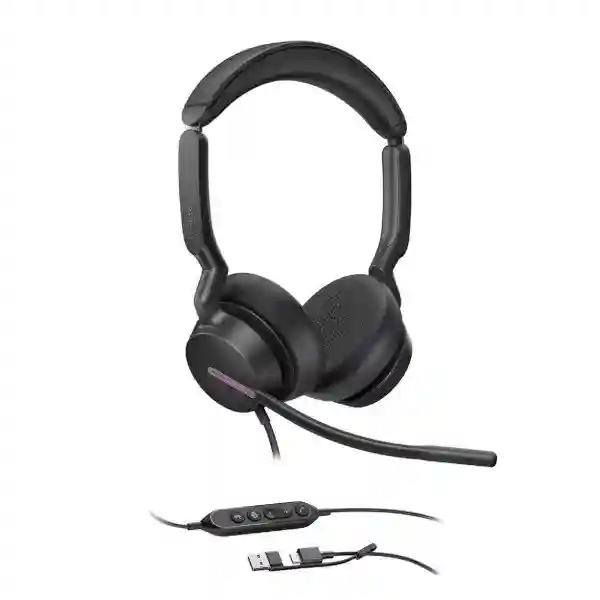
The Yealink UH46 is a professional on-ear USB wired headset created for business calling, unified communications, contact-centre work and everyday desktop collaboration. It combines a three-microphone pickup system, Yealink Acoustic Shield technology, professional-grade 35 mm speakers, in-line call controls and dual busylights in a practical plug-and-play design. Unlike battery-powered wireless headsets, the UH46 is intended for users who value predictable USB connectivity, immediate availability and straightforward fleet deployment. It connects through a USB-C cord and includes a USB-A adapter, helping IT teams support mixed generations of notebooks, desktops and compatible USB-equipped endpoints without maintaining separate headset connector inventories.
For procurement teams in Uganda, the important buying decision is not simply whether the headset can carry voice. The UH46 family offers Mono and Dual wearing configurations as well as Microsoft Teams-certified and UC variants. Selecting the correct version helps standardise user experience across departments while avoiding unnecessary model fragmentation. A receptionist or staff member who must remain aware of the surrounding office may prefer Mono, while a contact-centre agent or focused knowledge worker may prefer Dual. Teams-focused organisations can specify the Teams variant, while organisations operating other collaboration environments can evaluate the UC version.
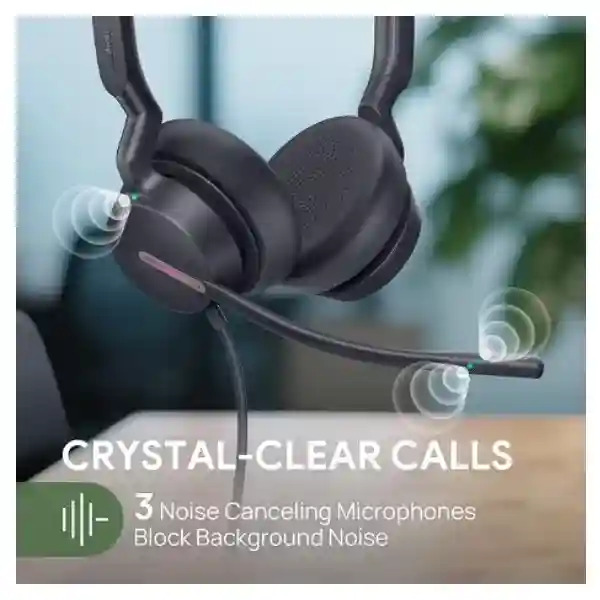
The headset is designed around clear business conversations. Three strategically positioned microphones and voice-isolation processing help suppress surrounding office noise so the far-end participant receives a cleaner voice signal. The 35 mm speaker platform provides a broad 20 Hz–20 kHz frequency-response range, with modes suited to both communication and media. Physical controls reduce dependence on on-screen controls during busy work, and lifting the microphone boom provides a direct mute action. Dual busylights give nearby colleagues a visible indication that the wearer is occupied.
FourTeck supports organisations planning individual purchases, departmental refreshes and larger headset rollouts. Buyers can provide quantity, preferred Mono or Dual style, Teams or UC requirement, endpoint environment and delivery destination so the proposed bill of materials matches the actual deployment.
Instant Specifications & Procurement Facts
Yealink UH46
Office, call centre, hybrid and UC desktop users
USB-C cord with USB-A adapter
Mono / Dual; Teams / UC
3
35 mm
Commercial availability, lead time and warranty handling should be confirmed on the project quotation because they can vary by quantity, variant and supply batch. The UH46 does not require a headset battery: power and audio are carried through its wired USB connection. This simplifies desk deployment where continuous availability is more important than wireless mobility.
Operational Architecture and User Experience
The UH46 architecture is intentionally focused on the endpoint between the user and the collaboration application. At the capture side, three microphones provide the raw voice input used by the headset’s noise-reduction system. Yealink Acoustic Shield technology is designed to isolate the user’s speech from surrounding activity. This is particularly relevant in open offices and contact centres where adjacent conversations, keyboard activity and general room noise can reduce intelligibility for customers and colleagues. The practical business outcome is a more controlled acoustic endpoint without requiring users to relocate every time they join a call.
On the listening side, the UH46 uses 35 mm speakers with a stated frequency-response range of 20 Hz to 20 kHz. Yealink specifies music-mode bandwidth of 20 Hz–20 kHz and talk-mode bandwidth of 100 Hz–20 kHz. Dynamic audio behaviour allows the headset to serve both speech and general desktop media, which is useful where one standard headset must cover calls, training material, recorded meetings and everyday multimedia. User hearing protection includes peak-block protection aligned with EN50332, Australian G616 protection and daily noise-exposure protection.
The physical control path is equally important for high-volume calling. Users can answer, end or reject calls, adjust volume and mute or unmute the microphone through the control system. The microphone boom itself supports lift-to-mute behaviour, creating a memorable physical action that reduces uncertainty over microphone state. Dual busylights provide an outward-facing status cue that can reduce interruptions in shared workplaces.
Connectivity is deliberately simple. The headset uses a USB-C cord and includes a USB-A adapter, allowing one procurement line to address many modern USB-C computers as well as systems that still expose USB-A. Yealink states support for Microsoft Windows and Apple macOS. Management options include Yealink USB Connect on PC and Yealink Management Cloud Service, giving administrators a path for supported device administration rather than treating each headset as an unmanaged peripheral.
For a large rollout, architecture should be considered at fleet level. Confirm endpoint ports, operating systems, collaboration applications, user wearing preference, desk-sharing policy, cleaning procedures and replacement-spares strategy before placing a bulk order. This avoids mixing connector types and wearing styles after deployment begins.
Enterprise Business Outcomes
Total cost should be evaluated beyond purchase price. A wired headset can be attractive for fixed workstations because there is no battery replacement cycle, charging dock or wireless pairing workflow. Replaceable ear cushions and a carrying bag also support practical maintenance and mobility between assigned work locations. Procurement teams should nevertheless budget for hygiene consumables and a sensible spare pool, especially in high-use contact-centre environments.
Key Hardware and Software Highlights
| Component | Design | Operational value |
|---|---|---|
| Microphone system | Three microphones with Acoustic Shield technology | Cleaner outgoing voice in active workplaces |
| Speakers | 35 mm drivers | Supports calls and full-range desktop media |
| Connection | USB-C with USB-A adapter | Simplifies deployment across mixed endpoints |
| Controls | Call, volume, mute and boom lift-to-mute | Reduces reliance on application controls |
| Status | Dual busylights | Helps reduce interruptions |
| Administration | Yealink USB Connect and Management Cloud Service | Supports managed enterprise endpoint operations |
Technical Specifications Ledger
| Connection | USB-C cord with USB-A adapter |
| Headset cable | 0.65 m, headset to call-control unit |
| USB cable | 1.5 m, call-control unit to USB plug |
| Supported OS | Microsoft Windows, Apple macOS |
| Microphones | 3 |
| Microphone frequency response | 100 Hz–14 kHz |
| Speaker size | 35 mm |
| Speaker sensitivity | 113.8 ±3 dB at 0.980 V |
| Speaker frequency response | 20 Hz–20 kHz |
| Music bandwidth | 20 Hz–20 kHz |
| Talk bandwidth | 100 Hz–20 kHz |
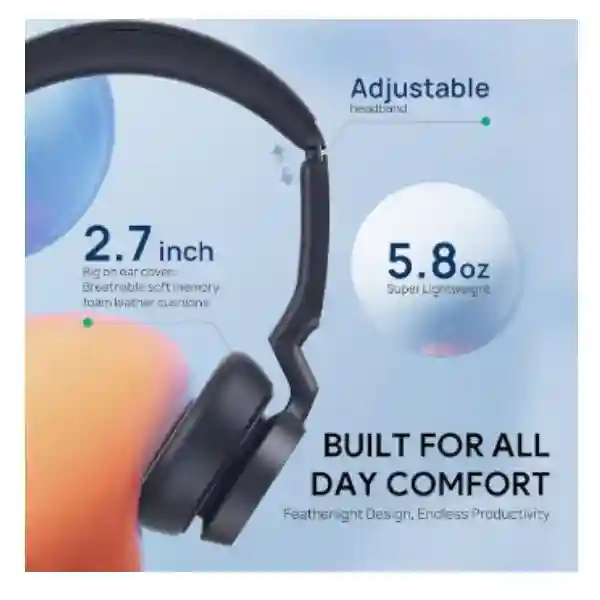
| Net weight | Dual 166 g; Mono 127 g |
| Product dimensions | Dual 196 × 180 × 69 mm; Mono 153 × 184 × 69 mm |
| Package | Headset, carrying bag, quick-start guide |
| Hearing protection | Peak Block Protection (EN50332), Australian G616 protection, daily noise exposure protection |
Specifications should be matched to the exact ordered part number. Yealink lists part numbers including 1308182 for UH46 Dual Teams USB-C/A, 1308183 for UH46 Dual UC USB-C/A and 1308242 for UH46 Mono USB-C/A. Confirm the required certification and wearing format on the quotation.
Configuration and Sizing Worksheet
Step 1 – Count active users and spare requirement. Start with named users, shared desks, training positions, supervisors and meeting-support stations. For contact centres, add a controlled spare pool so damaged or hygiene-sensitive units can be exchanged without stopping an agent’s shift.
Step 2 – Choose Mono or Dual. Mono is useful when environmental awareness is part of the role. Dual supports users who benefit from stronger acoustic focus. The choice should be driven by workflow rather than job title alone.
Step 3 – Confirm collaboration environment. Identify whether the deployment is primarily Microsoft Teams or a broader UC environment and request the appropriate variant. Confirm any application-specific call-control requirement during pilot testing.
Step 4 – Audit endpoint ports. The USB-C cord and USB-A adapter offer useful flexibility, but procurement should still verify accessible ports, docking stations, thin-client policies and desk-phone compatibility before mass rollout.
Step 5 – Plan management. Determine whether Yealink USB Connect on PC or Yealink Management Cloud Service will form part of the operational model. Define responsibility for firmware, device settings and troubleshooting.
Step 6 – Prepare the quote. Provide quantity, variant, user type, deployment city, required delivery date, endpoint models and any staging requirements. This gives the supplier enough information to validate the bill of materials and lead time.
Deployment Scenarios and Industry Use Cases
Large enterprise and multi-site operations: The UH46 can be standardised for fixed desks where organisations want a common wired headset across departments. The USB-C/A approach is particularly practical during laptop refresh cycles because it reduces connector-related disruption. Central IT can define approved Mono, Dual, Teams and UC configurations rather than allowing uncontrolled peripheral purchases.
Financial services: Banks, insurers and financial-service contact teams depend on intelligible conversations and repeatable workstation configurations. A wired design removes wireless charging and pairing from the daily routine. Hearing protection, physical mute behaviour and visible busylights can also support disciplined call handling in dense operational floors. Organisations should still validate their own recording, compliance and endpoint policies because a headset does not itself replace call-recording or governance systems.
Education and campus administration: Admissions desks, finance offices, help desks and remote-learning support teams can use the UH46 for voice and online collaboration. Mono variants can suit staff who interact with walk-in visitors while Dual variants can suit users spending longer periods in virtual sessions.
Government and public-sector procurement: Standardisation, predictable connectivity and clear part-number control are valuable where equipment must be documented and supported over time. Buyers should state required quantities, endpoint standards, delivery destinations and acceptance procedures in the request for quotation.

Technical Deep Dive: Voice Capture and Audio Engine
The strongest differentiator in a business headset is often the quality of the voice sent to the other participant. The UH46 uses three microphones rather than relying on a single pickup element. Combined with Yealink Acoustic Shield technology, the design is intended to distinguish the user’s voice from surrounding sound. This matters because the far-end participant cannot compensate for a poor source signal. In a contact centre, repeated background conversations can increase listening effort and undermine the perceived professionalism of an interaction. In an open office, the same problem appears during customer calls and internal meetings.
The microphone frequency-response specification of 100 Hz–14 kHz is aligned with voice capture rather than studio recording. The speaker side uses 35 mm drivers and a broader 20 Hz–20 kHz response. The headset can therefore support business speech while also handling training videos and music. Buyers should understand that audio performance depends on the complete path: application codec, endpoint configuration, network quality, meeting platform and far-end equipment all influence what the user ultimately hears.
Technical Deep Dive: Software, Management and Operational Control
Yealink USB Connect provides a PC-based management path, while Yealink Management Cloud Service supports a broader administrative approach. For fleet owners, this changes the headset from an isolated accessory into an endpoint that can fit within an organised support process. Before deployment, IT should establish who owns device configuration, how firmware changes are tested, how users report faults and how replacements are issued. A small pilot across representative endpoint types is recommended before a high-volume rollout.
The UH46’s physical controls are also part of operational control. Answer/end/reject, volume and mute functions reduce the number of actions a user must perform in software. The lift-to-mute microphone boom gives users a physical state change that is easy to remember. Dual busylights communicate call status to people around the user, supporting shared-space etiquette without adding another desktop accessory.
Technical Deep Dive: Availability, Resilience and Continuity
A headset does not provide server-style high availability, but continuity can still be designed at the fleet level. The wired USB architecture avoids battery depletion, charging-base failure and radio pairing as causes of downtime. Organisations can improve resilience further by holding spare units, standardising a small number of approved variants and documenting replacement procedures. For high-volume teams, spare ear cushions and hygiene processes should be included in the lifecycle plan.
Where a headset is business-critical, resilience also means validating the complete endpoint combination before deployment. Test the headset with the actual computer model, operating system, collaboration client, docking station and any virtual desktop environment used in production. This identifies application-control or USB-policy issues before hundreds of users are affected.
Pre-Purchase Buyer Checklist
Is there a subscription required simply to hear and speak? The UH46 is a wired USB headset; basic audio operation is not based on a headset battery or wireless subscription. Collaboration-platform licensing remains separate and depends on the customer’s environment.
Which exact variant should be ordered? Confirm Mono versus Dual and Teams versus UC before issuing a purchase order. Do not assume all UH46 boxes represent the same part number.
Will it connect to both USB-C and USB-A computers? The published connection is a USB-C cord with USB-A adapter, designed to cover both connector formats.
Will it work with every desk phone? Compatibility should be checked against the exact phone model and firmware. Yealink publishes compatibility information for supported endpoints, but procurement should not generalise one successful model test to every phone.
What is the physical cable reach? Yealink specifies 0.65 m from headset to call-control unit and 1.5 m from control unit to USB plug. Check sit/stand desks and under-desk docking arrangements to ensure this suits the workstation layout.
What happens when ear cushions wear? Yealink presents the ear cushions as replaceable. For shared or intensive-use environments, include replacement consumables in the support plan.
Is wireless mobility included? No. The UH46 is a wired USB headset. Buyers who require roaming should evaluate a suitable wireless headset family instead.
Uganda Procurement, Delivery and Rollout Planning
FourTeck can structure UH46 procurement around the actual deployment rather than a generic accessory order. A useful request includes the number of users, preferred wearing style, Teams or UC environment, computer or phone models, delivery city and target deployment date. This information supports variant validation and a cleaner commercial quotation.
For larger quantities, procurement teams should allow time for commercial confirmation, stock allocation, inbound logistics where applicable, receiving and internal distribution. Lead time can vary by variant and quantity, so it should be confirmed on the quotation rather than assumed from a different headset model. Technical pre-deployment support can include bill-of-materials review, endpoint compatibility discussion and rollout planning.
Local Coverage
Projects can be coordinated for Kampala and surrounding business districts as well as Entebbe, Jinja, Mbarara and Gulu. For multi-branch organisations, provide a site-by-site quantity schedule so shipping and internal allocation can be planned around branch requirements. Kampala deployments may include headquarters, contact centres, banks, professional offices and public institutions; Entebbe projects may include hospitality, aviation-linked operations and branch offices; Jinja, Mbarara and Gulu requirements often involve distributed enterprise, education, healthcare and government users.
Cross-Border and Regional Supply
Organisations operating across East Africa, the Gulf and wider African markets can coordinate related requirements through FourTeck regional channels. Visit FourTeck Uganda, FourTeck Kenya, FourTeck Africa, FourTeck UAE and FourTeck Kuwait. Multi-country projects should specify destination, quantities and preferred variant for each site because import processes, lead times and commercial terms can differ by market.
Related Yealink Solutions
A UH46 deployment often forms part of a wider communication environment. Buyers can explore Yealink business communication solutions in Uganda for compatible desk endpoints and collaboration equipment. Organisations refreshing user workstations can also evaluate Yealink IP phones, USB headsets, wireless headset options and unified-communications devices according to mobility and role requirements. A fixed contact-centre agent may prioritise the UH46’s wired simplicity, while executives or roaming supervisors may need a wireless alternative. Reception desks can combine compatible Yealink phones with approved headsets, and meeting spaces may require dedicated room systems rather than personal audio devices.
FourTeck Technical Service Capabilities
Enterprise headset procurement benefits from validation before equipment reaches end users. FourTeck can review the requested bill of materials, confirm the intended UH46 variant, discuss endpoint compatibility and help customers plan quantities by user role. Where a wider Yealink deployment is involved, the review can align headsets with desk phones, collaboration endpoints and user groups.
For rollout planning, customers should provide representative endpoint models and software environments so technical assumptions can be identified early. Firmware and management requirements can then be discussed before deployment. Post-sales support should follow the warranty and service terms stated on the commercial quotation, with serial and purchase records retained by the customer for efficient case handling.
Frequently Asked Questions
1. Is the Yealink UH46 a wireless headset?
No. The UH46 is a wired USB headset. It connects using a USB-C cord and includes a USB-A adapter. That makes it appropriate for fixed and semi-fixed workstations where users value immediate plug-and-play availability and do not need to roam away from the computer or compatible endpoint. The wired architecture also removes battery charging and Bluetooth pairing from routine support. If staff need substantial mobility during calls, procurement should compare a Yealink wireless headset designed for that requirement rather than expecting the UH46 to provide wireless operation.
2. What is the difference between Mono and Dual UH46 versions?
Mono uses a single-ear wearing format, which can help users remain aware of colleagues, visitors and other activity around the desk. Dual covers both ears and is often preferred for focused calling, contact-centre work and users who spend long periods in online meetings. The choice is operational rather than purely technical. A mixed organisation can standardise both variants by role, but procurement should record which departments need each style before ordering so stock is not redistributed informally after deployment.
3. Does the UH46 support Microsoft Teams?
Yealink offers a Teams-certified UH46 variant as well as a UC variant. Buyers using Microsoft Teams should specify the Teams requirement on the quotation so the correct part number is supplied. Organisations using other collaboration platforms can evaluate the UC variant. Yealink states broad compatibility across many platforms, but application-level call-control behaviour should still be validated in the customer’s exact software environment, especially when virtual desktops, security policies or non-standard endpoint configurations are involved.
4. How does the UH46 reduce background noise?
The headset uses three microphones together with Yealink Acoustic Shield technology. The system is designed to isolate the wearer’s voice and reduce distracting environmental sound transmitted to the far end. This is useful in open-plan offices and contact centres where nearby conversations can otherwise become part of a customer call. No headset can eliminate every acoustic condition, so good microphone positioning and reasonable workplace acoustic design remain important. A pilot in the real deployment environment is advisable for large projects.
5. Can the UH46 be used with USB-C and USB-A computers?
Yes, the published connection uses a USB-C cord with a USB-A adapter. This is a practical advantage for organisations operating a mixed fleet of newer USB-C laptops and older desktops or docking stations with USB-A. Before a mass rollout, IT should still confirm that the required USB ports are accessible and permitted by endpoint security policies. Where docking stations or thin clients are used, test the exact workstation combination because USB peripheral behaviour can depend on the dock, operating system and virtual desktop configuration.
6. What hearing-protection functions are specified?
Yealink lists Peak Block Protection aligned with EN50332, Australian G616 protection and daily noise exposure protection. These functions are relevant to organisations where staff spend many hours using headsets, particularly contact centres and service desks. They should be considered one part of a broader occupational audio policy that includes sensible volume settings, breaks, correct fit and workplace health requirements. Procurement teams with formal occupational standards should compare their internal policy with the applicable product documentation before rollout.
7. What management tools are available?
Yealink specifies Yealink USB Connect for PC and Yealink Management Cloud Service as management options. For small deployments, local administration may be sufficient. Larger fleets benefit from a defined device-management process covering firmware, configuration, incident handling and replacement. The exact management architecture should be agreed by IT before deployment rather than after hundreds of devices are in use. Organisations should also define whether users can change settings themselves or whether configuration is centrally controlled.
8. What comes in the package?
The published package contents include the headset, a carrying bag and a quick-start guide. The connection design incorporates USB-C with a USB-A adapter. For project purchasing, the commercial quotation should identify the exact variant and part number rather than relying only on the family name UH46. If replacement ear cushions, spare units or other accessories are required for a high-use environment, list them separately in the requested bill of materials so lifecycle needs are covered from the start.
9. What warranty and replacement process applies in Uganda?
Warranty terms and replacement procedures should be confirmed on the FourTeck quotation for the specific order. Customers should retain invoice, serial-number and deployment records because these help support teams validate warranty cases efficiently. For large deployments, keeping a small spare pool can reduce user downtime while a faulty unit is being assessed. Physical damage, consumable wear and warranty-covered manufacturing faults may be treated differently, so organisations should review the quoted terms and establish an internal process for collecting and documenting failed units.
10. What information should I provide for a bulk quotation?
Provide the required quantity, Mono or Dual preference, Teams or UC requirement, delivery city, target date and the main endpoint environment. For mixed deployments, break quantities down by department or site. If the headset will be used with desk phones, docking stations, thin clients or virtual desktop infrastructure, include those model details so compatibility can be reviewed. Also state whether you need spare units or rollout assistance. A complete request reduces back-and-forth and helps the quotation reflect the actual deployment rather than a generic unit price.
Plan Your Yealink UH46 Deployment in Uganda
Whether you need a few headsets for a management team or a structured rollout for a contact centre, branch network or enterprise office, start with the correct variant and a verified endpoint plan. FourTeck can help align Mono or Dual wearing styles, Teams or UC requirements, quantities, compatibility considerations and delivery locations. Submit your project details for a commercial quotation and deployment discussion.


Reviews
There are no reviews yet.