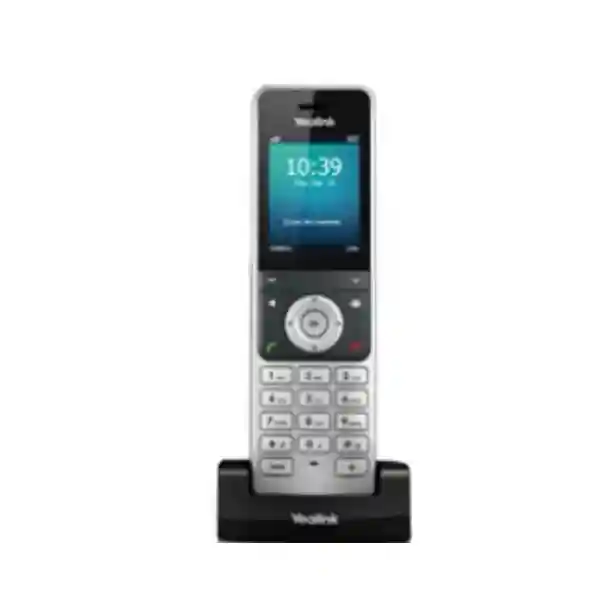
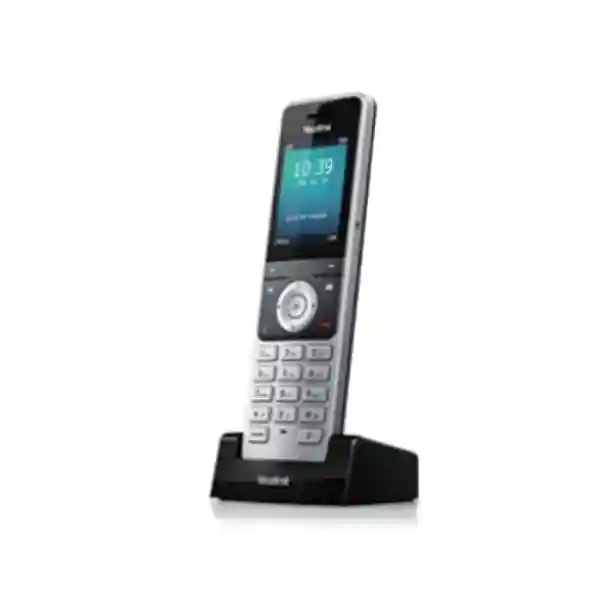
Yealink W56H DECT Handset – Enterprise Wireless Voice Mobility
The Yealink W56H is a professional cordless business handset built for teams that need dependable voice access while moving around offices, service areas, reception zones, warehouses, clinics, hospitality properties and other operational spaces. Rather than tying an employee to a desk telephone, the handset connects through a compatible Yealink DECT base or multi-cell system, allowing an organisation to extend SIP-based business calling into practical mobile workflows. It combines a 2.4-inch 240 × 320 colour display, illuminated keypad, full-duplex hands-free calling, 3.5 mm headset connectivity and long battery endurance in a compact form designed for daily commercial use.
For procurement teams, the important distinction is that the W56H is a handset rather than a complete standalone IP telephone system. A compatible Yealink DECT base infrastructure is required. That design can be an advantage because organisations can size the radio and SIP infrastructure separately from the number of mobile users. A small branch may use a compatible single-cell base, while a larger site can employ Yealink multi-cell architecture to support wider roaming requirements. This modular approach makes the W56H relevant when an organisation wants cordless mobility without issuing mobile phones for every internal voice requirement.
FourTeck supplies the W56H for Uganda business deployments with project-oriented guidance covering handset quantities, compatible base selection, regional radio variant, charging requirements, PBX integration considerations and accessory planning. Before a purchase order is raised, buyers should identify the number of users, approximate indoor coverage area, wall and floor construction, expected simultaneous call load, roaming requirements and the existing voice platform. These details reduce the risk of purchasing handsets without adequate base capacity or selecting a radio topology that cannot cover the intended site.
Instant Specifications & Procurement Fact Rail
Yealink W56H wireless DECT handset
2.4-inch, 240 × 320 colour screen
Business cordless voice endpoint
3.5 mm wired headset jack
Up to 30 hours in ideal conditions
Project supply subject to confirmation
Battery and standby specifications vary by W56H hardware revision. Yealink lists up to 400 hours standby for V0–V3 and up to 350 hours for V4 under ideal conditions, while talk time is listed at up to 30 hours. The charger output is 5 V/600 mA. The handset measures approximately 175 × 53 × 20.3 mm and is specified for 0°C to 40°C operation with 10–95% operating humidity. DECT range is stated at up to 50 metres indoors and up to 300 metres outdoors under ideal conditions; actual buildings can reduce those figures substantially. Uganda procurement should therefore be based on site conditions rather than maximum laboratory-style range figures. Warranty terms, stock position, lead time and exact hardware revision should be confirmed on the commercial quotation.
Operational Product Architecture & Overview
The W56H sits at the user edge of a DECT-over-IP architecture. The handset provides the human interface, radio connection, audio path, battery power and call-control experience, while the compatible Yealink base system handles the network-facing functions required to connect wireless users to SIP services. This separation is fundamental to sizing. A procurement manager should not compare the W56H directly with a Wi-Fi handset or Ethernet desk phone without considering the supporting radio system. DECT uses dedicated spectrum and is designed around voice mobility, which can simplify predictable voice coverage in many commercial buildings where general-purpose Wi-Fi is already carrying data traffic.
At the handset level, the user receives a colour interface with icons and soft keys, caller identification, date and time display, screen saver support, backlit LCD and backlit keypad. Common call functions include hold, transfer, call waiting, mute, do-not-disturb, redial, call forwarding, voicemail access, call history and three-way conferencing where supported by the system. Up to two simultaneous calls per handset are supported in the Yealink specification. A local user therefore gets familiar business-telephony controls without carrying a desk endpoint between work areas.
Audio is a central reason to select a purpose-built business handset. The W56H supports a full-duplex speakerphone, hearing-aid compatibility, adjustable receiver and ringer volume, advisory tones and wideband voice when used within a compatible system. In operational terms, this helps reception staff, supervisors, service personnel and floor teams maintain clearer conversations while moving. The 3.5 mm headset jack is especially useful where users need hands-free operation but do not require a Bluetooth accessory ecosystem.

Coverage design remains the most important architectural issue. Yealink quotes ideal-condition range figures, but concrete walls, reinforced floors, metal shelving, lift shafts, plant rooms and building geometry can attenuate radio signals. A single-cell deployment may be appropriate for a compact office, while a larger facility can require multi-cell engineering. The W56H is listed as compatible with Yealink base platforms including W60B, W70B, W75B, W80B and W90B, subject to firmware and deployment requirements. The W80B and W90B families address multi-cell use cases where roaming and handover are needed across larger areas.
Another procurement consideration is ecosystem compatibility. Yealink explicitly notes that its DECT technology is not compatible with third-party DECT devices. A buyer should therefore avoid assuming that a generic DECT base already installed on site will register a W56H merely because both products use DECT terminology. Confirm the Yealink base model, firmware, regional frequency and supported handset list before committing to volume. This is particularly important for organisations replacing only handsets in an inherited telephone environment.
Power architecture is straightforward at the handset. The rechargeable battery supports long shifts, while the USB charger cradle provides a defined home position for charging. Operational policy matters as much as battery capacity: users should return handsets to assigned cradles, damaged batteries should be removed from service, and spare charging locations should be considered for round-the-clock environments. Where the base station itself is powered by PoE, network-switch power resilience becomes part of voice continuity planning. UPS-backed PoE can help keep the base layer available during short utility interruptions, while charged W56H handsets remain untethered from mains power during use.
Enterprise Business Outcomes & Value Analysis
The W56H is designed around business voice rather than general mobile computing. Wideband audio support, full-duplex speakerphone operation and dedicated DECT radio connectivity provide a practical foundation for clear calls when the supporting base, LAN, SIP service and RF design are correctly engineered. For procurement, performance should be measured not only by handset specifications but by concurrent call requirements, base capacity and actual coverage at the site.
A cordless handset can remain usable through a work shift without being physically tethered to Ethernet. Long battery endurance reduces charging interruptions, while a properly designed multi-cell system can extend mobility across larger premises. Reliability still depends on base power, network switching, PBX availability and RF coverage, so critical sites should include UPS protection, configuration backups and spare endpoint planning.
The handset can participate in deployments ranging from smaller compatible Yealink bases to multi-cell systems. This enables a business to scale the radio layer according to site size rather than replacing the user experience each time a facility grows. Expansion planning should account for handset count, concurrent calls, SIP accounts, base density and roaming areas.
Security is delivered across the complete voice architecture. Compatible Yealink systems provide mechanisms such as TLS, SRTP, HTTPS and authenticated provisioning depending on base and platform configuration. Procurement documentation should define firmware policy, administrator access, SIP credential handling, VLAN strategy and configuration ownership instead of treating the handset as an isolated security boundary.
Handset firmware can be upgraded over the air through supported Yealink infrastructure, reducing the need to physically connect each handset for routine updates. Standardised handset models also simplify user training, spare management and support documentation across departments or branches.
The strongest cost case often comes from using a dedicated cordless voice system for staff who need mobility but do not require a smartphone and mobile subscription for internal calls. Actual lifecycle cost should include bases, handsets, chargers, batteries, network PoE, PBX licensing, installation, coverage validation and eventual replacement rather than the handset purchase price alone.
A conventional keypad, navigation controls and colour screen reduce the learning curve for employees familiar with standard business phones. Dedicated call keys can be easier to operate during repetitive voice tasks than an app-centric device, especially for reception, facilities, retail and operational teams.
Key Hardware & Software Highlights
| Component | Technical Detail | Operational Outcome |
|---|---|---|
| Display | 2.4-inch 240 × 320 colour LCD | Readable menus, call identity and status information in a compact handset. |
| Audio | Wideband voice support and full-duplex speakerphone | Supports clear business conversations and hands-free use. |
| Battery | Up to 30-hour talk time; standby varies by revision | Supports extended shifts with fewer charging interruptions. |
| Headset Interface | 3.5 mm jack | Simple wired headset integration without a separate wireless pairing workflow. |
| Controls | Numeric keypad, navigation keys, soft keys, function and shortcut keys | Fast access to common telephony actions. |
| Management | Over-the-air handset upgrade | Helps administrators maintain handset software through supported infrastructure. |
The W56H is intentionally focused. It does not attempt to replace a smartphone or rugged data terminal. There is no requirement to procure it for applications that depend on cameras, complex mobile applications or high-bandwidth data. Its value is strongest when the job is primarily voice-centric and the employee needs a durable, familiar cordless telephone interface. That clarity helps procurement teams avoid overbuying features that are not used while still providing the essential mobility required by operational staff.
Technical Specifications Ledger
| Category | Specification | Procurement Note |
|---|---|---|
| Product type | Wireless DECT business handset | Requires compatible Yealink DECT infrastructure. |
| Screen | 2.4-inch, 240 × 320 pixels, colour | Backlit interface with icons and soft keys. |
| Calls | Up to 2 simultaneous calls per handset | System-wide concurrency depends on base platform. |
| DECT frequency | Regional variants include 1880–1900 MHz Europe and 1920–1930 MHz US | Confirm correct regional unit for the destination market. |
| Ideal indoor range | Up to 50 m | Walls and building materials reduce practical range. |
| Ideal outdoor range | Up to 300 m | Line-of-sight conditions differ from real sites. |
| Talk time | Up to 30 hours in ideal conditions | Actual duration varies with use and battery condition. |
| Standby V0–V3 | Up to 400 hours | Confirm supplied hardware revision. |
| Standby V4 | Up to 350 hours | Revision-specific specification. |
| Headset | 3.5 mm jack | Confirm headset wiring and user requirements. |
| Charger | DC 5 V / 600 mA output | Plan one charging position per assigned handset where practical. |
| Dimensions | 175 × 53 × 20.3 mm | Compact handheld format. |
| Operating temperature | 0°C to 40°C | Use controlled indoor environments within specification. |
| Storage temperature | -30°C to 70°C | Observe battery and storage handling requirements. |
| Operating humidity | 10–95% | Non-condensing deployment practices recommended. |
| Colour | Alabaster Silver | Appearance may be verified against supplied batch. |
| Package | Handset, charger cradle, rechargeable battery, belt clip, power adapter | Confirm package contents on quotation for the exact regional SKU. |
Specification tables are useful for tender comparison, but they should not substitute for solution design. The handset has no Ethernet port because the network connection is provided by the base station. Similarly, the W56H does not determine how many SIP accounts or total concurrent calls a site can support; those values depend on the selected base platform. When comparing offers from different suppliers, require each proposal to identify the base model, number of bases, handset quantity, power method, PBX integration scope and whether installation or RF validation is included. This prevents an apparently low handset-only quotation from being compared with a complete deployment proposal.
Configuration & Sizing Worksheet
Step 1 — Estimate Users, Calls and Mobility
Count employees who genuinely require cordless voice access. Separate named users from shared operational handsets. Then estimate peak simultaneous calls rather than assuming every handset will be active at once. A hotel, clinic or warehouse may have many handsets but a lower concurrency ratio, while a service desk can produce heavier call concentration. Document whether users remain within one zone or must roam throughout multiple floors and buildings.
Step 2 — Map the Radio Environment
Mark the expected handset areas on a floor plan. Note concrete cores, metal shelving, cold rooms, elevators, thick fire doors and external yards. Ideal range figures are not guarantees. Large or difficult facilities should be surveyed and may require a multi-cell design. Identify any areas where loss of voice coverage would create an operational or safety problem and prioritise those locations during validation.
Step 3 — Plan Power, Network and Charging
The handset charges through its cradle, while the base infrastructure connects to the IP network. Confirm available mains sockets for chargers and PoE switch capacity where the selected base supports PoE. Critical deployments should consider UPS-backed network switching. Plan charger positions so staff naturally return handsets after shifts, and consider spare batteries or handsets where continuous operation is required.
Step 4 — Confirm Voice Platform and Licensing
Identify the PBX, hosted SIP provider or unified communications environment. Confirm SIP account requirements, extension numbering, voicemail, transfer behaviour, directory needs and any platform-specific licensing. The handset purchase does not automatically include third-party PBX subscriptions or hosted calling services. If Microsoft Teams calling through SIP Gateway is part of the project, validate the complete supported topology and tenant requirements before procurement.
Step 5 — Prepare the Quote Pack
A useful request should state the number of W56H handsets, site addresses, required base stations if known, existing Yealink infrastructure, PBX or service provider, expected concurrent calls, building size, desired installation date, warranty expectations and whether staging is required. For multi-site rollouts, provide quantities per branch rather than one combined total. This allows stock allocation and deployment planning to be aligned with each location.
A final sizing review should distinguish required items from optional accessories. Required elements may include handsets, compatible base stations, chargers and network connectivity. Optional elements can include headsets, spare batteries, repeaters where supported, additional bases, wall mounting materials, UPS capacity and professional installation. This bill-of-materials discipline is particularly valuable in tenders because it creates a clear comparison between technically equivalent proposals.
Deployment Scenarios & Industry Use Cases
Large Enterprise & Multi-Site Networks
A large enterprise can standardise W56H handsets for mobile staff while selecting base infrastructure appropriate to each branch. A small administrative office may need only a compact single-cell design, while a headquarters, warehouse or service campus can require multi-cell coverage. Standardisation simplifies training and spares, but each site should still be independently sized. Central IT can maintain consistent extension conventions, firmware policies and support procedures while local facilities teams manage charger placement and physical inventory.
Financial & Banking Institutions
Banks and financial organisations may use cordless business phones for facilities teams, branch operations, internal service personnel and controlled back-office mobility. Voice security must be considered end to end, including SIP transport, PBX controls, administrator credentials, network segmentation and firmware governance. The W56H should not be positioned as a substitute for specialised secure-radio systems where regulatory or mission requirements demand them. Instead, it fits conventional enterprise voice workflows where a managed SIP/DECT architecture is appropriate.
Educational & Campus Networks
Schools, universities and training centres often have staff moving between administration blocks, libraries, laboratories, residences and service areas. A DECT system can provide dedicated voice mobility for support and operational roles without placing every conversation on the campus Wi-Fi. Multi-building campuses require careful radio planning; outdoor paths and separate structures can create gaps that are not obvious from a simple radius calculation. Procurement should begin with a coverage map and a list of roles that need mobility.
Government & Institutional Procurement
Government departments can incorporate the W56H into formal bills of materials where cordless SIP telephony is required. Tender documents should state the handset model or an approved-equivalent framework, compatible base requirements, regional frequency, warranty, delivery destination, installation responsibilities and acceptance tests. If a site already has Yealink DECT infrastructure, the exact base models and firmware should be recorded. For new sites, base sizing should be part of the solution rather than left as an unstated assumption.
Other practical environments include hotels, clinics, dealerships, retail operations and warehouses. Hospitality staff can remain reachable while moving between service areas; clinical administrative teams can carry an extension without relying on personal phones; warehouse supervisors can coordinate from the floor; and retail managers can take internal calls away from the office. In every case, the deployment should be matched to the physical environment and operational process. The W56H is not ruggedised to the same level as Yealink rugged DECT models, so harsh industrial sites should assess whether a rugged handset is more appropriate.
Technical Deep Dive 1: Radio, Audio & Handset Architecture
The W56H architecture is best understood as a dedicated voice terminal operating within Yealink’s DECT ecosystem. The radio link separates the user’s mobility from the Ethernet network. Instead of placing a Wi-Fi radio and full IP stack directly at every handset in the same way as a Wi-Fi phone, the DECT base provides the bridge between the wireless voice layer and the IP network. This topology concentrates provisioning and SIP-facing functions at the system layer while keeping the handheld device focused on telephony, audio processing, user controls and battery operation.
For voice quality, wideband capability matters when the rest of the call path supports it. The W56H specification includes G.722 within compatible system capabilities and full-duplex hands-free operation. Echo control, packet-loss handling and network quality are still system concerns. A high-quality handset cannot compensate for severe WAN loss, overloaded switching, incorrect QoS or an unstable SIP service. Buyers should therefore treat the W56H as one component in a voice-quality chain that includes microphone and speaker performance, DECT RF conditions, base capacity, LAN switching, WAN connectivity and PBX or carrier performance.
Battery engineering supports mobility. Long talk-time capability means the handset can serve extended business shifts, but battery ageing must be incorporated into lifecycle planning. Rechargeable batteries gradually lose usable capacity. Organisations with intensive 24-hour operations should establish replacement criteria instead of waiting for users to report failures. Charger cradles should be placed in predictable locations and labelled for shared devices. These operational practices often deliver more practical uptime than simply purchasing a handset with a large headline battery figure.
Technical Deep Dive 2: Software Ecosystem, Firmware Security & Operational Control
The handset operates within a broader Yealink management environment. Supported systems can deliver over-the-air handset upgrades, reducing physical intervention when software maintenance is required. In a business deployment, firmware should be managed as a controlled change rather than updated casually. Administrators should record the currently approved base and handset firmware versions, test significant updates with representative devices, preserve configuration backups and define a rollback or vendor-support path for unexpected behaviour.
Security controls such as TLS, SRTP, HTTPS, authenticated configuration and encrypted configuration files are associated with the supporting Yealink DECT system and should be enabled according to the PBX and service provider capabilities. Credentials should not be shared through unsecured documents, default administrator passwords should be changed, and management interfaces should be limited to trusted networks. Voice VLANs can separate telephony infrastructure from general user devices where the network design supports segmentation. Remote provisioning should use trusted servers and controlled access.
Operational control also includes user-facing configuration. Directory access, call forwarding, voicemail, do-not-disturb, call transfer and speed dial functions should align with organisational policy. A consistent configuration profile reduces support calls because employees see the same expected behaviour across handsets. For multi-site deployments, a documented naming convention for bases and handsets makes troubleshooting much easier. Asset tags can link physical W56H units to departments or users, while extension maps help support teams quickly identify the affected endpoint.
Technical Deep Dive 3: Availability, Redundancy & Recovery Planning
A cordless endpoint is only as available as the infrastructure behind it. If a base loses network connectivity or power, charged handsets associated with that service may no longer place normal calls. Business continuity therefore begins with resilient switching, PoE capacity where applicable, UPS protection and reliable PBX connectivity. For cloud-hosted SIP, internet resilience may be relevant. For on-premises PBX systems, server and gateway redundancy can become part of the same availability plan.
Multi-cell designs can improve coverage and mobility, but redundancy should not be assumed simply because multiple bases exist. The architecture, controller role, network topology and vendor-supported failover behaviour must be understood for the selected platform. Acceptance testing should include roaming paths, busy-hour call load and recovery after controlled power or network interruptions. Important locations such as reception, security desks and service control rooms should be tested explicitly rather than inferred from general coverage.
Recovery documentation should contain the base inventory, IP addressing method, switch ports, VLAN, PBX details, extension assignments, firmware versions and configuration backup location. Spare handsets can reduce recovery time after physical damage, but they should be periodically charged and their registration process documented. Where replacement batteries are stocked, storage conditions and age should be monitored. This turns the W56H deployment from a collection of cordless phones into a maintainable business communications service.
Pre-Purchase Buyer Gap Checklist
Is the W56H a complete phone system? No. It is a cordless handset that requires compatible Yealink DECT base infrastructure. A quotation containing only W56H units is incomplete for a new installation unless compatible bases already exist.
Will it register to any DECT base? Buyers should not assume this. Yealink states that its DECT devices are not compatible with third-party DECT devices. Confirm the exact base model and supported handset list.
Are there hidden subscriptions? The handset itself is hardware, but the surrounding telephone service may involve PBX licences, SIP trunks, hosted extensions, Microsoft service requirements or support subscriptions. Ask for these to be itemised separately.
Will the quoted range cover my building? Not necessarily. Published range values are ideal-condition figures. Reinforced concrete, metal racks and floor separation can materially reduce coverage. Large projects should use a coverage design or site validation.
Which battery specification applies? Hardware revisions differ. Yealink currently documents up to 30 hours talk time across revisions, with standby up to 400 hours for V0–V3 and up to 350 hours for V4 under ideal conditions. Confirm the batch supplied if the distinction matters to a tender.
Does it have Bluetooth? The W56H comparison information does not list Bluetooth for this model. It provides a 3.5 mm headset jack. Buyers requiring native Bluetooth should compare other compatible Yealink handset models.
Is it rugged? The W56H is a modern business handset, not an IP-rated rugged model. Warehouses with drops, dust or harsh conditions should evaluate rugged alternatives such as Yealink’s rugged DECT range.
What must be checked for Uganda? Confirm the regional DECT frequency variant, power accessories, warranty route, stock source and local deployment requirements. Radio products should be supplied in the correct regional configuration rather than imported indiscriminately from markets using different frequency bands.
Can the handset be used with Teams? Yealink identifies W56H compatibility with Microsoft SIP Gateway. The complete Teams calling design, licences, supported base, tenant configuration and current Microsoft requirements should still be validated for the intended project.
What should be included in acceptance? Verify registration, inbound and outbound calling, caller identity, hold, transfer, voicemail, directory behaviour, headset operation, roaming where applicable, charger operation and coverage in all required zones. Record any known weak areas before sign-off.
Uganda Procurement & Delivery Logistics
FourTeck supports Uganda organisations purchasing Yealink W56H handsets as individual expansion units or as part of a broader DECT deployment. The procurement process should begin with a quantity and compatibility review. Where a customer already operates Yealink DECT bases, the base model and current firmware should be supplied with the request. For a new installation, FourTeck can help structure a bill of materials that separates handsets, base infrastructure, chargers, optional accessories and services.
Commercial quotations can identify available stock, expected lead time, warranty baseline and delivery scope. Project quantities may require allocation from regional distribution channels, so delivery dates should be confirmed against the requested volume rather than assumed from single-unit availability. Organisations working to a fixed commissioning date should state that date when requesting the quote. This allows procurement, logistics and staging activities to be planned backward from the required service date.
Pre-configuration can reduce work at the destination when sufficient system information is available. Depending on project scope, staging can include firmware alignment, asset labelling, handset registration planning and documentation preparation. Final SIP credentials and live service activation should be handled through an agreed secure process. Multi-site customers can request packing and labelling by branch to simplify distribution after arrival.
Delivery timing within Uganda depends on stock location, order quantity, payment completion, destination and any staging services. The quotation should be treated as the authoritative commercial document for a particular order. Buyers should avoid relying on generic lead-time statements for time-critical deployments, especially where imported stock or large quantities are involved.
Uganda Coverage Matrix
Corporate offices, hospitality, retail, healthcare, financial services and multi-floor business sites.
Hospitality, institutional, airport-adjacent and commercial communication requirements.
Industrial, education, service and distributed office deployments.
Regional business, healthcare, education and branch-office procurement.
Institutional, NGO, commercial and regional operations requiring cordless voice mobility.
Coverage here refers to procurement and delivery planning rather than guaranteed same-day stock. Each destination should be confirmed on the quotation. For installations outside major hubs, project planning should include travel, delivery handoff, remote-support readiness and the availability of local network information. Multi-site organisations can consolidate procurement while retaining branch-specific bills of materials so that the correct quantity of handsets and bases reaches each destination.
Cross-Border & Regional Supply Chains
Regional organisations often need the same communications standard across multiple countries. FourTeck’s regional web presence supports project discussions across Uganda, Kenya, broader African markets, the UAE and Kuwait. Cross-border standardisation should nevertheless respect regional DECT frequency rules, local power accessories, warranty routes, customs processes and service-provider differences.
For multinational rollouts, create a country-by-country schedule identifying handset quantity, base architecture, voice platform, regional SKU, delivery address and required commissioning date. Do not assume a unit sourced for one radio region is appropriate in another. Central procurement can define a common user experience while local implementation teams validate regulatory and network requirements. This approach also makes spare planning more disciplined because replacement devices can be held in the correct regional pools.
Related Yealink Solutions & Internal Paths
A W56H purchase often sits inside a larger business communications project. Buyers creating a new cordless deployment should review compatible Yealink DECT base options and multi-cell platforms before finalising handset quantities. Offices that do not require mobility may instead combine cordless users with Yealink SIP desk phones for reception, management and fixed workstations. Teams operating in harsher environments should compare rugged DECT handsets rather than assuming the W56H is suitable for every floor condition.
Explore the FourTeck Uganda technology portfolio for related enterprise communications requirements. For regional sourcing, the FourTeck Africa platform supports broader project discussions, while FourTeck Kenya, FourTeck UAE and FourTeck Kuwait provide regional paths for organisations coordinating multiple markets.
When requesting related products, specify whether you need W70B-class single-cell infrastructure, W80B/W90B-class multi-cell architecture, chargers, compatible wired headsets, replacement batteries, PoE switching, UPS protection or SIP desk phones. Providing the operational objective is more useful than simply asking for accessories because compatibility and quantity can then be checked as one bill of materials.
FourTeck Technical Service Capabilities
Enterprise voice procurement benefits from technical validation before equipment is shipped. FourTeck can review the requested bill of materials against the intended topology, checking whether the handset quantity, base platform and accessories form a coherent deployment. This is particularly important when a request originated from an older design document that may reference superseded base stations or when an organisation is expanding an existing system without a current inventory.
Staging requirements can be agreed as part of the project. Typical activities may include hardware inspection, firmware alignment, asset tagging, packing by destination and preparation of deployment records. Where configuration information is provided, the scope and security process should be defined before credentials are exchanged. Pre-shipment firmware updates can reduce commissioning time, but production changes should still follow the customer’s change-control process.
Post-sales support can assist with product-level troubleshooting, compatibility review and escalation preparation. Effective support depends on good records, so customers should retain serial numbers, base models, firmware versions, network details and a description of the fault. For coverage complaints, note the exact physical location and whether the problem occurs during roaming, at rest or only under load. These details help distinguish handset issues from RF, base, LAN or PBX problems.
Extended Technical FAQ
1. Does the Yealink W56H work without a base station?
No. The W56H is a DECT handset and requires compatible Yealink DECT infrastructure to connect into a business voice service. The base station provides the network-facing connection and integrates the cordless radio environment with SIP telephony. If you are starting from zero, request a complete design rather than handset-only pricing. The appropriate base depends on the number of handsets, concurrent calls, coverage area and roaming requirements. If you already own Yealink bases, provide the exact model and firmware information so compatibility can be checked before ordering additional W56H units.
2. Which Yealink base stations are compatible with the W56H?
Yealink’s current handset comparison information lists W56H compatibility with W60B, W70B, W75B, W80B, W90B and VIM environments, subject to the relevant system design and firmware. The right choice depends on scale. A smaller office may use a single-cell base, while larger buildings or sites requiring roaming can use multi-cell architecture. Compatibility alone does not mean every base offers the same capacity. Check handset limits, SIP account capacity, concurrent call requirements, coverage and any controller or multi-cell requirements before selecting the platform.
3. Can the W56H connect to a third-party DECT base?
It should not be purchased on that assumption. Yealink explicitly states that its DECT technology is not compatible with third-party DECT devices. This is a critical procurement point because the word DECT describes a technology family but does not guarantee cross-vendor registration or feature interoperability. If a building already has another manufacturer’s DECT system, identify the installed base and handsets before ordering. A migration may require replacement of the base layer, or an alternative handset from the existing vendor may be more appropriate if the objective is simply to expand the installed system.
4. How long does the W56H battery last?
Yealink specifies up to 30 hours of talk time under ideal conditions. Standby time depends on hardware revision: W56H V0–V3 is documented at up to 400 hours, while V4 is documented at up to 350 hours. Real battery performance depends on signal conditions, call patterns, screen use, charging habits, temperature and battery age. For intensive business operations, treat the published figures as planning maxima rather than guaranteed shift duration. Maintain chargers in convenient locations and create a battery replacement policy for handsets that no longer meet operational requirements.
5. What range can I expect inside an office or warehouse?
Yealink states an ideal-condition range of up to 50 metres indoors and up to 300 metres outdoors. Actual indoor coverage can be significantly lower where reinforced concrete, metal shelving, lift cores, plant rooms or multiple floors obstruct radio propagation. A warehouse with high metal racks can behave very differently from an open office of the same floor area. For business-critical deployments, perform coverage planning and validate the completed installation. If users must roam across a large facility, consider an appropriate multi-cell system instead of trying to stretch a single base beyond practical coverage.
6. Does the W56H require a separate licence?
The handset is hardware, but the complete calling environment may have licensing or subscription costs outside the handset. These can include hosted PBX extensions, SIP trunks, unified communications subscriptions, Microsoft licensing or support services depending on the platform. Base stations may also have platform-specific capacity or deployment requirements. Ask suppliers to separate hardware, software subscriptions, voice service, installation and support on the quotation. This makes recurring costs visible and prevents the handset price from being mistaken for the total cost of delivering a working business extension.
7. Is the W56H suitable for warehouses and industrial areas?
It can be useful in warehouses where the environment is controlled and users need cordless voice mobility, but the W56H is not positioned as an IP-rated rugged handset. Sites with frequent drops, dust, moisture or harsh handling should evaluate Yealink rugged DECT models designed for more demanding conditions. Radio coverage also needs special attention around metal racking and machinery. Before standardising on the W56H, identify the environmental risk, required protection level, headset needs and coverage topology. In mixed sites, office teams may use W56H units while operational zones use rugged handsets on compatible infrastructure.
8. Can FourTeck help configure the handsets before delivery?
Pre-configuration and staging can be discussed as part of a project scope. The practical tasks depend on the base architecture, PBX platform and information available before shipment. Firmware alignment, asset labelling, packing by branch and configuration preparation can reduce on-site work. Live SIP credentials should be handled through an agreed secure process rather than embedded casually in procurement documents. For multi-site deployments, provide the extension plan and device quantities per location early so staging can reflect the final destination instead of requiring devices to be re-sorted after delivery.
9. How should warranty or hardware replacement be handled?
Warranty terms should be confirmed on the FourTeck quotation for the exact supplied product and transaction. If a fault occurs, retain the serial number, purchase record, hardware revision and a clear description of symptoms. Test whether the problem follows the handset or remains at a particular location; this can distinguish device faults from coverage or base issues. Do not assume a battery problem is a handset electronics failure. For project deployments, keeping a small number of validated spare handsets can reduce user downtime while a warranty case is assessed or replacement logistics are arranged.
10. What information should I send for an accurate Uganda quotation?
Provide the required W56H quantity, delivery city, whether the project is new or an expansion, existing Yealink base models, PBX or SIP service, approximate building size, number of floors, expected simultaneous calls and whether roaming is required. Also state any headset, spare battery, installation, staging or warranty requirements. For multiple branches, split quantities by site. If a tender specifies an exact regional standard or compliance requirement, attach that clause. A complete request allows the supplier to identify missing infrastructure and prevents a handset-only quote from being issued where a full DECT solution is actually required.
Plan Your Yealink W56H Deployment with FourTeck Uganda
For a dependable quotation, send your handset quantity, site location, existing base station model if any, PBX or hosted voice platform, coverage area and target delivery date. FourTeck can help identify whether your requirement is a straightforward handset expansion or whether compatible base infrastructure, multi-cell coverage, PoE, accessories or staging should be included. This protects the procurement process from incomplete bills of materials and helps technical teams receive equipment that matches the intended voice environment.
Large deployments should include a site-by-site quantity schedule and clearly state roaming expectations. Existing customers should provide firmware and base details where possible. New deployments should describe the building and expected call load so that the solution can be sized around real operational conditions rather than maximum published range figures.



Reviews
There are no reviews yet.