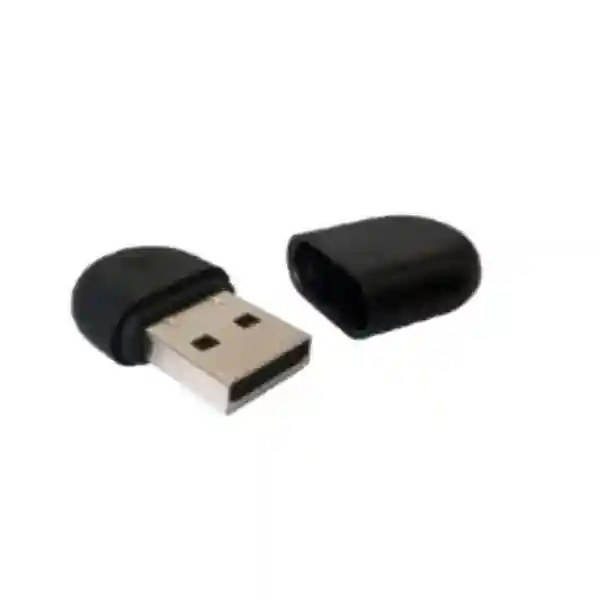
Yealink WF40 Wi-Fi USB Dongle for Business IP Phone Connectivity
The Yealink WF40 is a compact USB wireless adapter created to give supported Yealink SIP desk phones access to a 2.4 GHz Wi-Fi network. For organisations in Uganda, that simple function can solve a very practical infrastructure problem: a phone may need to be installed at a desk, reception counter, temporary workspace, meeting point or service position where a dedicated Ethernet data outlet is unavailable, inconvenient or expensive to add. Instead of treating every handset move as a structured-cabling project, a compatible phone can use the WF40 to connect through an available wireless network, subject to the site network design, handset support and firmware level.
The adapter supports IEEE 802.11b/g/n, a transmission rate of up to 150 Mbps, a 2.4 GHz frequency range and USB 2.0 connectivity. Its physical dimensions are approximately 26.9 mm × 18 mm × 8 mm, keeping the accessory discreet around the phone. Supported wireless security includes 64/128/152-bit WEP, WPA-PSK and WPA2-PSK. For business procurement, however, the most important question is not merely whether the dongle can join Wi-Fi. Buyers should confirm that the exact Yealink handset model is supported, that its firmware meets the applicable minimum level, that the local wireless network offers adequate coverage and that the intended security policy is compatible with the endpoint.
FourTeck supplies the WF40 for organisations that need a controlled, documented approach to expanding or repositioning Yealink voice endpoints. Before a bulk order, provide the phone model list and deployment locations so compatibility can be reviewed. This is especially valuable when an estate contains several generations of Yealink phones.
Procurement Fact Rail
Yealink WF40
Wi-Fi USB adapter for supported Yealink SIP phones
IEEE 802.11b/g/n, 2.4 GHz
Up to 150 Mbps
USB 2.0
Request current quote and lead time
The WF40 belongs in the accessory layer of a Yealink voice deployment rather than being treated as a general-purpose computer wireless adapter. Its value is tied to supported Yealink phone models and their firmware. A procurement team should therefore identify the handset estate before finalising quantities. Warranty terms, current stock, batch availability and delivery schedule should be confirmed on the commercial quotation because these can vary by order and supply cycle.
Operational Architecture and Deployment Overview
A conventional SIP desk phone normally reaches the voice network through Ethernet. In a well-planned office this is efficient because the data cabling, switching and power architecture can be centrally managed. Real sites are not always that tidy. A company may inherit premises without enough data outlets, move departments faster than cabling can be changed, operate temporary project rooms, or need a phone at a reception point where a cable run would be visually intrusive. The WF40 addresses the network-access portion of that problem by giving supported Yealink handsets a wireless path to the local IP network.
The architecture is straightforward. The dongle connects to the compatible phone through USB 2.0. The handset uses the adapter to discover and associate with a supported 2.4 GHz wireless LAN. The IP phone then uses that network path for its normal IP communication. The accessory does not replace the SIP platform, PBX, call-control service, router, firewall, DHCP service or wireless access point. Those remain parts of the wider communications environment. This distinction matters during troubleshooting: a connected dongle cannot compensate for weak radio coverage, congested channels, incorrect VLAN policies, blocked voice traffic or an improperly provisioned phone.
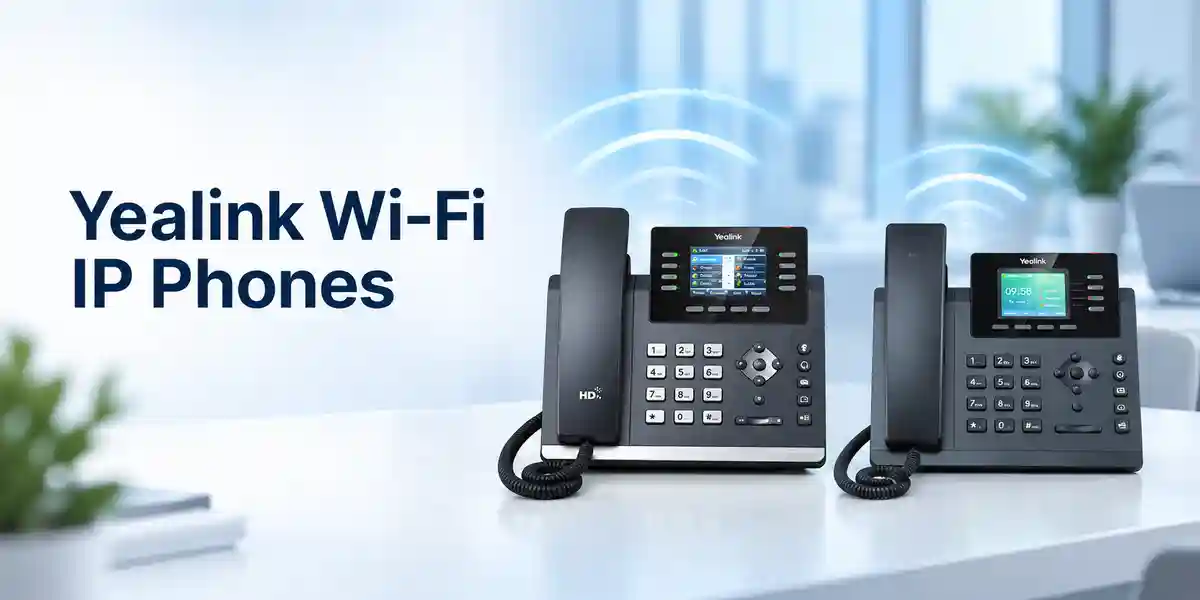
Wireless voice endpoints deserve careful RF planning. The headline 150 Mbps transmission figure describes the adapter’s supported wireless data rate rather than a guarantee of application throughput at every desk. Actual performance depends on signal level, interference, access-point capacity, channel use, network configuration and physical obstacles. Voice itself does not require huge bandwidth, but it is sensitive to latency, packet loss and jitter. A procurement decision should therefore include a basic site assessment rather than assuming that a strong Wi-Fi icon in one location proves suitable service everywhere.
Security policy is another architectural consideration. The WF40 documentation lists WEP, WPA-PSK and WPA2-PSK. Modern enterprise environments commonly prefer stronger contemporary controls, so buyers should compare the adapter’s supported methods with the organisation’s approved WLAN policy before purchase. Where a corporate wireless design requires authentication methods beyond the documented WF40 capability, the network team should validate compatibility before deployment.
Yealink lists support for a defined group of SIP phones including SIP-T27G, T29G, T46G, T48G, T41S, T42S, T46S, T48S, T42U, T43U, T44U, T46U, T48U, T52S, T54S and T53 in current support material. Certain older models require minimum firmware versions. This is why a mixed handset estate should be audited by model and firmware before accessories are ordered in volume.
Enterprise Business Outcomes and Value Analysis
1. Flexible endpoint placement
The clearest operational benefit is the ability to place a supported Yealink phone where a suitable wireless network is present even when a dedicated Ethernet outlet is not conveniently located. This can reduce dependence on immediate recabling for desk moves, temporary work areas and selected front-of-house positions. The benefit is strongest when the requirement is mobility of placement rather than mobility during an active call.
2. Reliable deployment through compatibility control
Reliability starts before installation. The WF40 should be matched to supported handset models and appropriate firmware. A documented compatibility check prevents the common mistake of purchasing accessories based only on the USB connector. Standardising the approved phone-and-adapter combinations also gives support teams a clearer baseline when investigating wireless issues.
3. Scalable branch and project rollout
For branches, temporary offices and phased renovations, wireless phone connectivity can shorten the path from furniture placement to endpoint activation. Organisations can maintain a controlled accessory stock for compatible phones and allocate units where structured cabling is not yet available. Scaling still requires access-point capacity and coverage planning; the adapter is an endpoint component, not a substitute for WLAN engineering.
4. Security aligned to documented capabilities
The WF40 supports documented wireless encryption and pre-shared-key methods. Procurement and security teams should map those capabilities against internal standards before purchase. This turns security into a planned acceptance criterion instead of an installation-day surprise. Legacy WEP should generally not be selected simply because it is supported; use the strongest mutually supported policy approved by the organisation.
5. Operational simplicity
The small USB form factor avoids a separate external wireless bridge, additional desktop power adapter and extra patch leads. For supported phones, that can produce a cleaner workstation and a more repeatable support model. Central teams should still document WLAN credentials, handset configuration procedures and escalation paths so convenience does not become configuration inconsistency.
6. Cost control
The economic case is best assessed per location. Compare the accessory and wireless readiness cost with the labour, materials, disruption and approval required to install new structured cabling. In permanent high-density desk areas, Ethernet may remain the preferred long-term design. For selective locations, relocations or temporary requirements, the WF40 can offer a practical alternative.
Key Hardware and Wireless Highlights
| Component or Capability | Technical Detail | Operational Meaning |
|---|---|---|
| Wireless radio | 2.4 GHz, IEEE 802.11b/g/n | Connects compatible phones to supported 2.4 GHz WLANs. |
| Transmission rate | Up to 150 Mbps | Provides ample nominal link capacity for IP phone network traffic under suitable RF conditions. |
| Interface | USB 2.0 | Compact direct connection to supported Yealink endpoints. |
| Security | WEP, WPA-PSK, WPA2-PSK | Requires policy comparison with the target WLAN before procurement. |
| Form factor | 26.9 × 18 × 8 mm | Low-profile accessory suitable for desk-phone deployments. |
Unlike a network switch, gateway or security appliance, the WF40 does not have a backplane, switching ASIC, redundant power supplies or independent management plane. Its engineering value lies in being a focused radio interface for supported Yealink endpoints. Procurement specifications should therefore avoid importing requirements from unrelated infrastructure classes. The meaningful acceptance criteria are handset compatibility, firmware level, wireless standard, security method, RF coverage, physical fit and deployment support.
Technical Specifications Ledger
| Specification | Confirmed Detail |
|---|---|
| Product | Yealink WF40 Wi-Fi USB Dongle |
| Network standard | IEEE 802.11b/g/n |
| Frequency range | 2.4 GHz |
| Transmission rate | Up to 150 Mbps |
| Security | 64/128/152-bit WEP encryption, WPA-PSK, WPA2-PSK |
| Interface | USB 2.0 |
| Dimensions | 26.9 mm × 18 mm × 8 mm |
| Operating temperature | 0°C to +40°C per current Yealink support datasheet |
| Storage temperature | -40°C to +85°C |
| Carton quantity | 40 pieces |
| Carton net/gross weight | 1.70 kg / 2.20 kg |
| Carton dimensions | 305 × 260 × 272 mm |
| Gift box | 119 × 113 × 26 mm |
Specifications should be read as product capabilities, not as guarantees of site performance. Wireless throughput and call quality are affected by access-point placement, interference, client density and network design. Temperature figures should also be applied to the actual installation environment rather than storage or transport conditions. Where a tender requires compliance certificates, regulatory documentation or a particular hardware revision, request those documents for the offered batch during quotation.
Configuration and Sizing Worksheet
Step 1 — Count the endpoints
List every phone intended for wireless connection. Record the exact model, quantity, current firmware and physical location. Separate permanent wireless requirements from temporary ones. This prevents over-ordering and exposes unsupported models early.
Step 2 — Validate the handset generation
Compare each model with Yealink’s supported WF40 list. For T48G, Yealink specifies firmware 35.80.0.95 or later. For T29G, T46G, T46S and T48S, version 81 or later is required. For T27G, T41S and T42S, Yealink identifies x.81.0.110 or later. Where version naming differs by model, use the handset’s actual firmware information rather than assuming equivalence.
Step 3 — Assess wireless conditions
Confirm 2.4 GHz coverage at every intended desk. Review channel congestion, access-point loading, roaming design where relevant and the effect of walls, shelving, glass, machinery or dense furniture. A warehouse or campus deployment needs a different RF assessment from a small open office.
Step 4 — Check power and cabling implications
Moving a phone from wired Ethernet to Wi-Fi does not automatically solve phone power. If the handset previously received power through Ethernet, determine how it will be powered in the wireless location and confirm the correct approved power arrangement for that phone model. Include nearby mains availability and cable management in the site plan.
Step 5 — Confirm network security
Record the WLAN security method and verify that it matches the documented WF40 capabilities. Network teams should approve the intended SSID, credential handling, VLAN path, firewall policy and voice-service reachability. Avoid treating the dongle as a bypass around corporate network controls.
Step 6 — Prepare the quote request
Provide the organisation name, delivery city, required quantity, handset models, firmware information if known, expected deployment date and whether staging or technical validation is required. For multi-site projects, split quantities by site. This gives the supplier enough context to identify compatibility risks before shipment.
Deployment Scenarios and Industry Use Cases

Large enterprise and multi-site networks
A large organisation may have excellent structured cabling in its primary offices but still encounter exceptions: executive temporary rooms, training areas, expansion floors, pop-up project teams and leased branches. WF40 units can be allocated to compatible phones in those exception locations. The deployment should be governed through an approved device list, standard WLAN profile and documented support process. At scale, the organisation should also consider whether 2.4 GHz capacity is sufficient in dense environments.
Financial institutions
Banks and financial organisations usually operate strict security and change-control processes. The WF40 can be considered where the documented wireless security capabilities meet policy and where endpoint placement flexibility is required. The network and security teams should approve the SSID, authentication method, segmentation and access rules. Branch rollouts should be tested on a representative handset and network configuration before a large purchase.
Education and campus environments
Universities, schools and training centres often reconfigure rooms and offices between terms or projects. A supported Yealink handset with WF40 can reduce dependency on a nearby Ethernet port for selected administrative endpoints. Campus WLANs, however, can be complex and may use authentication schemes not documented for the WF40. Compatibility with the institution’s wireless security architecture must therefore be verified before purchase.
Government and regulated procurement
Public-sector buyers frequently need model-specific quotations, compliance documents, clear quantities, warranty terms and delivery commitments. The WF40 can be specified as an accessory to named compatible Yealink phones. Tender documents should state the exact model rather than using a generic description such as USB Wi-Fi adapter, because general adapters may not be supported by the phone firmware. Where regulatory or origin documentation is mandatory, request it with the commercial offer.
Technical Deep Dive: Radio and Interface Architecture
The WF40’s purpose is narrowly defined: provide a supported Yealink handset with a wireless network interface through USB. That simplicity is important. A voice endpoint does not need the raw throughput of a workstation downloading large datasets, but it does need predictable network behaviour. The 802.11b/g/n support gives the adapter compatibility with common 2.4 GHz wireless environments, while the stated rate of up to 150 Mbps provides substantial nominal capacity relative to ordinary voice traffic.
The practical engineering challenge is shared spectrum. The 2.4 GHz band can be busy because many Wi-Fi and non-Wi-Fi devices operate there. In a dense office, adding many wireless phones without capacity planning can increase contention. The correct design is therefore not to compare 150 Mbps with a voice codec bitrate and conclude that hundreds of phones are automatically safe. Instead, engineers should look at airtime, access-point client count, signal-to-noise conditions, channel reuse and competing traffic. A pilot at representative busy-hour conditions is useful for larger deployments.
Technical Deep Dive: Firmware and Operational Control
Compatibility is partly a firmware matter. Yealink’s published guidance gives minimum versions for several phone families, demonstrating that accessory support is implemented through the handset software as well as the physical USB interface. This has a direct procurement consequence: two phones with similar connectors may behave differently if their model or firmware is outside the supported combination.
Before rollout, create an inventory export or manual schedule showing phone model and firmware. Upgrade supported phones through the organisation’s normal change process where necessary. Firmware changes should be tested against SIP registration, call features, provisioning and any business-specific integrations. The accessory should be introduced as part of a controlled endpoint baseline, not as an undocumented desk-side modification.
Technical Deep Dive: Availability and Recovery Planning
A Wi-Fi adapter does not create high availability by itself. The phone’s service continuity depends on the entire chain: endpoint power, adapter operation, radio coverage, access point, switching, routing, DNS where used, call-control reachability and upstream connectivity. If voice service is business-critical, resilience planning should cover those layers.
For sites where a wired connection is available and reliable, Ethernet may remain preferable for fixed critical endpoints. Wireless can be valuable where cabling constraints dominate, but the organisation should decide which positions can tolerate WLAN dependency. Keep a small pool of tested spare accessories for larger estates, document replacement procedures and retain the ability to move a critical phone to an approved wired position if the wireless environment becomes impaired.
Pre-Purchase Buyer Gap Checklist
Will it work with any Yealink phone? No assumption should be made. Yealink publishes a specific supported model list. Match the exact handset model and firmware before ordering.
Does it support 5 GHz? The WF40 documentation specifies 2.4 GHz IEEE 802.11b/g/n. Buyers whose WLAN strategy depends on 5 GHz should not infer support that is not documented.
Does Wi-Fi also power the phone? No. Wireless networking and endpoint power are separate design questions. If moving away from a PoE Ethernet connection, verify how the phone will receive approved power.
Is 150 Mbps guaranteed? No. It is the stated transmission rate capability. Real wireless performance varies with RF and network conditions.
Are there recurring subscriptions? The WF40 is a hardware accessory; any separate service, PBX, hosted calling or management subscription depends on the wider communications platform. Confirm the complete bill of materials and service arrangement for the project.
Will it work with every corporate WLAN? Not necessarily. Compare the documented security modes with the organisation’s WLAN authentication requirements. Enterprise environments using methods beyond the published capability require validation.
How much physical clearance is needed? The dongle itself measures about 26.9 × 18 × 8 mm. Installation clearance also depends on the USB port position and nearby cables or desk surfaces.
Should every desk phone use Wi-Fi? Not automatically. Wireless is useful when it solves a real placement or cabling problem. For dense fixed installations with structured cabling, wired networking may remain operationally simpler. Use WF40 where its flexibility produces a clear benefit.
Uganda Procurement and Delivery Logistics
Uganda buyers can request a formal quotation for the Yealink WF40 with the quantity, delivery location and associated phone models. For a small requirement, the commercial process can focus on unit quantity, current availability and delivery. For a multi-site rollout, the request should include a site-by-site schedule so accessories can be allocated and labelled logically.
Order processing should begin with compatibility validation where the customer provides the handset estate. This is particularly important for mixed deployments containing older T-series phones. After commercial approval, availability and delivery timing depend on current stock and the supply route for the requested quantity. Buyers working to a project deadline should state the required-on-site date rather than relying on a generic delivery expectation.
Technical pre-configuration can also be discussed where the broader handset project requires it. Because WLAN credentials and security practices are sensitive operational information, customers should agree an appropriate configuration method. In many environments it is preferable for the customer’s authorised network team to apply credentials through established provisioning controls.
Local coverage
FourTeck can support procurement requirements serving Kampala, Entebbe, Jinja, Mbarara and Gulu as well as other Uganda locations subject to delivery arrangements. Kampala projects may include headquarters, branches, hospitality sites, healthcare facilities and professional offices. Entebbe deployments can include administrative and service environments, while Jinja, Mbarara and Gulu requirements may involve branch expansion, education, regional offices and distributed operations. For every city, the same principle applies: specify the exact phone model and quantity so the WF40 is treated as a compatibility-controlled accessory rather than a generic USB item.
Cross-Border and Regional Supply
Organisations operating across East Africa and the Gulf often need consistent accessory specifications across several branches. A group standard can identify the Yealink phone models approved for WF40 use, minimum firmware baselines, wireless policy and spare ratio. This makes regional procurement easier because each local order follows the same technical acceptance criteria while delivery and commercial terms remain country-specific.
For regional enquiries, use FourTeck Uganda, FourTeck Kenya, FourTeck Africa, FourTeck UAE and FourTeck Kuwait. Cross-border orders should account for destination-specific commercial terms, taxes, import requirements, lead times and warranty handling. For a multinational rollout, request a consolidated technical bill of materials before splitting purchase orders by country.
Related Yealink Solutions
The WF40 is most useful when selected as part of a complete endpoint design. Buyers evaluating desk-phone connectivity can explore Yealink business communication solutions in Uganda and request guidance on compatible SIP desk phones, power arrangements, headsets, expansion accessories and deployment services. For reception and front-office environments, confirm whether the selected handset needs expansion keys, headset support or dedicated wired connectivity in addition to wireless flexibility. For branch deployments, consider the phone, accessory, network and power requirements as one bill of materials.
A related-product recommendation should never be based on connector shape alone. The most valuable cross-sell is a technically compatible combination: the correct Yealink phone, supported wireless accessory, suitable power method and approved network configuration. Customers replacing older handsets should also compare the value of adding WF40 units with moving to newer phone models that may offer different integrated connectivity options. FourTeck can help structure that comparison around the installed base and project lifecycle.
FourTeck Technical Service Capabilities
Accessory procurement becomes more dependable when the bill of materials is validated before dispatch. FourTeck can review the requested Yealink phone models and WF40 quantities, identify obvious compatibility questions and help customers prepare a cleaner order. For larger projects, this can include checking model naming, firmware prerequisites, site quantities and accessory allocation.
Staging requirements can be discussed for broader endpoint projects. Where firmware updates are needed to reach a supported baseline, the change should be planned carefully and validated against the customer’s calling environment. Pre-shipment checks can reduce installation-day surprises, while customer-side testing remains important because the supplier cannot reproduce every WLAN, firewall, PBX and RF condition found on site.
Post-sales support can assist with product-level troubleshooting and warranty coordination according to the applicable commercial terms. For wireless issues, efficient diagnosis requires separating endpoint compatibility from network conditions. Useful evidence includes the phone model, firmware version, SSID/security type, symptom, location, whether other clients are affected and whether the problem follows the adapter or remains tied to one desk.
Extended Technical FAQ
1. What is the Yealink WF40 used for?
The WF40 is a USB Wi-Fi dongle intended for supported Yealink SIP desk phones. It gives a compatible handset a 2.4 GHz IEEE 802.11b/g/n wireless network interface through USB 2.0. The practical purpose is to connect a phone to an available WLAN where Ethernet cabling is unavailable or inconvenient. It does not provide SIP service, create a wireless network or replace an access point. The phone still needs correct network configuration and access to the organisation’s call-control platform. Before buying, verify both the handset model and its firmware against Yealink’s compatibility guidance.
2. Which Yealink phones are supported?
Current Yealink support material lists SIP-T27G, T29G, T46G, T48G, T41S, T42S, T46S, T48S, T42U, T43U, T44U, T46U, T48U, T52S, T54S and T53. Some models have minimum firmware requirements. For example, Yealink states that T48G requires 35.80.0.95 or later; T29G, T46G, T46S and T48S require version 81 or later; and T27G, T41S and T42S require x.81.0.110 or later. Always verify the exact phone and firmware before a bulk order because support information can evolve.
3. Does the WF40 support 5 GHz Wi-Fi?
The published WF40 specifications identify a 2.4 GHz frequency range and IEEE 802.11b/g/n standards. Buyers should therefore plan it as a 2.4 GHz accessory and should not assume 5 GHz capability. This matters in organisations that have moved voice or corporate clients to 5 GHz-only WLAN policies. Ask the network team whether an approved 2.4 GHz SSID is available at the intended locations and whether the security configuration matches the adapter’s documented capabilities.
4. Is the 150 Mbps rate the speed we will always receive?
No. The 150 Mbps figure is the adapter’s stated transmission rate capability, not a guaranteed application throughput at every installation point. Real performance depends on access-point capability, distance, walls and obstructions, radio interference, channel congestion, competing clients and network configuration. IP voice usually needs far less bandwidth than 150 Mbps, but voice quality is sensitive to packet loss, jitter and delay. For large or critical deployments, test representative locations during busy periods rather than relying solely on the nominal rate.
5. What wireless security does the WF40 support?
Yealink documents 64/128/152-bit WEP encryption, WPA-PSK and WPA2-PSK. Procurement teams should compare those methods with the organisation’s current WLAN security policy. Support for a method in the product specification does not mean every method is equally appropriate for a modern enterprise; the strongest mutually supported method approved by the organisation should be selected. If the corporate WLAN depends on an authentication framework not listed in the WF40 documentation, involve the network/security team and validate the design before purchasing accessories.
6. Does using WF40 remove the need for a phone power supply?
No. The WF40 changes the network-access method; it does not eliminate the handset’s need for electrical power. A phone connected by Ethernet may currently receive power through PoE. If that Ethernet connection is removed and the phone moves to Wi-Fi, the project must provide an approved alternative power arrangement for the handset where required. Check the exact phone model’s power requirements and confirm mains availability at the new position. This is one of the most important practical checks before converting a desk from wired to wireless connectivity.
7. Are there licences or subscriptions required for the WF40?
The WF40 itself is a hardware connectivity accessory. However, the phone’s wider operation may depend on a SIP account, PBX, hosted calling service, provisioning platform or other services that have their own commercial terms. The accessory should therefore be evaluated within the complete communications solution. Ask for a bill of materials that separates hardware from any recurring platform charges. If the organisation already operates supported Yealink phones on an established voice platform, the main WF40-specific checks are compatibility, firmware, WLAN security, RF conditions and handset power.
8. How should we troubleshoot a phone that does not connect through WF40?
Start with compatibility rather than immediately blaming the wireless network. Confirm the exact handset model, firmware version and that the WF40 is correctly seated. Then check whether the intended 2.4 GHz network is visible, whether the configured security method is supported and whether credentials are correct. If association succeeds but calling does not, investigate IP addressing, gateway/DNS behaviour, VLAN or firewall policy and reachability to the call-control service. Testing the same adapter on another known-compatible phone can help separate an accessory problem from a handset or site configuration issue.
9. How is warranty or replacement handled?
Warranty handling should follow the terms stated on the supplier quotation or invoice for the offered product and batch. If a suspected hardware fault occurs, retain the purchase reference and record the troubleshooting already completed. Useful information includes the phone model, firmware version, adapter identity where available, failure symptom and whether the issue follows the WF40 when moved to another supported phone. Physical damage, environmental conditions and unauthorised modification can affect warranty assessment. For project procurement, request warranty terms before purchase so the replacement process is understood in advance.
10. Can FourTeck help validate a bulk deployment before ordering?
Yes, the procurement process can include technical validation of the requested accessory mix. For the fastest review, provide a handset inventory containing model names, quantities, firmware versions where available, deployment cities and intended wireless security method. Also identify phones that currently rely on PoE so the project does not overlook replacement power arrangements when Ethernet is removed. For multi-site projects, a small representative pilot is often worthwhile before full rollout because wireless conditions differ by building. The goal is to turn a simple accessory purchase into a controlled, supportable deployment.
Request a Yealink WF40 Procurement Quote
Send FourTeck the required WF40 quantity, delivery city and the exact Yealink phone models that will use the adapters. If available, include firmware versions and the target wireless security method. For branch or enterprise projects, add a site-by-site quantity schedule and the required deployment date. This information helps identify compatibility questions before the order reaches installation stage.
A good quotation is more than a unit price. It should establish the product model, quantity, commercial validity, expected supply timing, warranty baseline and any requested technical services. Where the WF40 is part of a new Yealink phone rollout, request the full endpoint bill of materials so power and accessory requirements can be reviewed together.




Reviews
There are no reviews yet.