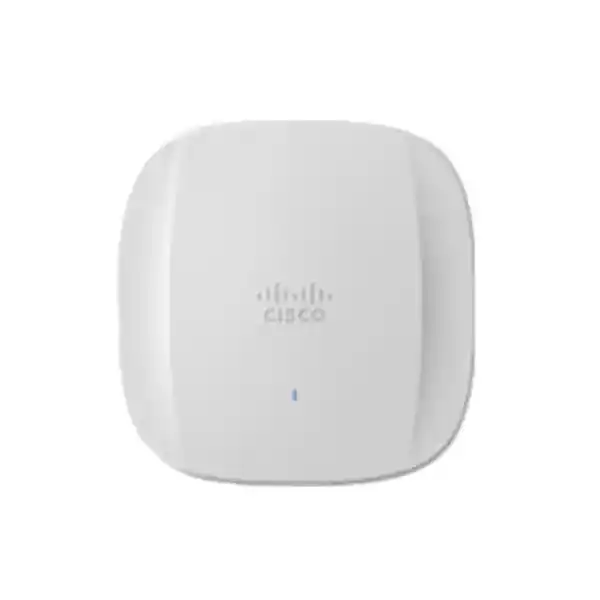
Cisco Meraki CW9166I-MR Cloud-Managed Enterprise Wi-Fi 6E Access Point in Uganda
The Cisco Meraki CW9166I-MR is an indoor, omnidirectional, tri-band Wi-Fi 6E access point for organizations seeking centrally managed wireless connectivity across busy business environments. Designed for Meraki dashboard operation, it combines 4×4 radio capability across 2.4, 5 and 6 GHz with a multigigabit wired interface. Its suitability depends on building layout, client support, spectrum rules and an appropriately provisioned wired network. It is not a standalone broadband router and should not be quoted as a complete wireless system without switching, licensing and installation requirements.
Organizations evaluating this model often need to resolve several practical issues simultaneously: whether existing ceiling cabling can support multigigabit uplinks, whether available switches provide sufficient PoE budget, whether current client devices can use 6 GHz, and whether the proposed licensing term aligns with the planned refresh cycle. FourTeck can help turn those questions into a purchase specification and a documented quote for Uganda projects.
Procurement Snapshot
Model: CW9166I-MR; cloud-managed indoor omnidirectional access point.
Wireless: Wi-Fi 6E, 2.4/5/6 GHz, 4×4 radios.
Uplink: One RJ45 multigigabit Ethernet port, up to 5 Gbps.
Power: PoE+ without USB, 802.3bt for USB support, or compatible DC supply.
Licensing: Meraki access point license required.
Supply: Quoted availability, delivery and eligible warranty terms to be confirmed.
Wireless Architecture and Operational Fit
The CW9166I-MR addresses environments in which a large number of devices contend for airtime. Its 802.11ax features include uplink and downlink OFDMA, MU-MIMO, beamforming and packet aggregation. These capabilities help the network serve compatible clients efficiently, but delivered application throughput remains dependent on channel width, interference, client radio capability, traffic mix, backhaul capacity and site design. The published aggregate maximum physical-layer rate is not a guaranteed single-client or application throughput figure.
The 6 GHz band adds spectrum for compatible Wi-Fi 6E clients where local regulations permit operation. It should be planned as an additional capacity resource rather than a blanket replacement for 5 GHz. Older laptops, handhelds and scanners may continue to require 2.4 or 5 GHz service. Walls, floors, dense shelving and structural concrete affect each band differently. A site survey and measured validation after installation are important for a predictable result.
The dedicated security and radio-frequency management functions support wireless visibility, while dashboard-based administration gives authorized network teams a consistent view of deployed access points. Wireless policy, guest access and monitoring features should be validated against the selected license and current software documentation. Organizations should separately plan upstream switching, routing, authentication, DHCP, DNS, internet access and monitoring processes.
Business Outcomes and Engineering Considerations
- Capacity planning: Distribute busy client groups across appropriate access points and bands; use real traffic assumptions rather than marketing rate figures.
- Service continuity: Design redundant uplinks and power at the network level where required; one access point itself has a single Ethernet uplink.
- Scalable rollouts: Standardize templates, naming, switch-port profiles and installation records across sites.
- Access controls: Use suitable authentication, VLAN separation and guest policies, and test them before production handover.
- Central oversight: Plan dashboard administrator roles, alerts and operational ownership for ongoing maintenance.
- Cost transparency: Include licenses, power equipment, mounts, structured cabling, installation, support and renewal obligations in total project cost.
- Client experience: Evaluate roaming, voice calls, conferencing and scanner behavior with representative devices.
- Lifecycle readiness: Confirm current product support milestones and migration options with Cisco before approving a multi-year purchase.
Hardware and Software Highlights
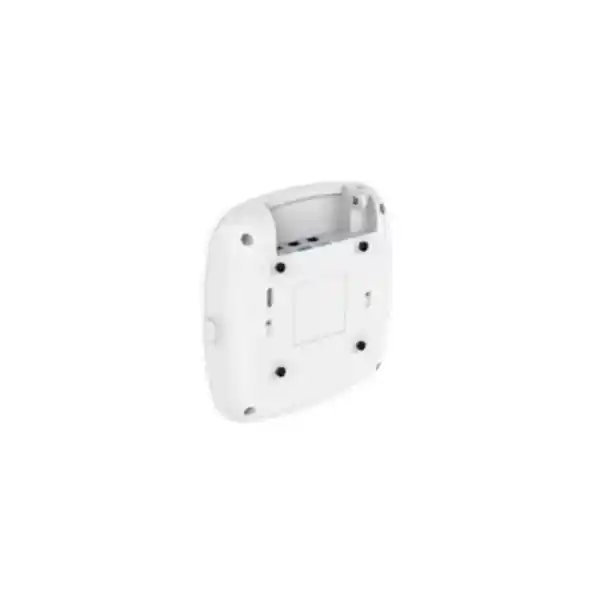
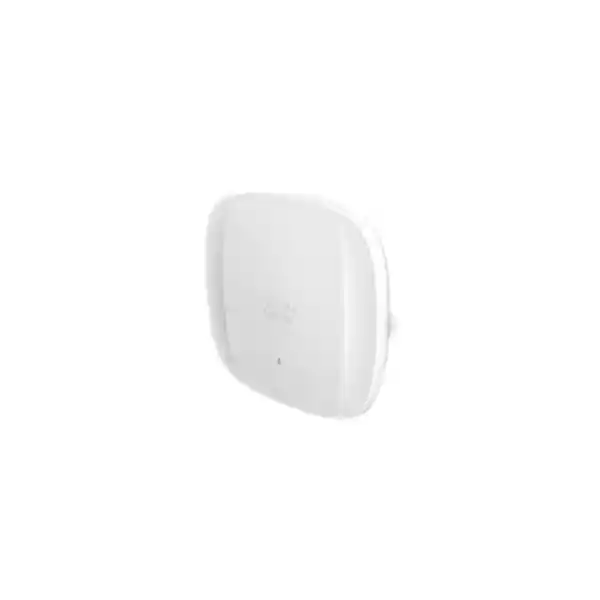
The indoor unit has integrated omnidirectional antennas and a compact ceiling-mount form factor. The included mounting hardware is AIR-AP-BRACKET-2; alternative brackets and an articulating arm may be ordered separately. One multigigabit Ethernet port supports 100/1000/2.5G/5G BASE-T according to Cisco Meraki documentation. A USB 2.0 interface is available when supplied with sufficient power, while the RJ45 console interface is associated with Catalyst management mode rather than normal Meraki operation. A Kensington lock slot supports physical security planning.
Meraki cloud management is central to the CW9166I-MR purchase decision. The access point requires the relevant license, and administrators should confirm account readiness, claimed device status and subscription coverage before scheduling cutover. Feature behavior and migration procedures can change with supported software releases. A management-mode transition must not be treated as a routine license toggle; confirm prerequisites and the exact device history with Cisco before promising a conversion.
Verified Technical Specifications
| Item | Specification / Procurement Note |
|---|---|
| Order code | CW9166I-MR, cloud-managed omnidirectional model |
| Wireless standard | IEEE 802.11ax / Wi-Fi 6E, backward compatibility subject to band and client capabilities |
| Radio bands | 2.4 GHz, 5 GHz, 6 GHz; regulatory permissions apply |
| Spatial streams | 4×4 on supported 2.4, 5 and 6 GHz radio operation |
| Ethernet | 1 × 100/1000/2.5G/5G BASE-T RJ45 |
| PoE power | 802.3at PoE+ or 802.3bt; 802.3af insufficient |
| Maximum PoE consumption | 25 W without USB; 30.5 W with USB capability |
| Alternative power | 54 V DC via compatible adapter, separately sourced |
| USB | USB 2.0, up to 4.5 W with suitable power |
| Dimensions | 241.3 × 241.3 × 56.9 mm, excluding mounting plate |
| Weight | Approximately 1.60 kg |
| Operating temperature | 0°C to 50°C |
| Operating humidity | 10%–90%, non-condensing |
| Management | Meraki Dashboard; compatible access point license required |
| Warranty | Cisco documentation states lifetime indoor AP hardware warranty with advanced replacement; confirm entitlement and Uganda service conditions on quote |
Specifications reflect Cisco published material and are subject to regional ordering, firmware and regulatory limitations. A purchase quotation should identify exact supplied accessories and licensing separately.
Configuration and Sizing Worksheet
Step 1 — Map demand. Record room dimensions, floor count, wall materials, expected peak simultaneous users and device types. Separate ordinary browsing from voice, video, collaboration and latency-sensitive workloads. Estimate traffic per zone, then validate with a predictive design and on-site survey.
Step 2 — Audit infrastructure. Identify each planned ceiling location and measure available cable runs. Verify multigigabit switch-port capability, cable quality, PoE class, spare power budget, patch-panel labeling and upstream capacity. A 5 Gbps-capable access point does not force an upgrade in every installation, but a 1 Gbps connection may constrain high-density use.
Step 3 — Select power. Choose PoE+ for supported operation without USB, or a compatible 802.3bt source where USB use is planned. Include power draw across all access points in the switch budget and allow margin for other powered devices.
Step 4 — Confirm policy. Document SSIDs, authentication, guest isolation, VLAN mappings, firewall rules, roaming needs and logging retention. Verify client readiness for 6 GHz and the local regulatory domain before enabling spectrum-dependent features.
Step 5 — Assemble the quotation. Provide access point count, license duration, injector or switch requirements, mounts, cabling, installation scope, destination, desired lead time and commissioning acceptance criteria. Request separate pricing for hardware, recurring entitlements and professional services.
Deployment Scenarios Across Uganda
Multi-floor Offices and Distributed Enterprises
In multi-floor offices, access point positions should follow actual user concentration and construction materials, not a simple equal-distance grid. A central dashboard can support consistent configurations across branches, while site-level switching and internet resilience remain separate engineering responsibilities. Standardized naming and inventory records simplify later troubleshooting and replacement.
Financial Services and Banking
Branch and administrative wireless deployments require disciplined access segmentation, change management and auditability. Use corporate and guest SSIDs with suitable isolation, align authentication with approved identity services, and test recovery from WAN interruptions. Sensitive applications should be assessed against internal security policy before any wireless rollout.
Universities, Schools and Training Campuses
Lecture rooms and libraries produce sharply varying concurrent demand. A density-led radio design can improve capacity distribution, while mixed older and newer client populations require realistic 2.4/5/6 GHz support. Assess student onboarding, visitor access, classroom mobility and management workload before selecting final quantities.
Public-Sector and Regulated Sites
Procurement teams should request manufacturer documentation, exact part numbers, applicable regulatory evidence, support terms and serial-number traceability. Where policy mandates on-premises management or restricted cloud services, verify whether the Meraki-managed ordering variant is permissible before purchase.
Three Technical Deep Dives
1. Radio Processing and Spectrum Utilization
The value of Wi-Fi 6E depends on how efficiently the installation allocates airtime. OFDMA and MU-MIMO can improve service of multiple compatible clients under suitable conditions, while beamforming and aggregation support efficient radio transmissions. These are not substitutes for a coverage survey. Channel planning must consider co-channel contention, neighboring networks, power settings and clients that do not support newer bands. High-density spaces may benefit more from careful cell sizing than from simply raising transmit power.
2. Cloud Management and Security Operations
Dashboard management enables administrators to organize access points, apply configuration and review network conditions centrally. Effective operation still requires deliberate administrator access controls, change approvals, alert ownership and periodic license reviews. Wireless security should be implemented through appropriate authentication and policy segmentation rather than assumed from the hardware name. Validate monitoring and firmware behavior against the current supported release before rollout.
3. Resilience and Service Recovery
The CW9166I-MR has one wired Ethernet uplink; therefore redundant switching, UPS-backed power and WAN paths must be designed around the access layer rather than claimed as built-in dual-uplink redundancy. Maintain configuration records and spare-hardware procedures. Test outage recovery, authentication dependencies and guest access during planned maintenance windows. A replacement unit should be verified for license eligibility and the correct management organization before being installed.
Pre-Purchase Risk and Compatibility Checklist
Confirm that the quotation is for the CW9166I-MR omnidirectional cloud-managed model rather than the directional CW9166D1-MR or a controller-managed variant. Verify the supported regulatory domain for Uganda and whether the proposed 6 GHz operation is approved at the project location. Ask for the license SKU, term and renewal responsibility in writing. Confirm whether injectors, DC adapters, power cords and optional mounting arms are included or excluded. Check that the existing switch supplies the correct PoE standard, not merely a generic powered Ethernet port.
Review client compatibility before expecting an immediate 6 GHz benefit. Older devices may connect on other supported bands and will not become Wi-Fi 6E capable through an access point upgrade. Examine existing copper cabling and uplink congestion before committing to multigigabit expectations. Confirm warranty and replacement procedures for the country of installation, together with import documentation and any project-specific acceptance testing. Do not rely on unverified assumptions about stock, manufacturer lifecycle or delivery dates.
Uganda Procurement and Delivery Planning
FourTeck can prepare a requirement-based quotation for Uganda enterprise buyers. To reduce avoidable revisions, share the legal purchasing entity, delivery address, required quantities, preferred license term, mounting conditions, proposed switch model and target installation window. Availability and delivery dates should be confirmed during quotation rather than presented as guaranteed. For structured projects, request a line-item bill of materials and clarify the responsibilities for cabling, configuration, acceptance testing and post-installation support.
Local Coverage
Kampala head offices may prioritize density and coordinated building-wide coverage. Entebbe projects may involve hospitality and office spaces with varied guest access needs. Jinja industrial and education deployments may require careful consideration of interference and physical layout. Mbarara branch environments often benefit from repeatable installation standards, while Gulu project teams may place particular importance on delivery coordination and support planning. Service scope and shipping arrangements are confirmed individually for each destination.
Regional Sourcing and Related Infrastructure
For multi-country projects, coordinate model variants, local approvals, licensing ownership and customs paperwork before consolidating orders. Regional FourTeck portals include Uganda, Kenya, Africa, United Arab Emirates and Kuwait. Cross-border availability and regulatory suitability must be established separately.
A complete deployment may also require multigigabit network switching, PoE injectors and power accessories, structured network cabling, wireless management licensing, enterprise firewalls and network infrastructure services. Ask the sales team to identify exact compatible items and current category links in the formal offer.
FourTeck Technical Service Scope
Subject to the agreed statement of work, technical assistance may include bill-of-materials review, verification of switch and PoE compatibility, mounting assessment, wireless design inputs, licensing checks, staging and configuration guidance. Any pre-shipment firmware or dashboard preparation should be explicitly agreed, with administrator credentials handled through approved secure procedures. After installation, establish a written handover covering asset records, configuration ownership, testing results, warranty contacts and support escalation.
Technical Procurement FAQ
Does the CW9166I-MR require a Meraki license?
Yes. The cloud-managed ordering variant requires an appropriate Meraki access point license. Buyers should request a separately identified license line with the correct term and confirm compatibility with their organization and licensing model. Hardware-only pricing is not a complete operating-cost comparison.
Can the access point use an ordinary PoE switch?
Only if the switch supplies a supported power standard and sufficient budget. Cisco lists 802.3at PoE+ operation without USB and 802.3bt power for USB functionality. Basic 802.3af is not sufficient. Confirm port-level budget and total chassis budget for the number of units planned.
Will every laptop use the 6 GHz band?
No. A client needs compatible Wi-Fi 6E radio hardware, operating-system support and suitable security settings, and the band must be permitted by local regulation. Legacy devices can continue using supported older bands. Include a representative client inventory when estimating the benefit of 6 GHz.
Does a 5 Gbps Ethernet port guarantee 5 Gbps user speed?
No. Ethernet link speed describes the wired interface capability. Real wireless application performance depends on client radios, spectrum, channel width, signal conditions, contention, switching and upstream services. Use a validated capacity model and field measurements for performance commitments.
Is this access point suitable for outdoor installation?
It is an indoor model with a published operating temperature of 0°C to 50°C and non-condensing humidity limits. Outdoor and exposed environments require an appropriately rated access point. Do not assume that a sheltered location makes indoor equipment suitable for outdoor conditions.
Can the CW9166I-MR replace an older Meraki access point one-for-one?
A direct replacement may be possible but should not be assumed. Antenna patterns, mounting, power requirements and coverage characteristics may differ. Validate mounting hardware, switch power, cabling, channel plan, client distribution and licensing before replacing equipment in production.
What mounting hardware is included?
Cisco Meraki documentation lists AIR-AP-BRACKET-2 as included for CW9166I. Other mounting options, including articulating arms, may be optional. Confirm ceiling construction and the exact mounting bill of materials before purchasing.
What is the hardware warranty?
Cisco documentation lists a lifetime hardware warranty with advanced replacement for the indoor access point. Actual entitlement, replacement routing and country-specific conditions should be verified against the supplied part number, purchase channel and formal terms. License renewals and installation services are separate considerations.
Can this model be managed by a Catalyst wireless controller?
The CW9166 family supports management-mode choices under Cisco’s documented conditions, but CW9166I-MR is specifically the Meraki cloud-managed ordering variant. Conversion is subject to prerequisites and supported procedures; do not assume direct controller adoption without verification.
What should be sent to obtain an accurate Uganda quote?
Provide the CW9166I-MR model, quantity, installation cities, target timeline, desired license term, existing switch models, required accessories and any available floor plans. For larger installations, include user density and security requirements. This information helps distinguish the access point hardware cost from the wider deployed solution.
Request a Project-Ready Cisco Meraki CW9166I-MR Quote
Plan a dependable enterprise wireless purchase with the right access point quantities, licensed management, power infrastructure and installation accessories. FourTeck can review the proposed Uganda deployment and help identify the questions that should be resolved before purchase approval. Share your site requirements and request written confirmation of current availability, regulatory suitability, applicable warranty terms and delivery arrangements. A documented quote gives procurement and technical teams a common basis for budgeting, rollout and acceptance.




Reviews
There are no reviews yet.