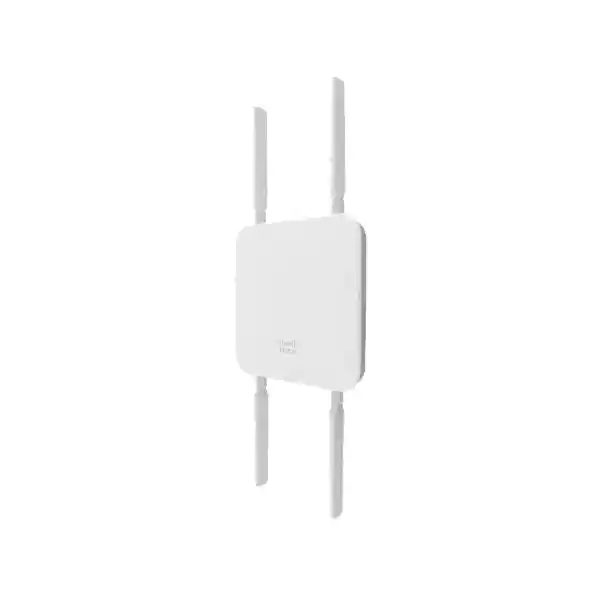
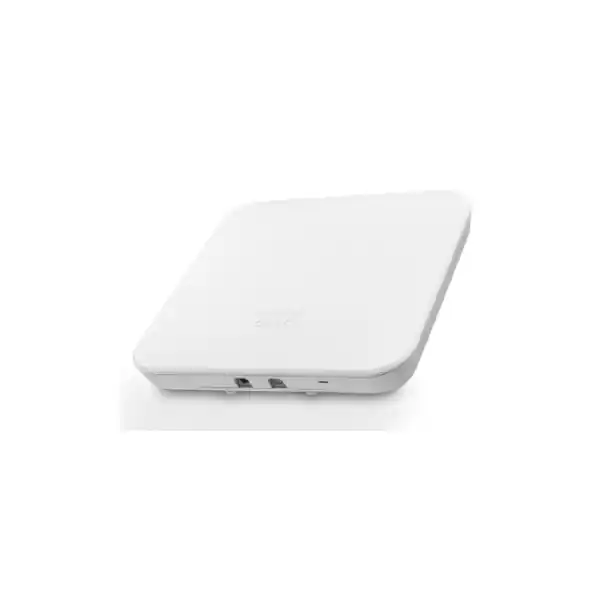
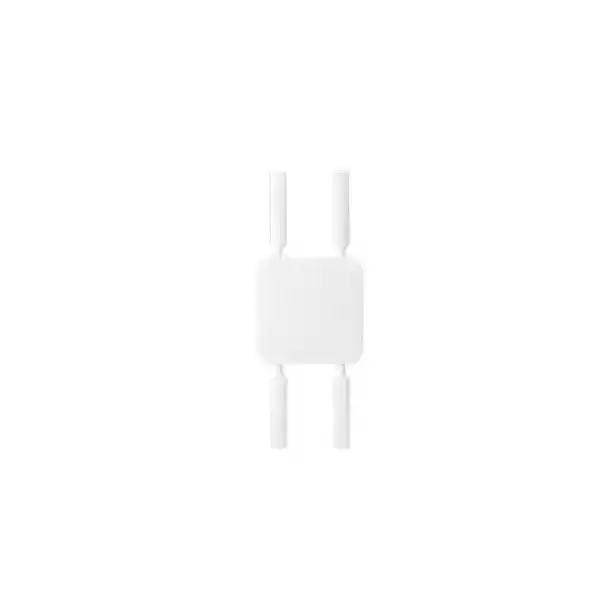
Cisco Meraki MG52E Cloud-Managed 5G Cellular Gateway for Uganda
The Cisco Meraki MG52E is an externally antennated, cloud-managed cellular gateway designed to deliver a 5G connection to business network equipment. It is useful when a branch requires an alternative to fixed broadband, when a site must come online before fiber installation, or when a resilient secondary WAN connection is necessary. The MG52E supports 5G standalone and non-standalone sub-6 GHz networks with LTE Cat 20 support, subject to carrier compatibility. It provides two multigigabit Ethernet interfaces and four included dipole antennas.
For Ugandan organizations, the right purchase starts with verifying coverage at the actual installation point. Cellular performance is location-dependent; a strong handset signal elsewhere in a building does not guarantee equivalent performance at the gateway. FourTeck can assist with hardware quotations and deployment planning, including compatible antenna options, licensing and power requirements.
Request MG52E Pricing and Availability
Procurement Facts at a Glance
MG52E-HW; external antenna variant
5G SA/NSA sub-6 GHz; LTE Cat 20
Two 2.5 GbE RJ45 ports, one dedicated LAN and one convertible LAN/WAN
802.3at PoE+ or supported DC adapter; 16 W maximum specified load
IP67 enclosure; operating temperature specified as -40°C to 50°C in the technical specification
Pricing, availability, licensing, warranty eligibility and Uganda delivery confirmed by quotation
Operational Architecture
The gateway converts cellular WAN access into Ethernet connectivity for downstream network infrastructure. A typical deployment connects the MG52E to the WAN interface of a compatible Cisco Meraki MX security appliance. The MX can then apply its own security policies, VPN configuration and WAN selection rules. The MG52E should not be described as independently supplying the entire firewall, switching or wireless-access feature set of an MX appliance. Its role is cellular transport and managed connectivity.
The hardware incorporates an integrated cellular modem, dual nano-SIM slots, an eSIM and two 2.5 GbE ports. A dedicated Ethernet port and a convertible LAN/WAN port provide topology flexibility. Dashboard management supports remote diagnostics, alerts, firmware scheduling, link-status visibility and troubleshooting. Operators should budget for dashboard telemetry: Cisco documentation estimates approximately 500–800 MB per month for an idle gateway, with additional downstream traffic increasing consumption. Confirm current software behavior and data-plan allowances before selecting a carrier tariff.
Business Outcomes
- Fast site activation: Use cellular service while awaiting a wired circuit, provided the carrier can activate an appropriate business data plan.
- WAN continuity: Attach the gateway as a secondary uplink so a compatible firewall can redirect traffic according to configured policies.
- Flexible antenna planning: Included dipoles suit general placement, while supported directional accessories may improve reception in selected locations.
- Central visibility: Review network health and cellular measurements without dispatching an engineer for every basic diagnostic check.
- Carrier flexibility: Dual physical SIM slots and eSIM support help teams plan service alternatives, but activation and failover depend on carrier and dashboard configuration.
- Practical installation: The compact, IP67-rated form factor supports deployment in challenging environments when mounting, cabling and power are engineered correctly.
- Lifecycle control: Scheduled firmware maintenance and centralized configuration reduce the effort of coordinating geographically distributed sites.
- Cost visibility: Assess hardware, license, cellular subscription, mounting, antennas, labor and replacement provisions as one procurement package.
Technical Specification Ledger
| Specification | MG52E |
|---|---|
| Cellular generation | 5G SA/NSA sub-6 GHz; LTE Cat 20 |
| Maximum passthrough data rate | Up to 2 Gbps down / 300 Mbps up, theoretical device specification |
| Maximum NAT data rate | Up to 1.5 Gbps down / 300 Mbps up, device specification |
| Ethernet | 1 dedicated 2.5 GbE RJ45 LAN; 1 convertible 2.5 GbE RJ45 LAN/WAN |
| SIM connectivity | 2 nano-SIM (4FF) slots and 1 eSIM |
| Antennas | 4 included Cisco Meraki dipole antennas; supported optional patch antenna |
| Dimensions | 173 × 173 × 36.5 mm, excluding antenna clearance |
| Weight | 717 g without accessories |
| Power | 12 V / 1 A DC or 48–57 V DC / 0.35 A; 802.3at PoE+; maximum 16 W specified |
| Environmental rating | IP67; 5–95% non-condensing humidity |
| Operating temperature | -40°C to 50°C per Cisco technical specifications; verify regional datasheet |
| Management | Cisco Meraki dashboard with appropriate licensing |
Configuration and Sizing Worksheet
Step 1 — Identify the workload. Decide whether the cellular connection will carry only emergency traffic or daily operations. Inventory payment terminals, voice calls, surveillance, remote desktops and VPN traffic. Estimate typical and peak traffic, then calculate expected monthly consumption. For failover, decide which applications remain available when the fixed WAN is down.
Step 2 — Survey signal and placement. Test the intended operator at the proposed mounting location, ideally across different times of day. Record signal quality and actual upload and download performance. Include cable routing, weather exposure, physical access and mounting security. The gateway’s environmental rating does not remove the need for safe cable entry and power protection.
Step 3 — Plan power. Specify a compatible 802.3at PoE+ source or supported DC supply. Cisco notes that the DC adapter takes precedence if both power methods are connected; switching between sources can reboot the unit. Do not assume simultaneous connections provide seamless redundant power.
Step 4 — Confirm licensing and carrier service. Check the Meraki license term and the carrier’s 5G bands, data caps, public-IP availability, eSIM activation rules and APN requirements. International certification or advertised 5G support alone does not guarantee compatibility with every Ugandan operator.
Step 5 — Prepare the quotation. Include the hardware model, quantity, site list, required licensing, compatible antennas, mounting parts, PoE equipment, SIM provisioning and any installation or commissioning service.
Deployment Scenarios
Multi-Site Enterprise
An organization with branches across Uganda can standardize the MG52E as a cellular access device and connect it to its existing WAN security platform. The dashboard gives administrators a common operational view, while individual sites can use the operator that performs best locally. Before rollout, pilot at least one urban and one less-connected site to validate signal, antenna selection and recurring data costs.
Financial Services and Retail
Banking outlets, retail counters and payment-processing locations may use a cellular uplink to maintain selected essential services during a fixed-line outage. Security controls, traffic segmentation and transaction compliance remain the responsibility of the wider network architecture. Design failover tests around actual payment applications rather than assuming an active cellular connection guarantees end-to-end service.
Education and Campus Facilities
Schools and universities can use cellular connectivity for temporary buildings, administrative continuity or remote facilities. Where student traffic is large, define bandwidth policies and data allowances before treating a cellular plan as the main campus connection.
Public Sector and Field Sites
Government field offices and operational facilities can benefit from rapid connectivity and centralized management. Procurement teams should assess approved operators, device security procedures, physical mounting, account ownership and support obligations against their specific policies.
Three Engineering Considerations
Cellular Performance and Packet Handling
Cisco specifies a maximum wireless passthrough rate of 2 Gbps downstream and 300 Mbps upstream, and a maximum NAT rate of 1.5 Gbps downstream and 300 Mbps upstream. These figures describe device capabilities, not guaranteed local service speeds. Radio bands, signal quality, carrier scheduling, network load, plan restrictions and application behavior can all reduce observed throughput. The two 2.5 GbE interfaces avoid an immediate 1 GbE port ceiling, but downstream equipment and cabling must support the chosen link speeds.
Dashboard Operations and Firmware Governance
Cloud management enables distributed teams to examine cellular details, receive alerts and schedule firmware changes. Establish an administrative ownership model before claiming devices in a dashboard organization. Document access permissions, alert recipients, SIM details, firmware windows and incident escalation. A cellular gateway requires both an operational carrier connection and an appropriately licensed management environment.
Resilience and Recovery
The MG52E can serve primary or secondary WAN arrangements and can connect to compatible MX high-availability designs. Dual SIM capability can reduce dependence on one service provider, but a second SIM is not the same as a second independent modem or guaranteed uninterrupted failover. Test real outage scenarios, including carrier failure, exhausted data allowances, power loss and upstream firewall behavior. Keep a documented recovery procedure for remote sites.
Important Pre-Purchase Questions
Does the unit include everything required? Cisco lists the MG52E hardware, mounting plate and four dipole antennas as box contents. A valid subscription, compatible power equipment and an activated data service may require separate purchasing. Confirm the final bill of materials.
Can any external antenna be used? No. Cisco states that non-Meraki antennas are unsupported. Use approved Meraki antenna models and verify connector and installation requirements. The optional MA-ANT-DUAL-C3 patch antenna is intended for directional installations; antenna selection should follow a site survey.
Will it work on every 5G network? Not necessarily. Check supported bands, regulatory region, SIM provisioning and actual operator compatibility before ordering. A network advertising 5G does not prove all supported bands or standalone services are available at a given location.
Is the device a complete firewall? No. It supplies managed cellular WAN connectivity; pair it with an appropriate security appliance where firewall, VPN and policy enforcement are required.
Uganda Procurement and Delivery Planning
FourTeck Uganda can prepare a commercial quotation based on the required model, quantity and installation sites. Ask the sales team to specify hardware lead time, licensing, shipping, taxes, warranty handling and any pre-configuration scope in writing. Do not assume immediate local stock or a fixed delivery period until confirmed. For installations in Kampala, Entebbe, Jinja, Mbarara and Gulu, provide a complete delivery address and the intended carrier. Regional service availability and on-site engineering arrangements should be agreed separately.
Regional Supply Coordination
Organizations operating across borders can coordinate procurement requirements through FourTeck Uganda, FourTeck Kenya, FourTeck Africa, FourTeck UAE and FourTeck Kuwait. Verify regional hardware SKUs, carrier bands, import requirements, license entitlement and support conditions separately for each country.
Related Equipment and Accessories
A complete deployment may require a compatible Cisco Meraki MX security appliance, an 802.3at PoE+ power source, approved MA-ANT-C2-B dipole replacements, the optional MA-ANT-DUAL-C3 directional patch antenna, appropriate Ethernet cabling and mounting hardware. Confirm compatibility through the manufacturer product page and technical specifications before finalizing the order.
Technical Service Scope
Ask FourTeck about bill-of-materials review, antenna selection guidance, configuration staging, dashboard enrollment planning, firmware maintenance coordination and post-sales escalation. These activities should be included explicitly in the agreed quotation or service statement. Site-specific acceptance testing should verify cellular signal, application performance, intended failover behavior and alert delivery.
Frequently Asked Questions
1. What is the Cisco Meraki MG52E used for?
It provides managed cellular connectivity to downstream business networking equipment. Common roles include primary connectivity at temporary or remote sites, a secondary WAN path for a branch and cellular access while waiting for wired broadband. It can be connected to a compatible Meraki MX appliance for broader WAN and security functions.
2. Does the MG52E support 5G standalone?
Yes. Cisco specifies 5G standalone and non-standalone sub-6 GHz support, with LTE Cat 20 capabilities. Actual service depends on carrier bands, network deployment, subscription provisioning and local signal conditions. Validate the intended Ugandan operator before placing a multi-site order.
3. How many Ethernet ports are available?
The device has two 2.5 GbE RJ45 interfaces: one dedicated LAN port and one convertible LAN/WAN port. This arrangement supports flexible downstream connectivity and selected high-availability topologies. Verify the desired topology against current Cisco configuration guidance.
4. Are antennas included?
The MG52E package includes four compatible Meraki dipole antennas and a mounting plate. Cisco recommends using all four antennas. Third-party antennas are not supported. An approved directional patch antenna can be considered where a properly surveyed installation requires it.
5. Is licensing required?
Meraki cloud-managed devices use licensing, and the appropriate entitlement should be included in procurement planning. Confirm the available license options, term, renewal implications and dashboard organization ownership with the quotation. Cellular data service is a separate commercial consideration.
6. Can the MG52E run from PoE?
Yes. It supports 802.3at PoE+ and a compatible DC power supply. The published maximum power load is 16 W. Cisco states that a connected DC adapter takes priority over PoE; source transitions may restart the gateway, so the two inputs should not be treated as uninterrupted redundant power.
7. Is it suitable for outdoor deployment?
The enclosure carries an IP67 rating and is intended for demanding installations. Correct mounting, supported antennas, protected cable routing and safe power design are still essential. Evaluate heat, exposure, lightning protection and physical security as part of the site design.
8. Can two SIM cards provide failover?
Two physical SIM slots and an eSIM support flexible carrier planning, with automatic SIM failover functionality described by Cisco. Actual behavior depends on configuration, service activation and operator support. A secondary SIM should be tested before the gateway is relied on for critical operations.
9. What warranty should a Uganda buyer expect?
Cisco advertises a lifetime hardware warranty with advanced replacement for the MG52E, subject to applicable manufacturer conditions and regional eligibility. Confirm the exact entitlement, replacement geography, service level and proof-of-purchase requirements in the FourTeck quotation rather than assuming identical processing in every market.
10. How do I obtain an accurate quotation?
Send the quantity, site locations, intended carriers, whether the connection is primary or backup, required license duration, antenna constraints and installation expectations. Ask for an itemized response covering hardware, licensing, accessories, delivery and any engineering services. This avoids comparing incomplete offers.
Plan Your MG52E Deployment with FourTeck Uganda
Request a tailored quotation for Cisco Meraki MG52E hardware, licensing and compatible accessories. Include your delivery location, quantity and connectivity requirements so the proposed package reflects the actual deployment. Commercial availability, local carrier compatibility and warranty handling will be confirmed during quotation.



Reviews
There are no reviews yet.