OUTDOOR ENTERPRISE WIRELESS | UGANDA PROCUREMENT
Cisco Meraki MR76 Outdoor Wi-Fi 6 Access Point
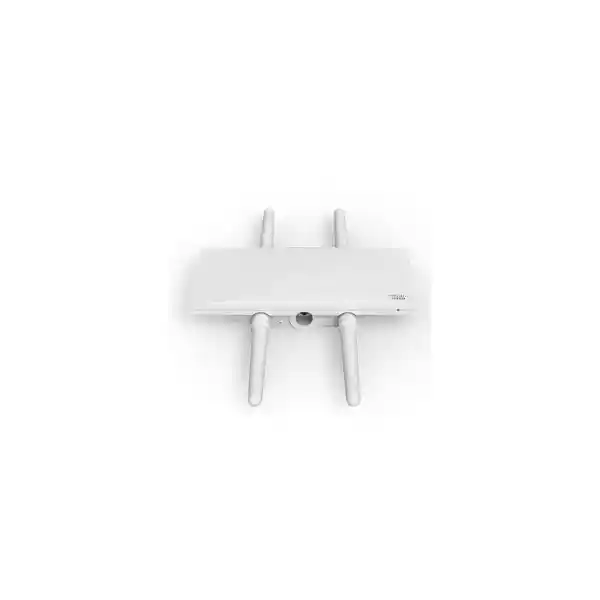
The Cisco Meraki MR76 is a cloud-managed, IP67-rated outdoor wireless access point for extending managed enterprise connectivity into yards, courtyards, industrial facilities, educational grounds and exposed building approaches. It combines dual-band Wi-Fi 6 client service with dedicated wireless intrusion monitoring and Bluetooth Low Energy capability. Its external antenna architecture is particularly important when coverage must follow a planned direction rather than radiate indiscriminately.
Buying the correct outdoor access point requires more than matching a wireless generation. Procurement teams must understand antenna quantities, permitted radio settings, cabling, PoE source capacity, cloud licensing, mounting safety and operational support. The MR76 addresses an important part of this challenge through rugged construction and centralized Meraki Dashboard administration, but the complete installation must be engineered as a system.
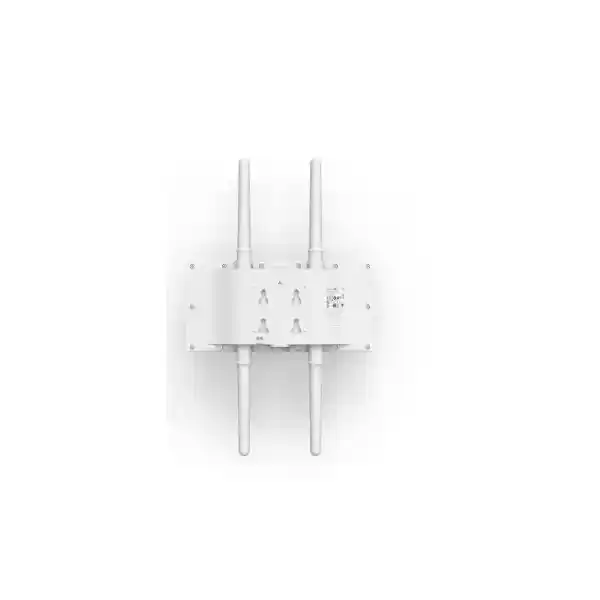
The hardware SKU is MR76-HW. The access point has one Gigabit Ethernet port, four external N-type antenna connectors and supports 802.3af PoE. Compatible antennas are separate purchase items. The published maximum power draw is 15 W. These details matter when budgeting a site with multiple pole-mounted devices and when preparing a purchase order that should not omit essential accessories.
For Uganda deployments, request a bill of materials that states the intended installation location, antenna selection, subscription term and delivery requirements. Our quotation process can also address compatible switching and injector options, planned commissioning and the support arrangement appropriate to your organization.
Procurement Fact Rail
MR76-HW, outdoor cloud-managed 802.11ax access point. Confirm regional ordering variant and support entitlement on the final quotation.
Concurrent 2.4 GHz and 5 GHz 2×2:2 client radios, dedicated dual-band security monitoring and BLE radio.
One 10/100/1000 Ethernet port; 802.3af PoE; maximum published draw 15 W.
IP67 enclosure; -40°C to +55°C specified operating range, subject to correct installation.
Price, stock, freight, lead time and applicable Meraki license are confirmed in a written quotation.
Cisco documentation lists a one-year hardware warranty with advanced replacement for this outdoor access point; confirm local fulfillment terms.
Architecture and Operational Overview
The MR76 uses two client-serving radio bands so compatible devices can connect over 2.4 GHz or 5 GHz according to signal conditions, channel planning and client capability. Its 2×2:2 design provides two spatial streams per client radio. Wi-Fi 6 functions include OFDMA, beamforming and modern modulation capabilities, with feature availability subject to firmware and configuration. These mechanisms improve airtime handling under appropriate conditions; they do not guarantee a fixed application throughput at every point in a site.
Unlike an indoor access point installed in a sheltered office, an MR76 may be placed on an exterior wall or pole. The design therefore begins with a physical survey: what structures obstruct the signal, which users need coverage, where a cable can safely terminate and which antennas provide the intended radiation pattern? The rugged enclosure protects the device, but antenna connections, cable glands, grounding, surge protection and weatherproof workmanship remain critical to the completed installation.
The access point has four external N-type antenna connectors. Cisco lists MA-ANT-20, MA-ANT-21, MA-ANT-23, MA-ANT-25 and MA-ANT-27 antenna families as compatible options. A sector antenna is not automatically preferable to an omnidirectional antenna: the correct selection depends on whether clients occupy a courtyard, a long walkway, a loading zone or a defined outdoor sector. Engineers should verify band-specific connector mapping and installation guidance before ordering antenna quantities.
Meraki Dashboard provides centralized configuration, visibility and monitoring. Administrators can manage wireless network settings, apply policies and review network events without visiting every pole. The dedicated monitoring radio helps observe the RF environment and detect wireless threats while client radios serve traffic. Bluetooth capability supports beacon and scanning use cases where applicable. Dashboard connectivity and an appropriate subscription should be included in the operational plan.
At the wired boundary, the Gigabit Ethernet port connects to an appropriate PoE switch or injector. Although the combined wireless frame-rate figure is higher than one gigabit in some product literature, this does not make the physical uplink multigigabit. The Ethernet interface is Gigabit, and realistic user performance depends on client mix, protocol overhead, airtime contention, interference and uplink conditions. This distinction is useful when comparing proposals that advertise theoretical wireless rates without describing actual site capacity.
Enterprise Outcomes and Value
- Predictable performance planning. Dual-band Wi-Fi 6 and channel-management capabilities help build a measured outdoor coverage plan. Design for real client applications and roaming behavior rather than headline radio rates alone.
- Environmental resilience. The IP67 housing and broad specified operating temperature range make the platform suitable for demanding exposed locations when mounting and cable sealing follow vendor guidance.
- Scalable administration. Multiple access points can be managed through a common cloud dashboard, reducing the need to configure individual devices in isolation and helping standardize settings across sites.
- Security controls. Support for enterprise authentication, segmentation, traffic policies and wireless intrusion detection provides useful building blocks for a governed outdoor network. Validate the chosen firmware and licensing capabilities.
- Operational visibility. Monitoring and analytics help support teams investigate client experience, RF issues and network changes. Visibility is most valuable when alerts and ownership are assigned to a responsible administrator.
- Lifecycle cost discipline. The complete cost includes hardware, antennas, PoE, installation, structured cabling, surge mitigation, Meraki subscription and future maintenance. A complete quote reduces surprise expenses.
- Deployment flexibility. Antenna choice and wall or pole mounting support different coverage geometries, from school grounds to logistics yards, provided the RF survey and physical installation are sound.
Hardware and Software Highlights
| Capability | Practical impact |
|---|---|
| 2×2:2 Wi-Fi 6 radios | Concurrent service for supported 2.4 GHz and 5 GHz wireless clients. |
| Dedicated WIDS/WIPS radio | Independent RF monitoring and wireless security visibility. |
| BLE radio | Beaconing and compatible Bluetooth scanning workflows. |
| Four N-type connectors | External antenna selection tailored to the intended coverage footprint. |
| 802.3af PoE | Power and network connectivity through a suitable Ethernet infrastructure. |
| Meraki Dashboard | Central policy, monitoring, configuration and lifecycle management. |
Technical Specifications Ledger
| Manufacturer / model | Cisco Meraki MR76 / MR76-HW |
|---|---|
| Wireless standard | IEEE 802.11ax; backwards compatibility with applicable earlier standards |
| Client radios | 2.4 GHz and 5 GHz, concurrent, 2×2:2 MIMO |
| Additional radios | Dedicated dual-band WIDS/WIPS and 2.4 GHz BLE |
| Published aggregate frame rate | Up to 1.5 Gbps in Cisco MR76 datasheet; theoretical radio figure, not guaranteed user throughput |
| Wired interface | 1 × 10/100/1000BASE-T RJ45 |
| Antenna interfaces | 4 × external N-type connectors; antennas sold separately |
| Power | IEEE 802.3af PoE; 15 W maximum published consumption |
| Enclosure rating | IP67 |
| Operating temperature | -40°C to +55°C |
| Humidity | 5–95% non-condensing |
| Dimensions | 30.0 × 15.3 × 5.5 cm, excluding mounts, antennas and cable gland |
| Weight | 1.34 kg |
| Mounting | Wall and vertical pole mounting; standard mounting hardware included |
| Security | 802.1X, supported WPA modes, VLAN tagging, Layer 7 policy, Air Marshal; check firmware-specific features |
| Warranty baseline | One-year hardware warranty with advanced replacement per published Cisco datasheet; local terms to confirm |
Specifications and regulatory operating channels must be validated against the current Cisco documentation and the destination-country regulatory domain. Some software capabilities may depend on firmware release or license selection.
Configuration and Sizing Worksheet
1. Establish workload
Record the number of simultaneously active users, devices, handheld scanners, outdoor cameras or mobile terminals expected in each zone. Separate light browsing from voice, transactional applications and sustained video. Specify required coverage at the actual client height, not merely at the antenna mount.
2. Draw the coverage area
Provide a site map with walls, metallic obstacles, foliage, roadways, warehouse racks, courtyards and the likely access point mounting points. Include dimensions and note whether clients move between buildings or remain in fixed locations. A survey is preferable to assuming that a single radio covers every outdoor area.
3. Validate power and cabling
Confirm an 802.3af-capable source with enough remaining budget, suitable outdoor-rated cable, lightning and surge planning, and an acceptable cable path. Consider protected equipment placement and safe access for future maintenance. PoE redundancy depends on the upstream design rather than on dual power inputs in the MR76.
4. Select antennas and subscription
Choose approved antenna models and quantities for both client bands, then verify the Meraki licensing term and organization entitlement. Antennas and injectors should be listed explicitly rather than assumed to ship with the access point.
5. Prepare the request for quotation
Supply the hardware quantity, delivery city, preferred antenna pattern, power source, existing Meraki organization details where appropriate, installation expectations, desired license term and required invoicing information. Ask the seller to itemize optional labor, taxes and freight separately.
Deployment Scenarios
Large enterprise and multi-site networks
Outdoor employee areas, loading bays and inter-building pedestrian routes can benefit from centrally managed Wi-Fi. Standardize SSIDs and access policy, but plan channels and antenna direction separately for each location. A consistent management platform does not eliminate local RF differences.
Financial institutions
Bank compounds, service yards and controlled outdoor customer areas may require reliable connectivity with strong segmentation. Use enterprise authentication and appropriate firewall policy; separate operational terminals from guest access. Validate local data-handling and security requirements before enabling location-related features.
Education and campus environments
Schools and universities often need wireless service between buildings, in courtyards and near sports facilities. The MR76 supports weather-exposed placement, while the survey should consider peak class changes, crowded events, vegetation and the presence of older client devices.
Government and regulated organizations
Public-sector buyers should document radio approvals, vendor authorization, license ownership, asset identification, procurement compliance and service continuity expectations. Sensitive installations may impose additional restrictions on cloud management and network connectivity; these must be assessed before selection.
Warehousing and industrial yards
Metal containers, trucks and tall inventory stacks can reshape RF propagation as operations change. Directional antenna placement and periodic validation are often more valuable than increasing transmit power. Design around actual scanners and mobile terminals rather than assuming uniform client capability.
Three Engineering Deep Dives
Radio processing and airtime efficiency
The MR76 serves clients with 2×2:2 radios on two frequency bands. Wi-Fi 6 scheduling features can improve shared-medium efficiency when supported by the active clients and firmware. The advertised aggregate frame rate combines radio capabilities and should not be interpreted as simultaneous usable throughput through the single Gigabit Ethernet port. Antenna gain, regulatory power limits, channel width, noise floor and device placement determine practical performance. Outdoor RF planning must account for changing weather conditions, reflective surfaces and competing networks.
Software, firmware and administrative control
Meraki Dashboard centralizes configuration and operational monitoring. Administrators should define change control, role-based access, alert routing and firmware maintenance windows. Wireless security monitoring through the dedicated radio is useful for identifying suspicious activity, but alerts still require investigation and appropriate response procedures. Cloud-managed deployment also requires an explicit plan for subscription renewals, account ownership and connectivity dependencies.
Availability, failover and recovery
High availability is a network design property rather than a claim that an individual MR76 contains redundant power supplies. Build resilience with suitable upstream switching, protected PoE sources, resilient wired paths where feasible and overlapping RF coverage. Mesh can help certain hard-to-wire deployments, but backhaul capacity, hop count, interference and failover behavior must be tested. Keep configuration records and replacement procedures so a failed device can be swapped without rebuilding the site design from memory.
Buyer Gap Checklist
Are antennas included? No. Cisco identifies compatible antenna models separately, so the quotation should state each antenna and required quantity. Is an injector included? Do not assume one is included; confirm the selected PoE source. Is the cloud license included? Hardware and the required subscription should be quoted as separate line items unless an expressly bundled offer is documented.
Will the unit fit a rack? This is an outdoor wall/pole access point, not a conventional rack-mounted appliance. Plan the pole diameter, mounting clearance, cable exit, antenna sweep and safe maintenance access instead. Does it have multigigabit Ethernet? No; the published wired interface is Gigabit Ethernet. Can it run from any PoE injector? Verify IEEE compatibility, adequate power and suitability for the installation environment.
What about regulatory compliance? Confirm the applicable regional SKU, permitted channels and power settings before deployment. How long will it remain supported? Ask for current lifecycle and software support information at the time of purchase; do not infer future support dates from product age. Will it work with other vendors? Standards-based wireless clients can associate where authentication and radio settings match, but centralized management is within the Meraki ecosystem.
Uganda Procurement and Delivery
FourTeck Uganda supports quotation preparation for organizations planning outdoor Meraki wireless installations. Buyers can submit a required quantity and delivery destination together with their antenna, license and PoE needs. A complete quotation should distinguish the access point hardware from optional accessories and services so internal approval teams can compare offers on equal terms.
Availability, lead times, import requirements, tax treatment and warranty routing depend on the final commercial arrangement. No immediate stock or fixed delivery promise is implied by this product page. For technically complex projects, request a pre-purchase design review before issuing a purchase order, particularly when outdoor antennas, long cable runs or multiple sites are involved.
Local Coverage
For Kampala deployments, share the building or compound layout and receiving address. For Entebbe, note airport-area or institutional access requirements where relevant. For Jinja, describe industrial or campus coverage conditions. For Mbarara, identify regional branch connectivity and installation support expectations. For Gulu, include remote-site transport, power quality and maintenance-access considerations. Each location benefits from a documented equipment list and a realistic logistics plan.
Cross-Border Supply Coordination
Organizations coordinating procurement across several markets can refer to FourTeck Uganda, FourTeck Kenya, FourTeck Africa, FourTeck UAE and FourTeck Kuwait. Cross-border equipment orders require attention to country-specific wireless rules, freight terms, licensing ownership, documentation and the destination warranty process. Confirm these details before transferring equipment between regions.
Related Hardware and Planning Resources
Ask for compatible MR76 outdoor antenna options, Meraki wireless subscriptions, PoE switching and injectors, outdoor mounting accessories, surge protection and cabling and multi-site wireless project quotations. These enquiry links allow the commercial team to match related components to the same deployment instead of offering incompatible standalone items.
Technical Service Scope
Engineering assistance may include bill-of-materials validation, antenna suitability review, power-budget checking, licensing guidance, installation staging and post-deployment troubleshooting subject to the agreed scope of work. Before shipment, request confirmation of hardware identity, accessories and approved firmware procedures. During commissioning, retain a site record with device serial numbers, mounting positions, antenna types, switch ports and dashboard organization details. For support escalation, preserve event timestamps, affected client information and the relevant RF observations.
Frequently Asked Questions
1. Is the MR76 suitable for exposed outdoor installation?
Yes. Cisco specifies an IP67 environmental rating and an operating range of -40°C to +55°C. The rating applies to the device as installed according to the manufacturer’s instructions, not to poorly sealed cable joints or unsuitable accessories. Outdoor projects should account for weatherproof cable routing, mounting integrity, grounding and lightning risk. Engineers should also verify that the chosen antenna system and any enclosure or mounting hardware can tolerate local environmental conditions.
2. Does the MR76 include antennas?
No. External antennas are separate items. Cisco lists several compatible MA-ANT antenna families with different radiation patterns. Selection depends on the intended area and the specific 2.4 GHz and 5 GHz antenna ports. A broad courtyard may call for a different pattern than a narrow loading lane. Request a written antenna schedule showing model, quantity and placement for each access point; a bare hardware quotation may not be a deployable solution.
3. What power equipment is needed?
The MR76 supports 802.3af Power over Ethernet and has a published maximum consumption of 15 W. It needs a compatible upstream PoE switch or injector and a correctly installed Ethernet link. If several access points share a switch, confirm the total available PoE budget and reserve capacity. For exposed runs, plan surge protection and cable protection. An injector should not be assumed to ship in the standard access point package.
4. Is a Meraki license required?
Meraki cloud-managed wireless deployments require appropriate licensing. The applicable subscription and term should be confirmed for the specific hardware and organization before purchase. Ask the seller to itemize license cost and renewal dates and to explain how entitlement is assigned. Hardware purchase alone should not be treated as proof of a complete long-term management entitlement. Your network administrator should retain access to the organization account and purchasing records.
5. Can the MR76 work with existing wireless clients?
It supports modern Wi-Fi 6 and applicable earlier wireless standards on the 2.4 GHz and 5 GHz bands. Actual association depends on security mode, channel availability, device capability and configuration. Older scanners or specialized industrial terminals may require careful validation of authentication and roaming behavior. Pilot testing is recommended when an existing operational workflow relies on a specific handheld device or legacy wireless profile.
6. How is outdoor coverage distance determined?
There is no reliable universal distance figure for every MR76 installation. Range varies with antenna gain and pattern, mounting height, obstructions, client transmit power, interference and regulatory constraints. A strong downlink signal is insufficient if a handheld client cannot transmit effectively back to the access point. Request a survey or predictive design using the actual client devices and coverage requirements, then validate the installed system with measurements.
7. Does the MR76 offer wireless security monitoring?
Yes. A dedicated dual-band radio supports wireless intrusion detection and prevention capabilities and RF monitoring. Security results still depend on configuration, firmware, policy and operational response. Administrators should establish alert ownership, document acceptable neighboring networks and investigate suspicious events before taking action. Combine wireless controls with network segmentation, suitable authentication and upstream security monitoring for a complete enterprise posture.
8. Can MR76 units form a mesh network?
Meraki supports mesh capabilities that may extend connectivity into areas where wired links are difficult. However, mesh should be treated as an engineered topology rather than a substitute for capacity planning. Wireless backhaul consumes airtime and can be affected by obstructions or interference. Test the planned antenna arrangement, roaming behavior, expected throughput and failure scenarios. Where a reliable wired uplink is available, it is often the simpler foundation for predictable service.
9. What warranty applies in Uganda?
Cisco’s published MR76 datasheet lists a one-year hardware warranty with advanced replacement. The precise local claim procedure, proof-of-purchase requirements, shipping responsibilities and replacement logistics should be confirmed with the supplying partner. Warranty coverage should not be confused with installation workmanship support or a cloud subscription. Keep serial numbers, invoices and site records so faults can be identified and escalated efficiently.
10. What should a complete MR76 purchase order include?
Start with MR76-HW quantity and the exact receiving location. Add compatible antennas, the selected Meraki subscription, an appropriate PoE source, outdoor cable and protective accessories, and any agreed installation or commissioning services. State the regulatory destination, requested delivery schedule and warranty expectations. For multiple sites, attach a site-by-site equipment schedule. This helps avoid orders that contain access points but lack the components required to operate them.
Build a Complete MR76 Outdoor Wireless Quote
Share your project location, number of access points, expected users, coverage drawings and preferred installation timetable. Request an itemized offer covering hardware, antennas, power accessories, cloud licensing and any required engineering services. We can review the proposed bill of materials against the intended environment and highlight outstanding compatibility questions before purchase approval. Stock, delivery and service commitments are confirmed in the formal offer.




Reviews
There are no reviews yet.