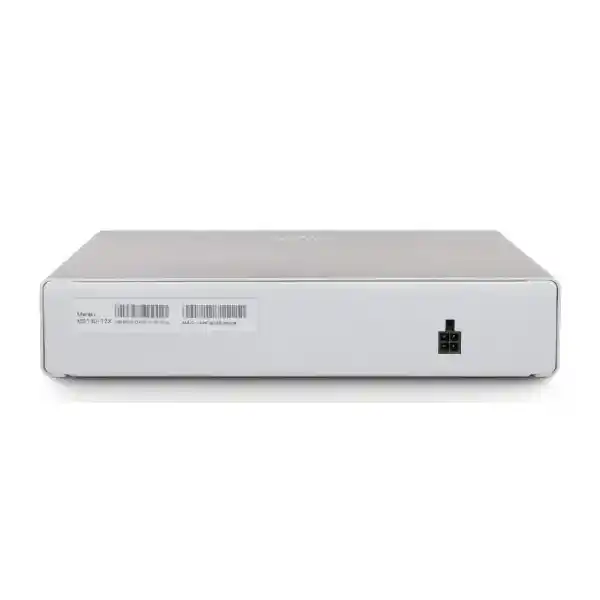
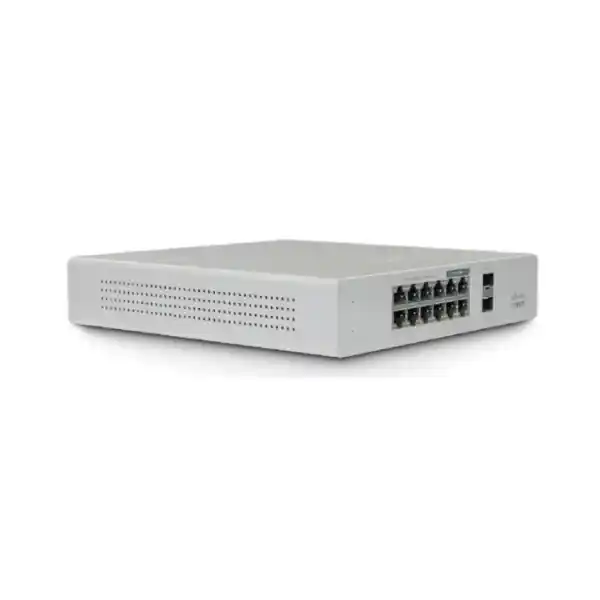
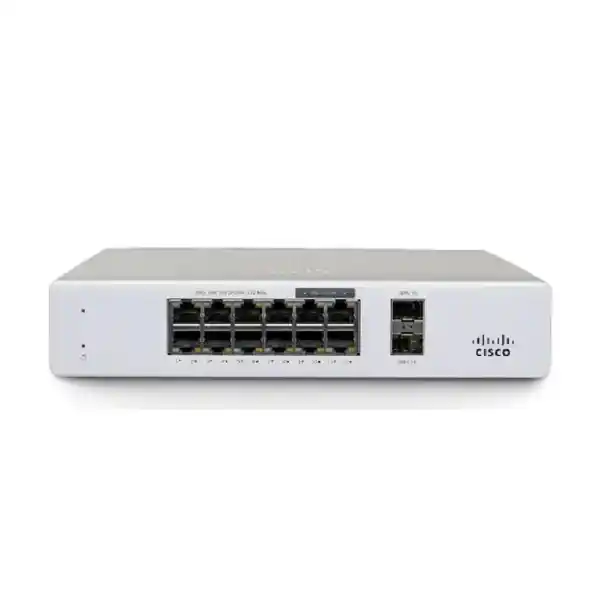
Cisco Meraki MS130-12X Cloud-Managed Multigigabit PoE+ Access Switch
The Cisco Meraki MS130-12X is a compact enterprise Layer 2 switch designed for distributed branch access, contemporary wireless infrastructure and locations where a small footprint must coexist with faster uplinks. Its twelve copper access interfaces comprise eight 1GbE connections and four 100M/1G/2.5G multigigabit connections. Two additional 10GbE SFP+ interfaces connect the access layer to upstream network equipment. A shared 240W PoE+ budget helps consolidate endpoint power and data connectivity. Centralized configuration and monitoring through Meraki Dashboard can reduce repetitive site visits, provided appropriate licensing and cloud reachability are planned. For Uganda projects, the right purchase includes more than a hardware part number: validate port allocation, power budgets, optics, license duration, delivery location and implementation responsibilities before purchase.
Procurement Facts at a Glance
Deployment: compact branch access
Management: Meraki Dashboard
Uplinks: 2 x 10GbE SFP+
PoE+: 240W shared, up to 30W per port
Cooling: fixed internal fan
Stock, licensing and warranty: confirm on quote
Operational Architecture and Business Value
At the access layer, the MS130-12X connects users and powered devices while separating logical networks through VLANs and applying supported access policies. Cisco documents a 76Gbps switching capacity for this model. The switching fabric is intended for local forwarding, not for replacing a dedicated firewall, WAN router or high-capacity campus core. The four 2.5GbE interfaces are valuable for wireless access points whose aggregate client traffic can exceed the throughput available through a conventional Gigabit uplink. The two 10GbE SFP+ ports provide a path to upstream switching with suitable compatible transceivers or cabling. Buyers should check supported optic models, fiber type and distance rather than assuming every third-party module will operate correctly.
Centralized visibility is especially useful for organizations operating several small locations. Administrators can organize sites in Dashboard, review switch-port state, inspect events, manage VLAN assignments and use remote troubleshooting features. Operational value depends on disciplined naming conventions, documentation, secure administrator access and an agreed change process. Cloud management does not eliminate the need for resilient local power, structured cabling, upstream connectivity or on-site replacement procedures. For security-conscious deployments, 802.1X authentication, DHCP snooping and supported access-control capabilities should be designed together with identity, addressing and monitoring services. Confirm current firmware capabilities and license entitlements before specifying any advanced policy feature.
Six Practical Procurement Outcomes
- Bandwidth integrity: allocate multigigabit interfaces to devices that can actually negotiate above 1Gbps, and reserve 10GbE uplinks for the distribution layer.
- Operational continuity: provide protected power and document replacement steps; this compact switch has an external power supply rather than a dual hot-swappable supply architecture.
- Scalable access: standardize configurations across branches while checking whether twelve access ports will accommodate future endpoints.
- Security controls: plan VLAN segmentation, authentication and DHCP protections with the wider network architecture.
- Remote management: use Dashboard monitoring and alerts to reduce avoidable travel and shorten fault isolation.
- Cost visibility: evaluate hardware, recurring license terms, optics, mounting, power protection, shipping and support as one lifecycle budget.
Hardware and Software Feature Matrix
| Capability | Operational Significance |
|---|---|
| 8 x 1GbE RJ45 | Conventional wired access for compatible endpoints. |
| 4 x 2.5GbE RJ45 | Higher-speed copper access for suitable wireless and edge devices. |
| 2 x 10GbE SFP+ | Fast uplink options subject to compatible modules and peer equipment. |
| 240W PoE+ budget | Centralized power for supported devices with aggregate power planning. |
| Meraki Dashboard | Remote provisioning, visibility and troubleshooting with valid licensing. |
| VLAN and 802.1X support | Segment access and integrate supported authentication workflows. |
Technical Specifications
| Specification | MS130-12X |
|---|---|
| Access ports | 8 x 10/100/1000 RJ45; 4 x 100M/1G/2.5G RJ45 |
| Uplink ports | 2 x 10GbE SFP+ |
| PoE | PoE+, 30W per port maximum, 240W shared switch budget |
| Switching capacity | 76Gbps |
| Power input | 54V DC, 5.56A; external supply |
| Idle / maximum load | 19W / 260W (manufacturer figures) |
| Cooling | Fixed internal fan |
| Dimensions | 1.75 x 9 x 8.58 inches (approximately 4.4 x 23 x 23 cm) |
| Weight | 2.34 lb (approximately 1.06 kg) |
| Operating temperature | 0–45°C |
| Humidity | 5–95% relative humidity |
| Mounting | Desktop / integrated wall-mount provisions; verify installation accessories |
| Management | Cisco Meraki Dashboard with appropriate license |
Specifications are based on Cisco product documentation. Confirm current regional ordering details and any firmware-dependent functions against the proposed bill of materials.
Configuration and Sizing Worksheet
Step 1 — Count endpoints: record wired users, phones, cameras, wireless access points and anticipated additions. Twelve copper ports are available, but four should be prioritized for devices needing multigigabit links.
Step 2 — Calculate PoE: list each powered device’s negotiated or specified power demand. Sum simultaneous requirements and retain engineering margin within the 240W shared budget; individual ports must also remain within their stated limits.
Step 3 — Size uplinks: identify aggregation-switch interfaces, transceiver compatibility, media type, cable length and intended redundancy topology.
Step 4 — Inspect installation space: allow for airflow, the external power brick, service access and cable bend radius. Protect the power feed with a suitable UPS where continuity matters.
Step 5 — Plan licensing: request the correct Meraki switching license and term as a separately identifiable quotation line. Confirm any advanced features against current Cisco entitlements.
Step 6 — Prepare the purchase request: include hardware reference, site count, licenses, optics, mounting needs, installation responsibility, destination, preferred delivery window and support expectations.
Deployment Scenarios
Distributed Enterprise Branches
A regional office can use Gigabit ports for conventional wired endpoints, multigigabit ports for selected wireless access points and an SFP+ uplink to the site distribution network. Centralized administration simplifies consistent branch standards, but each location still needs an appropriate internet path for Dashboard connectivity and a documented local recovery plan.
Banking and Financial Offices
Small financial offices may use the switch for controlled endpoint access under an architecture that separates business systems, guest networks and administrative services. The model is not a replacement for a firewall or a resilient routing core. Security teams should approve authentication design, audit requirements and change management before commissioning.
Schools and Campus Buildings
Libraries, classrooms and administration annexes can benefit from multigigabit access-point connectivity and remote troubleshooting. Procurement should account for power demand across access points and phones, physical protection of equipment and expansion beyond twelve copper connections.
Government and Public Institutions
For smaller government sites, the MS130-12X can serve as an access-layer component within an approved security design. Buyers should verify cloud-management policy compatibility, license procurement rules, asset traceability and replacement service expectations before ordering.
Technical Design Considerations
Switching and Uplink Architecture
The 76Gbps switching capacity is a manufacturer-rated platform characteristic, not a promise of identical application throughput in every topology. Actual performance depends on traffic profiles, endpoints, uplink constraints and network design. Map the twelve copper access interfaces to expected device speeds and avoid treating the 10GbE SFP+ ports as interchangeable with copper RJ45 without suitable modules.
Firmware, Monitoring and Policy
Meraki Dashboard enables centralized configuration, firmware lifecycle workflows and diagnostic visibility. Organizations should establish administrator access controls, maintenance windows and rollback procedures. Adaptive Policy capability on the MS130 multigigabit family is subject to applicable firmware and advanced licensing conditions; do not assume activation from hardware purchase alone.
Availability and Recovery
A compact switch is a single physical access-layer device. Its external supply and internal fan must be considered in the continuity plan. Where branch uptime is critical, consider redundant upstream architecture, UPS protection, a preconfigured spare and documented port/VLAN restoration steps. Confirm supported network redundancy mechanisms for the chosen topology rather than assuming physical switch stacking or dual power modules.
Buyer Verification Checklist
Before approval, ask whether the quote includes the cloud license, whether its duration matches the organization’s procurement cycle, whether optics are approved for both ends of each link, and whether power adapters and region-appropriate cords are included. Verify installation space, cooling and the total power draw of powered devices. Confirm the equipment’s service status and the precise warranty and replacement process offered with the transaction. Check interoperability with existing VLANs, authentication infrastructure, upstream switches and monitoring processes. Where advanced policy functions are required, request a written confirmation of licensing and firmware prerequisites. These checks reduce the risk of receiving technically correct hardware that cannot be commissioned on schedule.
Uganda Delivery and Procurement Coordination
FourTeck can receive project enquiries for Kampala, Entebbe, Jinja, Mbarara and Gulu, as well as other Ugandan locations. Quotations should specify destination, quantity, requested licensing, compatible uplink accessories and any staging or commissioning assistance. Delivery schedules, stock position, taxes, warranty arrangements and shipping charges must be confirmed in the formal offer; they are not guaranteed by this product page. For multi-site projects, identify a delivery contact and technical acceptance checklist at each location.
Regional Supply Coordination
For cross-border requirements, buyers can reference FourTeck regional sites serving Uganda, Kenya, African enterprise markets, the UAE and Kuwait. Cross-border quotations should explicitly address local import responsibilities, lead times, licensing eligibility and destination-specific service arrangements.
Related Procurement Options
Consider the Cisco Meraki MS130-8X when fewer access interfaces are sufficient, or larger MS130 models when a location needs higher copper-port density. For a complete design, also evaluate compatible Meraki wireless access points, SFP+ transceivers, fiber patching, UPS protection, structured cabling and appropriately scoped management licenses. Ask FourTeck to review the full bill of materials before issuing purchase orders. The Uganda sales and technical enquiry page is the appropriate starting point for model comparisons, licensing questions and accessory validation.
Technical Services and Acceptance
Deployment support can be scoped to cover bill-of-materials verification, port allocation review, license readiness, optical compatibility checks, site cabling preparation, configuration planning and pre-shipment staging where available. The project acceptance checklist should capture device serial numbers, Dashboard organization ownership, approved firmware, configured VLANs, authenticated endpoint tests, PoE load and uplink connectivity. Any engineering or post-sales service commitment must be defined in the accepted quotation.
Frequently Asked Questions
How many access ports does the MS130-12X provide?
It has twelve copper access ports: eight Gigabit and four multigigabit ports supporting up to 2.5Gbps. Two additional 10GbE SFP+ ports are provided for uplinks. Buyers should distinguish copper access capacity from fiber uplink capacity when calculating total endpoint connections.
What is the PoE capacity?
The shared PoE+ budget is 240W, with up to 30W per supported port. Total simultaneous demand must remain within the shared limit. Calculate each endpoint’s requirements before ordering, especially where several access points draw substantial power.
Is a Meraki license required?
Yes, plan the appropriate Meraki cloud-management license and term. Request license details as explicit quotation lines and confirm the intended management features and any advanced entitlements before approving the purchase.
Can this switch power wireless access points?
It can power compatible PoE endpoints, including suitable access points, within port and overall budget limits. Verify each access point’s power standard, negotiated consumption and network interface speed. Not every wireless access point can take full advantage of a 2.5GbE link.
Does the MS130-12X support 10GbE uplinks?
Yes, it provides two SFP+ uplink ports. The selected transceivers or cables and upstream equipment must be compatible. Confirm optical type, link distance and connector requirements during network design.
Can it replace a firewall or core router?
No. This is primarily a cloud-managed Layer 2 access switch. Use appropriate routing, security and WAN devices elsewhere in the design according to organizational requirements.
Is the power supply redundant?
No dual hot-swappable supply is specified for this compact model. It uses an external 54V DC power supply. UPS protection and spare-device planning are sensible considerations for critical sites.
Can it be installed in a small office?
Its compact chassis suits desk or wall installations when supported mounting guidance is followed. Allow room for the external adapter, fixed internal fan airflow, cable management and physical security.
What should a Uganda buyer include in the quotation request?
Provide quantity, site location, intended connected devices, required PoE load, license duration, uplink media, delivery destination and requested technical services. Ask for written confirmation of lead time, warranty, taxes and accessories.
Can existing non-Meraki devices connect?
Standard Ethernet devices can connect where interface speed, power and networking requirements are compatible. Interoperability of optics, authentication services and advanced management functions must be checked against the complete network design.
Request a Cisco Meraki MS130-12X Quote for Uganda
Send your site count, required hardware quantity, wireless and wired endpoint plan, PoE requirements, licensing term and preferred delivery location. FourTeck can use those details to prepare a procurement discussion around the correct model, accessories, commercial terms and any requested technical assistance. Availability, delivery and service commitments are confirmed only through the formal quotation.




Reviews
There are no reviews yet.