Business headset connectivity • Uganda supply
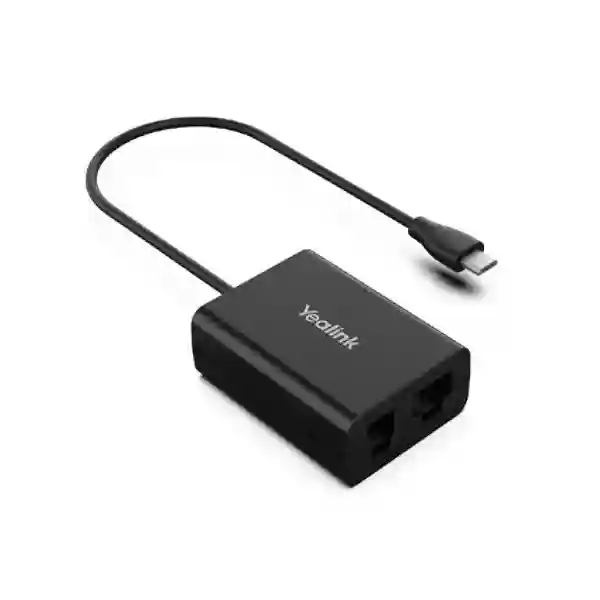
Yealink EHS61 Headset Adapter – Wireless Desk Phone Call Control
The Yealink EHS61 is a purpose-built interface for organisations that want supported Yealink wireless headsets to work more naturally with compatible desk phones. Instead of forcing a user to remain beside the telephone whenever a call arrives, the adapter carries call-control signalling between supported equipment so the user can answer, end and manage call volume from the wireless headset. For busy reception desks, customer-care positions, administrative teams and call-intensive offices, this small accessory can remove a persistent workflow limitation without requiring a wholesale replacement of the existing telephone estate.
Procurement teams should treat EHS61 as a compatibility-specific accessory rather than a universal cable. Yealink identifies it for supported WH62 and WH63 hardware and compatible desk-phone families. Hardware generation matters: supported WH62/WH63 packaging or base markings should indicate EHS61 support. A pre-order check of the headset base, phone model and required cable path is therefore an important part of a successful rollout.
Instant Specifications & Procurement Fact Rail
EHS61 Wireless Headset Adapter
Desk-phone to wireless-headset call control
Micro USB interface for supported WH62/WH63
Business desk, reception and contact-centre positions
Quote according to quantity and availability
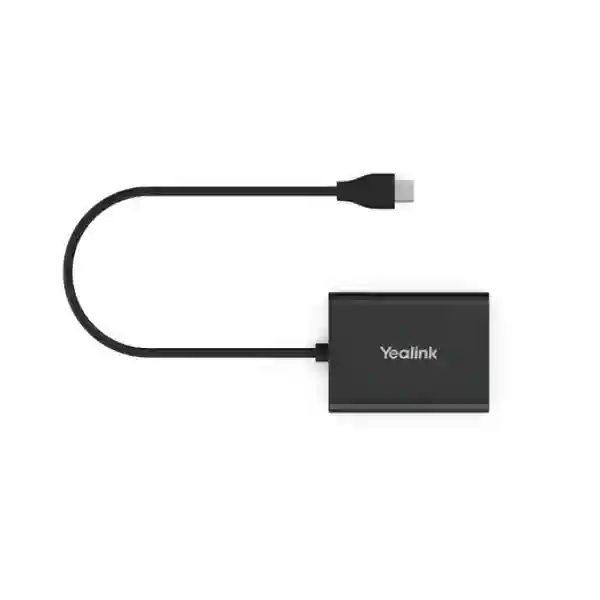
The procurement value of this fact rail is clarity. EHS61 is not an audio-processing appliance, network switch or subscription platform. It is a physical interface accessory whose success depends on matching the correct headset hardware and telephone. The manufacturer lists a 20 cm Micro USB connection for the supported wireless headset and supplied cable arrangements for compatible desk-phone families. Package contents include the EHS61, Cable A, Cable B, Cable C and user guide. For volume purchasing, FourTeck recommends submitting the exact desk-phone models and headset-base markings with the request for quotation. Warranty terms, delivery lead time and stock position should be confirmed on the commercial offer because they can vary by supply batch and project.
Operational Product Architecture & Overview
At workstation level, a professional wireless-headset deployment has three functional layers: the desk phone, the headset base and the user’s wireless headset. The EHS61 sits between the first two layers as a signalling bridge. Audio and call-control behaviour must be considered together. A headset can be physically present at a desk yet still deliver an awkward experience if the employee must reach back to the phone for every incoming call. EHS61 is intended to close that operational gap for supported combinations.
The architecture is deliberately simple. There is no rack appliance, server licence or network address to administer for the adapter itself. The unit uses physical connections and the supplied cable set to establish the appropriate interface between compatible equipment. On a supported installation, an incoming call can be presented to the wireless-headset workflow and the user can perform core actions such as answer, hang up and volume adjustment from the headset. That simplicity is valuable in large deployments because the accessory can be standardised per compatible workstation without creating another independently managed network endpoint.
The main design constraint is compatibility. Yealink’s published material states that EHS61 is for WH62/WH63 hardware carrying the relevant support marking. This distinction matters when an organisation already owns a mixed population of older and newer headset bases. A procurement manager should not assume that every device with the same family name has identical accessory support. A practical audit records the exact headset model, base label, desk-phone manufacturer and model, and the user’s required call-control functions. That information allows incompatible positions to be separated before the purchase order is released.
Phone-side compatibility is also model dependent. Manufacturer material identifies use with compatible Mitel, Unify, Poly and Yealink T2X/T4XG desk phones, while broader solution documentation covers additional combinations depending on adapter and phone model. The correct approach is model-by-model validation rather than brand-only assumptions. For example, two phones from the same manufacturer can expose different headset ports or firmware behaviour. FourTeck can use a bill-of-materials review to identify where EHS61 is appropriate and where another connection method may be required.
This is especially relevant in Uganda organisations with phased communications estates. A bank branch network may contain several generations of desk phones. A university may have different handsets in administration, admissions and security. A hospital can have reception phones that differ from back-office phones. In these environments, ordering one adapter type solely because it works at a pilot desk can create avoidable returns. A small compatibility matrix before purchasing provides much stronger control.

Operationally, the EHS61 is best understood as an enabler of mobility around a fixed communications position. A receptionist can move to a filing area, a service agent can consult a nearby colleague, and an administrator can perform short tasks away from the desk while retaining the ability to respond through the supported headset. The wireless range and talk-time characteristics come from the headset system, not from the EHS61 itself. Buyers should therefore assess the adapter and headset as a combined user experience while keeping their technical roles distinct.
Enterprise Business Outcomes & Value Analysis
For financial evaluation, consider the entire workstation rather than the adapter price alone. Include the number of compatible positions, technician time, possible firmware updates, replacement cables, spare stock and the value of retaining existing telephony assets. A low-cost accessory becomes expensive if ordered for incompatible equipment; conversely, a properly validated accessory can be a practical way to extend the useful life and usability of an installed communications environment.
Key Hardware & Software Highlights
| Element | Implementation | Operational Outcome |
|---|---|---|
| Headset interface | Micro USB connection for supported WH62/WH63 hardware | Links the compatible Yealink wireless-headset base to the adapter workflow. |
| Cable set | Multiple supplied cables for supported phone connection patterns | Reduces the need to source separate connection kits for validated models. |
| Call control | Answer, hang up and volume adjustment on supported combinations | Allows staff to handle routine call actions away from the telephone. |
| Deployment model | Plug-and-play physical accessory | Keeps deployment focused on cabling, compatibility and endpoint configuration. |
Unlike network equipment, the EHS61 does not need packet-processing silicon, switching fabric or redundant power supplies. Those concepts are not relevant to this product category. Its engineering value lies in interface compatibility and dependable call-control signalling. This distinction is important when writing a specification: procurement documentation should not add enterprise-network features that the adapter does not possess. The correct technical questions are whether the headset hardware is supported, whether the desk phone is supported, whether the correct cable is present and whether endpoint firmware meets the required baseline.
Technical Specifications Ledger
| Specification | Published / Procurement Detail |
|---|---|
| Product | Yealink EHS61 Wireless Headset Adapter |
| Supported headset family | Compatible WH62/WH63 hardware carrying EHS61 support marking; verify exact hardware before purchase. |
| Core controls | Remote answer, hang up and volume adjustment on supported configurations. |
| Headset connection | 1 × Micro USB jack; published cable length 20 cm. |
| Phone cable arrangement | Supplied multi-connector cables include arrangements using TR9-5, RJ9, RJ45 and RJ12 according to compatible phone type. |
| Package | EHS61, Cable A, Cable B, Cable C and user guide. |
| Gift box | 141 mm × 102 mm × 46 mm. |
| Carton quantity | 40 pieces per carton. |
| Carton weight | Published net 3.6 kg; gross 4.1 kg. |
| Carton dimensions | 430 mm × 243 mm × 297 mm. |
| Power draw | No separate external power specification is stated in the referenced manufacturer datasheet; do not size a separate PSU without project-specific confirmation. |
| Licensing | No standalone EHS61 subscription is identified; phone/headset platform licensing remains separate where applicable. |
Specifications should be read in the context of a compatibility-led accessory. Dimensions of the gift box are useful for logistics, but they do not determine whether the adapter will work with a particular phone. Likewise, connector names alone are not sufficient to approve a deployment. Electrical signalling and device support must match. For this reason, a bill of materials should record the exact phone model alongside the adapter and headset. Where a deployment uses a mixture of models, separate rows should be maintained for each validated combination.
Environmental tolerance and compliance details should be taken from the applicable manufacturer documentation and commercial shipment for the exact supplied revision. If a tender requires formal certificates, declarations or country-specific compliance documentation, request these as part of the quotation process rather than relying on assumptions based on another accessory. This keeps the procurement file auditable and prevents unrelated specifications from being copied into a tender response.
Configuration & Sizing Worksheet
Step 1 — Count real call-handling positions
Start with people and desks, not a blanket employee count. Identify positions where wireless call control provides a practical benefit: reception, switchboard, customer service, sales, help desk, branch operations and managers who frequently move around their immediate workspace. Record the current desk phone and headset at each position. This prevents adapters being purchased for users who do not need them or for desks using unsupported equipment.
Step 2 — Verify the WH62/WH63 hardware generation
Check the product packaging or headset base for the relevant EHS61 support marking. This is a critical control point because manufacturer documentation distinguishes supported newer hardware. For existing estates, ask local IT staff to photograph the base label or record the model and revision. For new headset purchases, specify compatibility in the quotation request so the headset and adapter can be planned together.
Step 3 — Build a phone-model matrix
List every desk-phone model. Do not group solely by brand. A typical worksheet includes site, department, phone manufacturer, phone model, headset model, base marking, quantity and intended adapter. Where a phone family has uncertain support, flag it for validation. A five-minute desk audit can save substantial time compared with opening cartons after delivery and discovering a mismatch.
Step 4 — Review physical desk conditions and cabling
EHS61 is compact, but cable routing still deserves attention. Confirm that the headset base and phone are positioned closely enough for the supplied connection arrangement and that cables will not cross walkways or interfere with monitor arms, laptop docks or desk cable trays. At reception counters, consider how the equipment will be secured and serviced. The objective is a neat, repeatable installation rather than an improvised tangle of leads.
Step 5 — Confirm firmware and endpoint readiness
Manufacturer solution material may specify headset firmware requirements for particular integrations. Include firmware checking in staging. For a large rollout, test one complete workstation pattern before deploying to every branch. Record the working firmware versions and connection layout. This becomes the reference configuration for the service desk.
Step 6 — Prepare the quote request
Provide the required quantity, delivery city, phone models, headset models, support markings and any project deadline. State whether you require only adapters or a complete headset-plus-adapter package. For institutional procurement, include tax documentation, tender references, warranty expectations and whether staged delivery is needed. This information helps FourTeck prepare a cleaner commercial response and reduces back-and-forth during approval.
Deployment Scenarios & Industry Use Cases
Large enterprise and multi-site networks
In a multi-site company, headset accessories are often overlooked during phone standardisation. Headquarters may use one phone model while branches retain an earlier generation. EHS61 can be incorporated into a controlled endpoint catalogue for positions that use validated WH62/WH63 and phone combinations. The recommended topology is simple: approved desk phone, approved EHS61 cable path, supported headset base and wireless headset. IT should maintain a small number of documented patterns instead of allowing every site to improvise. Spare adapters can be held centrally or regionally, but spare cables should remain paired and labelled so technicians can identify the correct connection set.
Financial and banking institutions
Banking environments combine heavy call handling with strict change control. A branch manager, customer-service desk or internal support team may benefit from wireless movement, yet the organisation may be reluctant to replace a stable desk-phone estate. A compatibility-validated adapter offers a narrow, controlled change. Security teams should note that the EHS61 itself does not become a new IP endpoint. Nevertheless, the complete voice environment remains subject to the institution’s telephony, physical-security and user-access policies. Pilot deployment should include call-answer behaviour, audio quality, failover procedures and support escalation.
Educational and campus networks
Universities and schools often have distributed administration: admissions, finance, registry, faculties, security desks and residences. Staff may need to step away from a desk while remaining reachable. EHS61 can support a more flexible headset workflow at compatible positions. Campus IT teams should catalogue phone models by building because inherited equipment can vary significantly. A small rollout in a high-call department provides a useful reference before wider adoption.
Government and public-sector procurement
Public-sector purchasing usually requires clear specifications, traceable quantities and predictable warranty handling. The EHS61 should be described accurately as a wireless-headset adapter, with the compatible headset and phone assumptions listed explicitly. Tender schedules should avoid calling it a universal adapter. If the project spans ministries, agencies or regional offices, each existing phone model should be captured. FourTeck can assist with bill-of-materials verification, commercial documentation and staged logistics subject to project scope.
Across all scenarios, the most important deployment principle is repeatability. Once a workstation combination is proven, document it with photographs, cable labels and device revisions. That turns a small accessory into a manageable enterprise standard and makes future troubleshooting substantially faster.
Technical Deep Dive 1: Interface Signalling & Hardware Path
The EHS61’s job is interface translation and call-control connectivity, not voice-server processing. This distinction explains why the product can be small while still having a meaningful effect on workflow. A traditional desk phone expects a user to press keys or lift a handset. A wireless headset introduces distance between the user and that physical control surface. The adapter creates the supported signalling path needed for selected call actions to reach the phone from the headset environment.
The supplied cable set is therefore part of the product architecture rather than a packaging afterthought. Different compatible phone families expose their accessory interfaces through different connector arrangements. Yealink publishes cable combinations using Micro USB, TR9-5, RJ9, RJ45 and RJ12 connectors for relevant scenarios. Buyers should not substitute visually similar cables without validation. Connector shape does not guarantee pinout or signalling equivalence. In managed deployments, retain the original labelled cables with each adapter and keep unused pieces in a controlled spares kit.
Because the adapter is not a network switch, concepts such as packet forwarding rate, backplane capacity and routing tables do not apply. Procurement specifications should resist generic templates that demand irrelevant values. The meaningful performance test is functional: does the validated phone/headset combination consistently present calls and execute supported remote controls? A pilot should test repeated inbound calls, answer and release actions, volume adjustment, extended idle periods and restart behaviour.
Technical Deep Dive 2: Firmware, Compatibility & Operational Control
A physical adapter can still depend on firmware in the devices around it. Manufacturer solution guidance for WH62/WH63 integrations identifies firmware considerations, and the exact baseline should be checked for the phone/headset combination being deployed. For enterprise IT, the safest process is to stage representative devices, update through approved vendor utilities where required, validate behaviour and record the known-good versions.
Compatibility is a lifecycle issue. An organisation may buy fifty identical-looking headsets over several years and later discover hardware revision differences. Yealink explicitly calls out the support marking for EHS61-compatible WH62/WH63 hardware. Asset records should therefore include more than the marketing family name. Record serial or revision information where internal policy permits, and maintain a note indicating whether the base carries the support marking.
Operational control remains straightforward because there is no independent EHS61 management portal. That reduces administration, but it also means troubleshooting depends on disciplined physical and endpoint checks. Service-desk procedures should ask: Is the phone model approved? Is the headset base supported? Is the correct cable installed? Are connectors fully seated? Is the headset firmware at the validated baseline? Does the problem follow the adapter if swapped with a known-good unit? This sequence isolates most workstation-level issues without unnecessary replacement.
Technical Deep Dive 3: Availability, Redundancy & Recovery
EHS61 does not provide high-availability clustering in the server sense. Resilience is achieved operationally through standardised spares and fallback call methods. A user can often continue working through the desk phone’s handset or speakerphone if a headset accessory requires service, subject to the phone configuration. That gives organisations a practical recovery path without engineering redundant adapters at every desk.
For call-critical environments, keep a calculated spare pool. The appropriate percentage depends on site count, replacement lead time and operational criticality. A central office with local IT may need fewer distributed spares than a branch network where courier time is significant. Store each spare with its cable set and a quick installation reference. For remote branches, one prevalidated spare kit can be more useful than several unlabelled accessories.
Disaster-recovery planning should focus on the broader communications service. The adapter cannot keep a phone operating if the PBX, SIP service, LAN, WAN or electrical supply is unavailable. It only addresses the local headset-to-phone control path. Clear dependency mapping prevents stakeholders from assigning the accessory a resilience role it cannot perform. In business-continuity documentation, list EHS61 under user endpoint accessories and define handset use or spare replacement as the local recovery method.
Pre-Purchase Buyer Gap Checklist
Is there a hidden subscription? The adapter itself is a hardware accessory and manufacturer material does not present it as a subscription product. However, the connected desk phone, PBX, hosted voice service or management environment may have its own licensing. Those costs should be evaluated separately.
Will every WH62 or WH63 work? Do not assume so. Yealink specifically identifies compatible newer hardware through an EHS61 support marking on the package or base. Existing equipment should be checked before quantity approval.
Can it be bought based on phone brand alone? No. Compatibility should be checked at model level. Port availability and supported signalling can differ within a manufacturer’s range.
Does it improve headset wireless range? The adapter is not a radio-range extender. Wireless range is a characteristic of the headset system and environment. EHS61 enables supported desk-phone call control.
Does it need rack space? No enterprise rack position is required. It is a desk-level accessory. Nevertheless, cable routing and space around the phone/headset base should be planned for a tidy installation.
What about power consumption? The referenced EHS61 datasheet does not state a separate external power-supply requirement or a standalone power-draw figure. Procurement teams should avoid inventing a wattage. If a tender mandates electrical data, request confirmation for the supplied revision.
Can cables be mixed between adapters? Keep the supplied cable set controlled and use the documented connection for the specific phone. Similar connectors can have different pinouts. Improvised cabling is a common source of avoidable faults.
How should a large estate be migrated? Begin with an inventory, select representative phone models, validate a pilot for each pattern, document the connection and firmware baseline, then release quantities by site. This is more reliable than purchasing the full quantity before technical validation.
What should be included on the purchase request? Quantity, desk-phone models, headset models/revisions, delivery location, project timeline and whether installation or staging assistance is expected. Institutional buyers should also state documentation and warranty requirements.
Uganda Procurement & Delivery Logistics
FourTeck supports Uganda business buyers that need Yealink communications accessories for individual offices, multi-site deployments and structured procurement projects. For EHS61, the quotation process should begin with quantity and compatibility data. A request that says only “headset adapter” can produce ambiguity; a stronger request identifies EHS61, the connected desk-phone models and the WH62/WH63 hardware in use. This enables technical review before commercial commitment.
Quote issuance can include the commercial unit description, quantity, applicable taxes, warranty basis, estimated fulfilment position and delivery scope. Lead times should be confirmed on the live quotation because stock and project quantities change. Where an organisation has a deadline such as a branch opening, contact-centre launch or office relocation, provide that date early so sourcing and staging options can be assessed.
For larger deployments, phased delivery can be considered according to project requirements. A pilot batch may be delivered first for validation, followed by production quantities after sign-off. Pre-configuration for an adapter mainly concerns compatibility verification, cable identification and the surrounding phone/headset firmware state rather than programming the EHS61 itself. FourTeck can help establish a repeatable bill of materials so each site receives the correct accessory set.
Uganda Local Coverage Matrix
Kampala: Suitable for corporate headquarters, banks, contact centres, hotels, NGOs and government offices requiring structured headset rollouts. Entebbe: Procurement can support offices, aviation-related administration, hospitality and service operations where mobile call handling around a desk improves workflow. Jinja: Industrial, education and commercial organisations can standardise compatible reception and administrative positions. Mbarara: Regional offices, healthcare administration, education and growing businesses can request quantity-based supply and compatibility review. Gulu: Public-sector, NGO, education and private organisations can include EHS61 in wider endpoint procurement subject to model validation.
For locations outside these hubs, delivery scope should be confirmed at quotation stage. Site lists are useful for multi-branch orders because they allow quantities and spares to be allocated before dispatch. When sites use different phone models, include that distinction in the allocation sheet.
Cross-Border & Regional Supply Chains
Organisations operating across East Africa, the Gulf and broader African markets often want one communications bill of materials with local commercial coordination. FourTeck regional channels can support planning across Uganda, Kenya, African markets, the UAE and Kuwait. Cross-border projects should account for local tax treatment, import procedures, delivery lead times and warranty-routing requirements.
Technical standardisation remains the priority. A regional organisation should define approved phone/headset/adapter combinations and then map each country’s installed estate against them. This prevents a central procurement decision from assuming that every branch has identical endpoints. Country-specific quotations can then preserve a common technical standard while reflecting local logistics.
Related Yealink Communications Options
A complete workstation may require more than the adapter. Explore FourTeck Uganda communications solutions for compatible Yealink desk phones, DECT headsets and accessories. Buyers comparing adapter approaches should consider the Yealink EHS60 where the target phone family requires that solution, supported WH62 or WH63 headset configurations, and appropriate Yealink IP phones when an endpoint refresh is already planned. For office-wide projects, review the existing phone estate, headset requirement, user role and collaboration platform together rather than purchasing accessories in isolation.
Related procurement categories can include wireless business headsets, IP desk phones, reception phones, call-centre endpoints, headset accessories and unified communications equipment. Use the FourTeck Uganda contact page to request model-specific recommendations. Internal project documents should link each accessory to the phone and headset it serves, making future replacement and support simpler.
FourTeck Technical Service Capabilities
FourTeck can support the procurement process with engineering validation before dispatch. For EHS61 projects, this begins with bill-of-materials verification: checking the proposed adapter against the stated headset and phone models, identifying mixed endpoint populations and highlighting positions that require additional confirmation. This service is particularly useful for tenders and multi-site rollouts where a wrong assumption can be multiplied across dozens of desks.
Staging can include inspection of supplied components, cable-set verification and coordination of relevant endpoint firmware requirements where the surrounding equipment is included in scope. For larger orders, labelling by site or department can make deployment easier. Pre-shipment documentation may include a packing allocation and validated workstation pattern, subject to project agreement.
After sales, technical support can help distinguish accessory faults from phone, cable, firmware or headset issues. A structured troubleshooting record—device model, revision, connection method, symptom and tests already performed—speeds diagnosis. Warranty handling is subject to the commercial terms of the supplied equipment and should be retained with the purchase documentation.
Extended Technical FAQ
1. What exactly does the Yealink EHS61 do?
EHS61 is a wireless-headset adapter that provides a supported technical interface between compatible Yealink headset hardware and selected desk phones. Its practical purpose is to enable remote call control so a user does not have to remain beside the telephone for routine actions. On supported combinations, users can answer calls, hang up and adjust volume through the wireless-headset workflow. It is not a PBX, network gateway, wireless range extender or audio conference server. The adapter works as part of a complete workstation that includes the desk phone and supported headset system. Because compatibility depends on exact models and hardware revisions, validate the full combination before purchasing in quantity.
2. Is EHS61 compatible with every Yealink WH62 and WH63?
No blanket assumption should be made. Yealink’s published datasheet states that only newer WH62/WH63 hardware supporting EHS61 should be used, and it describes identifying marks on the gift box or headset base. This is especially important for organisations that have accumulated headsets over several purchasing cycles. Two units may share a family name while belonging to different hardware revisions. Before ordering adapters, inspect the existing base for the support marking or provide the relevant hardware details to FourTeck for review. For new purchases, specify the intended EHS61 integration at quotation stage so the complete solution can be planned as one bill of materials.
3. Which desk phones can be connected?
Manufacturer information identifies compatible desk-phone environments including selected Mitel, Unify, Poly and Yealink T2X/T4XG models, with broader solution compatibility depending on the exact phone and adapter arrangement. The important word is “compatible.” A brand name alone is not sufficient because different models can use different ports, signalling and firmware. Before purchase, provide the exact phone model rather than saying only “Mitel phone” or “Yealink phone.” FourTeck can help check the proposed combination. For a mixed estate, create a model-by-model matrix and validate one sample of each pattern before approving the final project quantity.
4. Does the adapter require a paid licence or cloud subscription?
The EHS61 itself is presented as a hardware accessory and does not have a standalone subscription requirement in the manufacturer material referenced for this product. That does not mean the entire communications environment is licence-free. The connected desk phone may depend on a PBX, hosted voice service, user licence or management platform, and the headset environment may use vendor utilities for configuration or firmware management. Those systems should be costed separately. When comparing procurement options, distinguish one-time accessory hardware from recurring voice-platform charges. This prevents the adapter from being incorrectly blamed for licensing that belongs to the wider telephony service.
5. What cables are included, and why does cable selection matter?
Yealink’s datasheet lists the EHS61 together with Cable A, Cable B, Cable C and a user guide. The published connection arrangements use several connector types, including Micro USB and combinations involving TR9-5, RJ9, RJ45 and RJ12 for supported phones. Cable selection matters because a connector that physically fits is not automatically electrically or logically correct. Do not replace a supplied lead with a visually similar cable unless its compatibility is confirmed. For enterprise deployment, label the cable pattern used with each approved phone model and keep spare adapter kits complete. This makes desk moves and fault replacement faster and reduces the risk of technicians accidentally mixing incompatible leads.
6. How should we test EHS61 before a large rollout?
Build a representative pilot for every phone/headset combination in the project. Verify the headset-base support marking, connect the correct cable set, confirm the relevant firmware baseline and then test real operational behaviour. Make repeated inbound calls, answer from the headset, end calls remotely, adjust volume and allow the system to remain idle before retesting. Restart the phone and headset base according to normal support procedures and confirm that functionality returns consistently. Document the working connection with photographs and model details. Only after the pilot is stable should the organisation release the larger quantity. This process is inexpensive compared with troubleshooting dozens of desks after a broad deployment.
7. What happens if an adapter fails at a critical reception desk?
Business continuity should be designed around the complete workstation. In many environments, the user can temporarily revert to the desk phone handset or speaker function while the adapter or headset path is investigated, assuming those features remain available and permitted by policy. For high-call positions, maintain one or more validated spare adapter kits with the correct cables. A technician can swap the suspected unit with a known-good spare to determine whether the fault follows the adapter. If the issue remains, check the phone, cabling, headset base and firmware. This simple spare-and-swap strategy is more appropriate than attempting server-style redundancy for a desk-level accessory.
8. Can FourTeck help with configuration and compatibility before shipment?
Yes, project scope can include technical validation of the proposed bill of materials. For EHS61, useful pre-shipment information includes the exact desk-phone models, WH62/WH63 model and hardware marking, quantity per site and the required user workflow. FourTeck can help identify whether the requested accessory aligns with those details and can flag combinations that need further confirmation. Where phones and headsets are part of the same project, staging can be coordinated around the validated workstation pattern. The adapter itself does not require complex application programming, so most preparation focuses on correct hardware, cabling, endpoint firmware and deployment documentation.
9. How is warranty or replacement handled?
Warranty handling follows the commercial terms applicable to the supplied product and order. Keep the invoice, quotation, serial or batch information where available, and the original project documentation. If a fault occurs, record the symptom and perform basic isolation before requesting replacement: confirm cable seating, verify that the phone/headset combination is approved, restart the relevant endpoints and test with a known-good cable or adapter when practical. Clear fault evidence helps distinguish a defective accessory from an unsupported combination or endpoint issue. For institutional projects, define the warranty baseline and replacement process during quotation so procurement and IT teams know the escalation route before deployment.
10. What information should we send to receive an accurate Uganda quotation?
Send the product name Yealink EHS61, required quantity, delivery city, desk-phone manufacturer and exact model, headset model, and whether the WH62/WH63 base carries the EHS61 support marking. If the project covers several sites, provide a quantity by location. State the required delivery date and whether you need adapters only or a wider solution including headsets or phones. Government, education, financial and corporate buyers can also include tender references, tax-document requirements and warranty expectations. Complete information allows the commercial team to prepare a more precise response and gives the technical team enough context to identify compatibility questions before the order is placed.
Plan Your Yealink EHS61 Deployment with Compatibility Confirmed
A successful headset-adapter purchase is not simply a matter of ordering the correct model name. The strongest result comes from matching EHS61 to the exact desk phone, supported WH62/WH63 hardware and operational requirement. FourTeck can help Uganda organisations turn that information into a clear bill of materials for a single office or multi-site rollout. Before requesting a quote, count the required positions, record the phone models, check the headset-base support marking and note the delivery locations. For mixed estates, send the model list so each workstation pattern can be reviewed.
Whether the requirement is for a Kampala contact centre, an Entebbe office, a Jinja industrial site, a Mbarara institution, a Gulu branch or a wider national deployment, the procurement objective is the same: order the accessory that is technically appropriate for the installed equipment and document the result for future support. Request current commercial terms, availability, warranty details and delivery scope directly from FourTeck.



Reviews
There are no reviews yet.