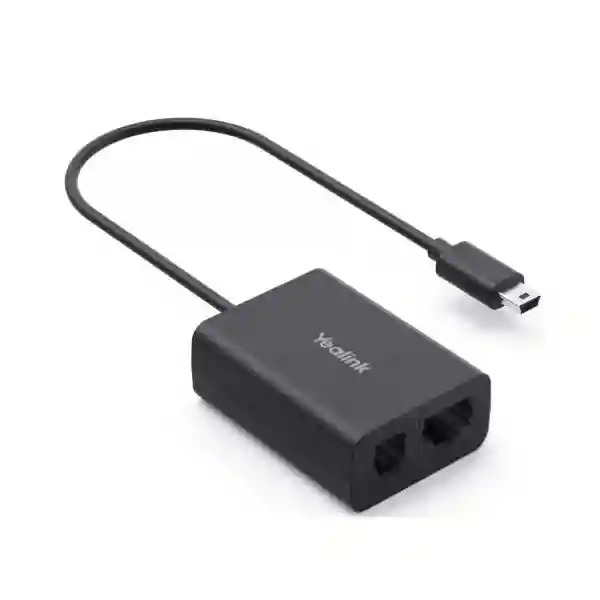
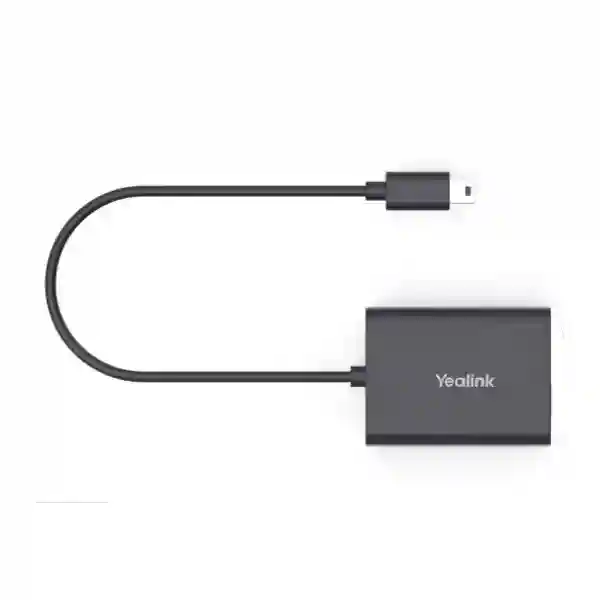
Yealink EHS62 Headset Adapter – Enterprise Remote Call Control for Desk Phones
The Yealink EHS62 is a compact electronic hook-switch interface that connects supported Yealink DECT wireless headsets to compatible business desk phones. Its purpose is straightforward but operationally important: it allows staff to use headset controls for everyday call handling rather than returning to the physical telephone every time a call rings or ends. In supported deployments, incoming calls are signaled to the wireless headset and users can answer, terminate and adjust call volume from the headset. This makes the adapter especially relevant to reception desks, contact centers, customer-service teams, operations rooms, sales floors and administrative environments where mobility and response time matter.
For Uganda procurement teams, the main buying question is not simply whether an EHS62 is available. The critical issue is whether the exact combination of headset and desk-phone model is supported. The EHS62 is associated with Yealink WH64, WH65 and WH68 wireless headset families and supports compatible phone models across Cisco, Avaya, Poly, Grandstream, Mitel, Unify and selected Yealink T2X/T4XG ranges. Compatibility should therefore be validated by exact model before a bulk order. This is particularly important in organizations where desk phones were purchased in phases and apparently identical workstations may contain different hardware generations.
The EHS62 is a useful bridge for organizations that want modern wireless headset mobility without immediately replacing a functioning desk-phone estate. Instead of treating the headset and telephone as isolated endpoints, the adapter provides the control interface required for supported remote call actions. It is plug-and-play in the intended supported combinations and does not require a separate application to perform its basic role. That reduces deployment complexity, training burden and workstation clutter.
FourTeck Uganda supports project quotation, compatibility review and delivery planning for single-site and multi-site requirements. Buyers should provide the phone manufacturer, exact phone model, headset model, quantity, site locations and any rollout deadline. This enables a more accurate accessory schedule and helps prevent the common procurement problem of ordering a headset system that fits physically but lacks the required electronic call-control path.
Instant Specifications & Procurement Fact Rail
EHS62 / MPN 1308120
Wireless headset adapter
WH64 / WH65 / WH68
Selected multi-vendor desk phones
Plug-and-play when supported
Quote and compatibility validation
The procurement rail summarizes the attributes that matter most during initial qualification. EHS62 is not a universal cable for every headset and telephone. It is a purpose-built adapter whose value depends on the supported device pairing. Buyers should distinguish the adapter itself from the headset, desk phone and PBX platform. It does not replace the wireless headset base or provide a standalone telephony service. Rather, it creates the control connection between supported hardware. The package is commonly supplied with interface leads for different supported phone families, allowing one adapter design to serve several enterprise telephone ecosystems. Regional warranty terms, stock position and lead time can vary by shipment, so these should be confirmed on the formal FourTeck quotation.
Operational Product Architecture & Overview
A wireless business headset can carry audio effectively while still leaving a practical workflow gap: the user may need to press a key on the desk phone to answer or end a call. The EHS62 addresses that gap for supported combinations by acting as the signaling interface between the headset system and telephone. The architecture is therefore less about data throughput and more about dependable control signaling. When correctly connected, the adapter relays the relevant call state so an incoming call can be indicated through the headset and supported remote controls can be used.
This distinction matters in high-call-volume environments. A receptionist who walks to a filing cabinet, an agent who turns to consult a supervisor, or a warehouse coordinator who moves within the permitted headset range can remain responsive without rushing back to the telephone. The improvement is measured in workflow continuity rather than network bandwidth. Over hundreds of daily interactions, removing unnecessary physical movement can make a desk more efficient and can reduce missed calls.
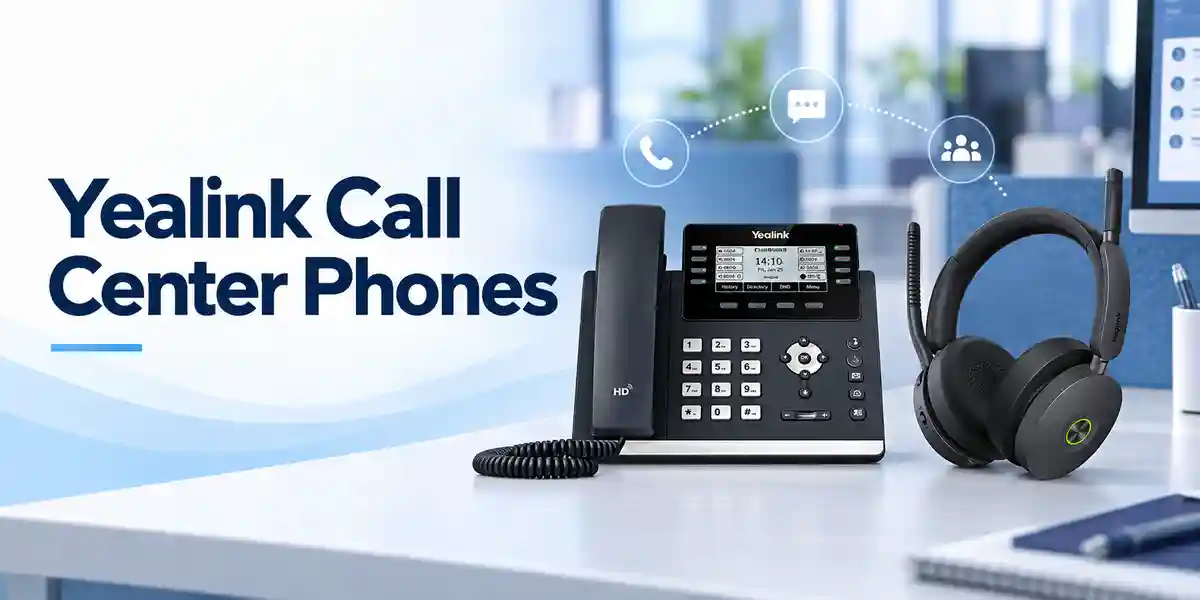
The adapter is especially useful in mixed-vendor estates. Organizations often standardize headsets later than desk phones. A bank may have one telephone brand at branches and another at headquarters; a university may inherit multiple models across faculties; a government department may operate equipment from successive procurement cycles. The EHS62 supports compatible models from several major phone brands, but the word compatible is essential. Model-level verification remains necessary because connector arrangements, firmware behavior and electronic hook-switch implementations vary.
The package architecture supports this multi-vendor role through dedicated interface cabling. Published package information identifies cable options for Mitel/Unify, Avaya/Grandstream, Yealink, Cisco and Poly phones. This reduces the need for separate adapter products for every supported vendor while still preserving vendor-specific physical connections. For deployment teams, cable identification should be incorporated into staging documentation so technicians do not improvise connections at the desk.
The EHS62 should also be viewed as part of a complete endpoint chain: telephony platform, desk phone, adapter, headset base and wireless headset. A fault or incompatibility at any point can affect the user experience. Good rollout practice therefore tests one complete representative workstation before approving a large quantity. The pilot should verify ringing indication, answer, end, volume control, audio routing and normal desk-phone behavior. Once that reference build is proven, it can be documented and replicated across equivalent stations.
For organizations migrating gradually, this architecture provides a practical way to protect existing telephone investments. Users can gain wireless call-handling convenience while the organization retains supported phones that still meet business requirements. That can make phased modernization more financially manageable than a simultaneous replacement of every endpoint.
Enterprise Business Outcomes & Value Analysis
Remote answer and end controls reduce dependence on the desk-phone keypad. In roles where staff frequently move around a workstation, this can reduce missed calls and interruptions. The benefit is especially visible at reception counters, customer-service desks and busy administrative offices.
Using the intended adapter and correct cable is preferable to improvised wiring. A standardized connection makes troubleshooting clearer and allows support teams to document a repeatable endpoint configuration.
Organizations can pilot a small group, validate compatibility and expand by department or branch. The adapter does not require an enterprise-wide change on day one, making it suitable for staged headset adoption.
The adapter does not introduce a separate user account or complex management plane. It performs a defined physical interface role, keeping deployment understandable for IT teams that need predictable workstation configurations.
When phone model, cable type, headset model and adapter are recorded in the asset register, help-desk staff can diagnose incidents against a known reference configuration instead of treating each workstation as unique.
An adapter-based deployment may allow an organization to retain compatible desk phones while introducing newer wireless headset workflows. That can defer unnecessary endpoint replacement and focus spending on roles that gain the most from mobility.
Support for compatible phones across several major manufacturers is valuable where an organization has accumulated different phone families. Procurement can standardize more of the headset layer while managing the phone estate pragmatically.
Key Hardware & Software Highlights
EHS62 is deliberately simple. Its strength is not a long list of user-facing applications but a focused hardware function. The adapter provides the interface required for supported remote headset control and is accompanied by phone-family connection cables. Published product information identifies a Mini-USB connection on the adapter side and multiple phone-interface cable arrangements in the package. The adapter is designed for Yealink wireless headsets in the supported families and compatible desk phones.
From an operations perspective, plug-and-play behavior means there is normally no separate workstation software installation for the adapter’s core purpose. This reduces dependency on PC operating systems and user permissions. The phone and headset still have their own firmware and compatibility requirements, so IT teams should maintain those devices according to their respective vendor guidance.
The incoming-call signal to the headset is an important functional highlight because remote answer is only useful when the user knows that the desk phone is ringing. Once alerted, supported controls allow the user to answer, end and adjust volume. This workflow turns a wireless headset from a simple audio accessory into a more practical mobile call-handling endpoint.
Physical simplicity also supports fast field replacement. If a known-good EHS62 in a validated configuration fails, technicians can isolate the adapter and cable without rebuilding the broader communications system. Maintaining a small spare pool for large contact-center deployments can shorten restoration time.
Technical Specifications Ledger
| Attribute | Specification / Procurement Note |
|---|---|
| Brand / Model | Yealink EHS62 |
| Manufacturer part number | 1308120 / EHS62 |
| Product category | Wireless headset / desk-phone interface adapter |
| Supported headset families | Published support includes Yealink WH64, WH65 and WH68. Validate exact headset variant before ordering. |
| Desk-phone brands | Compatible models across Cisco, Avaya, Poly, Grandstream, Mitel, Unify and Yealink T2X/T4XG families. |
| Primary controls | Remote answer, hang up and volume adjustment in supported combinations. |
| Call indication | Incoming call can be transmitted to the supported wireless headset. |
| Installation model | Plug-and-play for validated compatible devices. |
| Package cabling | Interface cables are provided for supported phone families, commonly identified for Mitel/Unify, Avaya/Grandstream, Yealink, Cisco and Poly. |
| Color | Black |
| Operating environment | Designed for professional indoor endpoint deployment; one published reseller specification lists -10°C to 45°C operating range. |
| Power / network throughput | Not a network switch or independent powered communications endpoint; procurement should focus on supported interface connectivity rather than throughput metrics. |
| Licensing | No separate EHS62 subscription is identified for basic adapter operation. PBX, phone or collaboration services may have their own licensing. |
Specifications should be interpreted as part of a compatibility-controlled deployment. A brand name alone is insufficient evidence that every model in that brand works with the adapter. Firmware versions and endpoint revisions can also affect behavior. For tender responses, request written confirmation against the exact device list rather than relying on a generic statement such as “Cisco compatible” or “Avaya compatible.” This is a small accessory, but an incorrect accessory can prevent the entire headset workflow from meeting user expectations.
Configuration & Sizing Worksheet
Step 1 – Count the actual users
Start with seats that genuinely need wireless remote call control. Reception, service desks, sales, dispatch and supervisors often benefit more than low-call-volume desks. Record active seats, planned new hires, training positions and a practical spare quantity.
Step 2 – Inventory exact phone models
Do not stop at the manufacturer name. Capture the complete model from the label or device interface. If several models exist, count each separately. This prevents a single approved bill of materials from being incorrectly applied to a mixed estate.
Step 3 – Confirm headset generation
Record the exact Yealink headset model and variant. Published EHS62 material references WH64, WH65 and WH68. Portable or hybrid variants may have different connection rules, so exact naming matters. Where uncertain, send photographs of labels or part numbers with the quotation request.
Step 4 – Map interface cables
Assign the correct supplied cable to each phone family. Labeling cables during staging can save significant deployment time across dozens or hundreds of desks. A simple installation sheet showing phone model, headset model, EHS62 and cable letter is valuable.
Step 5 – Validate the environment
Check desk layout, cable routing and headset-base placement. Avoid routing small communication leads where chair wheels, drawers or cleaning activity can strain them. Ensure the headset base remains positioned according to its own power and radio requirements.
Step 6 – Pilot before scale
Test incoming ring indication, answer, end, volume and audio in both directions. Confirm behavior after phone reboot and normal daily use. For contact centers, test transfers, hold workflows and any PBX-specific call-handling procedures that agents rely on.
Step 7 – Prepare the quote request
Include organization name, delivery city, phone models, headset models, quantities, required delivery date, whether installation is needed and whether the deployment spans multiple branches. This produces a more useful commercial response than requesting only “EHS62 price.”
Deployment Scenarios & Industry Use Cases

Large enterprise and multi-site networks
A multi-site organization can standardize a validated headset-and-adapter combination by phone family. Headquarters may use one desk-phone model while regional offices use another. The project team can build a compatibility matrix, assign the correct cable, pilot each combination and then deploy by site. This method reduces field surprises and creates consistent support documentation.
Financial and banking institutions
Branch staff, contact-center agents and operations teams often need to remain responsive while handling documents or consulting colleagues. Wireless call control can improve movement around controlled work areas. Procurement should still prioritize approved endpoint combinations, cable management and asset tracking. For branch rollouts, spare adapters can be held centrally or regionally to reduce downtime.
Educational and campus networks
Universities and schools commonly have varied telephone estates across admissions, finance, administration, libraries and faculties. The EHS62 can be evaluated for high-call-volume desks where supported Yealink wireless headsets are being introduced. A campus inventory is especially important because older buildings may contain phone models from different procurement periods.
Government and public-sector procurement
Public-sector buyers often require clear model references, predictable bill-of-materials documentation and structured acceptance testing. EHS62 projects should specify the exact adapter part number, compatible headset, target desk phone and required interface cable. Acceptance testing can include incoming-call indication, remote answer, termination and volume control. Where a tender spans ministries, agencies or district offices, model verification should occur per site rather than assuming a uniform endpoint estate.
Healthcare and service operations
Administrative desks, appointment centers and service coordinators may benefit from the ability to move within the work area while remaining available for calls. The adapter itself does not change clinical systems or call-platform policy; it simply supports the endpoint control workflow in compatible configurations. This narrow role can be useful because it minimizes disruption to established telephony processes.
Technical Deep Dive 1: Signaling and Interface Architecture
The EHS62 is best understood as a signaling bridge. Audio and wireless mobility are primarily functions of the headset system, while call processing is handled by the desk phone and communications platform. The adapter enables supported control states to pass between those domains. This division of responsibility is useful during troubleshooting: if audio quality is poor, technicians should investigate the headset, phone and network path; if remote answer behavior fails while audio remains available, the EHS connection, cable selection and compatibility become primary checks.
Because different phone manufacturers expose headset control differently, the physical interface cannot be treated as universal. The multiple supplied cables are therefore part of the architecture, not incidental accessories. They translate the adapter connection into the appropriate physical arrangement for supported phone families. Procurement teams should keep the full kit together during warehousing and staging, because separating unused cables can create difficulties when equipment is later reassigned to a different supported phone brand.
There is no meaningful packet-forwarding throughput figure for this product. It is not positioned as an Ethernet device, voice gateway or PBX. Its performance objective is dependable endpoint control. This is why compatibility validation has more value than comparing processor speed or bandwidth.
Technical Deep Dive 2: Firmware, Endpoint Control & Operations
The adapter’s basic plug-and-play nature reduces configuration overhead, but the surrounding endpoints still matter. Desk phones and wireless headsets have firmware, model revisions and platform dependencies. An enterprise deployment should therefore record firmware versions during a pilot and use controlled update procedures. If a previously working combination changes behavior after an endpoint update, the documented reference build provides a baseline for diagnosis.
Operational control should include asset labeling and cable identification. A small adapter can easily be moved between desks during troubleshooting, which may solve one user’s problem while creating an undocumented configuration elsewhere. Label the EHS62 and associated headset base with an asset number or workstation identifier in managed environments. Keep installation diagrams in the service desk knowledge base.
The adapter itself does not create a new network account or separate cloud service. Security management remains focused on the phone, headset management ecosystem and telephony platform. This narrower footprint can simplify governance, but organizations should still follow normal physical security and asset-control practices.
Technical Deep Dive 3: Resilience, Redundancy & Recovery
High availability for an accessory is achieved differently from high availability for a server. There is no clustered EHS62 pair. Instead, resilience comes from standardization, spare inventory and fast replacement. In a contact center with many identical positions, keeping tested spare adapters and cables can restore a failed station quickly. For geographically distributed organizations, small spare pools can be placed at major sites.
A failure of the adapter should be considered separately from a failure of the telephone or headset. Technicians can swap a known-good EHS62 and cable into the affected workstation to isolate the issue. If remote call control returns, the original adapter or cable becomes the likely fault domain. If not, the team can continue diagnosis at the phone, headset base, firmware or configuration level.
Disaster-recovery planning for communications endpoints should also consider fallback behavior. Determine whether users can continue calls directly from the desk phone if remote headset control is unavailable. Documenting this fallback prevents a minor accessory failure from being treated as a complete telephony outage.
Pre-Purchase Buyer Gap Checklist
Is there a hidden subscription? The EHS62 is a hardware adapter and published material does not identify a separate recurring subscription for its basic function. However, the phone system, collaboration platform or device-management services used by the organization may have independent licenses.
Will it work with every phone from a listed brand? No such assumption should be made. Compatibility is model-specific. Supply the exact phone model before ordering, particularly for large quantities.
Does it replace the wireless headset base? No. It is an interface accessory used with supported Yealink wireless headset systems and compatible desk phones.
Will it improve voice quality? Its main purpose is remote call control and signaling. Voice quality depends on the headset, phone, codec, network and communications platform.
Are all cables the same? No. The package uses different interface leads for supported phone families. Installers should match the cable to the target phone.
Can it be purchased before the headset model is selected? It can, but that creates unnecessary compatibility risk. Confirm the complete endpoint chain first.
What should be tested during acceptance? At minimum: incoming call alert, remote answer, remote end, volume adjustment, two-way audio, reboot recovery and normal phone operation. High-volume users should also test their typical transfer and hold procedures.
What about lifecycle planning? Record the adapter part number and supported endpoint models in procurement documentation. If future phone or headset generations are introduced, revalidate compatibility rather than assuming the same accessory applies.
What is the market-price reference? International listings observed around the time this content was prepared were roughly in the US$39 to US$52 range before Uganda freight, taxes, project services or local commercial terms. The actual Uganda selling price should come from a current quotation.
What is the biggest ordering risk? Buying by brand instead of exact model. A precise compatibility schedule is the most effective way to avoid incorrect accessory quantities.
Uganda Regional Procurement & Delivery Logistics
FourTeck Uganda can structure EHS62 procurement around single units, departmental refreshes or broader enterprise rollouts. A useful quotation request includes the quantity, exact Yealink headset model, desk-phone manufacturer and model, delivery location and expected deployment date. For multi-site projects, provide quantities per site so packing and dispatch can be organized logically.
After technical validation, the commercial quotation can identify the requested hardware, applicable accessories, delivery assumptions and support scope. Stock and lead time should always be treated as quotation-specific because enterprise accessory availability can change between procurement approval and purchase-order release. Buyers with fixed rollout dates should communicate them early.
Pre-configuration for an adapter is limited compared with a managed network device, but staging still adds value. Teams can sort the correct interface cable, label kits by phone family, verify package completeness and prepare deployment notes. For large rollouts, a sample workstation can be validated before bulk dispatch.
Warranty processing is easier when serial or batch information, purchase records and deployment locations are retained. If a fault occurs, support teams should first identify whether the adapter, cable, headset or phone is responsible. A structured replacement test can reduce unnecessary returns.
Local Coverage Matrix
In Kampala, EHS62 requirements commonly arise in corporate offices, contact centers, banks, hotels, service organizations and government environments where desk-phone users need greater mobility. Entebbe deployments may include hospitality, aviation-support offices, logistics and administrative operations. Jinja buyers can use the same model-validation approach for industrial, education and commercial sites. Mbarara organizations can plan departmental or branch rollouts with quantities grouped by phone type. Gulu projects can similarly be prepared around verified endpoint inventories and site-specific delivery requirements.
For every city, the technical principle remains the same: establish the exact headset and telephone pairing before purchase. This is more reliable than ordering a generic quantity of adapters and attempting to resolve compatibility during installation. Multi-city organizations should consolidate their device inventory into one worksheet so differences between branches are visible before the bill of materials is approved.
Cross-Border & Regional Supply Chains
Organizations operating across East Africa, the Gulf and wider African markets may need the same headset accessory standard in multiple countries. FourTeck regional channels can support procurement planning through Uganda, Kenya, Africa, UAE and Kuwait. Cross-border projects should standardize model references and compatibility evidence while allowing each country quotation to reflect local freight, duties, taxes, stock and delivery conditions.
For regional enterprises, a master endpoint matrix is useful. List each country, site, desk-phone model, headset model and quantity. This helps purchasing teams identify where the same validated EHS62 kit can be repeated and where another accessory path may be required.
Related Products & Internal Procurement Paths
EHS62 is normally purchased as part of a broader headset and business-phone solution rather than as an isolated accessory. Buyers evaluating it should also review Yealink business communication solutions in Uganda and request current options for WH64, WH65 or WH68 wireless headset deployments. Organizations replacing desk phones at the same time can assess compatible Yealink SIP phone families, while contact centers may require headset spares, training accessories and endpoint-management planning.
For mixed-vendor estates, related accessory selection should be based on the target phone rather than on visual connector similarity. EHS adapters from different generations serve different device combinations. Ask FourTeck to validate whether EHS62, another Yealink EHS accessory, direct USB connection or a different cable is appropriate. This avoids purchasing redundant hardware when a supported phone can connect to a headset directly.
A complete quotation may therefore include the headset, EHS62, desk phone where required, power accessories where applicable, spare units and deployment services. Grouping these components into a single bill of materials makes acceptance testing and future support easier.
FourTeck Technical Service Capabilities
Technical service begins with engineering validation. For EHS62, that means checking the exact headset and desk-phone models, confirming the appropriate interface path and identifying any ambiguity before the purchase order. This is particularly useful for customers with mixed telephone estates.
Bill-of-materials verification can compare quantities against the site inventory and separate adapters by phone family. During staging, kits can be checked for package completeness, labeled and grouped for dispatch. Where the broader solution includes managed phones or headsets, applicable firmware and endpoint settings can be reviewed as part of the project scope.
Post-sales support can assist with fault isolation by distinguishing adapter issues from phone, cable or headset problems. A disciplined diagnostic sequence—known-good cable, known-good adapter, validated endpoint models and firmware check—can resolve incidents faster than random component replacement. For enterprise rollouts, documenting the validated workstation build provides a repeatable reference for both internal IT and support teams.
Extended Technical FAQ
1. What exactly does the Yealink EHS62 do?
The EHS62 provides the control interface between supported Yealink DECT wireless headsets and compatible desk phones. In a validated installation, it allows incoming-call indication to reach the headset and enables key remote functions such as answering, ending a call and adjusting volume. It does not replace the desk phone, PBX or wireless headset base. Its role is narrower: it makes supported headset call control work with the target telephone. This is valuable for users who move away from the physical handset during the workday and still need to respond quickly to calls.
2. Which Yealink headsets are associated with EHS62?
Published Yealink and channel documentation identifies support for WH64, WH65 and WH68 wireless headset families. Buyers should still provide the exact variant because product families can include different editions and connection methods. Do not assume that every Yealink DECT or Bluetooth headset uses EHS62. The safest procurement method is to identify the full headset model, phone model and required use case, then obtain compatibility confirmation before ordering a large quantity.
3. Which desk-phone brands can be used?
The EHS62 is promoted for compatible models from Cisco, Avaya, Poly, Grandstream, Mitel, Unify and Yealink T2X/T4XG families. That does not mean every telephone ever produced by those manufacturers is supported. Electronic hook-switch behavior and physical interfaces vary by model and generation. Provide the exact model number for validation. If an organization has several phone models, build a list with quantities for each so the proposed adapter and cable combination can be confirmed before deployment.
4. Does EHS62 need a software installation?
Its core adapter function is described as plug-and-play, so the EHS62 itself is not positioned as a PC application that requires a separate user software installation. However, the connected headset and desk phone remain managed devices with their own firmware, configuration and platform dependencies. Enterprise teams should therefore maintain supported firmware and document the working endpoint combination. If behavior changes after a phone or headset update, compare the affected station with the validated reference build.
5. Is there a recurring license for the adapter?
No separate recurring EHS62 license is identified in published product information for the adapter’s basic call-control function. That should not be confused with licensing elsewhere in the communications environment. A hosted PBX, contact-center platform, collaboration service, desk-phone feature or device-management service may carry its own subscription or entitlement. Procurement teams should separate those platform costs from the EHS62 hardware line item when calculating total project cost.
6. What comes with the EHS62?
Published package descriptions identify the adapter plus interface cables for supported phone families and documentation. Cable assignments commonly cover Mitel/Unify, Avaya/Grandstream, Yealink, Cisco and Poly. Package contents should be checked on receipt and kept together during staging. In a large rollout, label each kit with its target phone family. This simple step reduces installation mistakes and prevents unused cables from being discarded even though they may be useful if the adapter is later reassigned.
7. How should a company test compatibility before buying hundreds of units?
Begin with an endpoint inventory and select one representative workstation for each distinct phone model. Use the intended headset, EHS62 and appropriate cable. Test incoming ring notification, remote answer, call termination, volume adjustment, two-way audio and normal phone controls. Reboot the phone and headset system and retest. For contact centers, also test transfers, hold, multiple-call workflows and any application-specific procedures. Once each combination passes, record model and firmware details and use that record as the rollout standard.
8. What happens if an adapter fails?
First isolate the fault. Confirm cable seating and use a known-good interface cable where available. Then substitute a known-good EHS62 in the same validated phone/headset combination. If remote call control returns, the original adapter or cable is the likely problem. If the issue remains, investigate the phone, headset base, firmware and configuration. Large deployments should hold a small number of tested spares so a user can be restored quickly while the failed component is assessed for warranty handling.
9. Can the EHS62 be used in a mixed-vendor enterprise?
Yes, that is one of its practical procurement advantages when the specific phone models are supported. A company may have Cisco at headquarters, Grandstream at a branch and another supported brand in a service center while standardizing selected Yealink wireless headsets. The correct interface cable and compatibility check remain essential. Maintain a matrix by site and phone model rather than issuing identical unverified kits to every desk. This approach preserves flexibility without sacrificing deployment control.
10. What information should I send FourTeck Uganda for a quotation?
Provide the required quantity, exact Yealink headset model, exact desk-phone manufacturer and model, delivery city or cities, expected deployment date and whether technical installation or staging support is required. For multi-site organizations, break quantities down by location and phone model. If model labels are unclear, photographs can help identify the hardware. This information allows the proposed bill of materials to be checked for compatibility and makes the quotation more useful for internal approval than a price-only request.
Request a Yealink EHS62 Procurement Quote
For a reliable EHS62 deployment, begin with the exact devices already on the desk. Send FourTeck Uganda the phone model, headset model, quantity and delivery location. The team can review the proposed pairing, prepare the appropriate commercial quotation and help structure the accessory requirement for a single office or a wider rollout. For contact centers and multi-branch organizations, include the number of seats by site and any deadline that affects delivery planning.
A small interface adapter can determine whether wireless call control works as users expect, so model validation should be treated as part of procurement rather than an installation-day task. Standardize a tested workstation, document the cable assignment and keep a sensible spare quantity for business-critical teams. This creates a cleaner deployment, simpler support and a more predictable user experience.




Reviews
There are no reviews yet.