
Microsoft Teams USB Desktop Calling
Yealink MP45 Teams USB Phone for Business Desktop Communications
The Yealink MP45 is a USB desktop telephone designed for organisations that use Microsoft Teams and compatible unified-communications applications on PCs but prefer a dedicated handset, physical dial pad and speakerphone at the desk. Instead of operating as a conventional Ethernet SIP endpoint, the MP45 works as a computer peripheral: connect it to a supported PC, allow the workstation to recognise the device, and users gain familiar call controls around their software calling environment. This architecture is particularly relevant to hot desks, administrative offices, education workstations and shared business desks where a full standalone IP-phone deployment may add unnecessary provisioning work.
The device combines a 4-inch 480 × 800 capacitive touchscreen with dedicated Teams, headset, mute and speakerphone keys, volume controls and a conventional handset. Yealink equips it with HD audio, Noise Proof technology, a full-duplex speakerphone with acoustic echo cancellation, noise suppression, adaptive jitter buffering and automatic gain control. An RJ9 headset interface supports wired headset workflows, while a 2.5 mm interface provides optional Busylight integration. This gives procurement teams a clear way to standardise desktop calling around the PC while retaining tactile controls that many users find faster during high-volume daily communication.
For Uganda deployments, the purchasing decision should consider more than the handset count. Buyers should confirm workstation operating environments, Microsoft Teams readiness, available USB connectivity, headset requirements, desk layouts, accessory quantities, cable routing and whether optional external power is required for the intended configuration. FourTeck can help structure the bill of materials and coordinate supply for single-site or multi-location projects.
Instant Specifications & Procurement Fact Rail
Yealink MP45 Teams Edition
PC-connected USB desktop phone
4-inch 480 × 800 capacitive touchscreen
HD handset and HD speaker
RJ9 wired headset port
Quote-based Uganda procurement
The MP45 belongs in a different procurement category from a traditional network-attached desk phone. Its principal job is to improve the physical calling experience around a PC-based collaboration deployment. That distinction affects network planning, user licensing, fault isolation and lifecycle support. Buyers should therefore specify the PC fleet and collaboration environment when requesting a quote rather than treating the MP45 as a drop-in Ethernet extension. Warranty terms, stock position and delivery lead time should be confirmed on the project quotation because these can vary by order batch and supply route.
Operational Product Architecture & Overview
At the architectural level, the MP45 separates the physical telephone experience from the communications application running on the workstation. The PC remains central to the user’s collaboration session, while the MP45 supplies the dedicated human interface: handset, speakerphone, microphone path, touchscreen and hard call-control keys. This is useful in organisations moving away from legacy PBX desk sets toward Microsoft Teams calling while still serving employees who do not want every call interaction to depend on a mouse, keyboard or wearable headset.
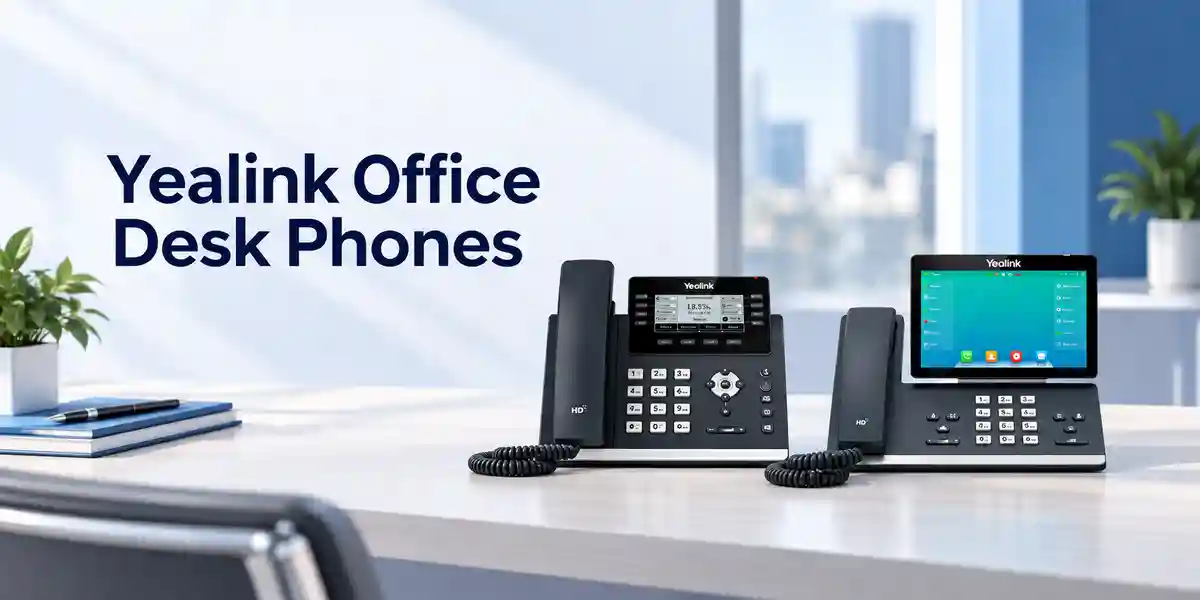
The Linux-based appliance has 64 MB memory and 128 MB storage according to Yealink’s published datasheet. Its local interface is intentionally focused on call handling rather than general-purpose applications. A 4-inch capacitive panel presents a Teams-tailored interaction layer, while four prominent feature keys cover Teams access, headset mode, mute and speakerphone operation. Dedicated volume controls and a message-waiting indicator reinforce the conventional phone workflow. This matters in reception-adjacent offices, finance teams, operations desks and shared administrative areas where users often need immediate, visible control of audio state.
Audio architecture is a major reason to choose a purpose-built USB phone instead of relying on laptop microphones and speakers. The MP45 provides an HD handset and HD speaker, full-duplex hands-free operation with acoustic echo cancellation, noise suppression, adaptive jitter buffering and automatic gain control. In practical terms, these functions are intended to make conversation levels more consistent and reduce distractions created by room noise or acoustic feedback. The handset is hearing-aid compatible, adding an important accessibility consideration for standardised workplace deployments.
The MP45 also addresses peripheral consolidation. A wired headset can attach through RJ9, and an optional Busylight can connect through the 2.5 mm jack. Yealink’s current product comparison information also lists a three-port USB 3.0 hub, Bluetooth-headset support and BT50 dongle support for the MP45 Teams Edition; buyers should confirm the exact regional hardware revision and required accessories on the quotation before standardising a large fleet. This validation step is important because procurement documents, packaging revisions and regional bundles can change over a product lifecycle.
From an administration standpoint, a USB endpoint can reduce the number of independently provisioned desk-phone operating systems in an estate. Yealink identifies USB Connect for deployment, management and upgrades, while its broader management options can assist administrators with fleet oversight. The operational objective is straightforward: preserve the convenience of a desk telephone while aligning the actual calling service with the organisation’s PC collaboration platform.
Enterprise Business Outcomes & Value Analysis
Key Hardware & Software Highlights
4-inch Touch Interface
A 480 × 800 capacitive display provides a visible call-control surface and a Teams-tailored user experience. It complements, rather than replaces, the hard keys and dial pad.
Dedicated Teams Control
The dedicated Teams button gives users a direct hardware interaction point for their collaboration environment, useful for desks where users frequently move between ordinary PC work and calls.
Full-Duplex Speakerphone
Acoustic echo cancellation supports two-way hands-free conversation. This is useful for quick desk calls when the handset or headset is not preferred.
Noise Management
Noise suppression, adaptive jitter buffering and automatic gain control are built into the audio feature set to improve consistency across everyday office conversations.
Wired Headset Path
The RJ9 headset port accommodates compatible wired headsets, helping organisations maintain familiar call-centre or administrative headset workflows.
Busylight Integration
A 2.5 mm jack supports compatible Busylight accessories, allowing a visible availability or call-state indicator where open-office etiquette requires it.
Technical Specifications Ledger
| Category | Published Specification | Procurement Relevance |
|---|---|---|
| Operating system | Linux | Purpose-built embedded platform |
| Memory / storage | 64 MB / 128 MB | Supports the dedicated endpoint function |
| Display | 4-inch, 480 × 800 capacitive touchscreen with backlight | Visible call and device controls |
| Feature keys | Teams, headset, mute, speakerphone; volume controls | Fast tactile operation |
| Audio | HD handset, HD speaker, full-duplex speakerphone with AEC | Professional desk calling |
| Audio processing | Noise suppression, AJB, AGC | Improved call consistency |
| Accessibility | Hearing-aid compatible handset | Supports inclusive workplace planning |
| Handset / headset | RJ9 handset port; RJ9 headset port | Conventional wired peripherals |
| Busylight | 1 × 2.5 mm jack | Optional visual presence accessory |
| Dimensions | 223 × 159 × 127 × 36 mm (manufacturer notation) | Check desk and mounting clearance |
| Operating temperature | -10°C to 50°C | Indoor environmental planning |
| Operating humidity | 10% to 95% | Site environmental planning |
| External adapter | AC 100–240 V input; DC 5 V / 1.2 A output | Optional power planning |
| PSU consumption | 1.5 W–6 W | Useful for aggregate power estimates |
| Mounting | Wall mount supported | Alternative placement option |
Specifications above are based on Yealink’s published MP45 information. Project teams should verify the exact shipped regional revision, included accessories and current firmware support before bulk purchase. The optional power adapter and optional Busylight should not be assumed to be included unless they appear on the commercial quotation.
Configuration & Sizing Worksheet
Step 1 — Count real calling positions
Separate permanent desks, hot desks, training stations and shared administrative positions. Do not simply match the employee headcount. A hot-desk environment may require fewer physical phones than users, while fixed departments may require one device per active workstation plus a small spare pool.
Step 2 — Validate the PC environment
Document workstation type, operating-system baseline, Teams client deployment and available USB ports. Because the MP45 is a USB phone, endpoint compatibility is more important than Ethernet switch-port capacity. For controlled enterprise rollouts, test the standard workstation image with the intended MP45 firmware before approving a large purchase.
Step 3 — Map audio preferences
Identify users who need the handset, users who prefer speakerphone and roles requiring wired headsets. Confirm headset compatibility rather than assuming every existing RJ9 accessory has identical wiring or call-control behaviour. Add Busylight units only where visual call-state signalling adds value.
Step 4 — Review desk space and power
Check physical clearance, cable routes and wall-mount needs. If the deployment design calls for external adapters, include power sockets and surge-protection capacity. Yealink specifies 1.5 W to 6 W PSU consumption, which can be multiplied by the number of externally powered endpoints for a planning estimate.
Step 5 — Clarify licensing boundaries
The MP45 hardware does not by itself provide a Microsoft calling entitlement. The organisation’s Microsoft licensing, Teams Phone configuration, PSTN connectivity and user policies remain separate architecture decisions. Procurement teams should have their Microsoft administrator confirm those service components before ordering a fleet of physical endpoints.
Step 6 — Prepare the quote pack
Provide FourTeck with quantity, delivery location, required date, workstation environment, headset quantities, Busylight quantities, spare-unit policy, staging expectations and any serial-number reporting requirements. For multi-site projects, divide quantities by destination so shipping and rollout can be planned accurately.

Deployment Scenarios & Industry Use Cases
Large Enterprise & Multi-Site Offices
Enterprises standardising Microsoft Teams calling can use the MP45 at roles that benefit from a traditional desk-phone experience without building a separate network-phone environment for every user. Headquarters may deploy units to finance, administration, procurement and management desks, while branch offices can follow the same endpoint standard. A controlled workstation image, standard firmware policy and approved headset list help keep support predictable across sites.
Financial & Banking Institutions
Banks and financial-service organisations often require clear operational ownership, controlled peripherals and repeatable workstation standards. The MP45 can serve PC-based calling positions where tactile mute and handset controls are preferable to laptop-only audio. Procurement should still follow the institution’s endpoint-security, USB-device, Microsoft tenant and change-management policies. The phone should be treated as one component in the broader communications control framework, not as a substitute for identity, compliance or call-recording controls.
Educational & Campus Networks
Yealink specifically identifies classroom scenarios for the MP45. Administrative offices, departmental desks, staff hot desks and training spaces can benefit from a phone-like interface attached to a managed PC. Campus IT teams should test the device with lab or classroom computer policies, especially where USB access is restricted. Shared-use hygiene procedures and cable-retention practices should be included in the operational design.
Government & Public-Sector Procurement
Government projects commonly require a clear bill of materials, model consistency, warranty documentation, delivery scheduling and formal acceptance. The MP45’s defined hardware format can be evaluated as a standard endpoint for PC-based Teams communications. Buyers should specify required documentation, inspection steps, asset-tagging expectations, delivery destinations and whether devices need pre-shipment firmware alignment. Security accreditation and platform approvals remain the responsibility of the procuring organisation.
Technical Deep Dive: Audio Processing & Endpoint Architecture
The MP45’s value is not based on packet-routing throughput or switch backplane capacity; it is an endpoint peripheral whose performance is judged by call interaction and audio handling. Its HD handset and HD speaker create dedicated transducers for speech, while the full-duplex speakerphone allows both sides of a conversation to speak naturally without the half-duplex behaviour associated with basic speaker systems. Acoustic echo cancellation is important because speakerphone output can otherwise be captured by the microphone and returned to the remote participant. Noise suppression aims to reduce unwanted ambient sound, while automatic gain control helps stabilise level differences. Adaptive jitter buffering is part of the device’s audio feature set, although overall media performance also depends on the PC, Teams client, network path and calling service.
The tactile design also changes operational performance. A physical mute key provides an immediate state control; a handset provides acoustic privacy; a speaker key makes hands-free transitions deliberate; and a headset key supports users who spend longer periods on calls. These are modest hardware functions individually, but together they reduce reliance on locating software controls during busy conversations.
Technical Deep Dive: Software Ecosystem, Firmware & Operational Control
Yealink identifies USB Connect as a management and upgrade path for the MP45, and its product materials also position professional management platforms as tools for fleet administration. A sound enterprise rollout should define who owns device firmware, how new releases are tested, what version is approved, how upgrades are scheduled and how exceptions are recorded. Firmware changes should be validated against the organisation’s standard Teams client and workstation image before broad deployment. This prevents a peripheral update from becoming an uncontrolled variable in the user environment.
Administrators should also separate device management from service licensing. Updating the MP45 does not replace Microsoft tenant administration, Teams policies, identity management or PSTN configuration. Conversely, a correctly licensed Teams user can still have a poor physical calling experience if the workstation, USB topology or endpoint firmware is not maintained. Successful ownership therefore crosses desktop engineering, collaboration administration and service-desk processes.
Technical Deep Dive: Availability, Redundancy & Recovery
A USB desktop phone has a different resilience model from a standalone IP telephone. Its calling availability depends on the host PC, the user’s collaboration application, workstation power, network connectivity, identity services and the upstream Teams calling architecture. Procurement teams should understand this dependency before selecting the MP45 for roles with strict continuity requirements. Where a workstation is unavailable, the phone cannot be assumed to operate as an independent Ethernet voice endpoint.
For business continuity, organisations can maintain spare MP45 units, spare USB cables where applicable, tested headsets and documented replacement procedures. Because a peripheral can generally be swapped more quickly than a deeply provisioned endpoint, a local spare pool may shorten desk recovery. Critical departments should also document alternative calling methods—such as approved mobile or secondary communications paths—according to internal continuity policy. The correct redundancy design belongs to the complete communications service, not to the handset alone.
Pre-Purchase Buyer Gap Checklist
Is it a standalone SIP phone? Procurement should treat the MP45 primarily as a USB phone for a PC-based communications environment. If the requirement is an independently networked SIP or native Teams desk phone, compare that architecture with Yealink’s dedicated Teams phone families before finalising the model.
Does the hardware include Microsoft service licensing? Hardware procurement and Microsoft service entitlement are separate. Confirm Teams Phone and PSTN architecture with the tenant administrator or licensing partner.
Is an external power adapter mandatory? Yealink describes USB connection and power for easy installation, while its datasheet lists an external adapter as optional. Confirm the intended host and accessory configuration, particularly for larger peripheral loads.
Will existing headsets work? The phone has an RJ9 headset port, but buyers should validate exact headset models, wiring and required call-control features. A small pilot with the actual corporate headset standard is safer than assuming universal compatibility.
How much desk clearance is required? Use the published dimensions as a starting point, then allow space for handset lifting, stand angle, cable bend radius and adjacent monitors. Wall mounting is supported where the site design requires it.
What happens when the PC is offline? Because the MP45 is designed around PC connectivity, continuity planning must consider workstation failure and user sign-in availability. Critical roles may require an alternate calling path.
What accessories should be quoted? Common considerations include compatible wired headsets, optional Busylight units, optional external power adapters and spare devices. Request these explicitly rather than assuming the standard carton contains every optional component.
How should lifecycle risk be handled? Before a large order, confirm current product status, firmware availability, warranty terms and projected quantity requirements with the supplier. For phased rollouts, consider reserving or forecasting later quantities to reduce variation between batches.
Uganda Procurement & Delivery Logistics
FourTeck can structure MP45 supply around project quantities rather than treating a multi-site deployment as a collection of isolated retail purchases. A useful request for quotation should include the number of phones, intended locations, required delivery date, accessory requirements and any staging or documentation expectations. For institutional procurement, buyers can also state whether they require serial-number capture, split deliveries, labelled cartons or a particular acceptance sequence.
Order processing should begin with bill-of-materials validation. This is especially important where headsets, Busylights or power adapters are required, because optional items should be explicitly represented on the quotation. Once the commercial scope is agreed, delivery timing depends on confirmed stock position, order quantity and supply route. Buyers should rely on the issued quotation for current lead-time and warranty commitments rather than assuming a fixed universal timeline.
Pre-configuration requirements should be discussed before shipment. For a USB phone deployment, this may include firmware alignment, accessory pairing validation, sample testing against a standard workstation build or packaging units by destination. Large projects benefit from a pilot batch before the full rollout, particularly where corporate endpoint controls restrict USB devices.
Local Coverage Matrix
Head-office, branch, professional-services and institutional deployments with centralised project coordination.
Corporate, hospitality, logistics and administrative workplace requirements with planned delivery coordination.
Business, education and distributed branch projects requiring standardised Teams calling peripherals.
Regional office and campus requirements where central procurement needs consistent endpoint models.
Public-sector, NGO, education and branch deployments that benefit from planned quantity and accessory validation.
For every location, delivery scope and timing should be confirmed against the commercial quotation. Multi-location projects should provide quantities per destination so packaging, documentation and rollout sequencing can be prepared appropriately.
Cross-Border & Regional Supply Chains
Organisations operating across East Africa and the Gulf can coordinate Yealink requirements through FourTeck’s regional web presence. Uganda projects can begin at FourTeck Uganda, while Kenyan requirements can be directed through FourTeck Kenya. Wider continental requirements can use FourTeck Africa. UAE sourcing is supported through FourTeck UAE, and Kuwait requirements through FourTeck Kuwait.
Cross-border projects should define destination country, consignee requirements, unit quantities, accessories and target dates before commercial confirmation. Freight, import processing, taxes, local compliance and warranty routing can differ by destination, so each country requirement should be represented clearly rather than assuming one delivery model applies everywhere.
Related Yealink Solutions & Internal Navigation
The MP45 is most appropriate when the requirement centres on a PC-connected Teams calling peripheral. Buyers comparing alternative desk architectures can explore the Yealink Teams phone range for independently deployed desk-phone options, browse Yealink IP phones for broader voice endpoints, review Yealink headset options for private audio workflows, or search Yealink conference solutions for meeting-room requirements.
Projects that need visible call-state indication should include compatible Busylight requirements in the quote. Organisations refreshing an entire collaboration environment can also review Microsoft Teams workplace solutions. The goal is to match the endpoint class to the user role: a USB phone for PC-centric desks, a dedicated network phone where independent operation is required, a headset for mobile or high-call-volume users, and room systems for group collaboration.
FourTeck Technical Service Capabilities
Enterprise endpoint procurement is more reliable when the bill of materials is validated before purchase. FourTeck can help review model selection, quantities and accessory assumptions against the intended deployment. For the MP45, this means confirming that the organisation genuinely wants a PC-connected USB telephone, identifying headset and Busylight needs, checking whether optional adapters are required and documenting delivery destinations.
For larger deployments, staging can include agreed firmware checks, sample workstation validation and packaging by rollout group where commercially arranged. Pre-shipment firmware alignment can reduce variation at installation, but the customer’s change-control policy should determine the approved version. Post-sales support can focus on hardware troubleshooting, accessory checks and warranty coordination within the terms of the supplied order. Microsoft tenant configuration, calling plans and organisational policies remain separate service domains and should be handled by the appropriate collaboration administrators.
Extended Technical FAQ
1. Is the Yealink MP45 a native standalone Microsoft Teams desk phone?
The MP45 is positioned by Yealink as a USB phone compatible with Microsoft Teams. Its primary architecture is to operate as a peripheral of a computer rather than replacing the computer with a fully independent network-attached Teams endpoint. This distinction matters during procurement. If your users already work in the Teams desktop client and want a handset, touchscreen, dial pad and speakerphone at their desk, the MP45 fits that workflow. If the requirement is for a phone that continues to operate independently of a PC, ask FourTeck to compare dedicated Yealink Teams desk-phone models before placing the order.
2. Does the MP45 include Microsoft Teams Phone licensing?
No hardware purchase should be assumed to include the organisation’s Microsoft calling entitlement. The MP45 supplies the physical desktop interface, while Microsoft tenant licensing, Teams Phone entitlement, user policies and PSTN connectivity are separate elements of the communications design. Before buying a large fleet, have the Microsoft administrator confirm that intended users have the required services and that the organisation’s calling architecture is already operational or planned. This prevents a situation where physical phones arrive before the tenant and telephony service are ready for them.
3. Can we use a wired headset with the MP45?
Yes. Yealink publishes an RJ9 headset port for the MP45, and the device includes a dedicated headset key. However, RJ9 is a physical connector description rather than a guarantee that every legacy headset will deliver identical wiring, audio level or call-control behaviour. Enterprises should provide the exact headset model during compatibility planning or test a representative unit before bulk rollout. If headsets are being purchased with the phones, include the user profile—general office, reception, long-duration calling or shared desk—so an appropriate accessory can be specified.
4. Does the MP45 support hands-free calls?
Yes. The MP45 includes a full-duplex hands-free speakerphone with acoustic echo cancellation. Full duplex is important because it allows both sides to speak naturally rather than forcing conversation into a push-and-wait pattern. Yealink also lists noise suppression, adaptive jitter buffering and automatic gain control in the audio feature set. Actual call quality still depends on the host computer, collaboration client, network conditions and upstream calling service. For noisy open offices, users who need privacy or concentration may still prefer the handset or a suitable headset.
5. What is the MP45 display specification?
The published display is a 4-inch 480 × 800-pixel capacitive touchscreen with backlight. The screen gives users a visible interface for device and call interaction, while physical keys remain available for frequent actions such as Teams access, headset mode, mute, speakerphone and volume adjustment. This combination can be valuable for employees moving from conventional desk phones to PC-based calling because it preserves tactile controls while adding a modern touch interface. When planning desk layouts, allow enough space for comfortable viewing and handset access rather than using the chassis dimensions alone.
6. Is an external power adapter required?
Yealink describes the MP45 as connectable and powerable through USB for straightforward installation, while its datasheet also lists an external Yealink AC adapter as an optional package item. The adapter specification is AC 100–240 V input with DC 5 V / 1.2 A output, and published PSU consumption is 1.5 W to 6 W. The safest procurement approach is to describe the intended workstation and peripheral configuration and ask that any required adapters be stated explicitly on the quotation. Do not assume optional accessories are included unless the bill of materials says so.
7. Can administrators manage firmware across many MP45 phones?
Yealink states that the MP45 supports Yealink USB Connect for deployment, management and upgrades, and its product materials discuss professional management platforms for bulk device administration. An enterprise rollout should still establish a formal firmware process: maintain a test group, validate releases against the corporate workstation image and Teams client, approve a baseline, schedule broad updates and keep a rollback or replacement procedure. Central tools make fleet operations easier, but they do not remove the need for change control, compatibility testing and ownership between desktop and collaboration teams.
8. Is the MP45 suitable for hot-desking?
Yes. Yealink explicitly positions the MP45 for daily office and hot-desking use. The design is particularly logical where the user’s collaboration identity follows the PC session and the desk needs a familiar telephone interface. For shared desks, administrators should also consider physical hygiene, cable retention, accessory durability, user sign-out procedures and how quickly a replacement peripheral can be installed. A pilot can help determine whether users prefer the handset, speakerphone or headset mode and whether the workstation’s USB policy introduces any deployment friction.
9. What warranty and replacement process applies in Uganda?
Warranty scope should be taken from the FourTeck commercial quotation and supplied documentation for the specific order rather than assumed from a generic product description. Enterprise buyers should request the warranty baseline, return process and any project-specific support terms before issuing a purchase order. For larger fleets, maintaining a small local spare pool can reduce user downtime while a failed unit is assessed. Record serial numbers and deployment locations during rollout so hardware can be traced quickly if a warranty case is required.
10. What information should we provide for an accurate Uganda quotation?
Provide the required MP45 quantity, delivery city or cities, target delivery date, workstation environment, Teams deployment status, wired-headset requirements, Busylight quantities, optional power needs and any staging expectations. For institutional projects, also state whether you require serial-number schedules, split-site packaging, firmware alignment, asset labels or formal delivery documentation. The more complete the deployment context, the easier it is to identify missing accessories before purchase. Multi-site buyers should separate quantities for Kampala, Entebbe, Jinja, Mbarara, Gulu or other destinations rather than supplying only one aggregate total.
Prepare Your Yealink MP45 Procurement Request
For a useful quotation, send the number of Yealink MP45 units required, the Uganda delivery destination, target deployment date and the accessories expected at each desk. Include wired-headset models if you already have a corporate standard, indicate whether Busylight units are needed, and identify any requirement for optional power adapters or pre-shipment firmware alignment. For multi-site deployments, provide a location-by-location quantity schedule. FourTeck can then review the bill of materials and structure the commercial response around the actual rollout rather than a generic unit-only request.
If you are still deciding between a PC-connected USB phone and a dedicated network-attached Teams phone, include that question in the enquiry. Architecture selection should follow user workflow, continuity requirements and administration strategy, not simply the appearance of the handset.



Reviews
There are no reviews yet.