
Yealink SIP-T58W Pro Smart Business IP Phone for Enterprise Voice
The Yealink SIP-T58W Pro is an Android 9.0 smart business desk phone built for professional SIP communications where users need a large touch interface, strong audio performance, flexible network connectivity and mobility around the desk. The Pro model is distinguished by support for the BTH58 Bluetooth handset, giving a user approximately ten metres of practical handset mobility in suitable office conditions. For organizations modernizing executive offices, reception desks, branch locations or unified communications environments, the T58W Pro combines familiar telephone controls with a 7-inch capacitive touchscreen and centralized provisioning options.
Procurement teams commonly evaluate this model when standard desk phones no longer provide enough account capacity, expansion flexibility, wireless connectivity or visual control. The phone supports up to 16 SIP accounts, 27 one-touch DSS keys across screen pages, up to 10-party audio conferencing, dual Gigabit Ethernet, PoE, integrated 2.4 GHz/5 GHz Wi-Fi, Bluetooth 4.2 and two USB 2.0 ports. Optional accessories extend the platform further: the CAM50 enables 720p30 video, EXP50 modules increase programmable key capacity, and supported headset and DECT options can adapt the endpoint to different roles.
FourTeck supplies the Yealink SIP-T58W Pro for business deployments in Uganda with assistance around bill-of-materials validation, accessory planning, PBX requirements and deployment preparation. Buyers should specify the intended call platform, number of users, PoE availability, required camera or expansion modules, headset preference and delivery locations before final quotation.
Instant Specifications & Procurement Fact Rail
SIP-T58W Pro
Android 9.0
7-inch 1024 × 600 touch
Dual Gigabit Ethernet
IEEE 802.3af PoE Class 3
Quote on request
The fact rail is intended for fast procurement screening. The T58W Pro can operate from compatible PoE infrastructure or an optional external 5V/2A adapter. Because cameras, expansion modules, power adapters and mounting accessories can vary by project, a quotation should state exactly what is included. Warranty terms should likewise be confirmed on the commercial offer for the specific shipment rather than assumed from a generic regional policy.
Operational Product Architecture & Overview
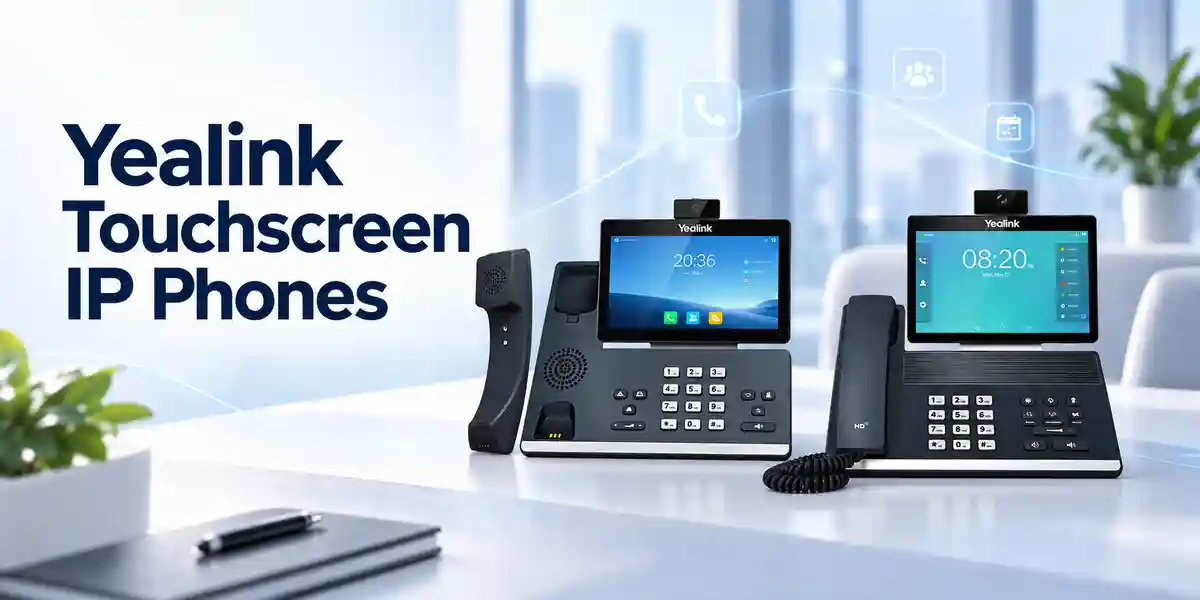
At its core, the SIP-T58W Pro is an IP voice endpoint designed to register with standards-based SIP services and business call platforms. Its Android operating environment provides the visual layer for calling, directory access, settings and supported applications, while dedicated telephony functions handle call control, audio processing and network signaling. The adjustable five-point multitouch display makes high-density functions easier to reach than on a conventional key-driven phone, particularly when a user manages several identities, shared lines, directories or programmable functions.
The network architecture is practical for structured office cabling. Two Gigabit Ethernet ports allow the phone to sit between the access switch and a workstation where policy permits. VLAN tagging and Layer 3 DSCP capabilities support voice traffic separation and prioritization when correctly configured on the wider network. IPv4 and IPv6 are supported, together with static or DHCP addressing. SIP call server redundancy is supported, an important consideration where the PBX or hosted platform provides secondary registration or failover logic.
Wireless interfaces add deployment flexibility. Built-in dual-band Wi-Fi supports IEEE 802.11a/b/g/n networks, while Bluetooth 4.2 supports the BTH58 handset, compatible Bluetooth headsets and mobile-device pairing. Wireless capability does not remove the need for disciplined network planning: enterprises should validate RF coverage, authentication policy, voice VLAN design and roaming expectations before relying on Wi-Fi for fixed endpoints. Wired Gigabit Ethernet with PoE remains a straightforward choice for controlled desk deployments because power and data can be delivered through the structured cabling plant.
The two USB 2.0 ports serve different expansion needs. The upper port can accommodate the optional CAM50 camera, while the rear connection can be used for supported USB headsets, storage, EXP50 expansion modules and the EHS40 wireless headset adapter. This modular approach lets a procurement team standardize the base phone while tailoring accessories for executives, receptionists, supervisors or other specialist users.
Audio architecture is equally important. The handset and speaker support HD voice, with Yealink acoustic processing features including Noise Proof, Acoustic Shield and smart noise filtering. Full-duplex hands-free operation with acoustic echo cancellation supports natural speakerphone conversation. Codec support covers common narrowband and wideband enterprise voice requirements, helping the phone integrate with varied SIP infrastructures. Actual negotiated codec and call quality still depend on the PBX, carrier, WAN path, bandwidth, packet loss, jitter and configuration.
Enterprise Business Outcomes & Value Analysis
Key Hardware & Software Highlights
The 7-inch 1024 × 600 display is the primary user surface and can be tilted for desk viewing. Five-point multitouch operation supports a smartphone-like interaction model. The Pro configuration is designed around the BTH58 Bluetooth handset, giving executives and knowledge workers the convenience of moving within the office while maintaining the active call. For teams that need visual communications, the optional CAM50 connects through USB and supports 720p video at up to 30 frames per second under suitable network conditions.
Physical controls remain available for frequently used actions such as hold, transfer, messages, headset, mute, redial, speakerphone and volume. The phone supports a local directory of up to 1,000 entries plus XML and LDAP remote phonebook functions. Business telephony capabilities include BLF, BLA, hot desking, intercom, paging, call park, pickup, voicemail indication, call recording support and direct IP calling. Availability of individual PBX features depends on the server platform and provisioning profile.
Administrators can provision through FTP, TFTP, HTTP or HTTPS and use PnP, zero-touch methods and TR-069 where applicable. Logs and packet traces can assist troubleshooting. The platform also includes controls intended to limit application installation to administrators, helping organizations govern the Android environment.
Technical Specifications Ledger
| Category | Specification |
|---|---|
| Operating system | Android 9.0 |
| Display | 7-inch, 1024 × 600 capacitive adjustable touchscreen; five-point multitouch |
| SIP accounts | Up to 16 |
| Ethernet | Dual-port Gigabit Ethernet |
| PoE | IEEE 802.3af, Class 3 |
| Wi-Fi | Built-in dual band 2.4/5 GHz, IEEE 802.11a/b/g/n |
| Bluetooth | Bluetooth 4.2; BTH58, headsets and mobile pairing |
| USB | 2 × USB 2.0 |
| Audio conferencing | Up to 10 parties |
| Video | 720p30 with optional CAM50; H.264/VP8 support |
| Expansion | Up to 3 EXP50 color-screen modules |
| Security | SRTP, TLS 1.3, HTTPS, AES256 config encryption, 802.1X, OpenVPN, L2TP VPN, WPA2/WPA3, secure boot |
| Dimensions | 259.4 × 220 × 215 × 42.6 mm |
| Operating temperature | -10 to +45°C |
| Humidity | 5%–90%, non-condensing |
| Power consumption | PSU: 2.5–9 W; PoE: 3.3–7.6 W |
These specifications should be read as platform capabilities rather than a guarantee that every function will operate identically with every PBX. Codec negotiation, BLF behavior, directory integration, security settings, provisioning methods and video features depend on server-side support and project configuration. Buyers migrating from another handset family should validate templates and call flows before a mass rollout.
Configuration & Sizing Worksheet
1. Workload and scale
Count endpoints by user role, not only by employee headcount. Separate executives, reception operators, shared desks, meeting areas, supervisors and ordinary desk users. Determine how many SIP registrations each role requires and whether BLF monitoring or expansion modules are needed. For a multi-site rollout, record quantities per branch so staging and labeling can follow the deployment sequence.
2. Network and physical environment
Confirm a Gigabit switch port for each wired phone and document the voice VLAN, DHCP scope, DNS, NTP and provisioning reachability. Where Wi-Fi will be used, perform coverage validation at the actual desk locations. Check desk depth, cable routing and wall-mount requirements. The published operating range is -10 to +45°C with 5%–90% non-condensing humidity; indoor office installation remains the normal deployment assumption.
3. Power and cabling
For PoE projects, calculate the aggregate switch power budget using the phone fleet plus attached accessories and engineering headroom. If PoE is unavailable, specify the optional compatible AC adapter for each affected position and consider how local power outages will affect service. Cat5e or better structured cabling is appropriate for Gigabit desk connectivity when installed and certified correctly.
4. Platform, subscriptions and accessories
The handset itself does not replace the SIP service, PBX user entitlement or hosted calling subscription. Confirm the target call server and any per-user licensing separately. Identify CAM50 cameras, EXP50 modules, headsets, EHS40 adapters, wall mounts or other required accessories in the bill of materials.
5. Quote preparation checklist
Provide phone quantity, branch locations, PBX or hosted platform, PoE availability, camera quantity, expansion-module quantity, headset requirement, expected delivery window, staging preference and any labeling or configuration requirements. This information reduces commercial revisions and helps ensure the quote reflects the intended deployment rather than only the base handset.
Deployment Scenarios & Industry Use Cases
Large enterprise and multi-site networks
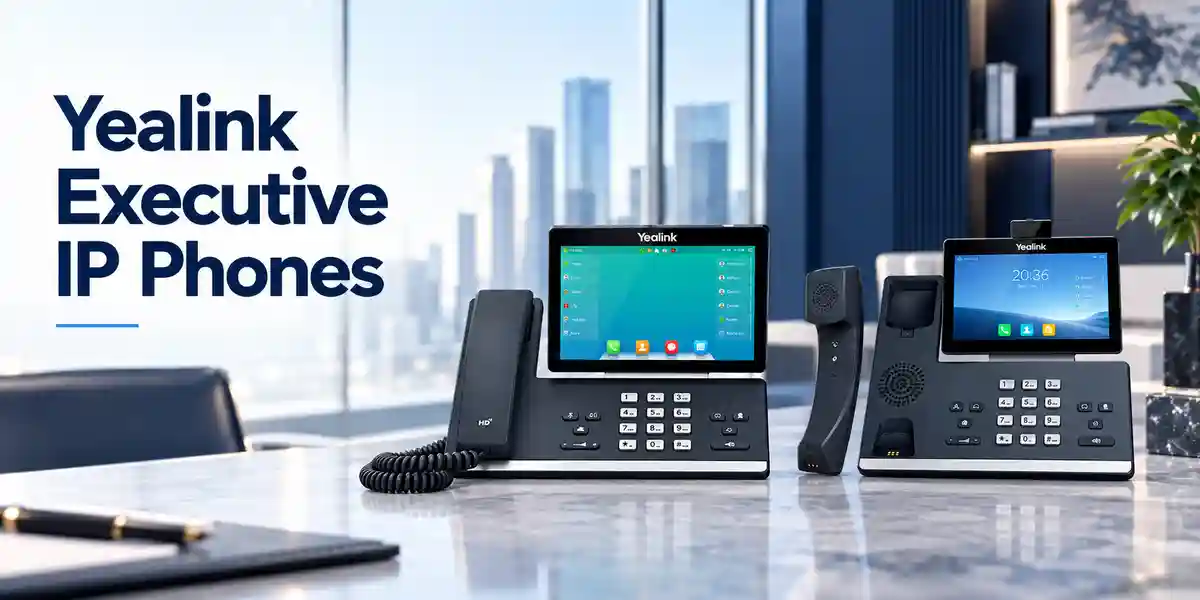
The T58W Pro suits roles where a standard entry-level phone is restrictive. Central teams can prepare common provisioning templates, assign role-specific DSS layouts and stage units before dispatch to branches. Dual Gigabit ports help preserve high-speed workstation connectivity, while PoE can place the voice estate on centrally protected switching and UPS infrastructure.
Financial and banking environments
Banks and financial organizations typically prioritize controlled provisioning, network segmentation, encrypted signaling and media, access authentication and traceable configuration. The phone provides relevant capabilities such as TLS, SRTP, 802.1X and secure boot. These features must be incorporated into a wider security architecture; endpoint capability alone does not establish compliance.
Education and campus networks
Administrative offices, faculty leadership, security desks and reception points can benefit from the large display, directory access, intercom and paging functions. Campus buyers should confirm VLAN design, PoE switch capacity and PBX feature interoperability across buildings before ordering at scale.
Government and regulated procurement
Public-sector projects often require a precise bill of materials, defined warranty handling, documented serial numbers and controlled firmware. FourTeck can align commercial documentation with the requested quantities and accessory list, while the customer’s technical team remains responsible for approving security baselines and platform-specific configurations.
Technical Deep Dive: Processing, Audio & Visual Architecture
The T58W Pro combines an Android application environment with purpose-built voice endpoint behavior. This matters because desk-phone workloads differ from general mobile computing: call setup must remain responsive, media must be handled consistently and the user interface must expose telephony controls immediately. Yealink’s audio stack incorporates echo cancellation and noise-management functions intended to improve intelligibility in real offices. The benefit is most visible when the endpoint is deployed with correct gain settings, a stable network and an appropriate handset, headset or speakerphone mode.
Video is modular rather than mandatory. With the optional CAM50, the phone supports 720p30 video, allowing a desk endpoint to participate in compatible visual workflows without requiring a separate workstation camera. Procurement teams should validate the exact video call behavior expected from their platform because SIP video support can vary by server and service provider. Bandwidth planning is also required; the published 720p mode assumes adequate network capacity and suitable media negotiation.
Technical Deep Dive: Software, Firmware Security & Control
The Android 9.0 foundation gives the phone a rich interface and support for approved third-party applications, while administrative controls are intended to prevent unrestricted application changes. Enterprise security capabilities include secure boot, encrypted configuration files, TLS 1.3, SRTP and certificate management. Network access can be governed through 802.1X, and Wi-Fi security includes WPA2/WPA3. OpenVPN and L2TP VPN options can support particular remote or segmented deployment designs.
A secure deployment requires more than enabling individual checkboxes. Administrators should define trusted provisioning servers, certificate handling, administrator credentials, firmware approval, web-interface access policy, VLAN assignment and logging procedures. Firmware should be validated against the target PBX and any required applications before broad rollout. Configuration backups and standardized templates reduce drift between devices.
Technical Deep Dive: Availability, Redundancy & Recovery
The endpoint supports call-server redundancy, but continuity is an end-to-end property. A resilient design considers redundant PBX nodes or hosted service architecture, redundant switching, UPS-backed PoE, WAN diversity, DNS behavior and provisioning availability. The phone can only fail over in the ways supported by the surrounding SIP design. For critical desks, test scenarios should include primary registrar loss, switch reboot, WAN interruption and power restoration.
Recovery procedures should be documented before deployment. Keep approved configuration templates, firmware packages, account mappings and accessory assignments in controlled records. If a unit is replaced, the objective should be to provision the replacement predictably rather than rebuild it manually from memory. This is where centralized device management and zero-touch processes can reduce operational delay.
Pre-Purchase Buyer Gap Checklist
What is included? Confirm whether the quotation includes the BTH58 handset, power adapter, CAM50, wall mount, EXP50 modules and headsets. Accessory assumptions are a common source of purchase-order mismatch.
Are there hidden service costs? The phone can support SIP calling, but PBX subscriptions, hosted calling plans, SBC services, management subscriptions or third-party applications may carry separate commercial terms. Confirm these with the relevant platform provider.
Will it work with the existing PBX? SIP standards provide a strong interoperability foundation, but advanced functions such as BLF, call recording, directories, video and provisioning can be platform-specific. Run a pilot if the intended call platform has not already been validated.
Is the switch ready? Verify Gigabit ports, PoE capacity, voice VLANs, LLDP/CDP policy where applicable, DHCP options and QoS. A phone upgrade can expose weaknesses in old access switching or inconsistent branch configuration.
How much desk space is required? The unit measures roughly 259.4 mm wide by 220 mm deep with an overall published dimensional profile of 259.4 × 220 × 215 × 42.6 mm. Allow additional clearance for handset access, rear cabling and optional modules.
What about lifecycle? Before a large fleet purchase, request the current commercial availability, supported firmware position and replacement strategy for the proposed project. Lifecycle decisions can change over time and should be confirmed at quotation stage.
Uganda Procurement & Delivery Logistics
FourTeck can prepare a project quotation based on required quantities, accessories, destination and configuration scope. For a straightforward handset order, provide the model and quantity. For a rollout, add the call platform, site list, PoE status, required accessories and staging expectations. This lets the commercial and technical teams distinguish between a base-unit supply request and a deployment-ready bill of materials.
Order processing should begin only after the buyer confirms the commercial offer, exact product configuration and delivery requirements. Delivery timing depends on quantity, stock position, import movement where applicable and destination. Rather than relying on a generic lead-time promise, buyers should request the expected schedule on the live quotation. Pre-configuration requirements should be agreed before dispatch, particularly where phones must arrive with firmware, labels, account templates or branch-specific settings.
Local Coverage Matrix
Projects can be coordinated for Kampala headquarters and branch environments as well as Entebbe, Jinja, Mbarara and Gulu. Multi-site buyers should provide a quantity split by location so packing, documentation and rollout sequencing can be planned appropriately. Remote branches may require different power arrangements, WAN assumptions or on-site technical preparation, so a single standardized bill of materials should still be checked against each site’s conditions.
Cross-Border & Regional Supply Chains
Organizations with operations beyond Uganda can coordinate related requirements through FourTeck Uganda, FourTeck Kenya, FourTeck Africa, FourTeck UAE and FourTeck Kuwait. Cross-border projects should identify the final destination, required quantities and local commercial requirements early so the supply route and documentation can be planned around the actual deployment.
Related Products & Deployment Accessories
A complete voice project may require more than the handset. Buyers can explore enterprise communication solutions in Uganda and request compatible Yealink accessories through the FourTeck contact team. Common T58W Pro project options include the CAM50 camera for video, EXP50 color-screen expansion modules for reception or attendant use, supported USB or Bluetooth headsets, the EHS40 adapter for compatible wireless headset workflows, optional wall mounting and suitable PoE switching. For environments considering a wider refresh, ask for adjacent Yealink desk-phone models to be compared by user role rather than purchasing the same premium endpoint for every desk.
This role-based approach can reduce unnecessary cost while preserving a consistent handset family. Executives and high-interaction users may benefit from the T58W Pro touchscreen and wireless handset, while basic users may need fewer accounts and less expansion. Reception users may prioritize EXP50 modules and BLF capacity. The final mix should be driven by calling behavior, not job title alone.
FourTeck Technical Service Capabilities
FourTeck can assist with engineering validation before shipment by reviewing the requested model, accessory list, power method and intended call environment. Bill-of-materials verification is particularly useful when a project includes cameras, expansion modules, headsets or non-PoE locations. Where agreed for the project, staging can include firmware alignment, basic provisioning preparation, labeling and configuration checks before dispatch.
Pre-shipment firmware work should always be tied to the customer’s approved platform version rather than automatically installing a release without compatibility review. For larger deployments, a pilot batch can help validate registration, call flows, directories, BLF, VLANs, QoS and security policy before the remaining units are rolled out. Post-sales technical support can then focus on the documented configuration baseline, making fault isolation more efficient.
Extended Technical FAQ
Does the Yealink SIP-T58W Pro support multiple SIP accounts?
Yes. The platform supports up to 16 SIP accounts. This is useful for executives, shared-service teams and users who need multiple identities or line appearances. The number of accounts configured should reflect actual operational requirements because each registration adds administrative complexity. Confirm that the target PBX or hosted service supports the desired account arrangement, authentication method and feature mapping. A pilot is recommended where the phone will replace a different vendor’s endpoint with a heavily customized line-key layout.
Can the T58W Pro be powered through Ethernet?
Yes. It supports IEEE 802.3af PoE Class 3. This can simplify desk installation and allows voice endpoints to benefit from centralized UPS protection when the access switches are backed up. Published PoE consumption is approximately 3.3 to 7.6 watts, but switch sizing should include engineering headroom and attached accessories. If PoE is not available, an optional Yealink external adapter with 100–240 V AC input and 5 V/2 A output can be used where appropriate.
Is a camera included with every unit?
Do not assume that it is. The CAM50 is an optional accessory in standard T58W Pro configurations, while specific bundles may differ. The camera enables 720p30 video and connects to the designated USB port. Ask for the quotation to state explicitly whether CAM50 is included and how many cameras are required. Video compatibility should also be validated against the intended SIP platform because camera hardware alone does not guarantee every server-side video feature.
What is different about the Pro model?
The Pro positioning centers on the BTH58 Bluetooth wireless handset capability, allowing the user to move around the immediate office during a call rather than remain tethered by a handset cord. Yealink states a range of up to about 10 metres under suitable conditions. This is particularly useful for executives, supervisors and professionals who frequently reach files, screens or nearby work areas during calls. Confirm the exact package contents on the quotation because regional bundles can vary.
Can it connect over Wi-Fi?
Yes. The phone includes dual-band 2.4 GHz and 5 GHz Wi-Fi supporting IEEE 802.11a/b/g/n. Wi-Fi is valuable where structured cabling is unavailable or a desk needs flexible placement. For enterprise voice, however, RF design matters. Validate signal strength, interference, authentication, channel planning and capacity at each location. Wired Gigabit Ethernet with PoE is often preferred for fixed desks because it combines predictable connectivity with centralized power.
Does it support enterprise security controls?
The T58W Pro provides a substantial set of security capabilities including SRTP, TLS 1.3, HTTPS certificate management, AES256 configuration-file encryption, secure boot, 802.1X, WPA2/WPA3 and VPN options. These are capabilities, not an automatically secure configuration. Organizations should apply their own hardening baseline, administrator credential policy, certificate process, network segmentation and firmware governance. Security requirements should be tested with the actual PBX and provisioning infrastructure before a fleet rollout.
Can reception teams add more programmable keys?
Yes. The phone supports up to three Yealink EXP50 color-screen expansion modules. This makes the T58W Pro suitable for roles that monitor many extensions or require a large number of programmable functions. Before ordering modules, document the required BLF, speed-dial and function-key count and confirm that the PBX exposes the necessary features. Expansion modules also affect desk footprint and power planning, so include them in both the physical workspace review and the final bill of materials.
How is the phone centrally provisioned?
Configuration can be performed through the phone interface, browser or automatic provisioning. Supported provisioning transports include FTP, TFTP, HTTP and HTTPS, with PnP, zero-touch methods and TR-069 also available. Yealink device-management platforms can support broader fleet administration. For enterprise deployment, use controlled templates, trusted provisioning endpoints and an approved firmware baseline. A repeatable provisioning process reduces manual errors and makes replacement devices easier to introduce.
What warranty and replacement process applies in Uganda?
Warranty handling should be confirmed on the FourTeck commercial quotation for the specific supply because terms can depend on channel, shipment and project conditions. Keep purchase documentation, serial-number records and packaging information required by the stated process. If a device develops a fault, technical triage should first distinguish endpoint hardware failure from cabling, PoE, PBX registration, network or configuration issues. A documented deployment baseline makes that assessment faster and helps determine the appropriate replacement path.
Can FourTeck help with configuration before delivery?
Configuration assistance can be scoped as part of the project. Buyers should provide the PBX platform, account or template requirements, VLAN details, firmware baseline, labeling convention and any accessory assignments. For security reasons, credential handling and final account activation should follow the customer’s approved process. A staged pilot is advisable for larger rollouts so registration, calling, directories, BLF, security controls and network behavior are confirmed before the full fleet is prepared.
Plan Your Yealink SIP-T58W Pro Deployment in Uganda
For an accurate procurement proposal, send FourTeck the required quantity, deployment locations, SIP or PBX platform, PoE availability and the accessories needed for each user group. Include CAM50 cameras, EXP50 modules, headsets, wall-mount requirements and any staging or labeling expectations. The resulting quotation can then distinguish base hardware from optional components and project services, reducing uncertainty before purchase. Multi-site organizations should also provide the quantity split for Kampala, Entebbe, Jinja, Mbarara, Gulu or other destinations so logistics can be aligned with the rollout plan.
A short technical review before ordering is especially valuable when the project involves existing third-party PBX infrastructure, security controls, Wi-Fi deployment, large BLF layouts or mixed PoE environments. Confirming these details early helps turn the handset specification into a practical deployment plan.


Reviews
There are no reviews yet.