
Yealink SIP-T58W Pro with Camera Smart Video IP Phone for Enterprise Collaboration
The Yealink SIP-T58W Pro with Camera is an executive-class SIP desk phone designed for organizations that want voice, video, wireless handset freedom and centralized endpoint administration in a single desktop device. It combines a 7-inch adjustable capacitive touchscreen with a BTH58 Bluetooth handset, CAM50 camera support, dual-band Wi-Fi, Bluetooth 4.2, dual Gigabit Ethernet and Power over Ethernet. For an enterprise buyer, this combination reduces the number of separate devices needed at a desk while providing a familiar, visual calling experience for staff who regularly handle customer conversations, internal collaboration, video meetings, door-phone workflows or multiple SIP identities.
The model is particularly relevant where a standard keypad phone is too limited but a full room conferencing system would be excessive. Executives can place and receive calls, view contacts and call histories, handle multiple SIP accounts and participate in desktop video without changing devices. The Pro configuration adds the BTH58 wireless handset as the normal handset experience, allowing movement around an office while remaining on the call. The camera configuration adds visual communication with a removable camera that can be physically shuttered when video is not required.
Procurement teams should evaluate the phone as part of the complete communications environment rather than as an isolated endpoint. Confirm the SIP call platform, VLAN design, PoE capacity, DHCP and provisioning method, headset preferences, wireless policy, security requirements and number of expansion modules before finalizing quantities. FourTeck can assist with this validation for deployments in Uganda, from a single executive office through multi-site enterprise rollouts.
Instant Specifications & Procurement Fact Rail
SIP-T58W Pro with Camera
Executive and enterprise desktop collaboration
7-inch 1024 × 600 capacitive touchscreen
Dual-port Gigabit Ethernet, IEEE 802.3af PoE
2.4/5 GHz Wi-Fi and Bluetooth 4.2
Up to 16 SIP accounts
Up to 720p30 with CAM50
Project pricing on request; availability confirmed at quotation
The procurement fact rail is intended to help buyers quickly determine whether the T58W Pro with Camera belongs on the shortlist. The phone is not a basic single-line endpoint: it is designed for users who benefit from a large touch interface, several SIP identities, desktop video, wireless handset operation or additional programmable keys through optional EXP50 modules. PoE allows the network cable to carry both data and power when connected to a compatible switch, reducing desktop power-adapter clutter. Where PoE is unavailable, an appropriate external Yealink power adapter can be specified. Warranty terms, stock position and lead time should be confirmed on the issued Uganda quotation because they can vary by supply batch and project source.
Operational Product Architecture & Overview
At the center of the T58W Pro experience is an Android 9.0 platform tailored for business telephony. The architecture combines a visual application layer, SIP call processing, network services, audio processing, video handling and device-management functions. This matters operationally because the phone can expose rich calling functions without forcing a user to navigate deeply nested keypad menus. Administrators can provision the endpoint through supported automated methods, while users interact with calls, contacts, directories and conferencing through the touch display.
The physical network path is equally important. Two Gigabit Ethernet ports allow the phone to connect to the LAN and provide a downstream network connection for a workstation where appropriate. In a structured enterprise deployment, the voice endpoint can be assigned to a dedicated VLAN while quality-of-service policies prioritize real-time traffic. The device supports IPv4 and IPv6, static or DHCP addressing, common SIP transport mechanisms and security controls including SRTP, TLS, HTTPS, 802.1X and encrypted configuration capabilities. These functions help the endpoint fit within managed corporate networks rather than requiring an isolated consumer-style setup.
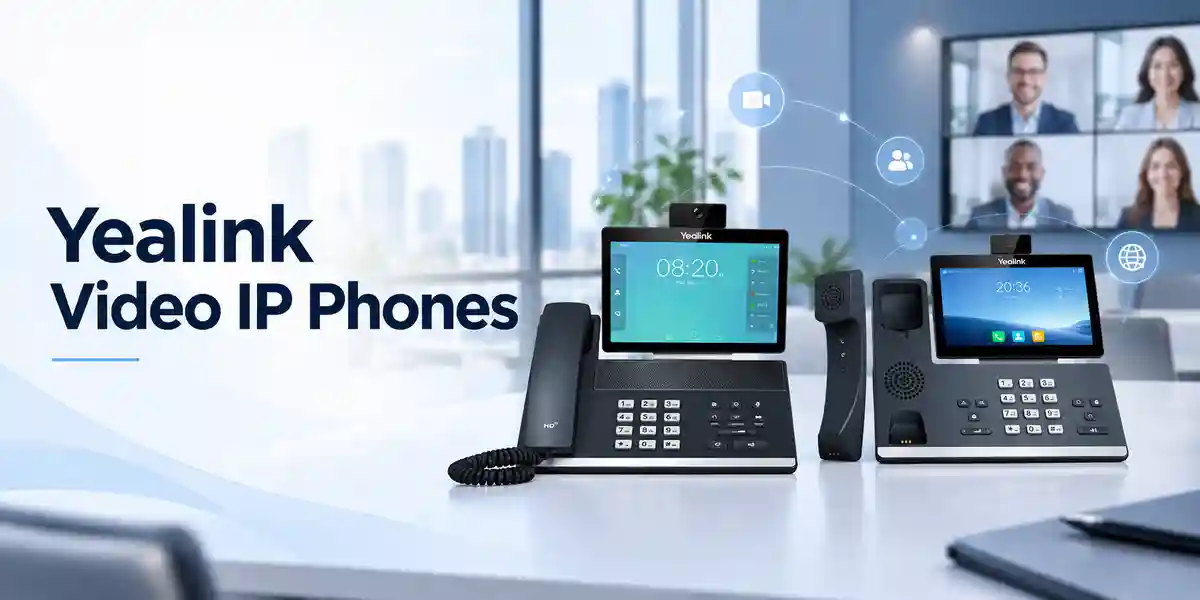
Audio is processed for business conversation rather than casual multimedia use. Yealink HD voice technologies, full-duplex speakerphone operation, acoustic echo cancellation and noise-control functions are intended to keep speech intelligible when the surrounding office is active. The BTH58 Bluetooth handset changes the normal desk-phone workflow by removing the handset cord. A user can stand, reach a filing area or move within the supported local range without transferring the call to another device. For managers who spend long periods on calls, that flexibility can be a practical ergonomic improvement.
The camera path adds desktop visual communication. The CAM50 attaches through USB and supports HD video up to 720p at 30 frames per second. A privacy shutter gives the user a physical way to cover the lens. This is useful in executive offices, healthcare administration, reception environments and secure organizations where video should be available on demand but visibly disabled at other times. Video bandwidth must still be considered at the network-design stage, especially when many endpoints may establish video sessions simultaneously.
A common procurement pain point is determining whether a premium endpoint will actually work with the existing call platform. The T58W Pro is a SIP phone, but specific features can depend on PBX support, provisioning templates, firmware level and service-provider policy. Core SIP calling is broadly applicable, while advanced functions such as directory integration, call recording, door-phone control, remote provisioning or special feature keys should be validated against the target environment. FourTeck can use the project platform details to reduce uncertainty before bulk ordering.
Enterprise Business Outcomes & Value Analysis
The combination of Gigabit Ethernet, quality-of-service support, HD voice and 720p30 video gives the endpoint the interfaces needed for high-quality real-time communications when the underlying LAN and WAN are engineered correctly. Buyers should pair the phone with properly configured switches, voice VLANs and adequate internet or WAN capacity rather than treating endpoint quality as a substitute for network design.
PoE simplifies power delivery and can place desk phones behind the same UPS-backed switching infrastructure used by the network. Call-server redundancy support can contribute to continuity where the PBX design provides redundant registration targets. This can make the endpoint suitable for organizations where communications need to remain available during localized power or server events.
Up to 16 SIP accounts and support for as many as three EXP50 expansion modules allow the same phone family to serve demanding roles without immediately requiring a different endpoint category. Organizations can standardize around a consistent interface while assigning accessories only to receptionists, assistants, supervisors or managers who need them.
TLS, SRTP, HTTPS, 802.1X, secure boot and encrypted configuration functions support stronger endpoint security policies. Their effectiveness depends on correct configuration, certificate management, firmware maintenance and compatible server infrastructure. Procurement should therefore include an operational plan for firmware and credential lifecycle management.
Browser, phone and automated provisioning options, together with supported Yealink device-management capabilities, help administrators manage fleets without configuring every endpoint manually. Standardized templates can reduce deployment time and improve configuration consistency across offices.
PoE can eliminate separate power bricks at equipped desks, while the integrated screen, wireless handset capability, Wi-Fi, Bluetooth and camera support reduce dependence on multiple standalone devices. The correct cost comparison should include switching, licenses, headsets, expansion modules, support and deployment labor rather than handset purchase price alone.
The BTH58 wireless handset lets users continue a conversation while moving locally around the workspace. This can be valuable for executives, office managers and staff who frequently need to retrieve documents or consult nearby colleagues without ending or transferring a call.
The CAM50 configuration provides a compact path to face-to-face calling from the desk. It can reduce reliance on booking a meeting room for short visual discussions while still giving the user a physical camera shutter for privacy.
Key Hardware & Software Highlights
The 7-inch capacitive touchscreen is the primary user interface and supports a five-point multi-touch surface. Its 1024 × 600 resolution provides space for contact information, call controls, menus and visual applications. The display is adjustable, allowing the viewing angle to be adapted to desk height and lighting. The phone also provides call and message indicators so important status information remains visible even when the user is not actively navigating the interface.
Connectivity is deliberately broad. Dual Gigabit Ethernet supports wired LAN integration and a downstream PC connection. Integrated dual-band Wi-Fi provides an alternative where structured cabling is unavailable or where a desk position changes frequently, subject to enterprise wireless policy. Bluetooth 4.2 supports the BTH58 handset and compatible Bluetooth accessories. Two USB 2.0 ports provide connection options for the camera, supported headsets, storage and expansion accessories depending on the deployment.
On the telephony side, the phone supports up to 16 SIP accounts and a broad range of voice codecs. Full-duplex speakerphone capability with echo cancellation supports hands-free conversations, while noise-control technologies help reduce distractions. Video uses common codecs including H.264 and VP8, with up to 720p30 operation in the supported camera configuration. The endpoint can participate in multi-party conferencing, though the exact practical conference behavior should be checked against firmware and call-platform requirements.
Management capabilities are a major advantage in fleet deployments. Administrators can use browser-based configuration, local phone configuration and automated provisioning. Supported provisioning mechanisms include HTTP/HTTPS and other common enterprise methods. Logging and packet-trace export can assist troubleshooting. The device also supports Yealink management platforms, allowing larger estates to be administered with greater consistency.
Technical Specifications Ledger
| Category | Specification | Procurement Relevance |
|---|---|---|
| Operating platform | Android 9.0 | Supports a visual smart-phone-style business interface and controlled application environment. |
| Display | 7-inch, 1024 × 600, capacitive adjustable touchscreen | Suited to contact navigation, multi-line use and visual call control. |
| SIP accounts | Up to 16 | Useful for multi-line, multi-identity and executive deployments. |
| Handset | BTH58 Bluetooth wireless handset in Pro configuration | Allows local mobility without a handset cord. |
| Camera | CAM50 configuration; privacy shutter; HD video support | Enables desktop visual collaboration and user-controlled lens privacy. |
| Video | Up to 1280 × 720 at 30 fps; H.264/VP8 support | Requires adequate network bandwidth and compatible calling environment. |
| Ethernet | 2 × 10/100/1000 Mbps ports | Supports Gigabit LAN connectivity and workstation pass-through design. |
| Power | IEEE 802.3af PoE Class 3; optional 5V/2A adapter | Confirm PoE budget or specify adapters for non-PoE desks. |
| Wi-Fi | Built-in 2.4 GHz / 5 GHz, 802.11a/b/g/n | Provides flexible placement where enterprise policy permits wireless voice endpoints. |
| Bluetooth | Bluetooth 4.2 | Supports wireless handset and compatible accessories. |
| USB | 2 × USB 2.0 | Used for camera and supported peripherals such as headset, storage or expansion accessories. |
| Expansion | Up to 3 × Yealink EXP50 | Adds programmable keys for reception, assistants and high-call-volume roles. |
| Security | SRTP, TLS 1.3, HTTPS, AES configuration encryption, 802.1X, WPA2/WPA3, secure boot | Supports enterprise security controls when configured with compatible infrastructure. |
| Dimensions | Approx. 259.4 × 220 × 215 × 42.6 mm as specified by manufacturer | Check desk footprint, stand position and cable clearance. |
| Operating temperature | -10°C to +45°C | Deploy indoors within stated environmental limits. |
| Operating humidity | 5% to 90%, non-condensing | Important for conditioned office and equipment environments. |
Specifications should be interpreted in the context of the selected hardware bundle and current firmware. Camera details have appeared in different manufacturer materials over the product lifecycle, so a project requiring a specific camera sensor specification should have the exact supplied CAM50 revision confirmed on the quotation. Likewise, application support and advanced PBX functions can vary with firmware and platform integration. FourTeck can validate the required bundle before supply.
Interactive Configuration & Sizing Worksheet
Step 1 — Estimate Workload and User Role
Start by grouping users according to real call behavior. Executives may value the wireless handset, video and touchscreen. Receptionists may need one or more EXP50 modules. General staff may not need this premium endpoint at every desk. Record the number of simultaneous calls, SIP identities, shared lines, monitored extensions and expected video usage. This prevents over-specifying some users while under-specifying critical positions.
Step 2 — Check Desk, Wall and Environmental Requirements
Measure available desk space and confirm whether the phone will sit on its stand or use an optional wall-mount solution. Allow space for the adjustable display, camera, handset charging position and connected USB accessories. Verify indoor operating temperature and humidity conditions. In locations with dust, heat or unstable power, consider the broader site environment rather than assuming an office endpoint can tolerate industrial conditions.
Step 3 — Validate Power, Switching and Cabling
Confirm whether access switches provide IEEE 802.3af PoE and calculate total switch power budget across all connected endpoints. Where PoE is unavailable, include compatible external adapters. Verify Cat5e or better structured cabling for Gigabit operation and check patch-panel and switch-port availability. If the downstream PC port will be used, document VLAN and QoS requirements so voice and data remain appropriately segmented.
Step 4 — Confirm Platform, Provisioning and Service Requirements
Document the PBX, hosted voice service or SIP platform, current firmware policy, provisioning server method and directory integration. The phone itself does not replace required PBX or hosted-service subscriptions. Some enterprise calling features may depend on server-side licensing. Confirm those costs separately so the hardware quotation does not create a misleading total project figure.
Step 5 — Build the Quote Checklist
For each site, provide endpoint quantity, delivery city, SIP platform, PoE availability, camera requirement, handset preference, headset model if known, EXP50 quantity, wall-mount requirement, power-adapter requirement, desired pre-configuration, target deployment date and any asset-tagging or staging instructions. For multi-site projects, separate quantities by location. A complete checklist helps FourTeck prepare a cleaner bill of materials and reduces last-minute accessory changes.
Deployment Scenarios & Industry Use Cases
Large Enterprise and Multi-Site Networks
In a multi-site enterprise, the T58W Pro with Camera can be assigned to executives, department heads and collaboration-intensive users while other Yealink models serve general desks. Central provisioning can keep account templates, network settings and feature policies consistent. Voice VLANs and QoS can prioritize real-time traffic, while PoE switching centralizes endpoint power. Video usage should be included in WAN planning, particularly for branch offices connected by constrained links.
Financial and Banking Institutions
Banks and financial organizations typically require controlled endpoint configuration, secure signaling and media, predictable network segmentation and auditable change processes. The phone provides security mechanisms that can participate in such an architecture, including TLS, SRTP and 802.1X. The endpoint alone does not create a compliant environment; certificate handling, PBX security, switch configuration, firmware governance and administrator access controls remain essential. Video can be useful for internal coordination while the physical camera shutter supports privacy-sensitive workspaces.
Educational and Campus Networks
Universities and large schools can use premium video endpoints for administration, leadership offices, admissions, IT support and security coordination. Up to 16 SIP accounts and directory functions can support complex departmental workflows. Where buildings are already PoE-enabled, installation can be streamlined. Campus network teams should validate VLAN design, multicast or broadcast behavior, DHCP options and provisioning before deploying large quantities.
Government and Defense Procurement
Public-sector and security-sensitive projects often place greater emphasis on controlled firmware, network authentication, encrypted communications and documented bill-of-materials. The T58W Pro offers relevant endpoint security capabilities, but each requirement must be mapped to the organization’s approved architecture and procurement standard. For restricted environments, determine whether Wi-Fi, Bluetooth or camera functions are permitted; if not, configuration policy may need to disable functions or a different hardware model may be more appropriate. FourTeck can support pre-order specification review without assuming that every available feature should be enabled.
Technical Deep Dive 1: Processing, Media Handling & Endpoint Architecture
The T58W Pro is built as a smart communications endpoint rather than a conventional analog telephone. Voice enters through the handset, headset or speakerphone microphone path, is processed by the endpoint’s audio system, encoded with a negotiated codec and carried as real-time network traffic. Incoming media follows the reverse path. Echo cancellation, noise filtering and gain-control functions operate around this process to improve intelligibility. The choice of codec is negotiated with the call platform and remote endpoint, so the final call quality depends on both sides and on network conditions.
Video introduces additional processing and bandwidth. The CAM50 captures the local image, while supported codecs compress the stream for transport. The endpoint supports up to 720p30 video under suitable conditions. A buyer should not assume that every call will automatically operate at maximum resolution; available bandwidth, remote endpoint capability, PBX or service restrictions and negotiated media parameters all influence the session. For branch networks, engineers should calculate concurrent media load and maintain QoS policies that prevent bulk data transfers from degrading real-time traffic.
The touch interface sits above the communications functions and exposes contacts, history, line state and feature controls in a visual format. This can reduce training time for users familiar with smartphones and tablets, but enterprise administrators should still define a standard configuration so employees see consistent menus and account behavior. The two Ethernet ports, wireless interfaces and USB ports provide deployment flexibility, but they also create configuration choices. A disciplined rollout decides in advance which interfaces are permitted and how they are managed.
Technical Deep Dive 2: Software Ecosystem, Firmware Security & Operational Control
Firmware governance is central to the lifecycle of any smart IP phone. The endpoint supports secure boot and encryption-related features designed to protect the device and its configuration. Administrators should establish an approved firmware baseline, test updates with the production PBX or hosted service, and stage changes before broad rollout. A new firmware release can improve security or functionality, but organizations with custom provisioning or integrations should verify compatibility before mass deployment.
Provisioning is where operational efficiency is gained at scale. Rather than entering account details manually on every phone, administrators can use supported automated provisioning methods to apply server addresses, authentication settings, VLAN parameters, directories, feature keys and other policies. HTTPS-based provisioning can protect configuration transfer when properly implemented. Administrator credentials should be unique and controlled, and configuration files should be protected because they can contain sensitive service information.
The Android foundation enables a richer interface and controlled application possibilities, but organizations should treat the phone as a managed enterprise endpoint. Application installation should follow policy, and unnecessary functionality should not be enabled simply because it is technically possible. Network access controls, certificate management, logging and periodic review should form part of the endpoint lifecycle. For larger estates, centralized management reduces configuration drift and gives support teams a more consistent troubleshooting baseline.
Technical Deep Dive 3: High Availability, Redundancy & Disaster Recovery
Endpoint resilience begins with dependencies. A phone can remain powered during a utility interruption if its PoE switch and upstream network are protected by suitable UPS or generator infrastructure. It can remain registered during a call-server event only if the voice architecture provides redundant servers and the endpoint is configured to use them. It can continue reaching external parties only if WAN, internet and carrier dependencies are also resilient. Therefore, high availability should be designed as an end-to-end service rather than attributed to the handset alone.
The T58W Pro supports call-server redundancy functions that can participate in a resilient SIP design. During implementation, engineers should test registration failover, DNS behavior, DHCP renewal, VLAN recovery and provisioning-server availability. If Wi-Fi is being used as the primary network path, wireless-controller and access-point resilience also becomes relevant. Wired Ethernet remains the more predictable choice for many fixed desks, while Wi-Fi can be valuable where cabling is impractical.
Disaster recovery planning should include replacement hardware and configuration recovery. Maintain documented device templates, firmware files, extension assignments and accessory mappings. For critical sites, holding a small number of compatible spare endpoints can reduce recovery time after physical failure. Asset records should identify which users have camera, expansion modules or specialized headsets so a replacement kit restores the full working configuration rather than only basic calling.
Pre-Purchase Buyer Gap Checklist
Are there hidden service costs? The phone is hardware; SIP service, PBX licensing, hosted calling subscriptions, directory services, remote management services or advanced server-side features may carry separate charges. Ask for a bill of materials that clearly distinguishes endpoint hardware from recurring services.
Does the camera come in the exact bundle? For a product quoted as “with Camera,” confirm that the CAM50 is included in the supplied SKU and not listed as an optional accessory. Manufacturer literature has referenced different camera details over time, so projects requiring a specific sensor revision should confirm the exact supplied hardware.
Is the BTH58 included? The Pro version is associated with the BTH58 wireless handset. Confirm the exact regional package contents on the quotation, especially when comparing prices from different suppliers where similarly named T58W, T58W Pro and camera bundles may differ.
Will it work with the existing PBX? SIP compatibility is broad, but advanced features are platform-dependent. Provide the exact PBX or cloud-service name and version. Validate registration, transfers, hold, conferencing, directories, BLF, voicemail indicators and provisioning templates before a large order.
Does every desk have enough power? If PoE is available, check switch class and aggregate budget. If not, include external adapters. Do not discover after delivery that a branch switch cannot power the planned number of endpoints.
Is the network ready for video? Video requires more bandwidth than voice. Estimate simultaneous sessions, especially over WAN links. QoS should prioritize real-time traffic, and firewalls or session border controllers must be configured for the chosen service.
What is the hardware lifecycle plan? Confirm current supply status, firmware support expectations and the organization’s intended refresh horizon. For long projects, standardize the approved bundle and document acceptable substitutions before purchase orders are issued.
Will the phone physically fit? Account for the adjustable screen, handset, camera, stand, cables and optional EXP50 modules. A receptionist with three expansion modules needs significantly more horizontal desk space than a standard single phone.
Can existing headsets be reused? The phone supports several headset connection methods, but exact headset features such as remote call control can require compatible models or adapters. Submit the headset model numbers for validation rather than relying on connector shape alone.
Uganda Regional Procurement & Delivery Logistics
FourTeck Uganda can prepare project quotations for the Yealink SIP-T58W Pro with Camera based on quantity, deployment location, required accessories and technical scope. The most useful request includes the number of phones, whether each unit needs the camera bundle, whether PoE is available, the target SIP platform, any EXP50 expansion modules, headset requirements and the required delivery date. For multi-site deployments, quantities should be split by destination so staging and logistics can be planned accurately.
Order processing can include bill-of-materials verification before shipment. This is particularly important with the T58W family because similar model names can refer to different handset and camera combinations. A written quotation should identify the exact product configuration and accessories. Stock status and lead time are confirmed at quotation or order stage rather than assumed from international listings, since regional inventory and inbound shipments change.
Where requested, technical preparation can be coordinated before dispatch. This may include firmware baseline checks, configuration-template planning, labeling or staged deployment support subject to project scope. Customers should provide final extension details and provisioning information through an agreed secure process rather than placing sensitive credentials in ordinary purchase-order notes.
Local Coverage Matrix
Suitable for headquarters, corporate offices, financial institutions, hospitality administration and professional-services deployments.
Project supply for aviation-linked businesses, hospitality, government offices and enterprise branches requiring premium SIP endpoints.
Support for industrial administration, education, healthcare offices and distributed business communications projects.
Regional procurement for corporate branches, institutions and growing multi-site voice deployments.
Enterprise and institutional supply planning with project-based delivery coordination and technical validation.
Delivery feasibility, timing and any site-specific transport arrangements should be confirmed on the project quotation. For distributed deployments, consolidated staging can help maintain a common firmware and configuration baseline before equipment is allocated to regional sites.
Cross-Border & Regional Supply Chains
Organizations operating across several countries can coordinate communications procurement through FourTeck regional channels. Uganda requirements can begin at FourTeck Uganda, while projects with Kenyan offices can reference FourTeck Kenya. Wider continental requirements can be coordinated through FourTeck Africa. Middle East sourcing and regional corporate projects can also use FourTeck UAE and FourTeck Kuwait.
Cross-border projects should standardize the approved model, firmware baseline, power method and accessory set while recognizing that local stock, taxes, customs, warranty handling and delivery timing can differ. A central bill of materials with country-level delivery schedules helps reduce configuration drift and avoids situations where branches purchase similarly named but operationally different bundles.
Related Products & Internal Paths
A complete voice deployment may require more than the T58W Pro itself. Buyers comparing executive endpoints can explore the Yealink product range for alternative desk phones, conferencing equipment and accessories. For high-call-volume positions, the Yealink EXP50 expansion module can add programmable keys. Projects using headsets should validate USB, Bluetooth or RJ9 compatibility and determine whether an EHS adapter is needed for remote call control. Where PoE is not available, include the correct Yealink external power adapter rather than a generic supply.
Organizations building a broader unified communications environment should also consider conference-room endpoints, wireless DECT systems for mobile staff and simpler SIP desk phones for standard users. A tiered endpoint strategy usually delivers better value than placing the highest-specification phone at every desk. FourTeck can map user roles to endpoint classes so executives receive video and wireless handset capability while general users receive a model aligned with their actual workload.
FourTeck Technical Service Capabilities
Technical service begins with engineering validation. Before a significant order, the team can review the target PBX or hosted voice platform, user quantities, PoE availability, VLAN design, accessory needs and regional delivery points. The objective is to identify mismatches before equipment arrives. For example, a quote can distinguish camera bundles from non-camera models, verify expansion-module quantities and identify desks that require power adapters.
Bill-of-materials verification is particularly valuable in multi-site projects. The same deployment may include executive T58W Pro units, general-purpose desk phones, reception expansion modules, headsets, wall mounts and power accessories. A structured bill reduces omissions and makes internal purchase approval easier. Staging requirements can be defined around project needs, including firmware checks and agreed configuration preparation.
Post-sales support can focus on deployment troubleshooting, configuration questions and warranty coordination according to the supplied project terms. For faster issue isolation, customers should retain serial-number records, firmware versions, switch-port details and a description of the observed behavior. This information helps distinguish endpoint faults from PBX, network, provisioning or service-provider issues.
Extended Technical FAQ
1. Does the Yealink SIP-T58W Pro with Camera work with every SIP PBX?
The phone uses SIP and can interoperate with many standards-based PBX and hosted voice platforms, but “works with” can mean different things. Basic registration and calling may function while advanced features such as busy-lamp fields, remote directories, call recording controls, video, door-phone integration or automated provisioning depend on the server and its supported templates. For a bulk deployment, provide the PBX or cloud-service name and version. A compatibility review or pilot unit is preferable when advanced functions are operationally important. This avoids assuming that a feature available on the handset is automatically exposed by the call platform.
2. Is a separate license required to use the phone?
The hardware itself is purchased as an endpoint, but the organization normally needs a SIP account or extension from a PBX, hosted voice provider or communications platform. That service may have one-time or recurring licensing charges. Some advanced server-side features can require additional subscriptions even though the phone supports the corresponding capability. Procurement teams should separate hardware cost from telephony service, PBX licensing, support contracts and any centralized management subscription. FourTeck can quote the hardware and related accessories while the complete service-cost model is confirmed against the customer’s chosen communications platform.
3. Is the CAM50 camera included?
For a quotation specifically identified as the SIP-T58W Pro “with Camera,” the intended bundle should include the CAM50 camera, but buyers should still verify the exact line item and package contents on the supplier quotation. Similar T58W model names exist with and without camera, and the Pro designation primarily distinguishes the wireless BTH58 handset configuration. International reseller listings can use slightly different naming conventions. For controlled procurement, require the quote to state the manufacturer part number, camera inclusion and handset type. If a project depends on a particular camera hardware revision, ask for that detail to be confirmed before purchase.
4. Can the phone run from PoE without a power adapter?
Yes, the T58W Pro supports IEEE 802.3af Power over Ethernet, so a compatible PoE switch or injector can deliver power over the Ethernet connection. This is usually the cleanest enterprise deployment because desk phones can share centrally protected network power. However, the switch must have sufficient aggregate PoE budget for all connected devices. If a site uses non-PoE switches, specify the appropriate external power adapter for each affected desk. During rollout planning, list PoE and non-PoE sites separately so adapters are not unnecessarily purchased for some locations and accidentally omitted from others.
5. Can the T58W Pro connect over Wi-Fi instead of Ethernet?
The phone includes dual-band 2.4 GHz and 5 GHz Wi-Fi support, giving deployment flexibility where wired Ethernet is unavailable. Whether Wi-Fi should be used is an architectural decision. Fixed enterprise desks often favor wired Ethernet because it provides predictable connectivity and PoE, while Wi-Fi can simplify temporary locations or spaces without cabling. If wireless is selected, validate signal strength, capacity, roaming behavior, security settings and voice quality under load. Remember that Wi-Fi does not provide PoE, so the phone will need local power when no Ethernet power path is present.
6. How many SIP accounts and expansion modules are supported?
The phone supports up to 16 SIP accounts and can work with up to three Yealink EXP50 color-screen expansion modules. This makes it suitable for executive assistants, reception desks, supervisors and users who need visibility across many extensions or programmable functions. The practical key layout and feature behavior depend on PBX support and provisioning. Before ordering expansion modules, list the monitored extensions, shared lines and speed-dial requirements. Also check available desk space and USB accessory planning because a multi-module arrangement occupies considerably more physical area than the base phone alone.
7. What security features are available?
The T58W Pro supports security capabilities including secure boot, TLS for protected signaling, SRTP for media protection, HTTPS management or provisioning, AES configuration-file encryption, 802.1X network access control and WPA2/WPA3 for supported wireless environments. Security depends on configuration and infrastructure support; simply owning a phone with these capabilities does not guarantee encrypted or authenticated operation. Organizations should define certificate policy, administrator access, firmware update procedures, provisioning security and network segmentation. Sensitive deployments should test the complete security profile with the PBX, switch infrastructure and any session border controller before production rollout.
8. What happens if a unit fails during the warranty period?
Warranty processing follows the terms stated on the FourTeck quotation and the applicable manufacturer or distribution channel conditions. Keep purchase documentation, serial numbers and packaging records where required. Before replacement is initiated, support may request troubleshooting information to distinguish a hardware fault from power, network, configuration or PBX issues. Useful evidence includes firmware version, error symptoms, switch-port behavior, known-good cable tests and whether the fault follows the handset when moved to another port. For mission-critical deployments, organizations should consider holding a small number of pre-approved spare units rather than relying solely on replacement turnaround.
9. Can FourTeck help with configuration before deployment?
Configuration assistance can be scoped for project deployments. The exact work depends on the customer’s PBX, provisioning method, security policy and number of endpoints. Typical preparation may include validating firmware, reviewing provisioning parameters, confirming VLAN and PoE assumptions, checking accessory combinations and planning standardized templates. Customers should provide extension and credential information through an agreed secure process. For larger fleets, centralized provisioning is usually preferable to manual per-phone configuration because it improves consistency and makes future changes easier. The project quote can identify which staging or engineering services are included.
10. How should a buyer compare the T58W Pro with lower-cost Yealink desk phones?
Compare by user role rather than by specification count. The T58W Pro with Camera is most compelling where the large touchscreen, wireless handset, desktop video, many SIP accounts or expansion-module capability have practical value. A general office user who makes basic voice calls may be better served by a simpler endpoint. Conversely, an executive or receptionist may lose productivity if given a model without the required visual interface, programmable capacity or mobility. A tiered deployment can standardize several approved models across the organization and assign each according to workload, reducing total project cost without compromising critical users.
Finalize Your Yealink SIP-T58W Pro with Camera Procurement
For an accurate Uganda quotation, send the required quantity, deployment cities, PBX or hosted SIP platform, PoE availability, camera requirements, headset models, EXP50 quantities and target delivery schedule. FourTeck can review the bill of materials and help identify accessory or infrastructure dependencies before the order is finalized. For multi-site projects, include quantities by branch so staging and delivery can be coordinated. If the deployment has security or firmware-control requirements, include those during the technical review rather than after shipment.
The T58W Pro with Camera is best treated as part of a managed communications system: the endpoint, network, SIP service, power design and provisioning method all contribute to the final user experience. A properly scoped project can deliver clear voice, practical desktop video, wireless handset freedom and consistent enterprise administration without unnecessary accessories or last-minute infrastructure changes.



Reviews
There are no reviews yet.