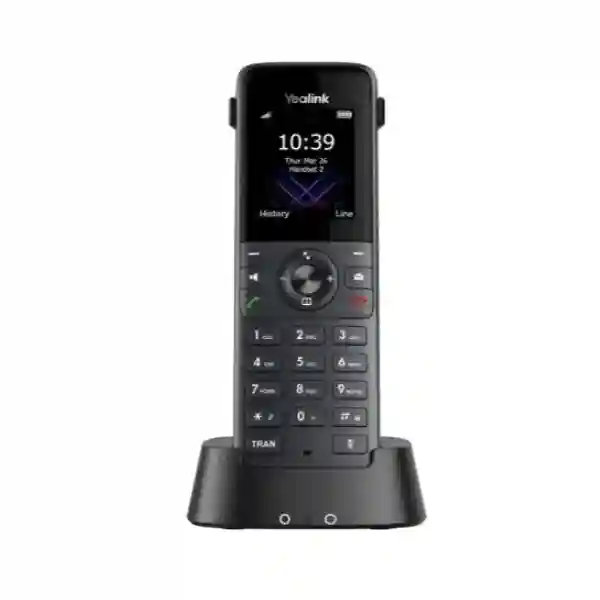
Yealink W74H DECT Handset – Professional Cordless Business Voice Mobility
The Yealink W74H is a business DECT handset designed for employees who need to remain reachable while moving away from a fixed desk. Instead of tying a user to an Ethernet-connected desktop telephone, the handset connects through a compatible Yealink DECT base environment and gives staff a practical mobile voice endpoint for day-to-day business communications. It is particularly relevant where reception teams, supervisors, service personnel, operations staff, warehouse coordinators, clinic teams, hospitality employees or managers regularly move between work areas while remaining responsible for incoming and outgoing calls.
Its core hardware is deliberately compact: a 1.8-inch 128 × 160 TFT colour screen, backlit physical keypad, notification light, vibration alert, full-duplex speakerphone, Bluetooth 5.1 and a 3.5 mm headset interface. Yealink specifies HD audio, Flexible Noise Reduction and noise cancellation, helping the handset serve environments where speech intelligibility matters more than decorative features. Up to two simultaneous calls per handset and three-way conferencing support routine business call handling, while common functions such as transfer, hold, call waiting, DND, redial, voicemail and call history fit normal office workflows.
For procurement teams, the important distinction is that W74H is a handset rather than a complete standalone IP telephone system. A compatible Yealink DECT base infrastructure is required. It is compatible with Yealink single-cell and multi-cell options including W70B and supported W75B/W80B/W90B environments. This distinction should be checked before a purchase order is released because the correct base design, radio coverage and SIP platform integration determine the complete solution.
Battery specifications support long working shifts: Yealink lists up to 24 hours of talk time and up to 320 hours of standby time under ideal conditions. Quick charging can provide approximately two hours of talk time after a ten-minute charge. Actual endurance depends on calling patterns, radio conditions, Bluetooth use, battery age and environmental factors. For Ugandan organizations planning a new deployment or expanding an existing Yealink DECT estate, FourTeck can review handset quantities, base coverage, accessories and deployment assumptions before quotation.
Instant Specifications & Procurement Fact Rail
Yealink W74H professional DECT handset
Compatible Yealink single-cell or multi-cell DECT environment
HD audio, full-duplex speakerphone, FNR/noise cancellation
Bluetooth 5.1 and 3.5 mm connection
Up to 24 h talk / 320 h standby in ideal conditions
Contact FourTeck for current Uganda supply, lead time and warranty terms
These facts provide a fast procurement checkpoint, but they should not replace solution sizing. A handset order can be simple when an organization already operates a compatible Yealink DECT platform. A greenfield installation requires additional decisions around base station quantity, mounting position, SIP registration, coverage boundaries, handover expectations and resilient power for network components. Regional warranty and commercial terms should be confirmed on the quotation because they can vary by supply route, project scope and order date.
Operational Product Architecture & Overview
W74H sits at the user edge of a DECT-over-IP communications architecture. The handset provides the mobile user interface and radio endpoint, while the compatible base system bridges cordless DECT communications into the organization’s IP telephony environment. This separation is operationally useful: users can move without carrying an Ethernet cable or depending on desk-level network ports, while administrators can concentrate SIP connectivity and radio design in the base infrastructure.
The 1.8-inch colour display provides caller identification, icons, soft-key navigation, date and time information, screen saver functions and multilingual operation. A physical keypad remains valuable for users who need predictable tactile dialing while walking between work areas or wearing gloves that still allow ordinary keypad operation. The notification light identifies voicemail or missed-call conditions, and vibration provides another alert channel in busy surroundings where audible ringing may be difficult to notice.

Voice performance is supported by HD audio, a full-duplex speakerphone and Yealink noise-reduction functions. The published audio frequency response is 100 Hz to 7 kHz. Receiver and ringer volume controls provide multiple levels, while Hearing Aid Compatibility broadens usability. For mobile employees, the combination of Bluetooth 5.1 and a conventional 3.5 mm jack is significant because organizations can support wireless headsets for hands-free movement while retaining a wired alternative.
Call-control capabilities include up to two simultaneous calls per handset, three-way conferencing, transfer, hold, call waiting, swap, DND, mute, redial, speed dial and voicemail access. Phonebook functionality can include locally presented directory information sourced through the base and remote LDAP or XML phonebook workflows depending on the deployed system configuration. Over-the-air upgrade capability can simplify lifecycle administration by reducing the need to physically handle every handset for routine firmware maintenance.
The operational pain point this model addresses is not simply “needing a cordless phone.” Enterprises often need mobility without abandoning centrally managed business telephony. A conventional desk phone provides strong fixed-position functionality but becomes inefficient for employees who spend their shift moving between rooms, floors, service counters or operational zones. Consumer cordless phones may provide mobility but lack the integration, call handling, centralized directory options and scalable base architecture expected in professional deployments. W74H is intended to bridge that gap within the Yealink DECT ecosystem.
Enterprise Business Outcomes & Value Analysis
Key Hardware & Software Highlights
1.8-inch TFT Display
128 × 160 colour presentation gives users a compact graphical interface for caller information, menus, directories and status indications.
Bluetooth 5.1
Built-in wireless headset connectivity supports hands-free calling for users who need both mobility and use of their hands during work.
3.5 mm Headset Jack
A wired connection remains available for organizations or individual roles that prefer simple cabled headsets.
Vibration & Notification
Vibration and visual notification improve call awareness in louder environments or locations where ringing may be undesirable.
Quick Charging
A ten-minute charge can provide about two hours of talk time, useful for recovering a handset between shifts or after an incomplete charge.
OTA Upgrades
Over-the-air firmware upgrade support can reduce repetitive physical administration across deployed handset fleets.
Unlike a fixed Ethernet phone, W74H does not expose a desk-side network port layout because its role is the DECT handset portion of the solution. Capacity, SIP registrations and network uplink characteristics are primarily determined by the selected Yealink base architecture. This is why buyers should avoid comparing the handset to an Ethernet desk phone solely by port count or PoE characteristics. The correct comparison is whether the handset’s radio mobility, call functions, battery endurance and accessory interfaces match the user role, and whether the chosen base system can provide the required coverage and call capacity.
Technical Specifications Ledger
| Category | Specification | Procurement Relevance |
|---|---|---|
| Display | 1.8-inch, 128 × 160 TFT colour | Compact graphical interface for daily mobile calling. |
| Calls | Up to 2 simultaneous calls per handset; 3-way conference | Supports common business call handling. |
| Audio | HD audio, full-duplex speakerphone, FNR/noise cancellation, HAC | Designed for clear professional voice use. |
| Audio Response | 100 Hz–7 kHz | Published handset voice frequency response. |
| Wireless Headset | Bluetooth 5.1 | Supports compatible wireless headset operation. |
| Wired Headset | 3.5 mm jack | Alternative cabled accessory path. |
| Dimensions | 144.5 × 48 × 21 mm | Compact handheld form factor. |
| Weight | 117 g | Suitable for regular carrying. |
| Battery | Lithium-ion; hardware revision dependent battery specification | Confirm replacement battery compatibility by hardware revision. |
| Talk / Standby | Up to 24 h / up to 320 h in ideal conditions | Supports extended shifts; real results vary. |
| Quick Charge | 10 min charge for about 2 h talk time | Useful for short recovery charging windows. |
| Charger Output | DC 5 V / 0.6 A | Relevant for charging-station planning. |
| Power Adapter | 100–240 V, 50/60 Hz input; 5 V / 0.6 A output | Broad mains input range; confirm supplied plug format. |
| Operating Temperature | -10°C to +50°C | Check actual workplace conditions. |
| Operating Humidity | 10–95% | Environmental planning reference. |
| DECT Range | Up to 50 m indoors / 300 m outdoors in ideal conditions | Real coverage depends heavily on building construction and interference. |
| Package | Handset, charger cradle, rechargeable battery, belt clip, power adapter | Base station is a separate solution component unless bundled otherwise. |
DECT frequency bands vary by regulatory region, so procurement should use the regional product variant intended for the destination market. Published range values are ideal-condition figures, not guaranteed building coverage. Reinforced concrete, metal shelving, lift shafts, plant rooms, glass treatments and building geometry can reduce practical radio reach. For multi-floor or operationally critical deployments, coverage validation is more useful than relying on a nominal distance figure.
Configuration & Sizing Worksheet
Step 1 – Count Users and Calling Roles
List every employee who requires a dedicated mobile handset, then separate permanent users from shared-shift users. Record which users need Bluetooth headsets, wired headsets, belt clips, spare charging positions or dedicated spare handsets. Also identify departments where missing a call has a larger operational impact, because those areas may justify additional devices or charging redundancy.
Step 2 – Map Coverage, Not Just Floor Area
Mark the rooms, corridors, stairwells, outdoor transition areas and floors where calls must remain active. Building materials matter. A short distance through dense reinforced walls can be harder for radio coverage than a much longer open corridor. If seamless movement across a larger site is required, evaluate a supported multi-cell design rather than adding equipment without a radio plan.
Step 3 – Validate Base and SIP Capacity
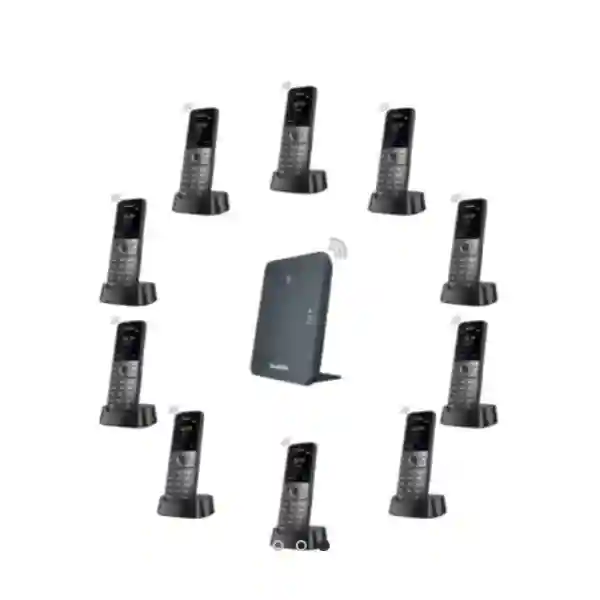
For existing installations, record the exact Yealink base model and current handset count. For new installations, provide the PBX or hosted voice platform, expected concurrent calls and number of SIP identities. The W74P architecture with W70B can support up to ten handsets and ten SIP accounts, while larger multi-cell architectures are intended for broader scale. Capacity must be validated against the chosen base system, not assumed from the handset specification alone.
Step 4 – Plan Charging and Power
Choose accessible charging locations near the users’ natural shift handover or storage points. The handset charger uses a 5 V / 0.6 A output supply. Critical teams should decide whether a spare handset or spare battery process is required rather than depending solely on emergency quick charging.
Step 5 – Review Licensing and Platform Requirements
The handset itself is only one layer of the communications service. SIP extensions, PBX user entitlements, hosted voice subscriptions, call recording, contact-center functions or other platform services may carry separate licensing depending on the customer’s telephony platform. Include those requirements in the commercial review so the hardware purchase does not arrive before the service entitlement is ready.
Step 6 – Prepare the Quote Request
Provide handset quantity, delivery city, existing base models, PBX or cloud voice platform, number of SIP users, approximate coverage map, number of floors, expected roaming requirements, headset quantities and any staging requirements. This information allows the quotation to address the full deployment rather than only the visible handset count.
Deployment Scenarios & Industry Use Cases
Large Enterprise & Multi-Site Networks
Large organizations can use W74H for employees who need internal mobility at individual sites while retaining business calling features. A branch with limited coverage requirements may suit a single-cell approach, whereas a larger headquarters, warehouse or campus may require a multi-cell architecture. Multi-site procurement should standardize handset models, charging accessories, firmware policy and user training while sizing radio infrastructure separately for each building.
Financial & Banking Institutions
Branch supervisors, operations personnel and authorized support staff may need to move between counters, back offices and service areas while remaining reachable. The handset’s physical keypad, vibration, headset options and business call controls support such mobility. Organizations with strict security policies should validate PBX security, network segmentation, directory access and device administration as part of the complete communications architecture.
Educational & Campus Networks
Schools, colleges and universities often have staff who move between administrative offices, libraries, laboratories, residences and facilities areas. A DECT deployment can provide a controlled voice-mobility layer where appropriate. Coverage surveys are particularly important on campuses because buildings vary greatly in construction and may require separate radio zones or multi-cell planning.
Government & Public-Sector Procurement
Public-sector buyers commonly require clear bills of materials, model identification, delivery documentation and lifecycle support. W74H can be specified as the user handset while the compatible base stations, network components and voice platform are documented separately. Procurement teams should define warranty handling, acceptance testing, firmware baseline, asset labeling and configuration responsibilities in the request for quotation.
Technical Deep Dive 1: Voice Processing, Radio Mobility & Handset Architecture
The W74H’s architecture is optimized around cordless voice rather than general-purpose data. Yealink describes its DECT technology as focused on high-quality wideband Audio VoIP and low-bit-rate data applications. The handset’s role is to capture and reproduce speech, provide the user interface, maintain DECT radio connectivity and expose call-control functions supplied through the overall telephony system. This architecture avoids treating Wi-Fi as the only possible mobility mechanism and can give organizations a dedicated cordless voice layer.
Audio quality depends on more than a codec label. Microphone pickup, receiver design, acoustic processing, environmental noise and radio stability all influence what users experience. W74H combines HD audio with FNR/noise cancellation and a full-duplex speakerphone. It also provides receiver-volume adjustment and multiple ringer settings. In operational procurement, these features are relevant for supervisors, reception overflow staff and mobile service teams who may take calls in changing acoustic conditions.
DECT range is specified at up to 50 metres indoors and up to 300 metres outdoors in ideal conditions. These values should be interpreted as engineering reference limits rather than a site guarantee. Radio propagation can be changed by wall composition, shelving, machinery, doors and floor slabs. A large open warehouse may behave very differently from a compact concrete building. Correct base placement and, where needed, multi-cell design are therefore central to user experience.
Technical Deep Dive 2: Software Ecosystem, Firmware Security & Operational Control
A business handset becomes more useful when it participates consistently in the organization’s calling and directory environment. W74H supports familiar functions such as call forwarding, DND, waiting, hold, transfer, redial, speed dial, voicemail, anonymous-call controls and call history. Directory capabilities include remote phonebook workflows such as LDAP and XML where supported by the system configuration. This means deployment planning should include directory ownership and naming conventions rather than leaving every handset as an isolated contact list.
Over-the-air upgrade capability is important for fleet operations. Administrators can plan firmware maintenance through the supported Yealink environment rather than manually connecting each handset. Firmware governance should still be deliberate: validate the release against the deployed base and PBX environment, stage changes when practical, document the approved baseline and schedule updates to minimize disruption. For regulated organizations, retain configuration and change records according to internal policy.
Security should be evaluated end to end. DECT encryption protects the radio component according to the supported Yealink design, while the wider service also depends on base configuration, SIP security, PBX policies, administrator credentials, network segmentation and update discipline. Buying a secure endpoint does not remove the need to operate the surrounding communications platform securely.
Technical Deep Dive 3: Availability, Redundancy & Recovery Planning
The handset does not provide high availability by itself. Availability is an outcome of the complete voice service: radio coverage, base architecture, network switching, PoE or power for base stations, PBX resilience, WAN availability for cloud services and charging practices all contribute. Organizations that classify voice as operationally critical should identify each dependency and decide what happens when it fails.
At the handset layer, practical resilience can include spare charged devices, defined battery replacement procedures and more than one charging location. At the radio layer, a correctly engineered multi-cell environment can support broader roaming and reduce dependence on a single coverage point, subject to the selected Yealink architecture. At the network layer, protected switching and UPS-backed infrastructure can help keep base stations operational through short power interruptions.
Disaster recovery also needs user procedures. Staff should know how to report a failed handset, obtain a replacement, register or assign the replacement according to the organization’s process, and verify extension identity. Maintaining an accurate asset list with handset model, hardware revision and assigned user can reduce recovery time. For large deployments, holding an agreed spare percentage may be more efficient than emergency procurement after a failure.
Pre-Purchase Buyer Gap Checklist
Is a base station included? The W74H handset package contains the handset, charger cradle, rechargeable battery, belt clip and power adapter according to Yealink documentation. A DECT base is a separate system component unless the commercial bundle explicitly states otherwise. Buyers needing a complete single-cell system should discuss the appropriate base or W74P bundle.
Will it work with any DECT base? Do not assume generic third-party DECT interoperability. Yealink specifically notes that its DECT devices are not compatible with third-party DECT base stations or handsets. Validate the exact Yealink base model before ordering.
Are there hidden licenses? The handset purchase does not automatically include licenses or subscriptions required by an external PBX, hosted voice service, contact centre or other communications platform. Confirm SIP-user, extension, recording and advanced-feature entitlements with the relevant platform provider.
Will the published range cover the building? Not necessarily. Up to 50 m indoor and 300 m outdoor figures are stated for ideal conditions. Concrete, steel, equipment rooms and other obstacles can reduce range substantially. Larger or complex sites should be planned around measured coverage requirements.
Which battery should be stocked? Current documentation identifies different battery specifications across W74H hardware revisions. Replacement batteries should therefore be matched to the actual hardware revision rather than ordered solely by a generic capacity assumption.
Does it need a network cable at the handset? No desk-side Ethernet connection is used by the handset itself. Network connectivity belongs at the compatible DECT base infrastructure. The handset communicates wirelessly by DECT and charges in its cradle.
Can users use Bluetooth headsets? Yes. W74H includes Bluetooth 5.1 and also provides a 3.5 mm wired headset jack. Confirm specific headset compatibility and operational requirements before large accessory purchases.
Is it ruggedized? W74H is a modern business handset, not the ruggedized model in Yealink’s DECT family. Environments requiring a formal ingress-protection rating or enhanced drop resistance should evaluate the relevant rugged Yealink alternatives rather than assuming W74H has those protections.
Uganda Procurement & Delivery Logistics
FourTeck can prepare a Uganda quotation around the actual solution scope rather than a handset-only assumption. For a simple expansion, provide the number of W74H units and the installed Yealink base model. For a new deployment, include user count, floor plan or approximate coverage zones, PBX platform, concurrent-call expectations and delivery location. This makes it possible to identify whether the requirement is best treated as a single-cell installation, a larger multi-cell project or an extension of existing infrastructure.
Order processing should include verification of model, quantity, accessory requirements and commercial terms. Delivery timing depends on stock position, project volume and supply route, so lead time should be taken from the current written quotation rather than assumed from a general product page. Organizations with project deadlines should include the required delivery date when requesting pricing.
Pre-configuration requirements can also be discussed before shipment. Depending on project scope, staging may include firmware baseline review, device labeling, base-system preparation or documentation of deployment parameters. Customers should provide PBX and network information through appropriate secure project channels rather than embedding credentials in an ordinary purchase request.
Local Coverage Matrix
Corporate offices, hotels, clinics, retail operations and multi-floor business sites can request handset and DECT infrastructure quotations.
Suitable for hospitality, administration, logistics and service environments requiring staff voice mobility.
Business, industrial and institutional projects can be scoped around user quantity and building coverage.
Organizations can request complete bills of materials for branch, campus and operational deployments.
Regional projects can be quoted with delivery and deployment requirements identified in advance.
For any Uganda location, project planning should separate equipment lead time from installation scheduling. If a site requires a radio survey, structured cabling changes, PBX integration or multi-cell configuration, those tasks should be incorporated into the deployment plan rather than treated as part of courier delivery.
Cross-Border & Regional Supply Chains
Organizations operating across several countries often benefit from standardizing the handset model while allowing base architecture and regulatory variants to be validated locally. FourTeck supports regional technology procurement through FourTeck Uganda, FourTeck Kenya, FourTeck Africa, FourTeck UAE and FourTeck Kuwait. Cross-border orders should account for destination-specific regulatory frequency variants, warranty routing, import requirements, delivery terms and plug formats.
For regional enterprises, create a site schedule listing country, city, handset quantity, base model, PBX platform and required delivery date. This avoids assuming that equipment specified for one regulatory market should automatically be redeployed into another. Centralized procurement can still maintain common model standards while local validation protects compatibility and compliance.
Related Yealink Products & Solution Paths
A W74H purchase often forms part of a wider voice solution. Buyers starting with a single-cell requirement can consider a compatible Yealink W70B-based architecture or the W74P system bundle. Larger sites can evaluate Yealink W75B, W80B or W90B multi-cell platforms according to required scale and roaming design. Users who require a rugged handset should consider Yealink’s rugged DECT models rather than treating the W74H as an industrial-protection device. Organizations that primarily need fixed desk calling can also review the wider Yealink business communications range in Uganda.
Accessory planning should include compatible Bluetooth or wired headsets, charging positions, replacement batteries matched to hardware revision and any required base-station mounting or network power components. For projects with mixed user roles, it can be more cost-effective to assign different endpoint types by role: cordless DECT handsets for mobile workers, desk phones for fixed users and rugged handsets for demanding physical environments.
FourTeck Technical Service Capabilities
A successful DECT purchase begins with bill-of-materials validation. FourTeck can review whether the requested W74H quantity aligns with the proposed base architecture, whether the customer already owns compatible infrastructure and whether accessories have been omitted. This reduces common procurement errors such as ordering handsets without sufficient base capacity or buying a single-cell design for a site that actually requires roaming across multiple radio zones.
For suitable projects, staging can include equipment verification, agreed firmware baseline review, labeling and pre-shipment preparation. Multi-cell projects may require additional engineering information such as floor plans, construction details, user density and expected call patterns. The goal is to convert a product list into an implementable communications design.
Post-sales support can address hardware identification, warranty workflow, configuration questions and deployment troubleshooting within the agreed support scope. Customers should retain serial numbers, purchase documentation, configuration backups for base infrastructure and a record of firmware versions. These records make fault isolation and warranty processing more efficient.
Extended Technical FAQ
1. Is the Yealink W74H a complete cordless phone system by itself?
No. W74H is the cordless handset component. It requires a compatible Yealink DECT base environment to connect into the business telephony service. The handset package includes the handset, charging cradle, rechargeable battery, belt clip and power adapter, but buyers should not assume a DECT base station is included unless the quotation or bundle explicitly lists one. For a new installation, provide the number of users, coverage area and PBX details so the appropriate base architecture can be included. For an existing installation, provide the exact base model and current handset count before adding more W74H units.
2. Which Yealink base stations can be used with W74H?
Yealink documents W74H compatibility across supported single-cell and multi-cell DECT platforms, including W70B and W75B/W80B/W90B families, with current compatibility lists also showing additional supported Yealink base options. Compatibility should still be checked against the exact deployed hardware and firmware before a bulk order. Yealink states that its DECT technology is not compatible with third-party DECT base stations or handsets, so a generic DECT label should not be treated as proof of interoperability. When requesting a quote for expansion, include the installed base model and firmware context.
3. How much indoor coverage should we expect?
Yealink publishes a DECT range of up to 50 metres indoors and up to 300 metres outdoors under ideal conditions. Real buildings can produce significantly different results. Reinforced concrete, steel storage racks, lifts, fire doors, plant equipment, coated glass and floor slabs can attenuate radio signals. The correct design method is therefore to identify every area where users must make or maintain calls and size the base infrastructure around those zones. Multi-floor offices, warehouses and campuses should not be budgeted solely by multiplying a nominal radius. For critical projects, include coverage validation in the deployment process.
4. Does W74H support Bluetooth headsets?
Yes. The handset includes built-in Bluetooth 5.1 for compatible wireless headsets and also provides a 3.5 mm jack for wired headsets. This gives organizations flexibility to assign accessories according to job role. A manager moving between meeting spaces may prefer a compact Bluetooth headset, while another user may prefer a wired model for simplicity. For large accessory orders, validate the specific headset model and required call-control behavior before standardizing. Bluetooth use can also affect practical battery behavior, so organizations with exceptionally long shifts should test the complete handset-and-headset combination under realistic conditions.
5. What battery life does the W74H provide?
Yealink states up to 24 hours of talk time and up to 320 hours of standby time in ideal conditions. The handset also supports quick charging, with approximately ten minutes of charging providing two hours of talk time. These figures are useful planning references, not guarantees for every workplace. Actual battery endurance varies with call volume, Bluetooth activity, radio conditions, battery age, temperature and user behavior. For operations that cannot tolerate a handset being unavailable, define a charging routine and consider spare handsets or batteries. Replacement batteries should be matched to the W74H hardware revision because documented battery specifications differ by revision.
6. Does the handset require separate software licensing?
The physical handset should be considered separately from the licensing of the wider voice service. Your PBX, hosted SIP provider, unified communications platform, call recording service or contact-centre application may require a user license, extension entitlement or subscription. Those commercial requirements are platform-specific and should be confirmed before deployment. The Yealink handset cannot by itself grant access to services that the PBX or cloud provider licenses separately. A complete quote request should therefore state the existing voice platform and any advanced features expected by users, allowing hardware and service requirements to be checked together.
7. Can FourTeck help configure the system before delivery?
Pre-configuration and staging can be discussed according to project scope. Useful preparation may include model and bill-of-materials verification, agreed firmware baseline review, labeling, documentation and configuration planning for compatible base infrastructure. Customers should provide network and telephony details through appropriate project channels. For a multi-cell deployment, additional engineering inputs may be needed before configuration because base placement and radio relationships depend on the physical site. The exact staging deliverables should be written into the quotation or statement of work so both parties have a clear acceptance point before shipment or installation.
8. Is W74H suitable for warehouses and industrial sites?
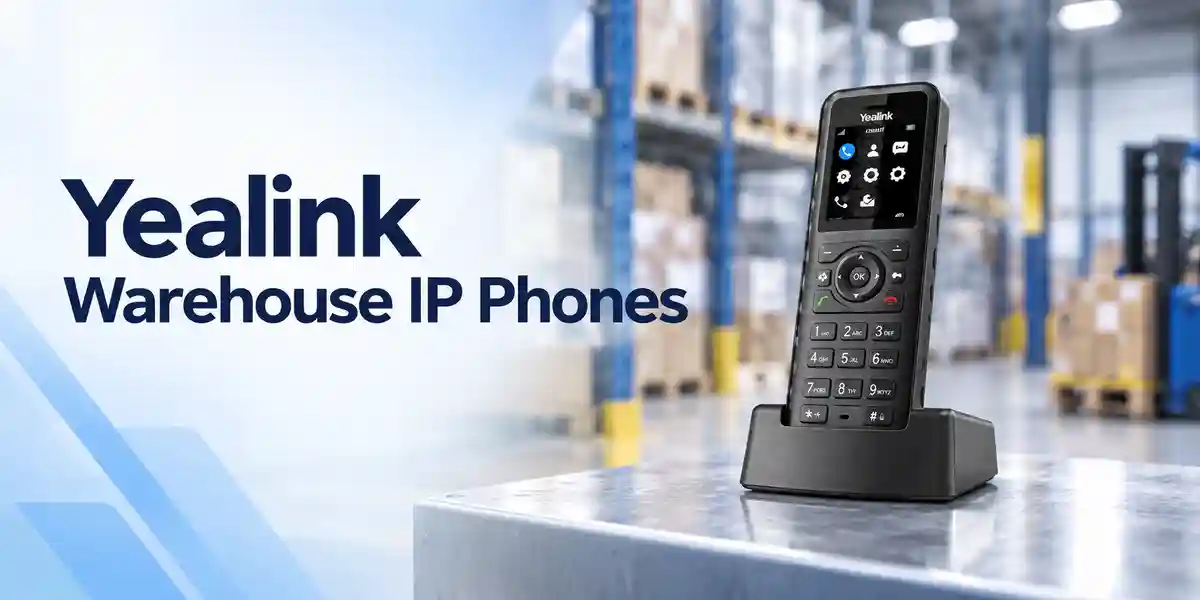
It can be useful in many warehouse or operational environments where staff need cordless voice mobility, particularly because it offers vibration, a belt clip, Bluetooth, a physical keypad and noise-reduction functions. However, W74H is a business handset rather than Yealink’s ruggedized DECT model. If the site requires a specified ingress-protection rating, enhanced drop resistance or operation in unusually harsh conditions, evaluate a rugged Yealink handset designed for that purpose. Radio planning is also especially important in warehouses because tall metal racking, stored goods and machinery can produce coverage patterns that differ from an ordinary office.
9. How are warranty and hardware replacement handled?
Warranty terms should be confirmed on the FourTeck quotation for the specific order and supply route. Keep the invoice or purchase record, product serial number, model information and a clear fault description. Before requesting replacement, support may ask for basic troubleshooting to distinguish a handset fault from a battery, charger, base, coverage or PBX issue. This distinction matters because a symptom such as dropped calls can originate from radio coverage or network infrastructure rather than the handset. Organizations with critical voice operations may wish to hold spare units so a user can continue working while a suspected device is diagnosed.
10. What information should we send to receive an accurate Uganda quote?
Start with the number of W74H handsets required and the delivery city. If you already have Yealink DECT, include the exact base model and current number of registered handsets. For a new system, provide the number of users, PBX or hosted voice platform, approximate floor area, number of floors, important coverage zones, expected simultaneous calls and whether seamless roaming is required. Add Bluetooth or wired headset quantities, preferred deployment date and any staging needs. This information allows FourTeck to identify missing base stations, accessories or service items before the order is placed rather than discovering them during installation.
Build the Correct Yealink W74H Deployment for Uganda
Request a project quotation with your handset quantity, delivery location, existing Yealink base model or new-site coverage requirements, PBX platform and headset needs. FourTeck can use those details to prepare a clearer bill of materials and help distinguish the handset purchase from the base stations, voice-service entitlements and deployment work required for a complete business solution. For multi-site or multi-floor environments, include coverage information early so the architecture can be sized before procurement approval.
Whether you are adding a few mobile extensions to an existing office or planning a larger DECT environment, the objective is the same: purchase the right endpoint, compatible infrastructure and accessories together, with commercial and technical assumptions documented before delivery.



Reviews
There are no reviews yet.